

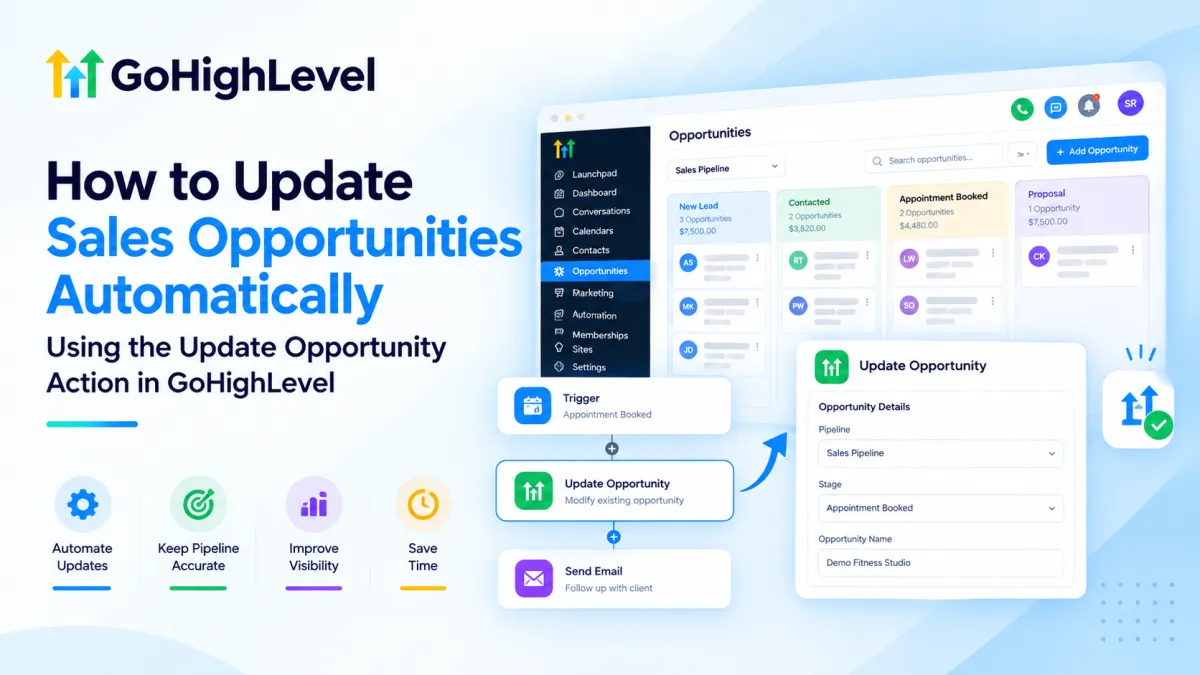
How to Update Sales Opportunities Automatically in GoHighLevel
How to Update Sales Opportunities Automatically Using the Update Opportunity Action in GoHighLevel
Sales pipelines often become inaccurate when opportunities are not updated consistently throughout the customer journey. A lead may book an appointment, respond to a campaign, complete a sales step, or become inactive, but the related opportunity can remain unchanged if someone has to update it manually every time.
This creates outdated pipeline information, makes sales reporting less reliable, and forces teams to spend time maintaining CRM records instead of focusing on conversations and conversions.
The Update Opportunity action in GoHighLevel solves this problem by allowing workflows to automatically modify existing opportunity information when specific automation events occur. Instead of relying on team members to manually maintain pipeline data, GoHighLevel CRM Automation can keep opportunities aligned with the latest sales activity.
What Is the Update Opportunity Action in GoHighLevel?
The Update Opportunity Action is a workflow action inside GoHighLevel that allows users to update an existing sales opportunity automatically.
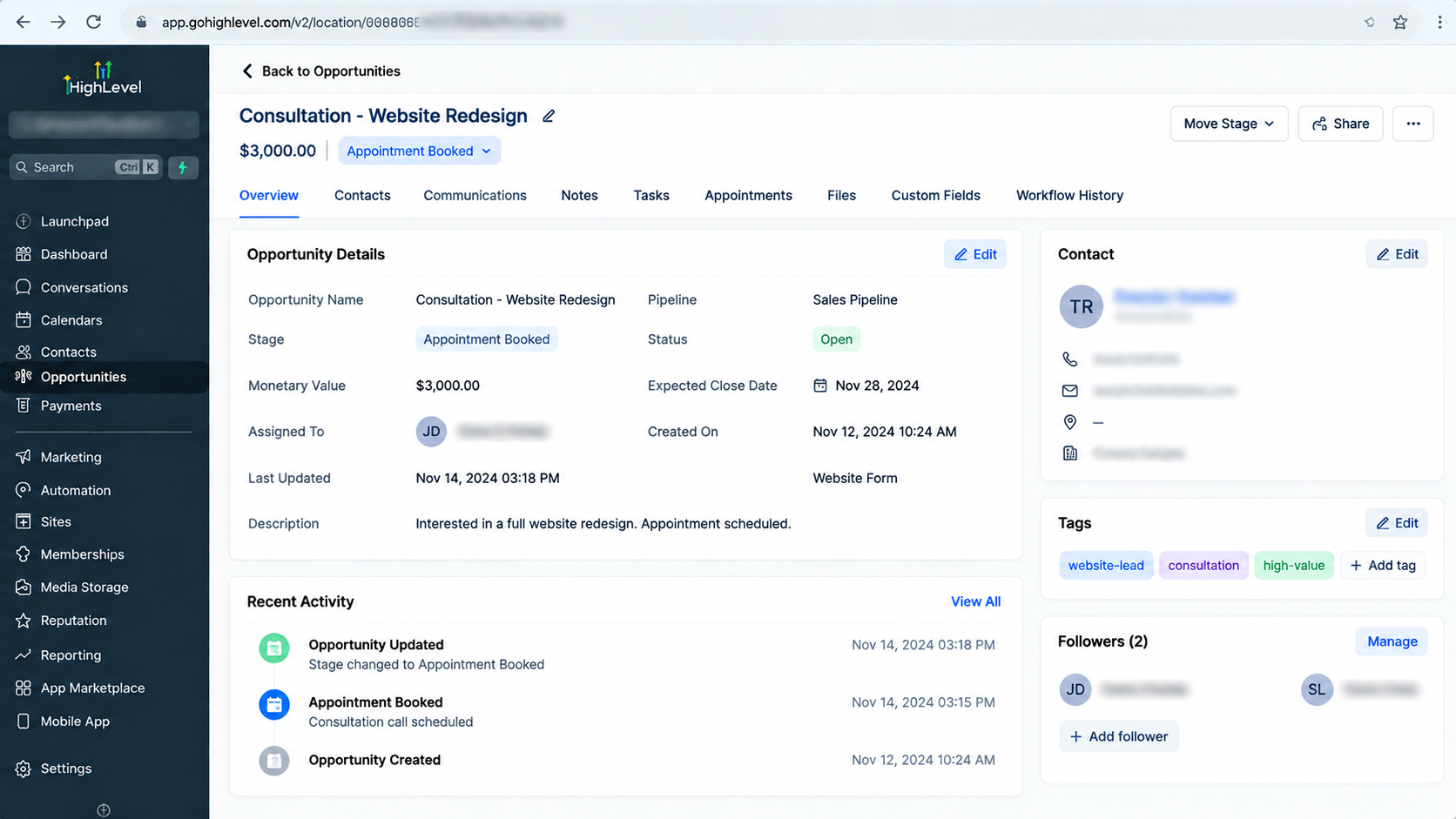
A GoHighLevel Opportunity represents a sales record connected to a contact and placed inside a pipeline. It contains important sales information such as where a prospect is in the sales process and other opportunity-related details used for pipeline management.
The Update Opportunity action does not create a new opportunity. Its purpose is to modify an opportunity that already exists within the CRM.
For example, when a prospect books a sales appointment, a workflow can update the related opportunity information to reflect that progress. This helps sales teams maintain accurate pipeline visibility without manually editing records.
Why Automate Opportunity Updates?
Manual opportunity management can become difficult when businesses handle many leads across multiple sales stages. Small delays or missed updates can quickly create inaccurate pipeline data.
Using the Update Opportunity action in a GoHighLevel Workflow helps businesses:
Maintain accurate sales pipeline information
Reduce repetitive CRM tasks
Keep opportunity records synchronized with customer activity
Improve visibility for sales teams
Create more consistent sales processes
For example, if a lead completes an important action such as booking a consultation, a workflow can automatically update the existing opportunity instead of requiring a sales representative to open the CRM and make changes manually.
How the Update Opportunity Action Works
The Update Opportunity action works as part of a larger GoHighLevel automation sequence.
A typical workflow follows this structure:
Trigger → Workflow Actions → Update Opportunity
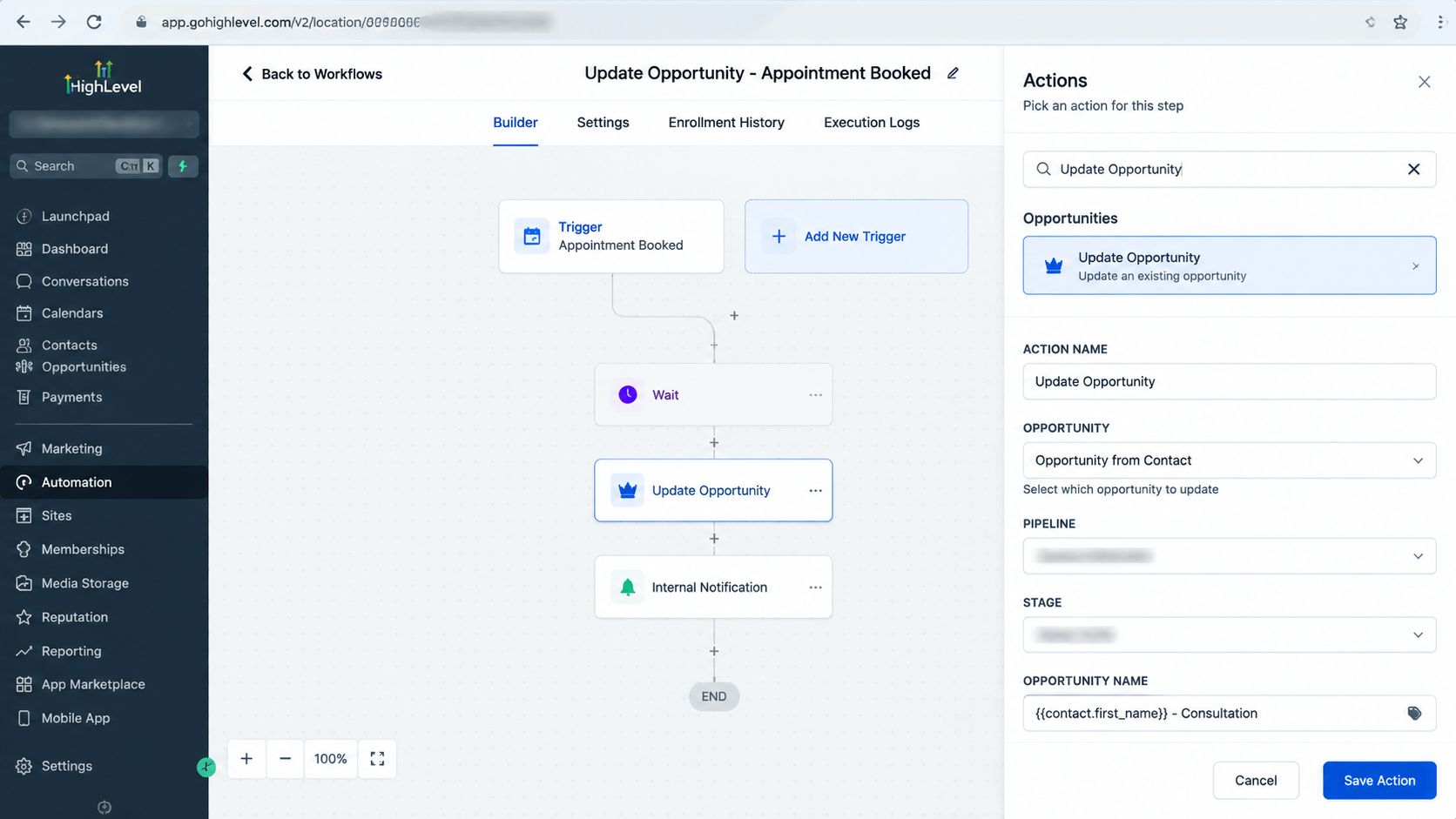
The trigger starts the workflow when a specific event occurs. The workflow then executes the configured actions, including updating the opportunity connected to the contact.
It is important to understand the difference between contact information and opportunity information.
A contact contains details about the person or business, such as contact fields and communication information. An opportunity contains sales pipeline information related to that contact.
Updating a contact field does not automatically update an opportunity. A workflow action must specifically modify opportunity data.
Similarly, moving a contact through a workflow does not automatically move an opportunity unless an appropriate workflow action performs that update.
How to Set Up the Update Opportunity Action in GoHighLevel
Adding the Update Opportunity action to a workflow is straightforward:
Step 1: Open GoHighLevel Workflows
From your GoHighLevel account, open the Automation section and create or edit a workflow where you want to automate opportunity management.
Choose an appropriate trigger based on the business process you want to automate.
Examples may include customer actions or sales-related events that start a workflow.
Step 2: Add a Workflow Action
Inside the workflow builder, add a new action step.
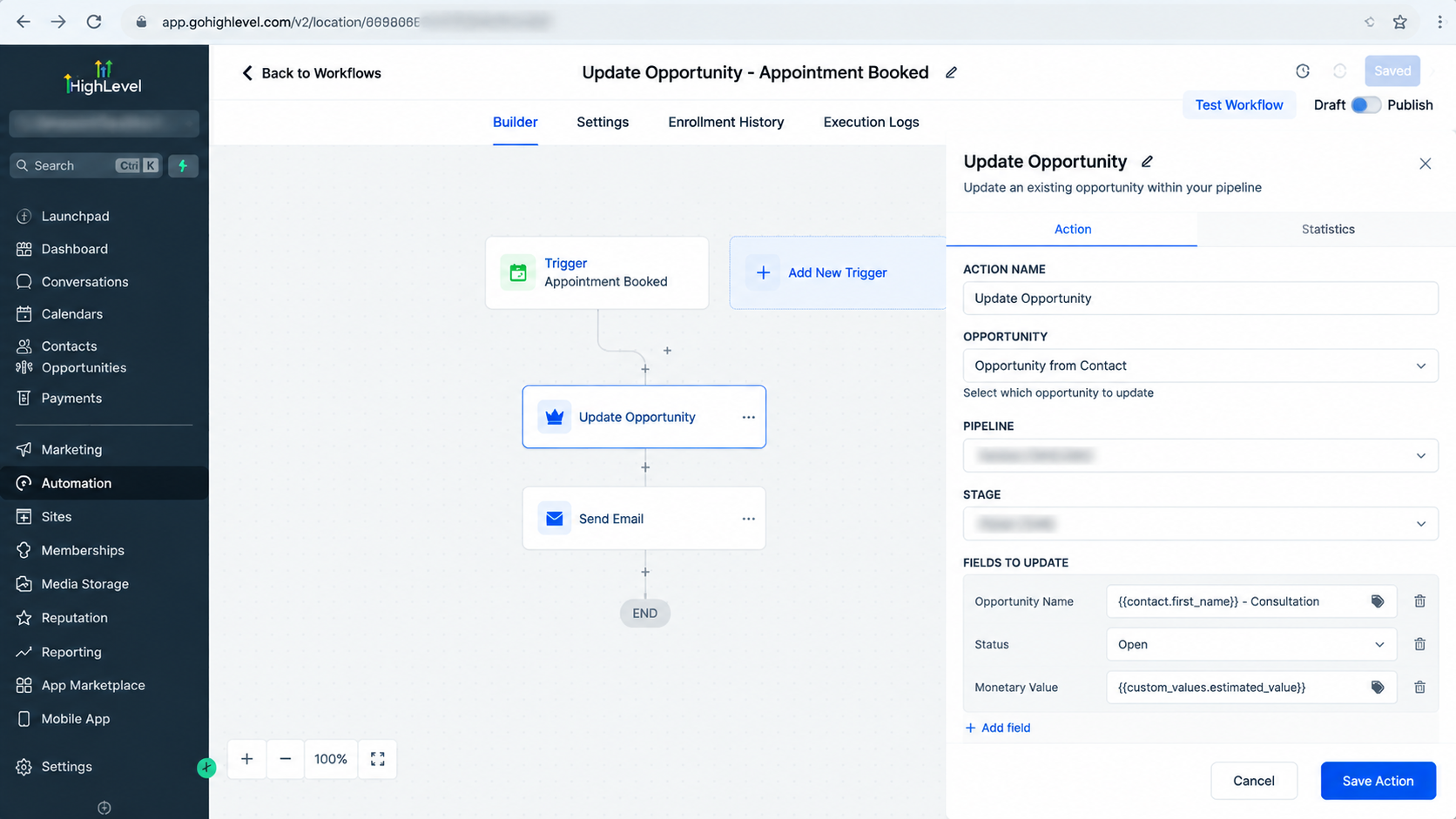
Search for and select Update Opportunity from the available workflow actions.
This tells GoHighLevel that the next automation step should modify opportunity information rather than contact information or another CRM element.
Step 3: Configure the Opportunity Update
Configure the available update settings according to your workflow requirement.
The exact available fields depend on the current GoHighLevel interface and account configuration, but the action is designed to update opportunity-related information for an existing opportunity.
Review the selected settings carefully to ensure the workflow is modifying the intended sales record.
Step 4: Test the Workflow
Before activating the automation, test the workflow with a sample contact and opportunity.
Confirm that the correct opportunity is updated and that the workflow does not affect unrelated records.
Testing is especially important when working with multiple pipelines or complex sales processes.
Real-World Use Cases for Update Opportunity Automation
Updating an Opportunity After an Appointment Booking
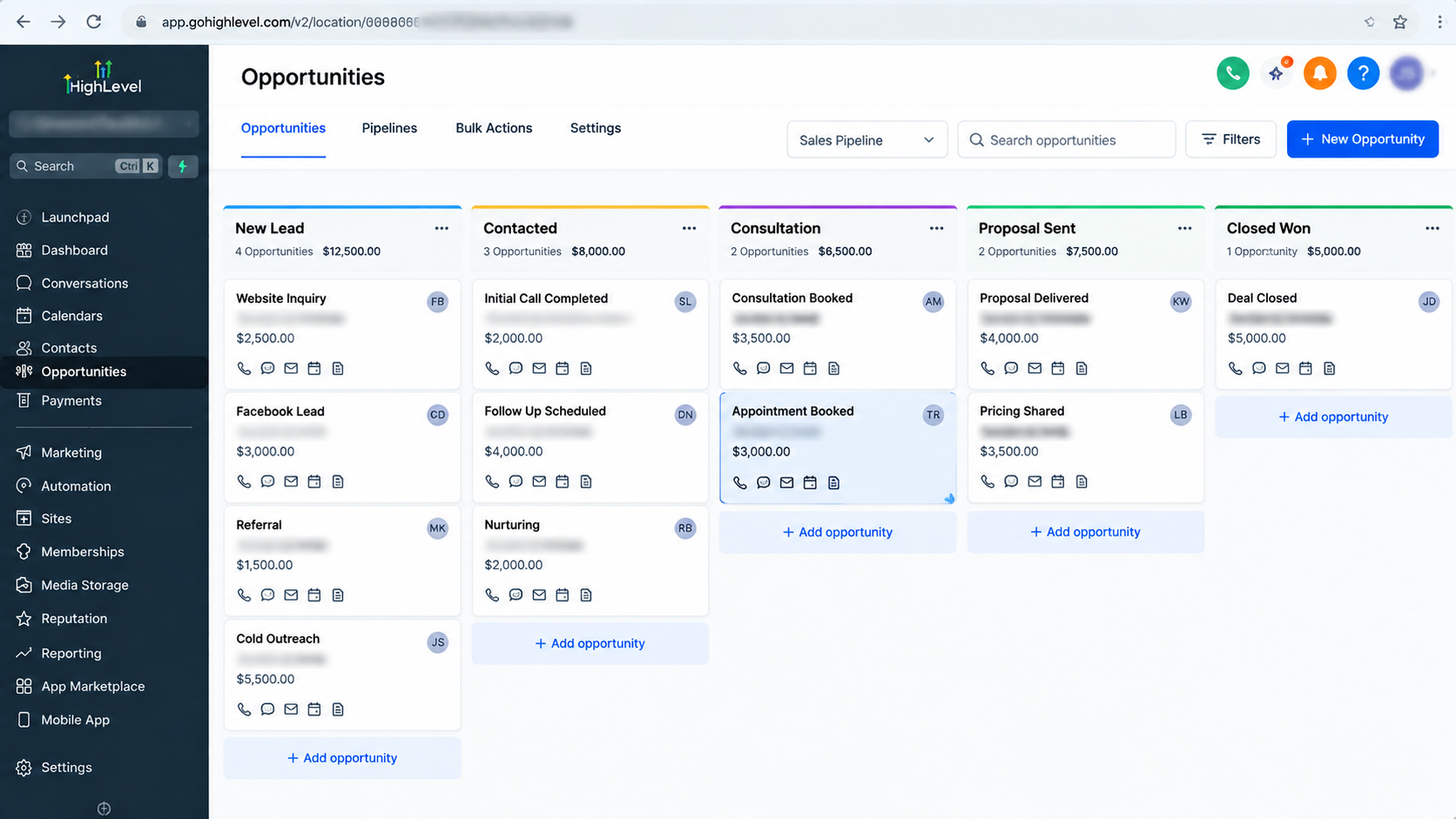
A common sales automation scenario is updating an opportunity after a prospect schedules a meeting.
For example:
Trigger: Appointment booked
Action: Update Opportunity
Result: The existing opportunity reflects the latest sales activity.
This keeps the pipeline aligned with actual customer progress.
Maintaining Accurate Sales Pipeline Data During Follow-Ups
Lead nurturing workflows often run for days or weeks. During this time, prospects may interact with campaigns, respond to messages, or take important actions.
Using the Update Opportunity action allows businesses to keep opportunity records updated as prospects move through the buying process.
Supporting Sales Team Handoffs
When a lead reaches a certain point in the sales journey, automation can help ensure the opportunity record reflects the latest status and information available to the sales team.
This reduces confusion when multiple team members manage the same pipeline.
Update Opportunity vs. Create Opportunity
The difference between these two workflow actions is important.
The Create Opportunity action is used when a new sales opportunity needs to be created.
The Update Opportunity action is used when an existing opportunity needs to be modified.
Using Update Opportunity when no opportunity exists can create workflow issues because the action is designed for updating existing sales records, not replacing the opportunity creation process.
A well-designed GoHighLevel Sales Automation strategy uses each action for its intended purpose.
Common Mistakes to Avoid
Updating the Wrong Data Type
One common mistake is confusing contact updates with opportunity updates.
Always confirm whether the information belongs to the contact record or the opportunity record before selecting a workflow action.
Assuming Workflows Automatically Modify Opportunities
A workflow trigger does not automatically change pipeline information. The required opportunity update action must be added intentionally.
Skipping Workflow Testing
Incorrect automation settings can affect important CRM records. Testing ensures the workflow behaves as expected before running it with real leads.
Best Practices for GoHighLevel Opportunity Automation
To get the best results from the Update Opportunity action:
Map your sales process before building workflows
Clearly define when opportunities should be updated
Avoid unnecessary workflow steps
Test automations before activating them
Regularly review pipeline accuracy
A well-structured GoHighLevel Workflow should support the sales process rather than create additional complexity.
Conclusion
The Update Opportunity Action in GoHighLevel provides a practical way to automate sales pipeline maintenance and keep CRM records accurate. By updating existing opportunities automatically based on customer actions, businesses can reduce manual work, improve sales visibility, and create more reliable pipeline management systems.
When combined with thoughtful workflow design, this feature becomes an important part of GoHighLevel CRM Automation and helps teams maintain organized, efficient sales operations.
Frequently Asked Questions (FAQs)
What is the Update Opportunity action in GoHighLevel?
The Update Opportunity action in GoHighLevel is a workflow action that allows you to automatically modify an existing opportunity record inside your CRM. It helps keep sales pipeline information updated based on workflow events and customer activity. It does not create a new opportunity; it only updates an existing one.
Does the Update Opportunity action create a new opportunity?
No. The Update Opportunity action does not create opportunities. If you need to add a new sales opportunity, you should use the Create Opportunity action. The Update Opportunity action is specifically designed to modify existing opportunity records.
What is the difference between updating a contact and updating an opportunity in GoHighLevel?
A contact record stores information about a person or business, while an opportunity represents that contact’s position within a sales pipeline. Updating contact information does not automatically update an opportunity. Opportunity changes require an opportunity-specific workflow action.
When should I use the Update Opportunity action in a GoHighLevel Workflow?
You should use the Update Opportunity action when an existing opportunity needs to be modified automatically after a specific event. Common examples include updating sales records after an appointment booking, lead engagement event, sales milestone, or nurturing workflow step.
Do I need a Find Opportunity step before using Update Opportunity?
Not always. The requirement depends on the workflow structure and the available opportunity context. The Update Opportunity action should be configured based on the specific workflow scenario rather than adding unnecessary steps.
Can the Update Opportunity action move opportunities through a pipeline?
The available updates depend on the options provided in the current GoHighLevel workflow interface. Users should configure only the opportunity fields and settings available within their account to avoid incorrect assumptions about supported updates.
Can I automatically update opportunities when a lead books an appointment?
Yes. This is a common GoHighLevel Sales Automation use case. A workflow can start after an appointment booking event and then use the Update Opportunity action to keep the related opportunity information aligned with the latest sales activity.
Does changing a contact field automatically update the opportunity?
No. Contact data and opportunity data are separate CRM records. A contact field update will not automatically change an opportunity unless a workflow action is specifically configured to update opportunity information.
Need Expert Help with GoHighLevel?
New to GoHighLevel and ready to get started? Buy your GoHighLevel account here and launch with confidence.
Already know what you need and want our team to handle everything, from complete setup and customization to funnels, workflows, automations, CRM, and pipelines? Click here.



