

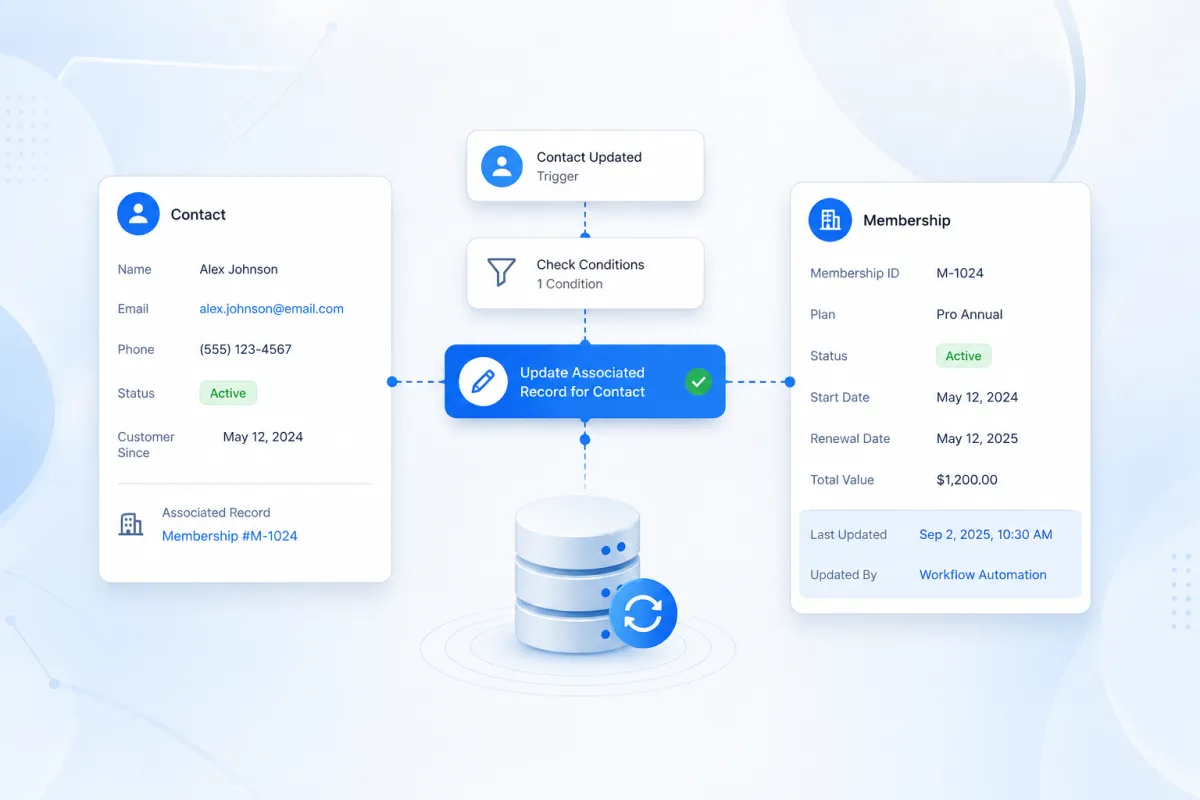
Update Associated Records
How to Keep Related CRM Records Accurate Using the Update Associated Record for Contact Action in GoHighLevel
Keeping CRM data accurate becomes much harder when important information lives across connected records. A contact might be linked to a warranty, property, membership, project, or another custom object, and when something changes, manually updating related information can quickly become repetitive and error prone. This is where the Update Associated Record for Contact GoHighLevel workflow action becomes valuable. Instead of relying on manual updates, businesses can use a contact based workflow to update selected fields on an existing associated custom object record, helping keep related CRM information more accurate and consistent as their processes run.
What Is the Update Associated Record for Contact Action?
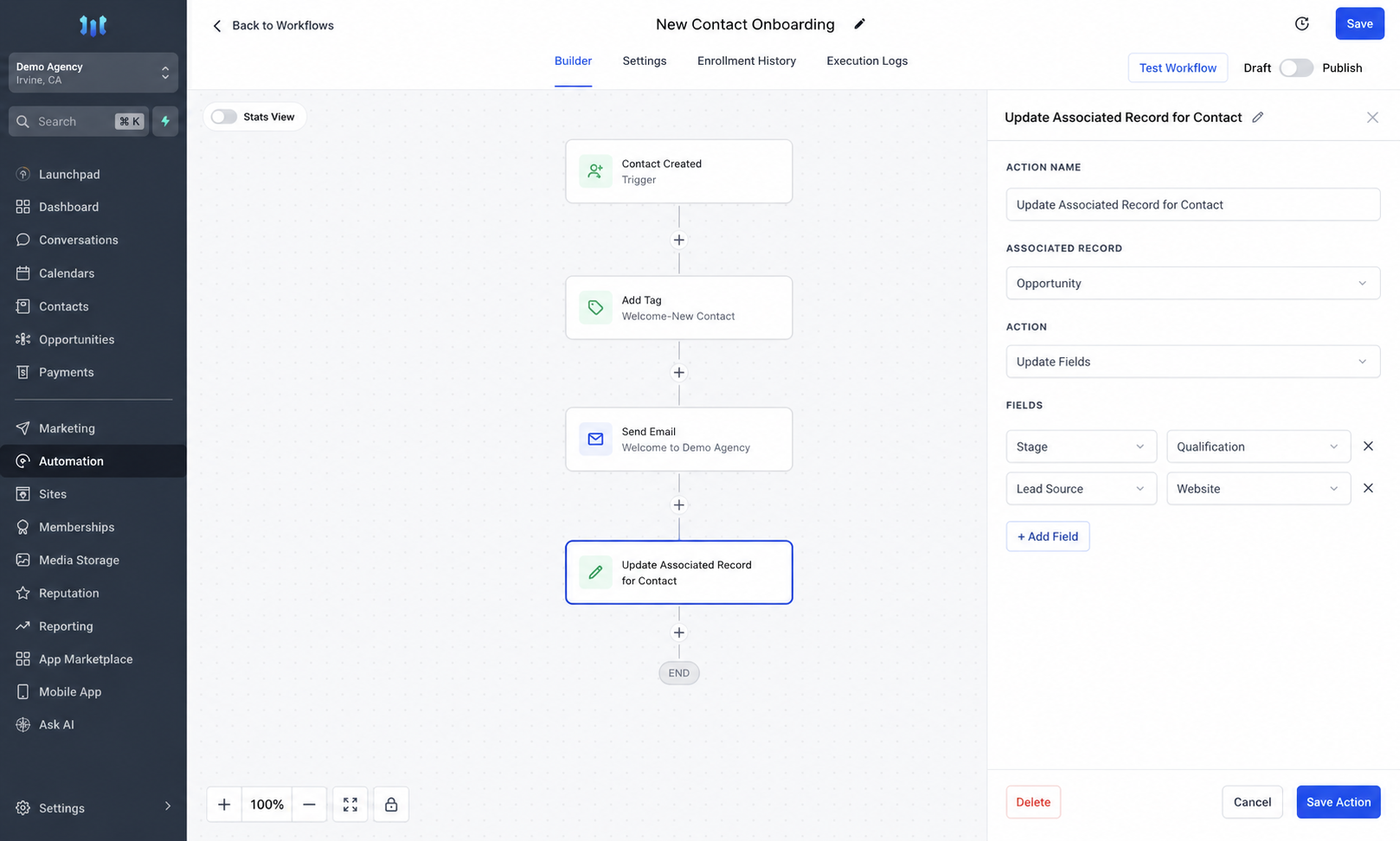
The Update Associated Record for Contact action is a GoHighLevel workflow action designed to modify information inside an existing custom object record connected to a contact.
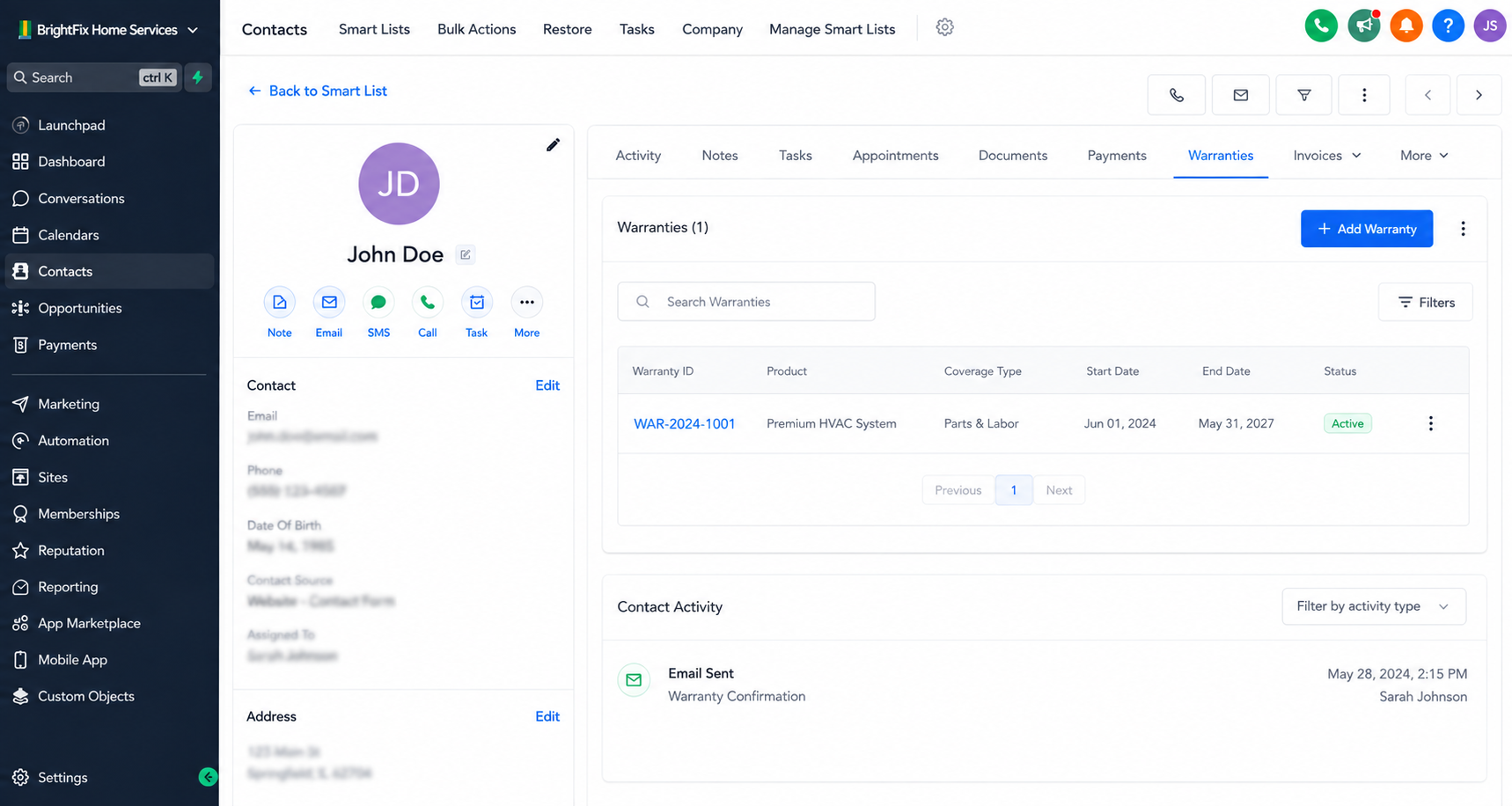
In this context, an “associated record” is a record belonging to a custom object that has already been linked to the contact through an association.
For example, a business could have a custom object called Warranty and associate a Warranty record with the customer who owns the covered product. Instead of requiring someone to manually open that Warranty record whenever relevant information changes, a contact-based workflow can update specific fields automatically.
HighLevel requires the custom object to exist in the sub-account and an association to be established between that object and contacts before this action can be used for the relationship.
Importantly, this action updates an existing associated record. It should not be confused with creating a new associated record or changing fields directly on the contact.
Why This Action Matters for CRM Accuracy
Connected CRM data is useful only when the information stored across those records remains reliable.
Imagine that a team regularly collects information about customers through forms, workflow events, service processes, or other CRM activities. If employees must repeatedly copy relevant information into associated custom object records, missed updates can eventually create discrepancies.
Using GoHighLevel Update Associated Record automation can reduce those repetitive manual steps.
The action can update one or more selected fields within the associated custom object record. HighLevel also supports using custom values and merge-field information when populating the record, making workflow-driven updates more useful when the required value depends on information available to the automation.
This does not mean every connected record is automatically synchronized. The workflow must be intentionally designed to update the appropriate associated record and the fields that need to change.
How the Action Works in a GoHighLevel Workflow
A simple way to understand the automation is:
Trigger → Workflow Conditions or Other Steps → Update Associated Record for Contact
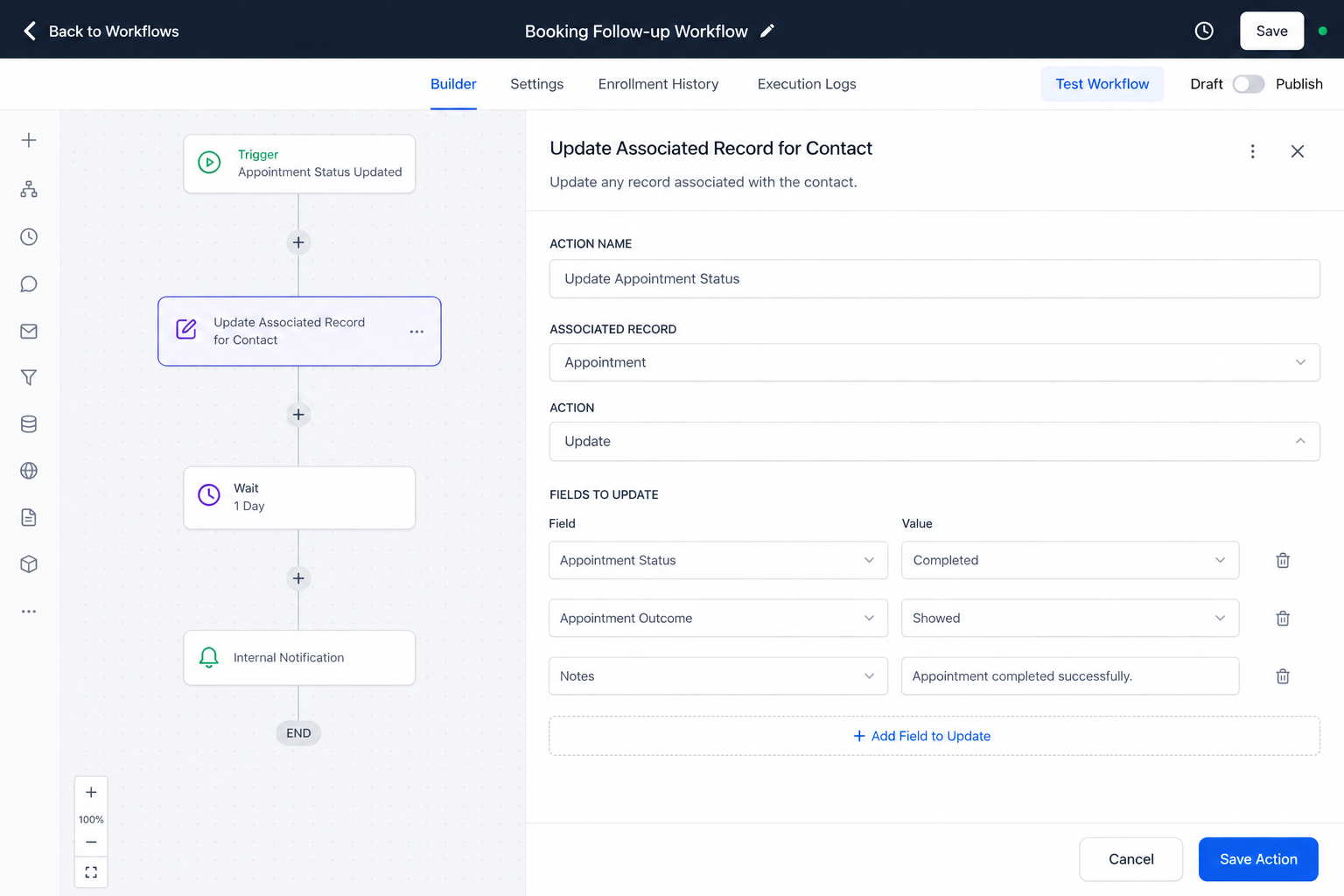
First, a contact enters the workflow through the trigger selected for the business process. The workflow can then contain whatever relevant logic or actions are required before reaching the associated-record update.
When the Update Associated Record for Contact action runs, the workflow targets an existing custom object associated with that contact.
The association label is used to determine which associated record or records should receive the update. HighLevel also provides an option to target all associated records when that behavior is appropriate. The workflow then updates the fields configured in the action.
This makes the action particularly valuable when the contact is the starting point of an automation but the information that needs to change belongs to a related custom object.
Practical Example: Keeping Warranty Information Current
Consider a home appliance company that manages customers as contacts while storing warranty information in a Warranty custom object.
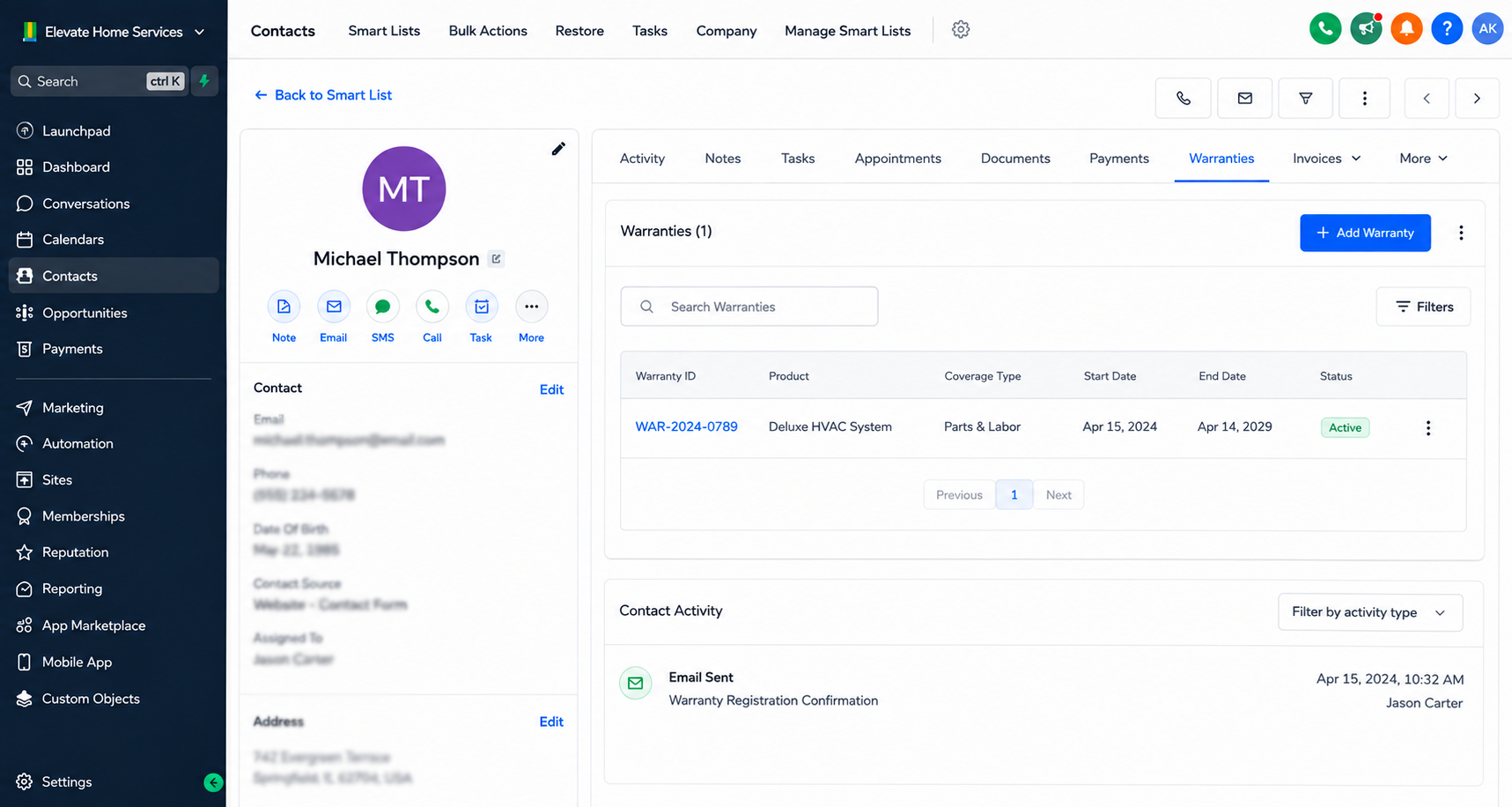
Each Warranty record could contain information relevant to servicing the covered product. HighLevel’s own documentation illustrates this type of use case with fields such as warranty dates and service history.
Suppose a customer submits a service request and that event causes the contact to enter an appropriate workflow.
The workflow processes the customer through the required steps and then uses Update Associated Record for Contact to update the Warranty record already associated with that contact. Relevant service information can be written to the selected fields instead of requiring an employee to update the warranty manually.
The operational benefit is straightforward: the workflow handles the repeatable record update while the Warranty record remains useful as a reliable source of service-related information.
Best Practices for Using Update Associated Record for Contact
Before building the automation, understand exactly how the custom object is associated with the contact. Association selection matters because it determines which related record or records the action targets.
Update only fields that genuinely belong to the automated process. Avoid changing unrelated data simply because it is available.
Build the workflow in a logical sequence so the update happens only after the necessary conditions or previous steps have been satisfied.
Test the automation with representative records before deploying it broadly, particularly when an association may include multiple records. Review the resulting CRM data afterward to confirm that the intended records and fields are being updated correctly.
Common Mistakes to Avoid
One common mistake is treating this action as though it updates the contact itself. It does not; its purpose is to modify an associated custom object record.
Another is assuming an associated record exists without first establishing the required custom object and contact relationship.
Users should also be careful when selecting which associated records receive an update. If multiple records are associated with a contact, the workflow should be intentionally configured so information is not written to records that should remain unchanged.
Finally, avoid creating multiple workflow steps that make conflicting changes to the same associated data unless that behavior is deliberate.
Conclusion
The Update Associated Record for Contact action gives GoHighLevel users a practical way to extend contact-based automation beyond the contact record itself.
By updating selected fields in existing associated custom object records, businesses can reduce repetitive administrative work and make connected CRM information easier to maintain.
Its value comes from deliberate workflow design: identify the correct relationship, target the appropriate associated record, and update only the information required by the business process. Used carefully, it can make GoHighLevel CRM automation more dependable while helping teams maintain cleaner and more consistent related CRM records.
Frequently Asked Questions
1. What does Update Associated Record for Contact do in GoHighLevel?
It updates selected fields in an existing custom object record associated with a contact.
2. Does this action create a new associated record?
No. It updates an existing associated record rather than creating a new one.
3. Is an association required before using this action?
Yes. The custom object must have an association with contacts for the action to target its records.
4. Can it update multiple associated records?
Yes. Depending on the selected association, it can update one or multiple records, including all associated records when that option is selected.
5. Can dynamic information be used when updating the record?
Yes. HighLevel documents support for custom values and custom-field merge fields when adding information to the associated object record.
Need Expert Help with GoHighLevel?
New to GoHighLevel and ready to get started? Buy your GoHighLevel account herea and launch with confidence.
Already know what you need and want our team to handle everything, from complete setup and customization to funnels, workflows, automations, CRM, and pipelines?Click here.



