

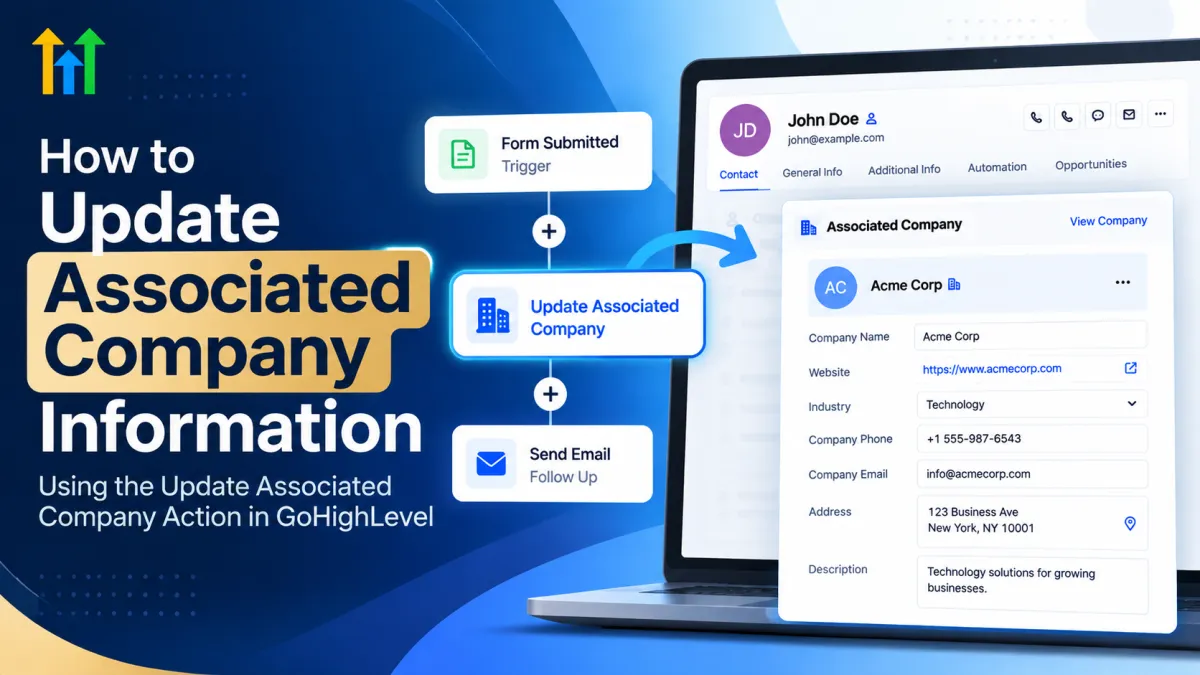
How to Update Associated Company Information in GoHighLevel
How to Update Associated Company Information Using the Update Associated Company Action in GoHighLevel
Keeping CRM data accurate sounds simple until several contacts from the same business start moving through different forms, pipelines, and workflows.
A sales representative may update an individual contact with the latest information while the company connected to that contact still contains outdated details. Over time, this creates inconsistencies that can make it harder for sales and operations teams to understand the businesses they are working with.
The GoHighLevel Update Associated Company Action helps solve this problem by allowing workflows to update relevant information on an associated company record automatically. Instead of treating every contact as an isolated record, businesses can incorporate company-level data management directly into their automation strategy.
What Is the Update Associated Company Action in GoHighLevel?
The Update Associated Company Action is a workflow action designed to update information on a company associated with the relevant contact or CRM record moving through the workflow.
This distinction is important.
A contact record represents an individual person and contains information related to that person. A company record, on the other hand, represents the organization associated with one or more contacts and stores business-level information.
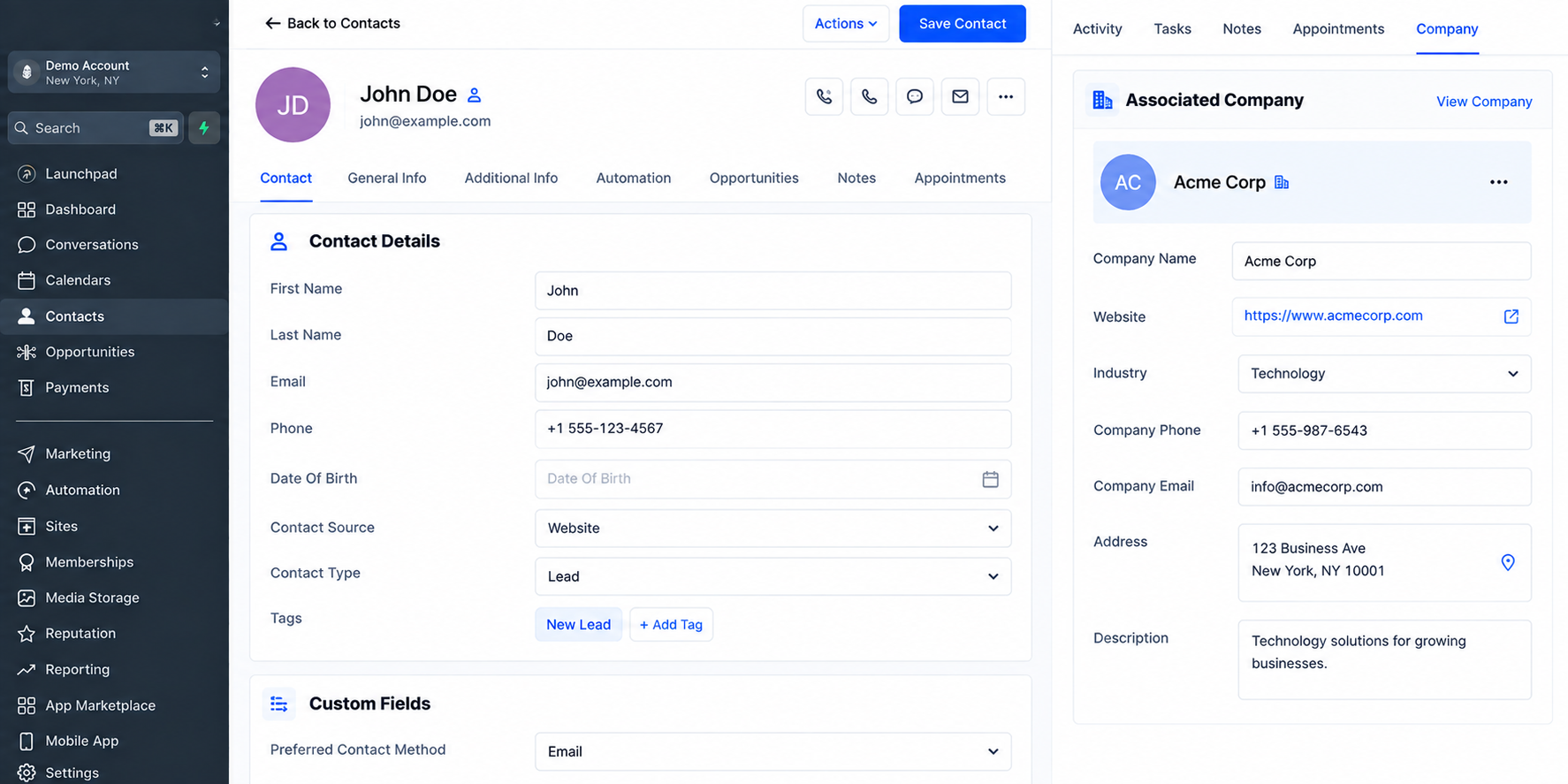
When a workflow needs to change information belonging to the organization rather than the individual, the Update Associated Company Action provides a way to handle that update at the company level.
The specific information available for updating can depend on the fields and configuration available in the GoHighLevel account, so users should always review the options shown when configuring the action.
How the Update Associated Company Action Works
At a high level, the automation follows a straightforward sequence:
Workflow Trigger → Contact/Record Enters Workflow → Update Associated Company Action → Company Information Is Updated
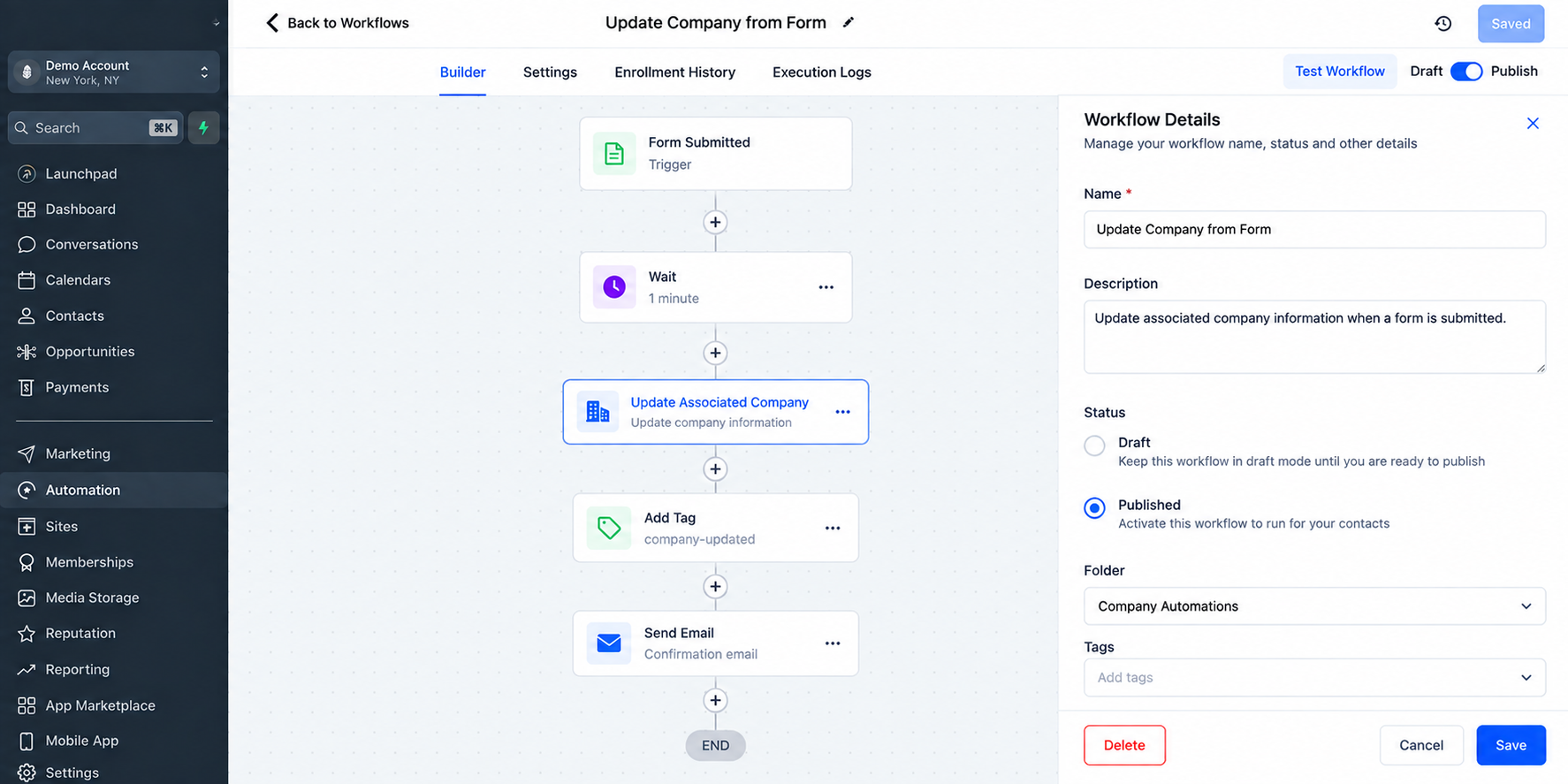
First, an event causes the appropriate record to enter a GoHighLevel workflow. The workflow then reaches the Update Associated Company Action.
Instead of changing the individual's contact information, the action works with the associated company and updates the company information configured within the workflow action.
This makes the action particularly useful in B2B environments where multiple contacts may represent the same organization.
How to Set Up the Update Associated Company Action
Start by opening the appropriate automation under GoHighLevel workflows and determining where the company update should happen.
1. Choose the Appropriate Workflow Trigger
Select a trigger that represents the event that should initiate your automation. The right trigger depends on your process and what information you are collecting or managing.
The important question is: When should this company's information be updated?
Answering that before building the workflow helps prevent unnecessary or poorly timed changes.
2. Add the Update Associated Company Action
At the appropriate point in the workflow, add the Update Associated Company action.
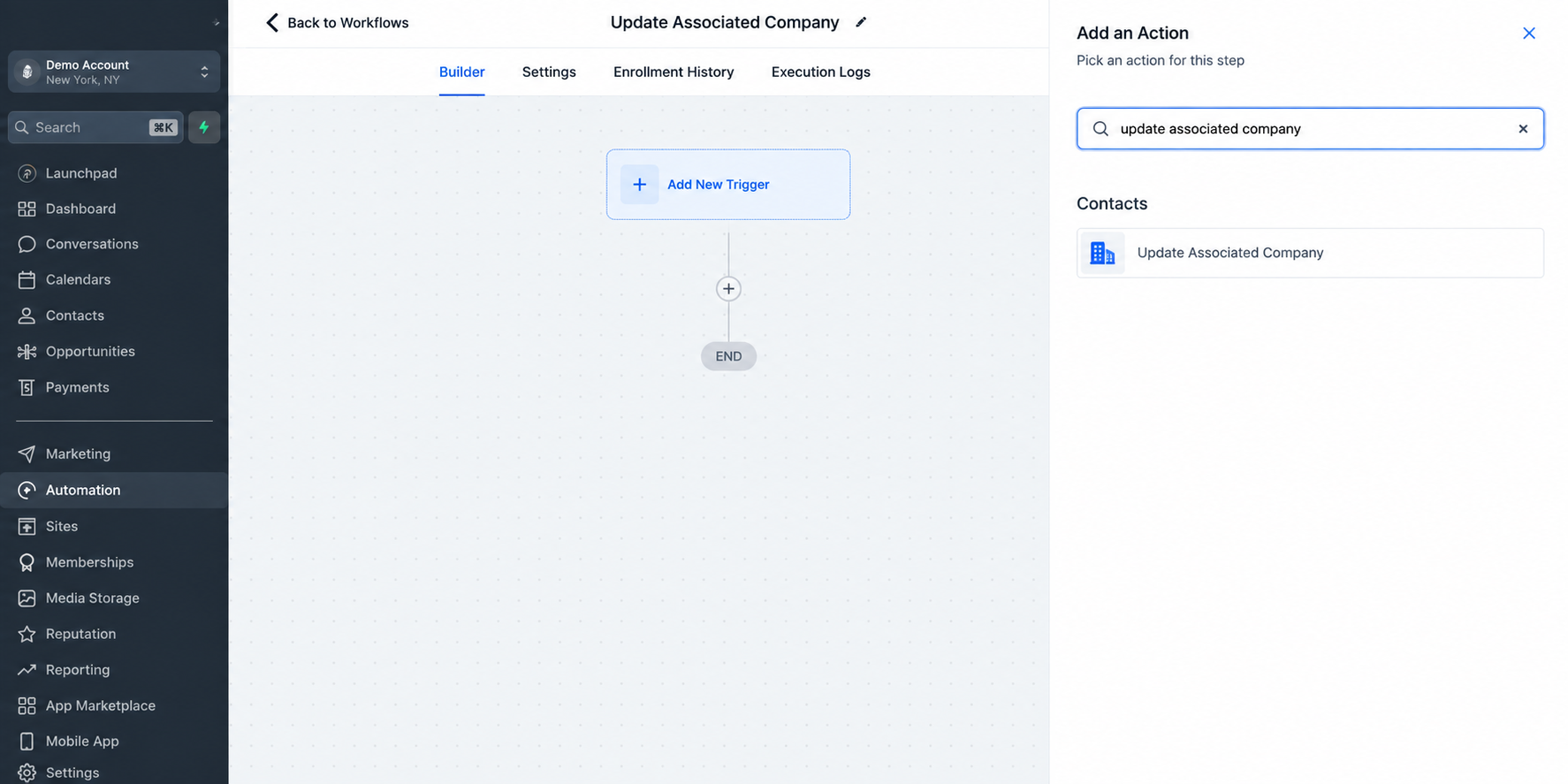
This tells GoHighLevel that the next update should apply to the associated company rather than simply changing the individual contact.
3. Configure the Company Information
Configure the information that should be updated based on the options available within your account and workflow.
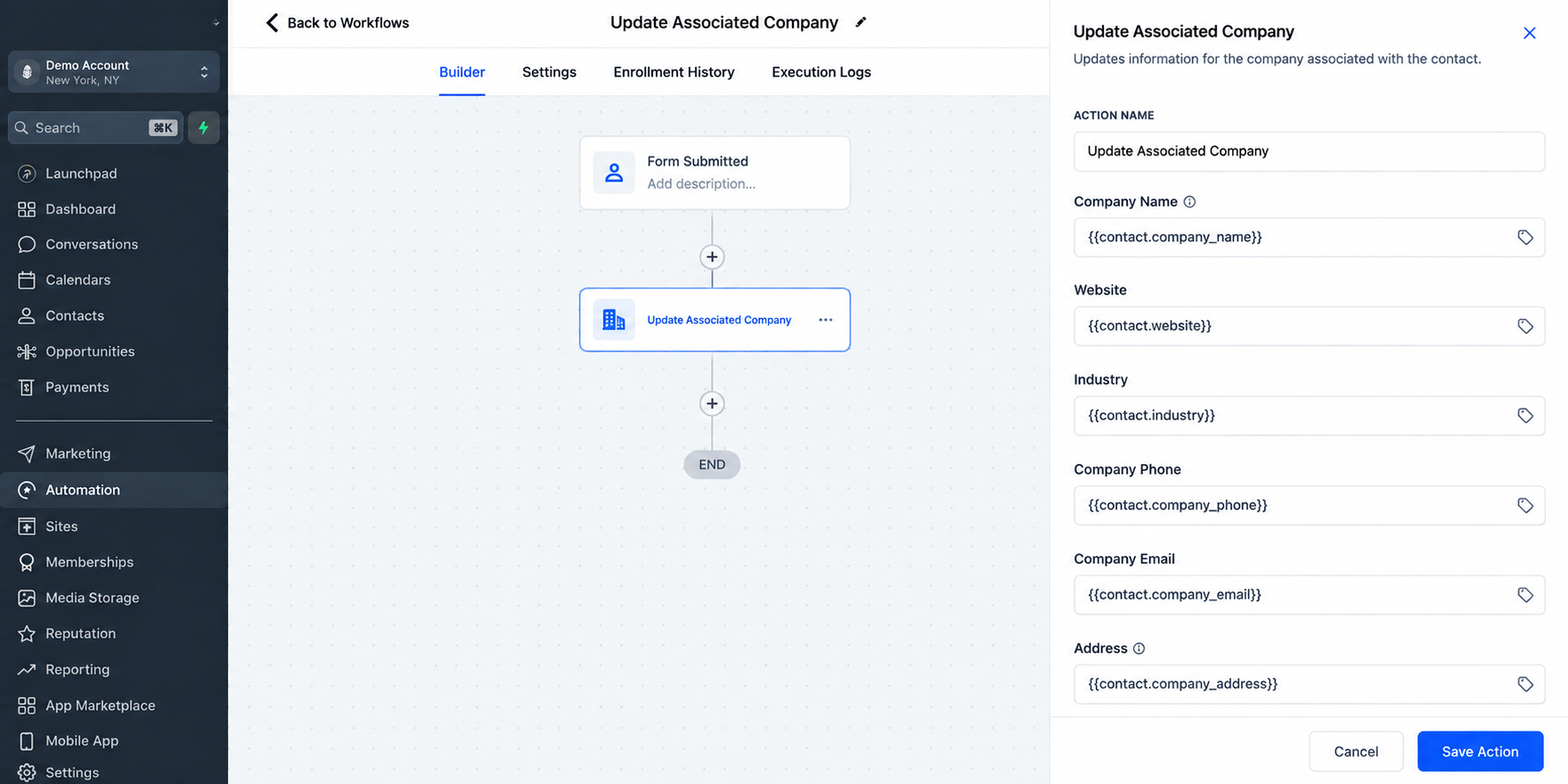
Be deliberate about what you select. Company data may be used by several people across sales, marketing, and operations, so an incorrect automated update can affect more than one contact.
4. Test Before Publishing Broadly
Run a controlled test using an appropriate record with an existing company association.
Check both the contact and company records afterward. Confirm that the intended company information changed and that unrelated information remained untouched.
Practical Uses for GoHighLevel Company Automation
The action becomes especially valuable when company information changes as leads and customers move through business processes.
For example, a B2B sales team may receive updated business information during qualification. Instead of requiring a team member to open the associated company manually and make the same update, a workflow can handle the appropriate company-level change.
Other practical situations include keeping organization-level information current during onboarding, maintaining more consistent company records as contacts progress through sales processes, and reducing discrepancies between recently collected business information and existing CRM company data.
For agencies managing large databases, this can also make GoHighLevel company records easier to maintain without relying entirely on manual CRM housekeeping.
Example: Updating Company Data After a Form Submission
Imagine a B2B agency that already has contacts associated with their respective companies.
The agency uses a form to collect updated business information from existing prospects. When a contact submits the form, a workflow begins.
The automation might look like this:
Form Submitted → Workflow Triggered → Update Associated Company → Continue Follow-Up
When the workflow reaches the company action, the relevant configured information is updated on the associated company record.
The workflow can then continue with whatever follow-up steps are appropriate for the agency's process.
Operationally, this matters because the latest business information is not left only at the individual-contact level. The organization record can remain useful to other team members who work with the same company.
Benefits of Automating Associated Company Updates
Using CRM company data automation can improve the quality and usability of a GoHighLevel database in several ways:
Better data consistency: Business information can be maintained where it belongs—the company record.
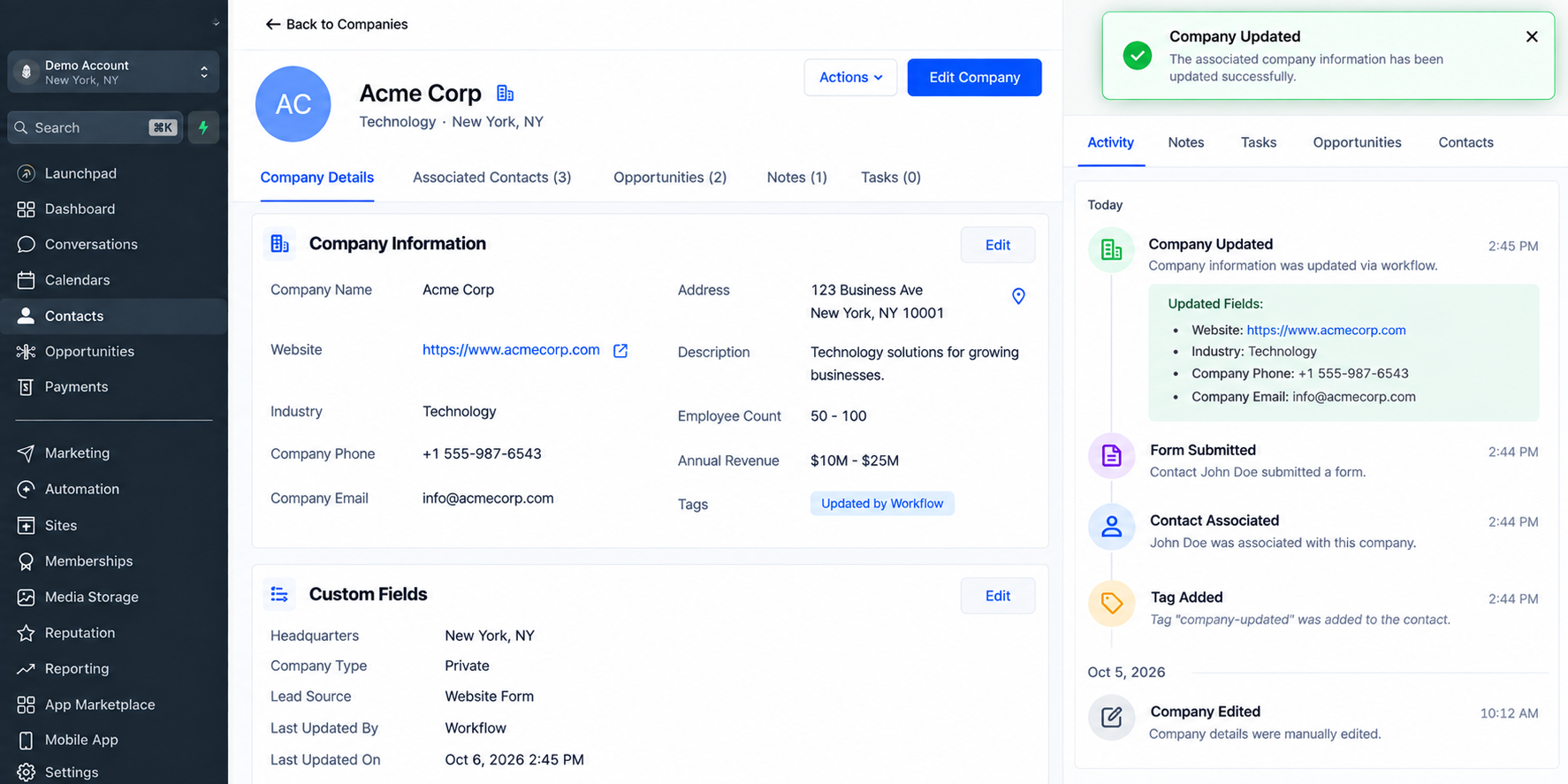
An updated GoHighLevel company record showing how workflow automation can help keep company information current and consistent across the CRM. Less repetitive administration: Teams can reduce appropriate manual company-record updates.
Cleaner B2B organization: Multiple contacts can remain connected to a more useful central company record.
More reliable CRM context: Sales and operations teams can work with better-maintained organizational information.
Scalable processes: Company updates can become part of repeatable workflows instead of relying on someone remembering to make them manually.
Important Things to Consider
An associated-company workflow is only useful when the relevant company association exists. Before depending on this action, make sure your CRM structure supports the process you are building.
You should also avoid configuring workflows that overwrite valuable company information unnecessarily. If incoming information may sometimes be incomplete, consider how that could affect existing data before automating updates.
Testing is equally important. Use controlled records to confirm the workflow behaves as expected before applying it across a larger database.
Best Practices for the Update Associated Company Action
Keep your company automation focused on information that genuinely belongs at the organization level.
Define clear rules for when company information should change, test new workflows before wider deployment, and periodically review your automations as your CRM structure evolves.
For agencies and B2B teams, it is also helpful to establish consistent standards for what belongs on contact records versus company records. That makes it easier to design GoHighLevel CRM automation without creating duplicate or conflicting information.
Build a More Organized GoHighLevel CRM
The GoHighLevel Update Associated Company Action is useful because it extends workflow automation beyond individual contacts and into organization-level CRM management.
When used carefully, it can help maintain cleaner company records, reduce repetitive updates, and give teams more consistent business information across their sales and operational processes.
Review your existing GoHighLevel workflows and look for places where employees are still manually updating company information. Those steps may be strong candidates for associated-company automation.
Conclusion
The Update Associated Company Action in GoHighLevel gives businesses a practical way to keep company-level CRM information aligned with the contacts connected to those organizations.
Instead of relying on team members to manually open and update company records every time new business information becomes available, workflows can handle the appropriate update automatically. This is especially useful for B2B businesses, agencies, sales teams, and CRM administrators managing multiple contacts under the same company.
The key is to use the action carefully. Make sure the correct company association exists, choose the right company information to update, and test the workflow before using it across a larger database.
When implemented properly, GoHighLevel company automation can reduce repetitive CRM work, improve data consistency, and make company records more useful for sales and operations teams.
Review your current GoHighLevel workflows and look for places where company information is still being updated manually. Those steps may be ideal opportunities to introduce the Update Associated Company Action.
Frequently Asked Questions
1. What is the Update Associated Company Action in GoHighLevel?
The Update Associated Company Action is a workflow action that allows GoHighLevel users to update information on a company associated with the relevant contact or CRM record. It helps automate company-level CRM updates instead of relying entirely on manual changes.
2. Does the Update Associated Company Action update the contact record too?
No. The action is intended for updating the associated company record. Contact information and company information are stored separately, so users should choose the appropriate workflow action depending on which record they want to modify.
3. What is an associated company in GoHighLevel?
An associated company is a company record connected to a contact within the CRM. This allows businesses to organize individual contacts under the companies or organizations they belong to.
4. Why should I automate associated company updates?
Automating company updates can help maintain cleaner CRM data, reduce repetitive manual work, and improve consistency when several contacts belong to the same organization.
5. Can the Update Associated Company Action be used in B2B workflows?
Yes. It is particularly useful for B2B workflows because businesses often manage multiple decision-makers, employees, or leads connected to the same company record.
6. Can I use this action after a form submission?
It can be included in a workflow triggered by a form submission when that workflow and the available data support the intended company update. Users should test the setup carefully to confirm the correct information is being applied.
Need Expert Help with GoHighLevel?
New to GoHighLevel and ready to get started? Buy your GoHighLevel account here and launch with confidence.
Already know what you need and want our team to handle everything, from complete setup and customization to funnels, workflows, automations, CRM, and pipelines? Click here.



