

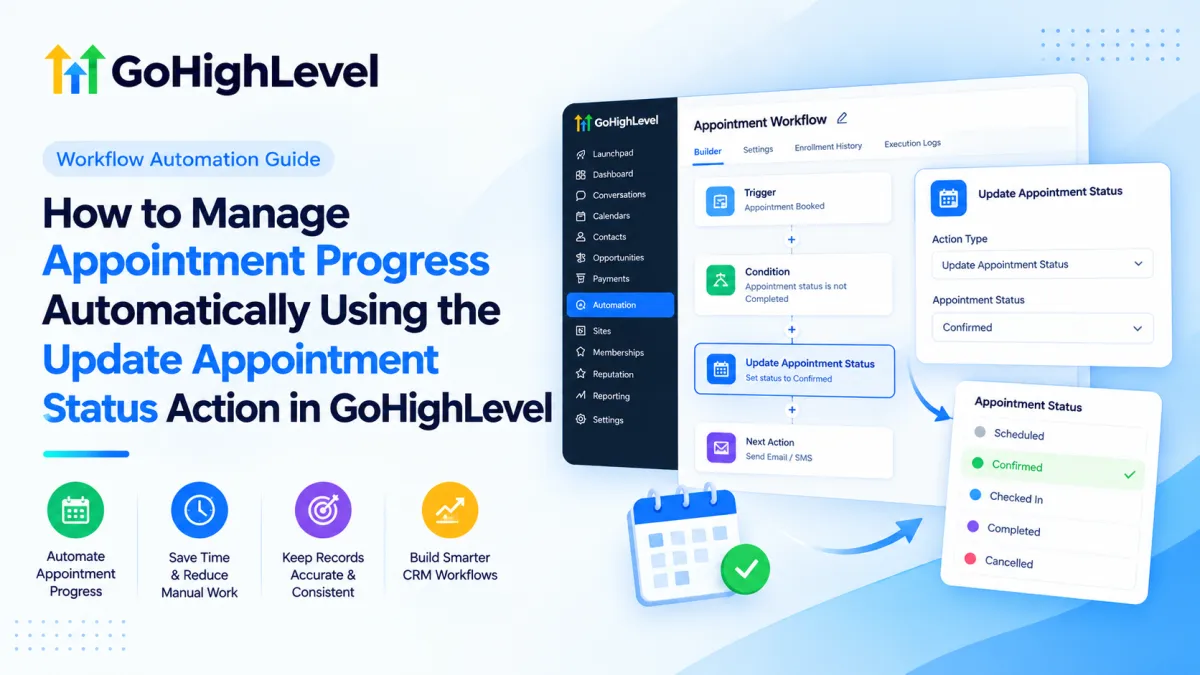
Update Appointment Status Action in GoHighLevel
How to Manage Appointment Progress Automatically Using the Update Appointment Status Action in GoHighLevel
Appointment records are only useful when their status reflects what actually happened. If staff must manually mark every booking as confirmed, showed, no-show, cancelled, or invalid, updates can lag behind reality. That creates inconsistent records, weak follow-up logic, and confusion across sales and service teams.
The GoHighLevel Update Appointment Status Action solves a specific part of that problem: inside a Workflow, it can change the status of the relevant existing appointment automatically when the workflow reaches that action. Used with well-designed triggers and conditions, it becomes a reliable building block for HighLevel appointment automation.
What Is the Update Appointment Status Action?
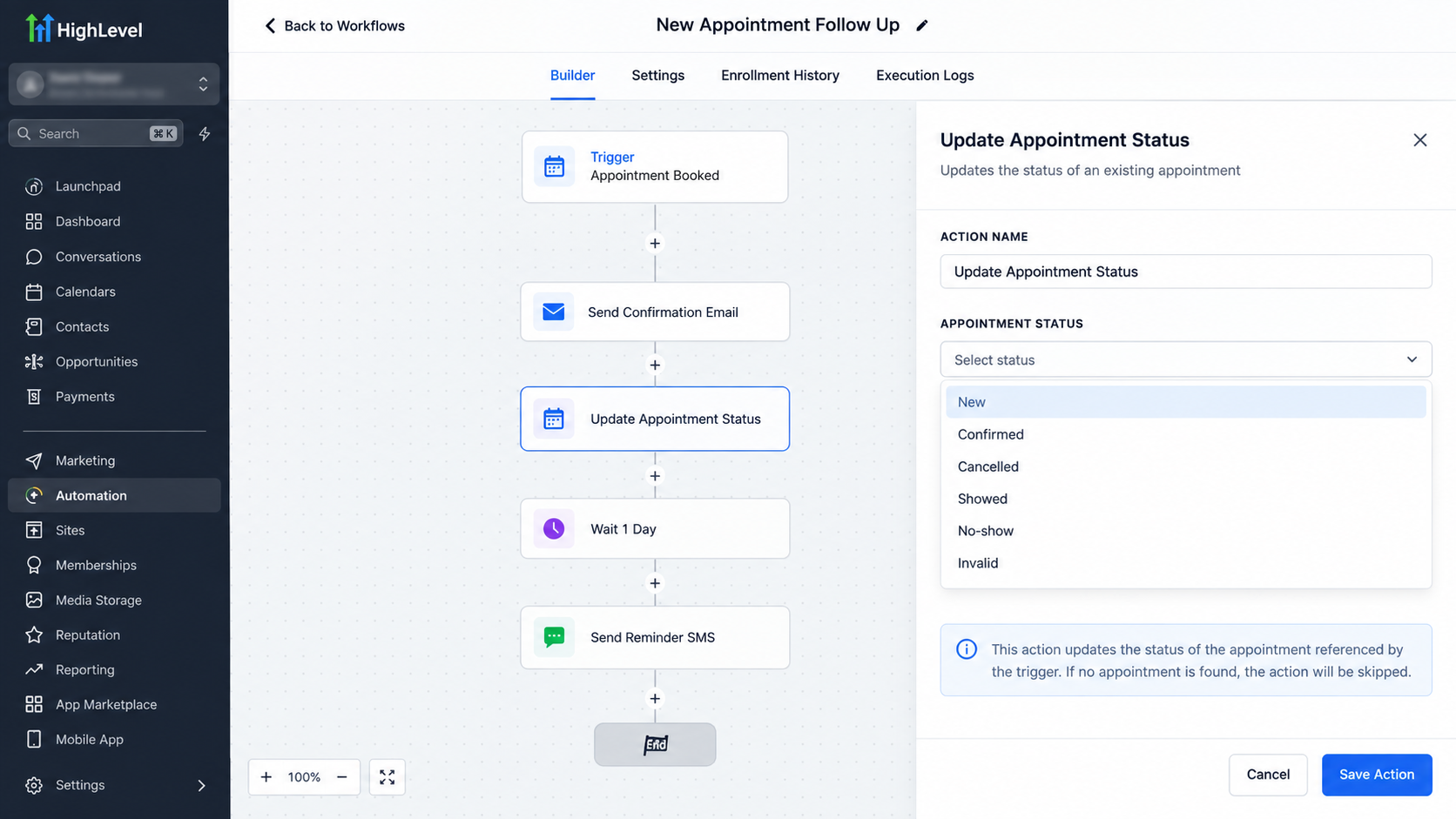
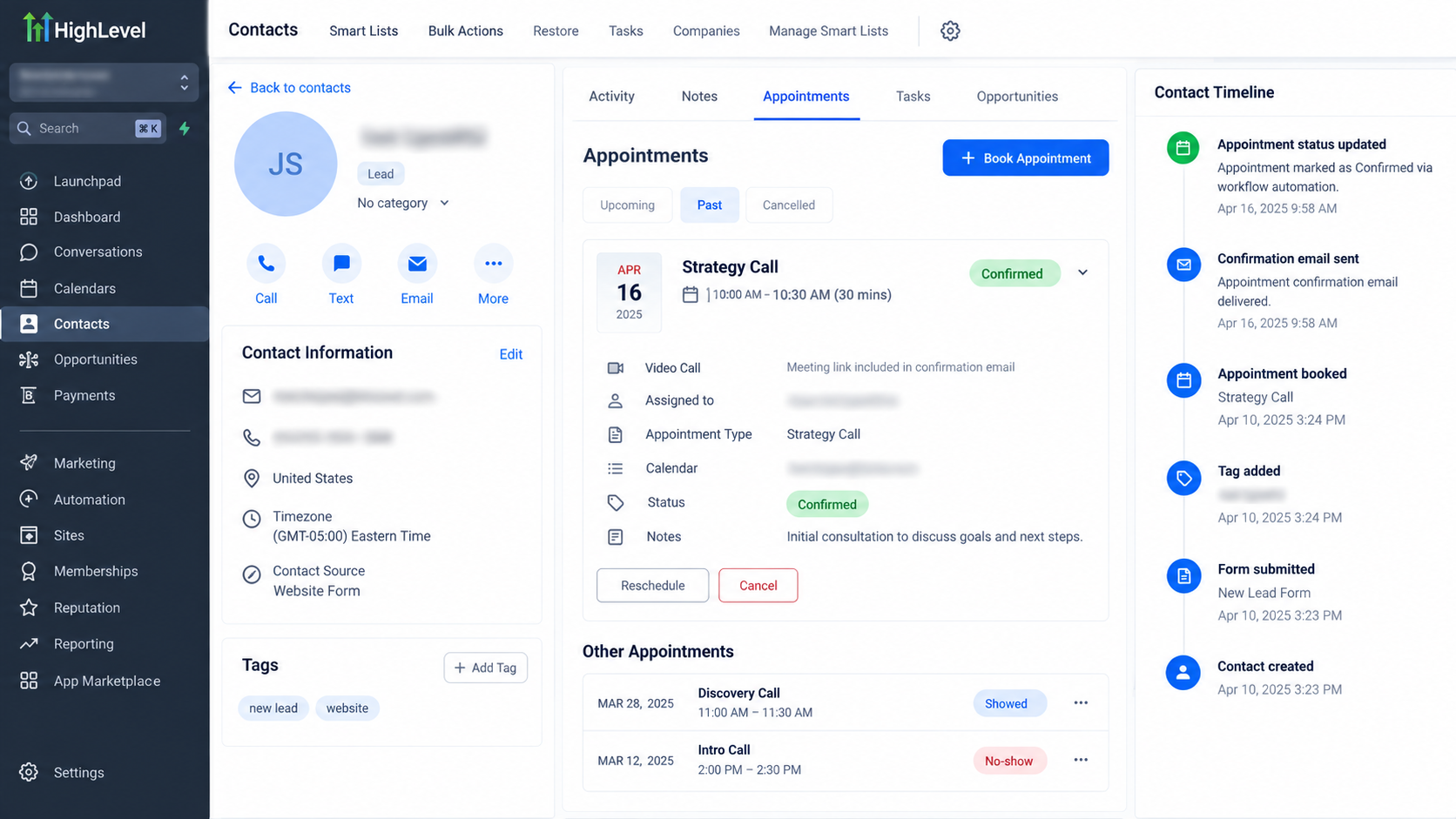
Update Appointment Status is a Workflow Action. It changes the appointment status for an appointment associated with the contact running through the workflow. HighLevel currently documents these selectable statuses: New, Confirmed, Cancelled, Showed, No-show, and Invalid.
The targeting behavior matters. If the workflow was triggered by an appointment-related event, such as Appointment Status or Customer Booked Appointment, the action updates the appointment that triggered that workflow execution. If the workflow was started by a non-appointment trigger, HighLevel states that the action updates the contact’s most recent appointment.
This action changes an existing appointment’s status. It is not a create-appointment or rescheduling action. Selecting Cancelled changes the relevant appointment’s status to Cancelled; it should not be treated as a general-purpose booking or calendar-management step.
Where It Fits in a GoHighLevel Workflow
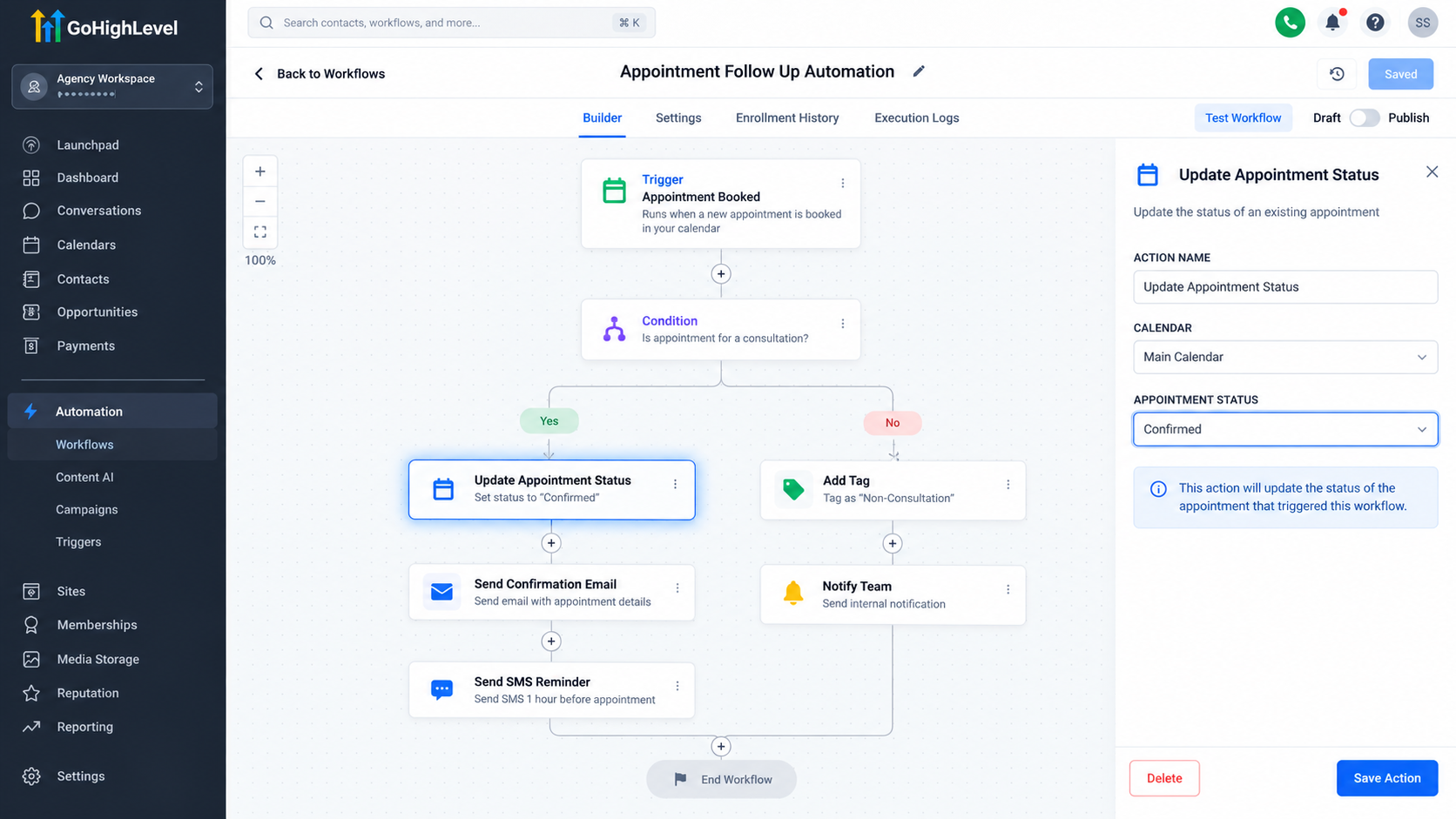
A trigger starts a workflow; an action performs work after the trigger fires. HighLevel defines Workflow Triggers as events that initiate workflows and Workflow Actions as subsequent steps that perform specified tasks. A practical structure is:
Trigger → Conditions/Logic → Update Appointment Status → Follow-up Actions
For example, an Appointment Status trigger can enroll a contact when an appointment reaches a defined state, while workflow logic determines whether another status update is appropriate. A sales-process trigger such as Pipeline Stage Changed can also start a workflow, after which this action can modify the contact’s most recent appointment.
The action does not decide which status is correct. Your workflow logic determines when it runs and which configured status it applies.
How to Update Appointment Status in GoHighLevel
1. Open or create the workflow
Go to Automation > Workflows, then create a workflow or open an existing one. Configure the trigger that represents the event you want to automate.
2. Add the action
At the appropriate point in the workflow, add an action and select Update Appointment Status.
3. Choose the target status
Select the required Status. Current documented options are New, Confirmed, Cancelled, Showed, No-show, and Invalid. The Status field is required.
4. Check the appointment context
Before publishing, verify which appointment the workflow will affect. Appointment-based triggers preserve the triggering appointment context. Other triggers cause the action to operate on the contact’s most recent appointment, so workflows based on pipeline movement or other CRM events require extra care.
5. Save, publish, and test
Save the configuration, publish when ready, and test with realistic records before relying on it in production.
Real-World Uses for GoHighLevel Appointment Automation
A sales team may want appointment records aligned with pipeline movement. For example, when an opportunity reaches a particular stage, a workflow can apply an appointment status update. Because a pipeline trigger is not appointment-based, confirm that changing the contact’s most recent appointment is actually intended.
A service business can use appointment-related triggers and conditions to update the same appointment that caused the workflow to run. This is preferable when the automation concerns one specific booking.
Another useful pattern is updating appointment progress before later workflow steps. A workflow might set the appointment to Confirmed or Showed, then continue with notifications, messages, or other actions. Those follow-ups happen only because you configured them separately; changing appointment status does not automatically perform unrelated tasks.
Important Workflow Logic and Common Mistakes
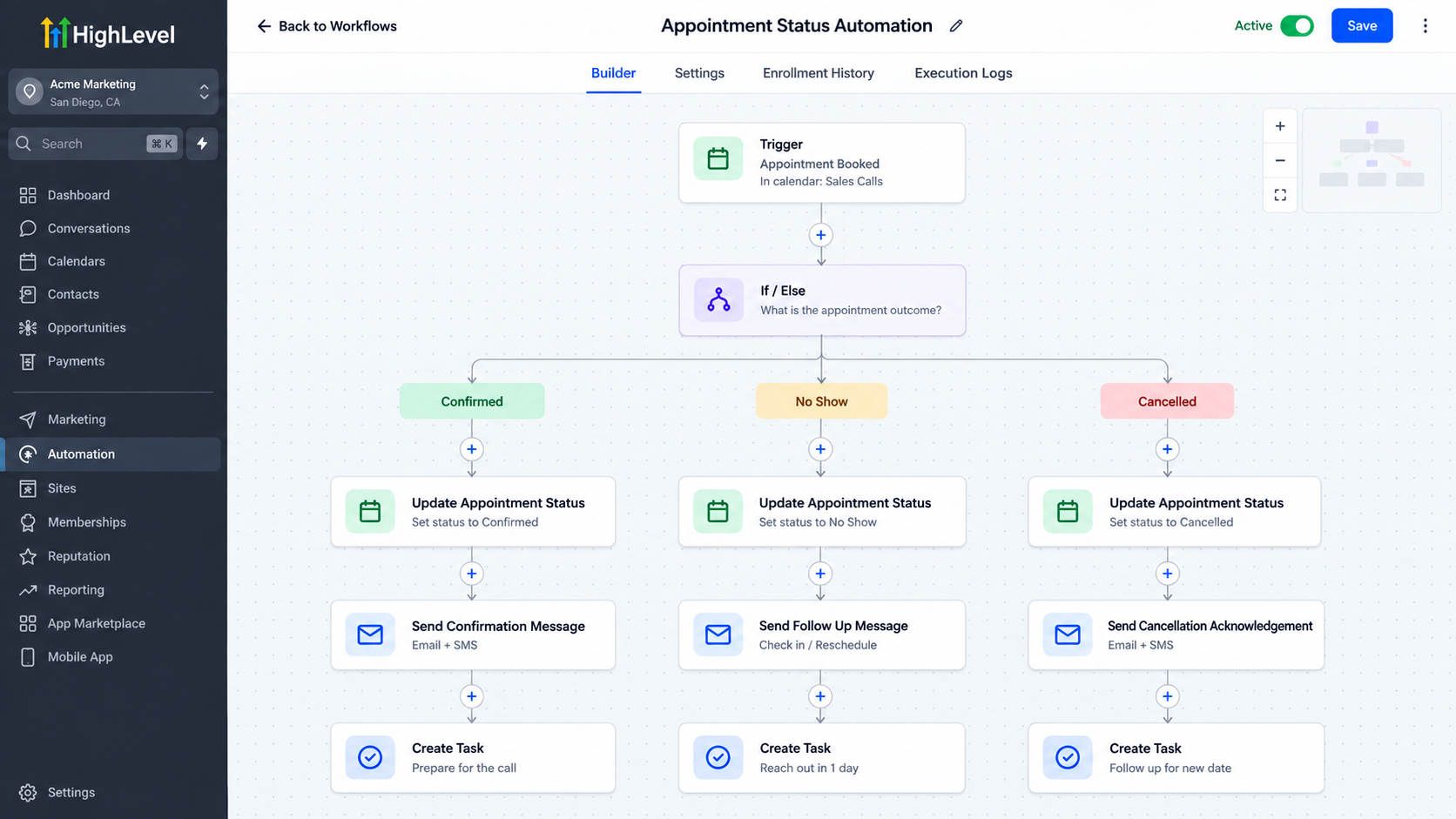
Reliable GoHighLevel CRM automation depends on explicit logic. The action does not infer attendance, confirmation, or cancellation by itself.
Common mistakes include:
Confusing Update Appointment Status with the Appointment Status workflow trigger.
Running the action without conditions that justify the new status.
Assuming every appointment-related event automatically executes this action.
Using a non-appointment trigger without realizing the contact’s most recent appointment may be updated.
Creating overlapping workflows that repeatedly modify the same appointment.
Publishing without testing realistic paths.
One calendar-sync nuance also matters: when appointments are written back to Google, Outlook, or iCloud calendars, changing the HighLevel appointment status to Showed or No-show does not push an external event update.
Best Practices
Keep each workflow’s purpose narrow and name its trigger and actions clearly. Prefer appointment-based triggers when you need certainty about which appointment is being changed. Add conditions or If/Else logic where business rules require validation before a status update. Avoid duplicate automations that can compete over the same appointment, and test the paths your business actually uses.
Treat appointment status as its own CRM data point. Do not confuse it with calendar configuration, contact status, opportunity status, pipeline stage, or workflow execution state.
Conclusion
The GoHighLevel Update Appointment Status Action is a focused automation tool: it changes the status of an existing appointment when a workflow reaches that step. Its value comes from combining that action with the correct trigger, appointment context, conditions, and follow-up actions. Built carefully, it keeps appointment records cleaner, reduces manual updates, and makes GoHighLevel workflows more predictable.
Frequently Asked Questions
What does the Update Appointment Status Action do in GoHighLevel?
The Update Appointment Status Action is a Workflow Action that changes the status of an existing appointment associated with the contact in the workflow. Available statuses currently include New, Confirmed, Cancelled, Showed, No-show, and Invalid.
Is Update Appointment Status a trigger or an action?
It is a Workflow Action, not a trigger. A trigger determines when a workflow starts, while the Update Appointment Status Action executes after the contact has entered the workflow. HighLevel separately provides an Appointment Status Workflow Trigger that can start automation when an appointment is scheduled or its status changes.
Which appointment does the action update?
When the workflow is started by an appointment-related event, the action updates the appointment associated with that workflow execution. When a non-appointment trigger starts the workflow, HighLevel states that the action updates the contact's most recent appointment. This distinction is important when a contact has multiple bookings.
Can the action automatically determine whether someone showed up?
No. The action does not independently determine whether an appointment should be marked Confirmed, Showed, No-show, or another status. Your workflow trigger, conditions, and automation logic must determine when the action executes and which status it applies.
Can I use the action to mark an appointment as cancelled?
Yes. Cancelled is one of the supported appointment statuses. Selecting it causes the relevant appointment's status to be updated to Cancelled when the workflow reaches the action.
Need Expert Help with GoHighLevel?
New to GoHighLevel and ready to get started? Buy your GoHighLevel account here and launch with confidence.
Already know what you need and want our team to handle everything, from complete setup and customization to funnels, workflows, automations, CRM, and pipelines? Click here.



