

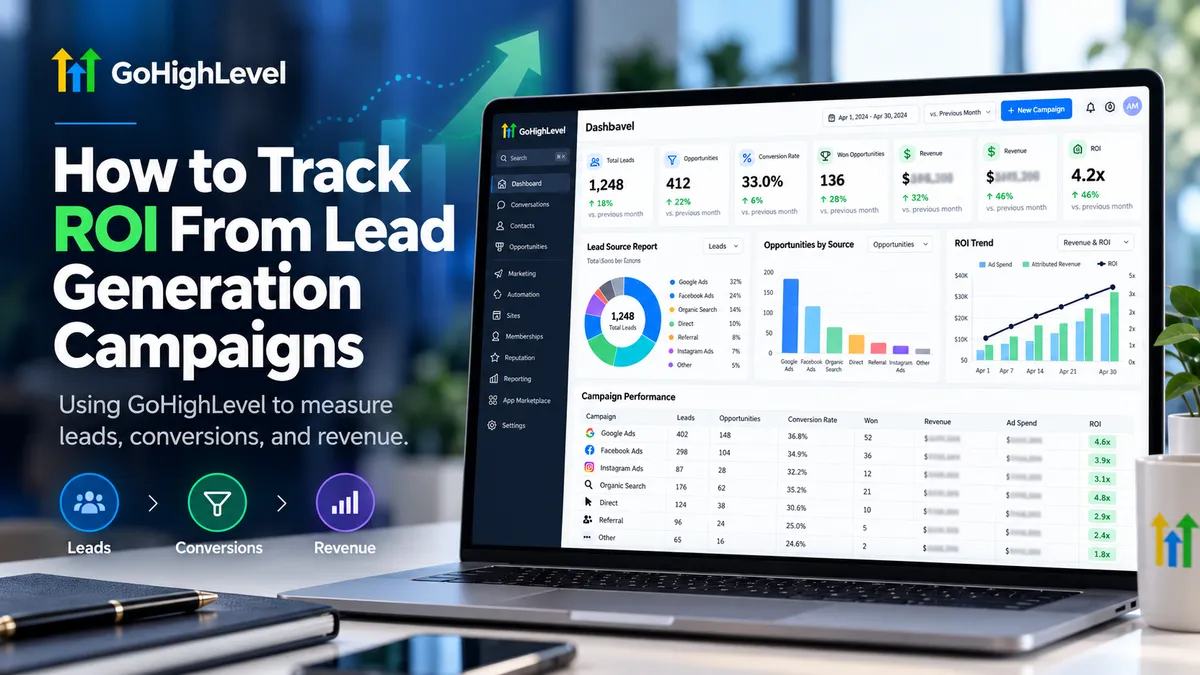
How to Track Lead Generation ROI in GoHighLevel
How to Track ROI From Lead Generation Campaigns
Generating hundreds of leads might look impressive on a marketing report, but how many actually become paying customers? More importantly, is the revenue worth what you're spending to acquire them?
That's where tracking return on investment (ROI) becomes essential. Instead of judging campaigns by clicks, impressions, or lead volume, businesses need to understand which marketing efforts generate profitable customers.
GoHighLevel (GHL) makes this process more manageable by combining lead attribution, CRM data, sales pipelines, and reporting tools. With the right tracking setup, you can connect marketing activity to actual business outcomes.
What Is Lead Generation ROI?
Lead generation ROI measures the financial return a business receives compared to the money invested in acquiring customers through marketing campaigns.
The basic formula is:
ROI (%) = [(Campaign Revenue − Campaign Cost) / Campaign Cost] × 100
For example, imagine spending $2,000 on a lead generation campaign that produces $8,000 in attributed revenue.
ROI = [($8,000 − $2,000) / $2,000] × 100 = 300%
This hypothetical campaign generated $3 in return above the measured cost for every $1 spent.
However, the calculation only accounts for the costs included. A complete profitability analysis may also require fulfillment and operating expenses. Unlike ROI, return on ad spend (ROAS) compares attributed revenue specifically against advertising expenditure.
How to Track ROI From Lead Generation Campaigns in GoHighLevel
Accurate GoHighLevel ROI tracking requires connecting marketing sources, lead progression, customer conversions, and financial outcomes.
Here's how to establish that process.
Step 1: Identify and Track Lead Sources
Before calculating returns, identify where your leads originate.
GoHighLevel supports attribution tracking for interactions such as form submissions, survey completions, calendar bookings, and order form submissions.
Use properly configured UTM parameters to distinguish campaigns and traffic sources. Common parameters include utm_source, utm_medium, and utm_campaign.
Within Contacts, open an individual contact record and review its attribution information.
GoHighLevel distinguishes between:
First Attribution: The earliest recorded qualifying interaction.
Latest Attribution: The most recent qualifying interaction recorded by the system.
These help explain different stages of the customer journey.
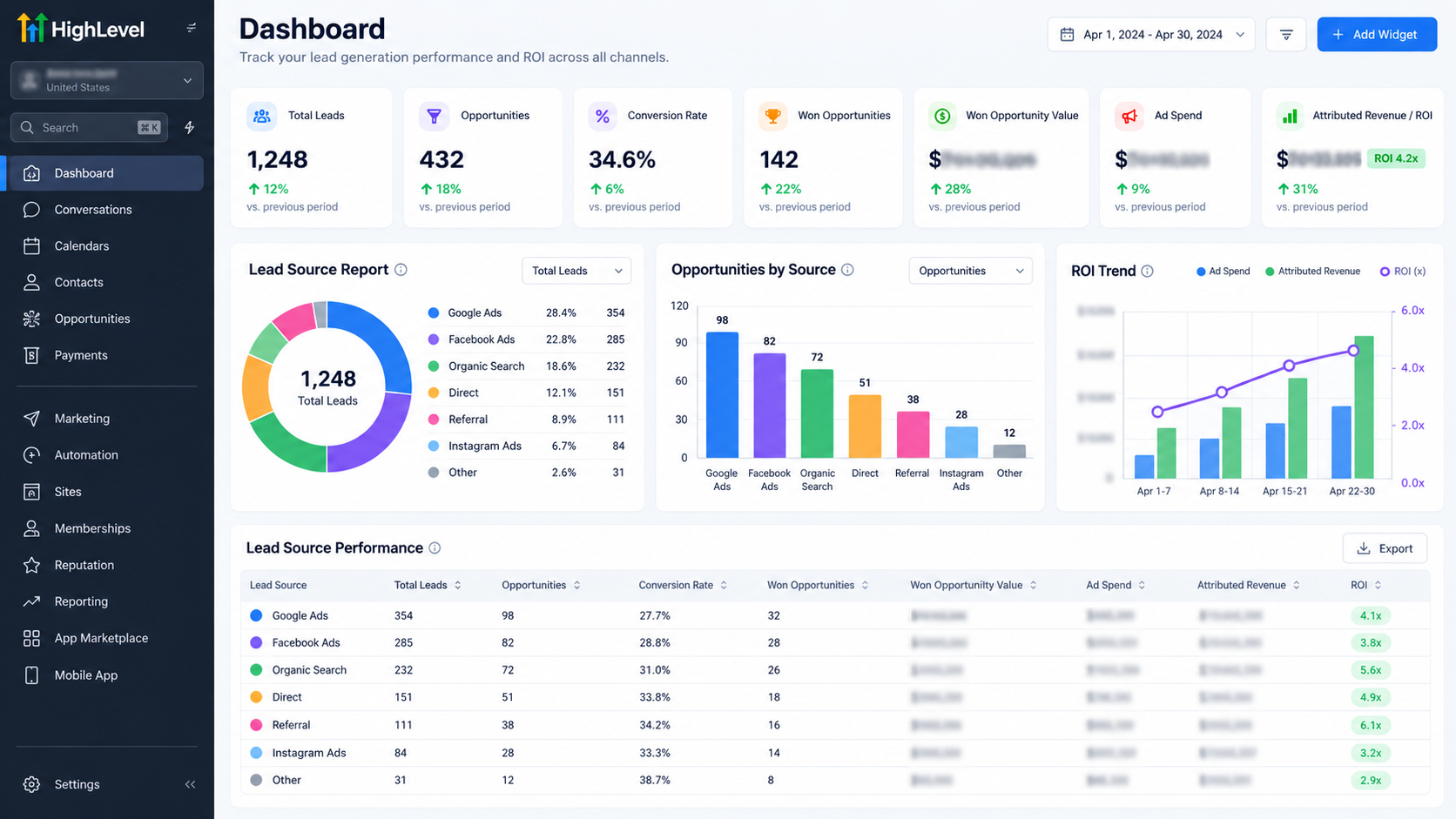
Remember that contact attribution and an opportunity's Source field are separate pieces of information. Neither should automatically be treated as definitive proof that one campaign caused a sale.
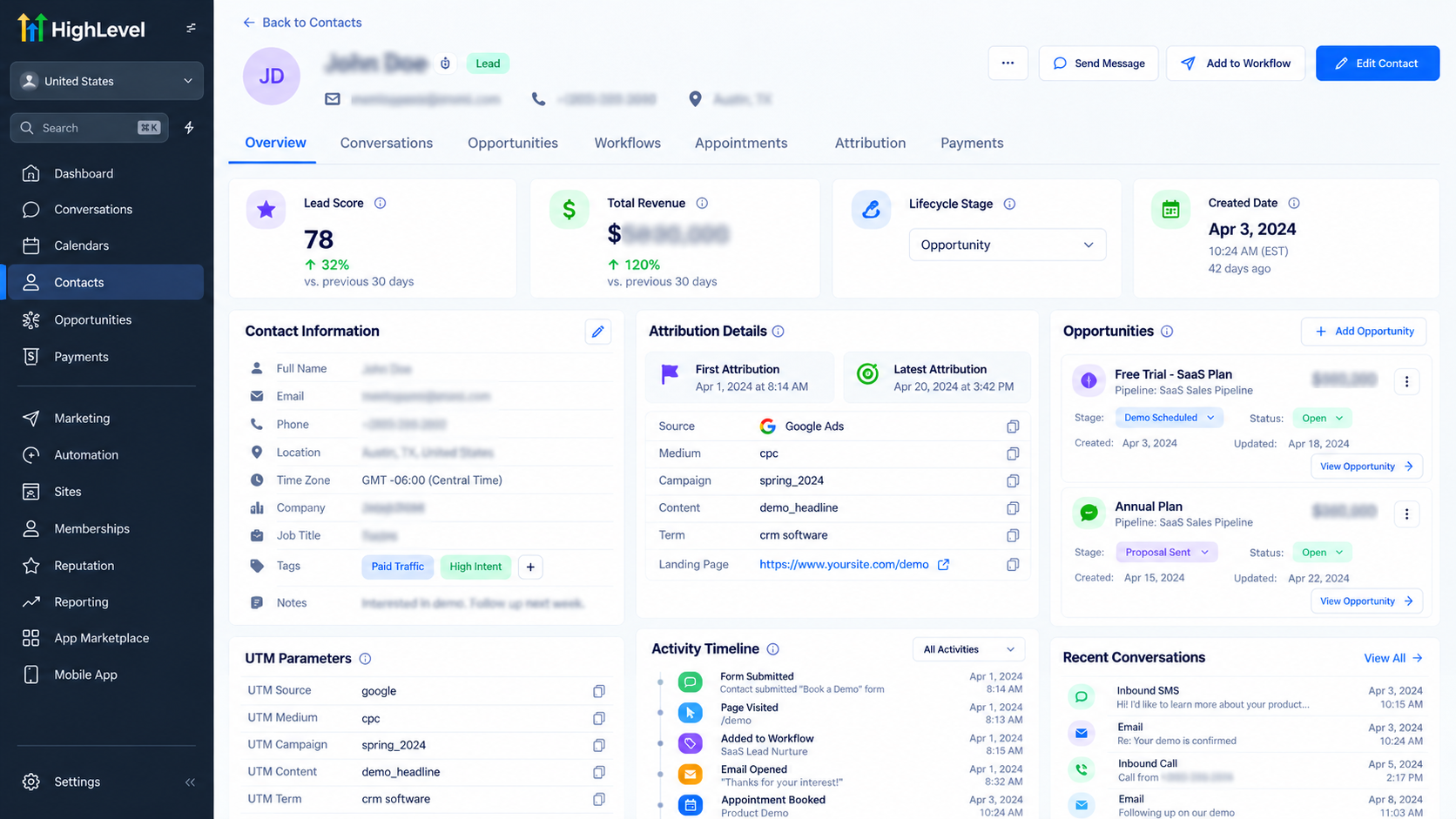
Step 2: Organize Leads Through Sales Pipelines
Navigate to Opportunities and use a pipeline that reflects your sales process.
For example, your stages might include New Lead, Qualified Lead, Appointment Scheduled, Proposal Sent, and Closed.
Keep opportunity statuses and monetary values updated as leads progress.
When a customer purchases, mark the relevant opportunity as Won.
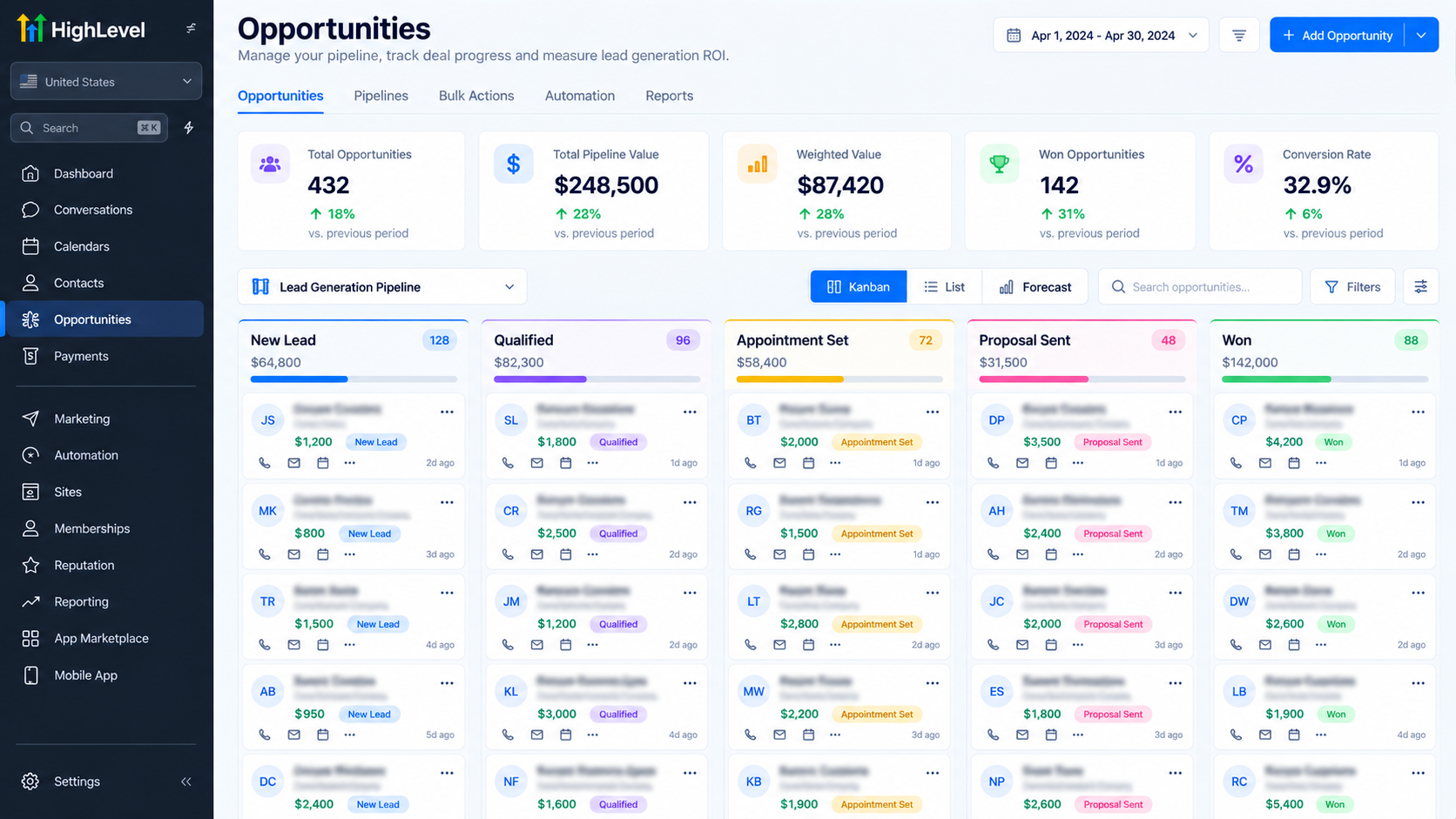
This allows you to measure how many opportunities successfully convert.
However, a Won opportunity's monetary value represents recorded deal value, not necessarily money received. Verify actual revenue against payment records before making financial decisions.
Step 3: Measure Lead Conversion Performance
Lead volume alone cannot establish campaign success.
Track how many inquiries become qualified prospects, book appointments, and eventually purchase.
For example, if a campaign generates 100 leads and 10 become customers, its lead-to-customer conversion rate is 10%.
GoHighLevel's CRM and opportunity reporting help evaluate pipeline progression and sales outcomes.
Use consistent qualification criteria and avoid counting multiple opportunities for the same contact as multiple new customers.
Step 4: Connect Campaign Revenue With Costs
Next, associate completed sales with their supported campaign attribution data.
Compare the resulting revenue against relevant expenses, including advertising spend, management fees, software costs, and other applicable campaign expenditures.
Some advertising data may be available through configured integrations, but not every expense is automatically captured by GoHighLevel.
Maintain an accurate cost record, using a spreadsheet or financial reporting system where necessary.
For reliable ROI calculations, use reconciled revenue figures rather than assuming every Won opportunity represents a collected payment.
Step 5: Review Reports and Calculate ROI
GoHighLevel's Lead Source Report can help compare opportunity counts, statuses, and monetary values across sources.
To add it, open your sub-account Dashboard, select Edit dashboard, choose Add widget, and find Lead Source Report under General.
Select your pipeline and configure relevant filters.
You can also use Opportunities widgets to examine Won opportunities, pipeline value, and performance trends.
Compare these results with verified revenue and campaign expenses to calculate ROI.
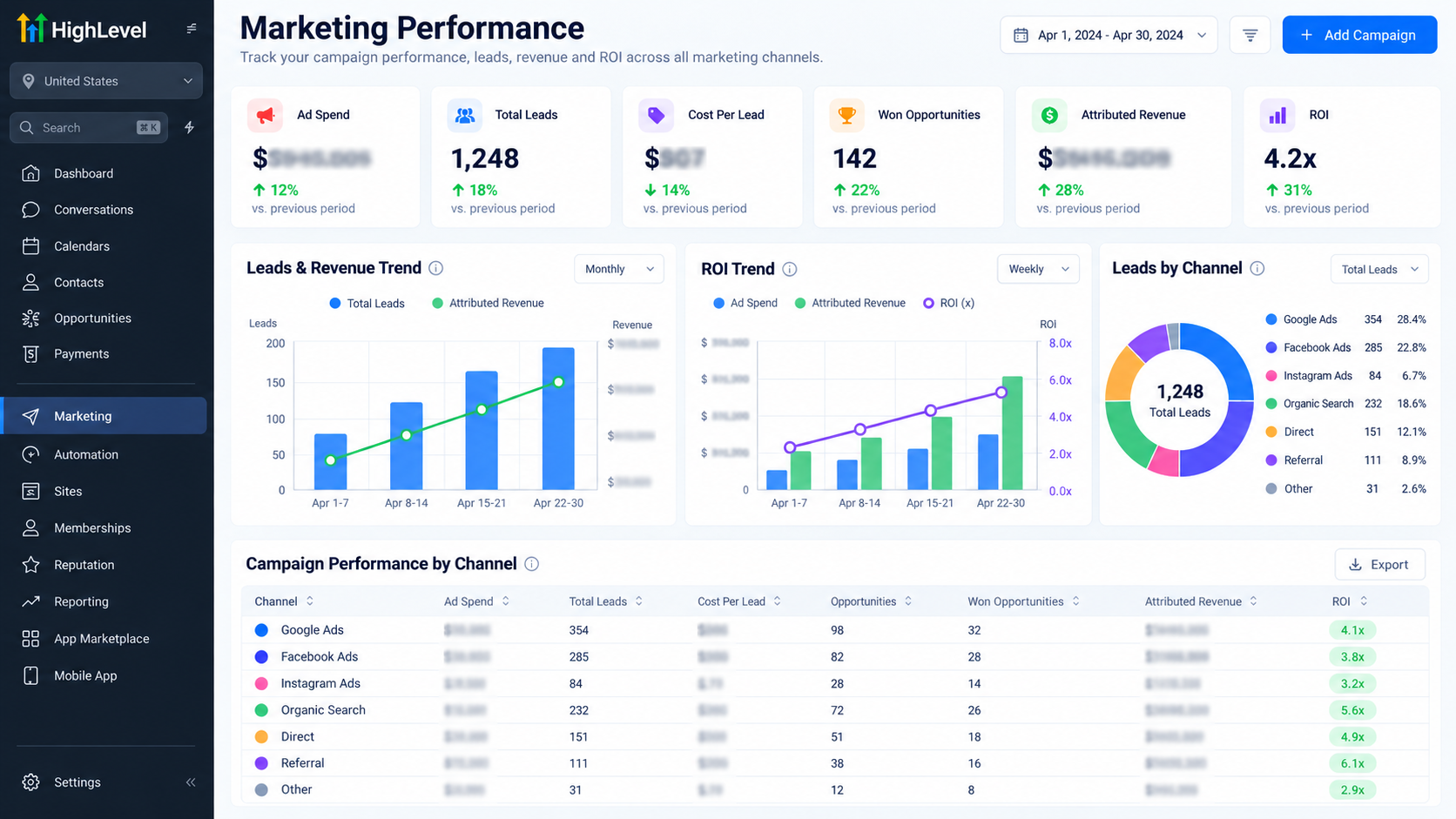
Review the selected date range carefully, since opportunity creation and status changes can occur in different reporting periods.
Essential Metrics for Measuring Campaign ROI
Understanding these six metrics makes campaign evaluation considerably more useful:
Cost Per Lead (CPL): Campaign acquisition cost divided by leads generated.
Customer Acquisition Cost (CAC): Relevant acquisition expenditure divided by new customers acquired.
Conversion Rate: Customers acquired divided by leads generated, multiplied by 100.
Revenue Generated: Actual revenue attributable to the campaign.
ROAS: Attributed revenue divided by advertising spend.
ROI: The percentage return after deducting defined campaign costs.
A campaign producing fewer leads can outperform one generating hundreds if its customers convert more consistently and produce stronger financial returns.
Ultimately, lead quality and profitability matter more than raw lead volume.
Common ROI Tracking Mistakes to Avoid
One common mistake is judging campaign performance solely by the number of inquiries received.
Others include ignoring conversion rates, treating estimated opportunity values as collected revenue, overlooking operational expenses, and double-counting sales.
Inconsistent UTM tracking and missing opportunity sources can also distort reporting.
Avoid these issues by standardizing campaign naming, updating pipeline records, reconciling payments, and reviewing attribution regularly.
Remember that attribution systems have limitations. Missing tracking information or interactions across multiple channels can prevent a perfectly complete customer journey from appearing in reports.
Final Thoughts
Tracking lead generation ROI helps businesses understand where marketing budgets create measurable value.
With GoHighLevel, you can organize attribution information, monitor sales pipelines, and analyze campaign performance within a connected CRM environment.
When combined with accurate revenue and cost records, these insights support smarter investment decisions.
Need better visibility into your campaign results? Explore professional GoHighLevel setup, automation, and CRM optimization services to build a more reliable lead-to-revenue tracking process.
Frequently Asked Questions (FAQs)
1. How do you calculate ROI from lead generation campaigns?
To calculate lead generation ROI, subtract your total campaign cost from the revenue attributed to that campaign. Divide the result by the campaign cost and multiply by 100. For example, if a campaign costs $1,000 and generates $4,000 in revenue, its ROI is 300%, before accounting for any additional expenses not included in the calculation.
2. Can GoHighLevel track lead generation ROI automatically?
GoHighLevel provides tools for tracking lead sources, conversions, opportunity values, and sales performance. However, calculating complete campaign ROI may require combining CRM data with advertising costs, payment records, and other expenses. Accurate results depend on proper tracking configuration, integrations, and reliable revenue information.
3. How can I track which marketing campaign generates the most leads in GoHighLevel?
You can use UTM parameters, contact attribution information, and GoHighLevel's Lead Source Report to identify where leads originate. Comparing lead counts, opportunity statuses, and recorded values helps determine which campaigns generate valuable prospects rather than simply driving traffic.
4. What is the difference between ROI and ROAS in lead generation?
ROI measures the return generated after subtracting defined campaign costs, while ROAS compares campaign-attributed revenue directly with advertising spend. ROAS helps evaluate advertising efficiency, whereas ROI provides a broader view of financial performance when all relevant costs are included.
5. Which metrics should businesses track to measure lead generation success?
Businesses should monitor cost per lead (CPL), customer acquisition cost (CAC), lead-to-customer conversion rate, attributed revenue, return on ad spend (ROAS), and return on investment (ROI). Together, these metrics reveal lead quality, acquisition efficiency, conversion performance, and campaign profitability.
6. How can GoHighLevel help improve lead generation ROI?
GoHighLevel helps businesses organize leads, manage sales pipelines, automate follow-ups, and monitor conversion performance. By identifying high-performing lead sources and opportunities that fail to progress, businesses can improve follow-up processes, reduce missed sales opportunities, and make more informed marketing budget decisions.
Need Expert Help with GoHighLevel?
New to GoHighLevel and ready to get started? Buy your GoHighLevel account here and launch with confidence.
Already know what you need and want our team to handle everything, from complete setup and customization to funnels, workflows, automations, CRM, and pipelines? Click here.



