

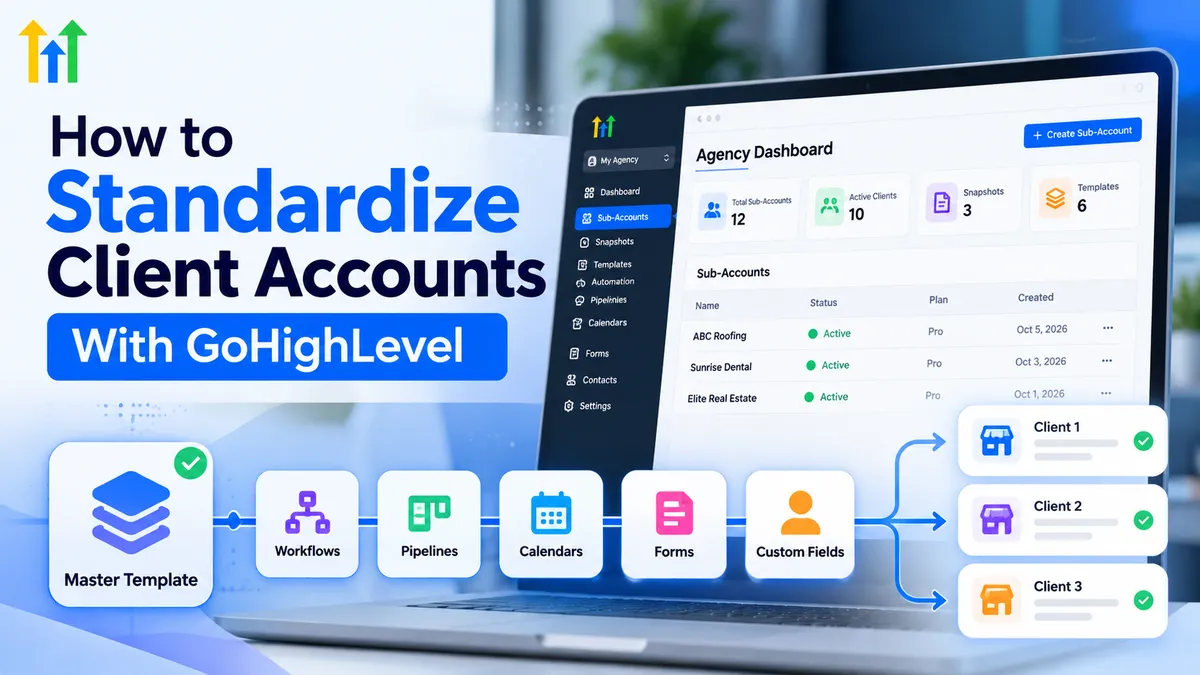
How to Standardize Client Accounts With GoHighLevel
How to Standardize Client Accounts With GoHighLevel
Managing multiple client accounts can quickly become overwhelming when every account has different workflows, pipelines, calendars, and settings. Without a consistent structure, agencies spend unnecessary time troubleshooting, onboarding clients, and rebuilding the same systems.
Learning how to standardize client accounts with GoHighLevel helps agencies establish repeatable processes while maintaining flexibility for individual client needs. With sub-accounts, snapshots, CRM automation, and organized workflows, GoHighLevel provides practical tools for building consistent, scalable client operations.
What Is Client Account Standardization in GoHighLevel?
GoHighLevel client account standardization means establishing a consistent framework for configuring and managing client environments.
Instead of building every account from scratch, agencies create reusable structures for pipelines, automations, forms, calendars, and other supported assets.
This approach improves quality control, simplifies troubleshooting, and helps team members understand unfamiliar accounts faster.
Importantly, standardization doesn't mean making every account identical. It means creating a reliable foundation that can be customized for each client's business requirements.
Key GoHighLevel Features for Account Standardization
Client Sub-Accounts and Snapshots
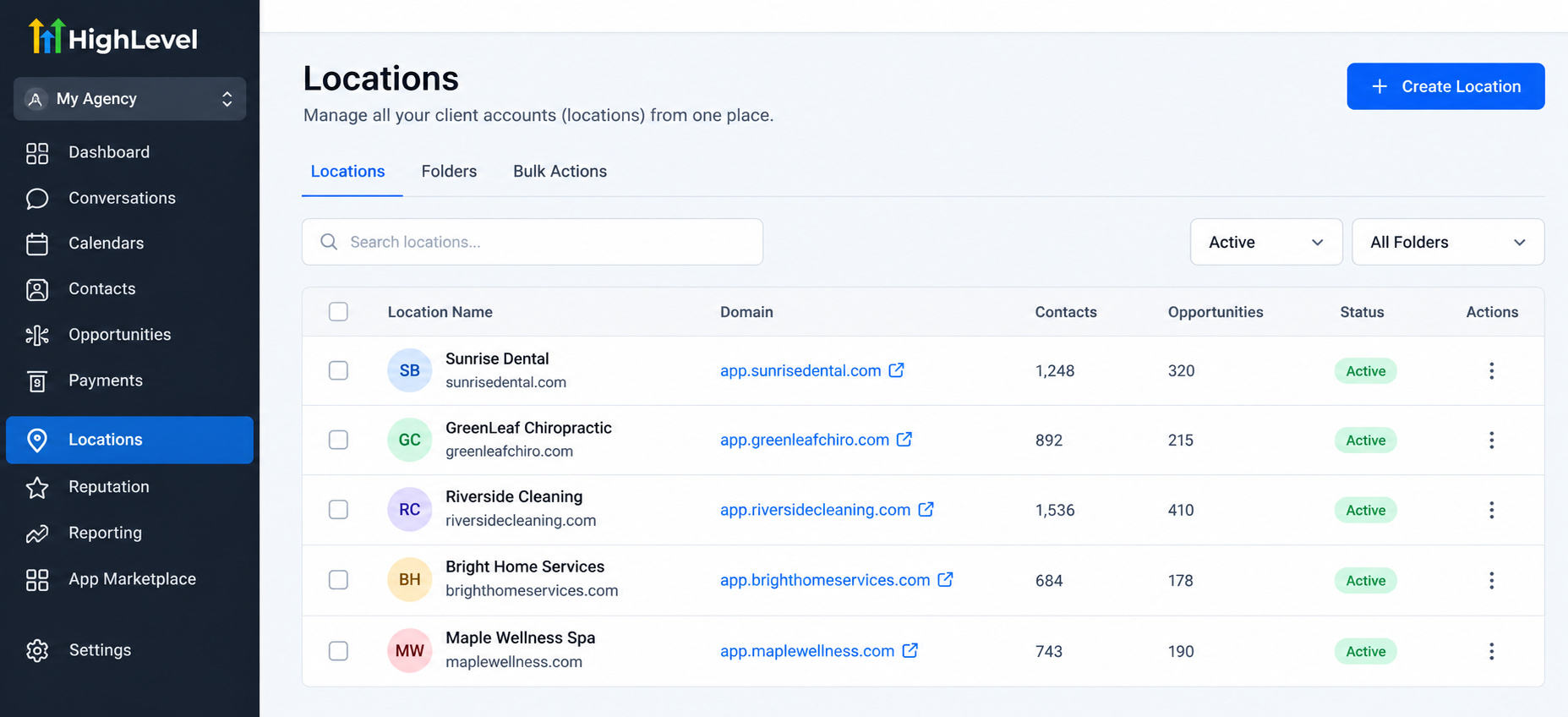
GoHighLevel sub-accounts, also called locations, provide separate environments for managing individual clients.
Each location can contain its own contacts, opportunities, workflows, calendars, and business configurations.
GoHighLevel snapshots allow agencies to package supported configuration assets into reusable templates. Depending on the assets selected and current platform capabilities, snapshots can include workflows, pipelines, forms, funnels, and other supported resources.
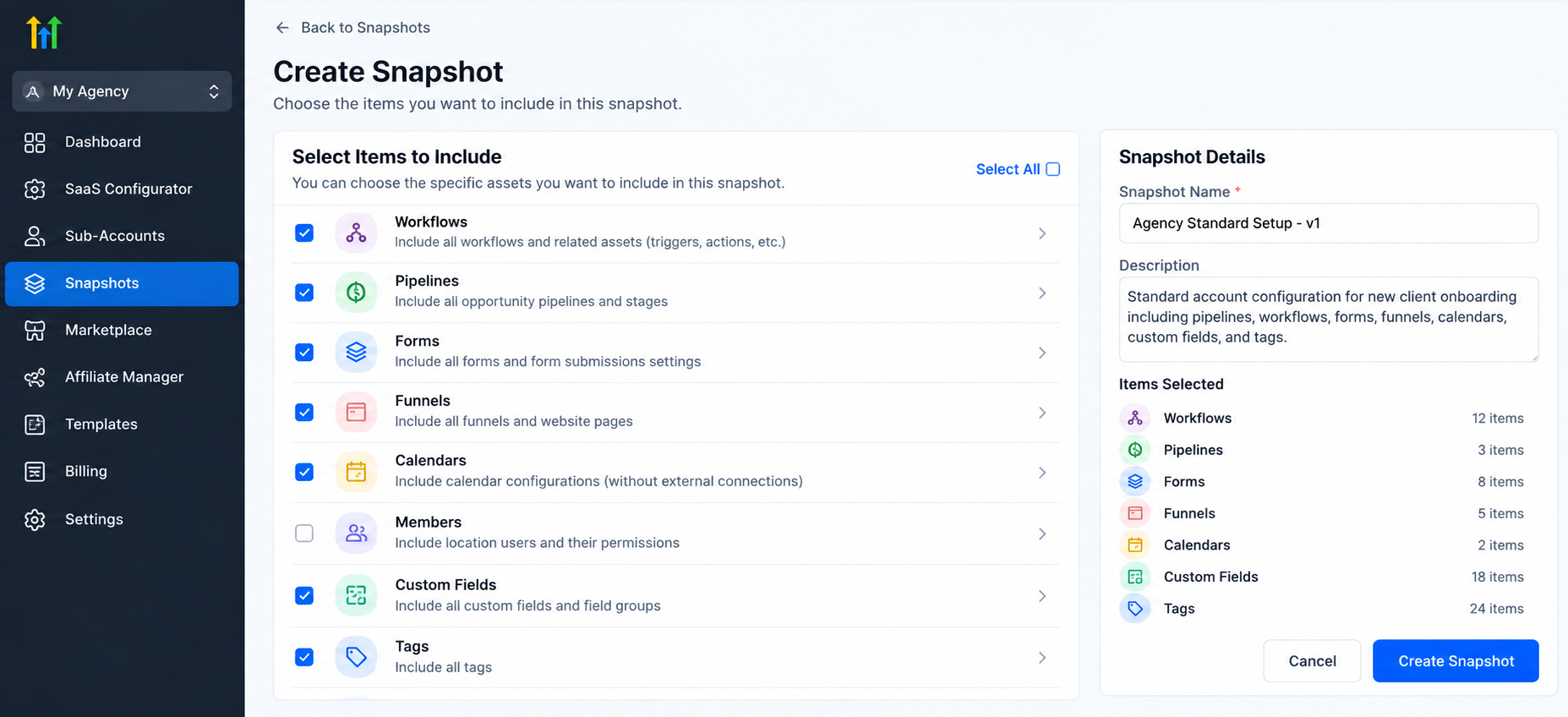
However, snapshots are not complete account backups. They don't automatically transfer every integration, credential, contact record, conversation history, or account setting.
Pipelines and Workflow Automation
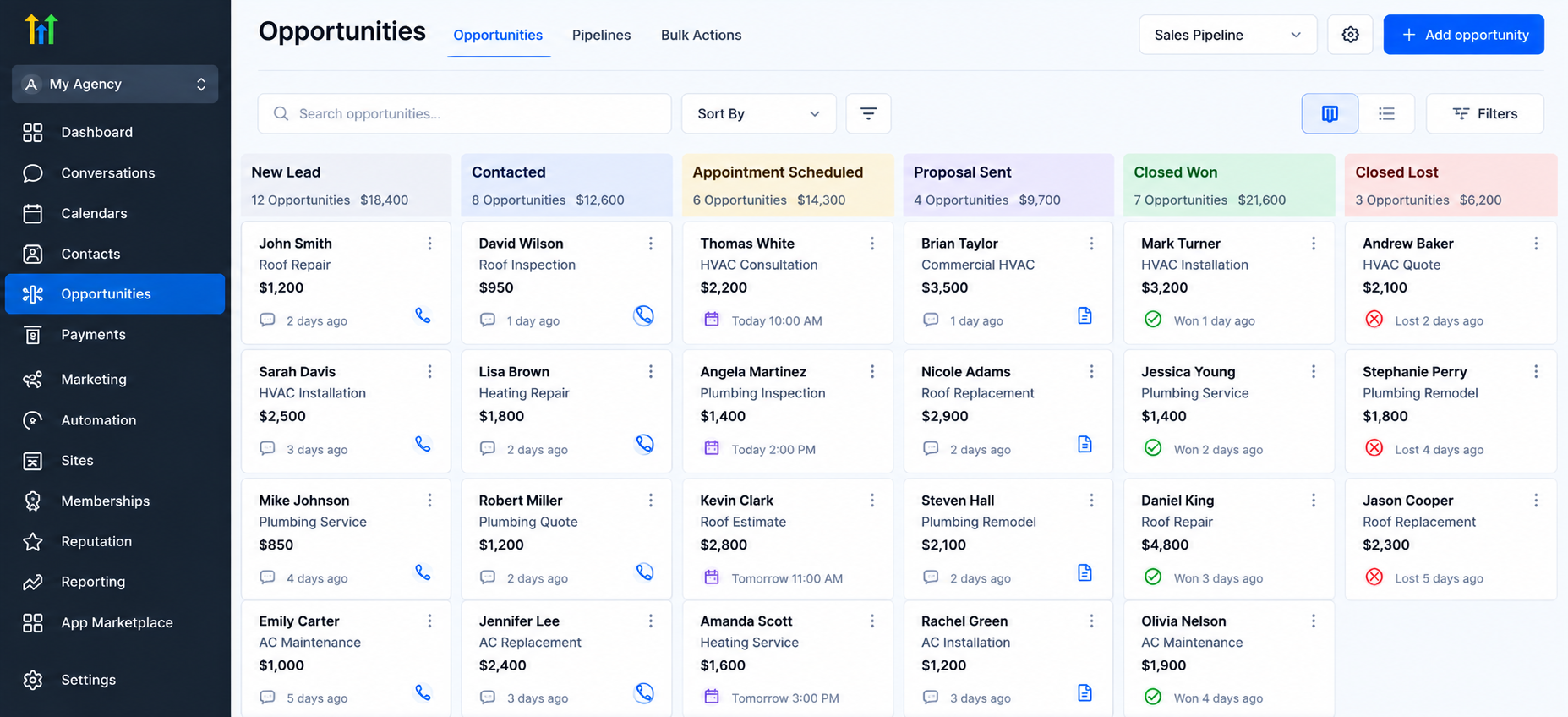
Standardized pipelines establish consistent opportunity stages, such as New Lead, Contacted, Appointment Scheduled, and Closed Won.
Agencies can also standardize GoHighLevel workflows using reusable automation structures for lead follow-up, appointment reminders, and internal notifications.
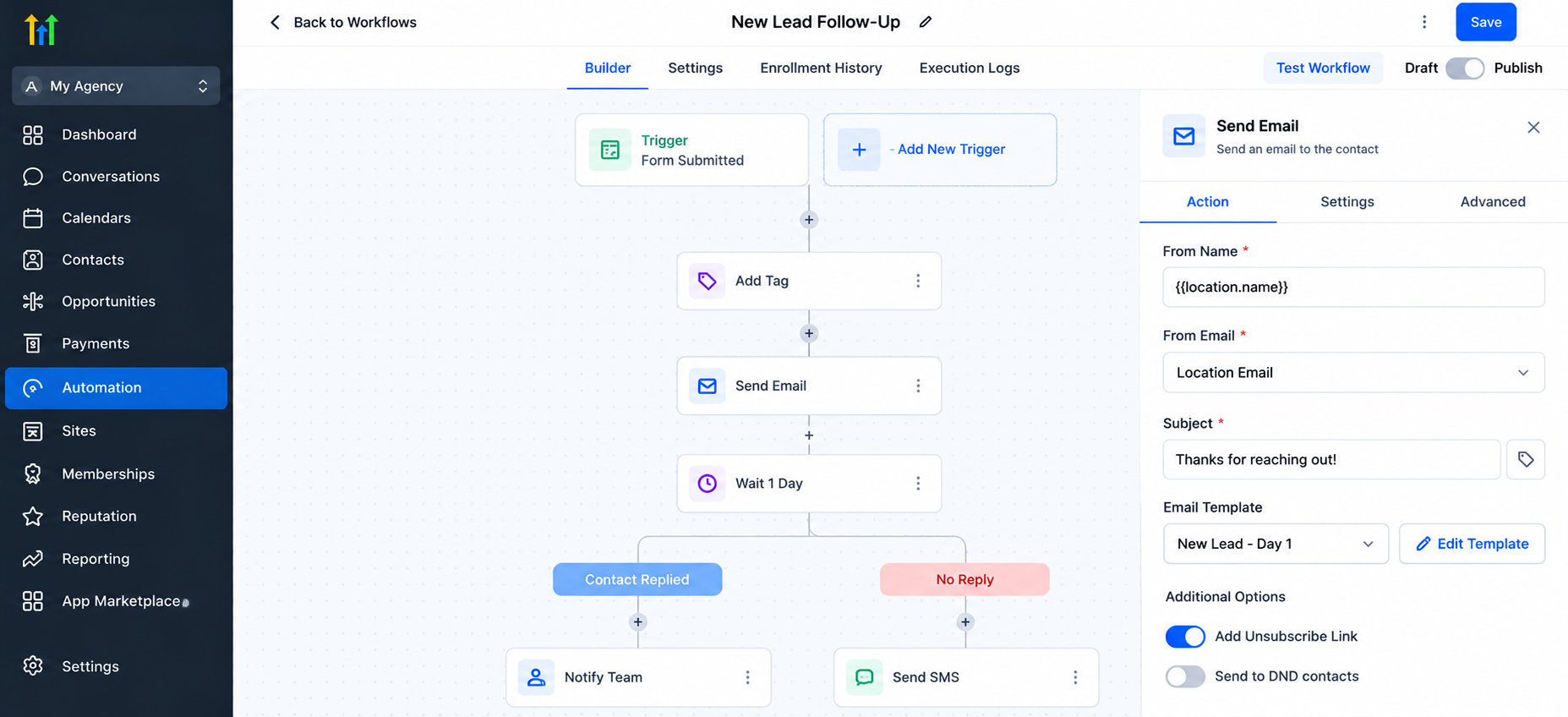
These workflows should always be reviewed before activation because triggers, recipients, and business rules may differ between clients.
Forms, Calendars, and Custom Fields
Reusable forms and surveys help agencies maintain consistent lead capture processes.
Calendars support standardized appointment booking experiences, while custom fields and tags organize client information.
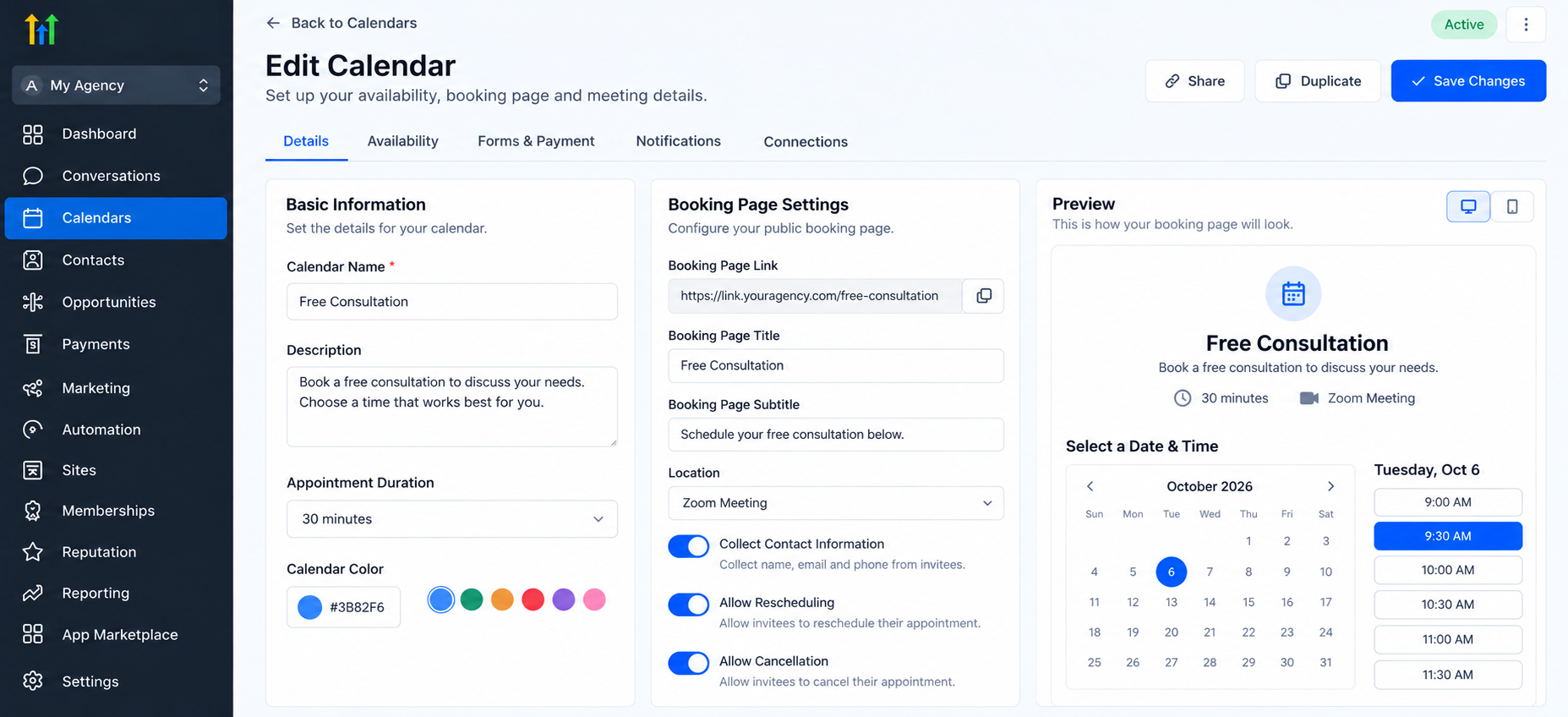
Clear naming conventions, such as WF - New Lead Follow-Up or PIPE - Sales Pipeline, make assets easier to identify and maintain.
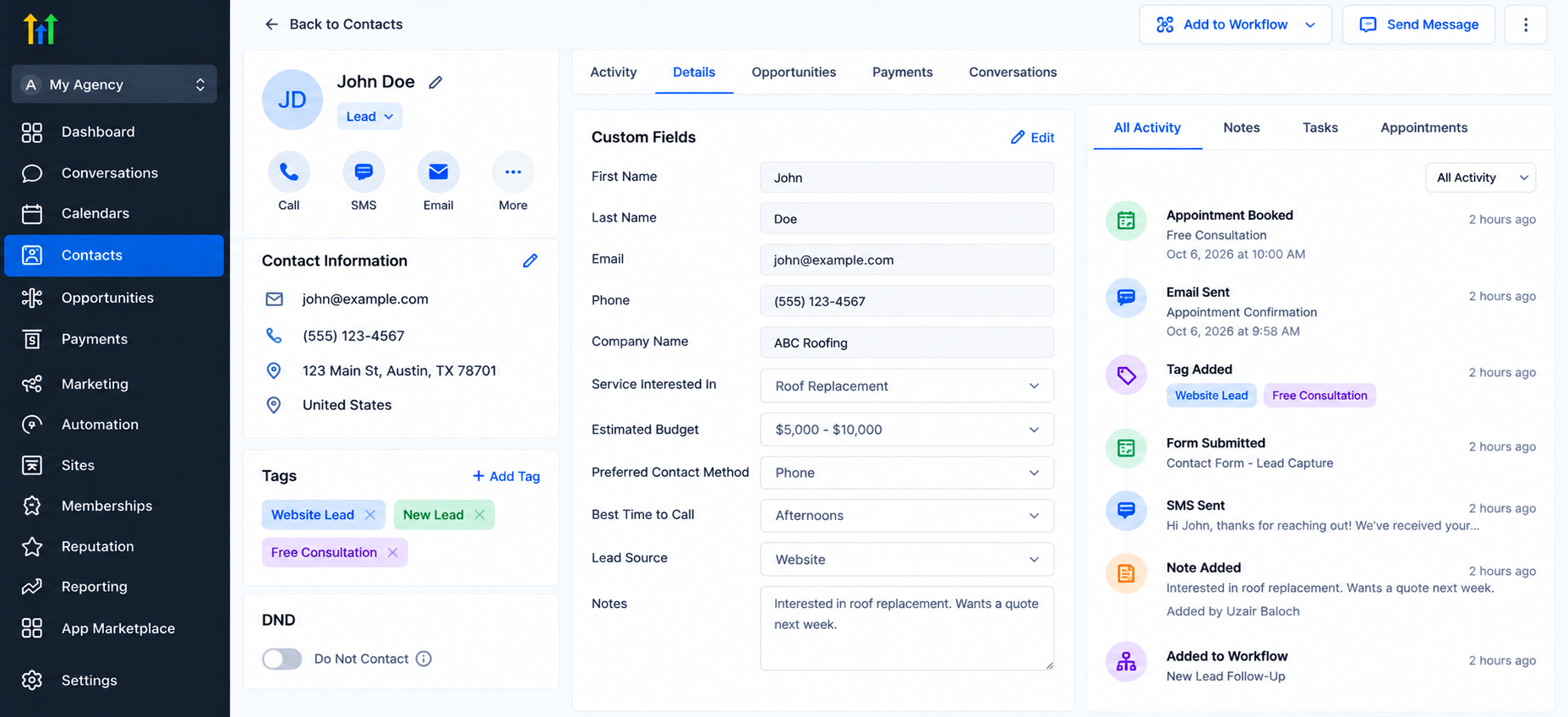
Team roles and permissions further support account organization by limiting access according to responsibilities.
How to Standardize Client Accounts With GoHighLevel: Step-by-Step
Step 1: Audit Existing Client Accounts
Review current pipelines, workflows, forms, calendars, custom fields, and account settings.
Identify frequently repeated configurations, inconsistent naming conventions, and unnecessary automations.
Document which elements should become standard and which require client-specific customization.
Step 2: Define Your Standard Account Structure
Create consistent naming conventions, pipeline stages, contact organization methods, and automation categories.
Develop a GoHighLevel account setup checklist covering essential assets and onboarding requirements.
Keep the structure simple enough for your team to maintain.
Step 3: Build and Test a Master Configuration
Create a dedicated template sub-account containing your approved foundation.
Configure reusable workflows, pipelines, forms, surveys, and other necessary components.
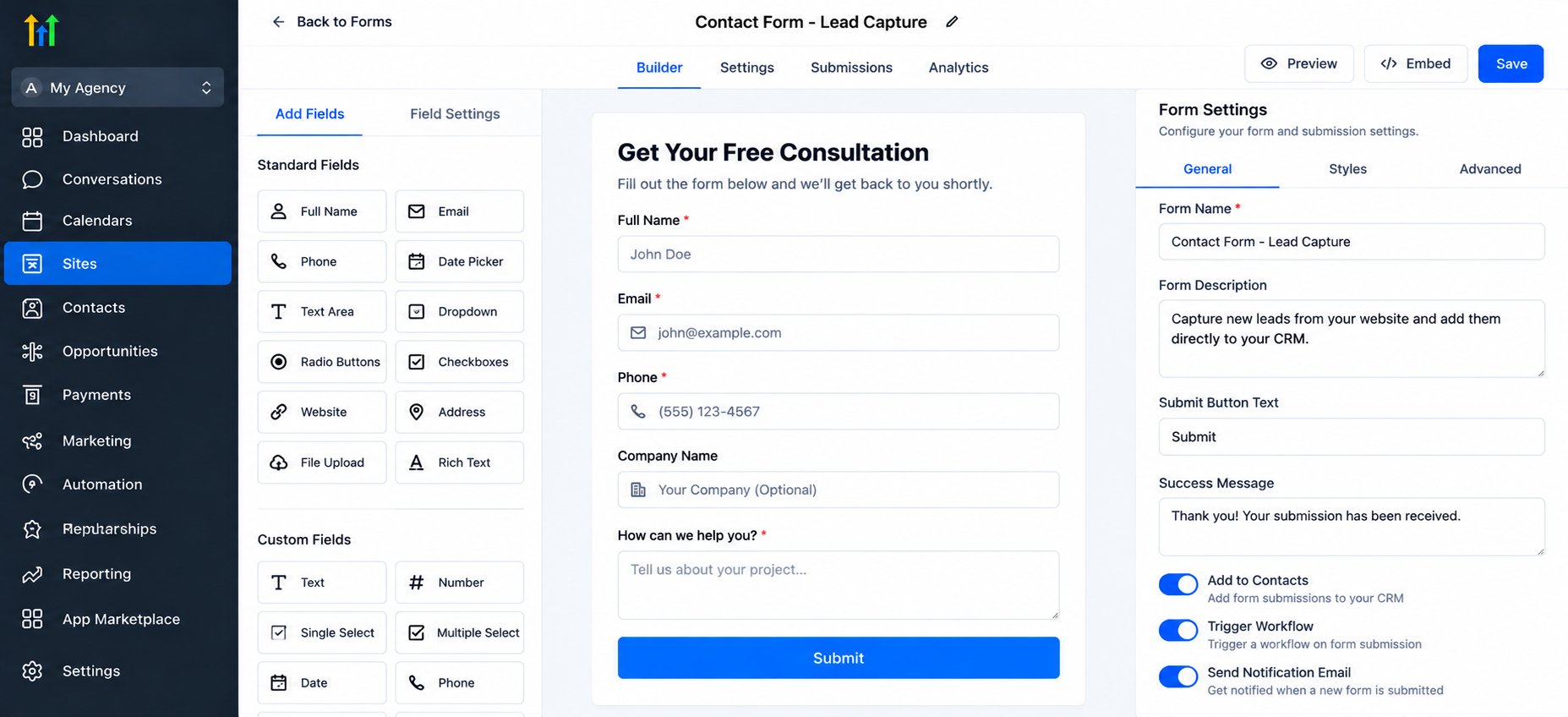
Test automation triggers, field mappings, notifications, and booking processes before using this configuration elsewhere.
Step 4: Create a GoHighLevel Snapshot
Generate a snapshot from your prepared source account and select the supported assets you want to reuse.
Review the snapshot contents carefully to ensure they match your standard configuration.
Step 5: Apply the Snapshot
Apply the snapshot to the intended client sub-account using the available snapshot options.
Review existing assets before importing to avoid unwanted duplication or configuration conflicts.
Step 6: Customize Client-Specific Settings
Update branding, business details, notification recipients, calendar availability, and workflow conditions.
Configure required integrations, communication services, and calendar connections separately where necessary.
Step 7: Perform Quality Assurance
Submit test forms, create sample opportunities, verify appointment bookings, and check workflow execution.
Confirm that notifications reach the correct recipients and automation messages contain accurate client information.
Step 8: Maintain Account Consistency
Periodically review accounts against your standard checklist.
Document approved changes and update your master configuration when improvements should apply to future deployments.
Remember that updating a snapshot doesn't automatically synchronize every existing client account.
Practical Example: Standardizing a Home Services Agency
Consider a marketing agency managing several HVAC and plumbing businesses.
The agency creates a reusable foundation containing a lead capture form, sales pipeline, appointment reminders, and missed-lead follow-up workflows.
Each new client receives this foundation through a snapshot.
The agency then customizes service categories, booking calendars, assigned staff, and follow-up messages.
An HVAC company might require installation consultation bookings, while a plumbing company needs service request appointments.
Both businesses benefit from consistent CRM organization without sacrificing their individual processes.
Benefits of GoHighLevel Client Account Standardization
A structured approach to GoHighLevel agency management offers several advantages:
Faster onboarding: Reusable assets reduce repetitive configuration work.
Greater consistency: Standard structures help maintain predictable account organization.
Simpler troubleshooting: Familiar workflows make issues easier to investigate.
Better collaboration: Clear naming conventions help teams navigate accounts.
Improved scalability: Repeatable processes support growth without rebuilding every system.
These benefits depend on thoughtful implementation, regular testing, and ongoing maintenance.
Common Mistakes to Avoid
Even well-designed GoHighLevel account templates require careful deployment.
Avoid copying workflows without reviewing their triggers, sending settings, and conditions. Incorrect notification recipients can send internal alerts to the wrong people.
Disconnected calendars, inconsistent naming conventions, and missing custom fields can also disrupt operations.
Most importantly, never assume a successful snapshot import means an account is ready for production. Always complete client-specific configuration and testing.
Conclusion
Standardizing client accounts transforms scattered configurations into repeatable delivery systems.
By combining GoHighLevel snapshots, sub-accounts, organized pipelines, and tested CRM automation, agencies can create more reliable onboarding experiences and maintain consistency across clients.
The goal isn't identical accounts. It's a dependable foundation that supports customization, collaboration, and sustainable agency growth.
Frequently Asked Questions
1. What is a GoHighLevel snapshot?
A snapshot is a reusable package of supported configuration assets that agencies can apply to other sub-accounts.
2. Can snapshots transfer contacts and conversations?
No. Snapshots are designed for supported configuration assets, not transferring contact databases or conversation histories.
3. Can I customize an account after applying a snapshot?
Yes. Agencies can modify imported assets and configure client-specific branding, integrations, calendars, and workflows.
4. Do snapshots automatically update existing client accounts?
No. Snapshot updates don't automatically synchronize all previously deployed accounts. Additional deployment and review may be necessary.
5. Why is standardization important for agency scalability?
Standardization reduces repetitive setup, improves team consistency, and creates more manageable systems as an agency's client base grows.
Need Expert Help with GoHighLevel?
New to GoHighLevel and ready to get started? Buy your GoHighLevel account here and launch with confidence.
Already know what you need and want our team to handle everything, from complete setup and customization to funnels, workflows, automations, CRM, and pipelines? Click here.



