

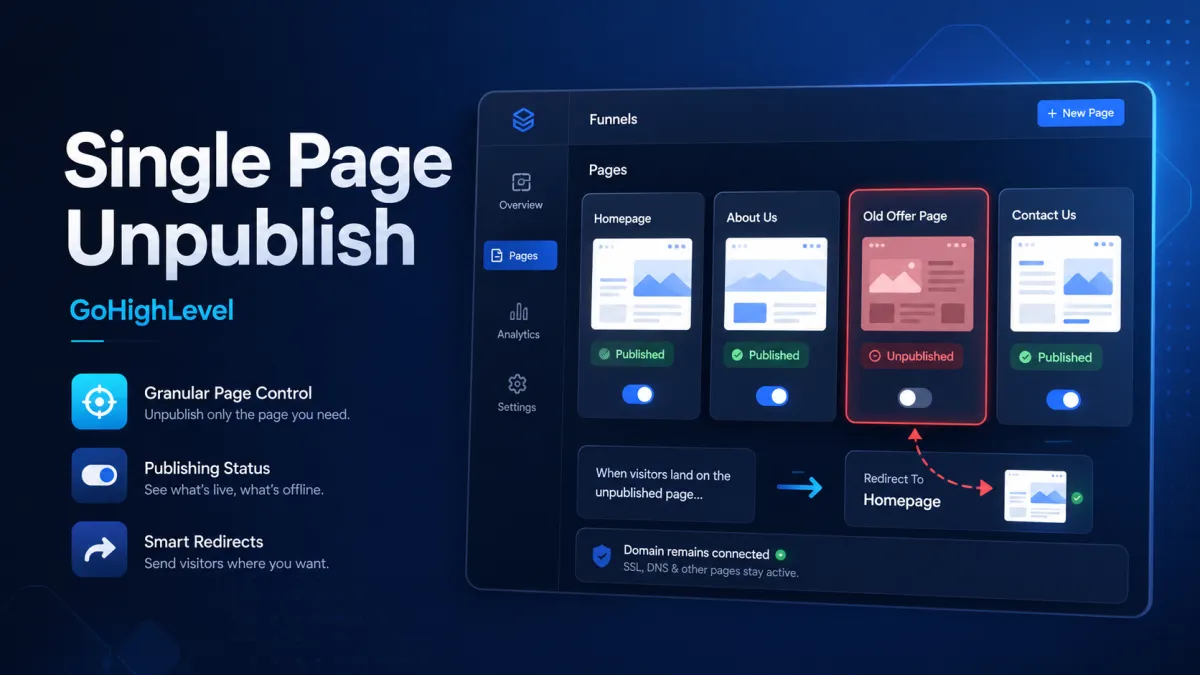
GoHighLevel Single Page Unpublish
Single Page Unpublish in GoHighLevel: Take Individual Funnel and Website Pages Offline
What happens when you need to take just one landing page offline but do not want to disrupt your entire funnel or website?
Maybe a seasonal promotion has ended, an old campaign is no longer relevant, or a page simply needs to be hidden temporarily. Until now, handling that situation could be more complicated than necessary. With Single Page Unpublish, GoHighLevel now gives you a simpler way to take an individual page offline while keeping the rest of your funnel, website, and connected domain live.
What Is Single Page Unpublish in GoHighLevel?
Single Page Unpublish allows you to take one specific funnel or website page offline without disconnecting the entire domain or affecting other live pages.
This is particularly useful when you need to hide an outdated landing page, pause a seasonal promotion, or take an old campaign page offline while keeping the rest of your GoHighLevel funnels or GoHighLevel websites available to visitors.
The unpublished page is not deleted. It remains available for editing and can be published again whenever needed.
This makes the feature a more flexible approach to GoHighLevel page management, especially when content needs to be temporarily unavailable rather than permanently removed.
More Control Over Individual Pages
Single Page Unpublish provides granular control over the publishing status of each page. Users can manage a page directly from the page list through its Options menu or from the pages side panel inside the builder.
The builder's page actions menu includes options such as Edit, Preview, Clone, Unpublish, Edit Redirect Link, Publish, and Delete. The available actions change depending on the page's current status.
For example, a live page displays the Unpublish option, while an unpublished page provides options to Publish and Edit Redirect Link.
This gives users a centralized way to manage individual pages without needing to take broader action across the entire funnel or website.
Built-In Redirects When You Unpublish a Page
One of the most useful parts of the update is the ability to choose what happens when someone visits the old page URL after it has been unpublished.

GoHighLevel provides three redirect options:
Standard 404 page: Visitors are shown a default 404 page.
Another page: Visitors can be redirected to another page within the same funnel or website.
Custom external URL: Visitors can be sent to a URL outside the current funnel or website.
If no redirect URL is selected, visitors are automatically sent to the standard 404 page.
The redirect is part of the unpublish process, making it easier to decide how visitors should be handled when a page is taken offline. You can also change the redirect destination later through Edit Redirect Link without changing the page's published or unpublished status.


Unpublish Without Disconnecting Your Domain
Single Page Unpublish is different from taking an entire website or funnel offline.
When you unpublish an individual page, the connected domain remains in place. The update also specifies that unpublishing a page does not disrupt the domain's SSL certificate or DNS settings.

This means you can manage the availability of one page without making unnecessary changes to the broader domain setup.
For businesses managing multiple campaigns or pages, this provides a simpler way to keep active content live while temporarily taking specific content offline.
Unpublishing Is Not Deleting
It is important to understand the difference between unpublishing a page and deleting one.
Deleting removes the page through the page management options, while unpublishing simply takes the page offline. An unpublished page remains editable and can be brought back online by selecting Publish.

This makes Single Page Unpublish useful for temporary changes. For example, an outdated landing page can be unpublished while its content remains available for future editing or reuse.
What Happens to A/B Tests and Navigation?
The update also includes specific behavior for pages involved in A/B testing.
If an A/B test is running on a page that gets unpublished, the test is automatically stopped. However, its historical metrics and statistics are preserved.
Unpublished pages are also automatically excluded from navigation options when creating navigation paths, such as buttons or image navigation. This helps prevent an unavailable page from being selected as a destination for new navigation paths.
Better Visibility for Teams
GoHighLevel also adds clearer status information to help teams understand the current state of a page.
Unpublished pages display an Unpublished tag in both the page list and the step sidebar. The builder header also shows the page's current status, its live URL, and information about who last changed its status.

Publish and unpublish changes take effect immediately, without requiring a full-funnel republish. This makes page-level updates easier to manage while giving teams greater visibility into who changed a page and when.

How to Unpublish a Single Page in GoHighLevel
To unpublish a page in a GoHighLevel funnel or website:

Open the funnel or website and go to its page list.
Find the page you want to take offline.
Open the page's Options menu.
Select Unpublish.
Review the confirmation information.
Choose the desired redirect behavior: 404, another page within the funnel or website, or a custom external URL.
Confirm the action.
The page becomes unavailable immediately while other published pages remain unaffected.
Check the Unpublished status in the page list or builder.
If needed, use Edit Redirect Link later to change the destination.
To bring the page back online, select Publish and confirm.
The same page-management capabilities are also available directly from the builder's pages side panel.
Why This GoHighLevel Update Matters
The Single Page Unpublish feature gives GoHighLevel users more control over how individual pages are managed. Instead of deleting content or making broader domain-level changes, users can temporarily take a specific page offline while keeping the rest of their funnel or website active.
With built-in redirects, reversible publishing, clear status indicators, preserved A/B test history, and visibility into who changed a page's status, this update makes page management more precise and straightforward.
For anyone managing GoHighLevel funnels or GoHighLevel websites, Single Page Unpublish provides a practical way to keep content current without unnecessarily disrupting the rest of the online experience.
Frequently Asked Questions
1. What is Single Page Unpublish in GoHighLevel?
It lets you take one funnel or website page offline without affecting other published pages.
2. Does unpublishing a page delete it?
No. The page remains editable and can be published again later.
3. Can I redirect an unpublished page?
Yes. You can redirect visitors to a 404 page, another page, or a custom external URL.
4. Can I change the redirect later?
Yes. You can use Edit Redirect Link at any time.
5. Does unpublishing affect my domain?
No. The connected domain, SSL certificate, and DNS settings remain unaffected.
6. What happens to an A/B test when a page is unpublished?
The test stops automatically, but its historical metrics and statistics are preserved.
Watch This GoHighLevel Update in Action
Want a quick overview of this new GoHighLevel feature? We’ve created a short video explaining the update, its benefits, and how you can use it effectively.
Click below to watch the video and stay ahead with the latest GoHighLevel updates.
Need Expert Help with GoHighLevel?
New to GoHighLevel and ready to get started? Buy your GoHighLevel account here and launch with confidence.
Already know what you need and want our team to handle everything, from complete setup and customization to funnels, workflows, automations, CRM, and pipelines? Click here.



