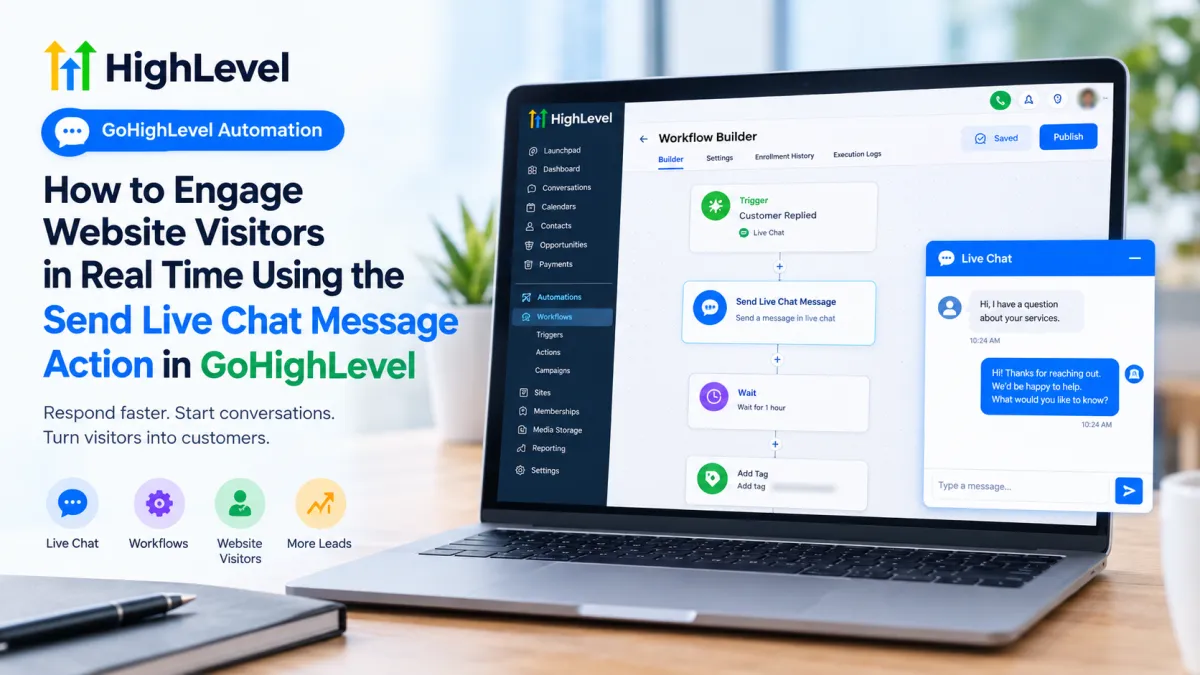
How to Engage Website Visitors in Real Time Using the Send Live Chat Message Action in GoHighLevel
Website visitors do not always need another form or sales page. Sometimes they simply need an answer at the right moment. A prospect may open your pricing page, ask a question through your website chat, or start a conversation and wait for guidance. When that interaction happens, responding quickly can make the experience much smoother.
GoHighLevel provides Live Chat inside Conversations for real-time communication with website visitors. Its Send Live Chat Message Action in GoHighLevel adds workflow automation to that communication, allowing a workflow to respond through the Live Chat channel when the appropriate trigger and conditions have brought a contact to that step.
What Is the Send Live Chat Message Action in GoHighLevel?
The Send Live Chat Message action is a communication action inside GoHighLevel Workflows. Its purpose is to send a response through the Live Chat channel as part of an automated workflow. HighLevel specifically describes the action as a way to respond to live chat messages.
That distinction matters. This is not an SMS action, email action, or Facebook/Instagram messaging action. It belongs to the Live Chat communication channel.
Live Chat itself allows website visitors to communicate with a business through a website chat widget, with those conversations appearing in GoHighLevel's Conversations area.
The workflow action essentially connects that conversation channel with your automation logic.
How the Send Live Chat Message Action Works
The easiest way to understand the automation is:
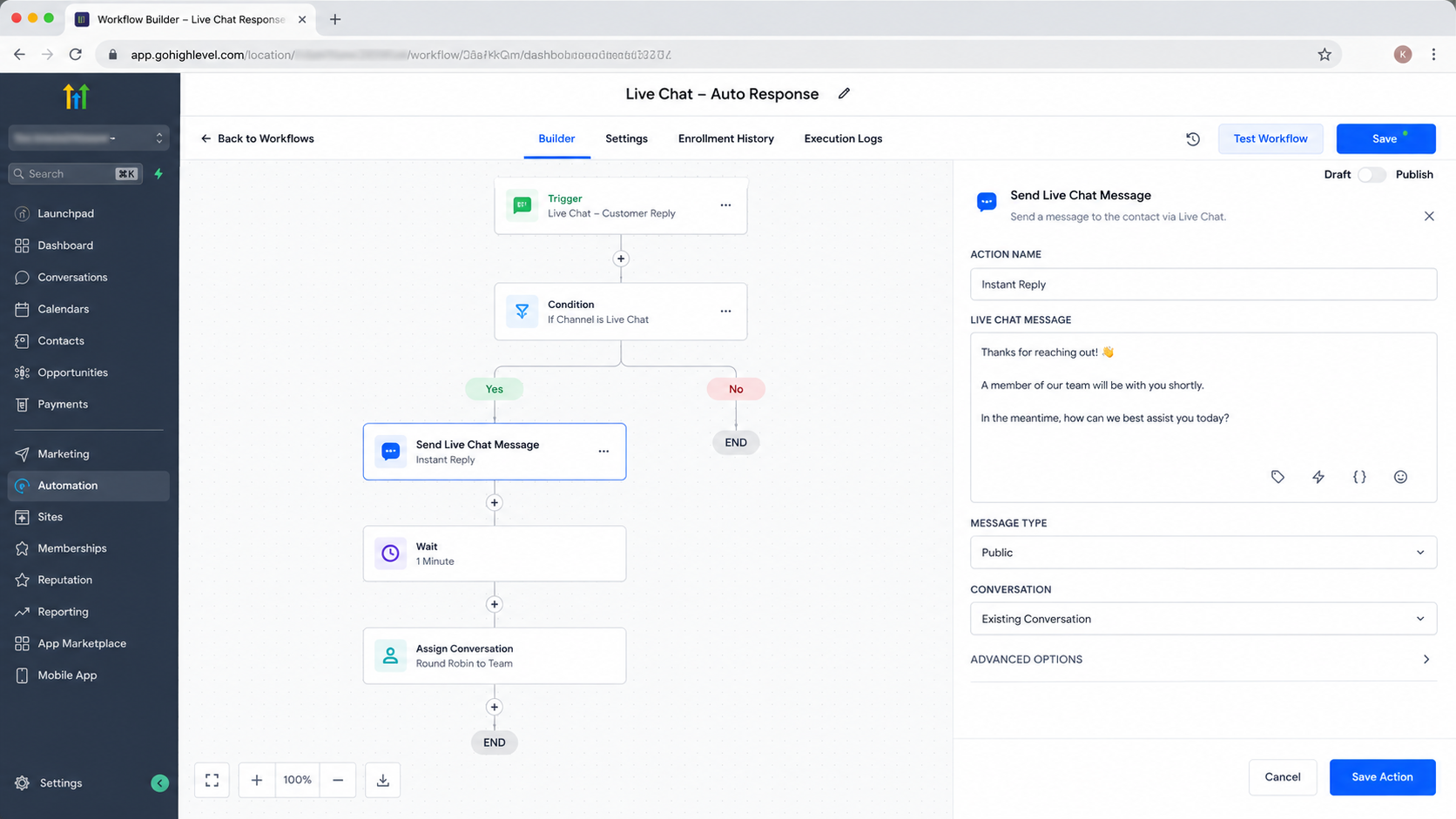
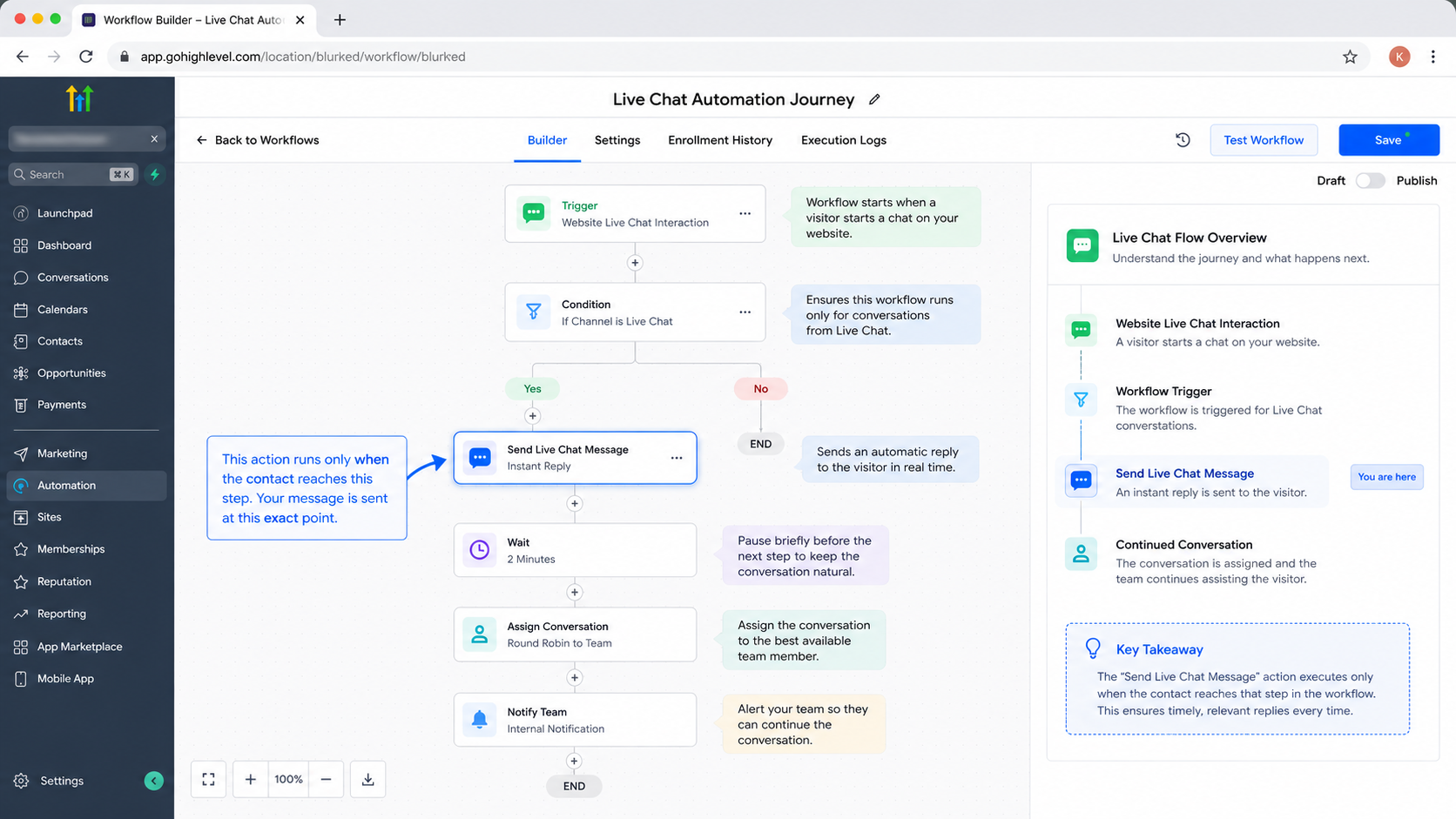
Trigger → Workflow → Send Live Chat Message → Visitor receives the response → Next workflow step
The Send Live Chat Message action sits inside a GoHighLevel workflow and executes when the contact reaches that step.
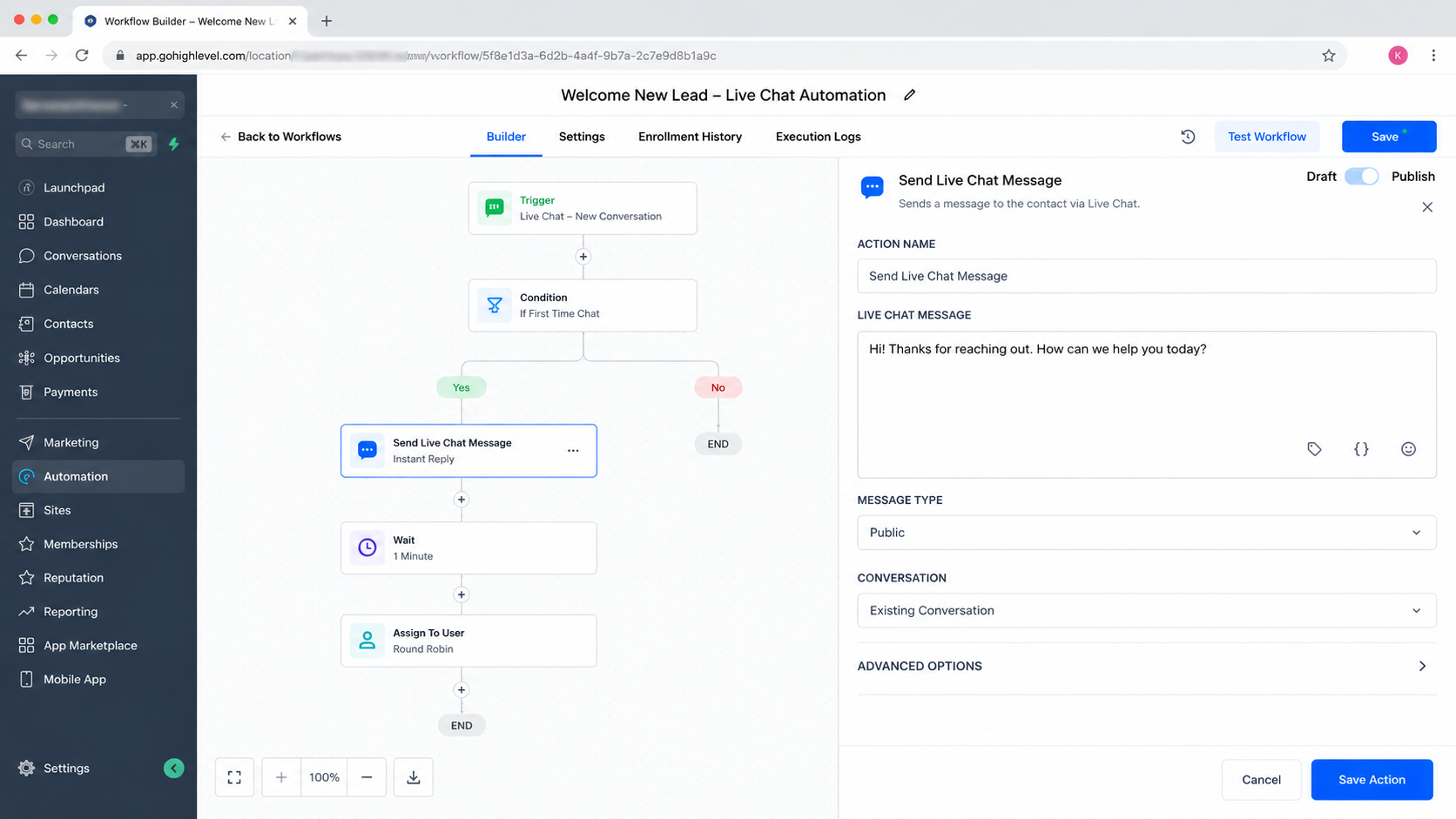
A trigger starts the workflow. The contact then moves through the workflow in sequence. When the workflow reaches Send Live Chat Message, GoHighLevel performs that communication action.
The important part is that the action does not independently discover every anonymous person browsing your website and start messaging them. The workflow must have an appropriate trigger and an identifiable contact/conversation context for the automation to make sense.
For example, HighLevel supports workflows triggered by customer replies and can filter those replies by Live Chat.
This makes the action particularly useful when automation needs to respond to an existing Live Chat interaction rather than treating website traffic itself as a messaging event.
How to Use the Send Live Chat Message Action
Start by making sure Live Chat is properly configured for the website. HighLevel's current setup places the Live Chat configuration under Sites → Chat Widget, where the chat type can be configured for Live Chat.
Then:
Open the appropriate GoHighLevel sub-account.
Go to Automations → Workflows.
Create a new workflow or open an existing one.
Add a trigger that matches the interaction you want to automate.
If the workflow is responding to an incoming Live Chat interaction, configure the trigger and relevant filters for the Live Chat channel.
Add a new workflow action and select Send Live Chat Message.
Configure the Send Live Chat Message action within the workflow before publishing your automation.
Configure the message using the options available in your current account.
Save the action and publish the workflow.
Test the automation with a suitable contact and Live Chat scenario before relying on it with real visitors.
HighLevel confirms that workflows execute actions sequentially after their triggering event, making the trigger-and-action relationship fundamental to building reliable automation.
A Real-World Automation Example
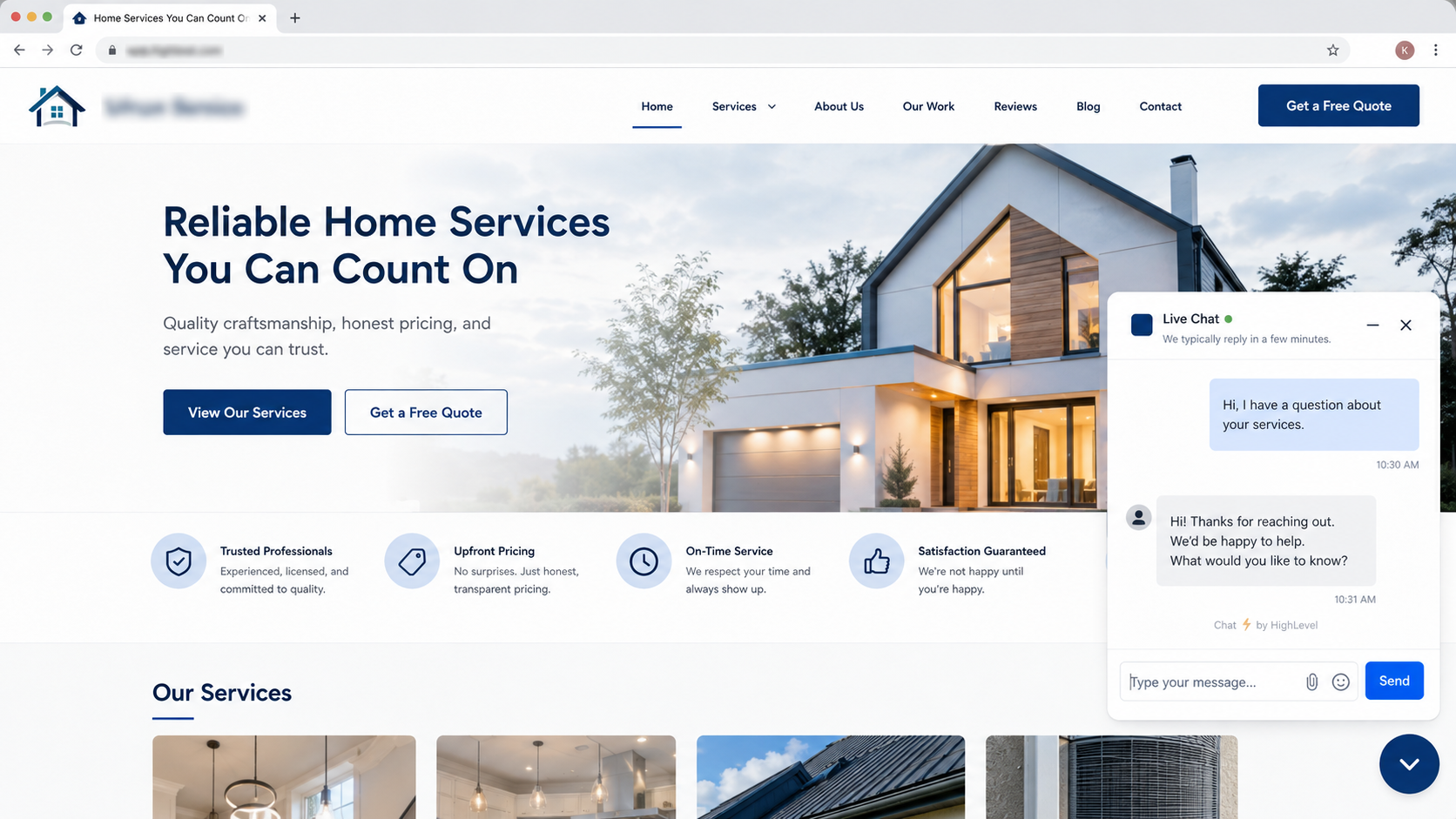
Imagine a prospect visits a service website and uses the Live Chat widget to ask about pricing. The incoming interaction can trigger a workflow configured specifically for Live Chat.
The workflow might then reach Send Live Chat Message and provide a concise response such as:
“Thanks for reaching out! I can help with pricing. Are you looking for our standard or premium service?”
A website visitor can receive a relevant Live Chat response when the appropriate GoHighLevel automation reaches the messaging step.
The important automation logic is not simply the message itself. It is the context around it: the workflow is responding to a relevant Live Chat interaction, rather than attempting to message every person who happens to visit the website.
After the message, additional workflow steps can handle the next part of the process, depending on the automation design.
Best Use Cases
The Send Live Chat Message action can be useful for:
acknowledging an incoming website conversation,
guiding prospects toward the next step,
answering predictable questions,
supporting lead qualification workflows,
following up during an active website conversation,
providing appointment-related guidance,
and reducing unnecessary delays in customer communication.
For more advanced conversational behavior, GoHighLevel also provides Conversation AI with Live Chat support. That is a separate capability, however, and should not be confused with the standard Send Live Chat Message action.
Best Practices
Keep automated Live Chat messages short, relevant, and conversational. The best message is usually the one that directly relates to the interaction that caused the workflow to run.
Use conditions when necessary so contacts do not receive the same response repeatedly. Personalization can also make automated communication feel more natural when appropriate contact information is available.
Most importantly, test the complete workflow before publishing it. Confirm that the intended trigger fires, the correct contact reaches the action, and the resulting Live Chat response behaves as expected.
A well-designed workflow connects the right Live Chat interaction with a relevant automated response.
Common Mistakes to Avoid
One common mistake is treating Live Chat like SMS or email. It is a separate communication channel designed around the website's chat experience.
Another is choosing a trigger that does not actually represent the visitor interaction you want to handle. A workflow action can only execute after the workflow reaches it.
Avoid sending generic messages without considering the conversation context. Also, do not assume that every anonymous website visitor is automatically an identifiable contact who can receive a workflow message. Proper Live Chat configuration and an appropriate contact/conversation context matter.
Conclusion
The Send Live Chat Message Action in GoHighLevel is a focused tool for bringing Live Chat communication into workflow automation. Instead of relying entirely on manual replies, businesses can place a relevant automated response at the right point in a workflow.
Used carefully—with the correct trigger, contact context, timing, and message—the action can become a valuable part of a GoHighLevel automation strategy and help businesses create faster, more consistent website conversations without confusing Live Chat with other messaging channels.
Frequently Asked Questions
Can Send Live Chat Message work like SMS?
No. It is specifically a Live Chat communication action. SMS and Live Chat are separate communication channels in GoHighLevel.
Does the action automatically message every website visitor?
No. The action executes when a contact reaches that step in a workflow. The workflow still needs an appropriate trigger and contact/conversation context.
Do I need Live Chat configured on my website?
Yes, if the goal is to communicate through the website's Live Chat experience. HighLevel documents the Chat Widget and Live Chat configuration as prerequisites for Live Chat communication.
Is Send Live Chat Message the same as Conversation AI?
No. Send Live Chat Message is a workflow communication action. Conversation AI is a separate feature designed for AI-driven conversational interactions and can also operate through Live Chat.
Already know what you need and want our team to handle everything, from complete setup and customization to funnels, workflows, automations, CRM, and pipelines? Click here.