

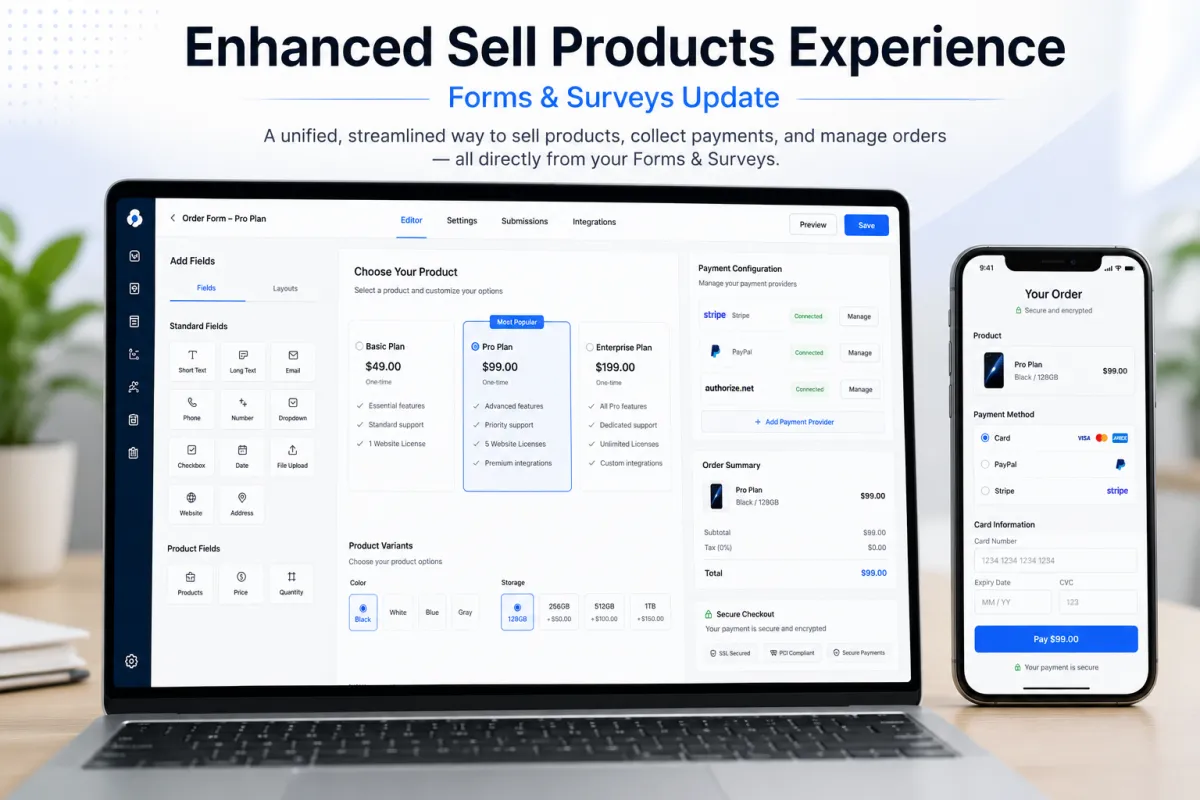
Enhanced Sell Products
Enhanced Sell Products Experience in GoHighLevel Forms and Surveys
Introduction
GoHighLevel continues to refine its platform by improving the way businesses sell products through GoHighLevel Forms and GoHighLevel Surveys. The latest enhancement focuses on creating a smoother, more organized selling experience with a redesigned payment configuration interface and added support for product pricing and variants.
With this update, users can configure payment settings, connect payment providers, and manage product options from a single location within the builder. At the same time, customers gain greater flexibility by being able to choose available price levels and product variants before completing their purchase.
In this article, we'll explore what's included in the Enhanced Sell Products Experience, how the new workflow functions, and why these improvements make product setup more convenient for businesses using GoHighLevel.
What Is the Enhanced Sell Products Experience?
The Enhanced Sell Products Experience is a redesign of the Sell Products element available inside GoHighLevel Forms and GoHighLevel Surveys.
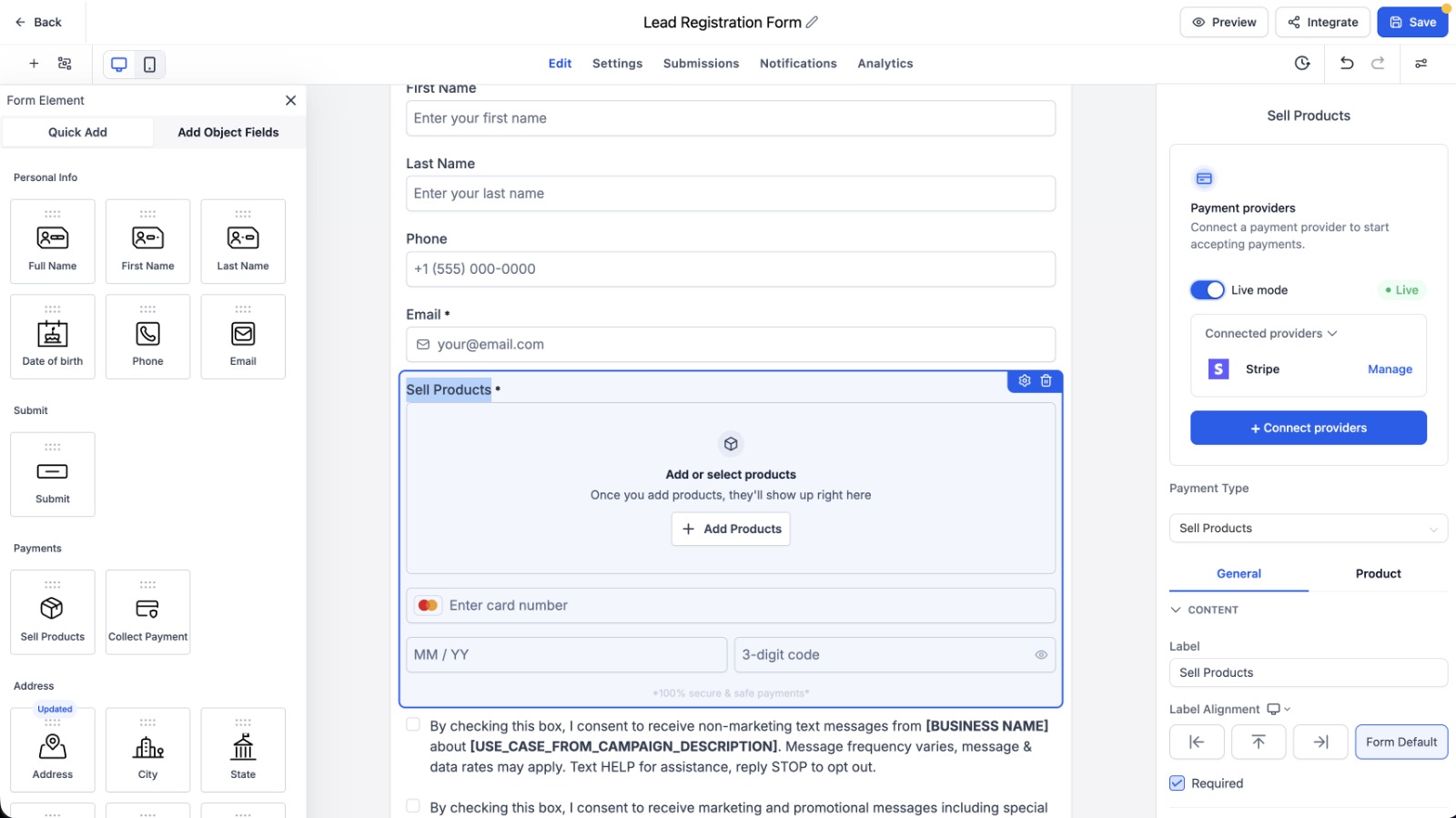
Instead of managing payment-related settings across different areas, users now have access to a unified payment configuration panel located on the right side of the builder. This centralized interface makes it easier to configure payment providers, products, pricing, and available product options from one place.
In addition to the new interface, GoHighLevel now supports Price Level Selection and Product Variant Selection for eligible products. These additions give customers more purchasing flexibility while keeping the setup process straightforward for businesses.
Importantly, this update has been designed to improve the configuration experience without affecting existing forms or surveys that are already in use.
What's New in This Update?
The latest GoHighLevel Updates introduce several enhancements that simplify the product selling experience within Forms and Surveys.
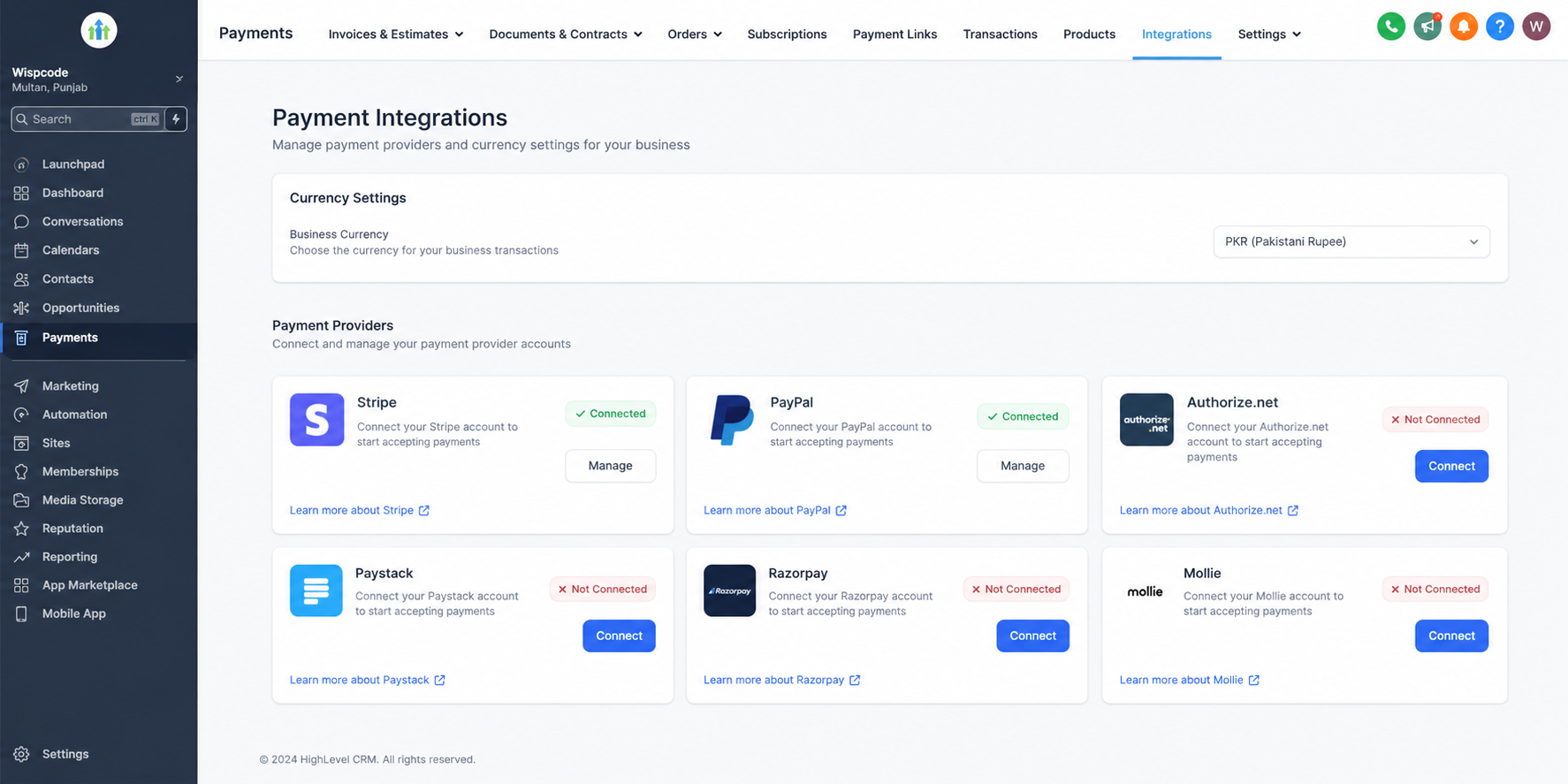
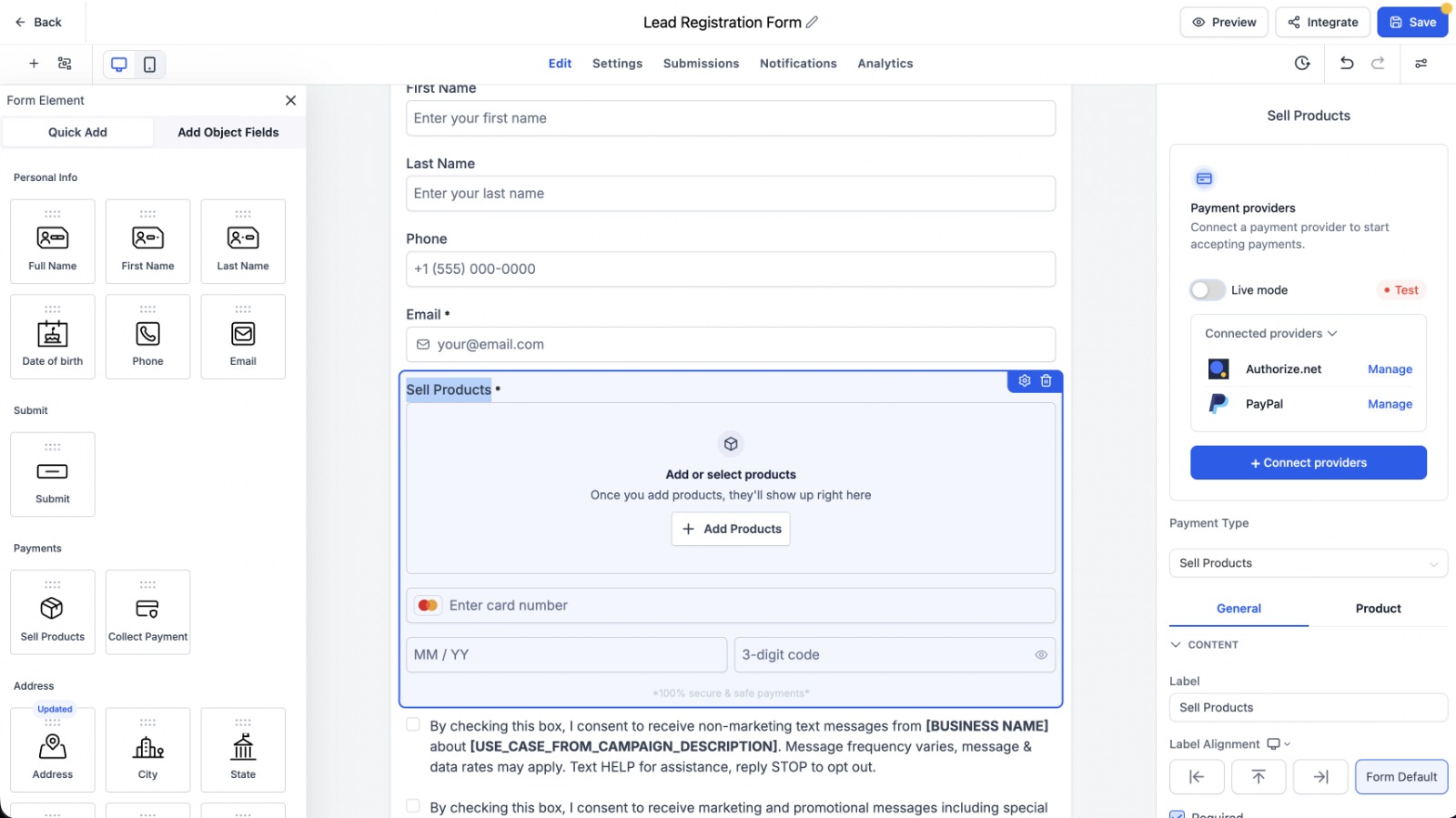
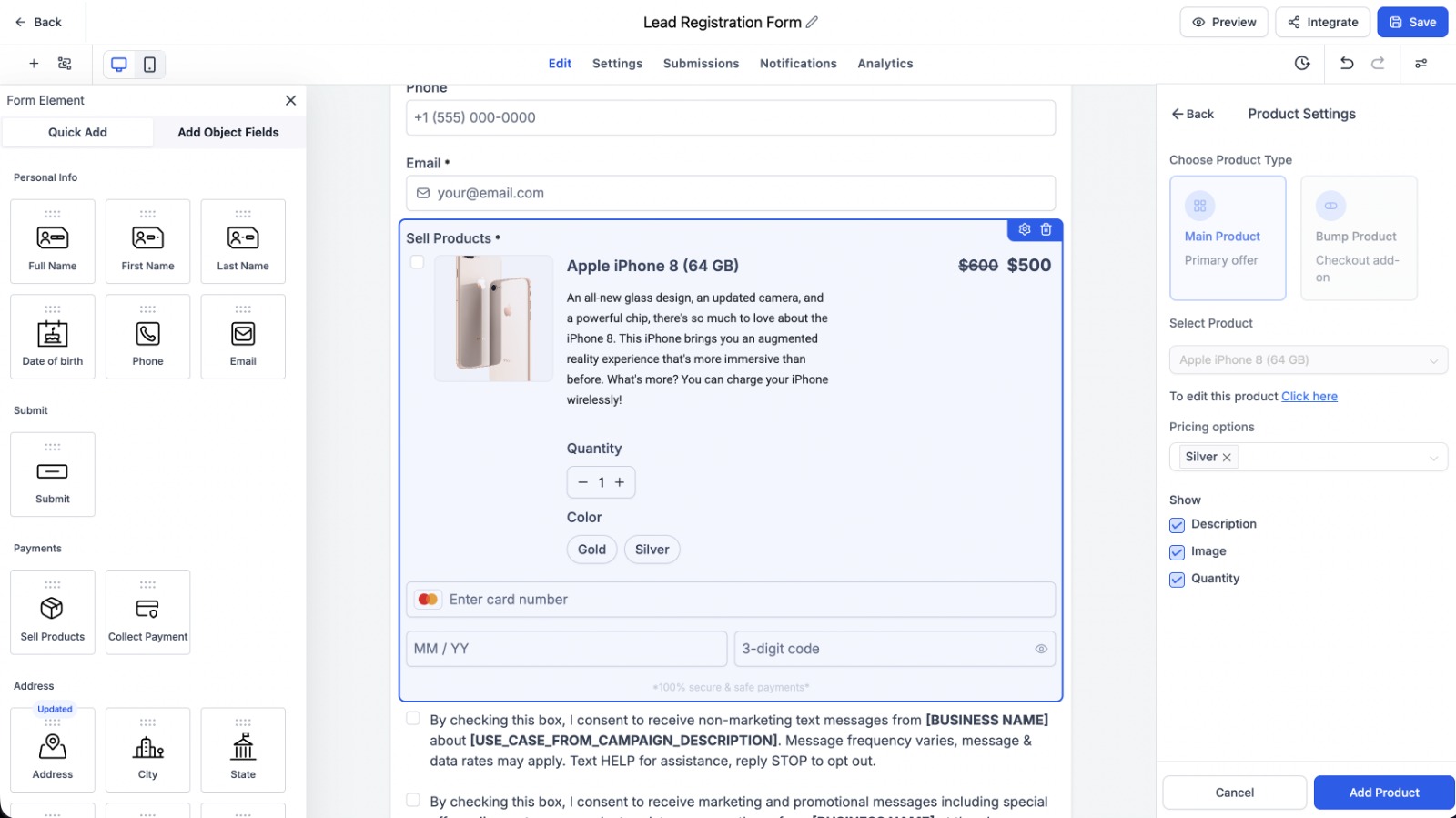
One of the most noticeable improvements is the new unified payment configuration panel. Instead of navigating away from the builder, users can now connect their preferred payment provider directly from the configuration panel whenever one has not already been connected.
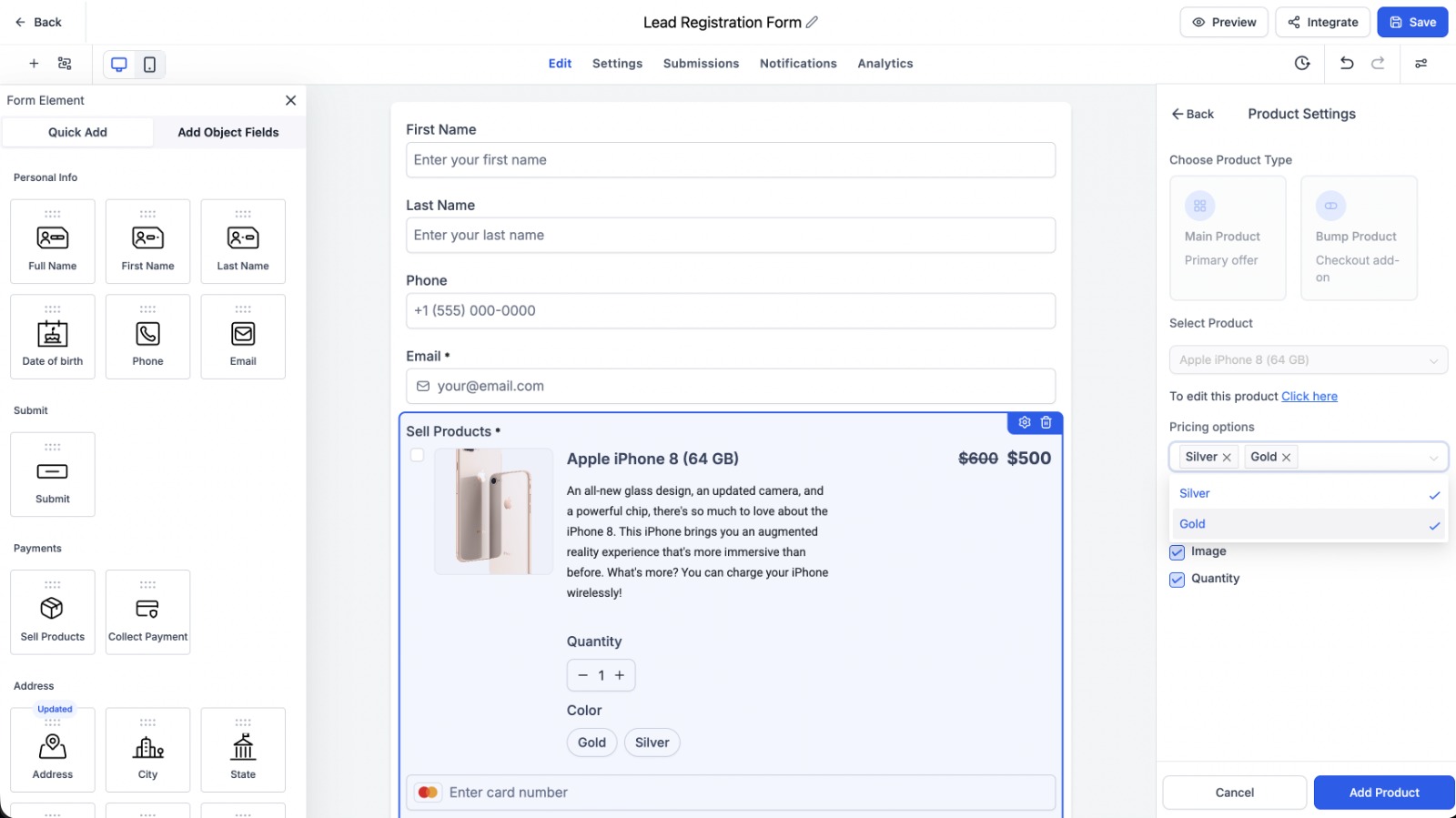
The update also introduces support for GoHighLevel Price Levels, allowing businesses to offer multiple pricing options where supported. Alongside this, GoHighLevel Product Variants are now available, enabling customers to select different product options whenever variants have been configured.
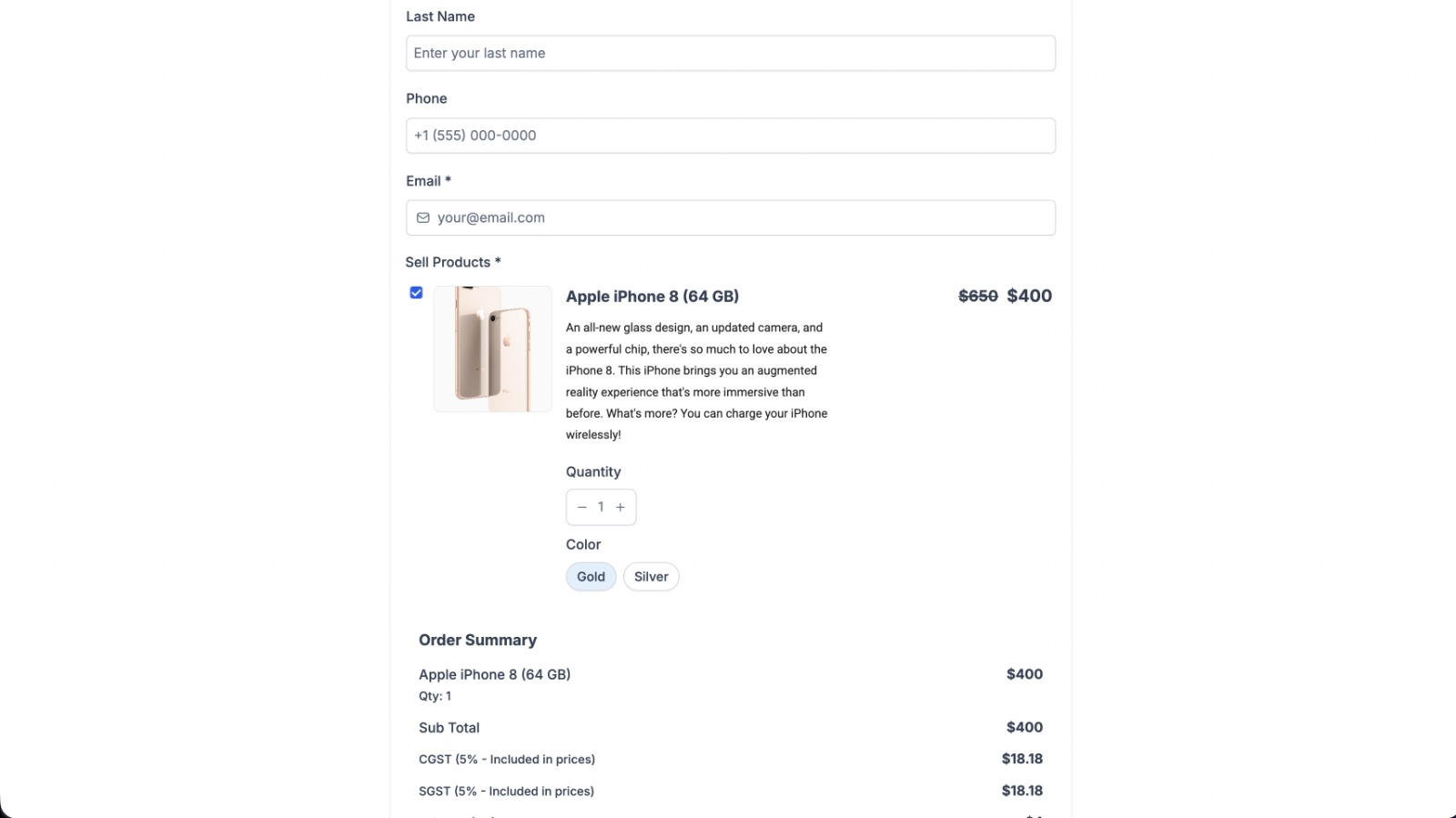
Another important enhancement is the improved payment summary. Selected price levels and product variants are clearly displayed, helping ensure customers can review their selections before completing the process.
These selections are then consistently carried through checkout, invoicing, and payment processing, creating a seamless experience from Form Submission to payment completion.
Key Features Explained
Unified Payment Configuration Panel
The redesigned payment configuration panel brings all payment-related settings together in a single location. Businesses can manage products, pricing, payment settings, and provider connections without leaving the Form or Survey builder.
This more organized layout helps simplify the overall configuration process.
Connect Payment Providers Within the Builder
Users can now connect their payment provider directly from the payment configuration panel whenever needed. This eliminates the need to leave the current workflow, making setup more convenient.
Support for Price Level Selection
Businesses selling products with multiple pricing options can now allow customers to choose their preferred GoHighLevel Price Levels directly within the form or survey.
The selected pricing option is clearly displayed in the payment summary before submission.
Product Variant Selection
For products that include available variants, customers can now select the option they want before proceeding with payment.
The chosen variant is reflected throughout checkout, invoicing, and payment processing, ensuring consistency across the purchasing process.
Built-In Validation
If a product requires customers to choose a price level or variant, GoHighLevel validates those selections before allowing the form or survey to be submitted.
This helps ensure required product options are selected before payment continues.
Existing Payment Settings Remain Supported
GoHighLevel has confirmed that existing payment settings continue to work as expected. Users who already have Forms or Surveys configured will not experience changes unless they choose to update their payment configuration.
How the New Payment Configuration Works
The updated workflow has been designed to make product setup more streamlined while keeping everything inside a single interface.
The process begins by adding a Sell Products element to a Form or Survey. After that, users can open the unified payment configuration panel on the right side of the builder.
If a payment provider has not yet been connected, it can now be connected directly from this panel. Once the payment provider is ready, businesses can select the products they want to sell and configure any available price levels and product variants.
When customers complete the form or survey, they can choose their preferred pricing option and available product variant before submitting.
The selected configuration is then carried through the remaining stages of GoHighLevel Checkout, invoicing, and payment processing, ensuring the chosen options remain consistent throughout the payment journey.
Benefits for Businesses and Agencies
This update primarily focuses on making product configuration simpler while giving customers more flexibility during the purchasing process.
Having a unified payment configuration panel means businesses can manage payment settings, products, and pricing from one organized interface instead of working across multiple areas.
Support for GoHighLevel Price Levels allows businesses to present available pricing choices directly within Forms and Surveys, while GoHighLevel Product Variants enable customers to select available product options before completing their purchase.
The improved payment summary also provides greater clarity by displaying selected pricing and variants before submission. Since these selections are passed through checkout, invoicing, and payment processing, businesses can expect consistent handling of customer choices throughout the transaction process.
For agencies managing multiple GoHighLevel accounts, the simplified configuration workflow can also make it easier to set up Forms and Surveys while maintaining the same familiar experience for clients.
Important Notes Before You Update
Before using the enhanced experience, there are a few important points to keep in mind.
Existing GoHighLevel Forms and GoHighLevel Surveys continue functioning exactly as they did before this update. No changes are automatically applied to current forms or surveys unless users decide to update their payment configuration.
Price level and variant selection are available only for supported products that already have multiple pricing options or product variants configured.
GoHighLevel has also confirmed that the enhanced experience is fully supported across both desktop and mobile devices, allowing businesses and customers to use these features regardless of the device they're using.
Final Thoughts
The Enhanced Sell Products Experience introduces a more organized way to configure payments within GoHighLevel Forms and GoHighLevel Surveys. By bringing payment providers, products, pricing, and configuration options into a unified interface, GoHighLevel simplifies the setup process while maintaining compatibility with existing forms.
The addition of GoHighLevel Price Levels and GoHighLevel Product Variants gives customers greater flexibility when making purchases, while accurate validation and consistent handling across GoHighLevel Checkout, invoicing, and payment processing help preserve the selected product configuration throughout the transaction.
Overall, this update improves the product-selling workflow by making payment configuration more centralized, organized, and user-friendly without requiring changes to existing Forms or Surveys.
Frequently Asked Questions (FAQs)
1. What is the Enhanced Sell Products experience in GoHighLevel?
The Enhanced Sell Products experience is an update for GoHighLevel Forms and Surveys that introduces a unified payment configuration panel along with support for product price levels and variants.
2. Can I connect a payment provider without leaving the form builder?
Yes. The new unified payment configuration panel allows you to connect your preferred payment provider directly within the Forms or Surveys builder.
3. Does this update support different product price levels and variants?
Yes. Businesses can configure supported products with multiple price levels and available variants, allowing customers to choose their preferred options before submitting the form.
4. Will my existing Forms and Surveys be affected?
No. Existing Forms and Surveys continue to work as before. Your payment configuration will only change if you choose to update it.
5. Is the updated Sell Products experience available on mobile devices?
Yes. According to the official GoHighLevel update, the enhanced Sell Products experience is fully supported on both desktop and mobile devices.
Need Expert Help with GoHighLevel?
New to GoHighLevel and ready to get started? Buy your GoHighLevel account here and launch with confidence.
Already know what you need and want our team to handle everything, from complete setup and customization to funnels, workflows, automations, CRM, and pipelines? Click here.



