

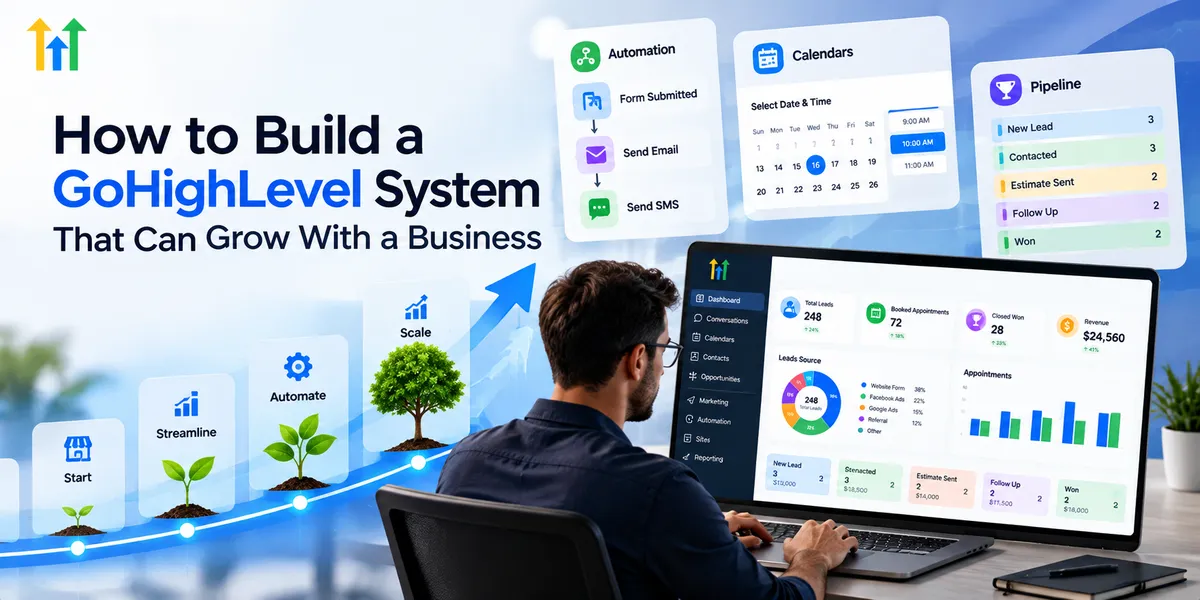
How to Build a Scalable GoHighLevel System
How to Build a GoHighLevel System That Can Grow With a Business
Managing a small business with spreadsheets, manual follow-ups, and disconnected tools might work initially. However, as customer inquiries increase, these methods become difficult to manage. Leads can get overlooked, communication becomes inconsistent, and employees spend valuable time completing repetitive tasks.
Building a scalable GoHighLevel system helps businesses organize their operations and prepare for future growth.
GoHighLevel is a CRM and marketing automation platform that combines lead management, sales pipelines, customer communication, appointment scheduling, and automated workflows. By setting up these tools correctly, businesses can create a reliable system that supports their current needs while adapting to future expansion.
Start With a Strong GoHighLevel CRM Foundation
A successful GoHighLevel system begins with a well-organized CRM. Before creating advanced workflows or marketing campaigns, businesses should establish a clear structure for managing customer information.
GoHighLevel allows businesses to store contact details, organize leads using tags, create custom fields, and track customer interactions.
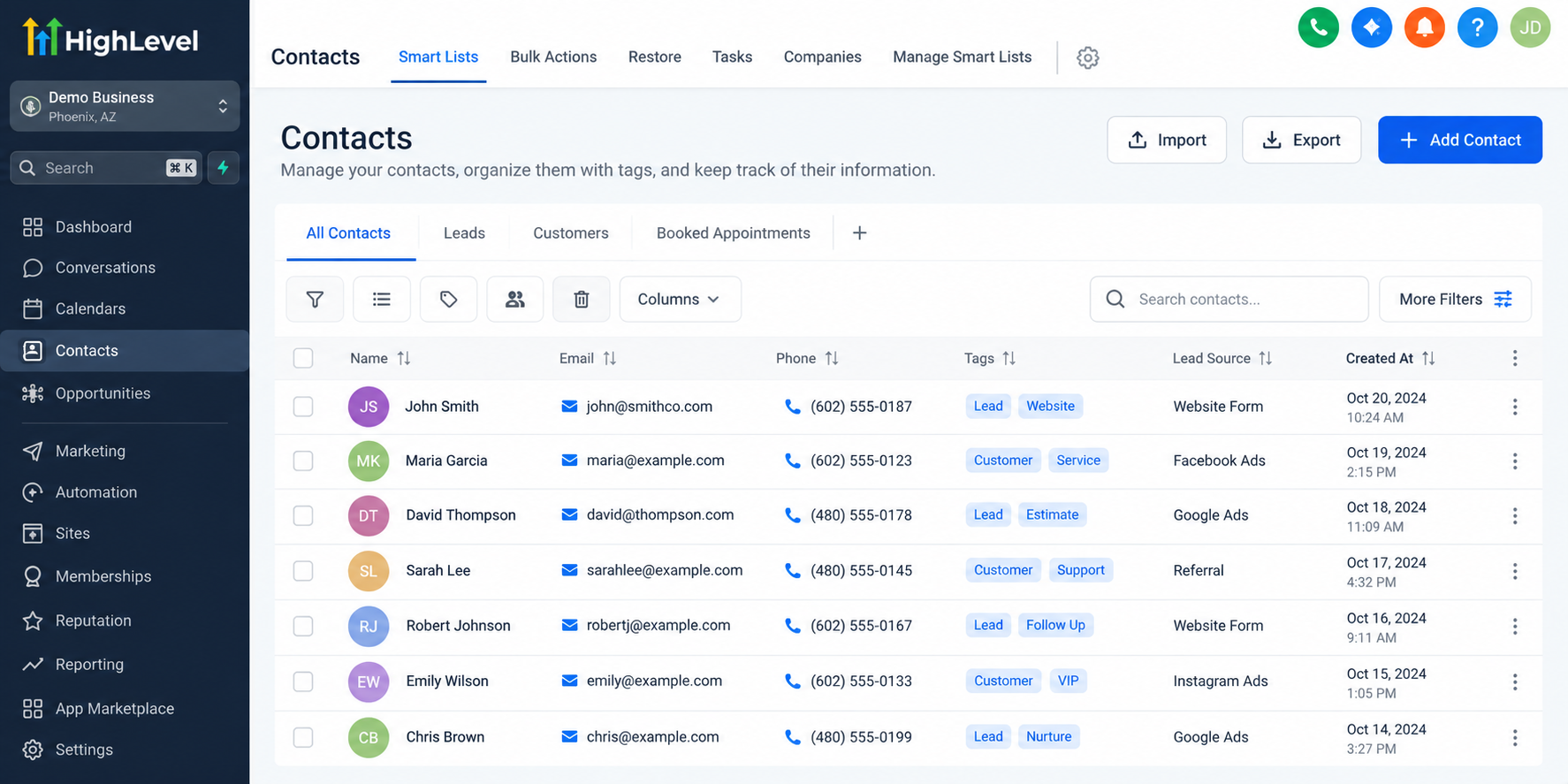
For example, a home services company can categorize contacts based on the services they need, their location, and their current position in the sales process.
Businesses should also define consistent naming conventions for tags, custom fields, and pipeline stages. This makes customer information easier to understand and manage as the database grows.
A properly structured GoHighLevel CRM setup reduces confusion, improves data organization, and creates a reliable foundation for future automation.
Build Automated Workflows That Support Business Growth
As a business attracts more customers, manually responding to every inquiry becomes increasingly challenging. GoHighLevel workflows help automate repetitive activities and maintain consistent communication.
Businesses can configure automated workflows for new lead follow-ups, appointment confirmations, reminders, internal notifications, and customer nurturing campaigns.
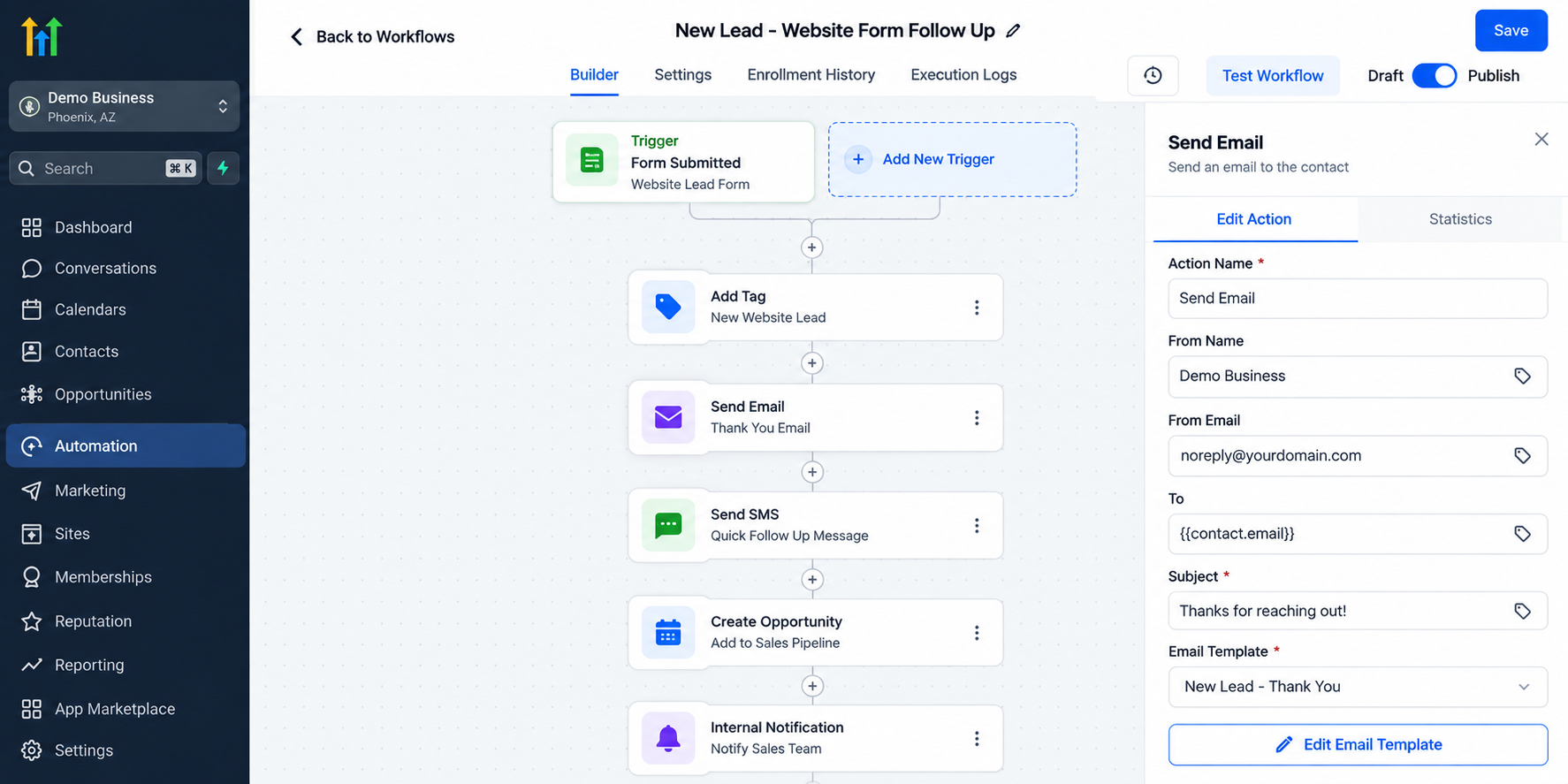
For example, imagine a roofing company receiving dozens of inquiries every week. Instead of manually contacting each prospect, the company can create a workflow that sends an acknowledgment when a new lead submits a form.
The workflow can also notify a salesperson and schedule additional follow-up messages based on specific conditions.
This approach helps businesses handle increasing lead volumes without requiring employees to perform every communication task manually.
However, successful GoHighLevel automation requires properly configured triggers, conditions, and actions. Workflows should be tested before activation and reviewed regularly to prevent unnecessary or duplicate messages.
Create a Sales Pipeline That Can Handle More Opportunities
A growing business needs a clear understanding of where potential customers stand in the sales process.
GoHighLevel provides Opportunities and Pipelines functionality that helps businesses organize leads into defined stages.
For example, a remodeling company might create pipeline stages such as New Lead, Contacted, Estimate Sent, Follow-Up Required, Won, and Lost.
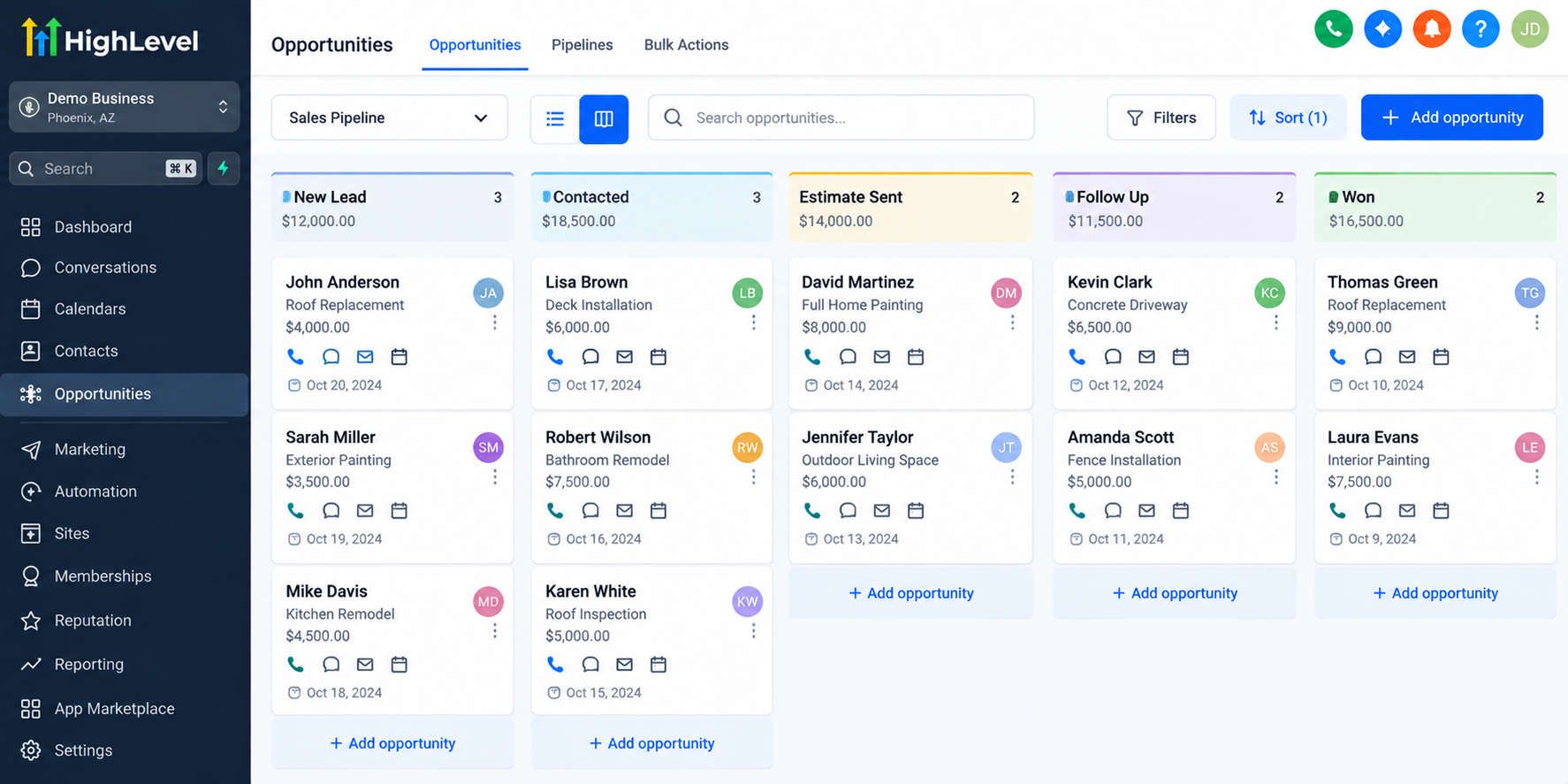
As prospects move through the sales process, team members can update opportunities to reflect their progress.
This structure makes it easier to identify deals that need attention, track ongoing sales activities, and understand which opportunities are moving toward completion.
A well-organized GoHighLevel sales pipeline also supports team accountability by making relevant customer information and opportunity status accessible to authorized employees.
As sales activity increases, businesses can refine their pipeline structure without rebuilding their entire CRM system.
Connect Marketing, Communication, and Appointment Booking
Business growth becomes more manageable when lead generation, customer communication, and appointment scheduling work together.
GoHighLevel provides tools for creating forms, landing pages, email campaigns, SMS communications, and appointment calendars.
These tools can be connected through configured workflows to create a more organized customer journey.
For example, a potential customer might submit an inquiry through a website form. GoHighLevel can create or update the contact record, trigger a follow-up message, and provide a link to book an appointment.
Once the appointment is scheduled, automated confirmations and reminders can help keep the customer informed.
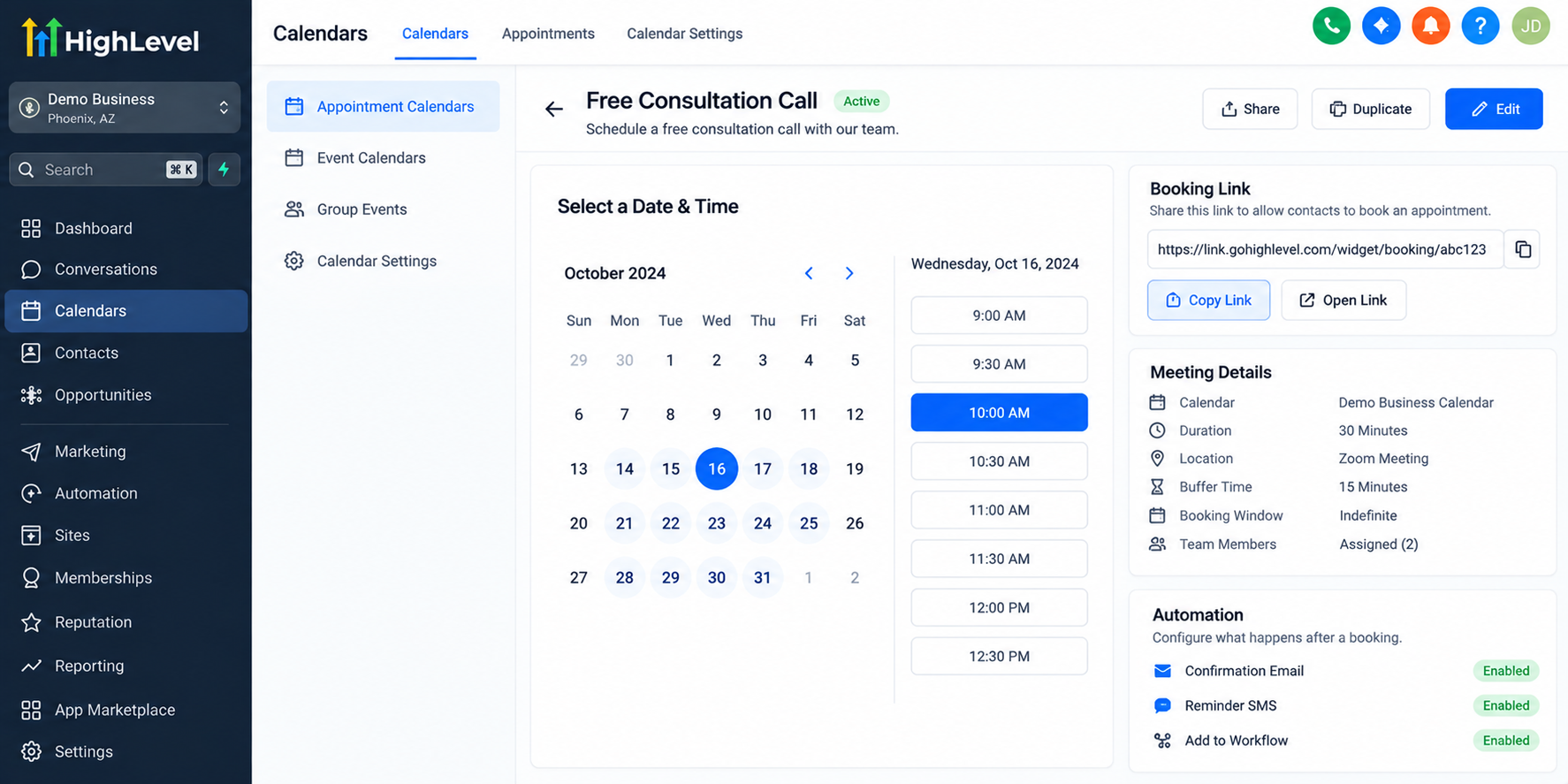
Businesses can also manage supported customer conversations within GoHighLevel, reducing the need to switch between multiple communication tools.
This connected approach helps teams maintain consistent customer experiences as inquiry volumes increase.
Some communication services and integrations require additional configuration or usage-based charges, so businesses should review their requirements before implementation.
Design Your GoHighLevel System for Future Expansion
Creating a scalable CRM system requires more than setting up automation. Businesses must structure their processes so they remain easy to maintain as operations expand.
One important practice is using clear workflow naming conventions. For example, naming a workflow "New Lead Website Form Follow-Up" makes its purpose immediately understandable.
Businesses should also keep workflows focused on specific processes rather than combining unrelated activities into complicated automations.
Documenting important workflows, triggers, conditions, and dependencies makes future troubleshooting and updates easier.
Another essential practice is maintaining consistency across tags, custom fields, and pipeline stages. Inconsistent naming can create confusion, especially when additional employees begin managing the system.
Businesses should also regularly review overlapping workflows, test changes before publishing, and assign appropriate access permissions to team members.
Marketing agencies managing multiple clients can use GoHighLevel snapshots to reuse supported configurations and reduce repetitive setup work. However, account-specific settings and integrations still require careful review.
The goal is to build a system that remains understandable, organized, and adaptable as business requirements change.
Measure Performance and Improve Your System Over Time
A scalable GoHighLevel system should help businesses understand how their operations are performing.
Depending on available reporting features and configuration, businesses can review lead activity, appointment bookings, opportunity progress, and sales pipeline performance.
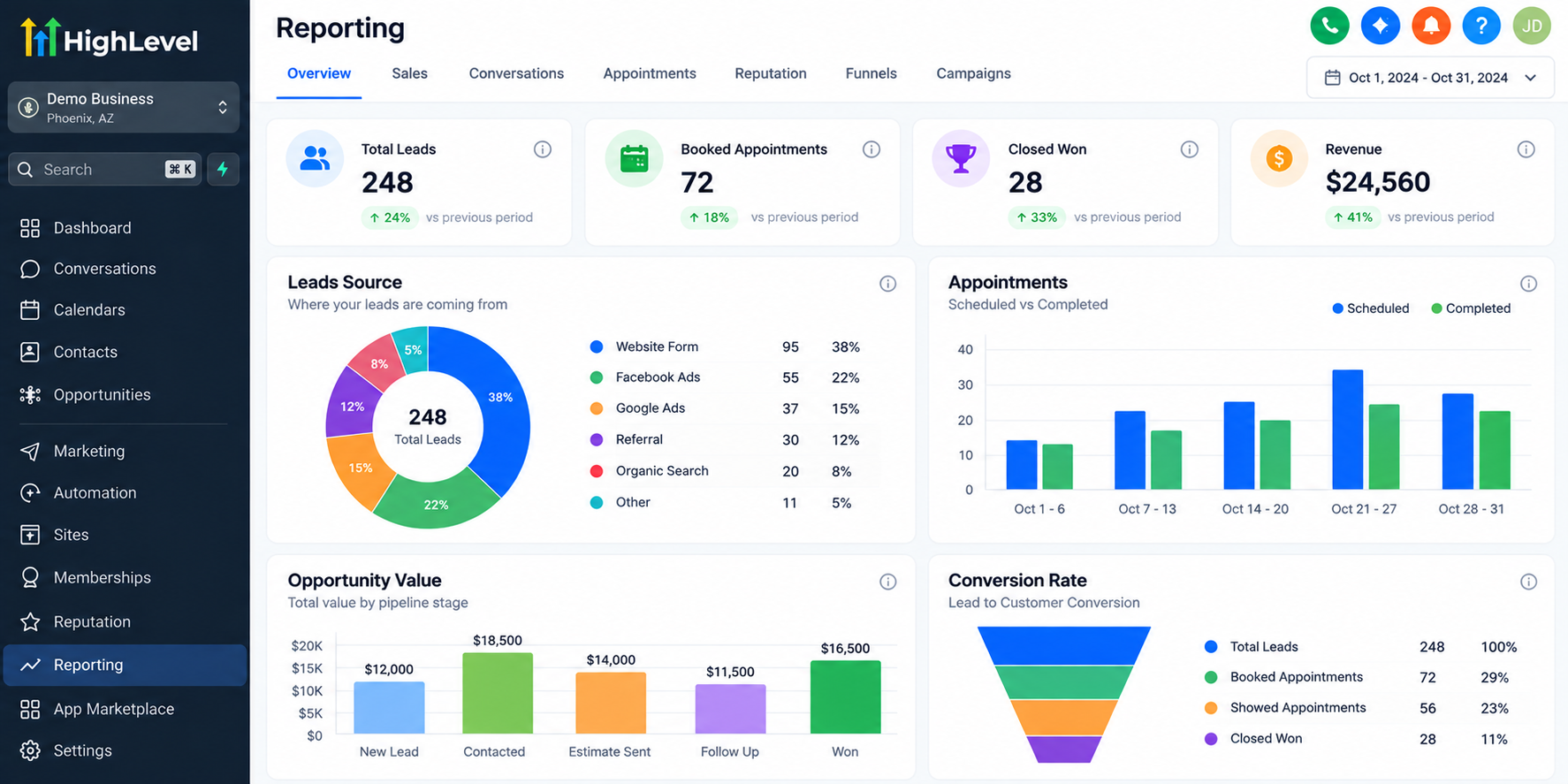
For example, if a company generates many leads but books relatively few appointments, it may need to review its follow-up process or appointment scheduling experience.
Similarly, opportunities remaining in one pipeline stage for extended periods may indicate areas requiring attention.
Reliable reporting depends on accurate data, appropriate tracking, and correctly configured integrations.
Regular performance reviews help businesses identify operational bottlenecks and improve their processes as they grow.
Common Mistakes That Make GoHighLevel Systems Difficult to Scale
Businesses sometimes make their CRM systems unnecessarily complicated by creating too many workflows without a clear strategy.
Other common problems include inconsistent tags, poorly structured pipelines, duplicate customer records, overlapping automations, and insufficient workflow testing.
These issues can become more difficult to resolve as customer databases and team sizes increase.
To avoid these problems, businesses should establish clear configuration standards, regularly review their automations, maintain accurate contact information, and simplify processes whenever possible.
A reliable GoHighLevel system should make daily operations easier rather than introduce additional complexity.
Conclusion
Building a scalable GoHighLevel system is not about creating the largest number of workflows or using every available feature. It is about developing organized, dependable processes that support business growth.
A strong CRM foundation, automated communication, structured sales pipelines, connected customer experiences, and consistent performance reviews can help businesses operate more efficiently.
By planning for scalability from the beginning, businesses can reduce unnecessary manual work and build systems that remain manageable as their needs evolve.
Review your current CRM processes, identify areas that need improvement, and explore how GoHighLevel can help you build a system designed for long-term business growth.
Frequently Asked Questions (FAQs)
1. What is a scalable GoHighLevel system?
A scalable GoHighLevel system is a CRM setup designed to support a business as its customer base, team, and operations grow. It combines contact management, automated workflows, sales pipelines, and customer communication tools to help businesses manage increasing workloads without unnecessary manual tasks.
2. How does GoHighLevel help businesses grow?
GoHighLevel helps businesses organize leads, automate follow-ups, manage appointments, and track sales opportunities. By connecting these processes, businesses can improve operational efficiency, maintain consistent customer communication, and spend more time focusing on sales and customer relationships.
3. Can GoHighLevel handle a growing number of leads and customers?
Yes, GoHighLevel provides contact management, segmentation, sales pipelines, and workflow automation features that support businesses managing growing customer databases. However, effective performance depends on proper CRM configuration, organized data, appropriate automation, and regular system maintenance.
4. What are the most important GoHighLevel features for business scalability?
Important GoHighLevel features include contact management, custom fields, tags, automated workflows, sales pipelines, appointment calendars, forms, and reporting tools. Together, these features help businesses organize customer information, streamline repetitive tasks, track opportunities, and manage customer interactions more effectively.
5. How can businesses keep their GoHighLevel system organized as they grow?
Businesses should use consistent naming conventions, maintain accurate contact records, create clearly defined pipeline stages, and organize workflows around specific processes. Regularly testing automations, removing unnecessary workflows, documenting configurations, and reviewing team permissions also help keep a GoHighLevel system manageable as business operations expand.
Need Expert Help with GoHighLevel?
New to GoHighLevel and ready to get started? Buy your GoHighLevel account here and launch with confidence.
Already know what you need and want our team to handle everything, from complete setup and customization to funnels, workflows, automations, CRM, and pipelines? Click here.



