

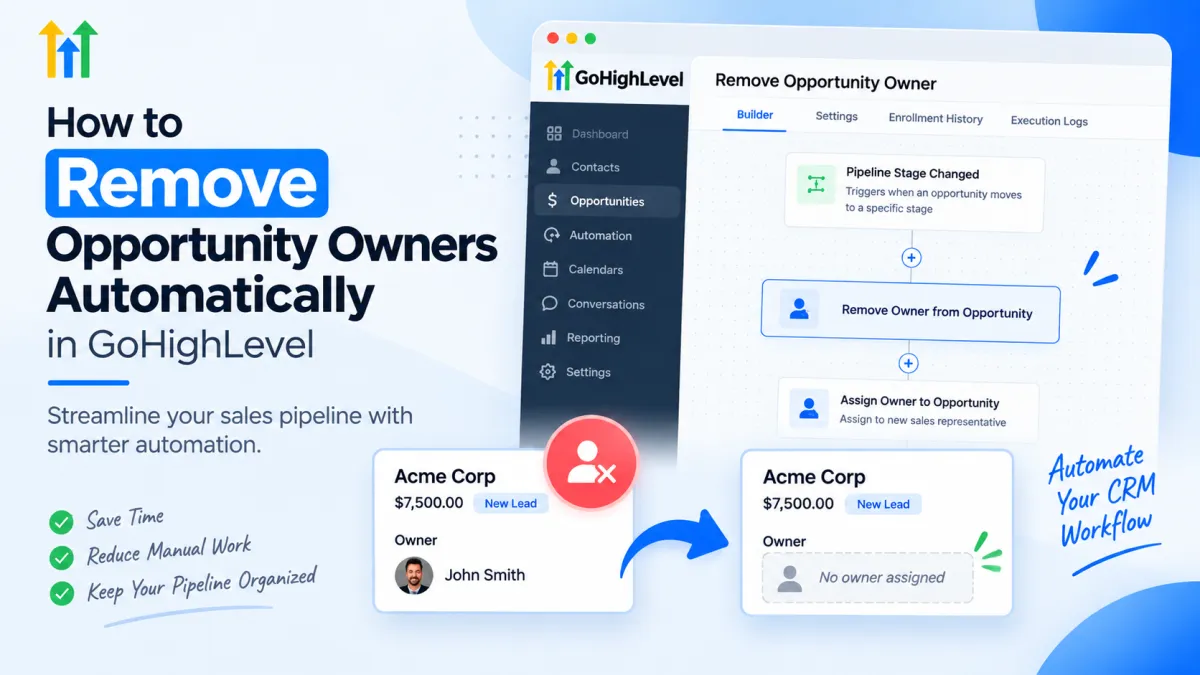
How to Remove Opportunity Owners Automatically in GoHighLevel
How to Remove Opportunity Owners Automatically Using the Remove Owner from Opportunity Action in GoHighLevel
Managing sales opportunities efficiently is one of the most important parts of running a successful CRM system. However, as businesses grow, sales teams change, leads get reassigned, and pipelines become more complex. One common issue many GoHighLevel users face is outdated opportunity ownership.
An opportunity may still show an old sales representative as the owner even when that person is no longer responsible for the lead. This can create confusion, affect reporting accuracy, and make sales processes harder to manage.
With GoHighLevel workflow automation, businesses can solve this problem by automatically updating opportunity ownership using actions like Remove Owner from Opportunity. This automation helps keep sales pipelines organized and ensures that opportunities always reflect the correct team structure.
What Is the Remove Owner from Opportunity Action in GoHighLevel?
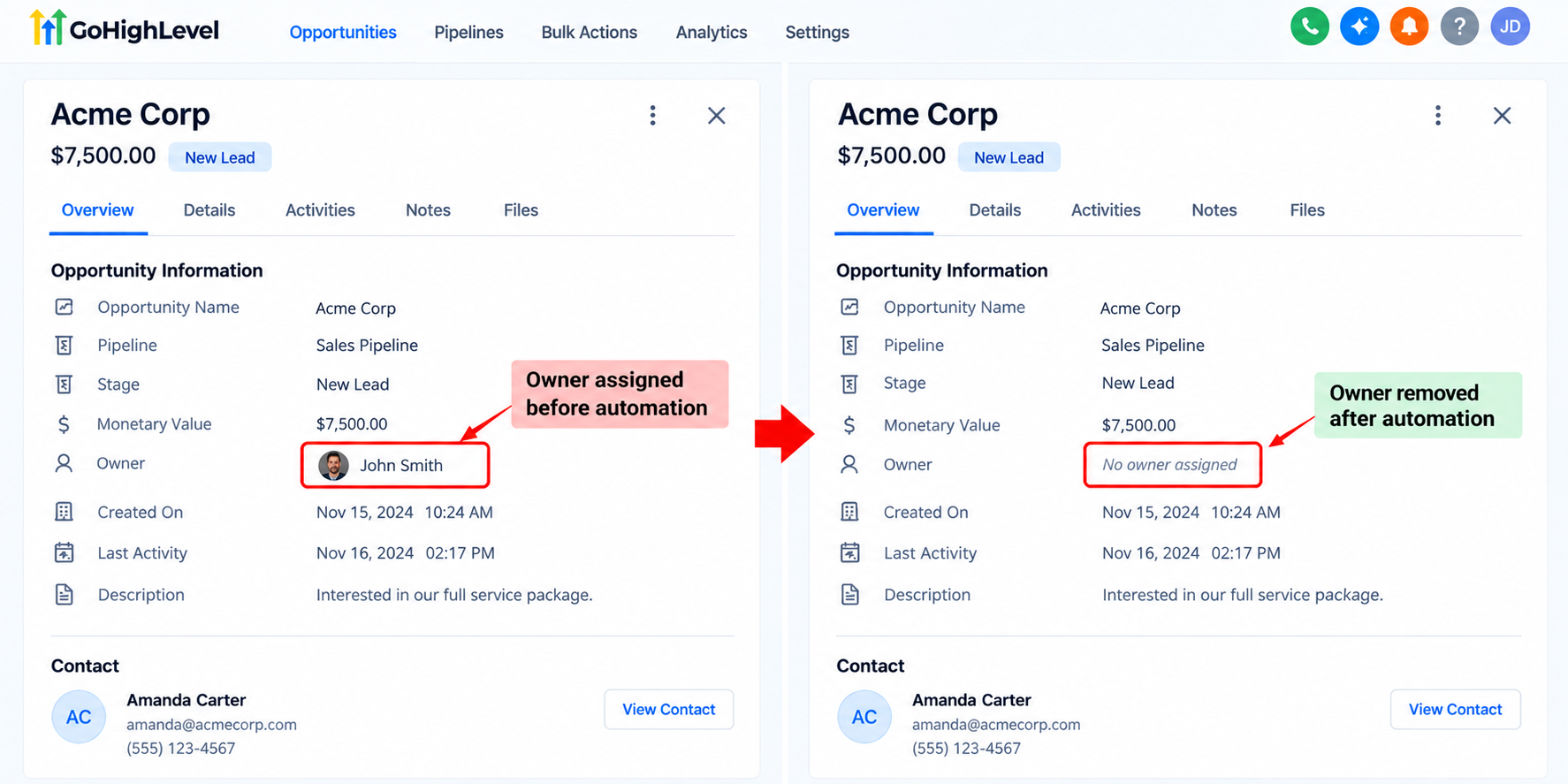
The Remove Owner from Opportunity action in GoHighLevel is a workflow action that allows users to automatically remove an assigned owner from an opportunity inside their CRM pipeline.
In GoHighLevel, opportunities represent potential customers moving through different stages of a sales pipeline. Each opportunity can have an owner assigned, such as a salesperson, account manager, or team member responsible for managing that lead.
Over time, ownership may need to be removed due to changes in responsibilities, team restructuring, or automated reassignment processes. Instead of manually opening each opportunity and removing owners, businesses can use workflow automation to handle this task automatically.
This action is especially useful for companies managing large numbers of leads where manual CRM updates become time-consuming.
How Opportunity Ownership Works in GoHighLevel
Opportunity ownership helps businesses identify who is responsible for managing a specific sales opportunity.
For example:
A real estate agency may assign new property inquiries to individual agents.
A marketing agency may assign prospects to different sales representatives.
A service business may assign incoming leads to account managers.
When an opportunity has an owner, teams can easily understand who should follow up, who manages the relationship, and how sales performance should be tracked.
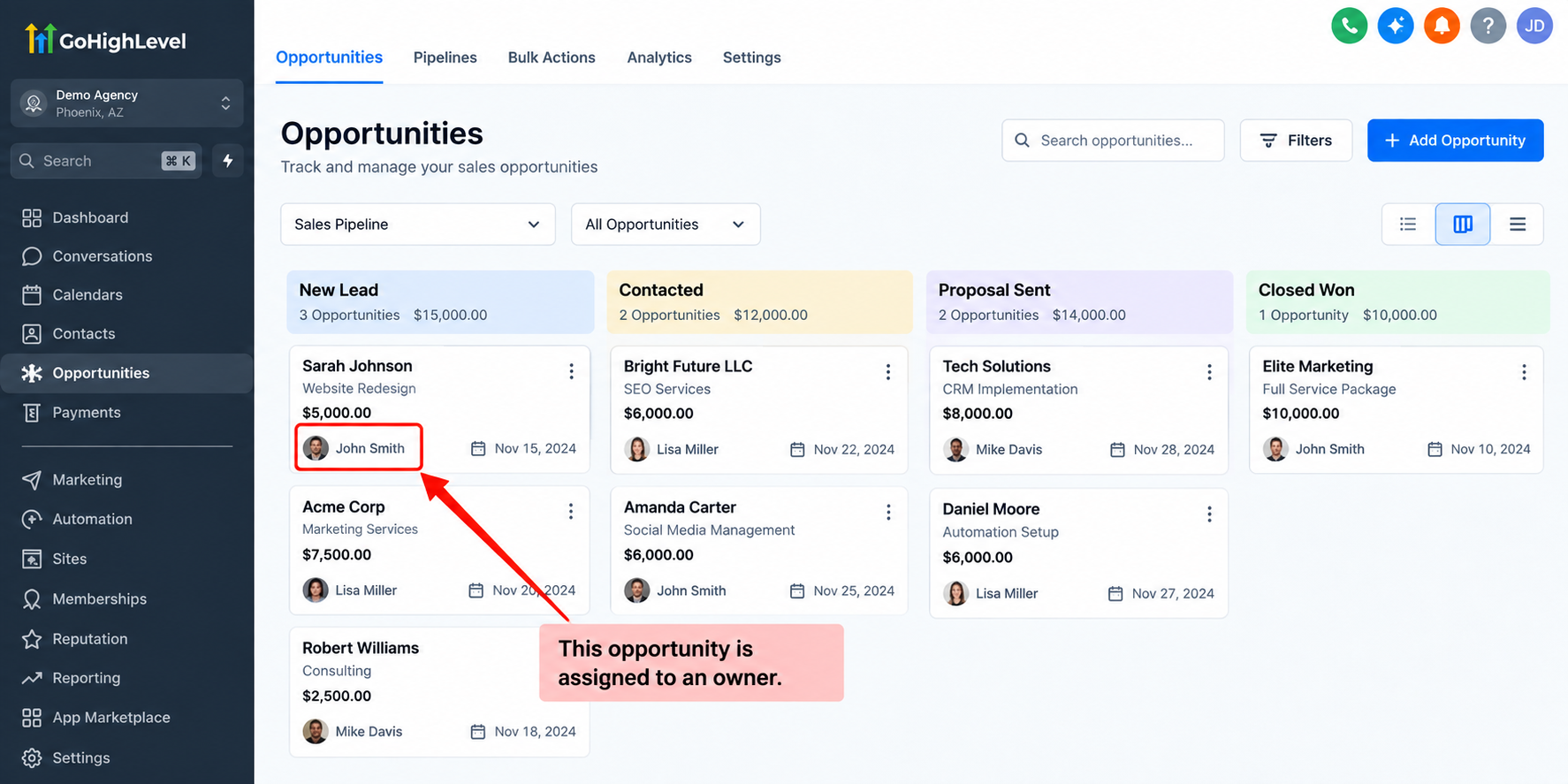
However, ownership is not always permanent. Employees leave, sales territories change, and leads may need to move between departments. Without proper automation, outdated ownership information can remain inside the CRM and create operational problems.
This is where GoHighLevel CRM automation becomes valuable.
Why Remove Opportunity Owners Automatically?
Manually managing hundreds or thousands of opportunities can quickly become difficult. Automating ownership management helps businesses maintain cleaner CRM data and improve workflow efficiency.
1. Keep Sales Pipelines Organized
A sales pipeline should always show accurate information about who is responsible for each opportunity.
If former employees or inactive team members remain assigned to opportunities, managers may struggle to understand current responsibilities. Removing outdated owners automatically keeps the pipeline clean and easier to manage.
2. Improve Sales Reporting Accuracy
CRM reports depend on accurate data. If opportunities remain assigned to incorrect owners, sales performance reports may not reflect the actual work being completed.
Automated owner removal helps businesses maintain better reporting visibility and more reliable sales insights.
3. Reduce Manual CRM Management
Sales managers often spend unnecessary time updating records manually. With GoHighLevel workflow automation, repetitive CRM maintenance tasks can happen automatically in the background.
This allows teams to focus more on selling and less on administrative updates.
How to Use Remove Owner from Opportunity Action in a GoHighLevel Workflow
The Remove Owner from Opportunity action works as part of a larger workflow automation process.
A typical workflow setup may look like this:
Step 1: Choose a Workflow Trigger
First, select the event that should start the automation.
Examples may include:
Opportunity stage changes
Contact updates
Pipeline movement
Other CRM-related workflow triggers
The trigger determines when GoHighLevel should begin the automation.
Step 2: Add the Remove Owner from Opportunity Action
After selecting the trigger, add the Remove Owner from Opportunity action inside the workflow builder.
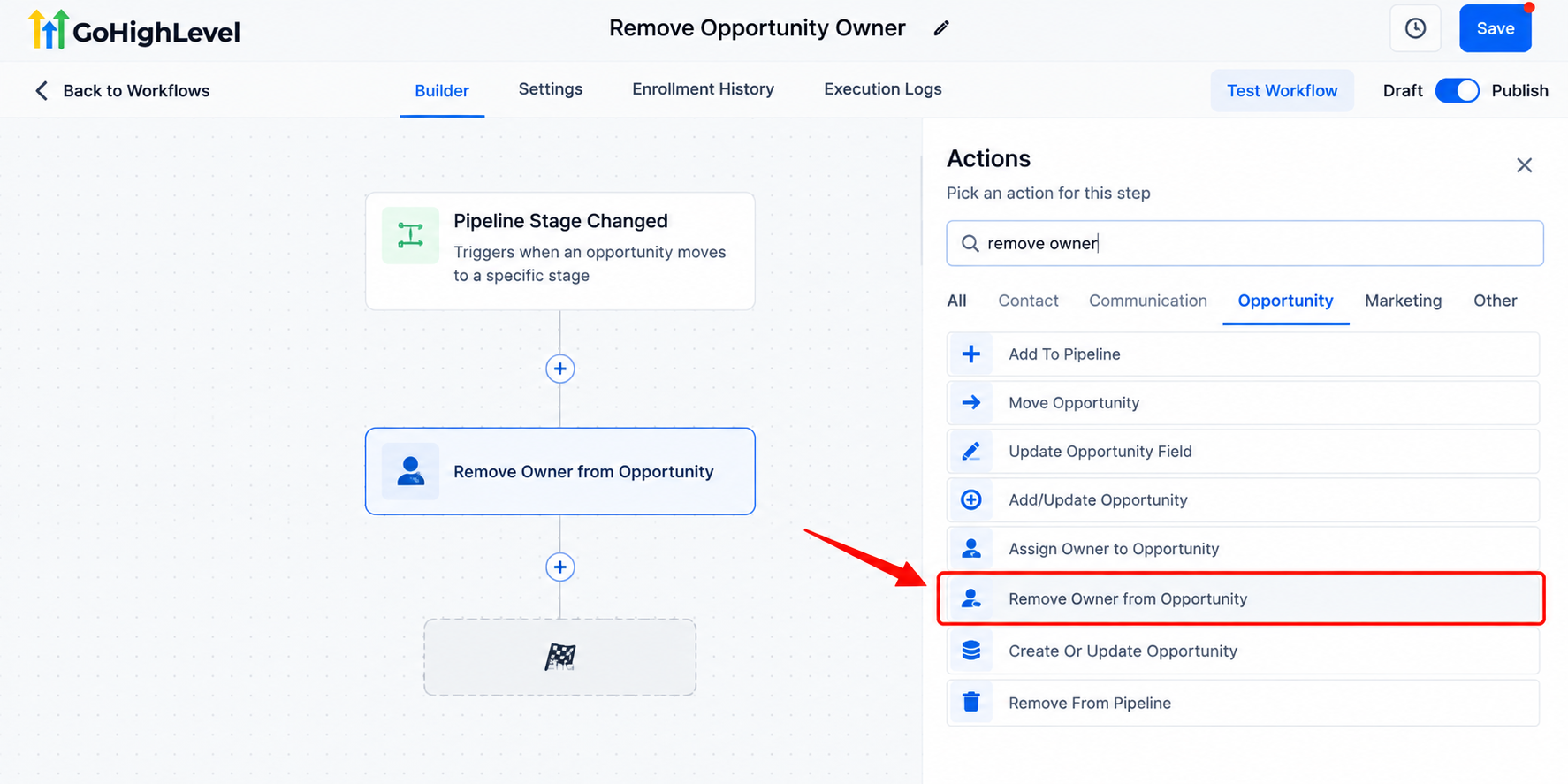
This tells GoHighLevel to remove the assigned owner from the opportunity when the workflow runs.
Step 3: Continue With Additional Automation Steps
Businesses can combine this action with other workflow steps depending on their process.
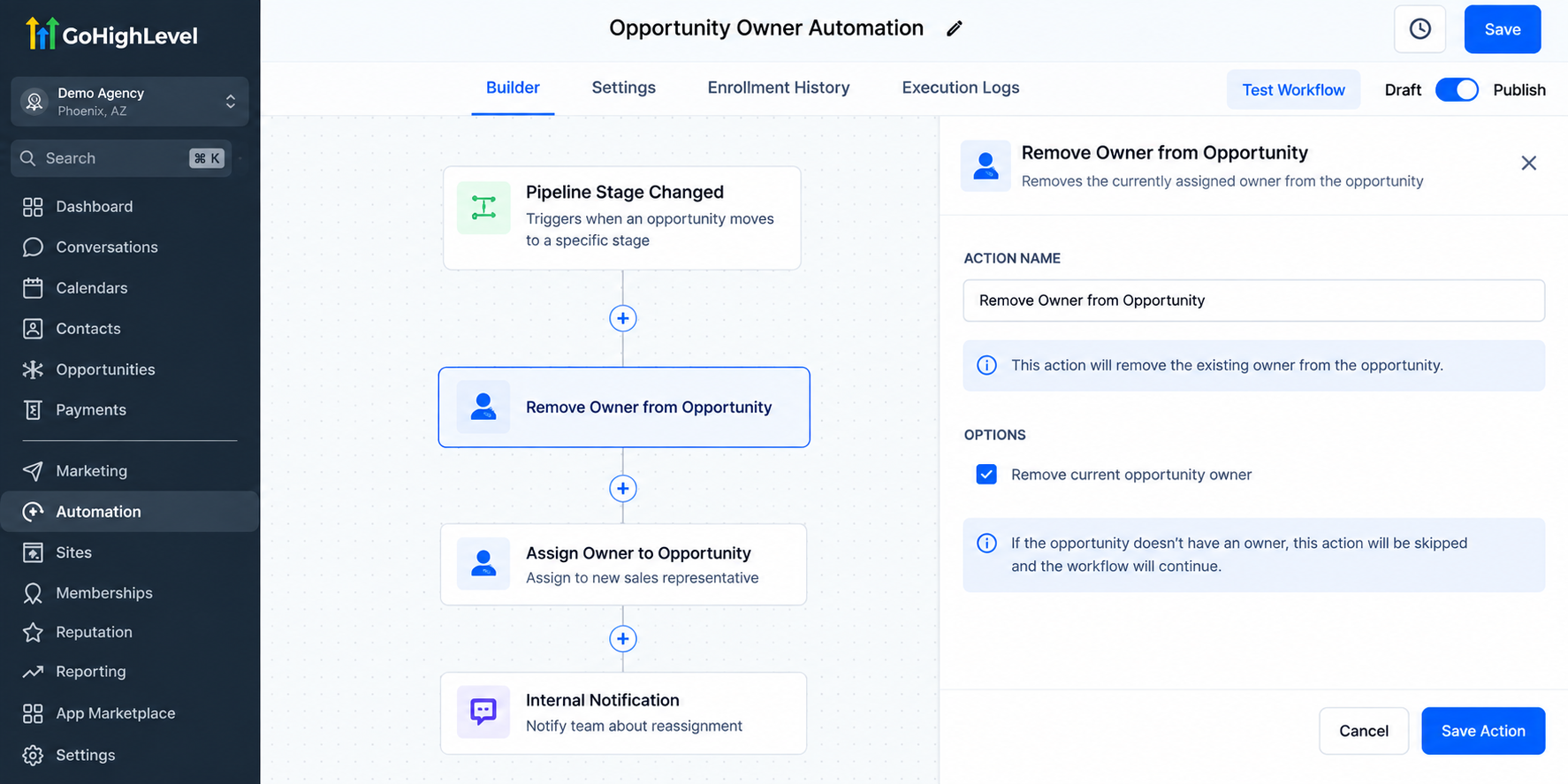
For example, after removing an owner, a company may:
Assign the opportunity to a new team member
Send internal notifications
Update pipeline stages
Start a follow-up sequence
This creates a complete automated sales management system.
Real-World Use Cases for Removing Opportunity Owners Automatically
Sales Representative Leaves the Company
When a salesperson leaves a company, their assigned opportunities may need to be redistributed.
Instead of manually searching through records, businesses can automate the removal of ownership and prepare opportunities for reassignment.
Lead Reassignment Processes
Some companies regularly move leads between teams based on location, service type, or availability.
Removing the previous owner before assigning a new one ensures that opportunities do not contain conflicting ownership information.
Client Onboarding Workflows
Agencies may move prospects from sales teams to account management teams after closing a deal.
Removing the sales owner during onboarding helps create a smoother transition between departments.
Cleaning Outdated CRM Records
Over time, CRMs can collect outdated assignments. Automated ownership management helps businesses maintain accurate opportunity data without constant manual reviews.
Benefits of Opportunity Management Automation in GoHighLevel
Using the Remove Owner from Opportunity action as part of a broader sales pipeline automation strategy provides several benefits:
Better CRM Organization
Clean opportunity ownership makes it easier for teams to understand pipeline responsibilities and manage leads effectively.
Improved Team Accountability
When ownership information is accurate, managers can clearly identify who is responsible for active opportunities.
More Efficient Sales Operations
Automation reduces repetitive CRM tasks and allows teams to spend more time engaging with prospects.
Scalable Business Processes
As businesses grow, manual CRM management becomes harder. Automated workflows allow companies to manage larger pipelines without increasing administrative workload.
Conclusion
Effective opportunity management is essential for businesses using GoHighLevel to manage leads, sales pipelines, and customer relationships. Outdated opportunity ownership can create confusion, inaccurate reporting, and unnecessary manual work.
The Remove Owner from Opportunity action in GoHighLevel provides a simple way to automate ownership cleanup and maintain organized CRM records. By adding this action into workflow automation processes, businesses and agencies can create more efficient sales systems, improve data accuracy, and keep their pipelines running smoothly.
Whether you are managing a small sales team or a large agency operation, automating opportunity ownership is a practical step toward building a cleaner and more scalable GoHighLevel CRM.
Frequently Asked Questions (FAQs)
1. What does the Remove Owner from Opportunity action do in GoHighLevel?
The Remove Owner from Opportunity action removes the currently assigned owner from an opportunity through a GoHighLevel workflow. It can help keep opportunity ownership updated without requiring teams to manually edit each opportunity.
2. Why should I automate opportunity owner removal in GoHighLevel?
Automating owner removal can reduce manual CRM maintenance and help prevent outdated ownership assignments. It is particularly useful when opportunities are being reassigned or when responsibilities change within a sales team.
3. Can I use Remove Owner from Opportunity when reassigning leads?
Yes. The action can be incorporated into a broader reassignment workflow. For example, you can remove an existing opportunity owner and then use appropriate workflow actions to continue your reassignment process.
4. Does removing an opportunity owner delete the opportunity?
No. Removing the owner does not mean deleting the opportunity itself. The purpose of the action is to remove the ownership assignment while allowing the opportunity to remain in your CRM and sales pipeline.
5. Who can benefit from the Remove Owner from Opportunity action?
Businesses with sales teams, marketing agencies, lead-generation companies, and other organizations using GoHighLevel opportunity management can benefit from it. It is especially helpful for teams that frequently reassign opportunities or need to maintain clean and organized sales pipelines.
Need Expert Help with GoHighLevel?
New to GoHighLevel and ready to get started? Buy your GoHighLevel account here and launch with confidence.
Already know what you need and want our team to handle everything, from complete setup and customization to funnels, workflows, automations, CRM, and pipelines? Click here.



