

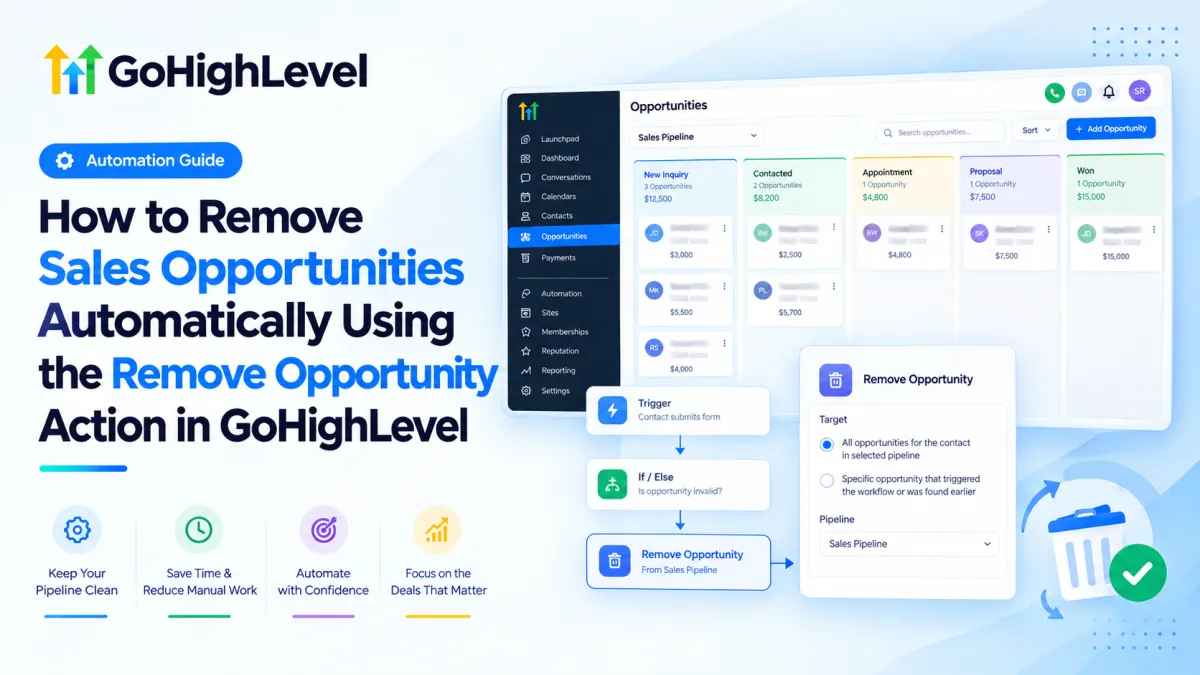
How to Remove Sales Opportunities Automatically in GoHighLevel
How to Remove Sales Opportunities Automatically Using the Remove Opportunity Action in GoHighLevel
A sales pipeline should show deals that still matter. When outdated, duplicate, or no-longer-valid opportunities remain in a pipeline, teams can waste time reviewing records that should no longer be active. HighLevel addresses this with the Remove Opportunity Action inside Workflows, allowing businesses to remove qualifying Opportunity records automatically.
What Is the Remove Opportunity Action in GoHighLevel?
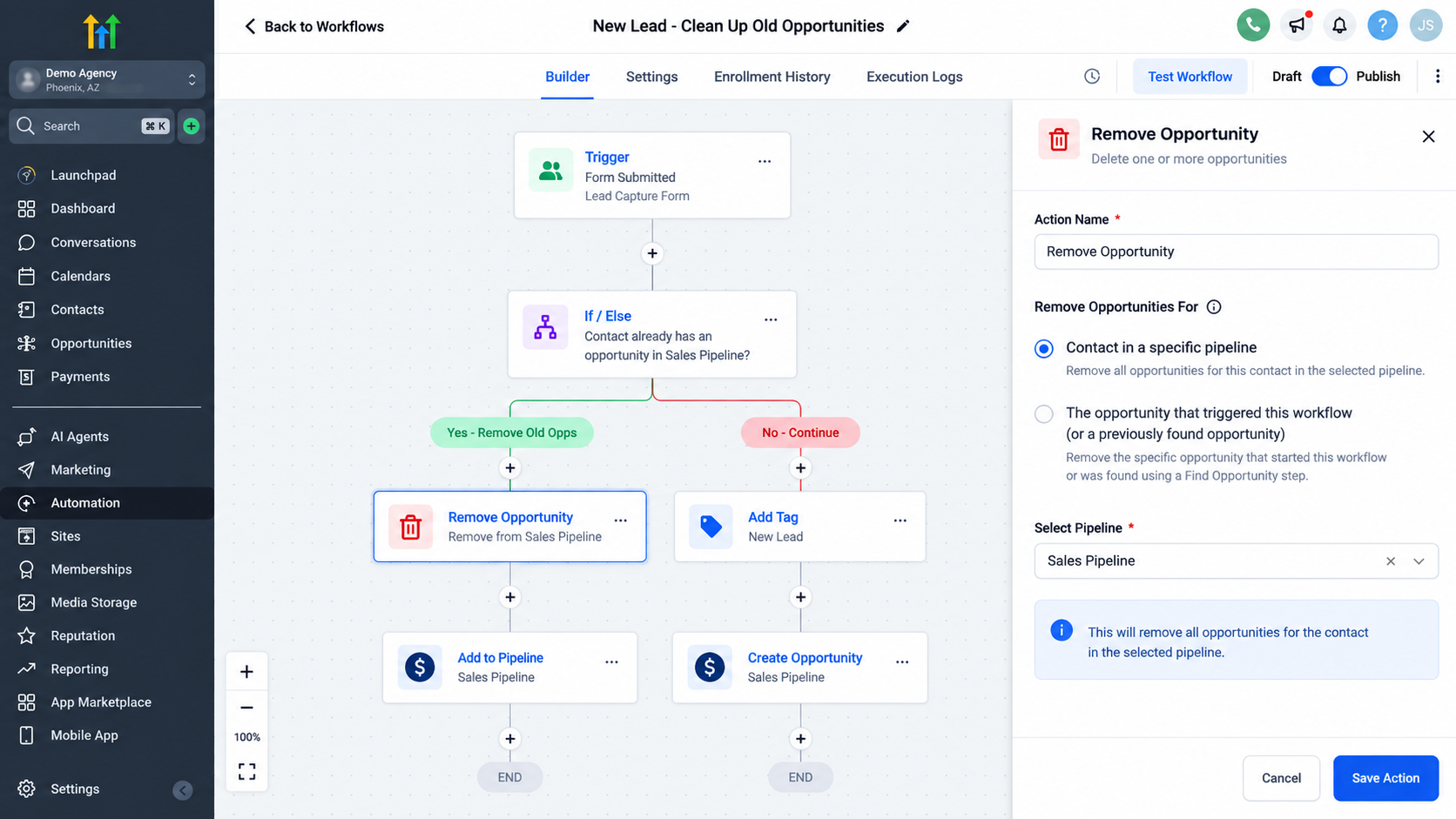
The GoHighLevel Remove Opportunity Action is a Workflow action that deletes an Opportunity associated with a Contact when the automation reaches that step. HighLevel currently supports two targeting approaches: removing all opportunities for the Contact in a selected pipeline, or removing the specific Opportunity that triggered the Workflow or was found earlier in it.
An Opportunity is not the same as a Contact. The Contact is the person stored in the CRM; the Opportunity represents a potential deal connected to that person and placed within a Pipeline and Pipeline Stage. A Pipeline represents the broader sales process, while Stages represent steps within that process.
Removing an Opportunity therefore does not delete the Contact. It removes the deal record from the active opportunity pipeline.
How the Remove Opportunity Action Works
The basic automation logic is:
Workflow Trigger → Conditions/Logic → Remove Opportunity Action → Opportunity removed
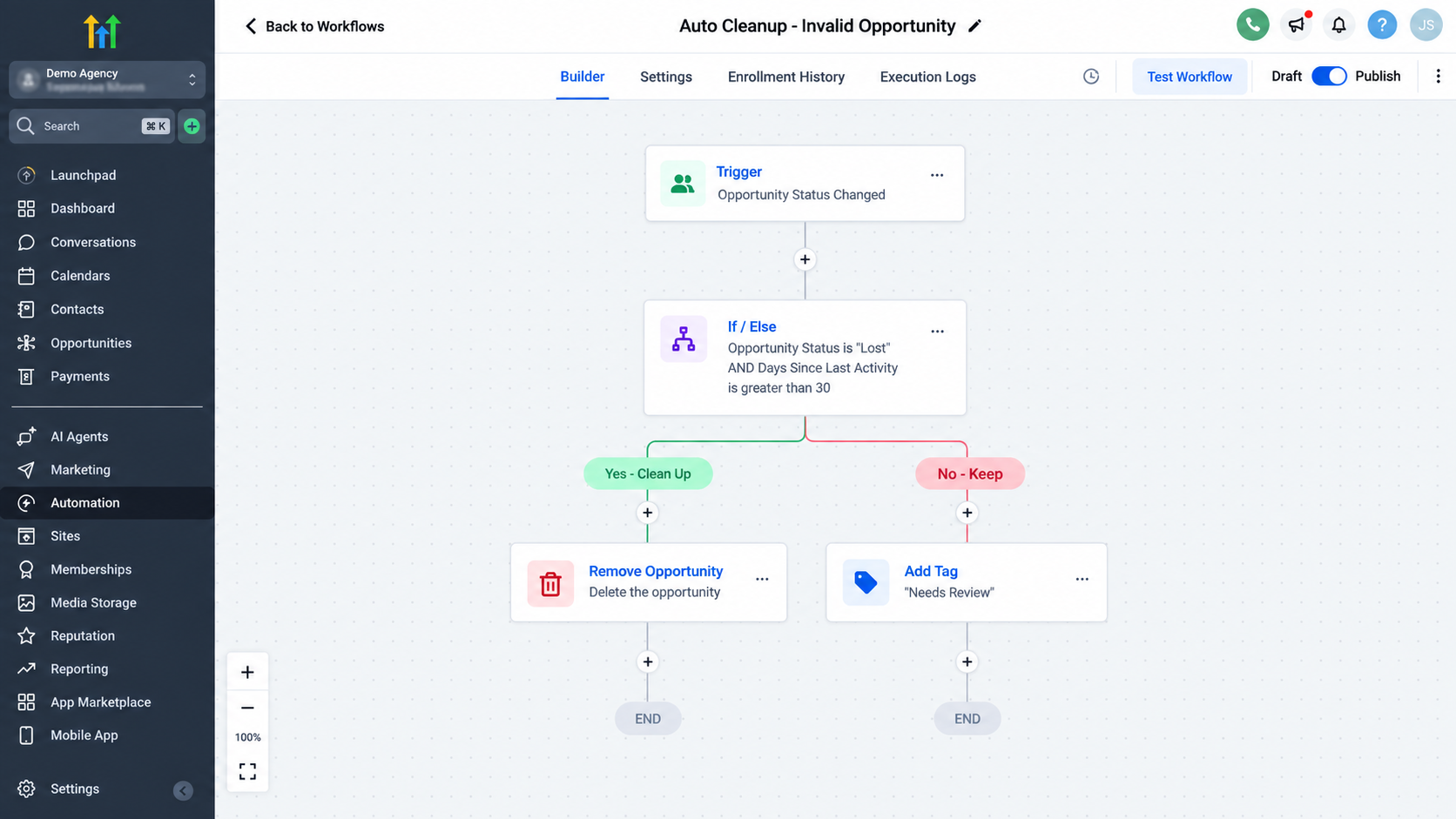
First, a Contact or Opportunity enters the Workflow because the selected Trigger fires. The Workflow can then evaluate conditions or perform other actions before reaching the removal step.
When the Remove Opportunity Action executes, HighLevel removes the Opportunity selected by its targeting logic. That may be all of the Contact's opportunities in a chosen pipeline, or the particular Opportunity already in context because it triggered the Workflow or was identified by a previous opportunity-related step.
This differs from moving an Opportunity to another Stage or updating its status. Those operations keep the Opportunity record and change its state or location. HighLevel's Update Opportunity action, for example, can modify an existing opportunity's pipeline, stage, status, value, and other supported fields rather than deleting the record. Remove Opportunity is appropriate only when the business actually wants the deal record removed.
How to Use the Remove Opportunity Action
Open Automations → Workflows in the relevant HighLevel sub-account. Create a Workflow or edit an existing one, then define the Trigger that should start the automation.
Add any conditions or logic needed to confirm that removal is appropriate. Next, add an Action and select Remove Opportunity. HighLevel's documentation describes two choices: remove all opportunities for the Contact in the selected pipeline, or remove the Opportunity that triggered the Workflow or was found previously in the Workflow. Save the action, complete the logic, and test it with controlled records before using it on live sales data.
Real-World Automation Example
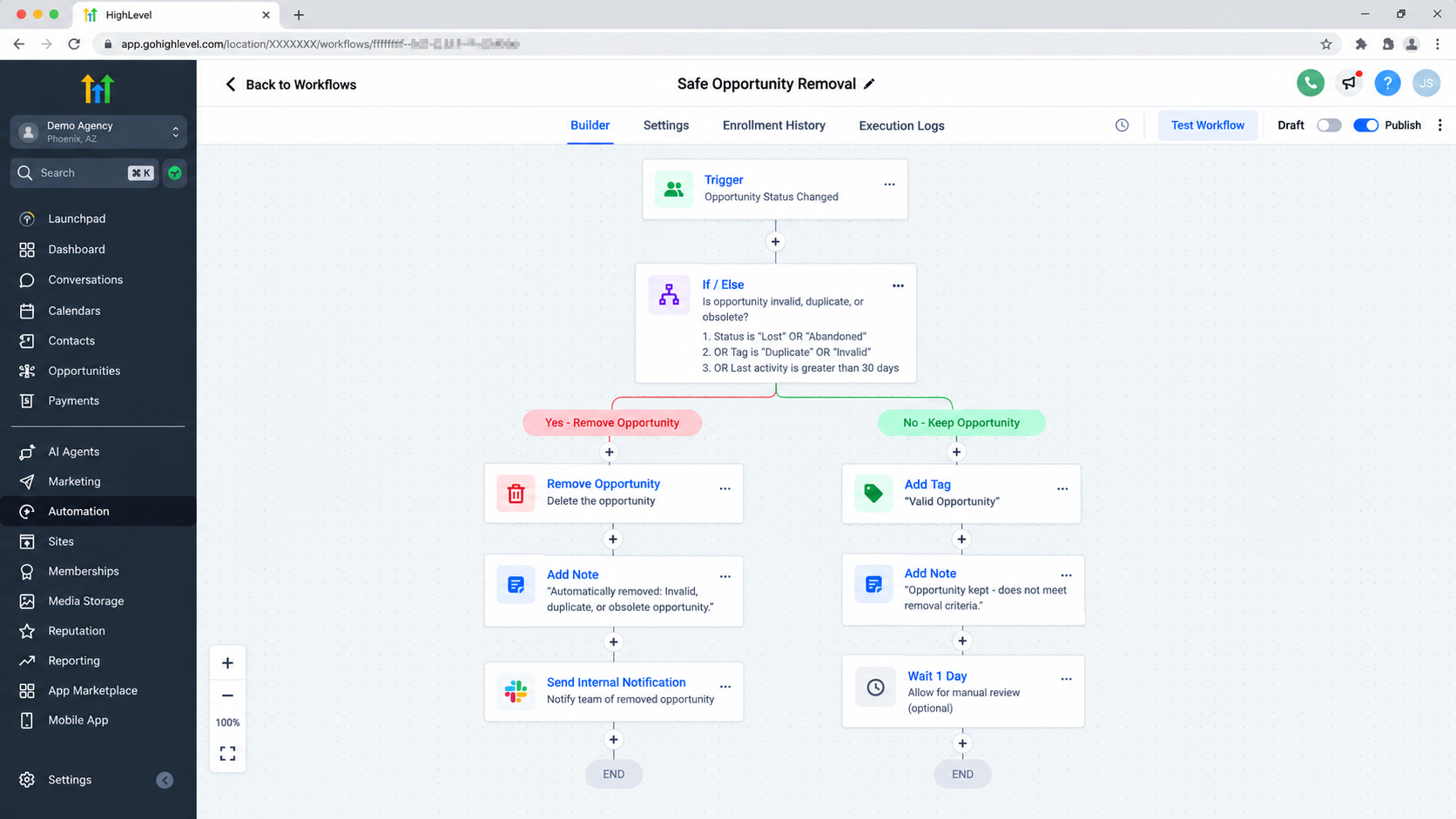
Consider a home-services company with an active Sales Pipeline. A prospect submits a quote request, and an Opportunity is created in the “New Inquiry” stage. Later, the company confirms that the record is invalid for example, it is a duplicate generated by a testing process or another defined condition means the deal should not remain active.
The Workflow starts from the relevant event or data change. An If/Else branch or other logic verifies the condition, and only the qualifying path reaches Remove Opportunity.
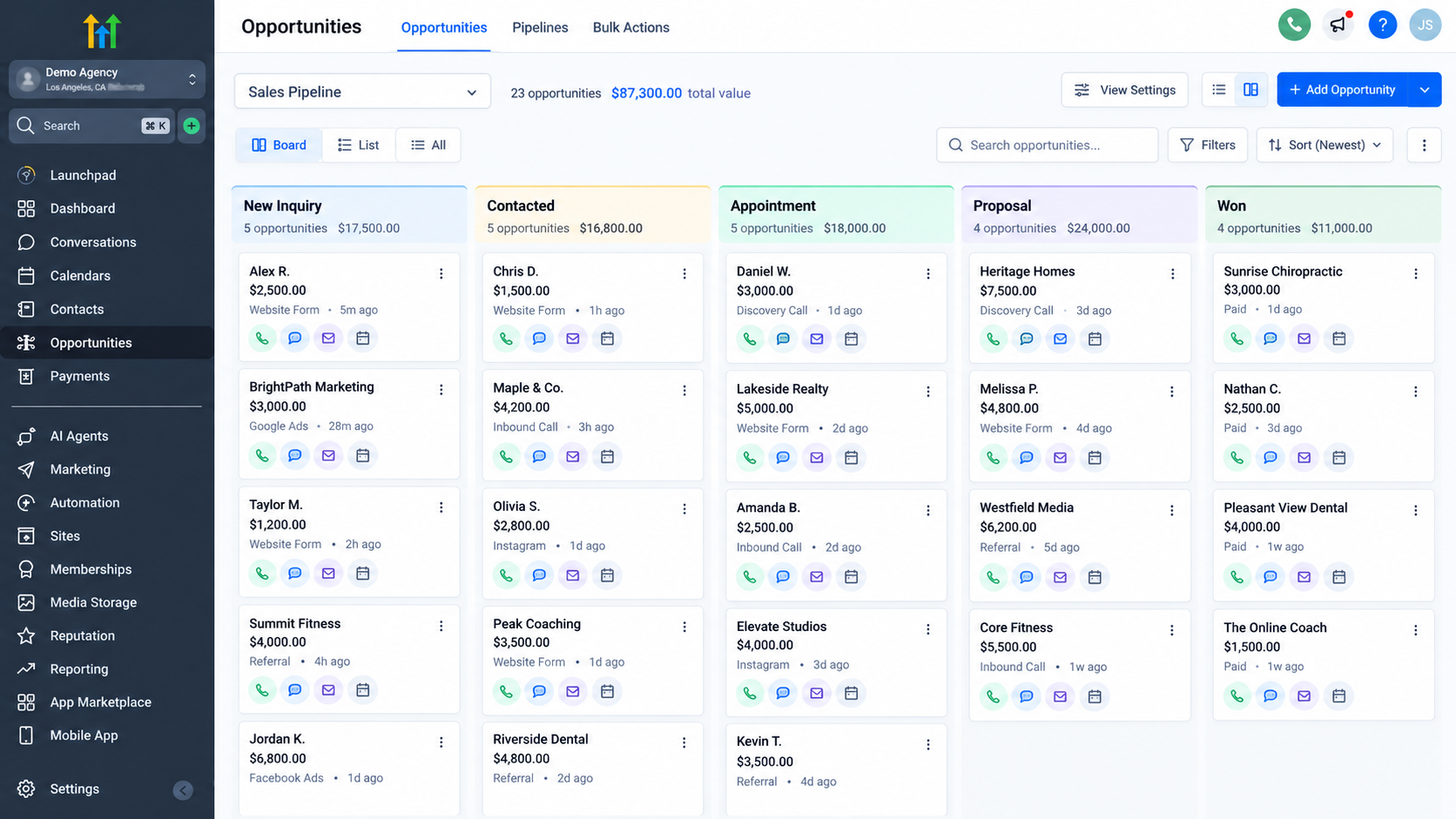
Before the action runs, the Contact has an Opportunity visible in the Sales Pipeline. After it runs, that targeted Opportunity is removed while the Contact remains in the CRM.
This improves pipeline hygiene because the sales board no longer displays a deal the business has intentionally decided should not exist as an active opportunity.
When Should You Use It?
The Remove Opportunity Action is useful when automation can reliably determine that an Opportunity should be deleted rather than progressed. Examples include invalid or duplicate opportunity records, obsolete deals that should no longer remain in a particular pipeline, or temporary opportunities replaced through another controlled process.
It can also support CRM automation where multiple pipelines serve different purposes and the business has a documented rule for removing an old Opportunity after another process takes over.
If the business still needs the deal for tracking, reporting, follow-up, or historical context, updating the Opportunity may be more appropriate than removing it.
Important Considerations
Removal is a destructive CRM action, so Workflow conditions should be precise. Be especially careful when one Contact can have multiple opportunities. Choosing the option that removes all opportunities in a selected pipeline has a wider effect than removing the specific Opportunity that triggered the Workflow or was found earlier.
HighLevel's current deletion documentation states that deleted opportunities can be restored for up to 60 days, subject to the platform's restoration process and user permissions. That recovery window is useful, but it should not replace careful testing.
Also remember that removing, moving, and updating are different opportunity-management decisions. If a deal is lost, completed, reassigned, or simply belongs in another Stage, updating the Opportunity may preserve more useful CRM history than deletion.
Conclusion
The GoHighLevel Remove Opportunity Action is a focused tool for sales pipeline automation and CRM hygiene. It lets a Workflow remove either a specific in-context Opportunity or the Contact's opportunities in a selected pipeline when clearly defined logic says those records should no longer remain active. Used carefully, it keeps GoHighLevel Opportunities aligned with the real sales process without deleting the Contact or confusing removal with a stage or status change.
Frequently Asked Questions
1. What does the Remove Opportunity Action do in GoHighLevel?
The Remove Opportunity Action deletes an Opportunity associated with a Contact when a Workflow reaches that action. HighLevel allows the action to target either all of the Contact’s opportunities in a selected pipeline or the specific Opportunity that triggered the Workflow or was found earlier in it.
2. Does removing an Opportunity delete the Contact?
No. Removing an Opportunity does not delete the Contact from GoHighLevel CRM. The Contact and Opportunity are separate records. The Opportunity represents an individual deal inside a sales pipeline, while the Contact represents the person or lead associated with that deal.
3. Can the Remove Opportunity Action remove multiple opportunities?
Yes. The action can be configured to remove all opportunities associated with the Contact in a selected pipeline. Alternatively, it can remove only the Opportunity that triggered the Workflow or was identified earlier in the Workflow.
4. What is the difference between removing an Opportunity and moving it to another stage?
Removing an Opportunity deletes that deal from the active pipeline. Moving an Opportunity to another Pipeline Stage keeps the Opportunity record but changes where it sits in the sales process. If the deal still needs to be tracked, using an opportunity update may be more appropriate than removing it.
5. Can a removed Opportunity be restored?
Yes. HighLevel currently states that deleted Opportunities can be recovered for up to 60 days. The Remove Opportunity documentation also notes that recovery is performed individually rather than as a bulk recovery through that process.
6. When should I use the Remove Opportunity Action?
Use it when your automation can reliably determine that an Opportunity should no longer exist in the active pipeline for example, when dealing with invalid, duplicate, outdated, or otherwise unnecessary deal records. If the Opportunity still has value for tracking the sales outcome or history, updating its stage or status may be preferable.
Need Expert Help with GoHighLevel?
New to GoHighLevel and ready to get started? Buy your GoHighLevel account here and launch with confidence.
Already know what you need and want our team to handle everything, from complete setup and customization to funnels, workflows, automations, CRM, and pipelines? Click here.



