

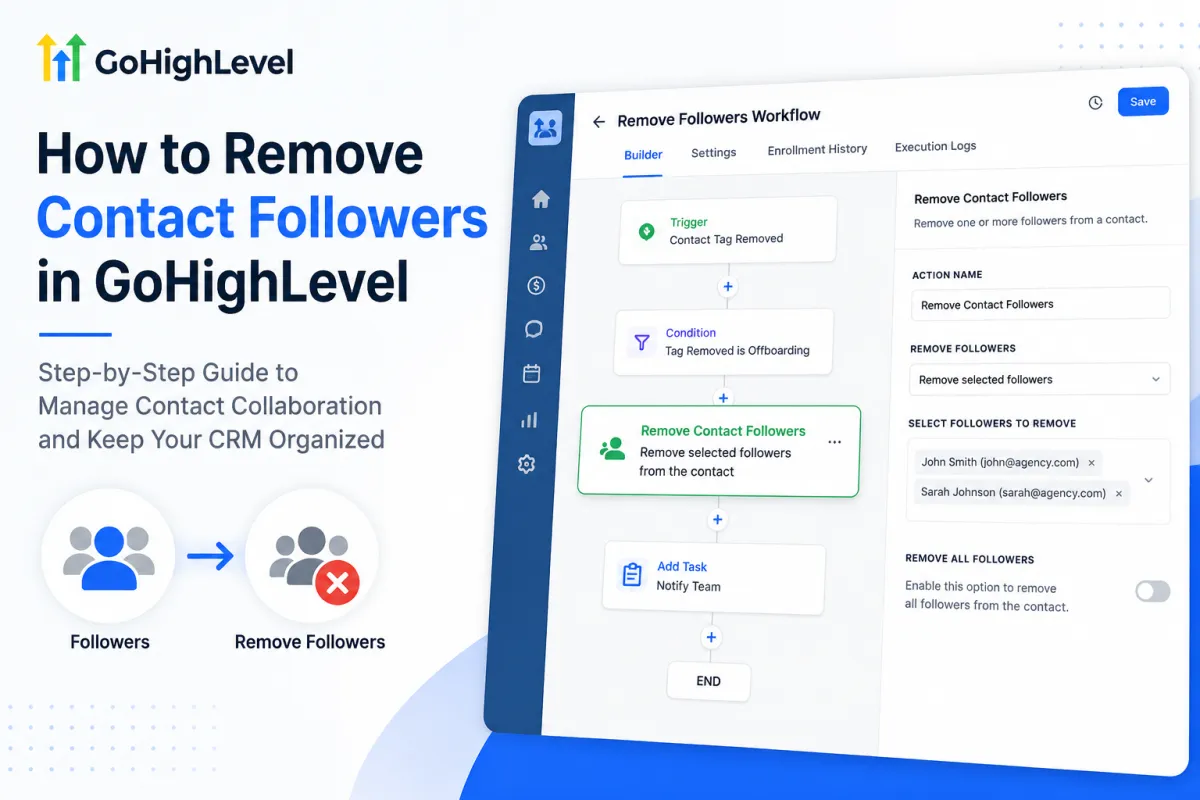
How to Remove Contact Followers in GoHighLevel: Step-by-Step Guide
How to Manage Contact Collaboration by Removing Followers Using the Remove Contact Followers Action in GoHighLevel
When several people work with the same lead or customer, contact visibility can become messy. A salesperson may follow a contact during qualification, an onboarding specialist may need access after the sale, and a support team member may be added later for a specific issue.
GoHighLevel’s Remove Contact Followers workflow action helps automate that cleanup. Instead of relying on team members to remember who should still follow each contact, a workflow can remove selected followers or all followers when the contact reaches the right point in your process.
What Are Contact Followers in GoHighLevel?
Contact followers are users added to a contact record so multiple team members can access and work with the same CRM record. In HighLevel, followers are especially useful when the Only Assigned Data permission is enabled, because followers can still access records they follow according to their permissions.
Followers are not the same as the contact owner or assigned user. A contact can have an owner while other users follow the record for collaboration. HighLevel also states that being a follower does not give a user the ability to change the record’s ownership.
What Is the GoHighLevel Remove Contact Followers Action?
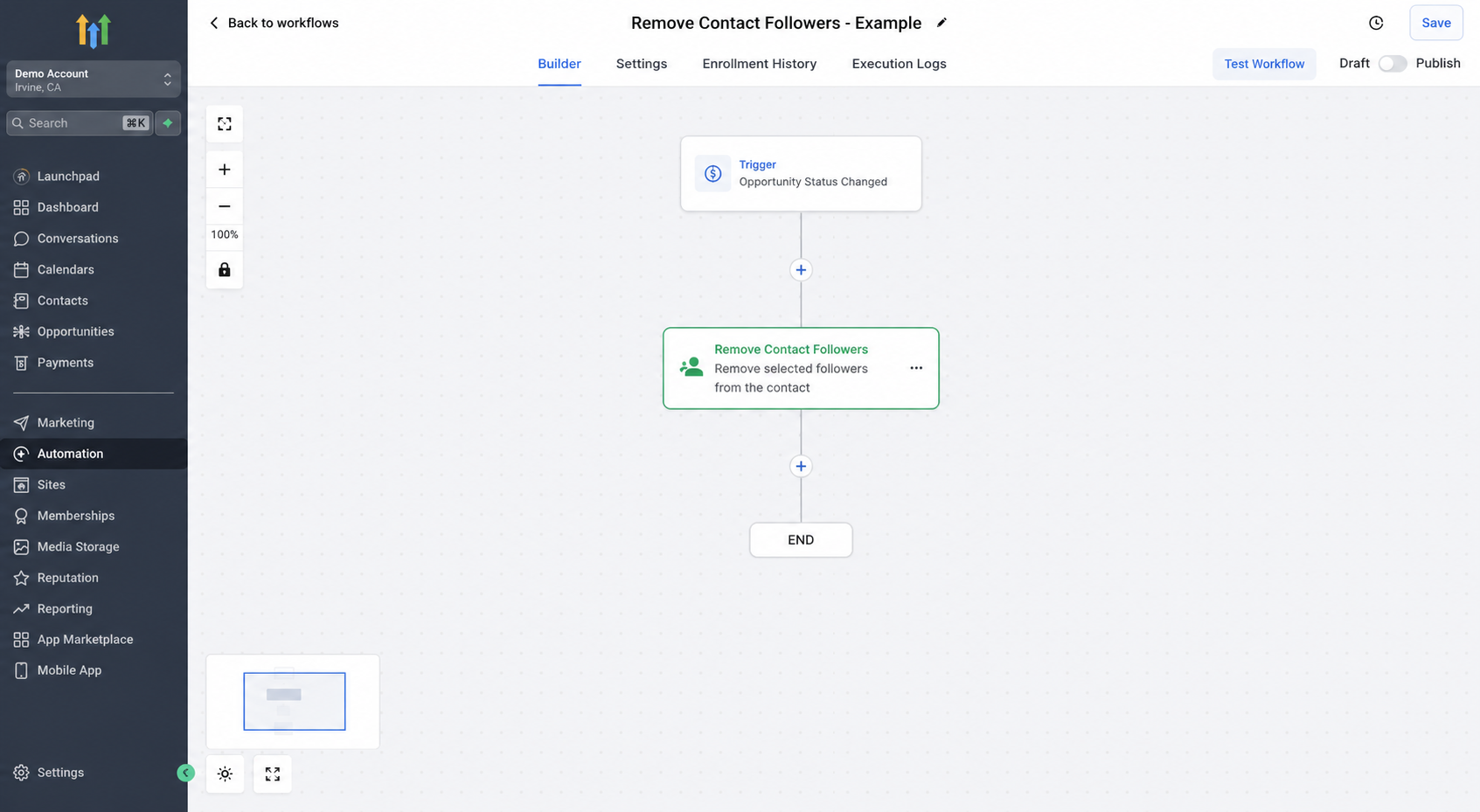
The Remove Contact Followers action is a workflow action in the Contact category. It is designed to remove one or more followers from a contact automatically.
HighLevel’s documentation shows two primary options: remove selected followers or use the available toggle to remove all followers from the contact. This makes the action useful when follower access should change as a contact moves through the customer journey.
It does not replace contact ownership, tags, permissions, or assignment logic.
Why Removing Contact Followers Can Improve Collaboration
Good collaboration is not only about giving more people access. It is also about keeping that access relevant.
Imagine a salesperson follows a lead throughout the sales process. Once the lead becomes a customer, an onboarding specialist takes over. If the salesperson no longer needs to work with that record, removing them as a follower can keep collaboration aligned with the customer’s current stage.
Using follower removal strategically can help you:
Keep contact collaboration organized.
Support cleaner handoffs between departments.
Remove temporary collaborators after their role is complete.
Reduce outdated follower relationships.
Keep follower access aligned with the customer journey.
How to Use the Remove Contact Followers Action in GoHighLevel
Open the correct GoHighLevel sub-account where your contacts and team users are managed.
Go to Automation > Workflows.
Create a new workflow or open an existing workflow.
Choose a trigger that matches the business event indicating follower access should change. HighLevel’s own example uses an opportunity status change, but your trigger should reflect your actual process.
Add a workflow action at the appropriate point.
Find the Contact category and select Remove Contact Follower or Remove Contact Followers, depending on the label shown in your account.
Configure the action by selecting the follower or followers to remove, or use the option to remove all followers when appropriate.
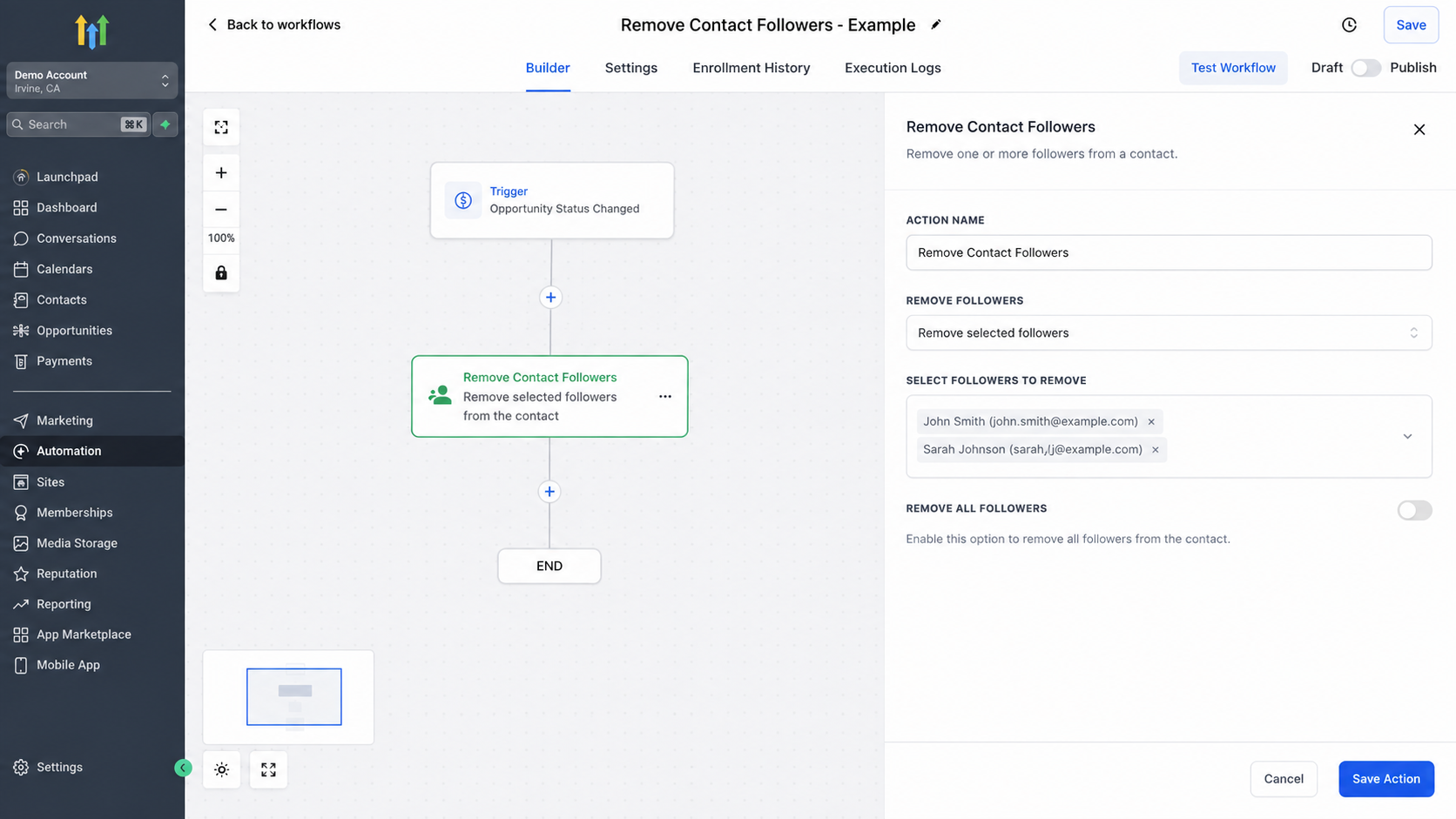
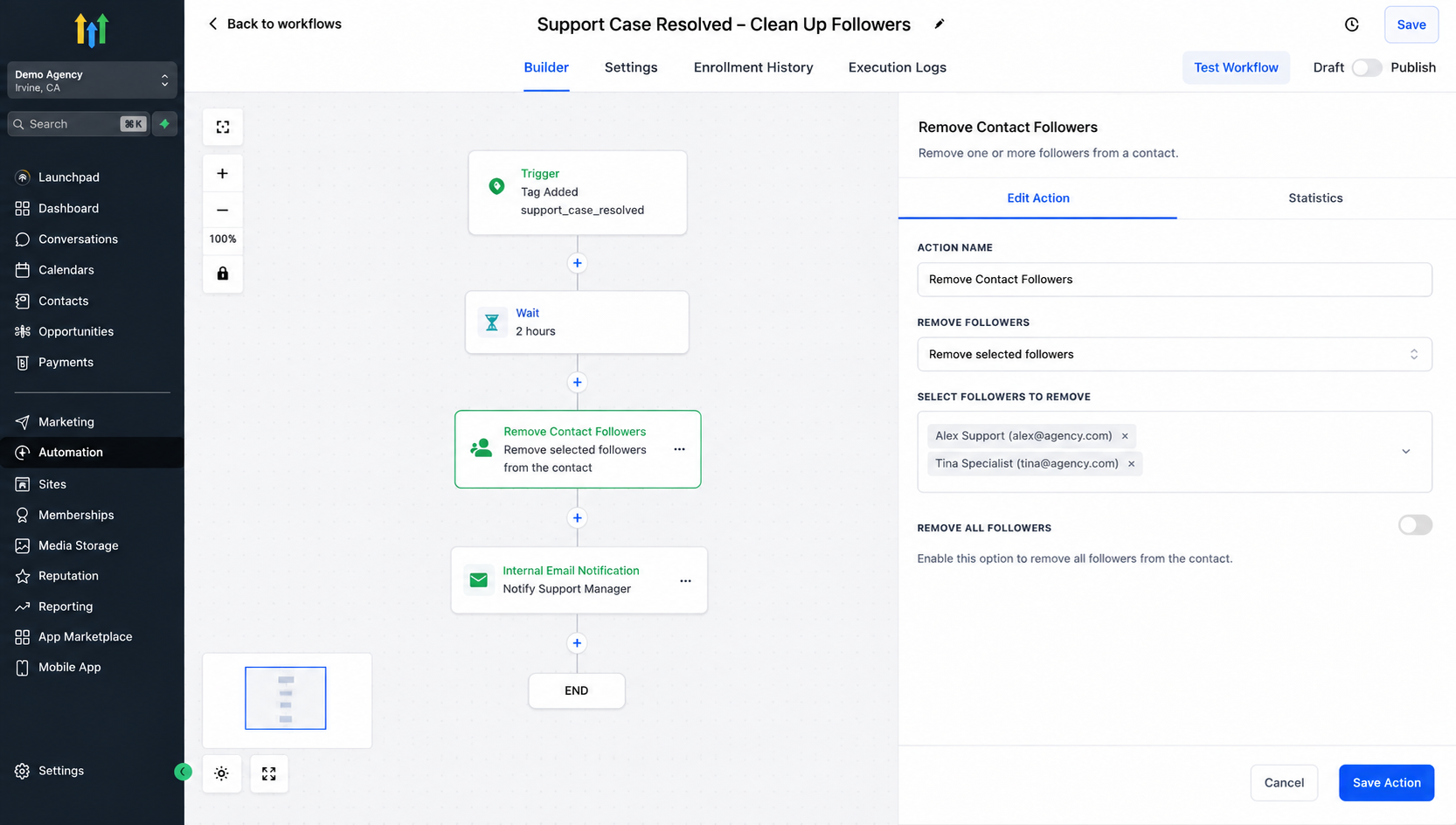
Configure the Remove Contact Followers action in GoHighLevel to remove specific team members from a contact as part of your automated workflow. Save the action and review the workflow.
Test with a sample contact before publishing or relying on the automation in a live process.
Practical Use Cases
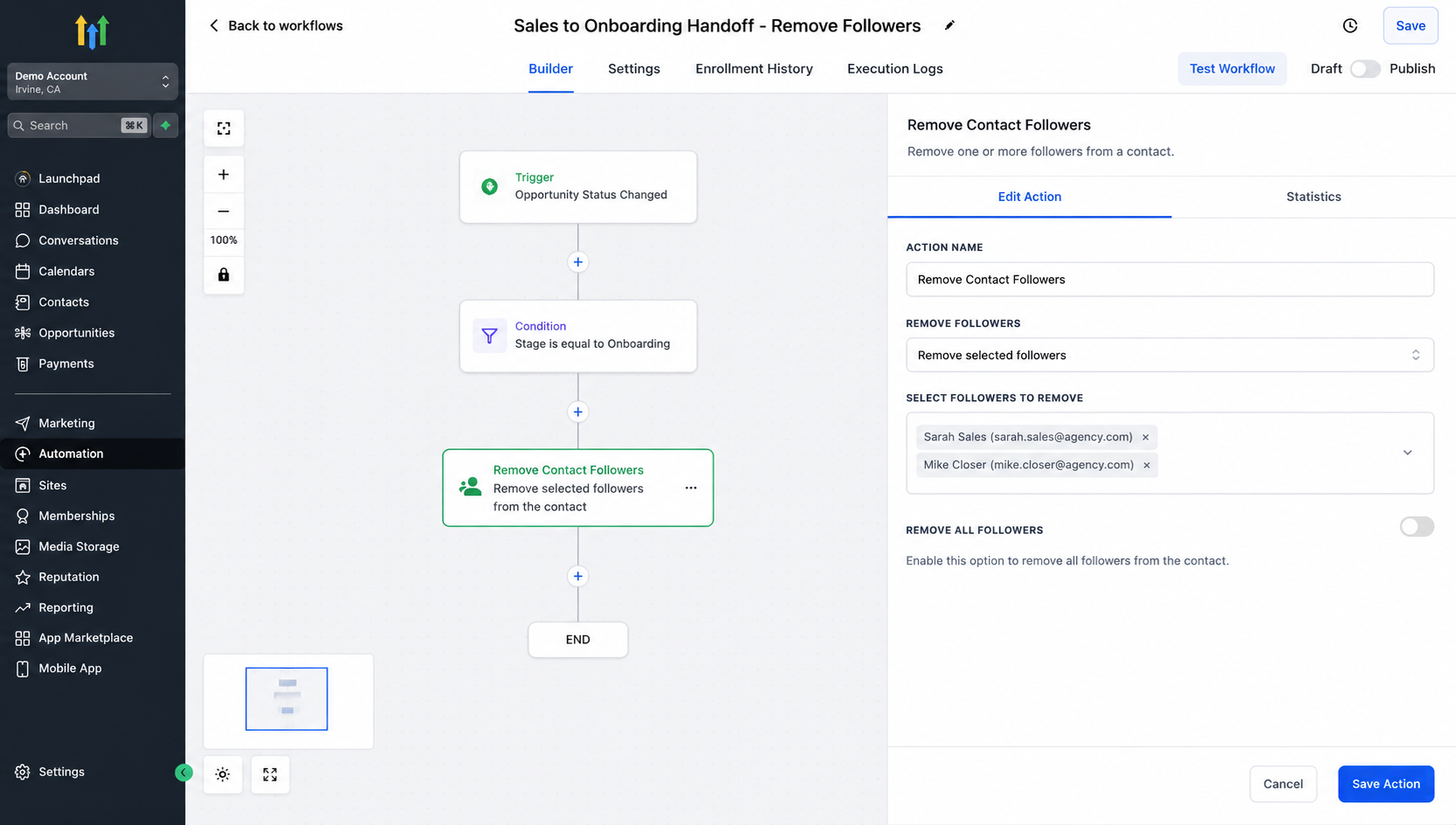
Sales-to-Onboarding Handoff
A salesperson follows a prospect during the sales cycle. After the deal reaches the appropriate post-sale stage, a workflow can remove that salesperson as a follower if continued access is no longer required.
Support Process Completion
A support specialist may temporarily follow a customer while handling an issue. When the chosen workflow event indicates that the process is complete, follower removal can return the contact to its normal collaboration setup.
Internal Team Changes
When responsibility shifts between teams, a workflow can help remove users who are no longer involved.
Customer Journey Stage Changes
Different team members may need visibility at different stages. You can structure GoHighLevel workflow automation so followers are added during one phase and removed when that phase ends.
Best Practices for Removing Contact Followers
Know why each follower is being removed. If the reason is unclear, the automation may be too aggressive.
Avoid Remove All unless the process genuinely requires it. Removing selected followers gives you more control when other users still need access.
Coordinate follower removal with your handoff process, test workflows with sample contacts, and review the trigger and action order carefully before activation.
As your team grows, periodically review whether your follower logic still reflects how people actually work.
Conclusion
Effective GoHighLevel CRM automation is not only about adding more actions. It is also about removing outdated relationships when responsibilities change.
The GoHighLevel Remove Contact Followers action gives teams a practical way to automatically remove selected or all followers from a contact within a workflow. Used carefully, it can support cleaner collaboration, more intentional handoffs, and follower relationships that stay aligned with the customer journey.
Review your current GoHighLevel contact-management workflows and identify where team members no longer need to follow a contact. Those transition points may be ideal places to use the Remove Contact Followers action.
Frequently Asked Questions.
1. What are contact followers in GoHighLevel?
Contact followers are team users who can follow a contact record for collaboration and visibility. A follower is not necessarily the contact’s assigned user or owner.
2. What does the Remove Contact Followers action do?
The Remove Contact Followers workflow action automatically removes selected followers, or all followers when configured to do so, from a contact during a workflow.
3. Does removing a contact follower change the contact owner?
No. Removing a follower does not automatically change the contact’s assigned user or owner. Followers and contact ownership are separate concepts in GoHighLevel.
4. Can I remove all followers from a contact automatically?
Yes. The Remove Contact Followers action includes an option to remove all followers from the contact when that behavior fits your workflow.
5. When should I use the Remove Contact Followers action?
It can be useful during sales-to-onboarding handoffs, completed support processes, internal responsibility changes, or customer journey transitions when certain team members no longer need to follow the contact.
Need Expert Help with GoHighLevel?
New to GoHighLevel and ready to get started? Buy your GoHighLevel account here and launch with confidence.
Already know what you need and want our team to handle everything, from complete setup and customization to funnels, workflows, automations, CRM, and pipelines? Click here.



