

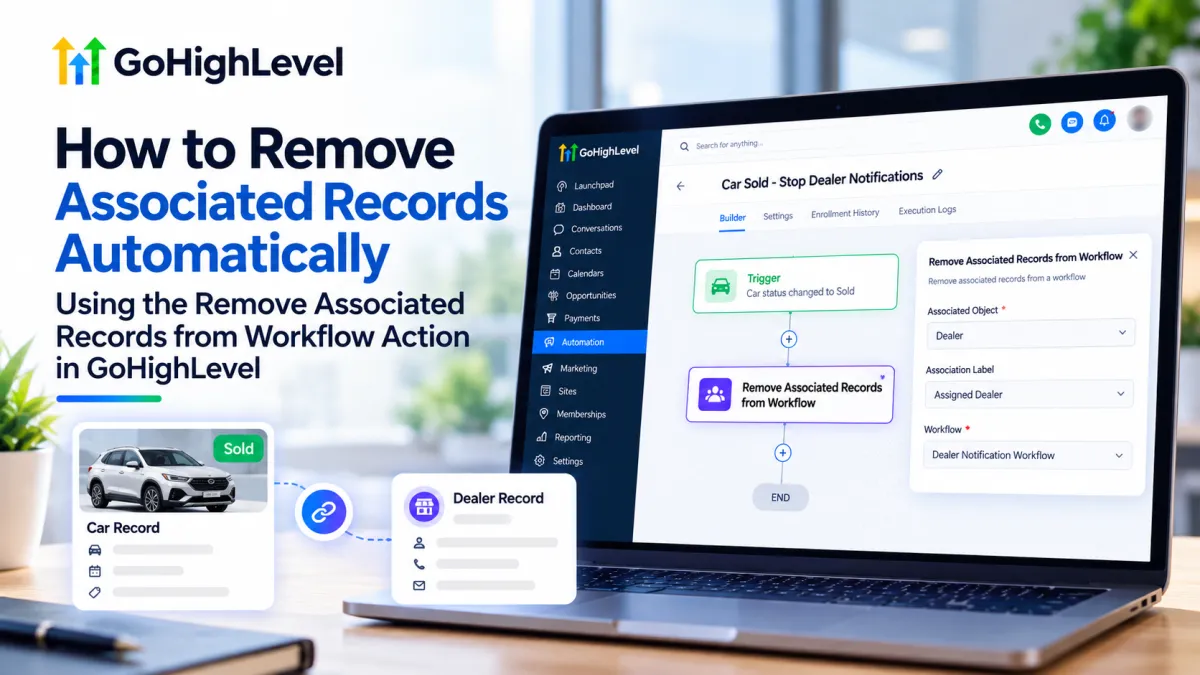
How to Remove Associated Records from Workflows in GoHighLevel
How to Remove Associated Records Automatically Using the Remove Associated Records from Workflow Action in GoHighLevel
A car sells, a student graduates, or a company becomes inactive and suddenly, related records may still be moving through a workflow that no longer applies. GoHighLevel’s Remove Associated Records from Workflow action helps tidy up that automation by unenrolling linked records from a workflow when the trigger record meets your chosen conditions.
Before setting it up, it helps to be precise about what “remove” means here: the action removes associated records from a workflow. It does not delete them from your CRM or break their association.
What Are Associated Records?
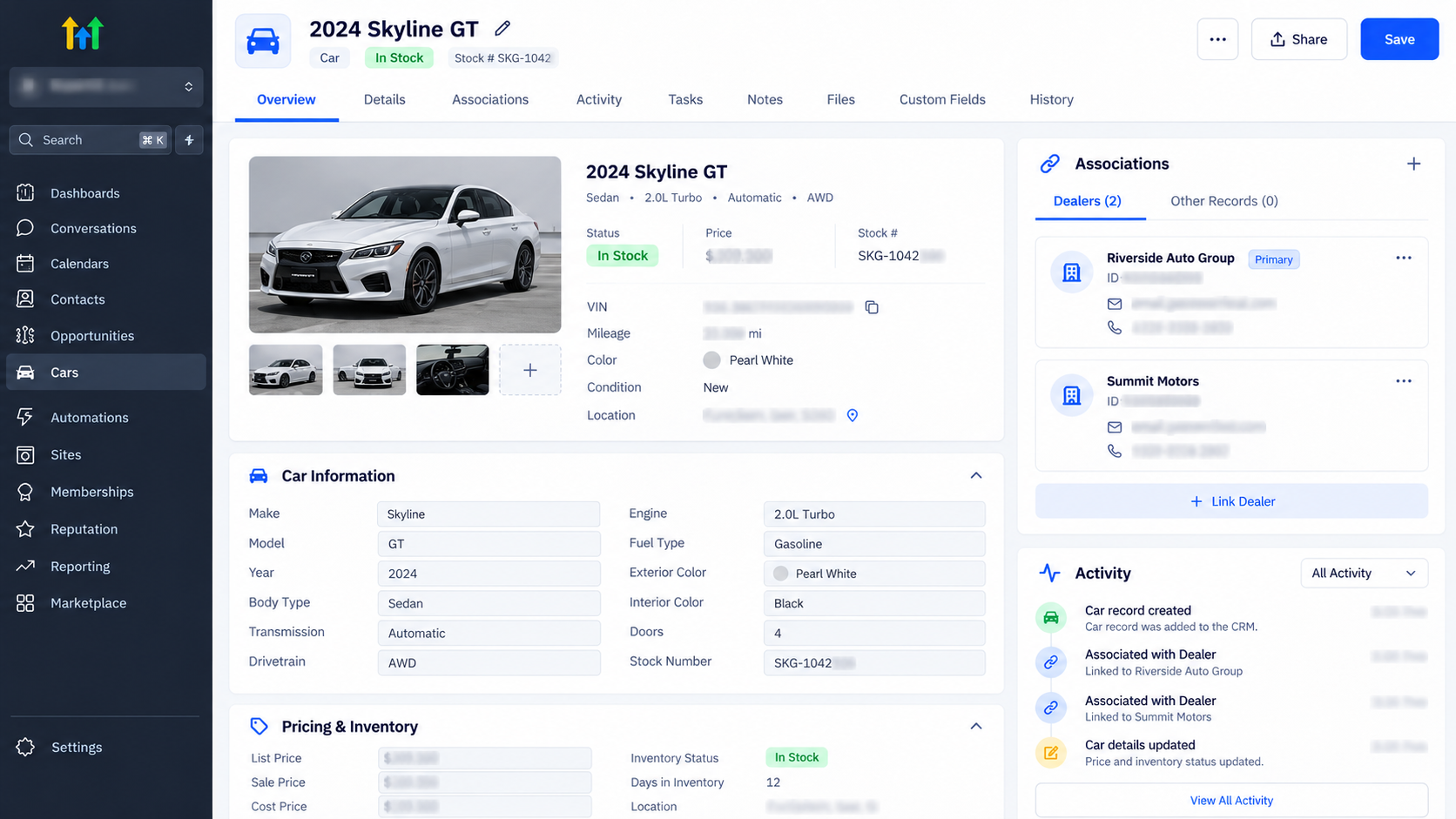
Associated records are CRM records linked to the record that triggers your workflow. Depending on the objects and relationships configured in your sub-account, the action can target Contacts, Companies, or Custom Objects. It’s available in Contact-based, Company-based, and Custom Object-based workflows. Examples include a student linked to a parent, a company linked to employees, or a car linked to dealers through an association label.
The action targets linked records using the associated object type and, where applicable, an association label. At least one matching association must exist for the action to remove anything. HighLevel’s guide to the action explains that the association label does not apply to Company-to-Contact relationships.
What the Action Does and Doesn’t Do
The action finds records associated with the trigger record, then unenrolls them from the target workflow you select. Those records stop progressing through that workflow.
It does not delete the associated Contact, Company, or Custom Object. It also does not remove the link between records. Both the CRM records and their association remain in place. Removing a relationship is a separate action in HighLevel. HighLevel’s association guide
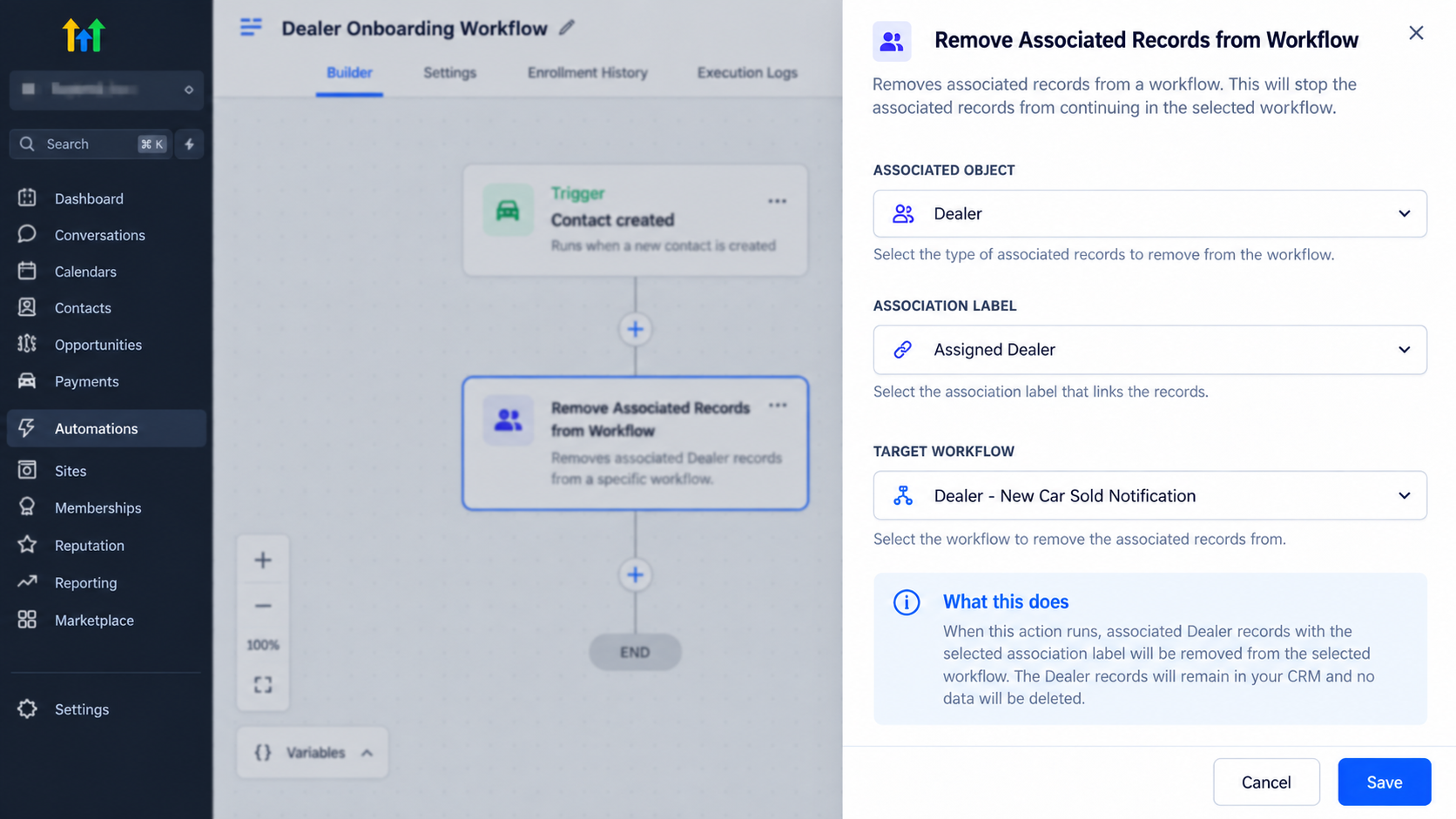
The documented configuration options are the associated object, the association label where applicable, and the target workflow. HighLevel doesn’t describe additional record filters or a per-run preview list for this action. If you need different labels to target different relationships, configure separate actions.
Before You Set It Up
First, make sure the relevant association is configured and the records are actually linked. You can manage association definitions and labels under Settings → Objects. To check a specific relationship, open the record and look in its Associations or Related Objects area.
Then open Automation → Workflows and create or edit the workflow that should respond to the relevant change. Add the Remove Associated Records from Workflow action, select the associated object, choose the association label if required, and select the workflow those associated records should leave. Save the action and publish the workflow when you’re ready.
The target workflow is the one the associated records will leave. It may be different from the workflow containing the action.
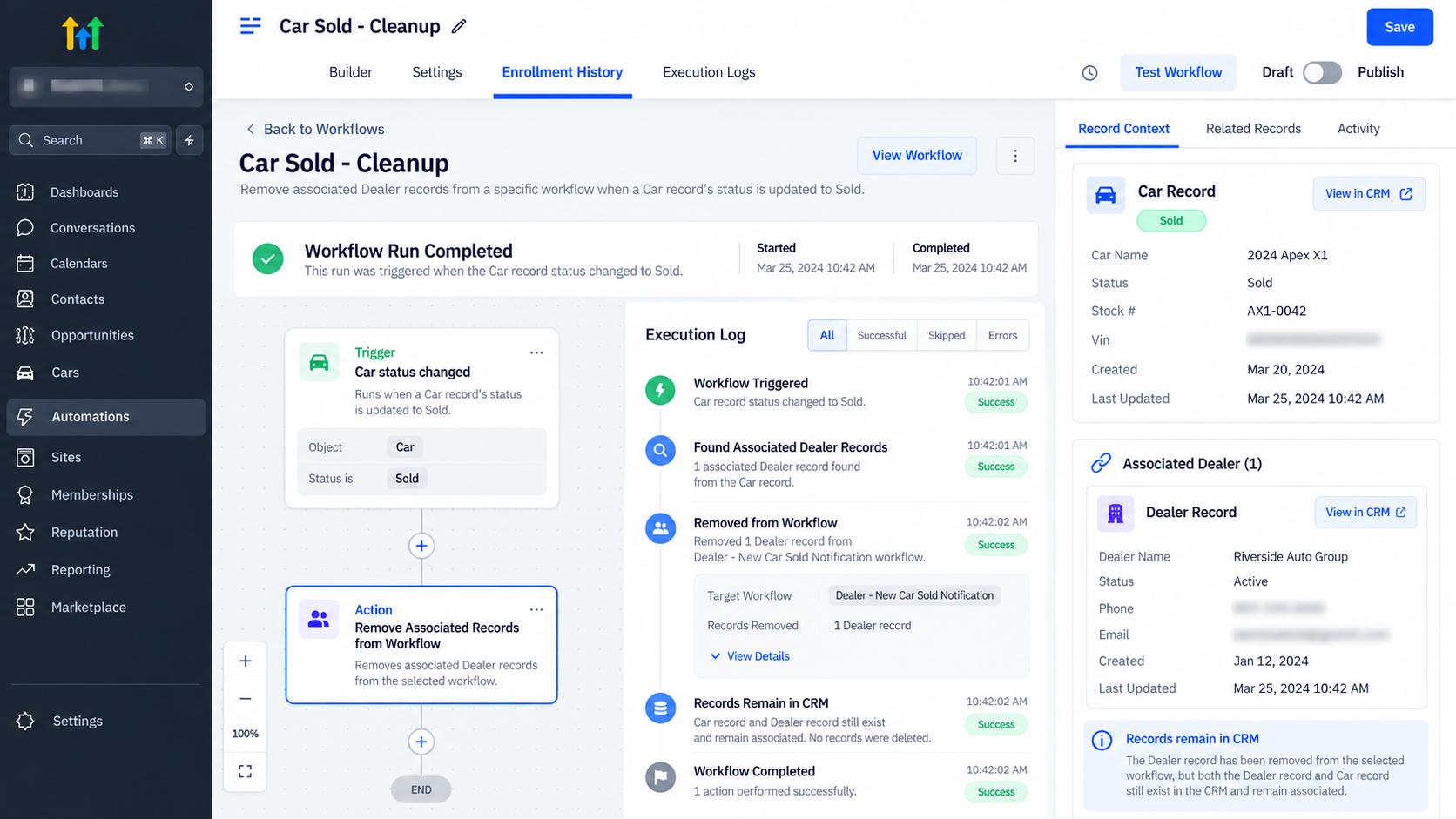
Example: Stop Dealer Alerts When a Car Sells
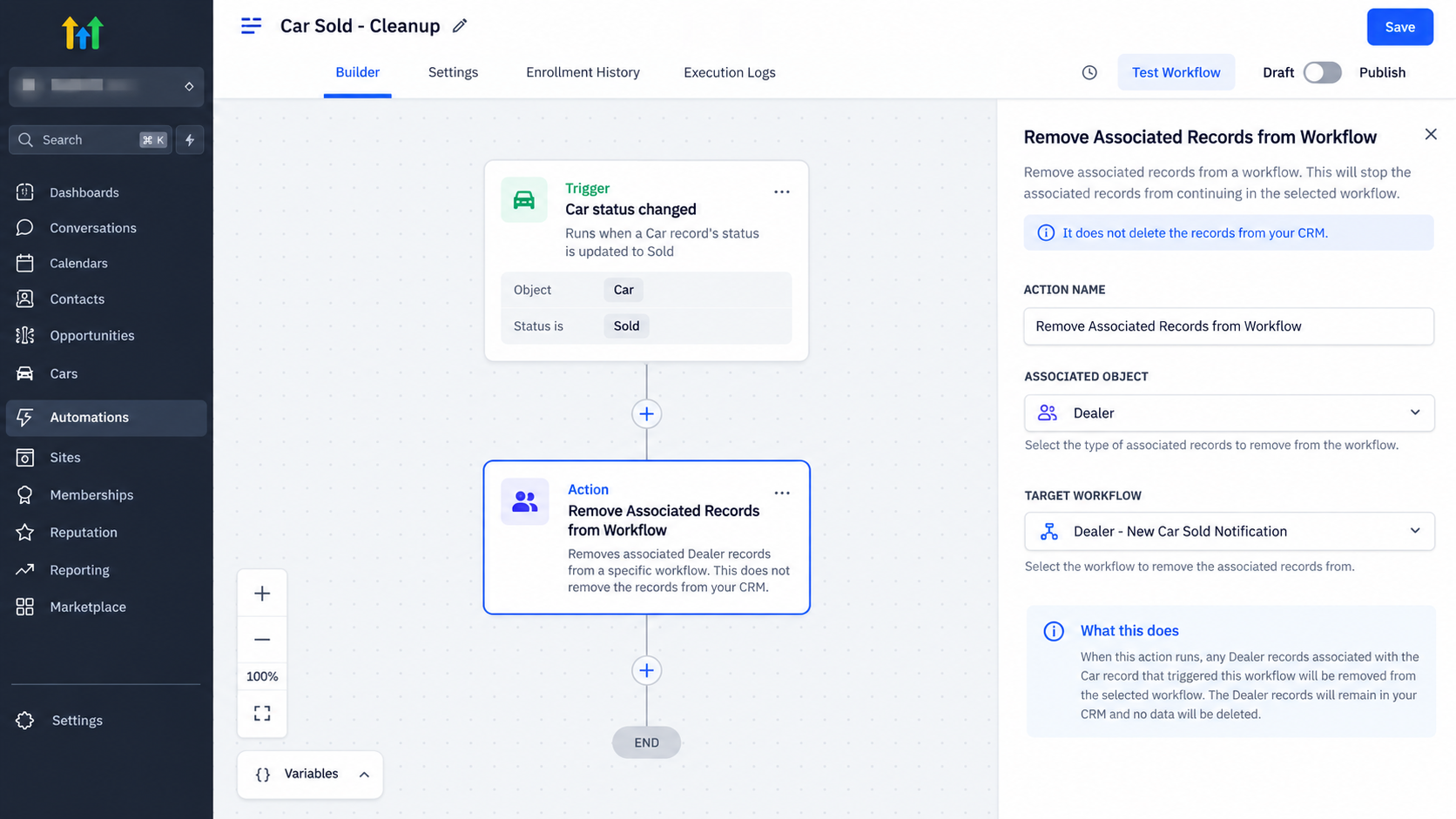
Imagine a car dealership uses a Dealer Notification Workflow to send updates to dealers assigned to each car. The Car custom object is linked to Dealer records through an Assigned Dealer association label.
To stop alerts after a sale:
Create a Custom Object-based workflow triggered when the Car’s status changes to Sold.
Add Remove Associated Records from Workflow.
Select Dealer as the associated object.
Choose Assigned Dealer as the association label.
Select Dealer Notification Workflow as the target.
When the Car reaches the Sold status and triggers the workflow, its associated Dealers are unenrolled from the notification workflow. Their Dealer records and links to the Car remain in the CRM.
For a Company-to-Contact setup, HighLevel documents that the association label does not apply. Check that the intended contacts are linked to the company, then select the target workflow.
Test and Troubleshoot the Workflow
Before relying on the automation, test it with a known record pair. Confirm that the associated record is linked to the trigger record and enrolled in the target workflow. Then cause the trigger with a controlled status change and check whether the associated record has been unenrolled.
If the expected record remains enrolled, check these details:
Did the workflow trigger under the conditions you intended?
Does the trigger record have an association with the selected object type?
Does the relationship use the label selected in the action?
Are you checking enrollment in the target workflow rather than only the workflow containing the action?
If no matching association exists, the action removes no records. HighLevel’s documentation doesn’t specify additional permissions, per-run limits, or a dedicated test mode for this action, so verify behavior in your account rather than assuming those options exist.
Conclusion
Use Remove Associated Records from Workflow when a change to one record should stop linked records from participating in a particular automation. Confirm the association and target workflow, then test with a known record before publishing broadly. The action cleans up workflow enrollment while leaving the CRM records and their associations intact.
Frequently Asked Questions (FAQs)
Does “Remove Associated Records from Workflow” delete a Contact, Company, or Custom Object?
No. It unenrolls the associated record from the workflow you select. The record remains in your CRM.
Does the action remove the association between records?
No. The relationship stays in place. Removing an association is a separate action.
What happens if there’s no matching association?
The action removes no records. Check that the trigger record is linked to the intended record type and, where applicable, the selected association label.
Can I select more than one association label in a single action?
HighLevel’s documentation describes selecting an association label but does not confirm that one action can target multiple labels. To cover separate relationships, use a separate action for each label.
Can I choose which associated records are removed with extra filters?
The documented settings are the associated object, the association label where applicable, and the target workflow. The documentation does not list additional record filters for this action.
Does it remove records from the workflow that contains the action?
It removes them from the target workflow selected in the action. That may be a different workflow from the one containing the action.
Need Expert Help with GoHighLevel?
New to GoHighLevel and ready to get started? Buy your GoHighLevel account here and launch with confidence.
Already know what you need and want our team to handle everything, from complete setup and customization to funnels, workflows, automations, CRM, and pipelines? Click here.



