

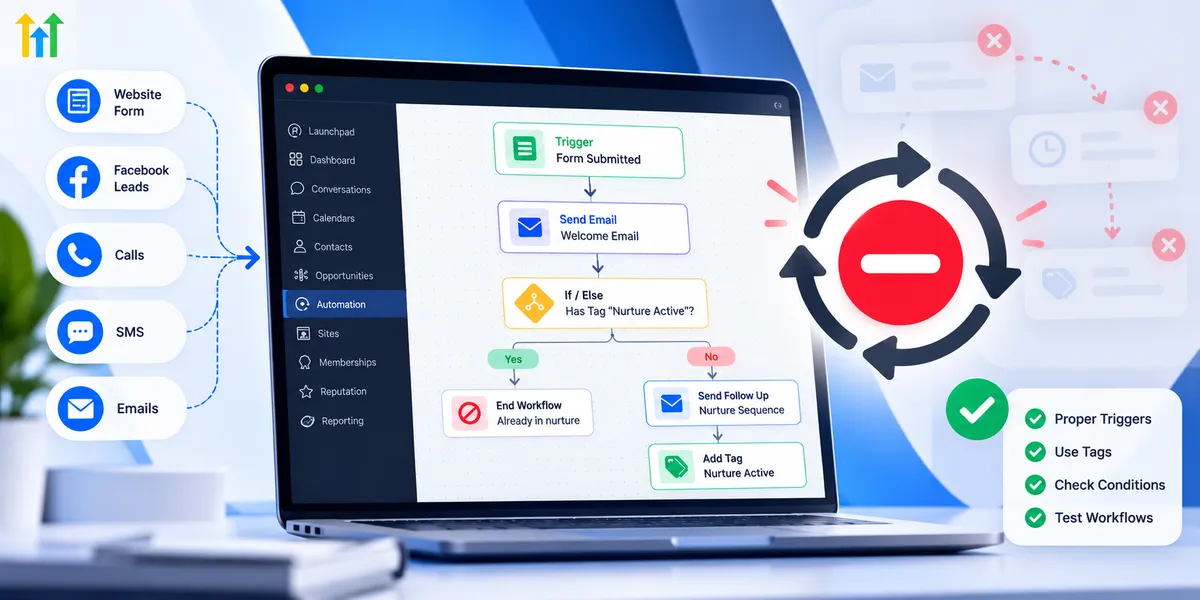
How to Prevent Automation Loops in GoHighLevel
How to Prevent Automation Loops in GoHighLevel
Imagine a new lead enters your CRM and receives a welcome email. Seconds later, the same email arrives again. Another workflow updates the contact, triggering the original automation once more. What should have been a simple follow-up sequence becomes a frustrating cycle of duplicate messages and unnecessary workflow activity.
Understanding how to prevent automation loops in GoHighLevel helps businesses maintain reliable communication, accurate CRM records, and organized automation systems.
What Are Automation Loops in GoHighLevel?
An automation loop occurs when workflow actions repeatedly trigger the same workflow or activate connected workflows in an unintended cycle.
However, not every repeated execution indicates a problem.
Legitimate workflow re-entry allows contacts to enter a workflow again when they meet its trigger conditions and the configuration permits it. This can be useful for recurring customer interactions.
An unintended loop happens when repeated execution serves no business purpose. For example, two workflows might continuously add and remove the same contact tag.
Overlapping triggers can also cause duplicate actions without creating a continuous loop. Understanding this distinction is essential for effective GoHighLevel workflow troubleshooting.
Common Causes of Automation Loops in GoHighLevel
Several configuration issues can contribute to unwanted automation activity.
Workflow Actions Triggering Other Workflows
A workflow might update a contact field that another workflow monitors. If the second workflow reverses that update, both automations could repeatedly activate one another.
Overlapping Workflow Triggers
Two workflows responding to the same form submission may independently send welcome messages. Although this is not necessarily a loop, it creates duplicate communication.
Conflicting Contact Tag Actions
Consider one workflow adding a follow-up-active tag while another removes it. If both workflows use those tag changes as triggers, they may create a repeating cycle.
Workflow Re-Entry Settings
When Allow Re-entry is enabled, a contact may enter the same workflow again after meeting the applicable trigger conditions, subject to GoHighLevel's workflow enrollment behavior.
Poorly planned re-entry can contribute to repeated actions, particularly when multiple workflows interact.
Opportunity and Contact Updates
Workflows that repeatedly change opportunity stages or monitored contact fields may activate other automations unexpectedly.
How to Prevent Automation Loops in GoHighLevel
Preventing unwanted repetition requires thoughtful workflow design rather than relying on one setting.
1. Review Workflow Triggers Carefully
Open the workflow builder and examine each trigger.
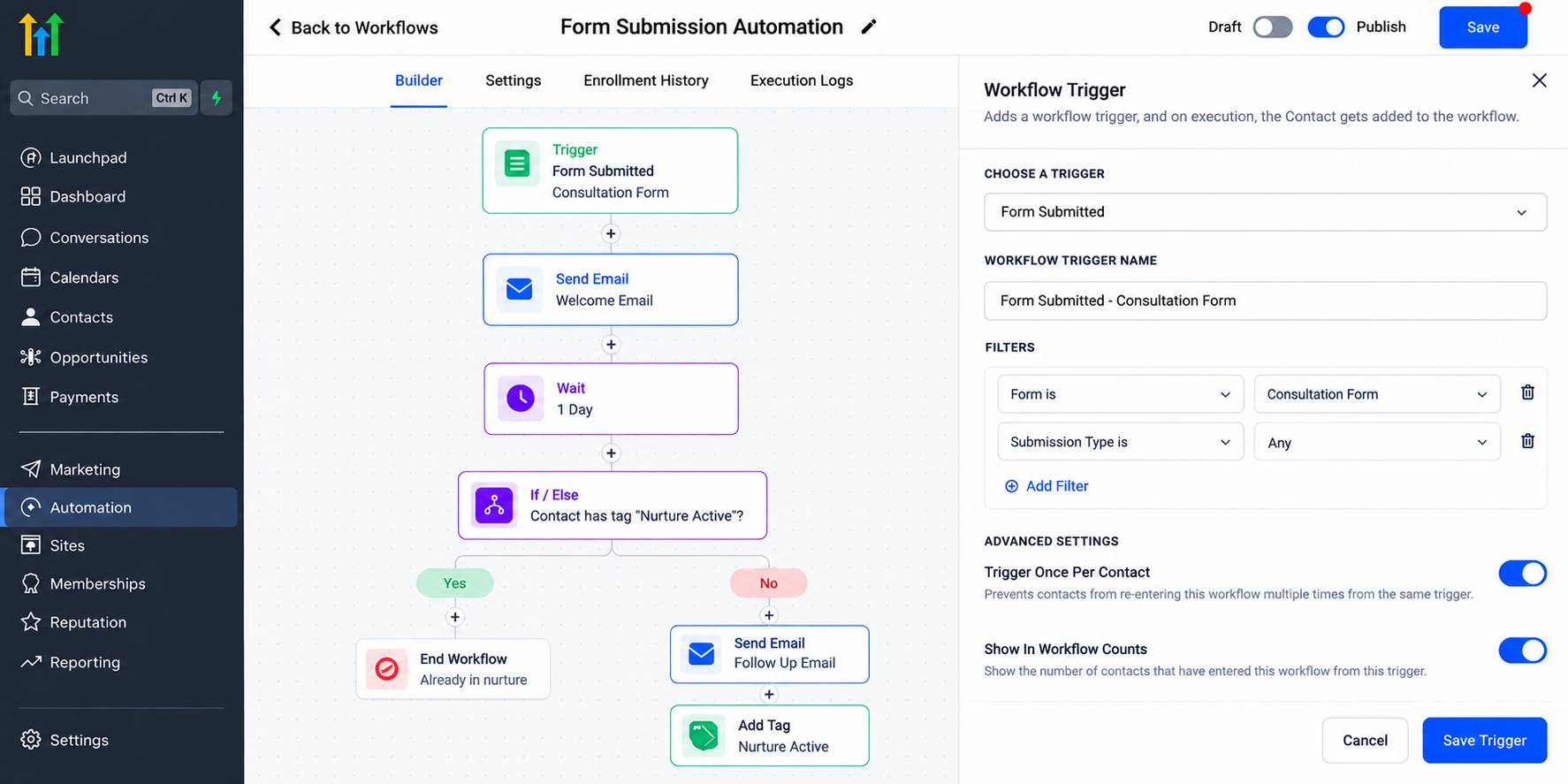
Use relevant trigger filters to narrow enrollment to specific events, forms, tags, or pipeline conditions where supported.
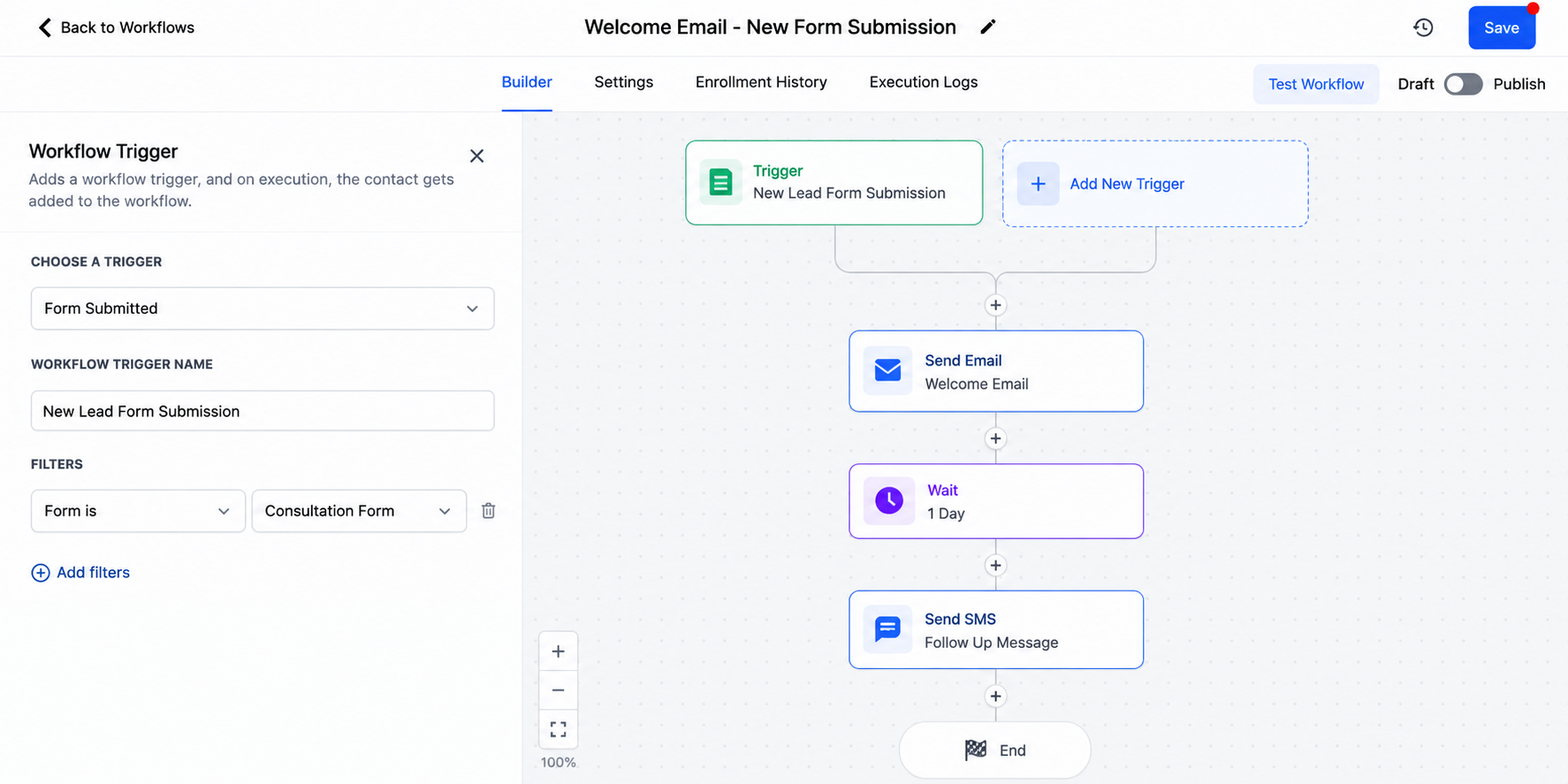
For example, a workflow intended for newly submitted consultation forms should not respond unnecessarily to unrelated contact updates.
2. Understand Workflow Re-Entry Settings
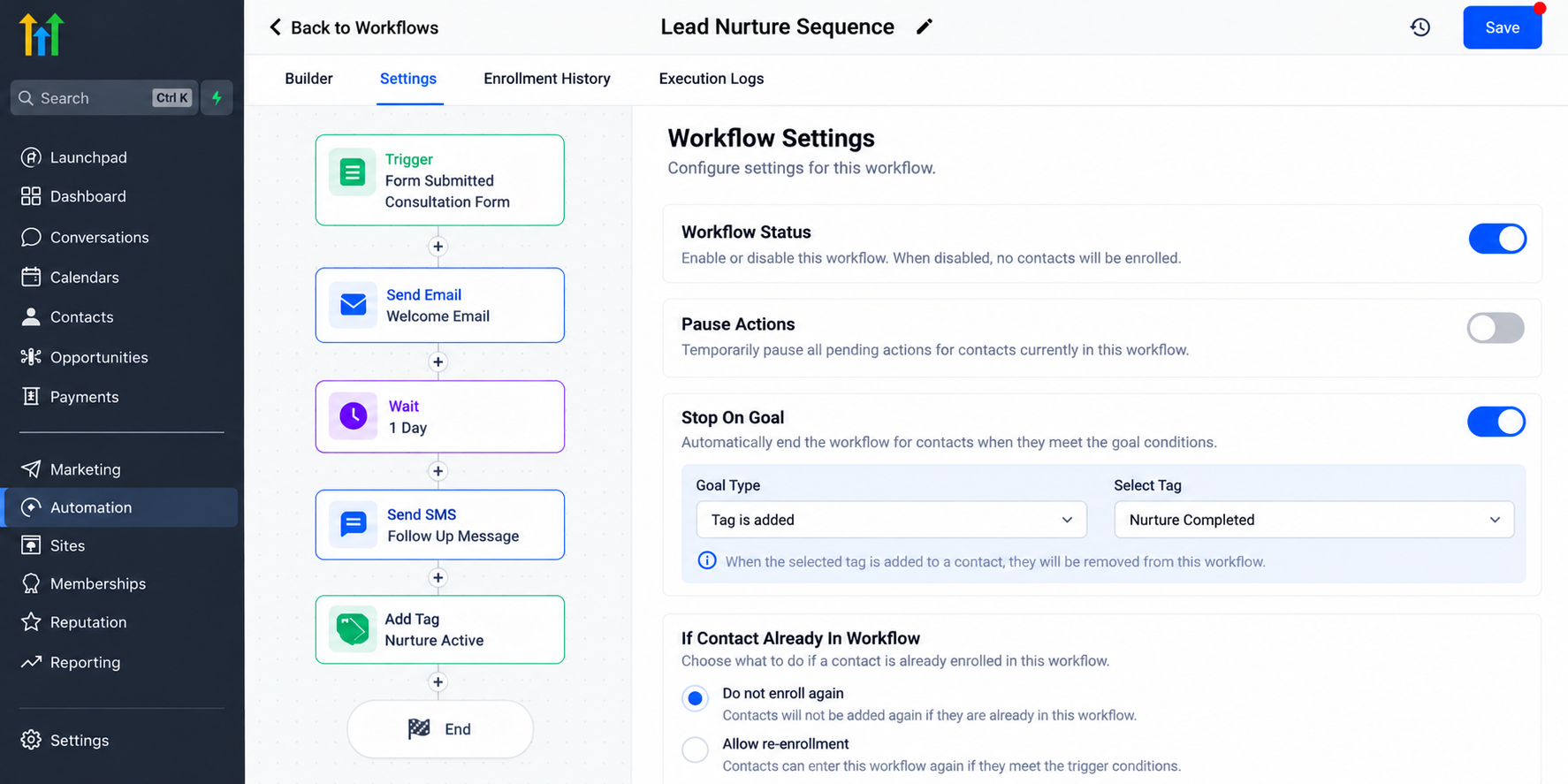
Review the Allow Re-entry setting in the workflow configuration.
Disabling re-entry can restrict repeated enrollment in that particular workflow, but it does not automatically stop separate workflows from triggering one another.
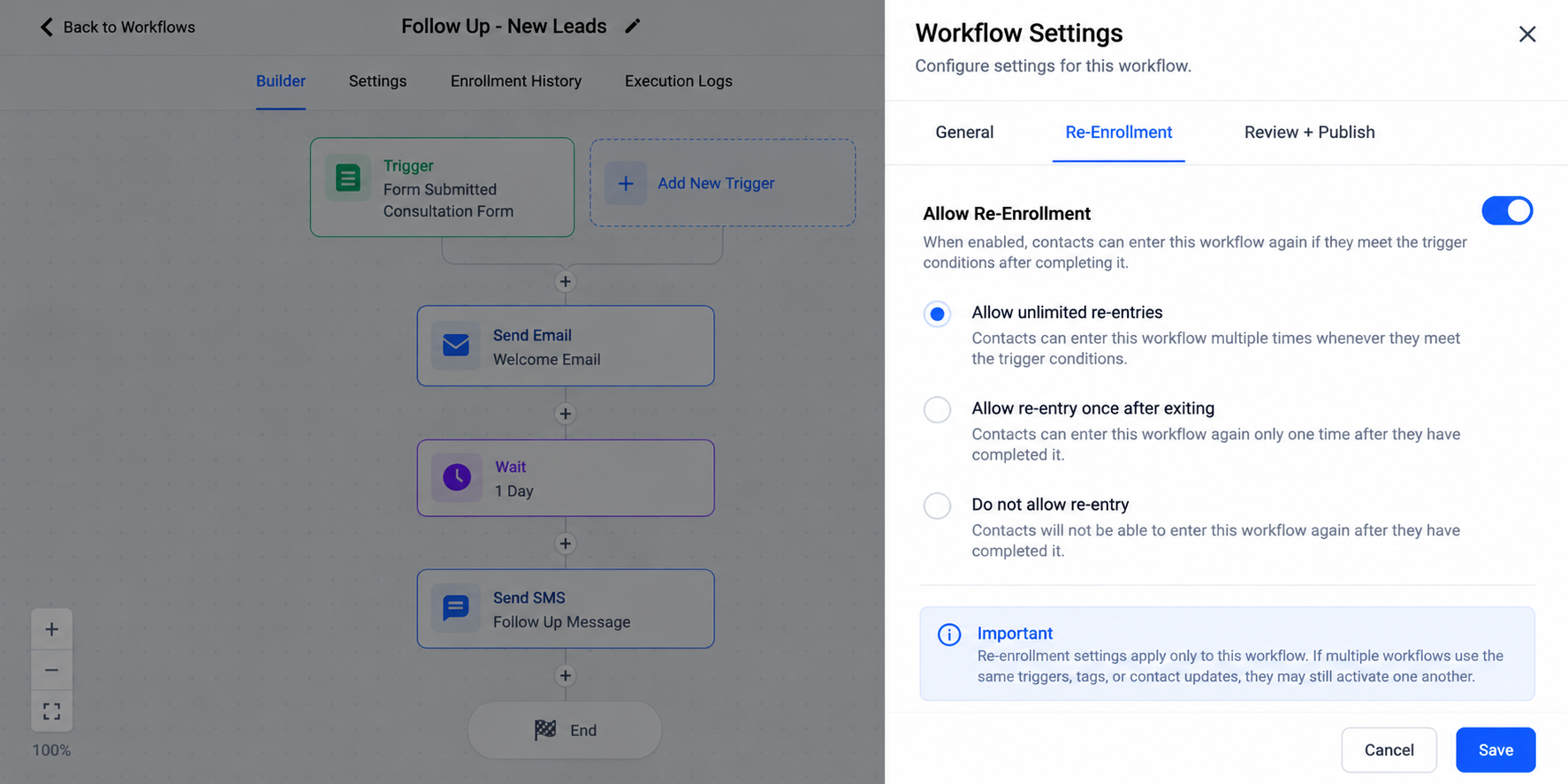
Also review other applicable enrollment settings and the behavior of connected automations.
3. Use Contact Tags Strategically
Status tags can help control workflow execution.
For example, a workflow could check whether a contact already has a welcome-sent tag before sending an introductory message.
After the message action, the workflow can apply that tag to indicate completion.
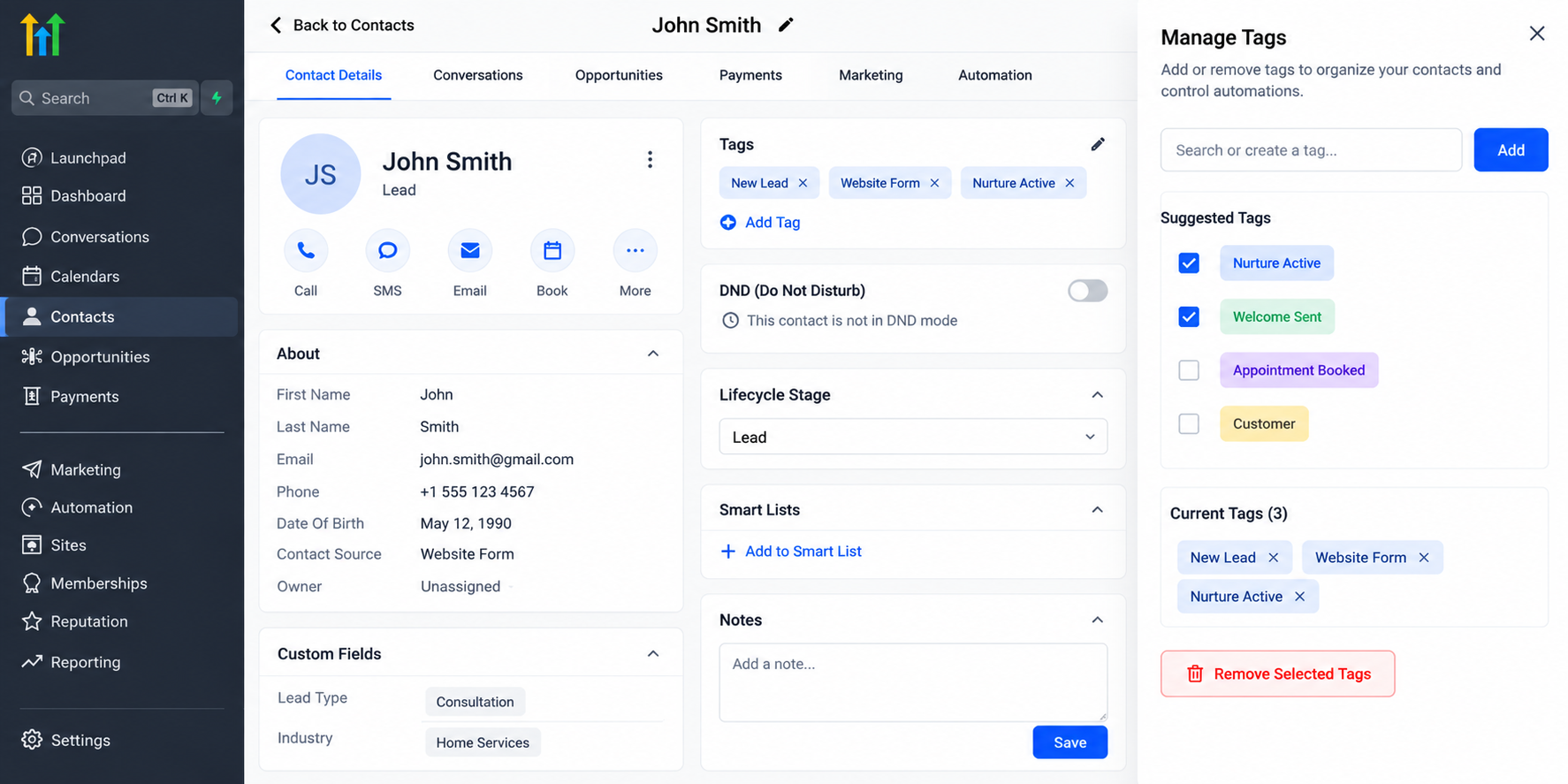
However, tags are a design technique, not a universal built-in loop-prevention system. Their effectiveness depends on consistent implementation.
4. Apply If/Else Conditions
GoHighLevel's If/Else action allows workflows to evaluate conditions before proceeding.
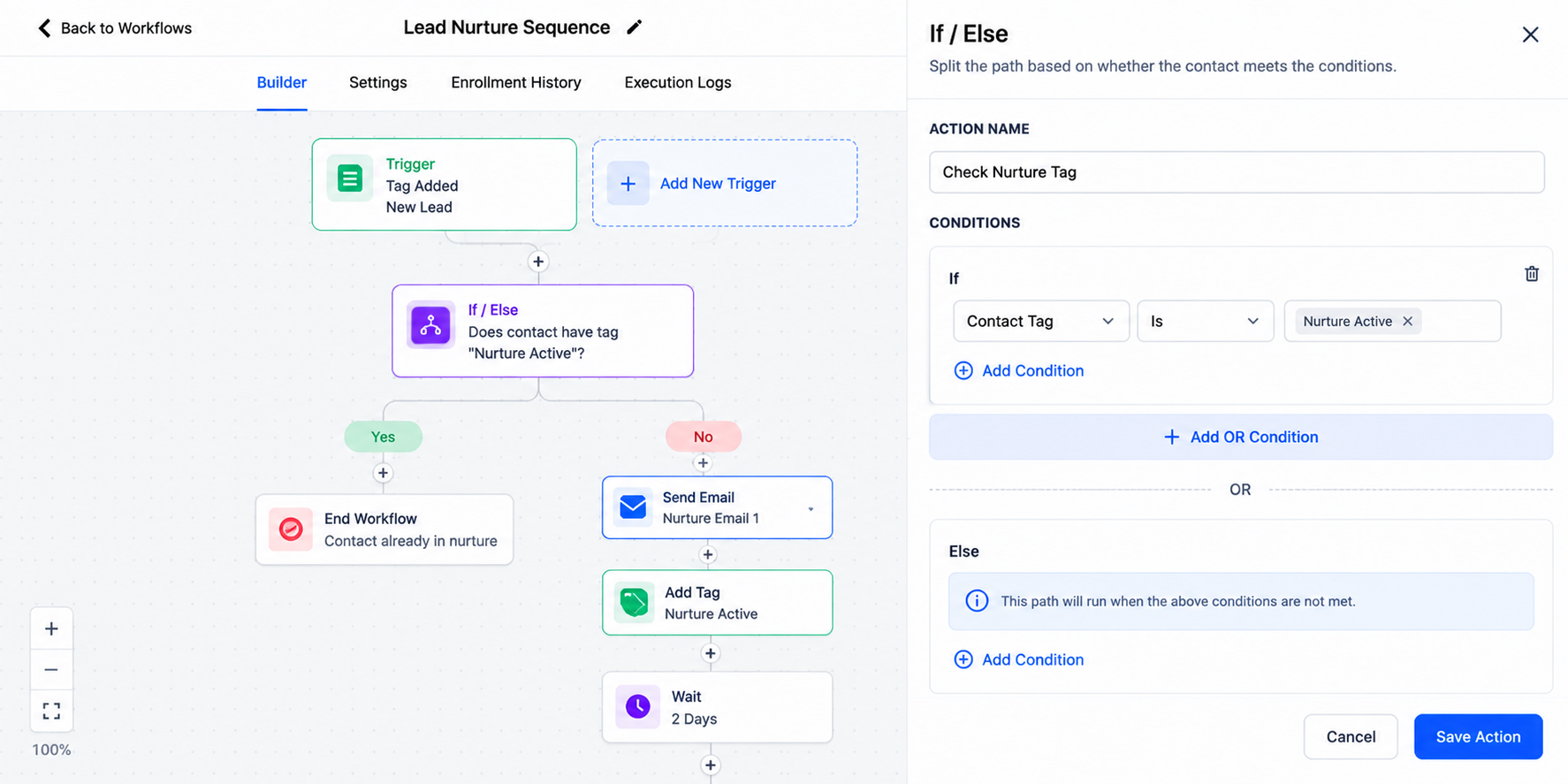
For example:
If the contact already has a completion tag, skip the messaging action.
Otherwise, continue with the intended follow-up.
This helps reduce unnecessary actions when contacts meet overlapping workflow conditions.
5. Avoid Conflicting Workflow Actions
Review automations that modify the same contact fields, tags, or opportunity stages.
Assign clear responsibilities to individual workflows whenever possible.
A workflow managing lead qualification should not repeatedly reverse changes made by another workflow responsible for appointment progression.
6. Test Before Publishing
Use dedicated test contacts and controlled scenarios to evaluate workflow behavior before activating automations for real leads.
Review workflow execution logs and enrollment activity to understand which actions ran and why.
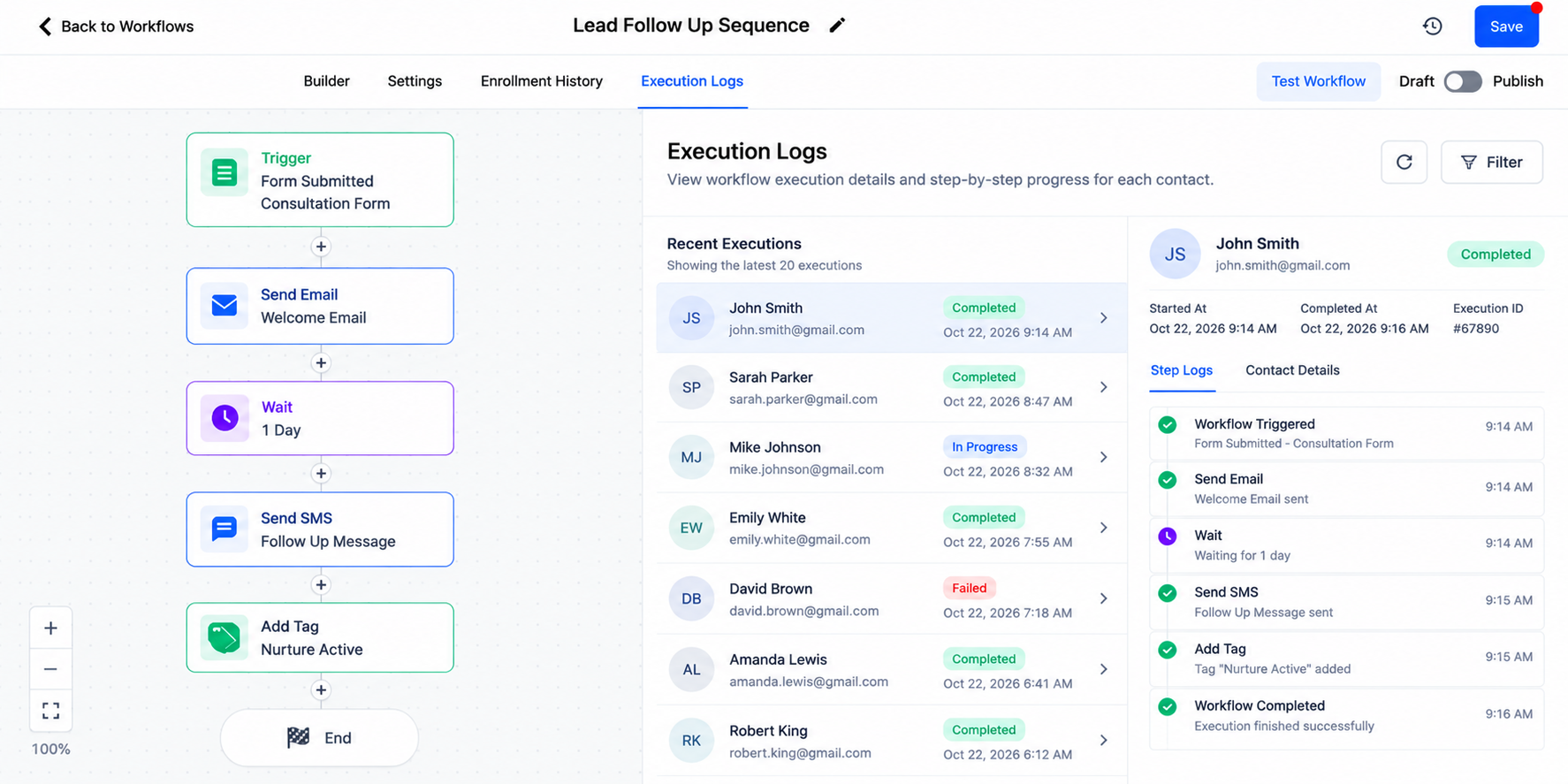
Test different conditions, including repeated form submissions, tag changes, and contact updates.
A Practical Example of Preventing an Automation Loop
Suppose a business creates two workflows.
Workflow A: When the needs-follow-up tag is added, it removes that tag and adds follow-up-active.
Workflow B: When follow-up-active is added, it removes that tag and adds needs-follow-up.
With applicable re-entry configurations allowing repeated enrollment, these workflows can continuously activate each other.
To correct this configuration, remove the conflicting tag actions and establish a clear progression.
Workflow A could replace needs-follow-up with follow-up-active, while Workflow B performs the required follow-up and applies a final follow-up-complete tag.
Neither workflow should automatically recreate the original trigger condition.
Appropriate If/Else checks and re-entry restrictions can provide additional safeguards.
Best Practices for Maintaining Reliable GoHighLevel Automations
Reliable CRM workflow automation requires ongoing maintenance.
Use descriptive workflow names that identify their purpose. Document dependencies between workflows, especially when shared tags or opportunity stages are involved.
Avoid unnecessary overlapping triggers and regularly review execution history for unexpected behavior.
Whenever you modify an important workflow, test the affected automation sequence before applying changes to active contacts.
These practices make GoHighLevel workflow optimization easier as your business automation system grows.
Conclusion
Preventing automation loops starts with understanding how triggers, workflow actions, and enrollment settings interact.
By combining carefully configured triggers, strategic tags, If/Else conditions, and consistent testing, businesses can build more dependable automation systems.
GoHighLevel provides flexible workflow tools, but successful automation depends on thoughtful configuration.
Review your existing workflows today to identify conflicting actions, unnecessary triggers, and opportunities to simplify your CRM processes.
Need Expert Help with GoHighLevel?
New to GoHighLevel and ready to get started? Buy your GoHighLevel account here and launch with confidence.
Already know what you need and want our team to handle everything, from complete setup and customization to funnels, workflows, automations, CRM, and pipelines? Click here.



