

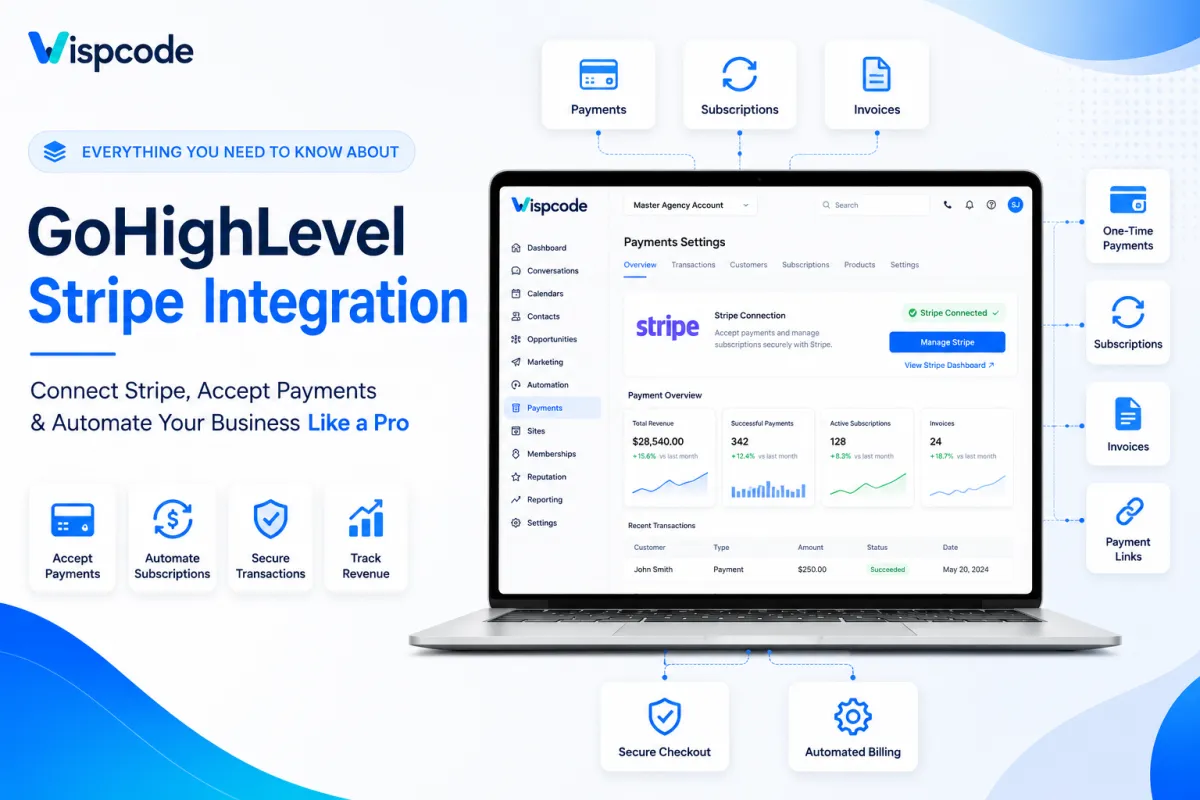
Connect Stripe to GoHighLevel: Everything You Need to Know
How to Connect Stripe to GoHighLevel: The Complete Step-by-Step Guide
Introduction
If you're using GoHighLevel to manage leads, automate marketing campaigns, build sales funnels, or schedule appointments, integrating a secure payment processor is essential for creating a complete sales and customer management system. One of the best ways to achieve this is by learning how to connect Stripe to GoHighLevel, allowing you to accept online payments, sell products and services, collect appointment deposits, and automate billing, all from a single platform.
The GoHighLevel Stripe integration is designed to simplify payment collection without requiring complicated configurations or third-party tools. Once connected, businesses can process one-time payments, recurring subscriptions, invoices, and checkout transactions while keeping customer information organized within the GoHighLevel CRM. This not only improves operational efficiency but also creates a seamless buying experience for customers.
Whether you're a digital marketing agency, consultant, coach, healthcare provider, local business, or online educator, integrating Stripe with GoHighLevel helps eliminate unnecessary manual work and streamlines your sales process from lead generation to payment confirmation.
In this comprehensive guide, you'll discover:
How to connect Stripe to GoHighLevel step by step
The key benefits of integrating Stripe with GoHighLevel
What you need before getting started
Best practices for secure payment processing
Common mistakes to avoid during setup
Professional tips to ensure your payment system runs smoothly
By the end of this guide, you'll have everything you need to confidently integrate Stripe into your GoHighLevel account and start accepting online payments with ease.
Why Connect Stripe to GoHighLevel?
Before jumping into the setup process, it's important to understand why businesses around the world choose the Stripe and GoHighLevel integration to manage their online payments.
GoHighLevel is a powerful all-in-one CRM and marketing automation platform, while Stripe is one of the world's leading online payment processors. Together, they provide a reliable solution for managing customer relationships and securely processing payments without switching between multiple applications.
Instead of using separate software for payment collection, invoicing, subscriptions, and customer management, everything can be handled from one centralized dashboard. This improves workflow efficiency, reduces manual tasks, and delivers a better customer experience.
Key Benefits of Connecting Stripe to GoHighLevel
Once you've completed the GoHighLevel Stripe integration, you'll be able to:
Accept secure online payments directly from your funnels, websites, and checkout pages.
Sell one-time products and services without relying on external payment platforms.
Offer recurring subscriptions for memberships, coaching programs, or monthly service plans.
Collect appointment deposits during calendar bookings to reduce no-shows.
Generate professional payment links that can be shared through email, SMS, or CRM conversations.
Send invoices and allow customers to pay online using Stripe.
Automate payment-related workflows, such as confirmation emails and follow-up sequences.
Track customer purchases inside your GoHighLevel CRM for improved reporting and customer management.
Simplify the customer journey by consolidating marketing, sales, and payment collection into a single platform.
These features make Stripe an excellent payment processor for agencies, freelancers, consultants, coaches, SaaS businesses, healthcare providers, and local service companies that want to manage both customer interactions and payments efficiently.
Why Businesses Prefer Stripe with GoHighLevel
Connecting Stripe to GoHighLevel offers more than just payment processing; it helps create a smoother sales workflow from the moment a lead enters your CRM until they complete a purchase.
For example:
A marketing agency can collect onboarding fees immediately after a client signs a proposal.
A business coach can sell coaching packages and recurring subscriptions through a sales funnel.
A fitness trainer can accept membership payments and automate welcome emails after successful transactions.
A medical clinic can collect appointment deposits during online booking to reduce last-minute cancellations.
A digital course creator can sell online programs through GoHighLevel funnels while Stripe securely handles the payment processing.
Because customer information, payment status, and automation all work together inside GoHighLevel, businesses spend less time on administrative tasks and more time focusing on growth.
What You Need Before Connecting Stripe to GoHighLevel
Before you begin the integration process, make sure you have everything required for a successful setup. Preparing these essentials in advance helps avoid interruptions and ensures that your Stripe connection is completed smoothly.
1. An Active GoHighLevel Account
You'll need access to an active GoHighLevel account. If you manage multiple client locations, ensure you're working inside the correct Sub-Account (Location) where you want to accept payments.
2. A Verified Stripe Account
A verified Stripe account is required before you can process live payments. During Stripe's verification process, you may be asked to provide business information, banking details, and identity verification depending on your country and business type.
Completing this verification early helps prevent delays when you start accepting customer payments.
3. Administrator Permissions
Only users with the appropriate administrative permissions can connect payment providers. If you're working within a client account or agency environment, confirm that your user role has access to manage integrations and payment settings.
4. Stable Internet Connection
Since the setup involves securely authorizing access between GoHighLevel and Stripe, a stable internet connection helps ensure the authorization process completes without interruption.
5. Business Banking Information
Although this isn't part of the GoHighLevel setup itself, your Stripe account should already be linked to the bank account you want to receive payouts. Double-check these details within Stripe before going live.
Step-by-Step Guide: How to Connect Stripe to GoHighLevel
One of the biggest advantages of the GoHighLevel Stripe integration is that the setup process is straightforward. In most cases, you can connect your Stripe account in just a few minutes.
Follow the steps below carefully to ensure your payment gateway is connected correctly.
Step 1: Log in to Your GoHighLevel Account
Begin by signing in to your GoHighLevel dashboard using your administrator credentials.
If you're an agency managing multiple client accounts, select the correct Sub-Account (Location) where you want Stripe to process payments. Each location maintains its own payment settings, so confirming you're in the right account is an important first step.
Before moving on, verify that you have permission to access the account's payment settings.
Pro Tip: If you're connecting Stripe for a client, double-check the selected location before authorizing the integration to avoid linking the wrong Stripe account.
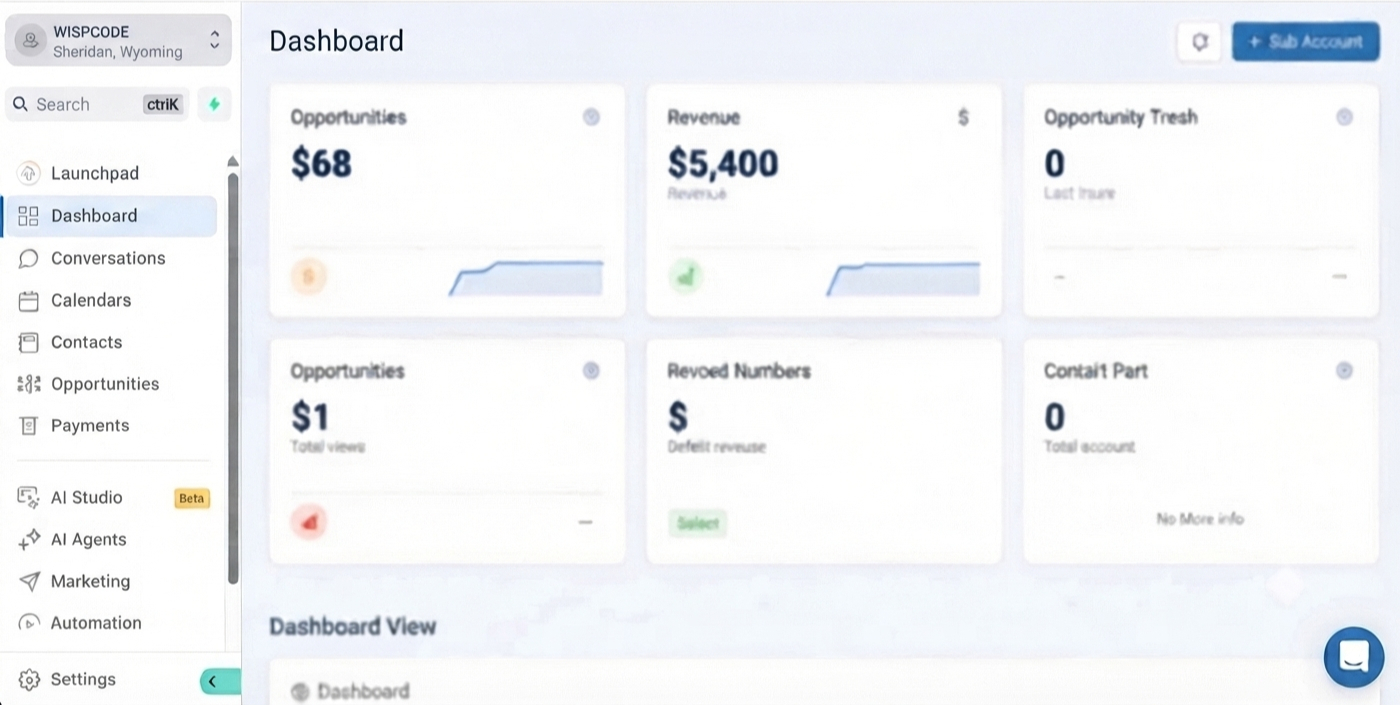
Step 2: Navigate to the Payments Section
Once you're inside the correct location, open the left-hand navigation menu and go to:
Settings → Payments
Depending on your GoHighLevel version and account configuration, you may see a section labeled Payments, Integrations, or Payment Providers.
This area allows you to connect supported payment processors, manage payment settings, and configure how your business accepts online transactions.
Take a moment to review the page before continuing to ensure no payment provider has already been connected.
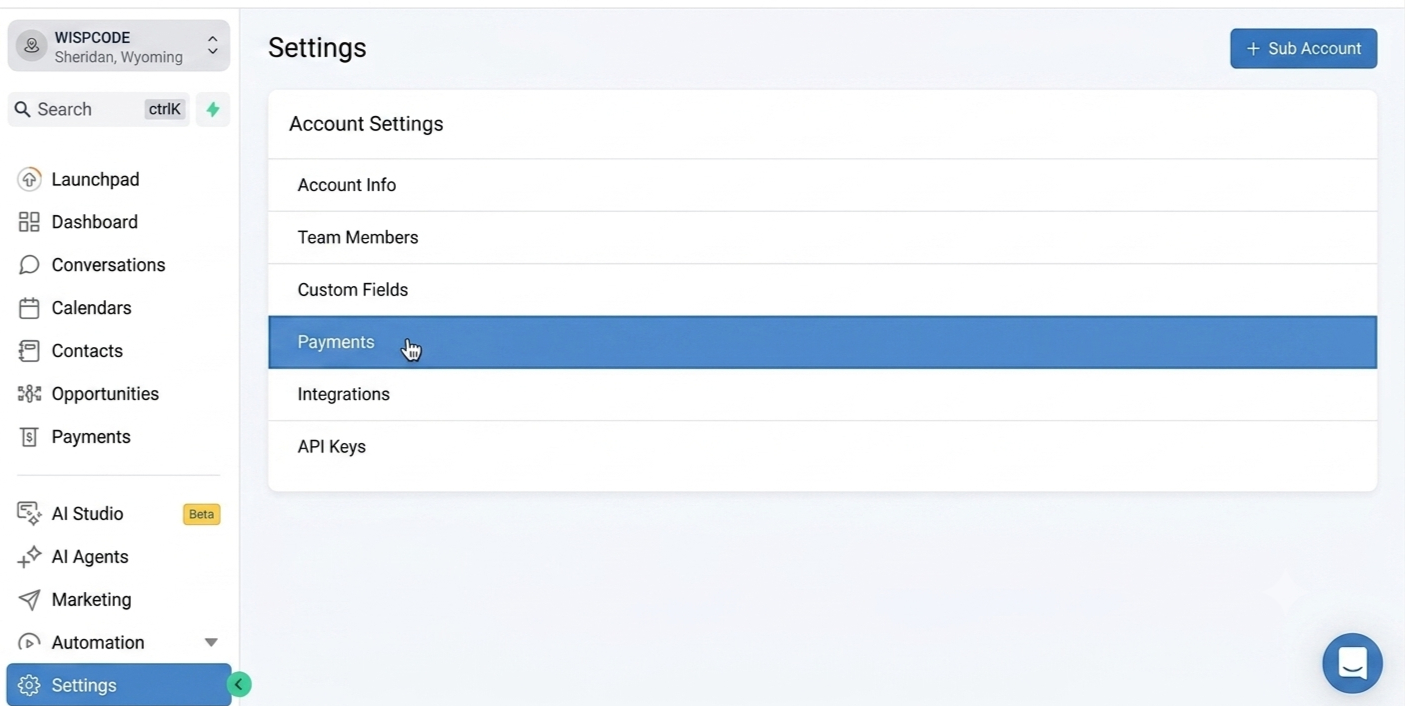
Step 3: Select Stripe as Your Payment Provider
Inside the payment settings, locate Stripe from the list of available payment providers.
Click the Connect button to begin the authorization process.
GoHighLevel will securely redirect you to Stripe's official login and authorization page. This secure connection ensures your login credentials remain protected while allowing GoHighLevel to request the necessary permissions to process payments on your behalf.
If you're already signed in to Stripe in your browser, you may simply be asked to confirm the connection instead of entering your login details again.
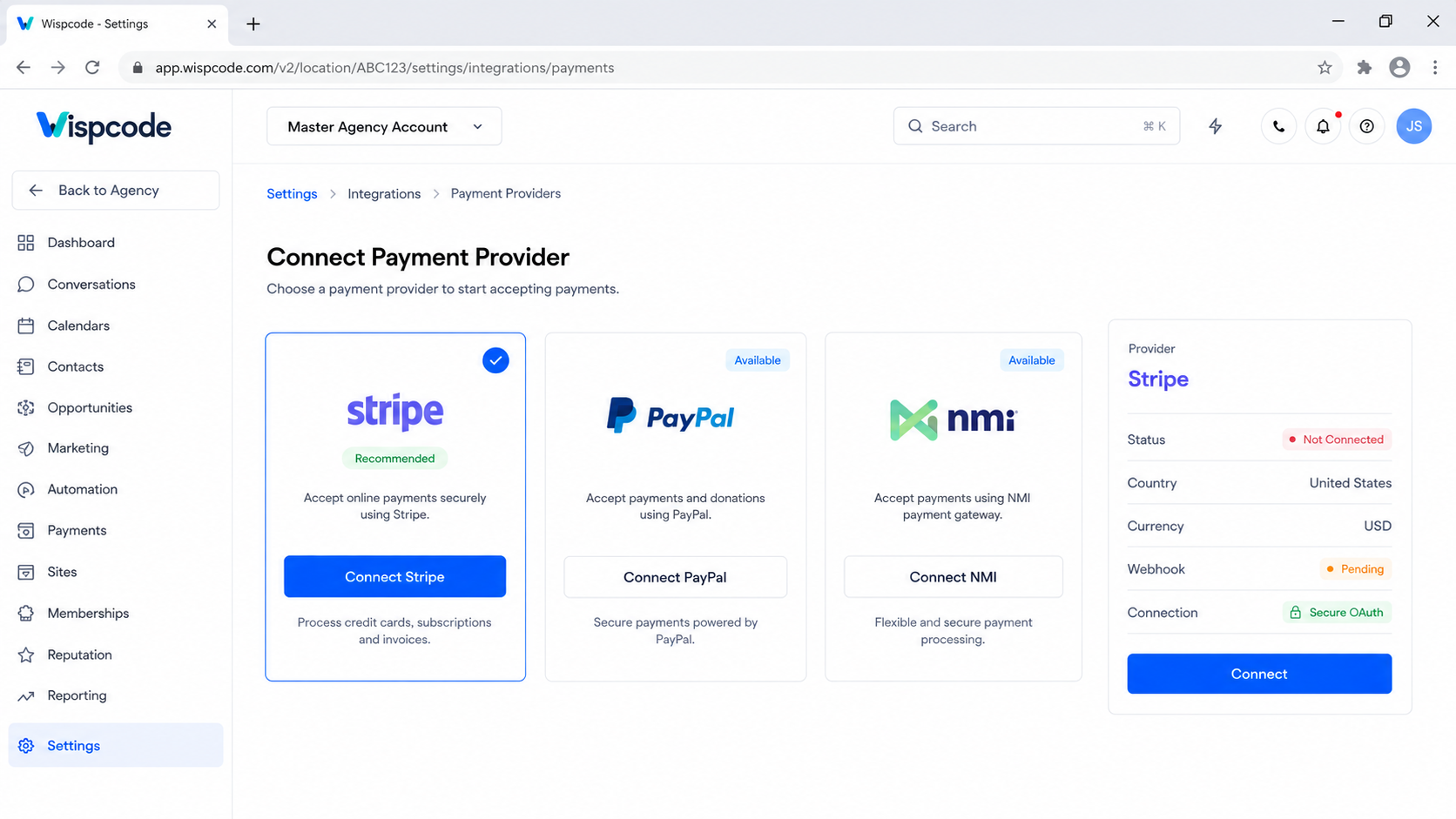
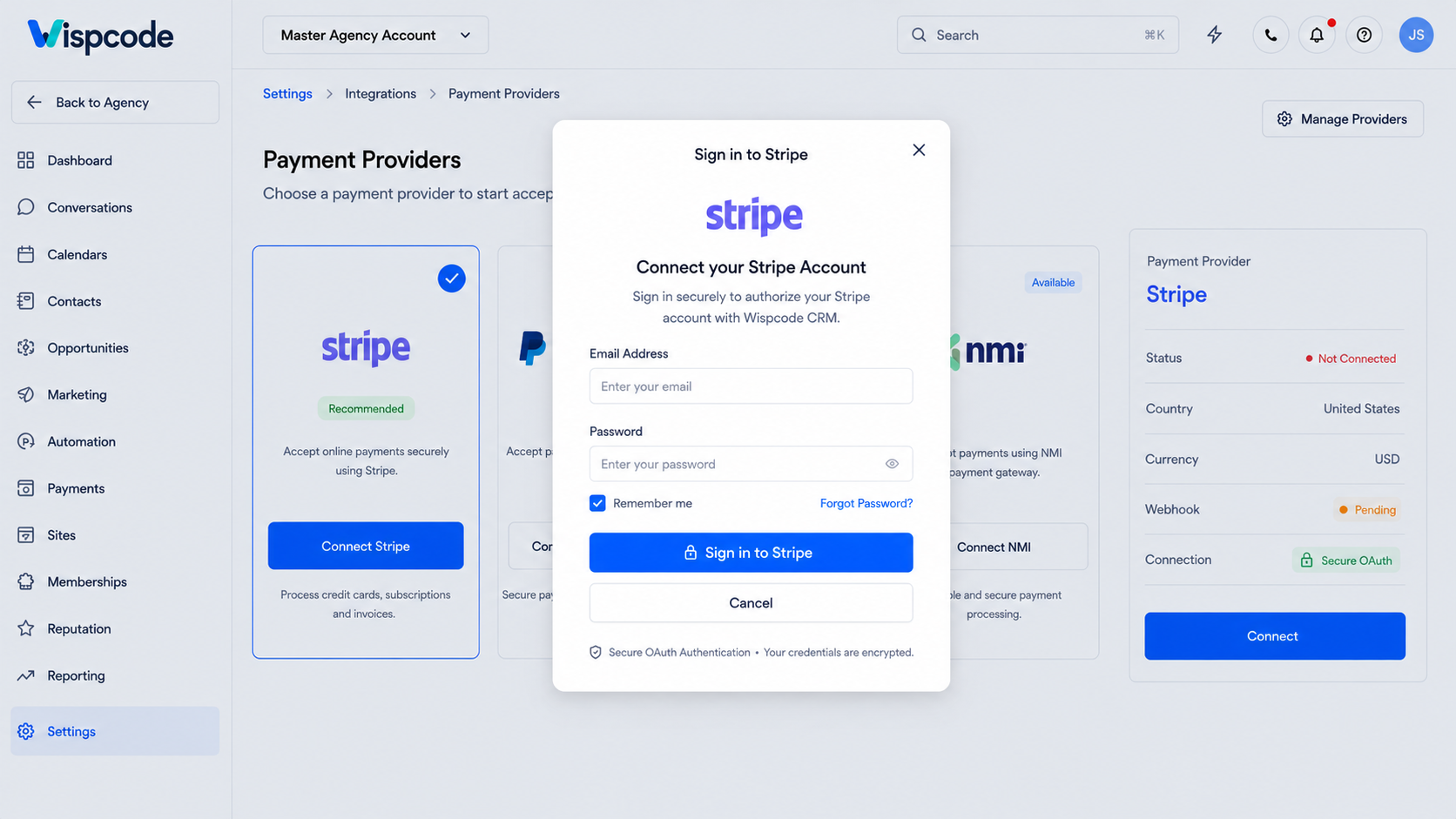
Step 4: Sign in to Your Stripe Account
After clicking Connect, you'll be redirected to Stripe's secure authorization page.
Sign in using your Stripe account credentials. If you're already logged in to Stripe, the platform may simply ask you to confirm the connection instead of requesting your login details again.
If you manage multiple Stripe accounts, carefully select the correct account before proceeding. Connecting the wrong Stripe account can result in payments being deposited into the wrong business account, which may require disconnecting and reconnecting the integration.
SEO Tip: Always verify that your Stripe account is fully activated and verified before processing live customer payments. This helps avoid delays in receiving payouts or limitations on payment processing.
Step 5: Authorize the Stripe Integration
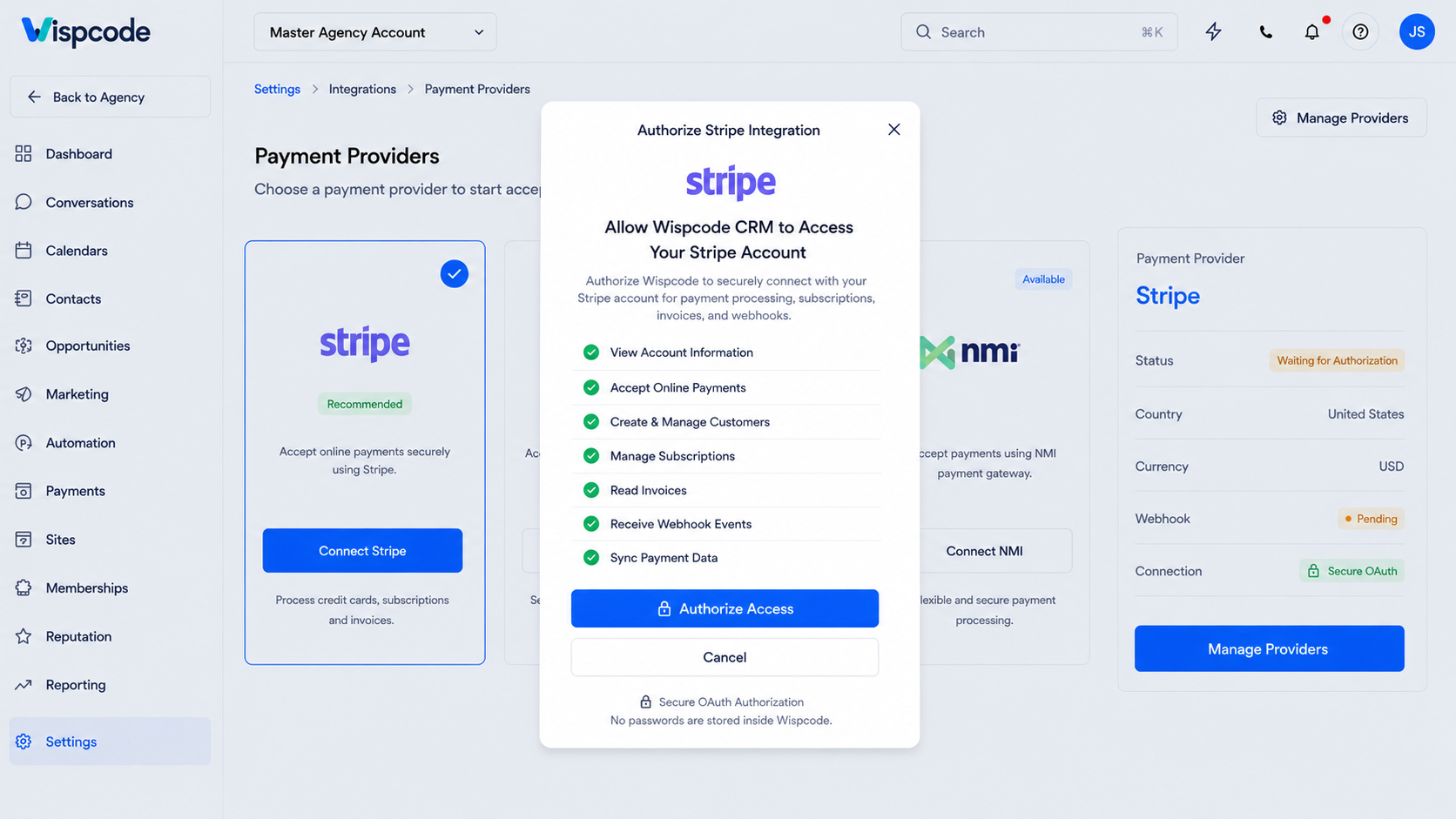
Once you've signed in, Stripe will display the permissions that GoHighLevel requires to process payments on your behalf.
Review the requested permissions carefully and click Connect or Authorize.
This secure authorization allows GoHighLevel to communicate with Stripe for payment-related activities such as:
Processing one-time payments
Managing recurring subscriptions
Collecting appointment deposits
Creating invoices
Recording successful payment events
Syncing payment information with your CRM
The authorization process only takes a few seconds. After approval, you'll automatically be redirected back to your GoHighLevel account.
Step 6: Verify the Stripe Connection
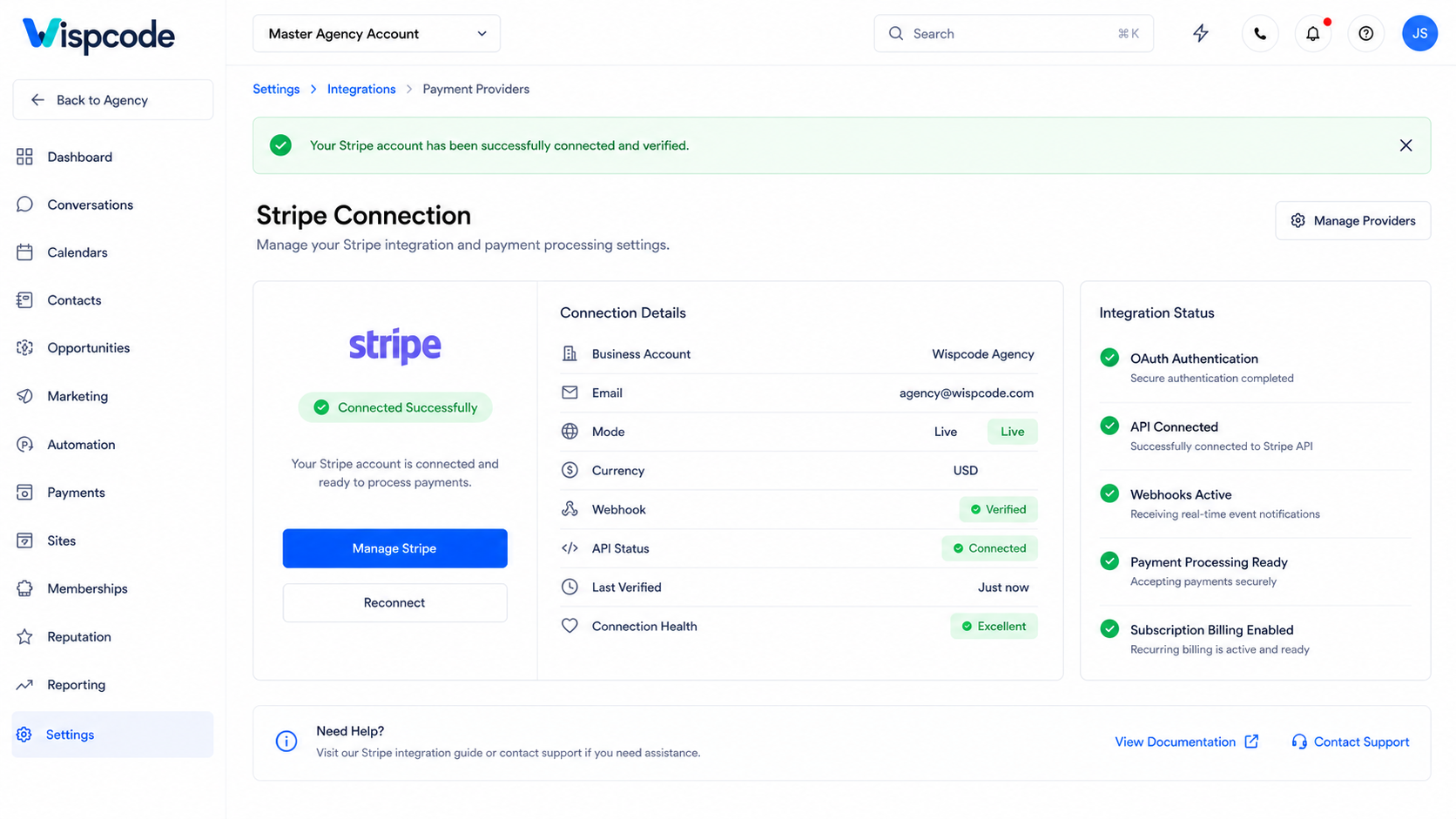
Once you're back inside GoHighLevel, confirm that your Stripe account is successfully connected.
A successful integration typically displays your connected Stripe account within the Payments section.
Now you're ready to begin accepting online payments across various GoHighLevel features, including:
Sales Funnels
Websites
Payment Links
Calendars
Memberships
Invoices
Products
Order Forms
Before launching your payment pages to customers, it's always a good idea to perform a test transaction to ensure everything is working correctly.
Where Can You Use Stripe Inside GoHighLevel?
One of the biggest advantages of connecting Stripe to GoHighLevel is the flexibility it provides across multiple business tools. Rather than using separate payment systems for different services, Stripe integrates seamlessly with several core GoHighLevel features.
Let's look at the most common ways businesses use Stripe within GoHighLevel.
1. Sales Funnels
GoHighLevel's funnel builder allows businesses to create high-converting landing pages and checkout experiences. After integrating Stripe, customers can complete secure payments without leaving your funnel.
This is ideal for selling:
Digital products
Coaching programs
Consulting services
Online courses
Event registrations
Marketing packages
A smooth checkout process helps reduce cart abandonment and improve conversion rates.
2. Business Websites
If your website is built using GoHighLevel, Stripe enables visitors to purchase products or services directly from your website.
This creates a seamless customer experience while keeping payment information organized within your CRM.
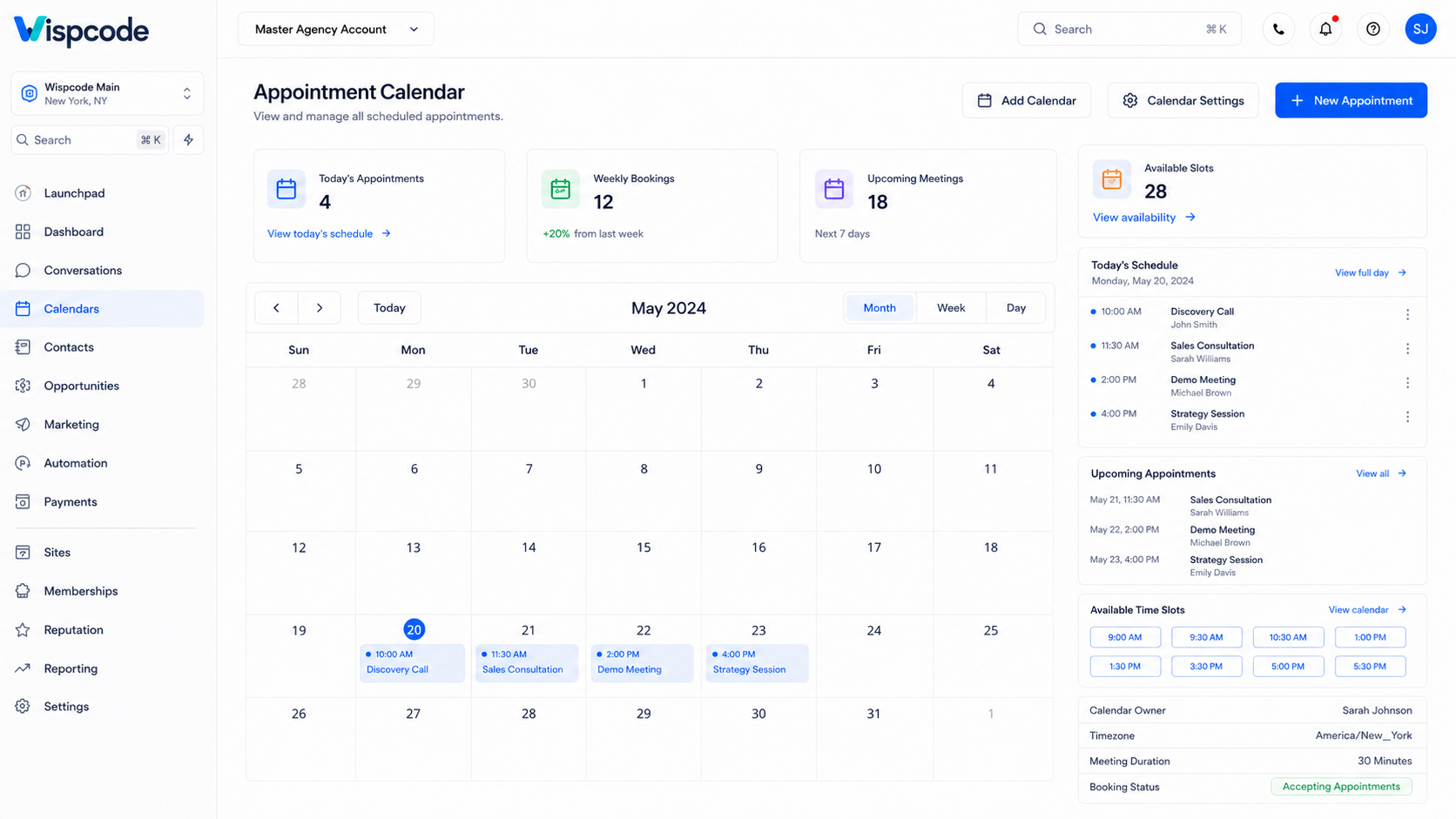
3. Appointment Booking and Calendars
Many service-based businesses require deposits before confirming appointments.
After connecting Stripe, GoHighLevel calendars can be configured to collect:
Booking deposits
Consultation fees
Full appointment payments
This is particularly valuable for:
Medical clinics
Dental practices
Beauty salons
Fitness trainers
Business consultants
Home service companies
Collecting payments upfront often reduces appointment cancellations and no-shows.
4. Memberships and Online Courses
Businesses offering premium educational content or membership communities can use Stripe to process payments before granting access.
Examples include:
Online training programs
Digital academies
Coaching memberships
Exclusive communities
Premium learning resources
This creates a secure purchasing experience while simplifying customer onboarding.
5. Payment Links
Sometimes businesses don't need an entire sales funnel.
GoHighLevel allows you to generate payment links that can be shared through:
Email campaigns
SMS messages
CRM conversations
Social media
Direct customer communication
Payment links make it easy to collect payments quickly without requiring customers to navigate a complete website.
6. Invoices
Businesses providing services often rely on invoices rather than checkout pages.
GoHighLevel enables users to create professional invoices while Stripe securely processes customer payments online.
This works well for:
Agencies
Freelancers
Contractors
Consultants
Service providers
Real Business Use Cases
Understanding how businesses use the GoHighLevel Stripe integration can help you maximize its value.
Marketing Agencies
Marketing agencies can invoice clients, collect onboarding fees, and receive recurring monthly retainers through Stripe while keeping payment records connected to customer profiles inside GoHighLevel.
Business Coaches
Coaches can sell:
Discovery sessions
One-on-one coaching
Group coaching
Subscription programs
Masterclasses
All payments can be processed securely using Stripe.
Healthcare Providers
Clinics and healthcare professionals often require appointment deposits before confirming bookings.
Stripe makes this process simple while reducing missed appointments.
Fitness Businesses
Gyms and personal trainers can collect:
Membership payments
Personal training fees
Nutrition program payments
Online coaching subscriptions
Digital Product Businesses
Entrepreneurs selling digital products can securely accept payments for:
eBooks
Templates
Digital downloads
Video courses
Software resources
Best Practices for Connecting Stripe to GoHighLevel
Following these professional recommendations helps ensure your payment system remains secure, reliable, and efficient.
Verify Your Stripe Account
Before accepting live customer payments, complete Stripe's verification process. A verified account helps prevent payment interruptions and ensures smoother payouts.
Test Your Entire Checkout Process
Never assume everything works perfectly after connecting Stripe.
Complete a test purchase and verify:
Successful payment processing
Confirmation page
Email notifications
CRM updates
Workflow automation
Invoice generation (if applicable)
Testing helps identify issues before customers encounter them.
Keep Product Information Organized
Well-organized products improve reporting and customer experience.
Best practices include:
Clear product names
Accurate pricing
Consistent descriptions
Separate recurring and one-time offers
Use Secure Checkout Pages
Always publish checkout pages over HTTPS and review them before sending customers to complete payments.
A secure checkout process helps build customer trust and protects sensitive payment information.
Monitor Payment Activity Regularly
Review payment reports within both Stripe and GoHighLevel to identify:
Failed payments
Refund requests
Customer payment issues
Subscription renewals
Regular monitoring helps you resolve problems quickly and maintain a positive customer experience.
Common Mistakes to Avoid
Although connecting Stripe is straightforward, avoiding these common mistakes can save time and prevent payment issues.
Connecting the Wrong Stripe Account
If you manage multiple businesses or clients, double-check which Stripe account you're authorizing before completing the integration.
Skipping Stripe Verification
An unverified Stripe account may limit payment processing or delay payouts.
Complete all required verification steps before accepting customer payments.
Forgetting to Test Transactions
Always perform a test payment before launching your payment pages publicly.
Testing confirms that your checkout pages, workflows, and payment confirmations work as expected.
Incorrect Product Setup
Review product pricing, billing frequency, and payment options carefully before publishing them.
Even small pricing mistakes can lead to customer confusion or billing issues.
Ignoring Failed Payments
Failed transactions can affect revenue and customer satisfaction.
Regularly monitor payment activity and contact customers promptly if payment issues occur.
Frequently Asked Questions (FAQs)
1. Is Stripe free to connect with GoHighLevel?
Yes. Connecting Stripe to GoHighLevel does not require an additional integration fee from GoHighLevel. However, Stripe charges its standard transaction fees for processing payments according to your country and account type.
2. Can I accept recurring subscription payments?
Yes. Stripe supports recurring billing, and GoHighLevel can use Stripe for subscription-based products where supported by your configured products and payment setup.
3. Do I need coding skills to connect Stripe?
No. The entire integration is completed through GoHighLevel's payment settings and Stripe's secure authorization process. No coding knowledge is required.
4. Can I collect appointment deposits through GoHighLevel?
Yes. If payment collection is enabled for your calendar booking, Stripe can securely collect deposits or full payments during the appointment scheduling process.
5. How can I confirm that Stripe is connected successfully?
After completing the authorization process, your Stripe account should appear as connected in the Payments section of your GoHighLevel location. You can also perform a test transaction to verify that payments are processing correctly.
Conclusion
Knowing how to connect Stripe to GoHighLevel is essential for businesses that want to simplify payment collection, automate billing, and deliver a seamless customer experience. By integrating one of the world's most trusted payment processors with GoHighLevel's all-in-one CRM and marketing platform, you can manage payments, customer information, and business automation from a single dashboard.
Whether you're selling digital products, collecting appointment deposits, managing recurring subscriptions, or sending professional invoices, the GoHighLevel Stripe integration provides a secure and efficient way to process online payments. Following the setup process, testing your payment workflows, and applying the best practices outlined in this guide will help ensure a reliable payment system for both your business and your customers.
As your business grows, maintaining an optimized payment process becomes just as important as generating leads. A properly configured Stripe integration allows you to reduce manual work, improve operational efficiency, and create a smoother buying journey, helping you focus on what matters most: growing your business with GoHighLevel.
Need Expert Help with GoHighLevel?
New to GoHighLevel and ready to get started? Buy your GoHighLevel account here and launch with confidence.
Already know what you need and want our team to handle everything, from complete setup and customization to funnels, workflows, automations, CRM, and pipelines? Click here.



