

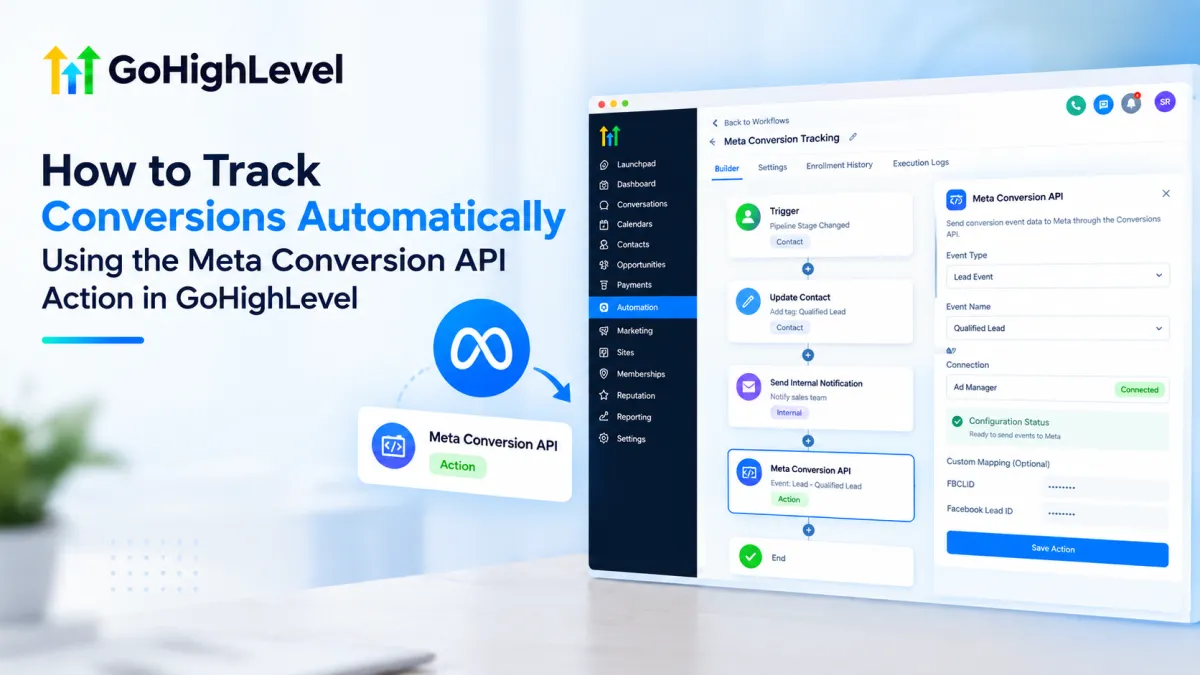
How to Use Meta Conversion API Action in GoHighLevel
How to Track Conversions Automatically Using the Meta Conversion API Action in GoHighLevel
Reliable conversion tracking matters when valuable customer actions happen after an ad click. A lead may submit a form, book an appointment, or progress through the sales pipeline. Reporting those outcomes back to Meta can provide more complete measurement signals.
The Meta Conversion API Action in GoHighLevel helps automate that reporting. It is a workflow action, not a trigger, used inside a workflow to send supported conversion-event data to Meta.
What Is the Meta Conversion API Action in GoHighLevel?
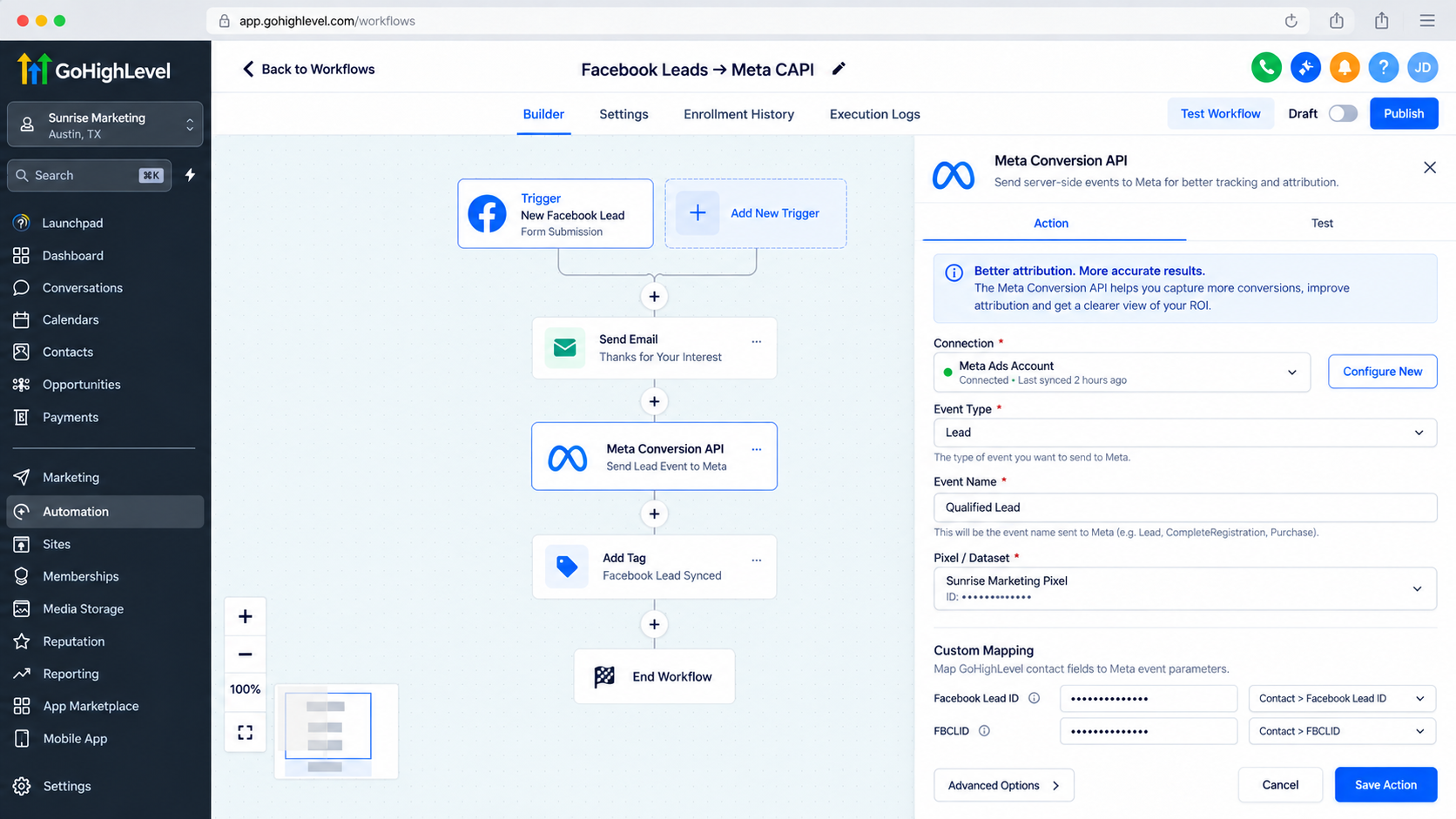
The Meta Conversion API Action sends conversion information from HighLevel to Meta through the Conversions API. HighLevel documents Funnel Events and Lead Events, with requirements depending on the activity being reported.
Its purpose is to connect activity recorded in HighLevel with Meta conversion tracking when a relevant funnel or CRM event occurs.
The action does not create a successful advertising conversion by itself. It sends event information; Meta handles matching, attribution, reporting, and use of that data.
How the Action Works in a GoHighLevel Workflow
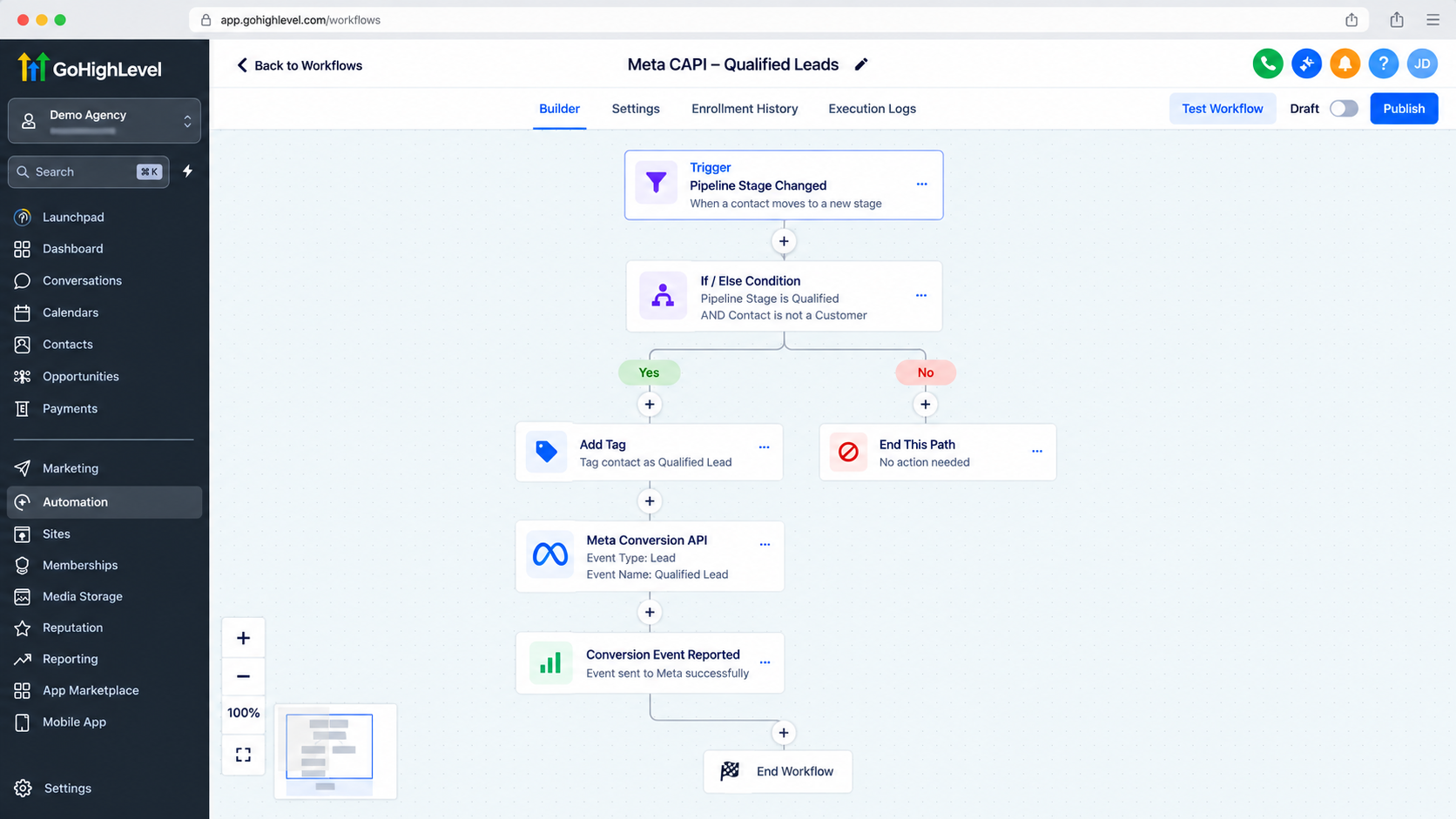
The flow is:
Trigger → Workflow steps/actions → Meta Conversion API Action → Event reporting to Meta
The trigger starts the workflow. The Meta Conversion API Action runs when the contact reaches that step.
For Funnel Events, HighLevel currently documents Form Submitted, Survey Submitted, Customer Booked Appointment, and Order Form Submission as supported triggers. For Lead Events, Facebook Lead Form Submission and Pipeline Stage Change are common choices. HighLevel also says other contact-based triggers may work for later CRM activity when the contact already has valid Facebook attribution information.
When the workflow reaches the action, HighLevel uses its configuration and available attribution data to send the event. If the contact lacks suitable Meta attribution information, the action may execute in HighLevel while Meta may still be unable to receive or correctly attribute the conversion.
Practical Example: Reporting a Qualified Lead
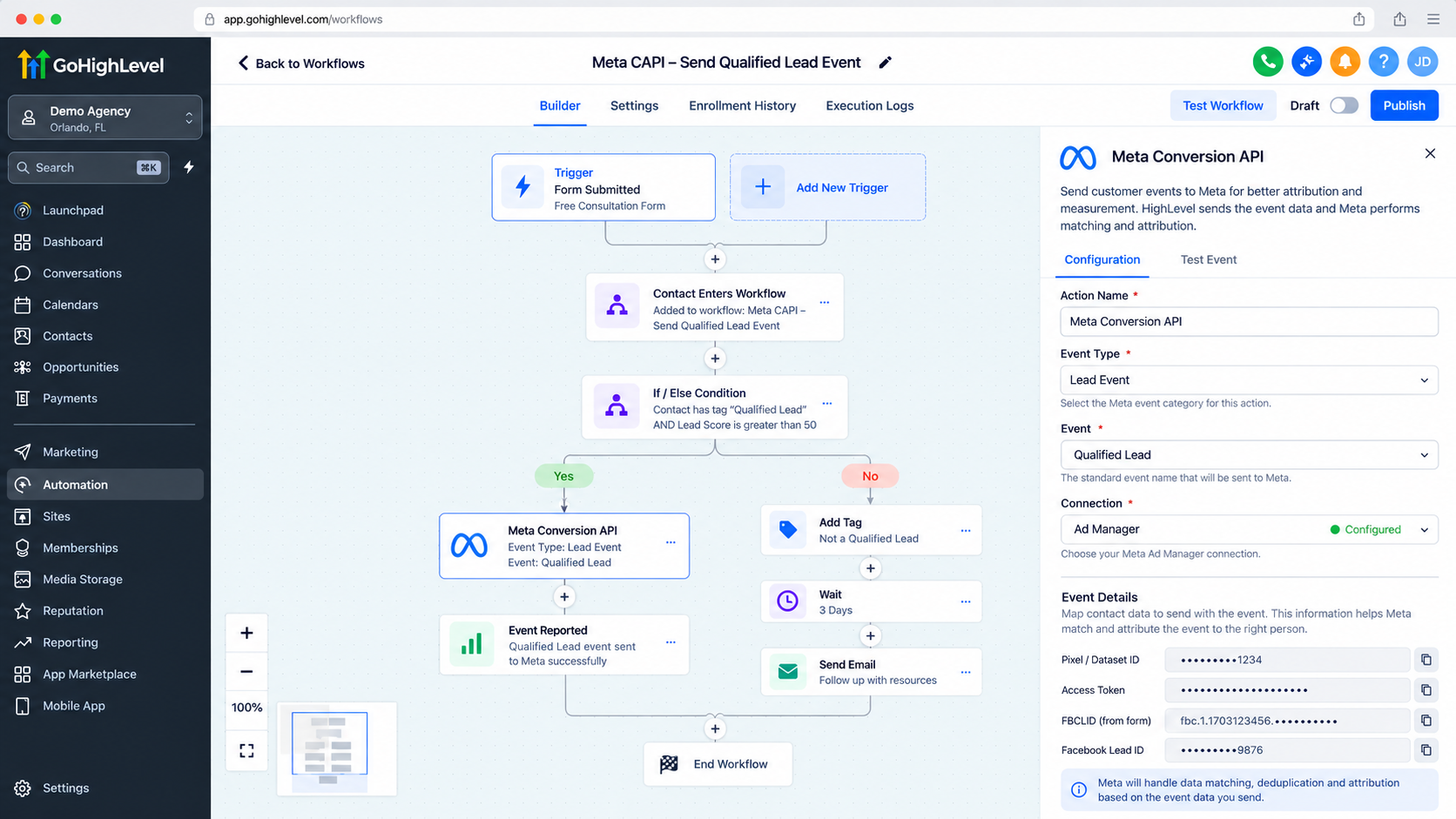
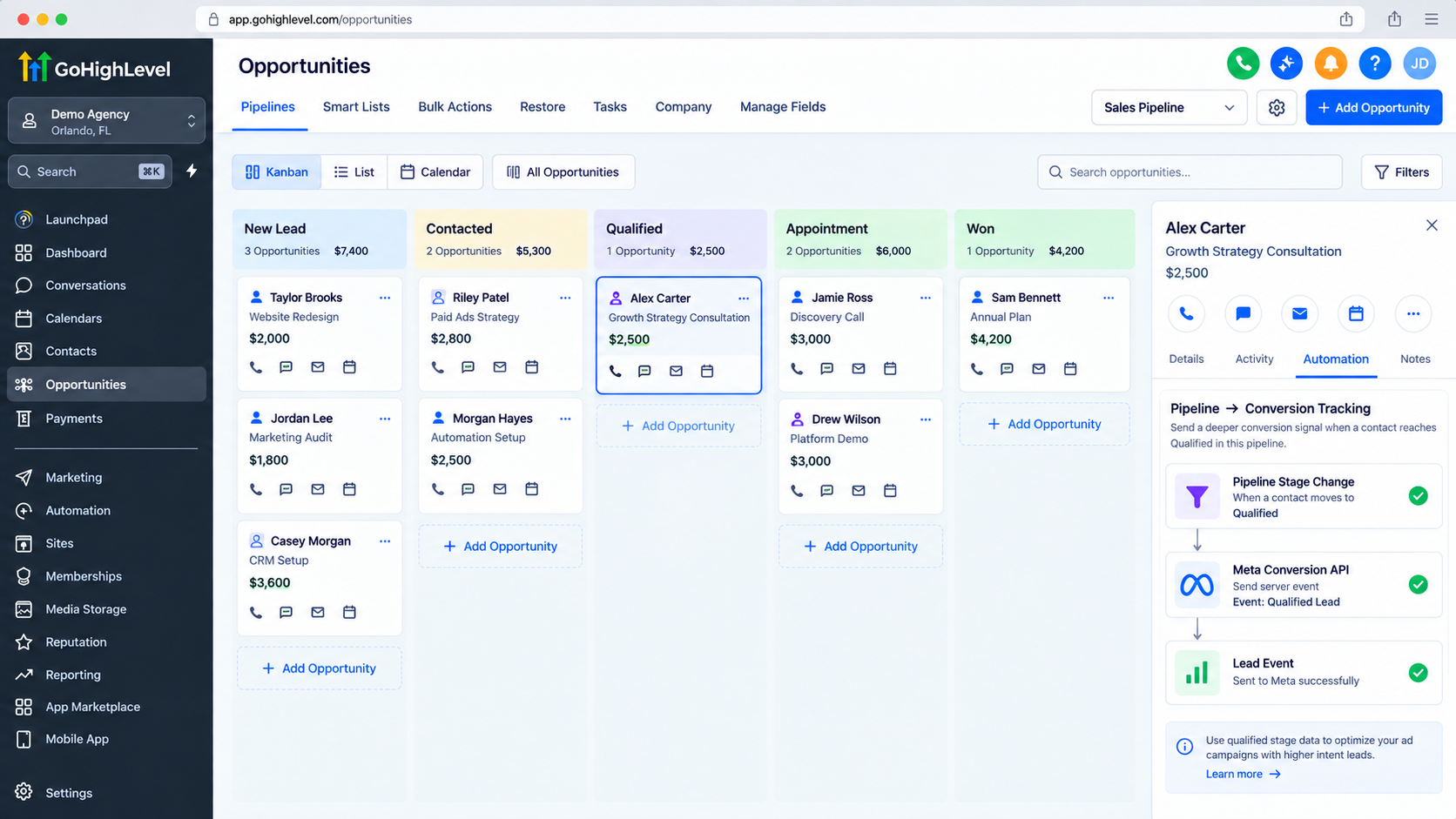
Consider a service business generating leads through Meta ads. A prospect submits a Meta lead form and becomes a contact in HighLevel. Later, the sales team qualifies the lead and moves the opportunity to the appropriate pipeline stage.
Meta lead → Qualification recorded in CRM → Meta Conversion API Action → Lead-stage event sent to Meta
This reports a deeper funnel outcome, provided the contact still has the Meta attribution information needed for matching. HighLevel specifically documents using later CRM activity to send conversion data when Facebook attribution remains associated with the contact.
How to Use It Effectively
Choose a real business outcome worth reporting. Supported submissions, appointments, orders, or lead-stage progression can be meaningful in the right workflow context.
Match the workflow logic to the event type. HighLevel distinguishes Funnel Events from Lead Events, so the trigger and event configuration should represent the customer action accurately.
HighLevel offers two connection types: Integrations and Ad Manager. With Ad Manager, eligible conversion pixels are available for selection and HighLevel manages the access token. In the documented Integrations setup, the action uses the Meta access token and Pixel/Dataset ID.
HighLevel also supports custom mapping for FBCLID on Funnel Events and Facebook Lead ID on Lead Events. Supplied custom mapping takes priority over the system default.
Important Accuracy and Tracking Considerations
Automated conversion tracking is only as useful as the workflow logic and data behind it. Report events only when they actually happen, and avoid sending the same outcome through overlapping automations.
HighLevel notes that contacts need appropriate Facebook attribution information for Meta to match later events correctly. A workflow trigger by itself does not create that attribution history.
For funnel tracking used alongside browser events, HighLevel states that event deduplication is handled automatically when the same stored event ID is available.
The GoHighLevel Meta Conversion API does not guarantee lower costs, higher ROAS, or more conversions. It supplies conversion signals that can support measurement and optimization; results still depend on tracking quality, campaign configuration, audience, creative, bidding, and other factors.
What the Action Does and Does Not Do
The action automates sending supported conversion data from a workflow to Meta. It does not configure your entire Meta tracking setup, create attribution for contacts that lack it, or guarantee Meta will count every event as an advertising conversion.
Think of it as one reporting step: HighLevel sends the configured event data, while Meta determines how it is matched and attributed.
Conclusion
The Meta Conversion API Action in GoHighLevel is useful when HighLevel already knows that a meaningful customer action occurred and you want that outcome reported to Meta automatically. With accurate workflow logic and valid attribution data, it can connect CRM activity with Meta conversion tracking.
The priority is accuracy: report genuine events, use the correct workflow context, preserve reliable attribution data, and treat CAPI as part of a broader tracking setup.
FAQs
Is the Meta Conversion API Action a trigger?
No. It is a workflow action. A trigger starts the workflow; this action runs when the contact reaches that step.
Does it replace the Meta Pixel?
Not necessarily. HighLevel documents setups that use browser Pixel tracking alongside Conversions API reporting.
Why might a conversion not attribute correctly?
Missing Meta attribution information is one possible reason. Without suitable identifiers, Meta may be unable to associate the event with the original interaction.
Does using CAPI guarantee better ad results?
No. It can provide conversion signals for measurement and optimization, but results depend on factors beyond the tracking method.
Need Expert Help with GoHighLevel?
New to GoHighLevel and ready to get started? Buy your GoHighLevel account here and launch with confidence.
Already know what you need and want our team to handle everything, from complete setup and customization to funnels, workflows, automations, CRM, and pipelines? Click here.



