

Manage Multiple GoHighLevel Sub-Accounts: Step-by-Step Guide
How to Manage Multiple GoHighLevel Sub-Accounts Efficiently
Introduction
Managing one GoHighLevel account is relatively straightforward. Managing 10, 20, or even hundreds of client sub-accounts is a different challenge.
As an agency grows, the difficulty is rarely just creating campaigns or workflows. The real challenge is keeping every client account organized, consistent, secure, and easy for your team to manage.
GoHighLevel gives agencies several tools that can make this easier, including sub-account organization, snapshots, centralized user permissions, feature permissions, and standardized processes. The key is knowing how to use those tools together rather than treating every client account as a completely separate project.
This guide explains practical ways to manage multiple GoHighLevel sub-accounts efficiently, reduce repetitive work, and create a more scalable agency operation.
What Are GoHighLevel Sub-Accounts?
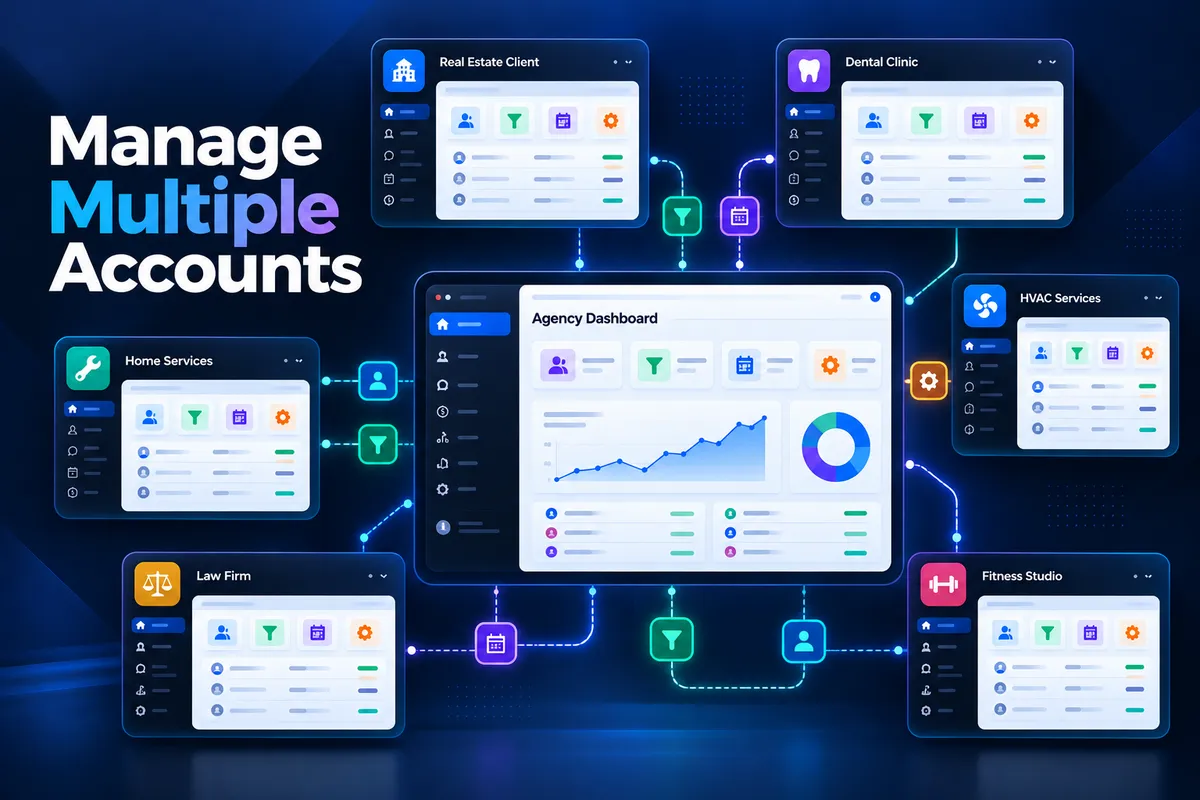
A GoHighLevel sub-account is a separate business workspace within an agency account. Each sub-account can have its own contacts, conversations, calendars, opportunities, workflows, funnels, websites, and other resources.
For agencies, this structure makes it possible to manage multiple clients from one agency environment while keeping their business data and configurations separated.
HighLevel describes sub-accounts as locations, with each location functioning as an individual workspace. Agencies can also designate an Agency Sub-Account for their own internal operations when appropriate.
For example, a marketing agency might have:
Client A — HVAC company
Client B — Roofing company
Client C — Law firm
Client D — Dental practice
Client E — Insurance agency
Each client can operate inside its own sub-account while the agency manages the overall environment.
The problem starts when the number of accounts increases.
Without a standardized management system, your team may spend unnecessary time switching between accounts, rebuilding workflows, adjusting permissions, checking settings, and troubleshooting inconsistent setups.
Why Managing Multiple Sub-Accounts Becomes Difficult
The more client accounts an agency manages, the more opportunities there are for inconsistency.
One account might have a workflow named differently from another. Another might use different pipeline stages. A third might have team members with excessive permissions.
Common problems include:
Rebuilding the same assets repeatedly
Inconsistent workflow configurations
Different naming conventions
Incorrect user permissions
Difficulty onboarding new clients
Unnecessary access to sensitive settings
Outdated client configurations
Time-consuming manual updates
The solution isn't simply to work faster.
Instead, agencies should build a repeatable operating system for managing sub-accounts.
1. Create a Standardized Account Structure
Before creating dozens of client accounts, establish standards for how accounts should be organized.
Decide on naming conventions for:
Workflows
Pipelines
Calendars
Forms
Tags
Custom fields
Campaigns
Opportunities
Folders
Internal assets
For example, instead of allowing every team member to name workflows differently, establish a structure such as:
WF — Lead Follow-Up — New Lead
WF — Appointment — Confirmation
WF — Appointment — Reminder
WF — Missed Appointment — Follow-Up
The exact naming convention isn't important. "Consistency is".
When your team opens a new client account, they should immediately understand how the account is structured.
This also makes troubleshooting easier because your team doesn't have to learn a completely different organizational system for every client.
2. Use Snapshots to Standardize Client Setups
One of the most useful tools for agencies managing multiple sub-accounts is the "Snapshot" system.
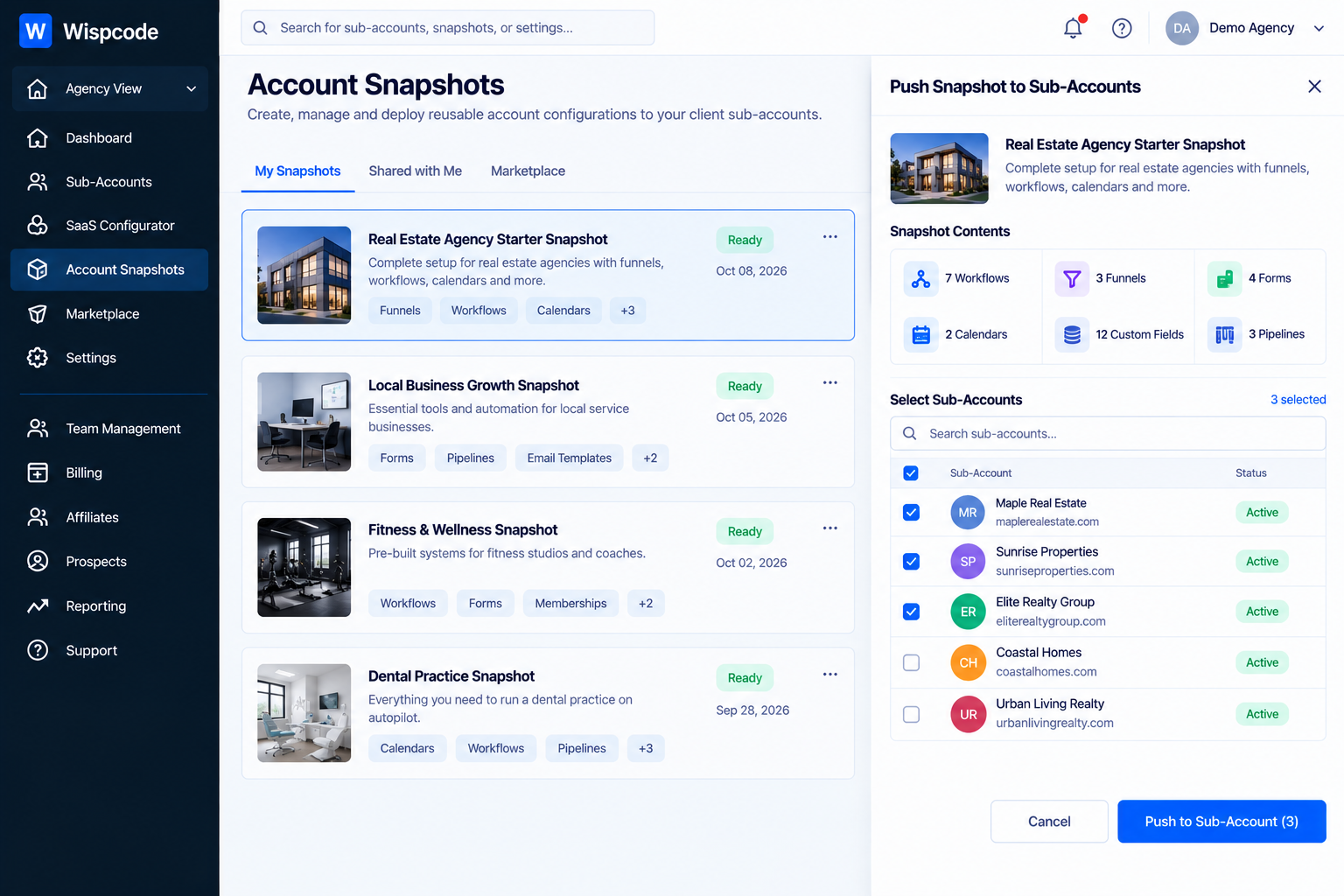
Snapshots allow agencies to save reusable account configurations and apply them to other sub-accounts.
Depending on the assets included, snapshots can contain things such as workflows, calendars, funnels, forms, and settings. HighLevel also supports creating a new sub-account using a snapshot as its starting configuration.
Instead of building the same foundation repeatedly, your agency can create a standardized starting point.
For example, you might create a base snapshot containing:
Standard lead pipeline
Appointment calendar structure
Lead follow-up workflows
Contact fields
Forms
Basic automation
Internal notification workflows
Common templates
Then, when a new client joins, you can start from that foundation and customize the account for that business.
Don't Treat a Snapshot as the Finished Account
A snapshot should generally be considered a "starting framework", not a reason to stop reviewing the account.
Every client has different:
Business information
Team members
Calendars
Services
Branding
Integrations
Workflows
Sales processes
Your team should review the account after applying the snapshot and customize the client-specific elements.
3. Apply Updates Across Multiple Accounts When Appropriate
Managing standardization becomes even more useful when your agency has a large number of similar accounts.
HighLevel currently supports loading a snapshot into multiple sub-accounts from a centralized Snapshot workflow. Agencies can select destination accounts from the Snapshot area instead of opening each sub-account individually.
This can reduce repetitive account-by-account work when rolling out standardized assets.
For example, suppose your agency improves a standard appointment workflow that is used by several clients.
Instead of manually navigating into every account to begin the rollout, a centralized snapshot process can help you manage the deployment across selected sub-accounts.
However, updates should still be handled carefully. A change that is appropriate for one client may not necessarily be appropriate for every client.
4. Build a Clear Permission System
Account access becomes increasingly important as your agency grows.
You probably don't want every employee to have unrestricted access to every client account.
HighLevel provides multiple layers of access control, including:
User type
User role
Sub-account assignment
Module permissions
Granular permissions
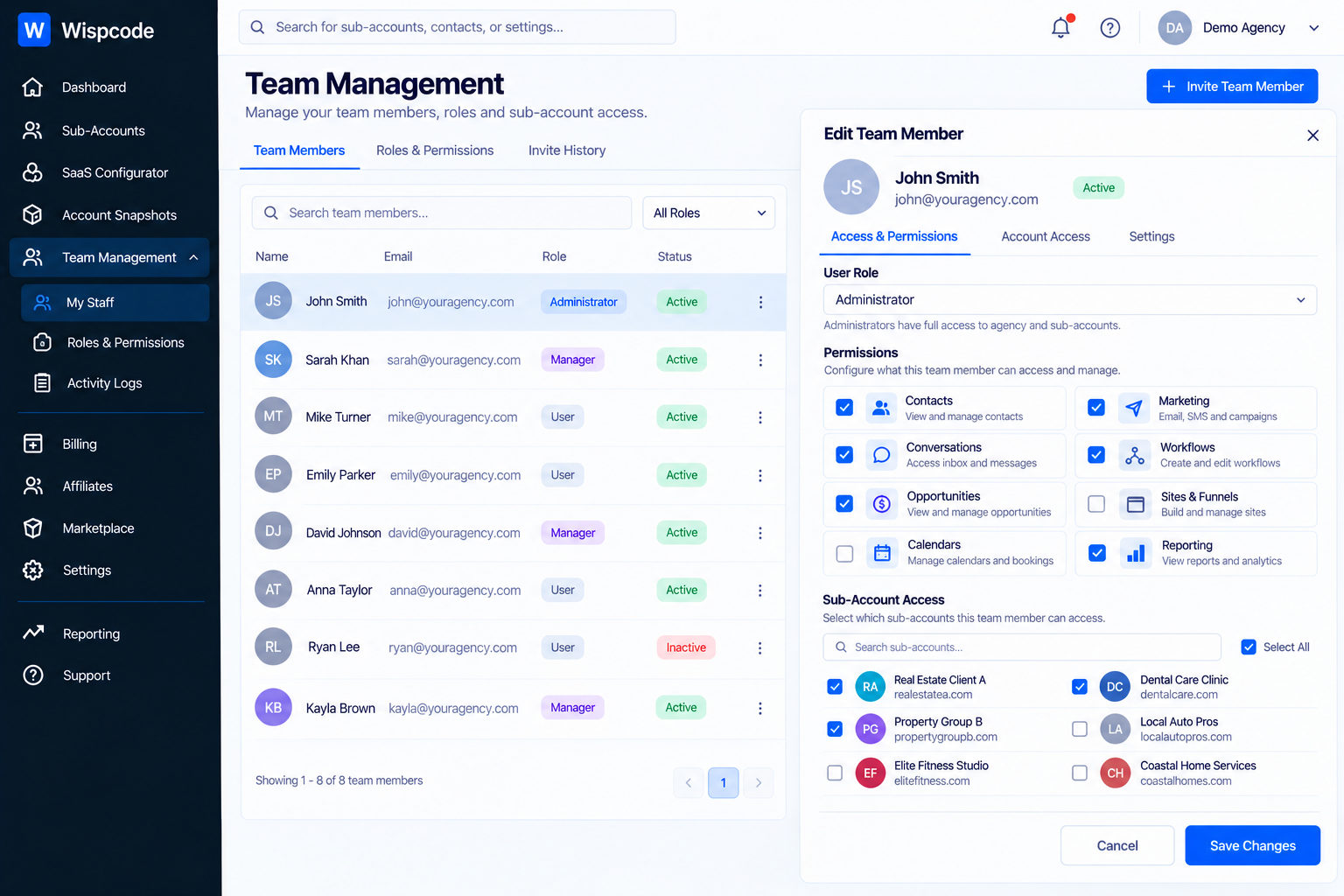
An "Account-type user" can be assigned access to selected sub-accounts without receiving agency-wide access.
This is particularly useful for teams where different employees manage different groups of clients.
For example:
Account Manager A
→ Client 1
→ Client 2
→ Client 3Account Manager B
→ Client 4
→ Client 5
→ Client 6
This approach gives your team the access they need without unnecessarily exposing unrelated client accounts.
Follow the Principle of Least Privilege
Give each team member the minimum access required to perform their responsibilities.
A fulfillment specialist may need access to workflows and conversations but not agency billing.
A sales employee may need access to opportunities and contacts but not account administration.
An administrator may need broader permissions.
HighLevel's current permission system supports controlling both modules and more granular actions, allowing agencies to tailor access based on responsibilities.
5. Separate Sub-Account Permissions From User Permissions
This distinction is important.
There are two different questions:
What can this sub-account use?
and
What can this particular user do?
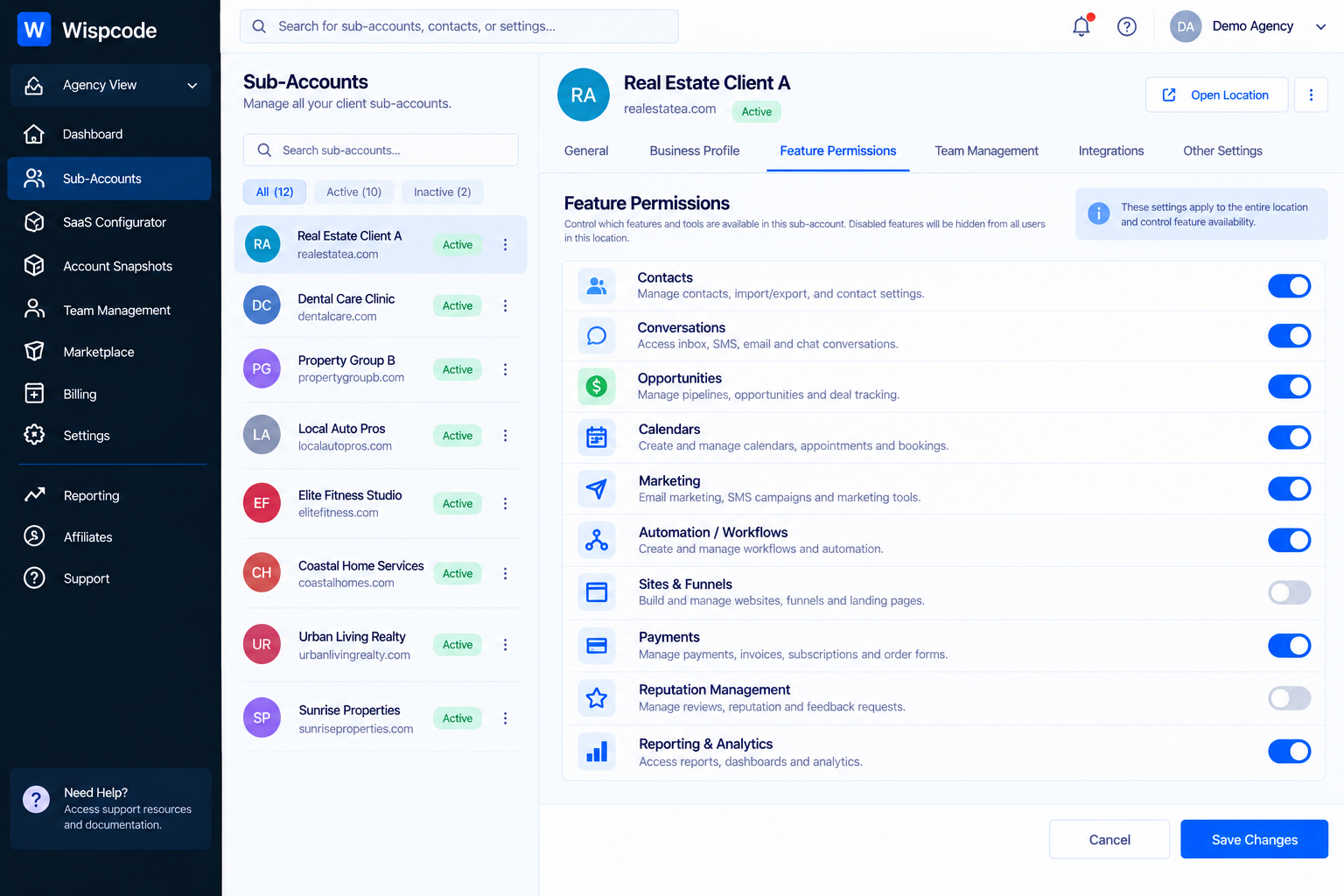
HighLevel's Feature Permissions control which features are available to a sub-account, while individual user permissions control what a specific person can access within that environment.
For example, an agency might make certain features available to a client account while limiting what individual client employees can actually manage.
This gives agencies another layer of control.
Don't assume that giving someone access to a sub-account automatically means they should have unrestricted access to everything inside it.
6. Create an Internal Client Onboarding Checklist
A standardized onboarding checklist can dramatically improve consistency.
Instead of relying on memory, create a repeatable process.
A basic checklist might include:
Account Setup
Create or configure the sub-account
Add company information
Verify branding
Connect required domains
Configure relevant integrations
CRM Setup
Create pipelines
Review opportunity stages
Configure custom fields
Import or connect contacts
Verify contact organization
Automation
Apply the standard snapshot
Review workflows
Update client-specific messaging
Verify triggers
Check appointment automation
Calendars
Create required calendars
Connect appropriate calendars
Confirm availability
Test booking functionality
Access
Add internal team members
Add client users
Configure roles
Review module permissions
Remove unnecessary access
A checklist transforms onboarding from an informal process into an operational system.
7. Use Feature Permissions to Simplify Client Accounts
Clients don't necessarily need to see every feature available in HighLevel.
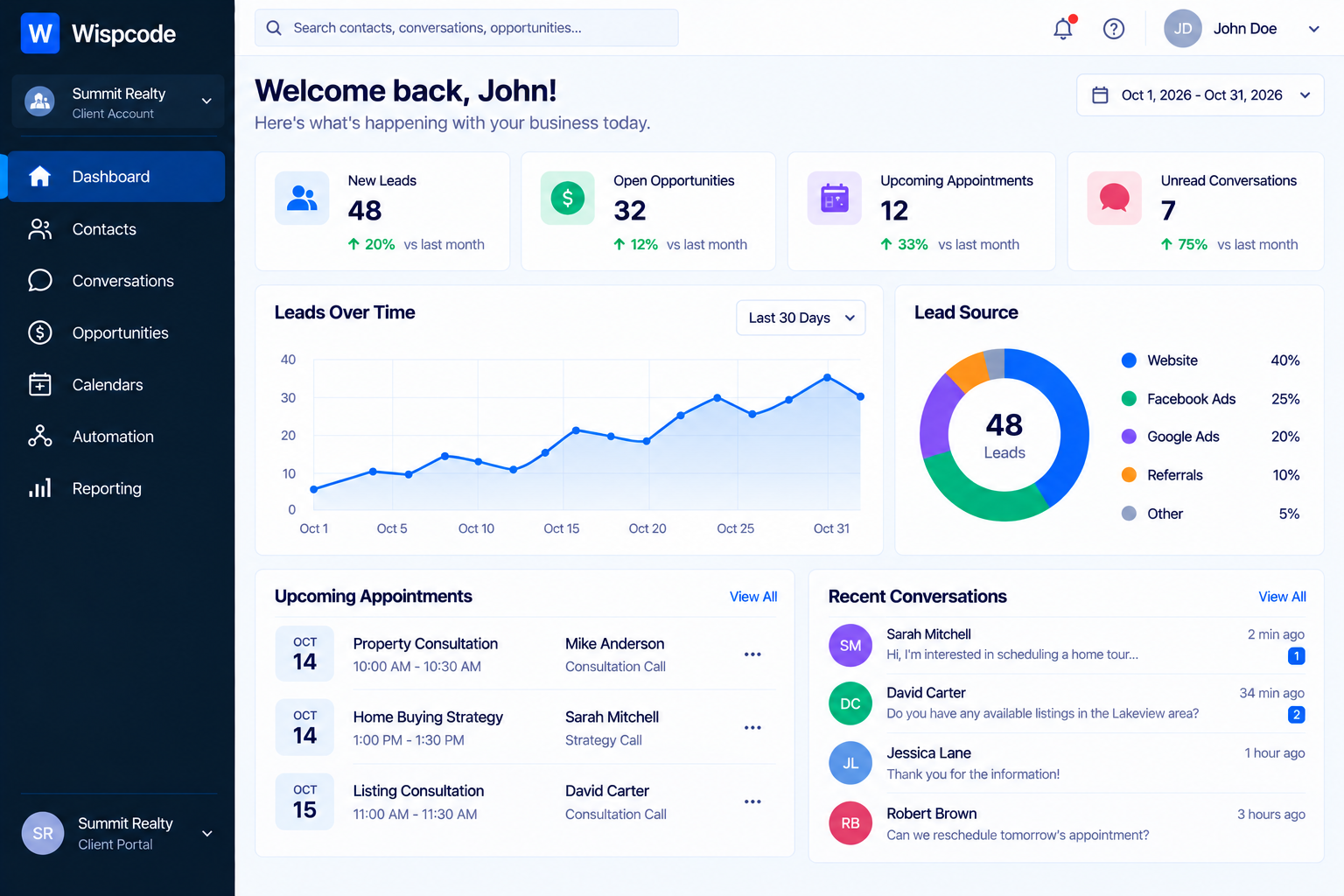
HighLevel's Feature Permissions allow agencies to control which features a sub-account can access. The current system includes more than 80 controllable features organized into categories and modules.
This can be useful for creating a cleaner client experience.
For example, one client might primarily need:
Contacts
Conversations
Calendars
Opportunities
Another client may need additional:
AI features
Reputation management
Marketing
Payments
Websites
Rather than exposing every available capability, agencies can configure feature access according to the client's needs and service package.
8. Keep Your Workflows Consistent
Automation becomes difficult to maintain when every sub-account uses completely different logic.
Whenever possible, standardize the underlying structure.
For example, your agency might use a common lead-management framework:
New Lead → Follow-Up → Appointment → Sales Process → Customer
The actual messages and business rules can change for each client, but the overall architecture can remain consistent.
This makes it easier for your team to understand accounts and troubleshoot problems.
It also makes onboarding new employees easier because they aren't learning an entirely new automation system for every client.
9. Document Client-Specific Changes
Standardization doesn't mean every account should be identical.
Clients will always have exceptions.
One client may have three sales pipelines. Another may use a different appointment process. A third may require custom integrations.
Document those differences.
A simple internal record can include:
Area | Standard | Client-Specific Change |
|---|---|---|
Pipeline | Standard sales pipeline | Added financing stage |
Calendar | Standard booking calendar | Added multiple service calendars |
Workflow | Standard lead follow-up | Custom qualification branch |
Permissions | Standard client access | Manager receives additional access |
This prevents your team from accidentally treating a customization as a mistake later.
10. Test Changes Before Rolling Them Out
One of the biggest mistakes an agency can make is making a large configuration change without testing it.
Before deploying a significant workflow or snapshot update, test the configuration in an appropriate environment.
Check:
Workflow triggers
Emails
SMS messages
Internal notifications
Pipeline movement
Calendar booking
Contact creation
Opportunity creation
User access
Integrations
A workflow that works perfectly in one account can still require client-specific adjustments elsewhere.
Testing helps reduce the chance of turning a small configuration change into a client-wide problem.
Common Mistakes to Avoid
Giving Everyone Agency-Level Access
Broader access isn't automatically better. Assign users only the accounts and permissions they actually need.
Building Every Account From Scratch
If several clients use similar systems, rebuilding everything manually creates unnecessary work. Use reusable structures where appropriate.
Making One Giant Snapshot for Every Client
A universal snapshot may become difficult to maintain. Consider creating logical standardized foundations for different service types or use cases.
Ignoring Client-Specific Differences
Standardization should provide consistency without forcing every business into an identical setup.
Failing to Review Permissions
Team responsibilities change. Someone who needed access to five accounts six months ago may only need two today.
Review access periodically.
Changing Production Automations Without Testing
Even small workflow changes can affect lead communication, appointments, or internal processes. Test important changes before deployment.
Frequently Asked Questions(FAQ's)
1. What are GoHighLevel sub-accounts?
Sub-accounts are separate workspaces that agencies can use to manage different clients and their business data.
2. How can I manage multiple GoHighLevel sub-accounts efficiently?
Use standardized naming, snapshots, permissions, checklists, documentation, and regular account reviews.
3. Can I use snapshots for multiple client accounts?
Yes. Snapshots can provide a reusable foundation that can be applied to appropriate sub-accounts.
4. How should I manage user permissions across sub-accounts?
Give users access only to the accounts and features they need for their role. Review permissions regularly.
5. Why should agencies standardize their sub-account setup?
Standardization reduces repetitive work, makes troubleshooting easier, and helps teams manage new client accounts more consistently.
Conclusion
Managing multiple GoHighLevel sub-accounts efficiently isn't about finding a shortcut for every task. It's about "building systems that make repetitive work predictable".
Use standardized account structures. Build reusable snapshots. Centralize appropriate updates. Control permissions carefully. Document client-specific changes. And test important automations before deploying them.
As your agency grows, these practices become increasingly valuable because your team isn't starting from zero every time a new client arrives.
The goal is simple: "every client should receive a well-organized, reliable GoHighLevel environment without your team having to reinvent the process every time".
When your sub-account management system is standardized, adding another client becomes an operational process rather than another completely new project.
Need Expert Help with GoHighLevel?
New to GoHighLevel and ready to get started? Buy your GoHighLevel account here and launch with confidence.
Already know what you need and want our team to handle everything, from complete setup and customization to funnels, workflows, automations, CRM, and pipelines? Click here.



