

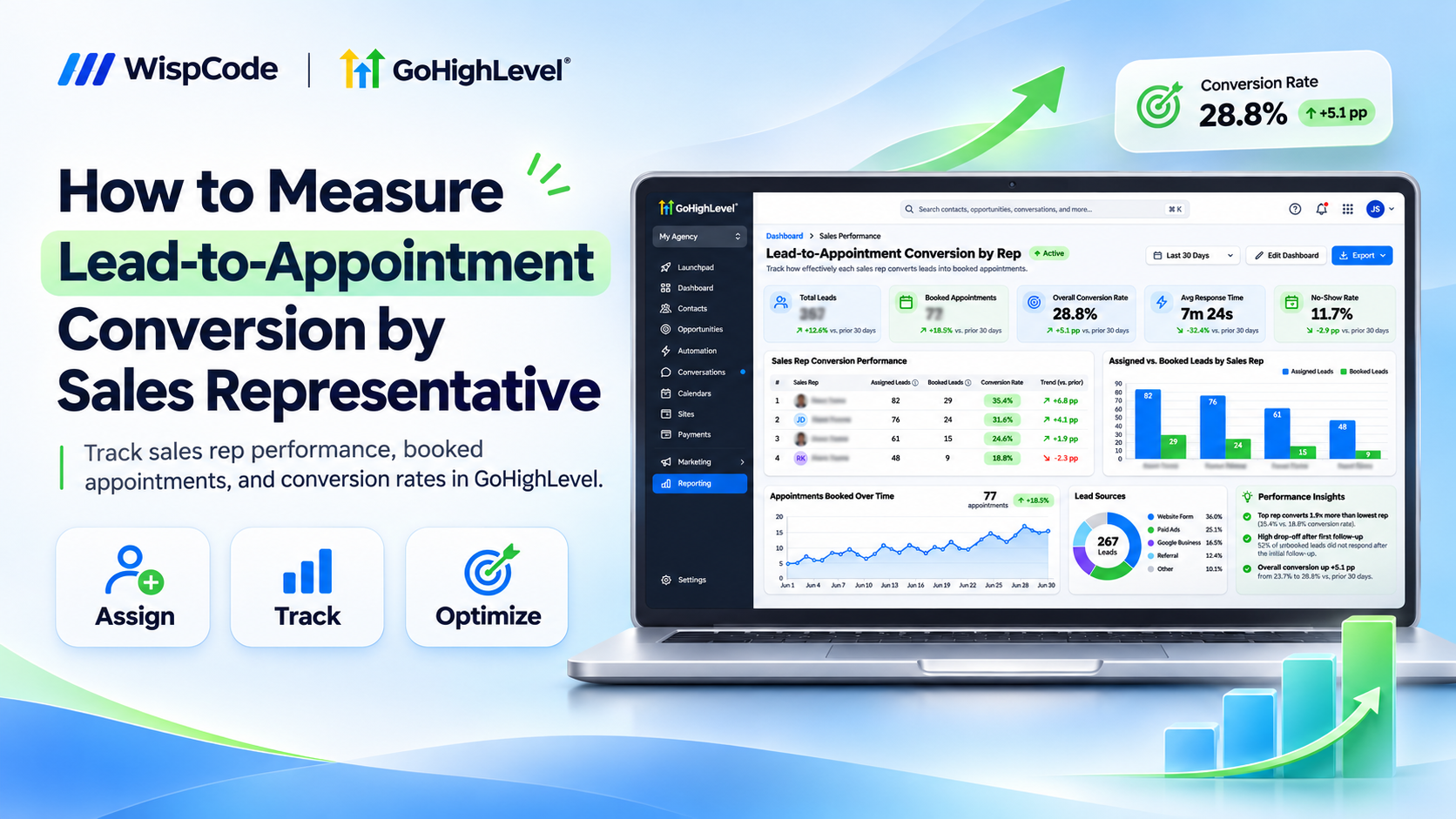
Lead-to-Appointment Conversion Tracking in GoHighLevel
How to Measure Lead-to-Appointment Conversion by Sales Representative
A sales team receives 200 leads in a month, but only 45 become booked appointments. Some representatives consistently schedule meetings, while others struggle to convert inquiries into conversations.
Without accurate tracking, managers cannot determine whether the problem involves lead quality, delayed follow-ups, or individual performance.
GoHighLevel helps businesses monitor these results through CRM opportunities, assigned users, appointment reporting, and customizable dashboards.
By measuring lead-to-appointment conversion for each sales representative, businesses can identify performance gaps, improve accountability, and make smarter sales decisions.
How Lead-to-Appointment Conversion Tracking Works in GoHighLevel
Lead-to-appointment conversion measures the percentage of assigned leads who schedule an appointment with a sales representative.
GoHighLevel supports this analysis through opportunity ownership, pipeline stages, calendars, and appointment reports.
Its Appointment Report displays booking activity and top-performing users. However, calculating a true representative-level conversion rate requires matching booked appointments to the leads assigned to each representative.
Lead-to-Appointment Conversion Rate = (Leads Who Booked ÷ Total Assigned Leads) × 100
Count each lead once, even if multiple appointments were booked.
What You Need Before Measuring Conversions
Before starting, ensure you have:
Access to the appropriate GoHighLevel sub-account.
Sales representatives added as users.
A sales pipeline with clearly defined stages.
Contacts or opportunities assigned consistently.
Calendars configured for appointment scheduling.
Reliable lead creation and booking records.
A consistent reporting period and conversion definition.
These requirements prevent misleading comparisons between representatives.
How to Measure Lead-to-Appointment Conversion by Sales Representative
Follow these six steps to track performance accurately.
Step 1: Create a Sales Pipeline
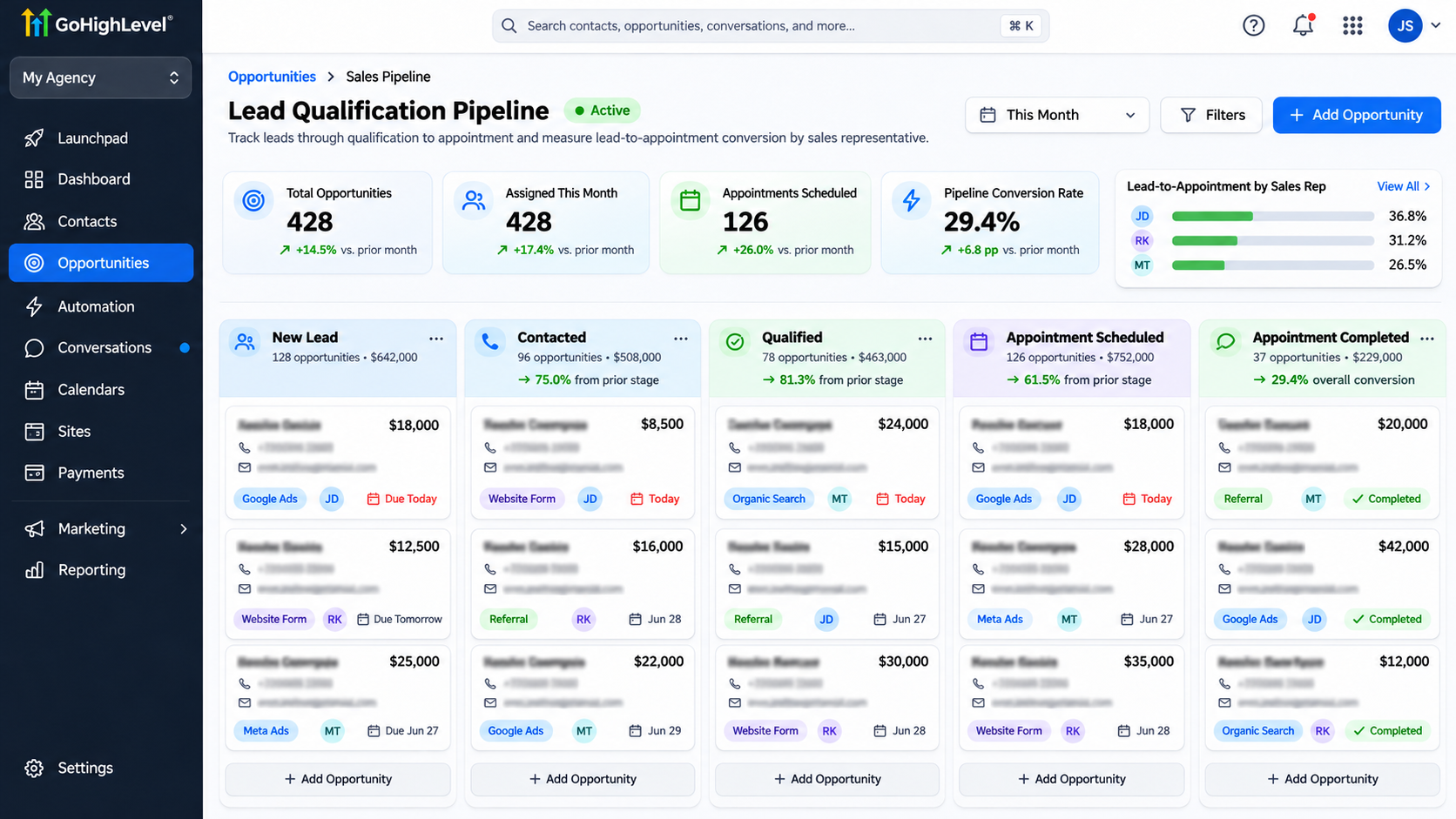
Navigate to Opportunities → Pipelines.
Open your existing sales pipeline or create one with stages such as:
New Lead
Contacted
Qualified
Appointment Scheduled
Appointment Completed
Each stage should represent a specific sales milestone.
Move an opportunity to Appointment Scheduled only after an actual booking is recorded.
This creates a clearer connection between lead activity and appointment outcomes.
Step 2: Assign Leads to Sales Representatives
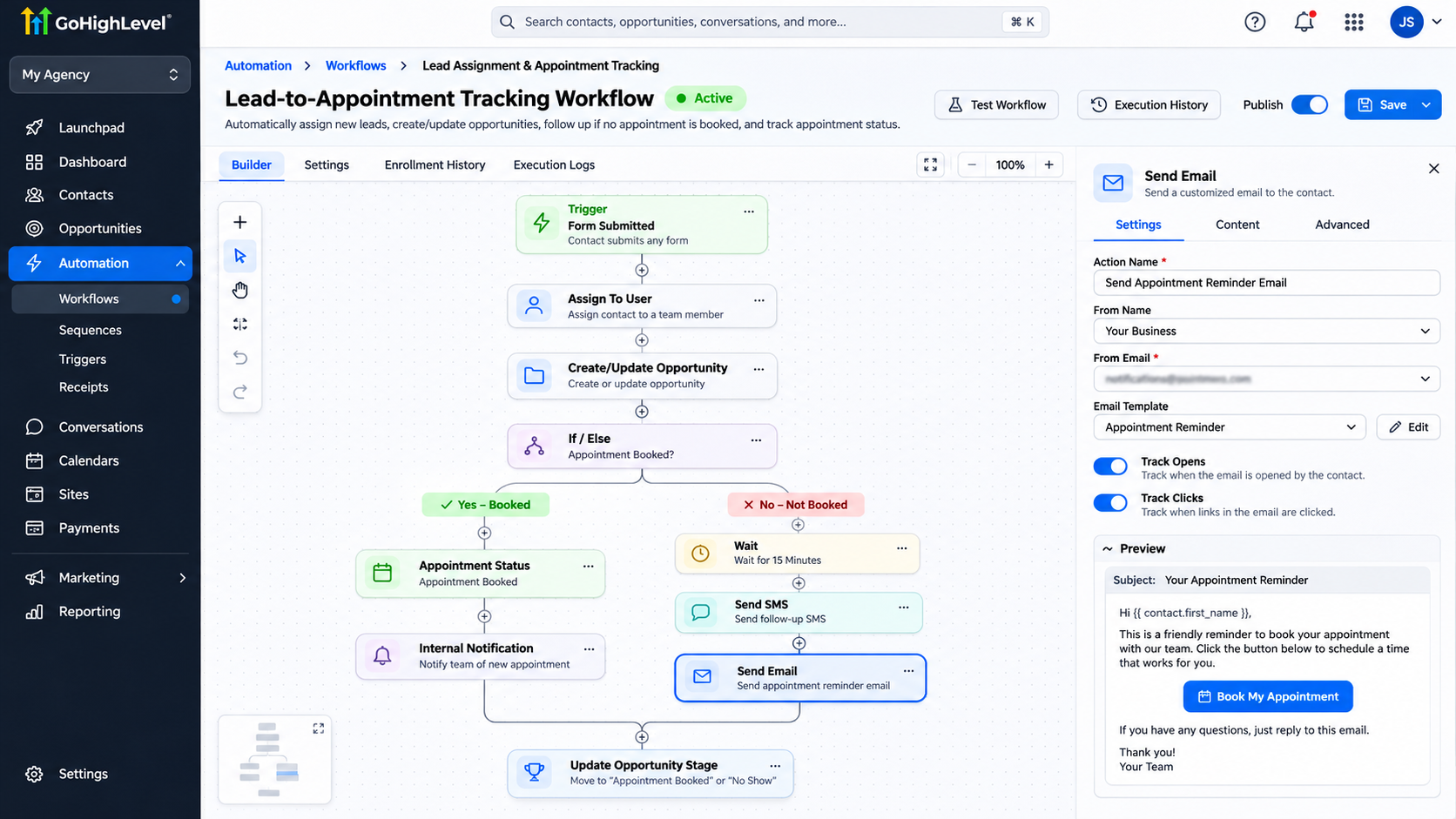
Navigate to Automation → Workflows → Create Workflow.
Start from scratch and select a trigger matching your lead source, such as Contact Created or Form Submitted.
Add the Assign To User action.
Choose the representatives who should receive leads. For multiple users, configure the available distribution settings.
Add an Internal Notification action to notify the assigned representative.
Save and publish the workflow.
For accurate reporting, establish whether you measure the contact owner or opportunity owner, and avoid changing ownership during the reporting period without recording that change.
Step 3: Track Appointment Bookings
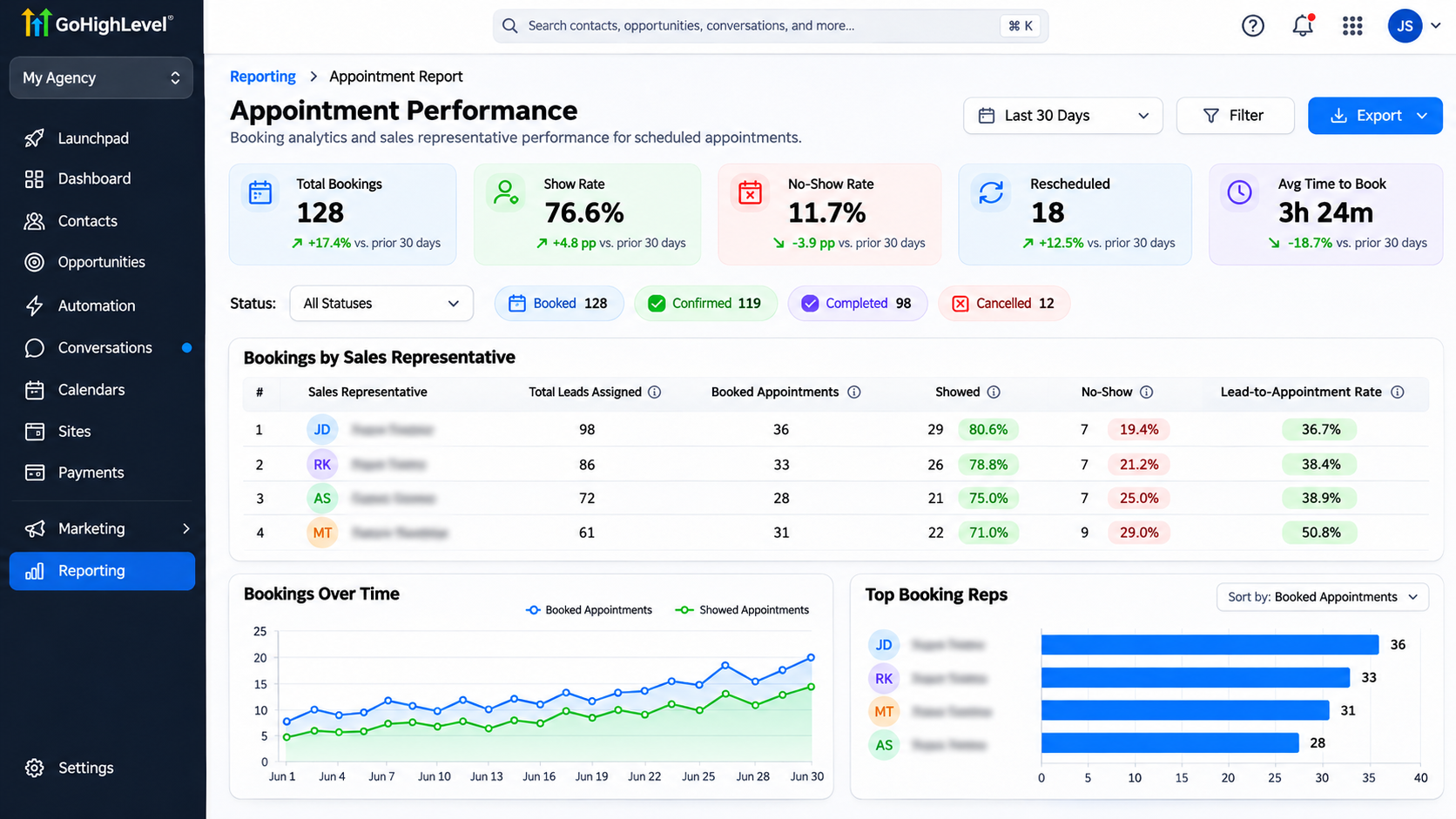
Navigate to Reporting → Appointment Report.
Review appointment counts, booking sources, appointment statuses, and available user-level performance information.
Use the relevant date range to examine your sales team's scheduling activity.
Remember that appointment counts alone cannot calculate lead-to-appointment conversion rates.
You also need the number of eligible leads assigned to each representative.
Step 4: Calculate Conversion Rates for Each Representative
Once you have the lead and appointment data, you can see how effectively each sales representative turns potential customers into booked meetings.
For example, imagine your sales team has three representatives. Sarah receives 80 leads and books 28 appointments, Michael receives 70 leads and books 21, while David receives 50 leads and books 10.
To calculate their conversion rates, divide the number of leads who booked an appointment by the total number of leads assigned to that representative, then multiply by 100.
Conversion Rate = (Leads Who Booked ÷ Assigned Leads) × 100
Sarah's conversion rate would be:
(28 ÷ 80) × 100 = 35%
Using the same calculation, Michael achieves a 30% conversion rate, while David reaches 20%.
These results help you understand how each representative is performing and where additional support or training might be needed.
For a fair comparison, measure all representatives over the same reporting period and count each lead only once, even if they book multiple appointments.
Step 5: Build a Sales Performance Dashboard
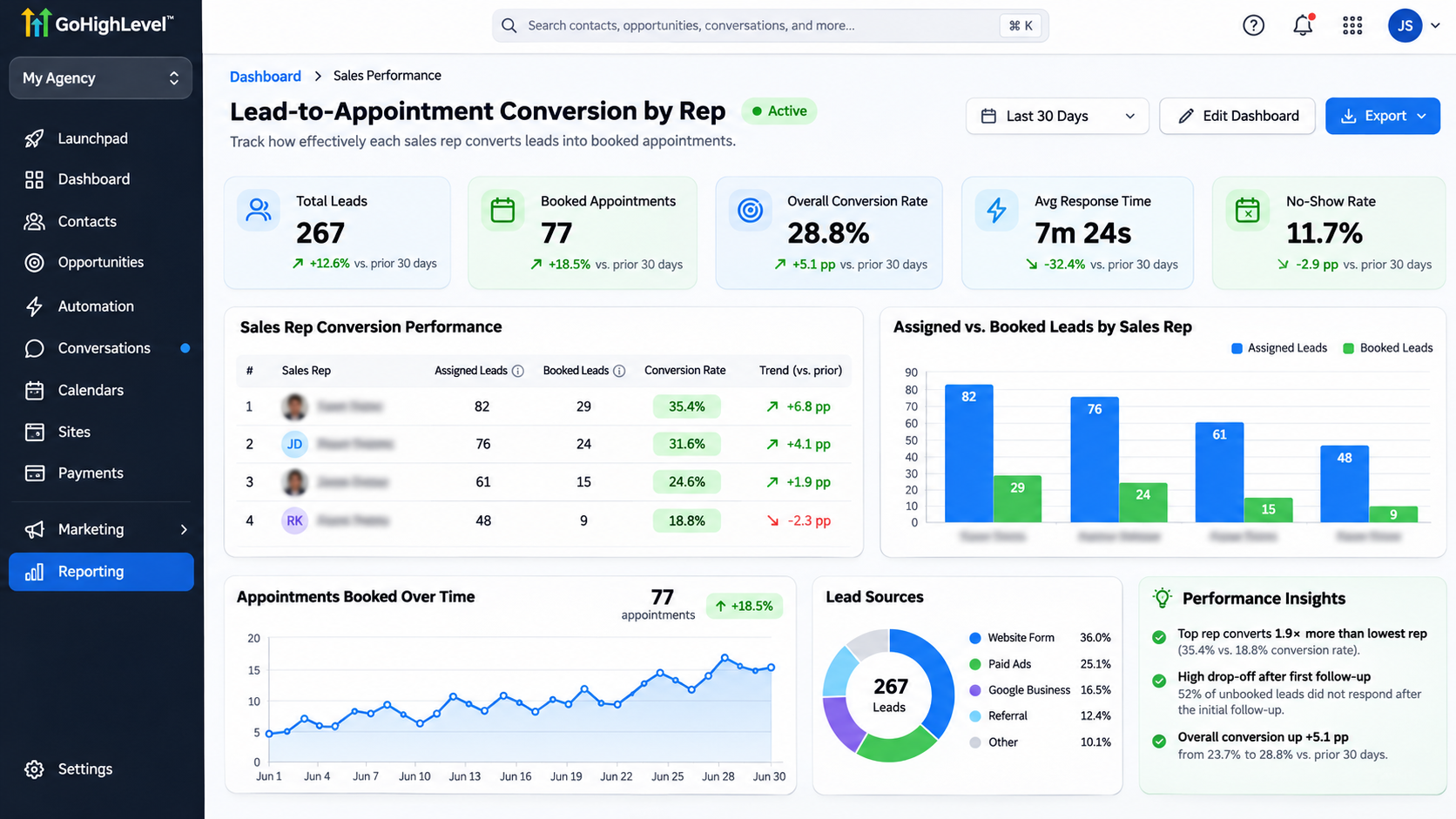
Navigate to Dashboard → Edit Dashboard → Add Widget.
GoHighLevel offers appointment-related widgets, including Appointment Count and Booked Appointments.
Configure available filters and date ranges to review relevant activity.
Opportunity widgets can provide additional visibility into sales stages and assigned users.
However, do not assume that a native widget automatically divides unique booked leads by assigned leads.
For that specific KPI, calculate the rate using appropriately matched records.
Step 6: Automate Appointment Tracking
Open Automation → Workflows.
Create a workflow using the Appointment Status trigger, filtered to the relevant calendar and booking status.
For customer-initiated online bookings, Customer Booked Appointment is another supported trigger.
Add actions such as Create/Update Opportunity to update the relevant pipeline record when appropriate.
Use conditions and record-matching logic to avoid creating duplicate opportunities.
Test both customer-booked and manually scheduled appointments, because these events can trigger workflows differently.
Test Your Lead-to-Appointment Tracking
Create test leads assigned to different representatives.
Book appointments through your configured calendars and verify the resulting CRM records.
Confirm that assignments remain correct, appointment statuses update appropriately, and reporting includes the intended records.
Also test cancellations, rescheduling, and duplicate bookings.
Common Tracking Problems and Fixes
Incorrect representative attribution: Verify contact and opportunity ownership.
Missing appointments: Check calendars, booking sources, and reporting filters.
Inflated conversion rates: Count unique booked leads rather than total appointments.
Duplicate opportunities: Review workflow actions and duplicate-prevention logic.
Misleading comparisons: Use consistent time windows and account for differences in lead quality.
Best Practices for Accurate Sales Conversion Reporting
Review representative performance weekly and monthly.
Compare conversion rates alongside lead volume, response time, appointment attendance, and lead source.
Avoid ranking representatives solely by booking percentages when they receive different types of leads.
Document ownership changes and keep reporting definitions consistent.
Conclusion
Measuring lead-to-appointment conversion by sales representative helps businesses identify coaching opportunities, improve accountability, and strengthen sales processes.
With accurate lead assignments, consistent appointment tracking, and reliable reporting, GoHighLevel provides useful tools for evaluating performance.
Need help configuring your GoHighLevel sales tracking? WispCode provides CRM automation, pipeline management, and customized reporting solutions to help businesses improve sales visibility and conversion performance.
Frequently Asked Questions (FAQs)
1. Can GoHighLevel track appointments by sales representative?
Yes. GoHighLevel provides appointment reporting and dashboard widgets that support user-level appointment analysis.
2. How do I calculate lead-to-appointment conversion?
Divide the number of assigned leads who booked an appointment by total eligible assigned leads, then multiply by 100.
3. Can GoHighLevel automatically assign leads?
Yes. The Assign To User workflow action supports user assignment and distribution across multiple representatives.
4. Does an appointment report automatically show conversion rates for each representative?
Not necessarily. A true lead-to-appointment rate requires matching booked leads with their original assigned-lead totals.
5. How often should sales conversion performance be reviewed?
Weekly monitoring helps identify operational issues, while monthly comparisons provide a broader view of representative performance.
Need Expert Help with GoHighLevel?
New to GoHighLevel and ready to get started? Buy your GoHighLevel account here and launch with confidence.
Already know what you need and want our team to handle everything, from complete setup and customization to funnels, workflows, automations, CRM, and pipelines? Click here.