

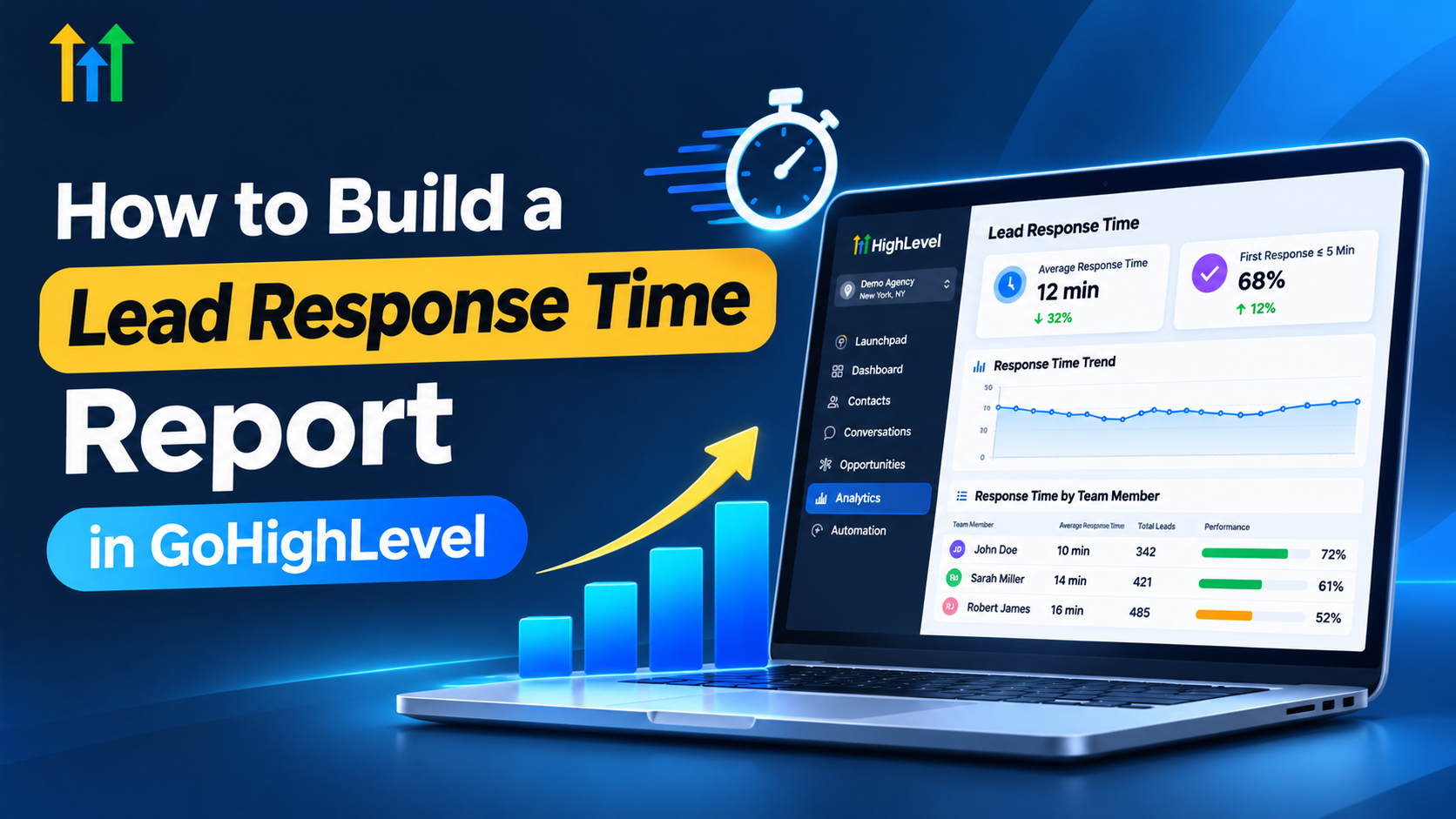
How to Track Lead Response Time in GoHighLevel
How to Build a Lead Response Time Report for a Sales Team
Generating leads is important for any business, but responding to those leads quickly is just as important. When potential customers submit an inquiry, they usually expect a timely response. If your sales team takes too long to follow up, you may miss valuable opportunities.
A Lead Response Time Report helps businesses understand how quickly their sales representatives respond to incoming leads. With GoHighLevel, you can organize lead information, manage conversations, automate follow-ups, and build a tracking process to monitor your team's response times.
In this guide, you'll learn how to create a lead response time report and use it to improve your sales team's performance.
What Is a Lead Response Time Report?
A lead response time report shows how much time passes between receiving a new lead and sending the first qualifying response.
For example, if a customer submits a form at 10:00 AM and a sales representative responds at 10:15 AM, the first response time is 15 minutes.
This report helps businesses identify delays, monitor employee performance, and improve their follow-up processes.
It is also important to understand the difference between automated and human responses. An automatic confirmation message may acknowledge an inquiry immediately, but it does not necessarily mean a sales representative has contacted the customer.
Businesses should measure these response types separately to understand their team's actual performance.
Why Lead Response Time Matters for Sales Teams
Lead response time plays an important role in managing customer inquiries and improving sales operations.
When sales representatives respond promptly, potential customers can receive answers while their interest is still fresh. Slow responses may create frustration or encourage prospects to explore other options.
Tracking response times also helps sales managers understand which team members need additional support.
For example, if one representative consistently takes longer to respond, the manager can investigate whether the issue involves workload, lead assignments, or missed notifications.
By reviewing response-time reports regularly, businesses can identify problems early and improve their lead management processes.
How to Build a Lead Response Time Report in GoHighLevel
GoHighLevel provides useful CRM features for organizing leads, managing sales activities, and automating follow-ups.
However, creating a detailed report that measures the first human response may require custom tracking or integration with an external reporting tool.
Here is a practical approach to building your report.
Step 1: Define Your Lead Response Time Metrics
Before creating a report, decide what information you want to measure.
Start by identifying when each lead arrives, when a sales representative first responds, and how much time passes between those events.
You should also track which team member owns the lead and where the inquiry originated.
Establish a response-time target for your sales team. For example, your business might aim to contact new leads within five or ten minutes during working hours.
Having clear measurements makes it easier to evaluate performance consistently.
Step 2: Organize Your Leads in GoHighLevel
The next step is organizing your lead information inside GoHighLevel.
Use the Contacts section to manage customer details and the Opportunities section to track leads throughout your sales pipeline.
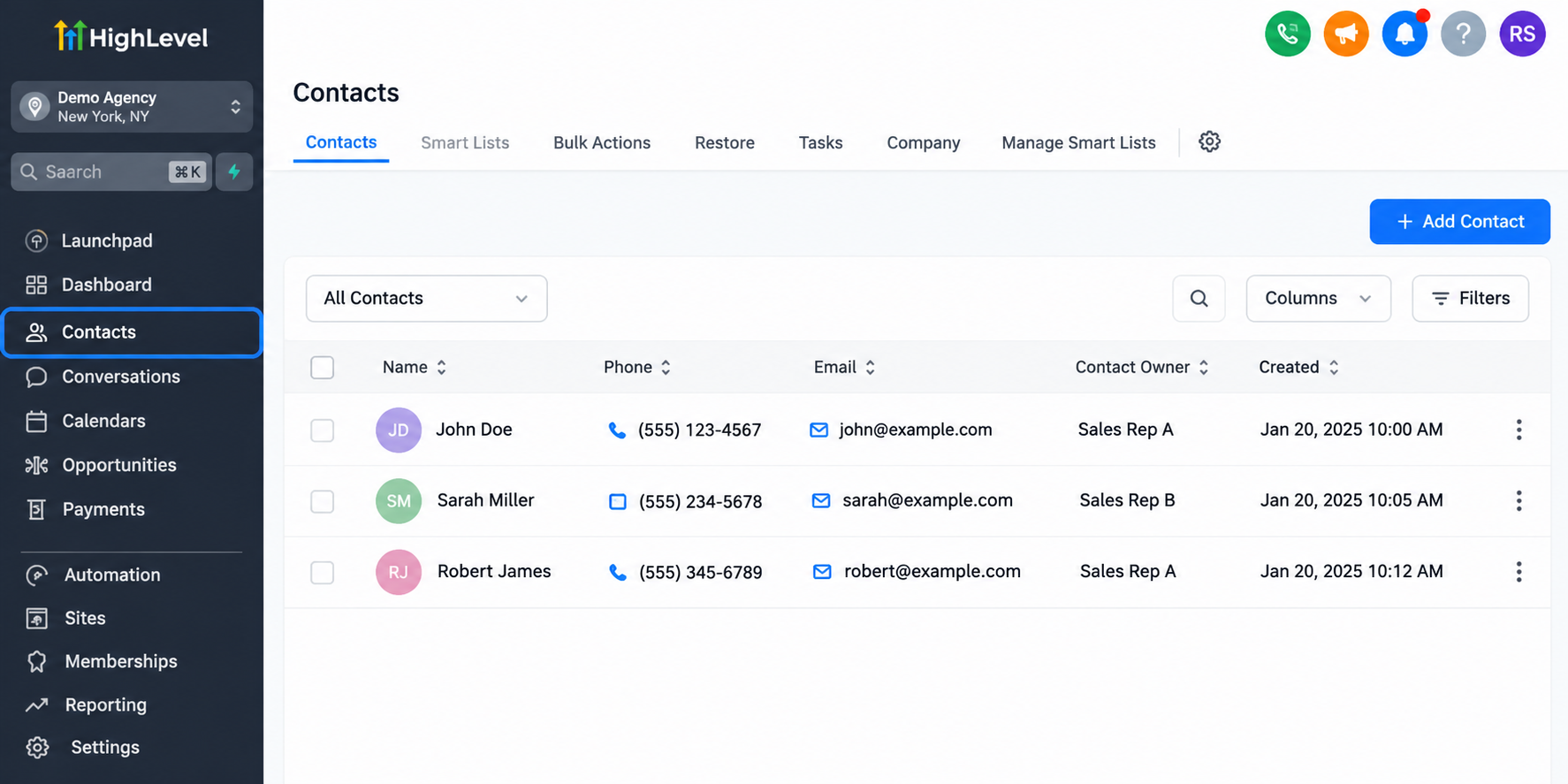
Make sure leads are assigned to the correct sales representatives.
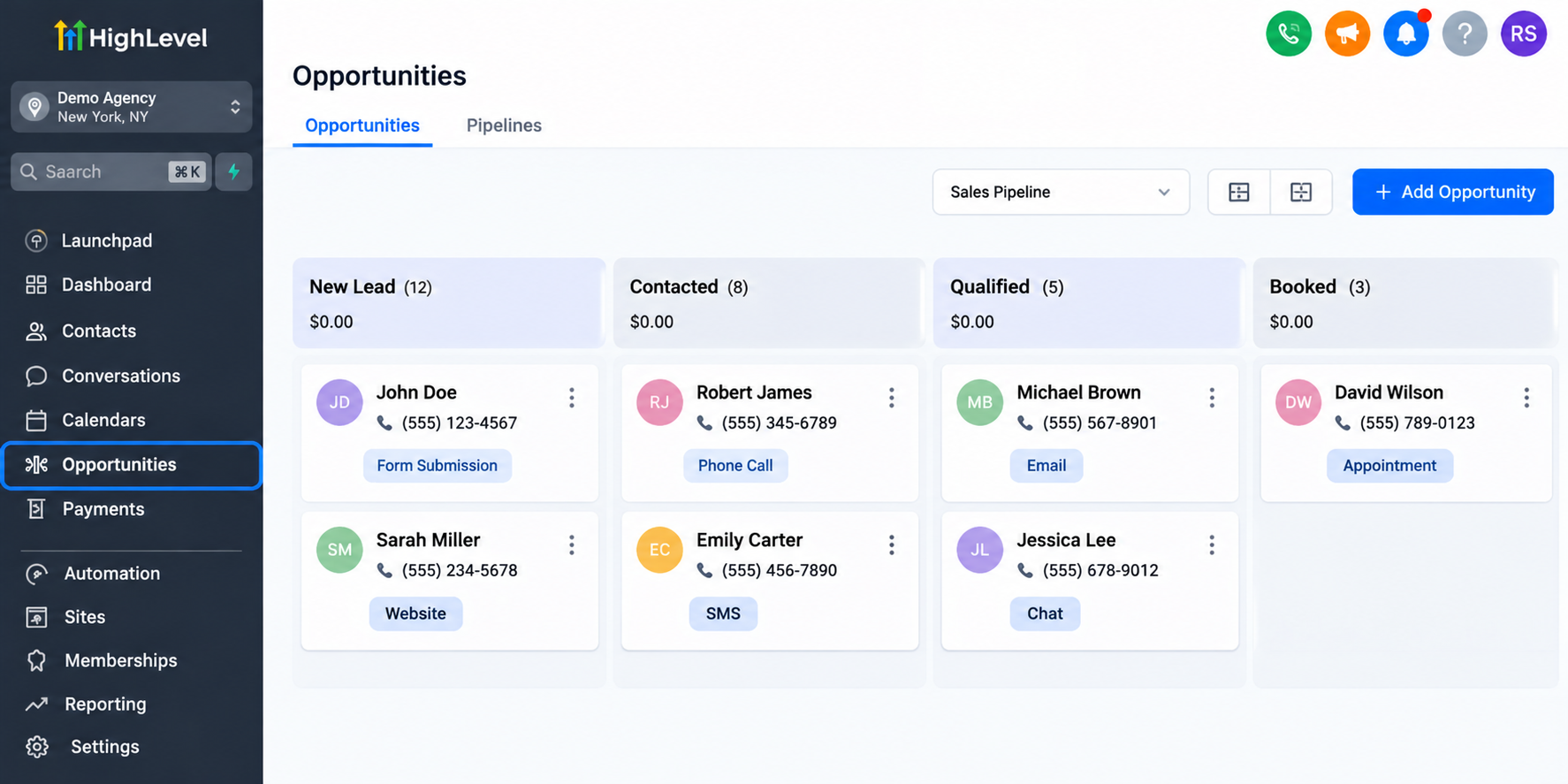
You can also create relevant custom fields to store additional tracking information, such as lead arrival time or first human response time.
These fields may need to be populated through a custom tracking process or integration.
Keeping your CRM data organized makes it easier to prepare accurate reports later.
Step 3: Set Up Lead Assignment and Follow-Up Automation
GoHighLevel workflows can help your team respond to new inquiries more efficiently.
For example, when a potential customer submits a form, you can configure a workflow to assign the lead to a sales representative and send an internal notification.
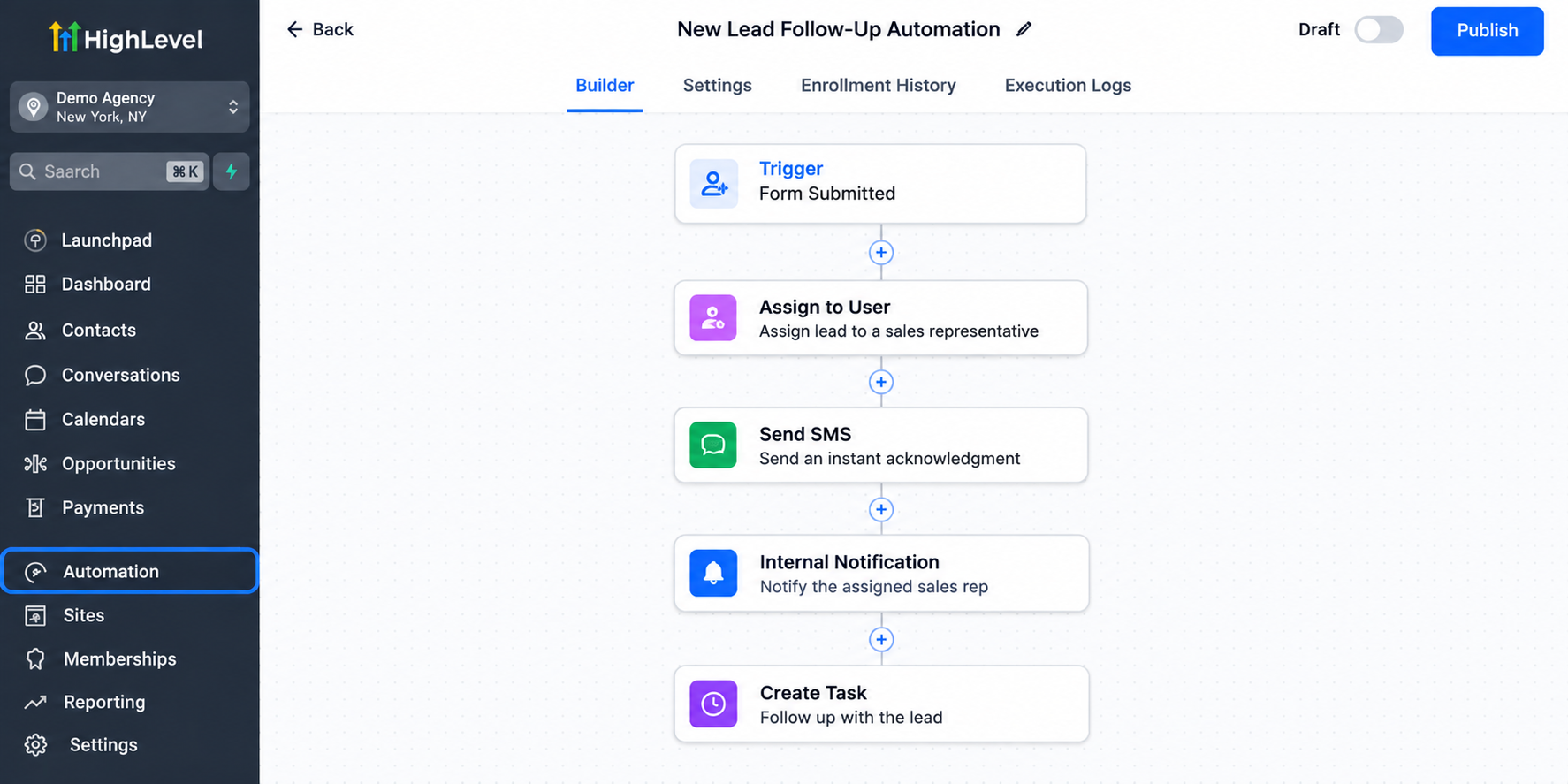
You can also create follow-up tasks or reminders to help representatives manage their responsibilities.
Automated acknowledgment messages can inform customers that their inquiry has been received.
However, these messages should not be counted as human responses when measuring individual sales representatives' performance.
Step 4: Track the First Response Time
Once your lead management process is organized, you need a reliable way to record response times.
Start by capturing the timestamp when a lead first enters your system.
Next, identify when a sales representative sends the first qualifying response.
GoHighLevel conversations can help teams review communication activity. However, automatically identifying and recording the first human response for reporting may require additional configuration.
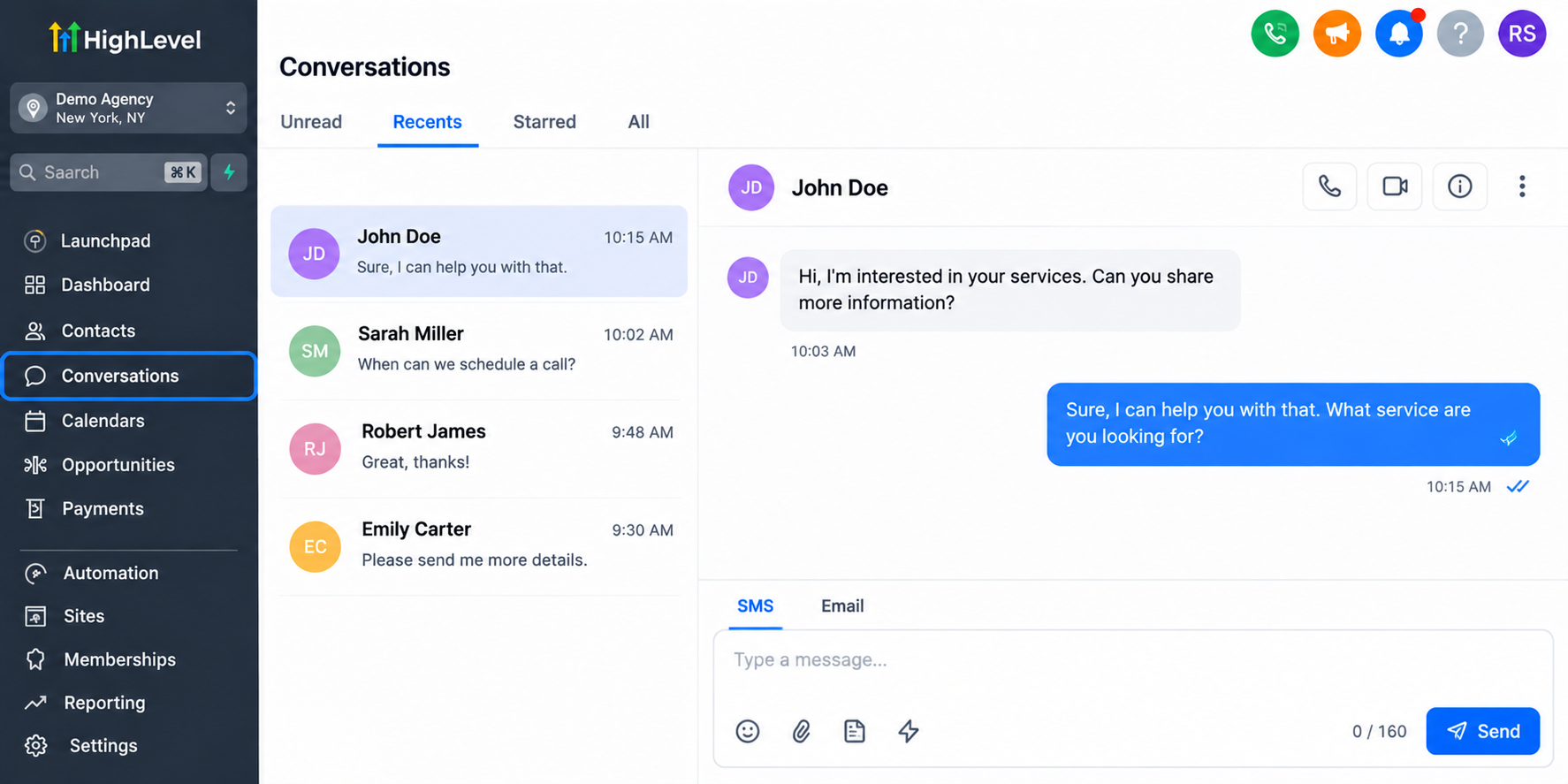
You can use a suitable integration or external reporting tool to store both timestamps and calculate the difference.
For example, if a lead arrives at 11:00 AM and receives a human response at 11:08 AM, the response time is eight minutes.
For accuracy, keep unanswered leads marked separately instead of assigning them a response time of zero.
Step 5: Create Your Lead Response Time Report
After collecting the necessary information, organize your data into a report.
Your report should help managers understand how many leads each representative receives, how quickly they respond, and which inquiries remain unanswered.
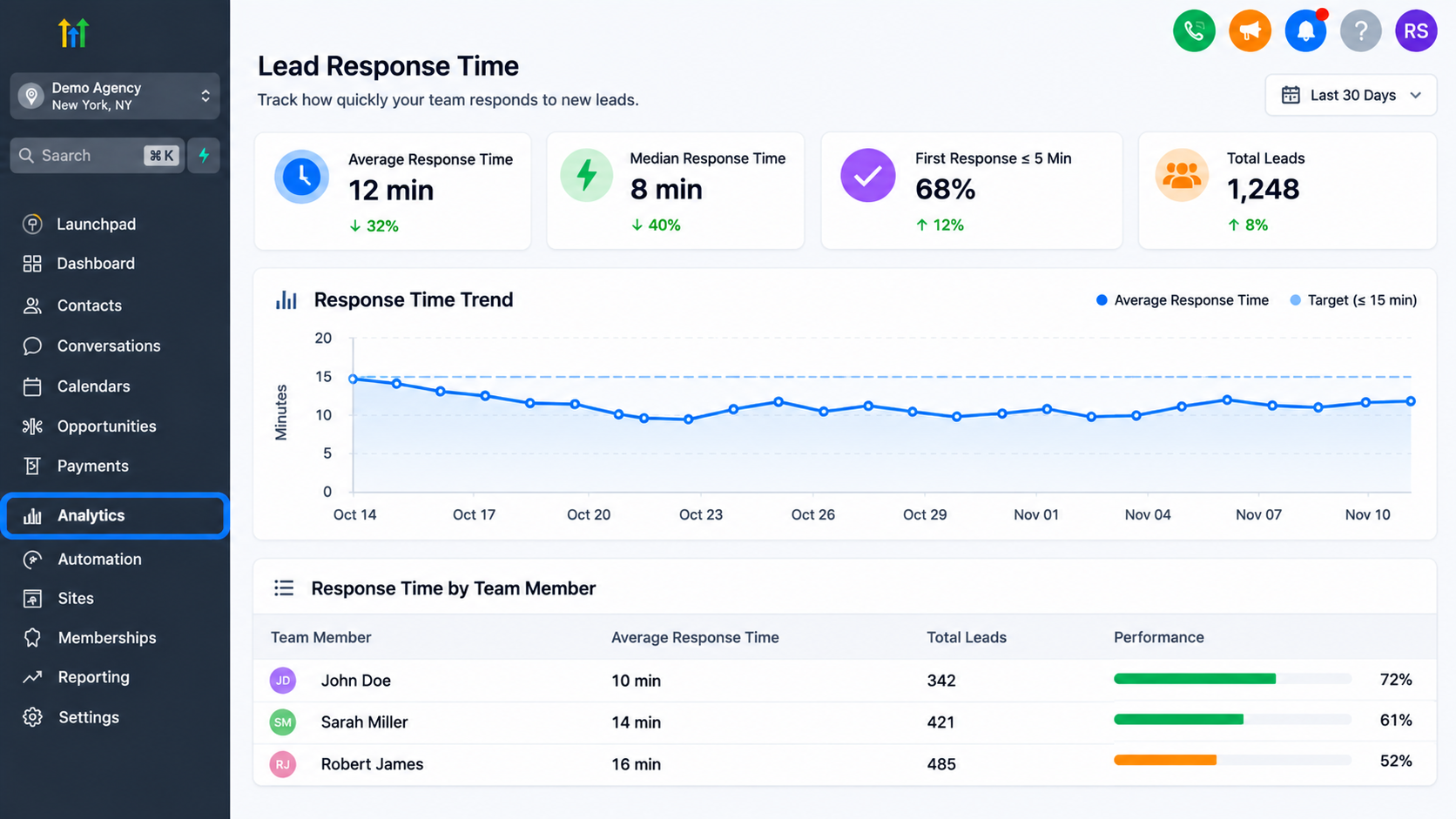
You can also compare average response times and review the percentage of leads contacted within your target window.
Depending on your reporting requirements, you may need Google Sheets or another reporting platform to calculate and display these metrics.
Reviewing this information regularly helps managers identify areas that need improvement.
How to Improve Sales Team Response Times
Creating a report is only the first step. The real value comes from using the information to improve your sales process.
Review response times regularly and identify where delays occur. If leads remain unanswered for long periods, check whether the assigned representatives are receiving notifications.
You can also use GoHighLevel workflows to improve lead distribution and create follow-up reminders.
Compare performance across different lead sources and review both average and median response times to understand your team's results more accurately.
Common Mistakes to Avoid
One common mistake is counting automated messages as actual sales responses. This can make response times appear faster than they really are.
Another mistake is ignoring unanswered leads. These inquiries should remain visible in your reporting process.
Businesses should also consider working hours when comparing representatives and avoid assuming every reporting metric is automatically available in GoHighLevel.
Final Thoughts
Building a Lead Response Time Report helps businesses understand how efficiently their sales teams handle customer inquiries.
GoHighLevel provides valuable tools for organizing leads, assigning representatives, managing conversations, and automating follow-ups.
With accurate tracking and consistent reporting, businesses can identify delays and make better decisions.
Start monitoring your team's response times and use those insights to build a faster, more organized sales process.
Frequently Asked Questions (FAQs)
1. Can GoHighLevel track lead response time?
Yes, GoHighLevel supports lead and communication tracking. However, calculating exact first human response times may require custom fields, additional tracking processes, or external reporting tools.
2. What is a good lead response time for a sales team?
A good response time depends on your business and customer expectations. Aim to respond as quickly as practical and establish realistic targets based on your team's availability.
3. How can I improve lead response time using GoHighLevel?
Use GoHighLevel workflows to assign leads, send internal notifications, and create follow-up reminders. Regularly review unanswered inquiries and response-time data to improve your team's performance.
4. Can I track individual sales representatives' response times in GoHighLevel?
Yes, you can organize leads by assigned sales representatives in GoHighLevel. However, measuring individual response times accurately may require custom tracking or external reporting tools.
5. How often should I review my lead response time report?
Sales managers should review response times daily to identify missed follow-ups and weekly to evaluate team performance, identify recurring delays, and improve lead management processes.
Need Expert Help with GoHighLevel?
New to GoHighLevel and ready to get started? Buy your GoHighLevel account here and launch with confidence.
Already know what you need and want our team to handle everything, from complete setup and customization to funnels, workflows, automations, CRM, and pipelines? Click here.