

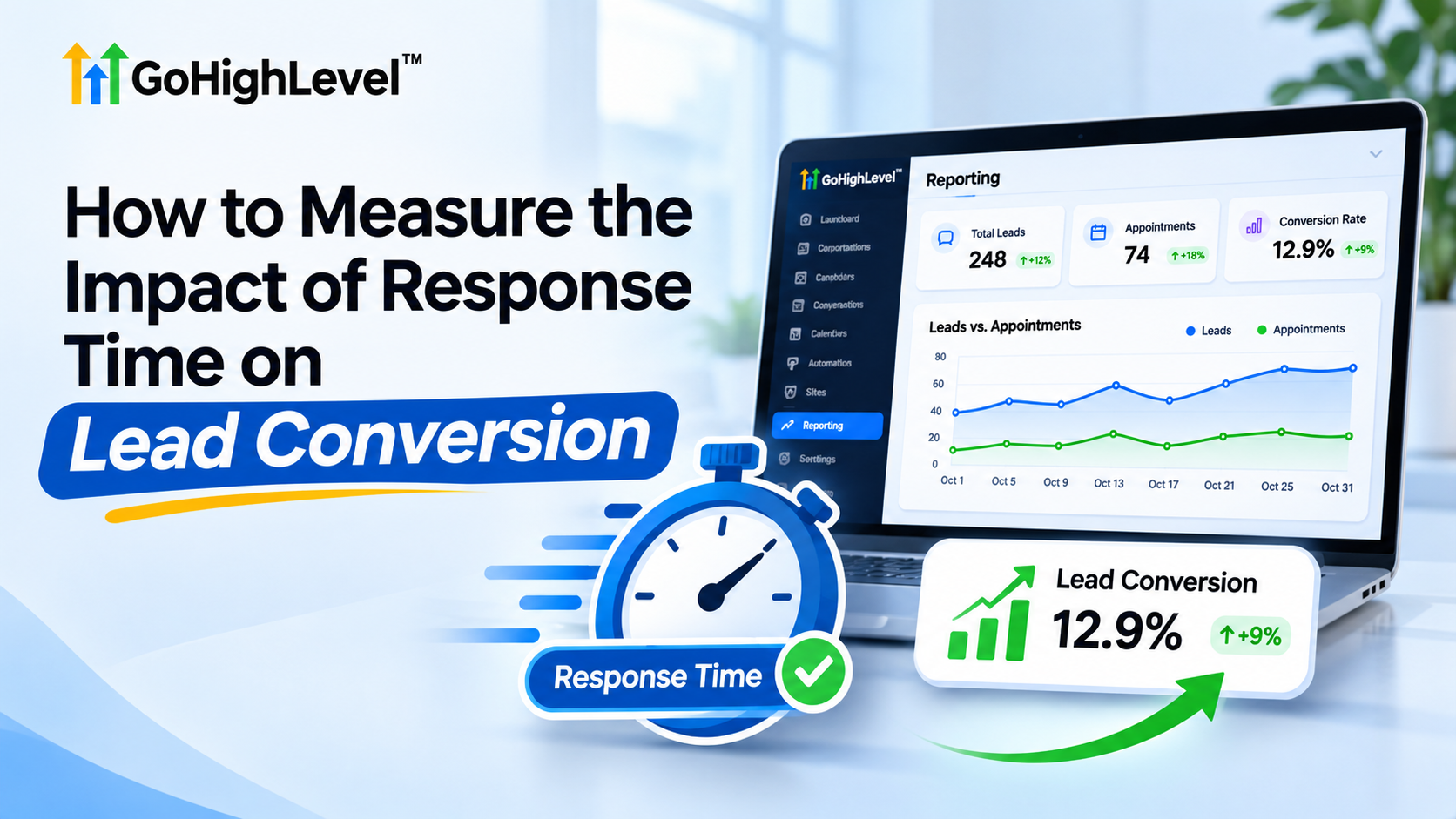
How Lead Response Time Affects Conversions
How to Measure the Impact of Response Time on Lead Conversion
Introduction: Why Every Minute Matters
Imagine two HVAC companies receiving the same type of inquiry from homeowners needing urgent air conditioning repairs. The first company responds within three minutes. The second takes two hours.
By the time the second company replies, the homeowner may have already booked an appointment with a competitor.
This highlights an important business reality: generating leads is only half the challenge. Responding while potential customers are actively interested can be equally important.
Understanding the relationship between lead response time and conversion rate helps businesses identify missed opportunities, improve customer engagement, and strengthen their sales processes.
With GoHighLevel, businesses can organize inquiries, automate follow-ups, and track lead progression to make smarter decisions.
What Is Lead Response Time and Why Does It Matter?
Lead response time measures how long a business takes to respond after receiving a potential customer's inquiry.
However, not every response represents meaningful engagement.
Three Important Response Time Measurements
First Response Time: The time between a lead's inquiry and the first outgoing response, including automated messages.
Average Response Time: The average delay across multiple lead responses.
Time to First Meaningful Human Interaction: The time until a sales representative personally engages with the prospect.
These distinctions matter because an automated acknowledgment confirms receipt but doesn't necessarily answer a customer's questions.
Slow responses can reduce engagement, especially when prospects contact multiple service providers.
The goal isn't simply responding first. It's responding quickly with helpful information that moves the conversation forward.
Key Metrics to Measure the Impact of Response Time
Effective lead response time analysis requires connecting communication speed with measurable sales outcomes.
1. Average First Response Time
Calculate the total response delay across measured leads and divide it by the number of leads.
Formula:
Average Response Time = Total Response Minutes ÷ Number of Leads
2. Lead-to-Appointment Conversion Rate
This metric measures how many incoming leads become scheduled appointments.
Formula:
Appointment Conversion Rate = (Booked Leads ÷ Total Leads) × 100
3. Lead-to-Customer Conversion Rate
Measure the percentage of leads that eventually become paying customers.
Formula:
Customer Conversion Rate = (New Customers ÷ Total Leads) × 100
4. Appointment Booking Rate
Monitor booking performance across campaigns, representatives, and response-time groups using consistent measurement criteria.
5. Response Time by Lead Source
Compare response delays across website forms, paid advertisements, referrals, and other lead sources.
For deeper analysis, divide leads into four response-time categories:
0–5 minutes
5–30 minutes
30–60 minutes
Over 60 minutes
Compare appointment and customer conversion rates across these groups.
Important Insight: Faster responses may correlate with higher conversions without necessarily causing them. Lead quality, customer urgency, and sales performance also influence results.
How GoHighLevel Helps Track and Improve Lead Response Time
GoHighLevel provides CRM and automation capabilities that help businesses create a more organized lead management process.
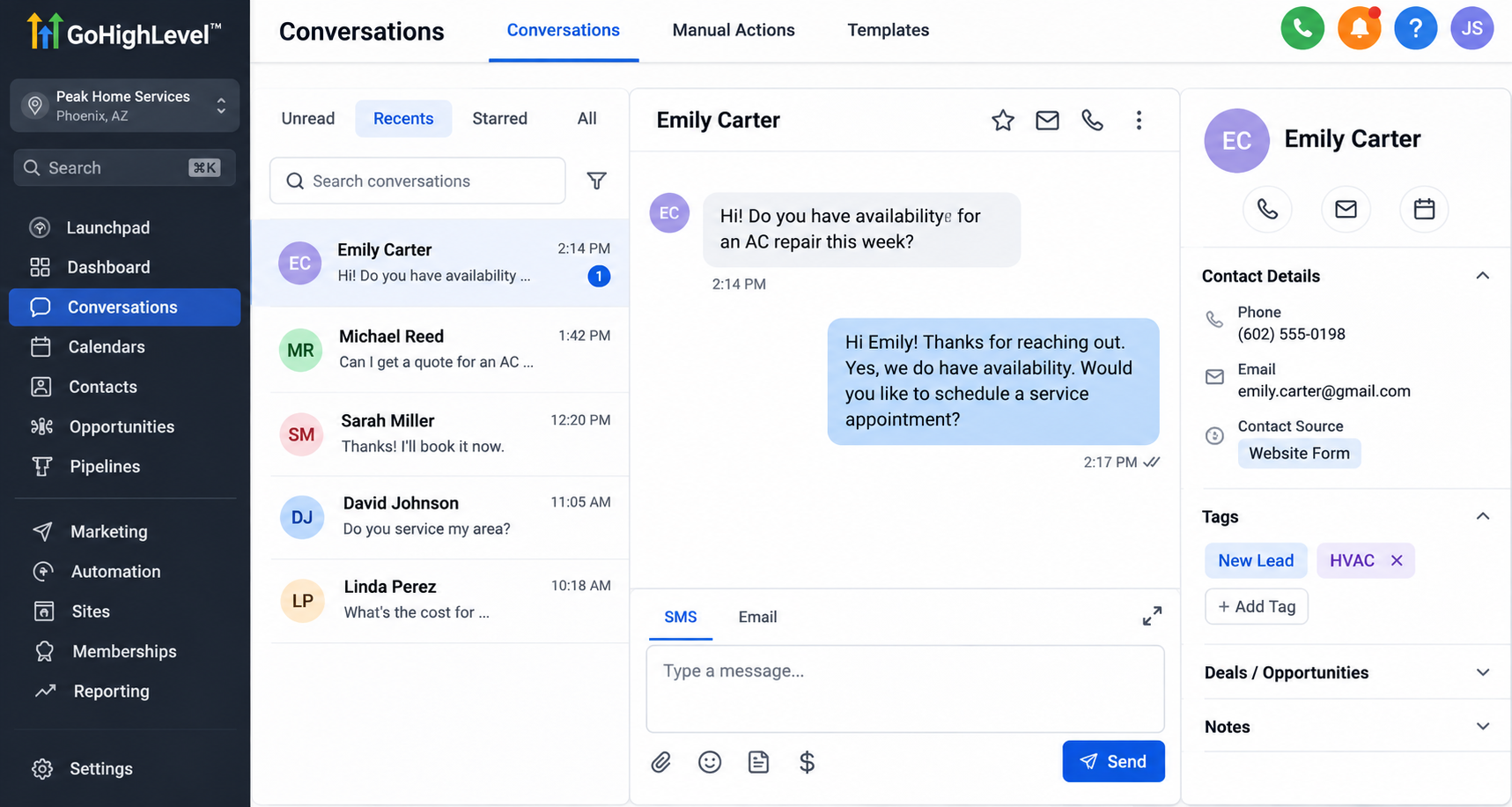
Centralized Conversations and Contact Records
GoHighLevel's unified Conversations inbox brings supported communication channels into one workspace.
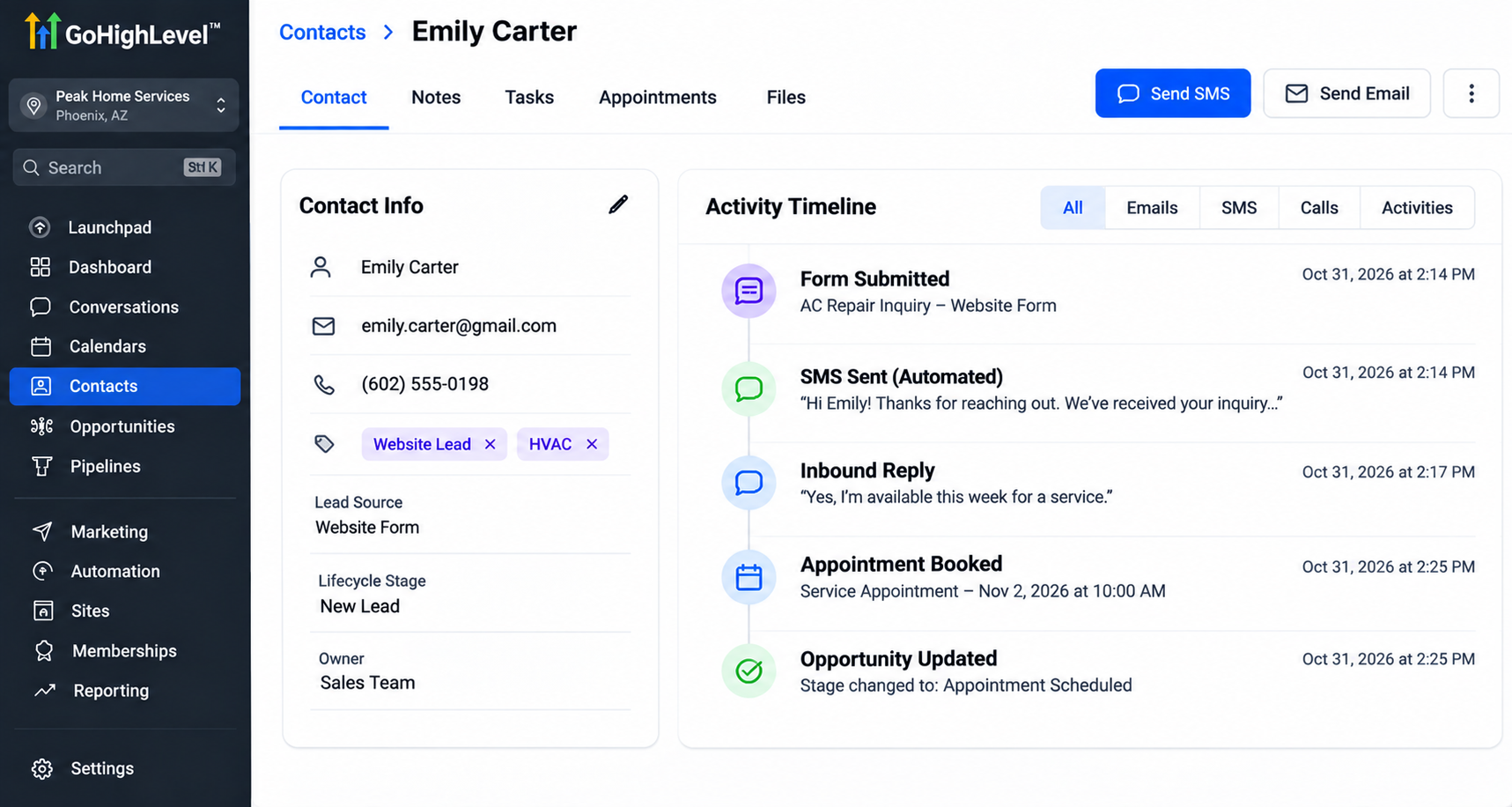
Contact records and conversation histories help teams review interactions, identify unanswered inquiries, and understand how leads progress through the customer journey.
Workflow Automation and Internal Notifications
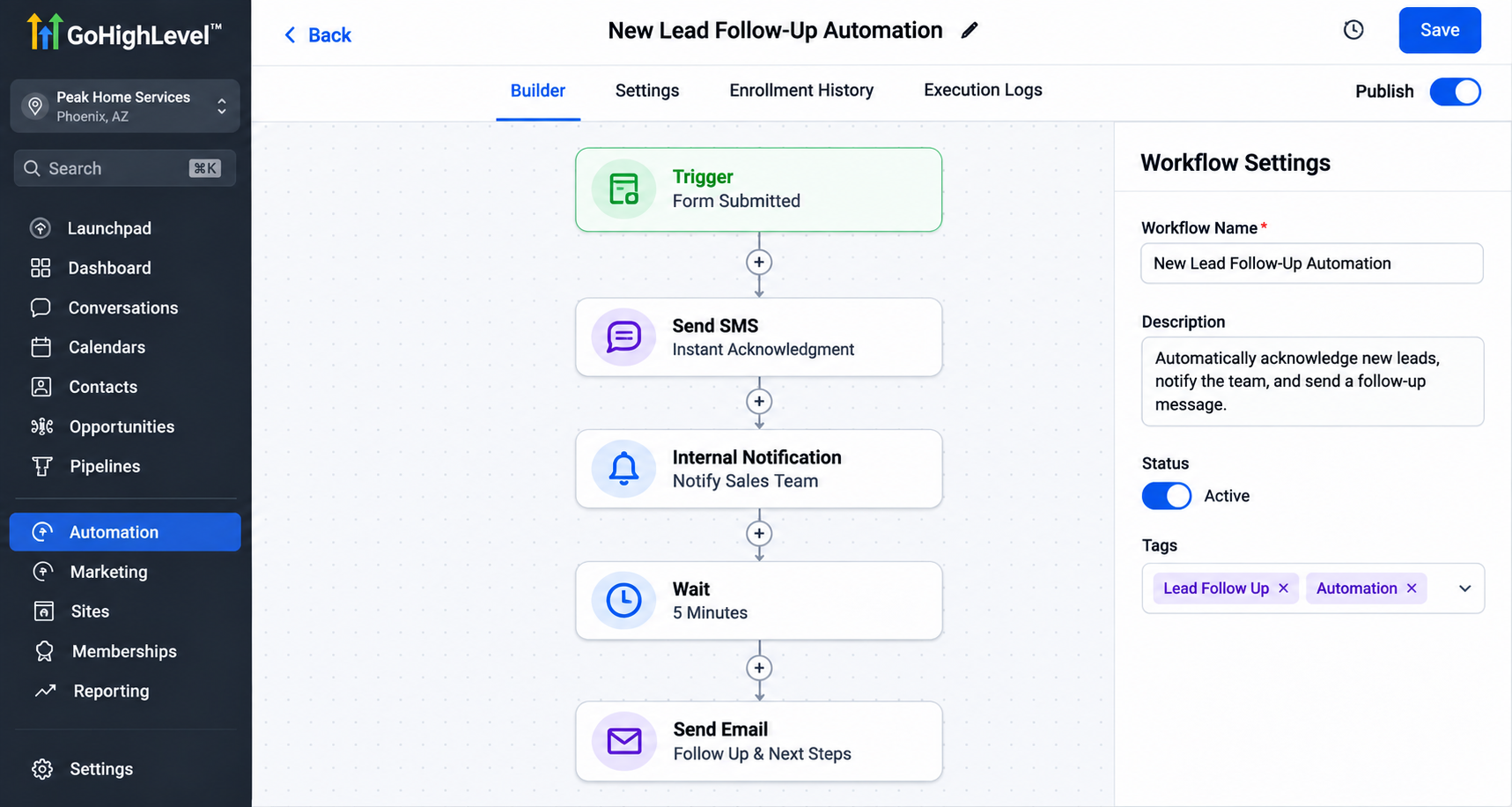
GoHighLevel workflows can support automated SMS acknowledgments, email responses, and internal notifications when appropriate triggers are configured.
These capabilities help reduce manual delays while keeping sales representatives informed about incoming opportunities.
Opportunity Pipelines and Reporting
Opportunity pipelines allow businesses to organize prospects through stages such as New Lead, Appointment Scheduled, and Closed Won.
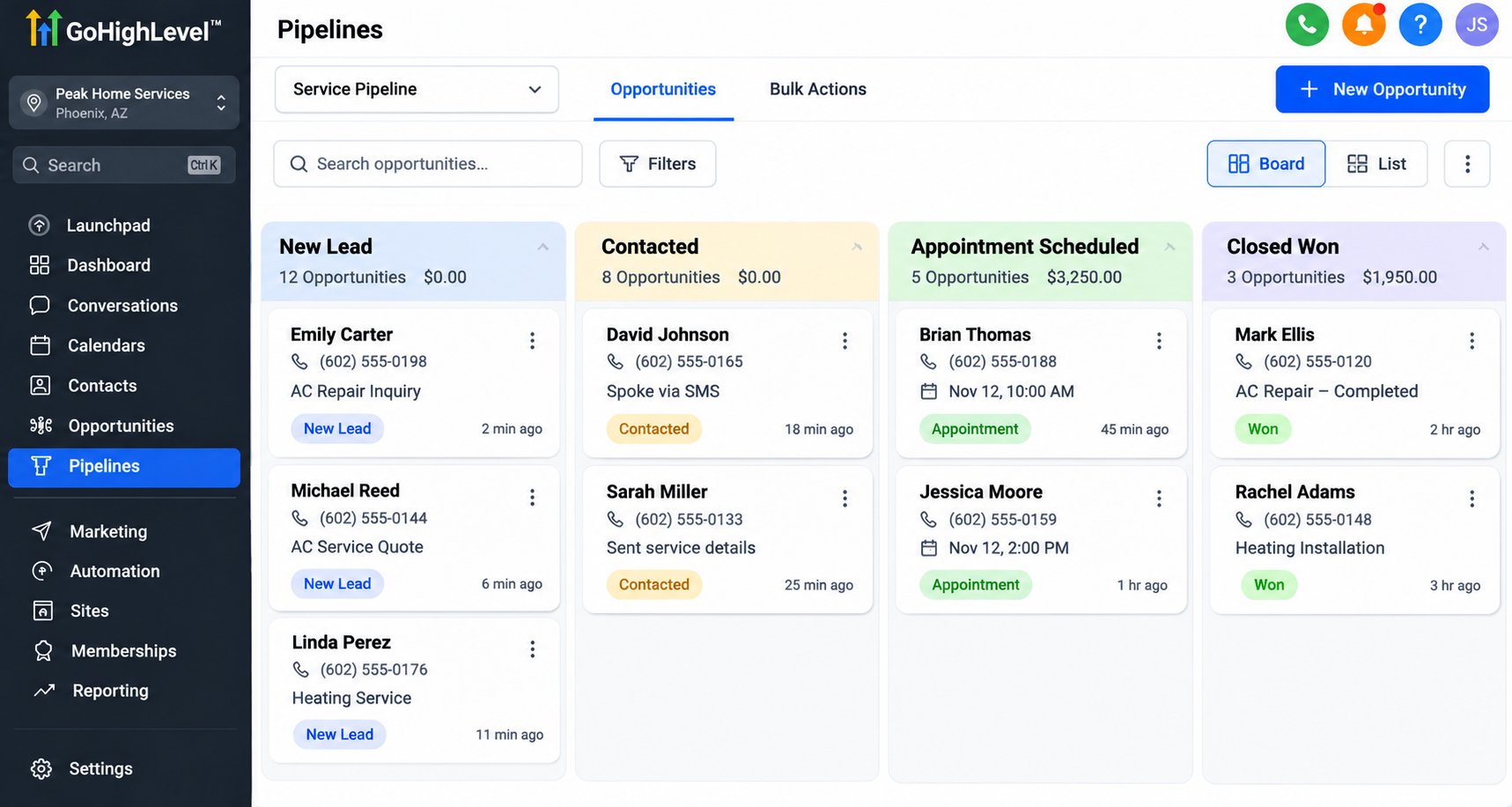
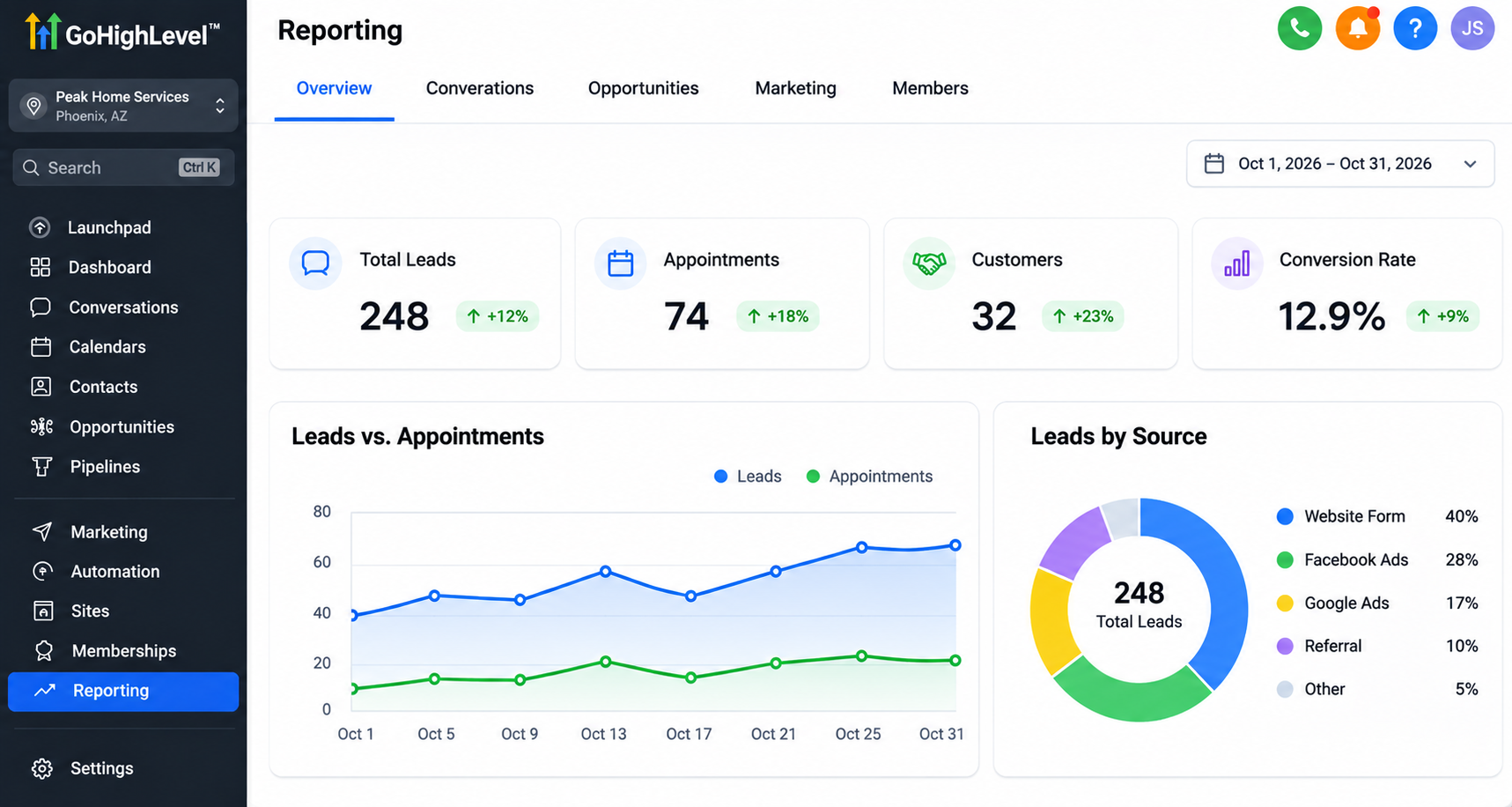
Available reporting features provide visibility into selected CRM and sales activities.
However, GoHighLevel does not necessarily calculate every response-time metric automatically.
Detailed analysis may require custom timestamp fields, workflow configurations, exported records, or external reporting tools.
Step-by-Step: How to Measure Response Time Using GoHighLevel
Step 1: Capture Incoming Leads
Connect website forms, funnels, and supported integrations to collect inquiries inside GoHighLevel.
Ensure each lead has an identifiable source for accurate comparisons.
Step 2: Record Response Timestamps
Establish a consistent method for recording when inquiries arrive and when representatives respond.
Where necessary, use custom fields or external tracking to distinguish automated acknowledgments from human responses.
Step 3: Configure Follow-Up Workflows
Set up automated acknowledgments and internal notifications to support timely communication.
Assign responsibility so incoming leads receive attention without unnecessary delays.
Step 4: Track Pipeline Progress
Move opportunities through clearly defined appointment and sales stages.
Maintain consistent stage definitions to make conversion reporting more reliable.
Step 5: Compare Response-Time Groups
Organize collected data into the four response-time categories.
Calculate conversion rates for each group using the same measurement period.
Step 6: Analyze and Improve
Identify recurring delays, compare lead sources, and adjust follow-up procedures.
Review performance regularly instead of relying on isolated results.
Real-World Example: How Faster Responses Can Influence Conversions
Consider a hypothetical HVAC company analyzing 200 incoming inquiries.
Group A: Responses Within Five Minutes
Total Leads: 100
Appointments Booked: 30
Appointment Conversion Rate: 30%
Group B: Responses After 60 Minutes
Total Leads: 100
Appointments Booked: 15
Appointment Conversion Rate: 15%
In this illustrative example, the faster-response group achieved twice the appointment booking rate.
Although this suggests a relationship worth investigating, it does not prove that response speed alone caused the difference.
Other factors, including customer urgency and lead quality, may have influenced the results.
Best Practices to Improve Lead Response Time
Businesses can improve their response processes through several practical strategies:
Send Immediate Acknowledgments: Confirm that inquiries have been received through automated SMS or email.
Notify Sales Representatives: Use internal notifications to alert team members about new opportunities.
Assign Lead Ownership: Make someone responsible for each incoming inquiry.
Standardize Follow-Ups: Establish consistent procedures for contacting prospects.
Monitor Response Delays: Identify unanswered conversations and recurring communication bottlenecks.
Review Conversion Performance: Regularly compare response times with appointment and customer conversion rates.
Remember, speed to lead is most valuable when combined with personalized, relevant communication.
Conclusion
Improving response speed begins with understanding what happens between an initial inquiry and a successful conversion.
By measuring communication delays alongside appointments and customer outcomes, businesses can identify weaknesses and prioritize meaningful improvements.
GoHighLevel supports this process through centralized conversations, CRM lead management, automated follow-ups, and opportunity tracking.
Start by reviewing your current lead response process, identifying avoidable delays, and exploring GoHighLevel automation capabilities that help your team respond consistently and convert more opportunities.
Frequently Asked Questions (FAQs)
1. What is lead response time, and why is it important?
Lead response time is the amount of time a business takes to respond to a potential customer's inquiry. Faster responses can improve customer engagement, create better first impressions, and increase opportunities to convert leads into paying customers.
2. How do you measure lead response time?
To measure lead response time, subtract the time a lead submitted an inquiry from the time your business first responded.
Formula:
Lead Response Time = First Response Time − Lead Submission Time
Businesses should track automated and human responses separately to understand their actual sales team performance.
3. How does response time affect lead conversion rates?
Response time can influence whether potential customers remain interested in your services. When businesses respond promptly, they have a better opportunity to engage prospects before they choose another provider. However, conversion rates also depend on lead quality, customer needs, and sales effectiveness.
4. Can GoHighLevel track lead response times?
GoHighLevel provides conversation histories, contact records, workflow automation, and reporting capabilities that support lead response tracking. However, calculating detailed response-time metrics may require custom fields, timestamp tracking, exported data, or external reporting tools.
5. How can GoHighLevel automation improve lead response time?
GoHighLevel workflows can automatically send SMS or email acknowledgments and notify team members when new inquiries arrive. This helps businesses reduce manual delays, organize follow-ups, and respond more consistently.
6. What is a good response time for new leads?
Businesses should aim to respond as quickly as practical, particularly when customers have urgent needs. Responding within five minutes can be a useful operational target, but it does not guarantee higher conversions. The ideal response time depends on the industry, inquiry type, and customer expectations.
7. What is the difference between lead response time and lead conversion rate?
Lead response time measures how quickly a business responds to an inquiry, while lead conversion rate measures the percentage of leads that complete a desired action, such as booking an appointment or becoming a customer. Tracking both metrics helps businesses evaluate communication efficiency and sales performance.
Need Expert Help with GoHighLevel?
New to GoHighLevel and ready to get started? Buy your GoHighLevel account here and launch with confidence.
Already know what you need and want our team to handle everything, from complete setup and customization to funnels, workflows, automations, CRM, and pipelines? Click here.