

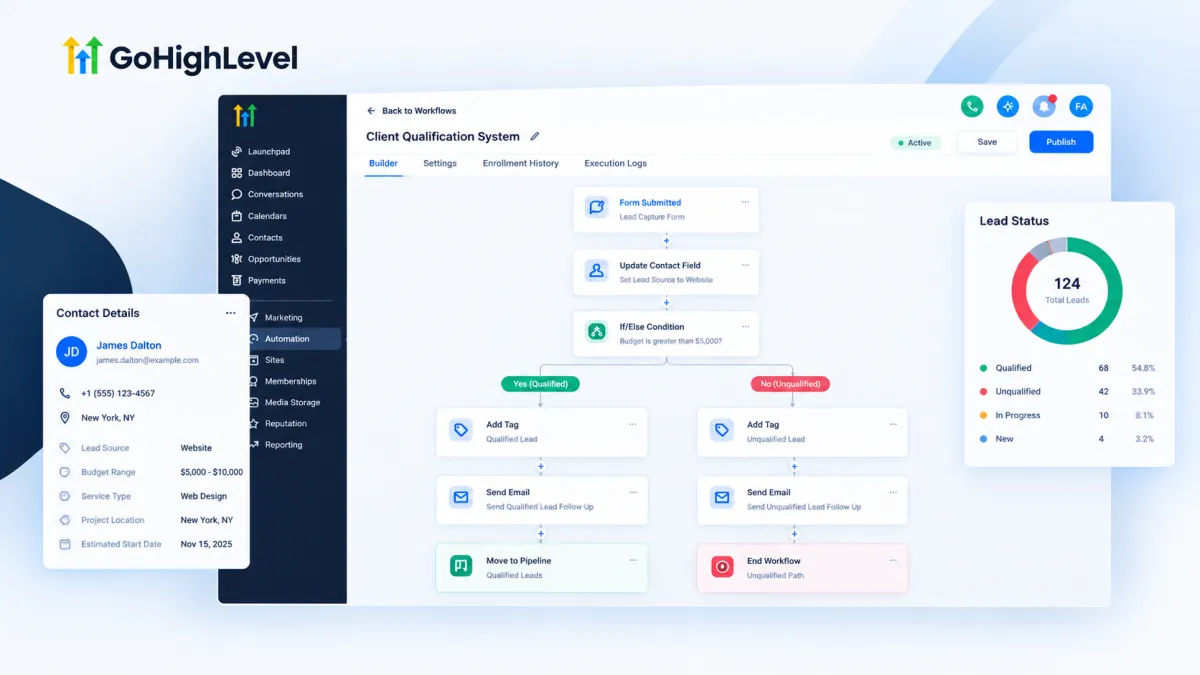
GoHighLevel Lead Qualification System
How to Build a Lead Qualification System in GoHighLevel
When every new lead gets the same follow up, your sales team can end up spending valuable time on people who were never a good fit. A better approach is to define what makes a lead worth pursuing, collect the right information, and let GoHighLevel workflows handle the next step based on those conditions. A well built Lead Qualification System in GoHighLevel does not decide whether a lead is valuable by itself. You build the criteria and logic, then use the available CRM and workflow tools to act on the result.
1. Define Your Qualification Criteria First
Before creating a workflow, decide exactly what qualifies a lead. This prevents the automation from becoming a collection of disconnected conditions.
The criteria depend on the business. Common examples include:
The service the lead needs
Their location or service area
Their estimated budget
Their expected timeline
Whether they meet a specific business requirement
Whether they have provided enough information for a sales conversation
Keep the criteria measurable whenever possible. For example, instead of saying that a lead should have a “good budget,” define a specific budget range that your sales team considers suitable.
You can then translate those requirements into conditions that GoHighLevel can evaluate.
2. Collect Information From the Lead
The next step is gathering the information required for qualification. GoHighLevel forms and surveys can be used to ask qualification questions before or during the lead capture process.
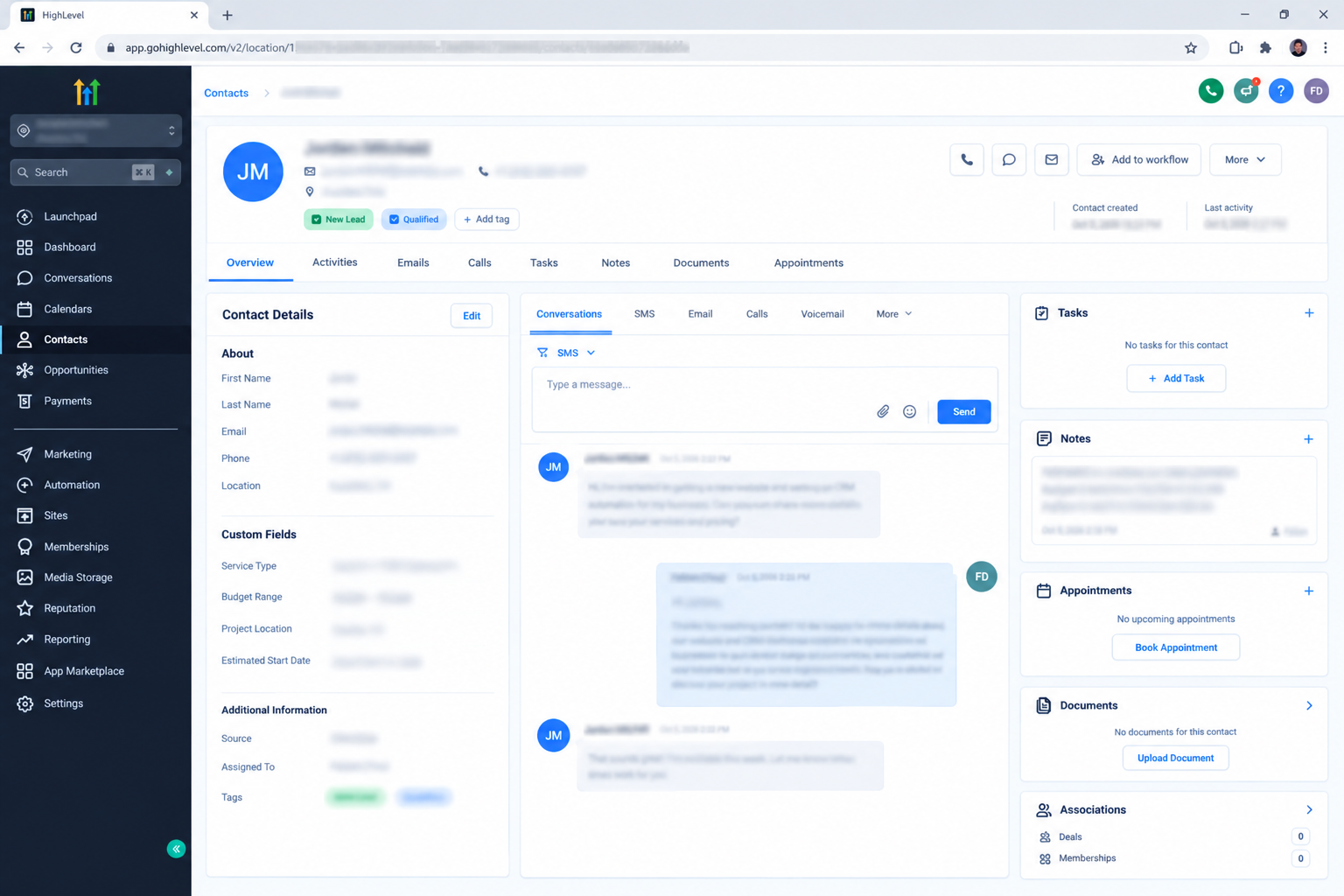
For example, a service business might ask:
What service do you need?
What is your approximate budget?
Where is the project located?
When would you like to start?
Only ask questions that influence the qualification decision. If an answer will never affect what happens next, it probably does not belong in the qualification process.
The collected information can be stored against the contact using standard contact information and custom fields where appropriate. This gives the workflow data that it can use when evaluating the lead.
3. Store Qualification Data Clearly
A qualification system becomes much easier to manage when the information has a clear structure.
Use custom fields for information that needs to be stored and referenced later, such as budget range, service type, project location, or estimated start time. Tags can also be useful for identifying a state or classification, such as a lead that has passed a particular qualification process.
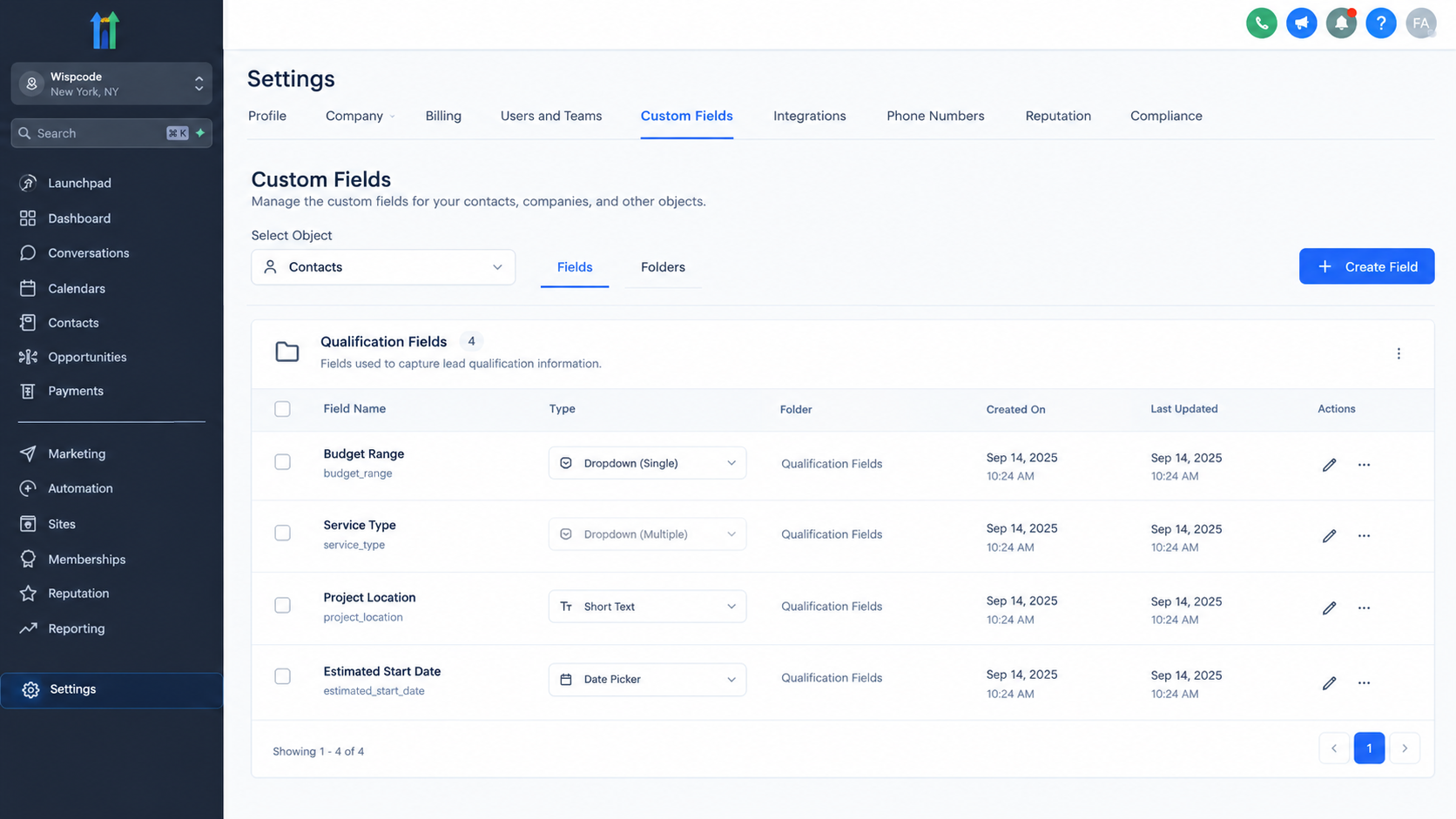
The important distinction is that the data itself is not the qualification result. A contact having a budget field filled in does not automatically make that contact qualified. The qualification result comes from the logic you configure around that information.
4. Build the Qualification Logic With a Workflow
Once the information is available, create a workflow that evaluates the defined conditions.
For example, suppose a cleaning company only wants to prioritize commercial clients within its service area who have a suitable project budget. The workflow can evaluate the information stored on the contact and use conditional logic to determine which path the contact should follow.
A simple structure could be:
Lead enters workflow → Check service type → Check location → Check budget → Qualified or not qualified
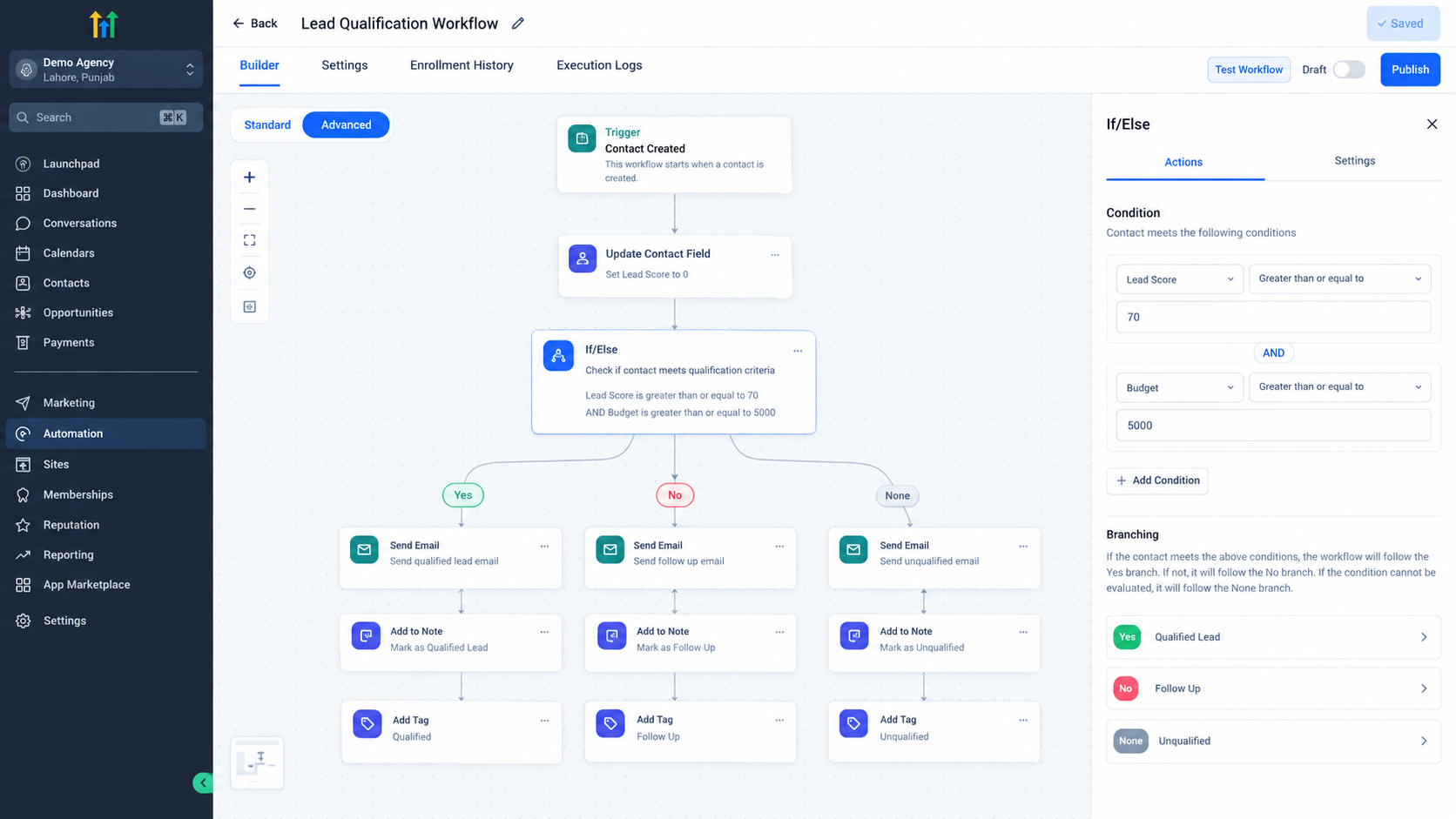
GoHighLevel workflows can use conditions to create different paths. This allows the system to evaluate multiple requirements instead of treating every contact identically.
The exact conditions should match the fields and information your business collects. Avoid creating complicated branches unless they represent a real business decision.
5. Give Qualified Leads a Clear Outcome
When a lead meets the required criteria, the workflow should create a useful next step.
Depending on the sales process, this can include applying a qualification tag, updating relevant contact information, creating or updating an opportunity, or moving the opportunity through the appropriate pipeline stage.
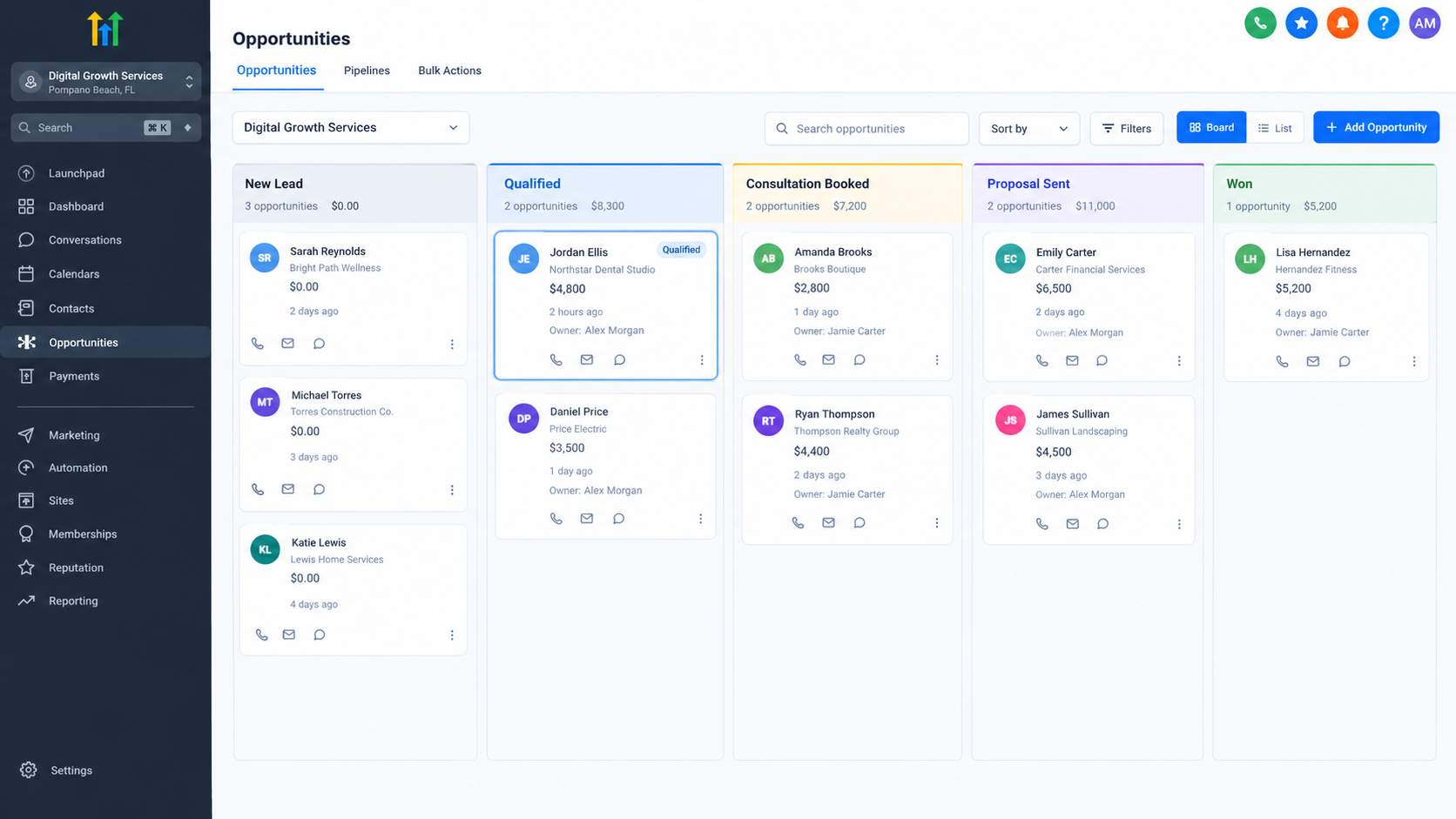
The goal is not simply to label someone as qualified. The qualification result should help the sales team understand what needs attention.
For example, a qualified lead can enter a sales pipeline stage where the team knows that the contact meets the basic requirements and is ready for direct follow up.
6. Handle Unqualified Leads Differently
Not every lead should be treated as a lost opportunity. Some contacts may simply fail one requirement today but could become suitable later.
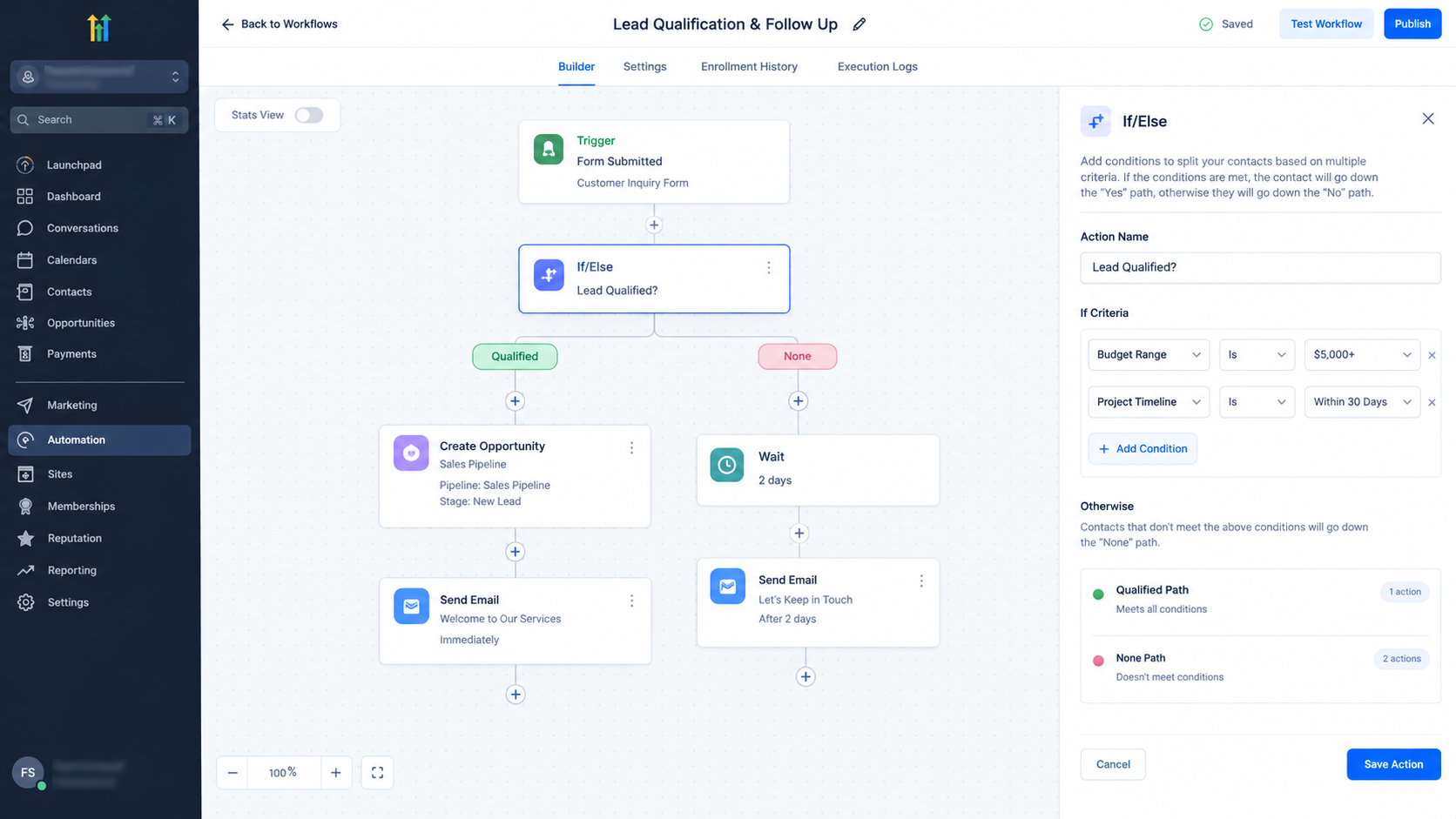
Create a separate path for leads that do not meet the qualification criteria. Depending on the business, the workflow can apply an appropriate tag, keep the contact outside the priority sales stage, or place the lead into a suitable follow up process.
For example, a lead outside the current service area should not necessarily receive the same sales treatment as a lead who meets every requirement. Separating these outcomes keeps the sales pipeline more focused.
7. Practical Example
Consider a fictional home renovation company that serves specific cities and normally accepts projects with budgets of at least $15,000.
The company collects three qualification details through its lead form: project location, project type, and estimated budget.
The workflow first checks whether the selected location is within the company's service area. If it is, the workflow checks whether the project type is one the company accepts. Finally, it checks whether the estimated budget meets the $15,000 requirement.
A lead that passes all three conditions can be marked as qualified and handled through the sales pipeline. A lead that fails the location or project type requirement can follow a different path. A lead with a lower budget can receive a separate follow up approach rather than being treated as a priority sales opportunity.
This structure makes the qualification process consistent while keeping the actual decision rules visible inside the workflow.
8. Review the System Regularly
A Lead Qualification System in GoHighLevel should reflect the real sales process. If sales representatives repeatedly find that qualified leads are poor fits, the criteria may need adjustment. If too many potentially valuable leads are being filtered out, the conditions may be too restrictive.
Review qualification outcomes, pipeline results, and feedback from the sales team. The automation should support the business's actual qualification process rather than replacing thoughtful sales judgment.
Frequently Asked Question (FAQs)
1. Can GoHighLevel automatically qualify leads?
GoHighLevel does not automatically know which leads are qualified. You define the criteria and configure workflows to evaluate the information collected from each lead.
2. Should I use tags or custom fields for qualification?
Custom fields are useful for storing qualification information such as budget or location. Tags can be useful for identifying a qualification status or another meaningful contact classification.
3. Can qualification results affect the sales pipeline?
Yes. A workflow can use qualification conditions to determine what happens next, including creating or updating opportunities and directing qualified contacts into an appropriate pipeline process.
4. What happens to leads that do not qualify?
They can follow a separate workflow path based on why they failed the criteria. Depending on the business, they may receive different follow up, remain outside the priority sales process, or be handled later.
5. How many qualification questions should a lead form contain?
Use only questions that contribute to a real qualification decision. A shorter form with useful criteria is generally easier to manage than a form filled with information that the sales process never uses.
Need Expert Help with GoHighLevel?
New to GoHighLevel and ready to get started? Buy your GoHighLevel account here and launch with confidence.
Already know what you need and want our team to handle everything, from complete setup and customization to funnels, workflows, automations, CRM, and pipelines? Click here.



