

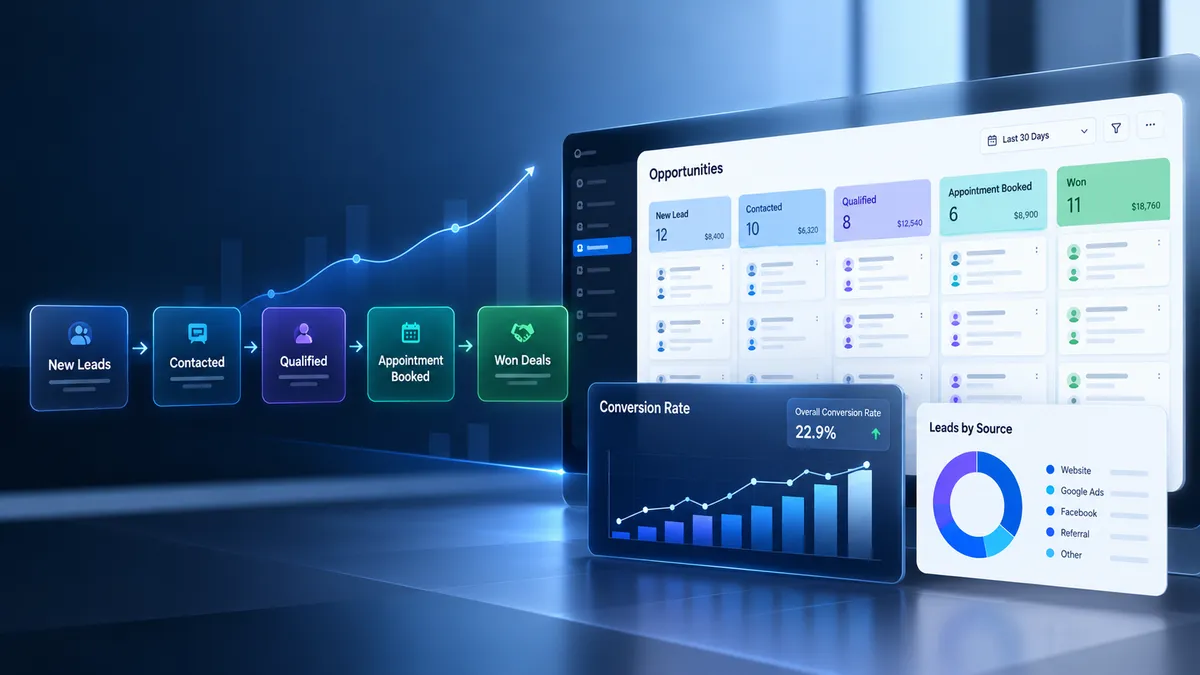
How to Measure Lead Conversion Rates in GoHighLevel
Generating leads means little if you cannot determine how many eventually become paying customers. You might receive hundreds of inquiries through your website, advertisements, and referrals, yet still struggle to identify which leads convert and where potential sales disappear. Learning how to measure lead conversion rates in GoHighLevel helps you connect lead acquisition with actual sales outcomes, evaluate your pipeline, and make better decisions about marketing and follow up.
What Is Lead Conversion Rate in GoHighLevel?
Lead conversion rate measures the percentage of eligible leads that complete a defined action, such as booking an appointment or becoming customers. The correct calculation depends on the outcome you want to measure.
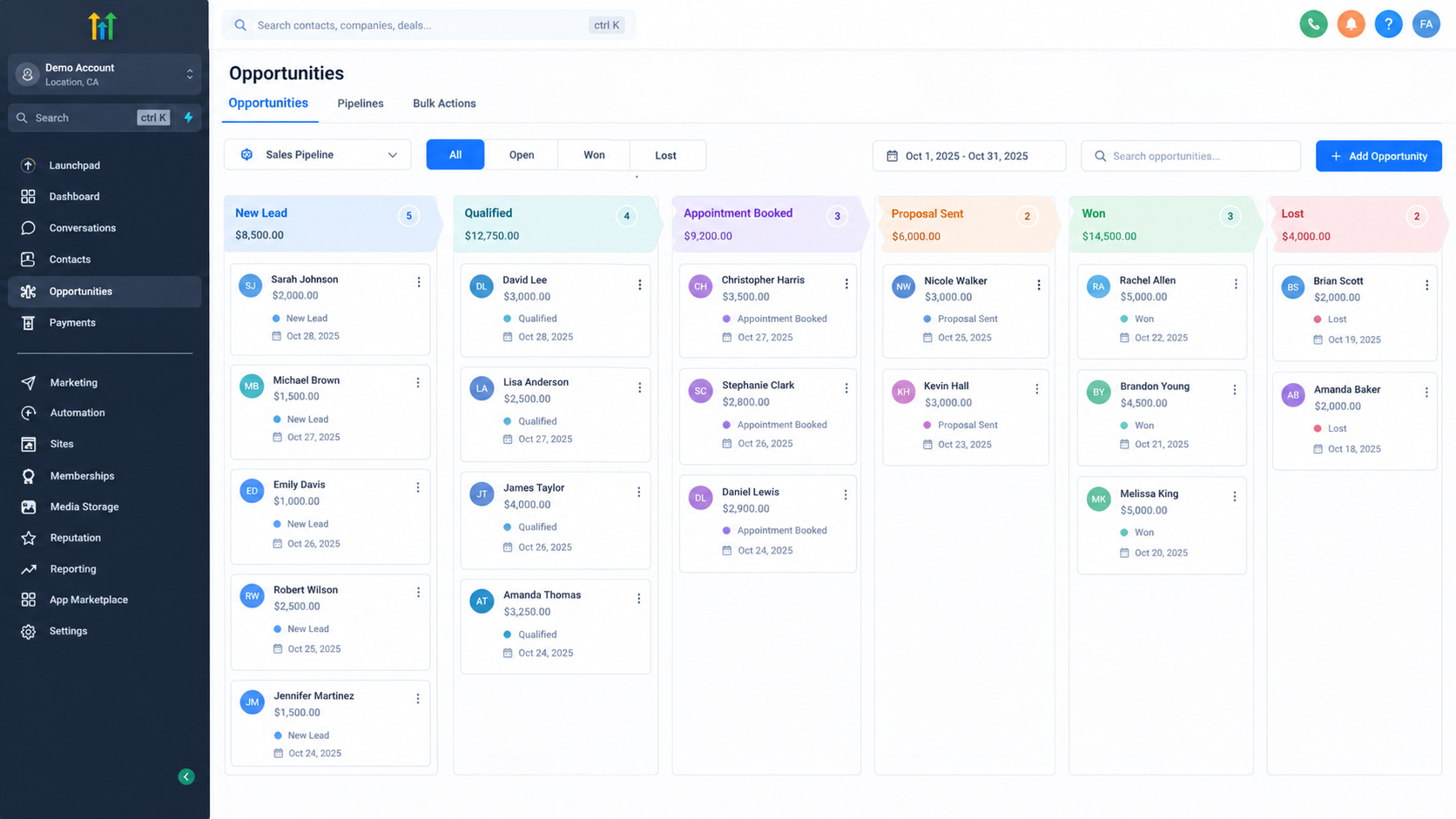
GoHighLevel supports this process through contact records, opportunities, pipelines, workflow automation, and reporting tools. Contacts store information about people, while opportunities represent potential deals associated with those contacts. Pipelines organize opportunities into stages that reflect your sales process.
These records provide the foundation for CRM conversion tracking, but reliable results depend on consistent data entry and clearly defined metrics.
Important Lead Conversion Formulas
1. Lead to Customer Conversion Rate
Formula:
Lead to customer conversion rate = Unique leads who became customers ÷ Total unique leads in the same cohort × 100
For example, suppose 200 unique leads entered your CRM during January. By the end of your chosen measurement window, 30 of those leads became customers.
Your conversion rate is 30 ÷ 200 × 100 = 15%.
The key is to measure conversions among the original group of leads rather than dividing January sales by an unrelated month's new leads.
2. Lead to Appointment Conversion Rate
Formula:
Lead to appointment conversion rate = Unique leads who booked an appointment ÷ Total eligible unique leads × 100
If 50 out of 200 eligible leads book appointments, your appointment conversion rate is 25%.
Count each lead once, even if that person books multiple appointments, when your goal is to measure the percentage of leads who book at least once.
3. Opportunity Win Rate
Formula:
Opportunity win rate = Won opportunities ÷ Total decided opportunities, meaning won plus lost opportunities × 100
If your sales team wins 40 opportunities and loses 60, the win rate is 40%.
This metric differs from lead to customer conversion rate. One contact may have multiple opportunities, and some leads never become opportunities. Abandoned or still open opportunities should not be treated as decided deals in this calculation.
How to Set Up GoHighLevel Conversion Tracking
Step 1: Define Your Conversion Events
Decide exactly what qualifies as a lead, qualified lead, booked appointment, and converted customer. For example, a customer conversion might require a completed purchase or signed agreement.
Document these definitions so everyone follows the same measurement rules.
Step 2: Build a Relevant Sales Pipeline
Open Opportunities and configure a pipeline that reflects your actual sales process. Suitable stages might include New Lead, Qualified, Appointment Booked, Proposal Sent, and Negotiation.
Keep stages meaningful and use GoHighLevel's Won and Lost opportunity statuses to record final outcomes. Do not rely on stage names alone to determine whether a deal was won or lost.
Step 3: Capture Leads From Your Sources
Connect your lead capture process using supported website forms, landing pages, integrations, or manual entry. Where appropriate, use workflows to create or update opportunities when a form submission or another supported trigger occurs.
Record the original source wherever possible. GoHighLevel attribution can retain first and latest interaction information, helping you distinguish where a contact initially came from from their more recent interaction.
Step 4: Maintain Accurate Contact and Opportunity Records
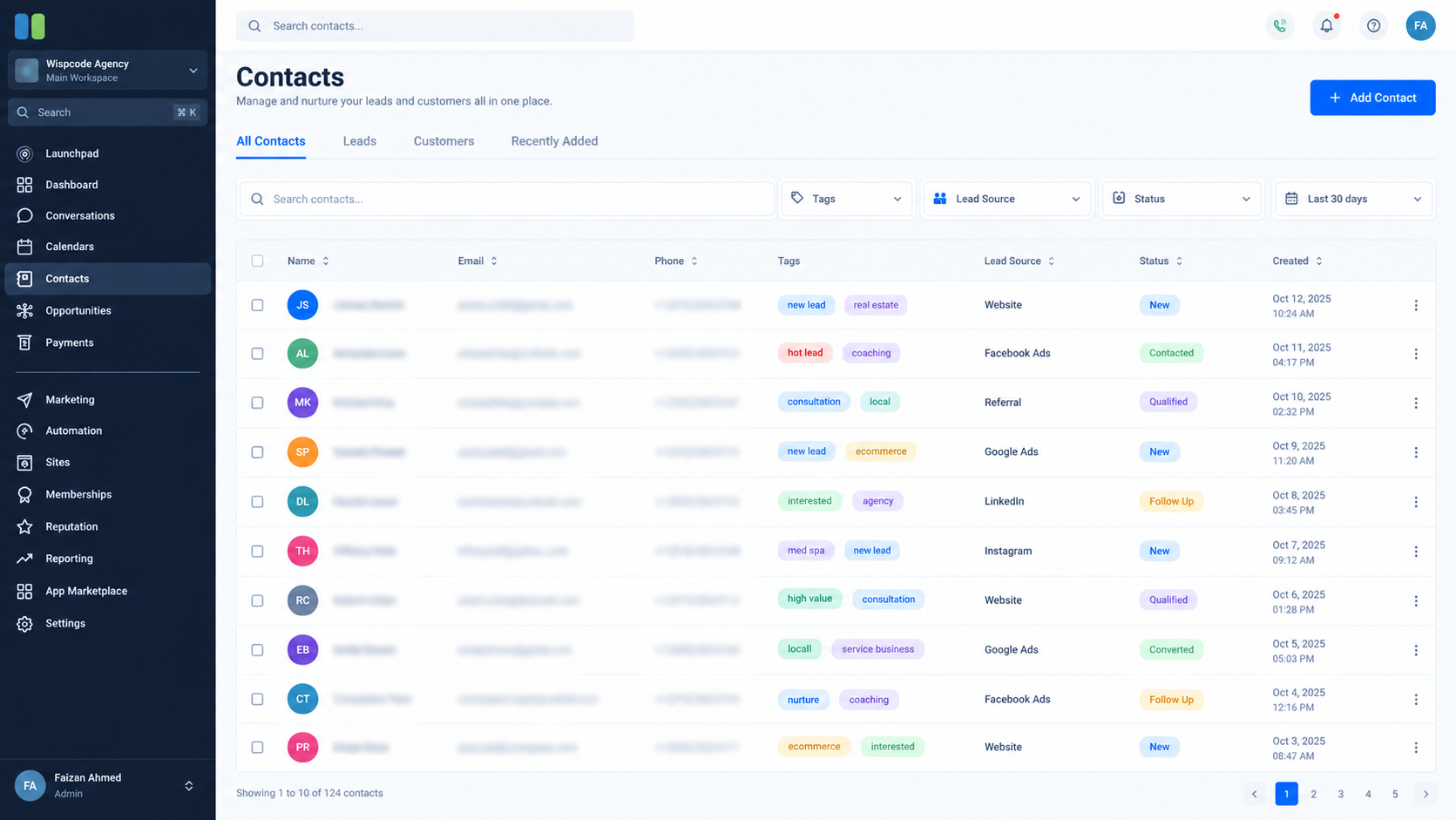
Associate opportunities with the correct contacts. Review duplicate contacts and duplicate opportunities because either can distort your calculations.
Use custom fields or tags when they serve a clear purpose, such as identifying qualification outcomes or recording a defined business event. Do not create unnecessary fields that duplicate information already available in standard records.
Step 5: Automate Appropriate Updates
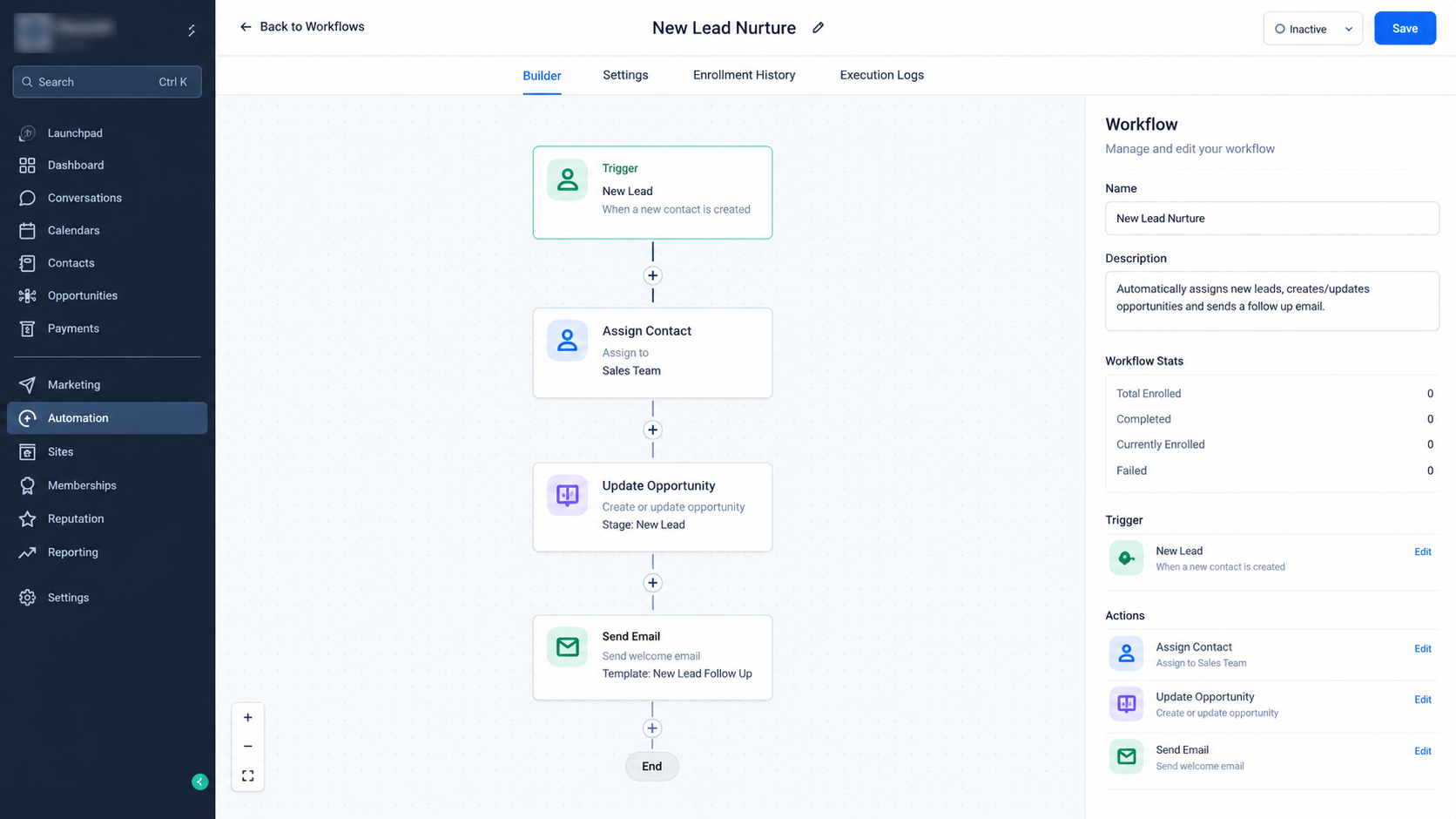
Use workflows to reduce repetitive administrative work. Depending on your setup, supported actions can create or update opportunities, assign leads, or update relevant information after qualifying events.
Automation should support a clearly defined process. Test it with sample records and confirm that it does not create duplicate opportunities or mark leads as converted before the actual conversion occurs.
Step 6: Calculate Each Metric From the Correct Records
Use contacts to count unique leads, appointment records to identify leads who booked, and opportunity statuses to determine won and lost deals.
GoHighLevel provides opportunity dashboards and reporting widgets, including funnel views and opportunity metrics. However, a dashboard figure does not automatically represent every custom conversion definition.
For cohort based lead to customer calculations, you may need to export records, use a spreadsheet, or build a suitable custom report or integration. Match contacts across records and apply consistent acquisition dates and measurement windows.
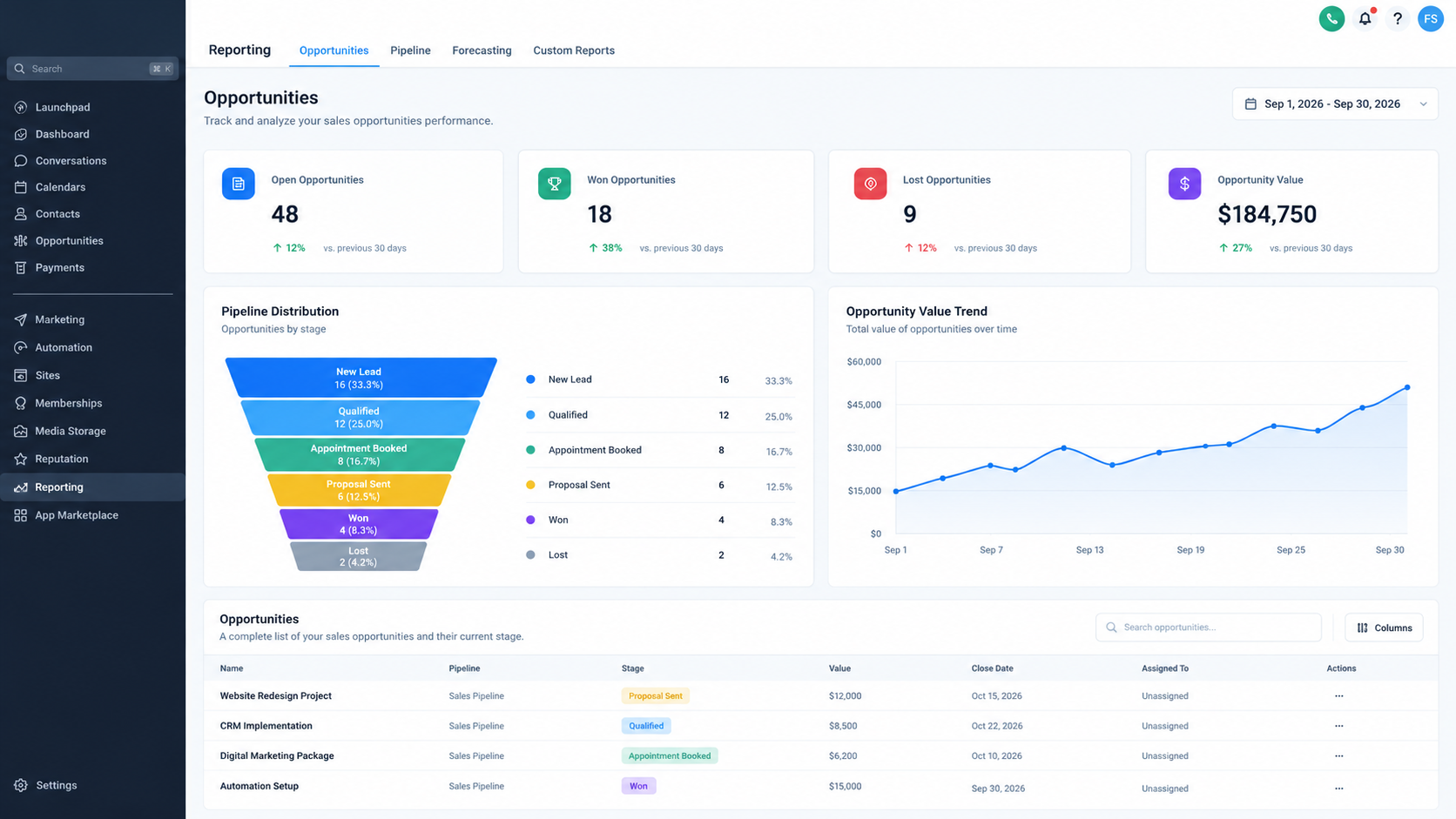
Step 7: Review Results and Investigate Changes
Review conversion performance weekly or monthly, depending on lead volume and sales cycle length. Investigate changes by source, pipeline stage, team member, and lead quality where reliable data is available.
Common Mistakes That Distort Conversion Rates
Counting opportunities instead of leads: Multiple deals can belong to one contact, so opportunity totals cannot automatically represent unique leads.
Keeping outdated records active: Update closed opportunities and record their final statuses consistently.
Mixing reporting periods: Leads acquired in one month may convert several weeks later. Compare defined cohorts or allow a consistent conversion window.
Assuming attribution proves causation: A recorded source helps identify relationships, but it does not prove that a channel alone caused the sale.
Combining different conversion events: Appointments, qualified leads, and paying customers represent separate outcomes.
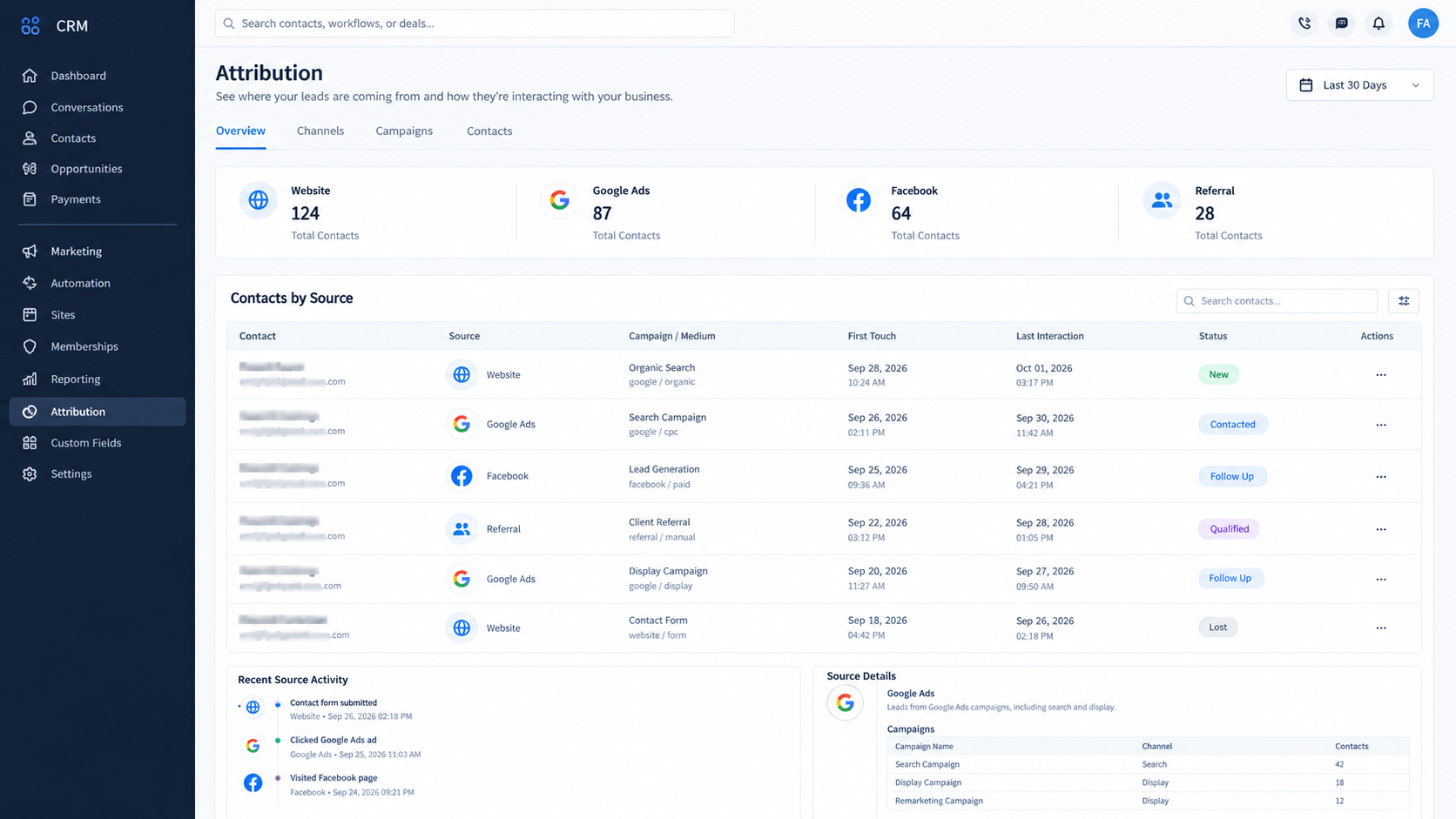
Lead source tracking helps businesses understand where inquiries originate and evaluate channel performance when sufficient attribution data is available.
GoHighLevel reporting, attribution details, and customization options can vary by feature, account configuration, and subscription. Verify the available reporting options in your account before designing a measurement process around a specific dashboard.
Frequently Asked Questions
1. How do you calculate lead conversion rate in GoHighLevel?
Count unique leads that achieved the defined outcome, divide by the total eligible unique leads in the same cohort, and multiply by 100. Use consistent records and measurement periods.
2. Can GoHighLevel track leads from different sources?
Yes. Supported lead capture methods and attribution features can help identify sources, although accurate tracking depends on configuration and available attribution data.
3. Can GoHighLevel automatically calculate conversion rates?
Some opportunity reporting widgets provide conversion metrics. Custom lead to customer calculations may require exports, spreadsheets, or additional reporting tools.
4. What is the difference between lead conversion rate and opportunity win rate?
Lead conversion rate measures the percentage of unique leads achieving an outcome. Opportunity win rate measures won deals among decided opportunities.
5. How often should you review lead conversion rates?
Weekly reviews help identify operational issues, while monthly reviews can reveal broader trends. Allow enough time for leads to progress through your normal sales cycle.
Need Expert Help with GoHighLevel?
New to GoHighLevel and ready to get started? Buy your GoHighLevel account here and launch with confidence.
Already know what you need and want our team to handle everything, from complete setup and customization to funnels, workflows, automations, CRM, and pipelines? Click here.



