

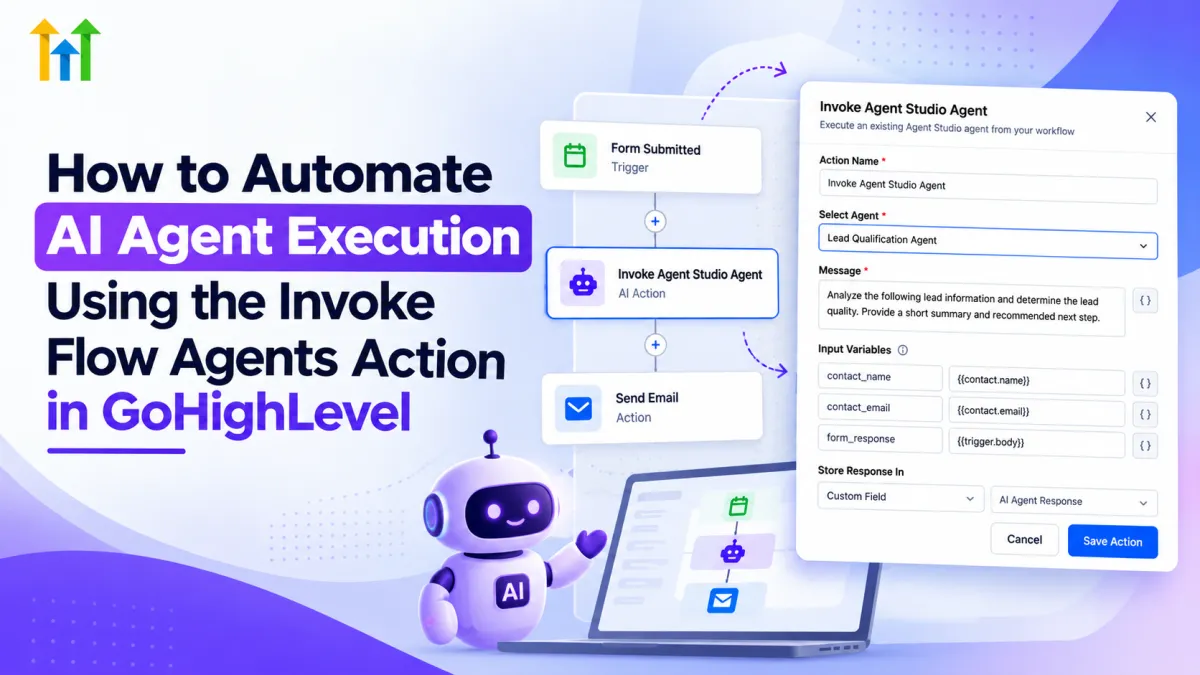
How to Invoke AI Agents in GoHighLevel Workflows
How to Automate AI Agent Execution Using the Invoke Flow Agents Action in GoHighLevel
Traditional GoHighLevel workflows are excellent at predictable automation: a trigger occurs, predefined actions run, and the contact moves through a structured process. But some business processes are not completely predictable. They require interpreting information, understanding context, classifying input, or generating a response.
That is where GoHighLevel AI Agents can add another layer to automation.
By connecting GoHighLevel workflows with Agent Studio agents, businesses can keep predictable processes inside workflows while handing specific context-dependent tasks to AI. The result is a practical form of AI workflow automation without replacing the structured logic that makes workflows reliable.
What Is the GoHighLevel Invoke Flow Agents Action?
First, the terminology needs clarification.
HighLevel currently recommends Managed Agents, formerly called Super Agents, for new agent creation. Existing flow-based agents continue to work and can still be maintained through the Flow Agents experience.
For existing flow-based agents, HighLevel documents the workflow action as Invoke Agent Studio Agent. For newer Managed Agents, HighLevel provides a separate Invoke Managed Agent action. There is also an AI Agent workflow action where AI behavior is configured directly within the Workflow Builder.
So, if you are searching for “GoHighLevel Invoke Flow Agents,” the exact action you use depends on the agent architecture in your account.
The core idea is straightforward: the workflow controls the overall automation, while the invoked agent handles a specific AI-powered task.
This is different from an Agent Studio Start trigger. An invocation action deliberately calls an agent when the contact reaches that point inside an existing workflow.
How AI Agent Invocation Works
Conceptually, the automation can look like this:
Workflow Trigger → Workflow Actions → Invoke Agent → Agent Processes Context → Subsequent Workflow Logic
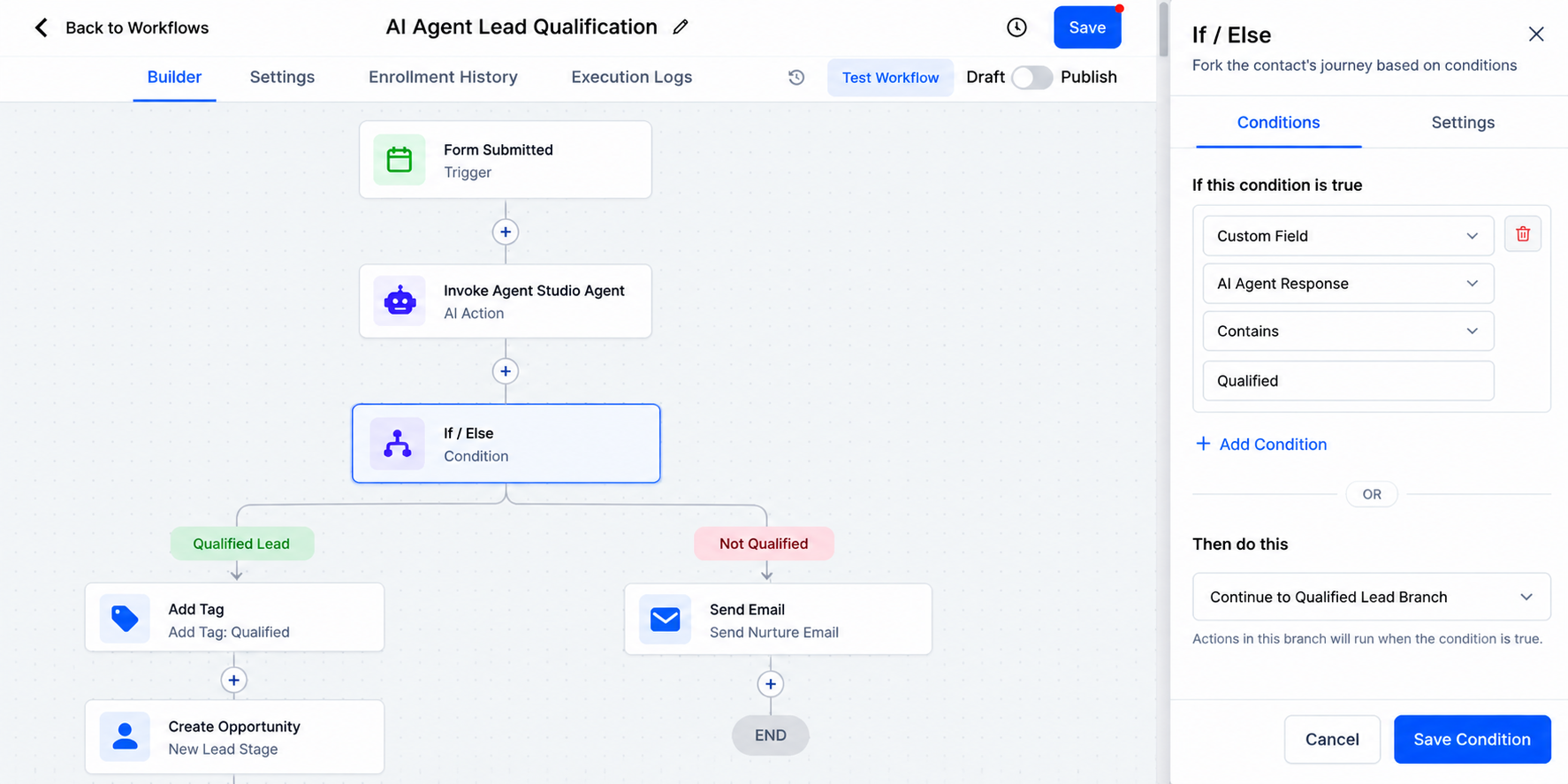
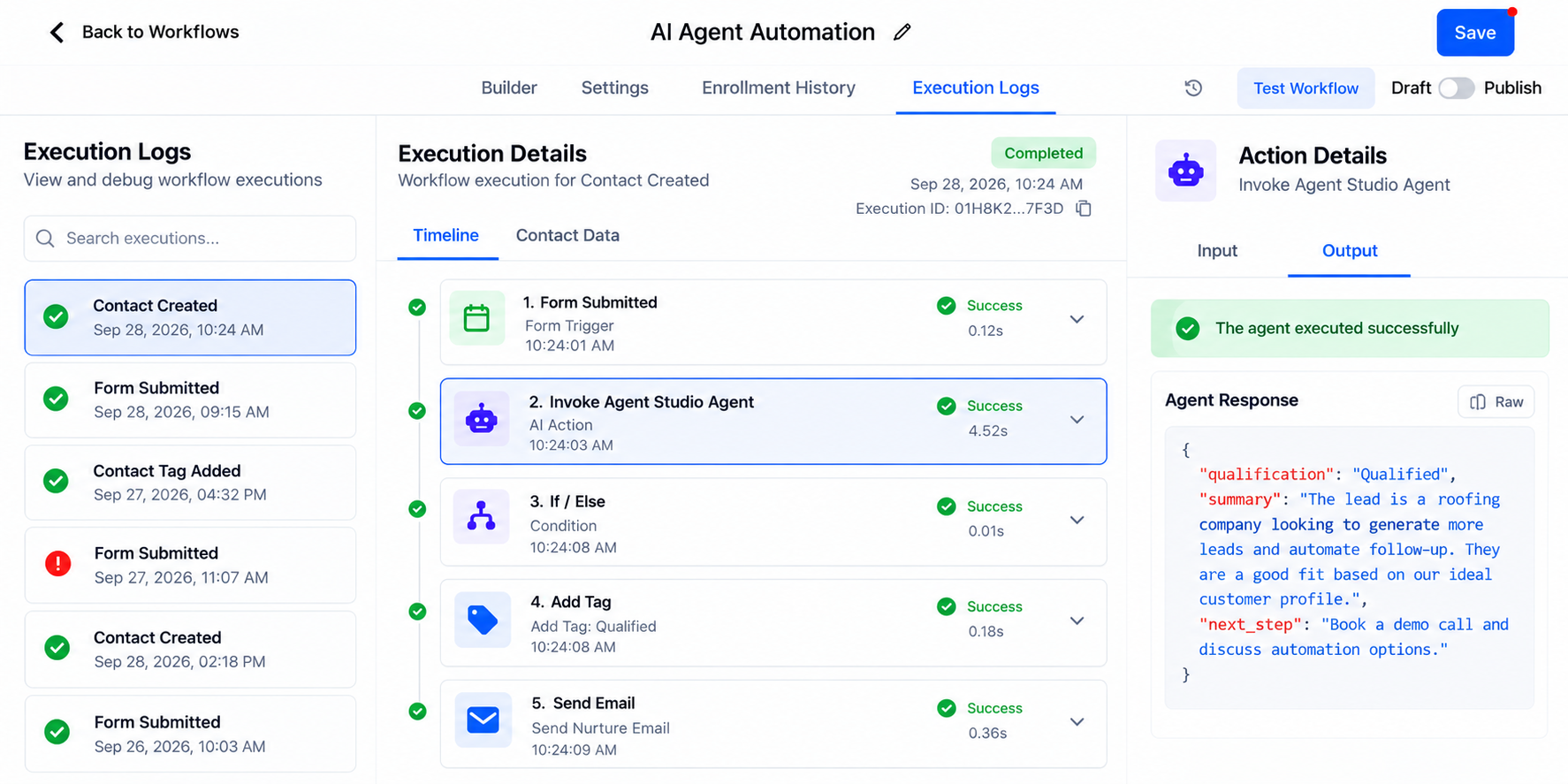
Consider an illustrative example. A lead submits a form and enters a workflow. The workflow reaches an AI agent step and passes relevant information to the agent. The agent processes that information according to its instructions and returns a result. The workflow can then use supported output in later automation steps.
HighLevel documents downstream uses such as If/Else branching, internal notifications, field updates, communications, and webhooks for the flow-based Agent Studio invocation action.
The agent should not be treated as having unlimited access to everything in the CRM. Its behavior depends on the agent, inputs, tools, and capabilities actually configured.
How to Set It Up in GoHighLevel
1. Prepare the Appropriate Agent
For new implementations, review the current Managed Agents experience first. If you are working with an existing flow-based Agent Studio agent, configure and test that agent for workflow invocation.
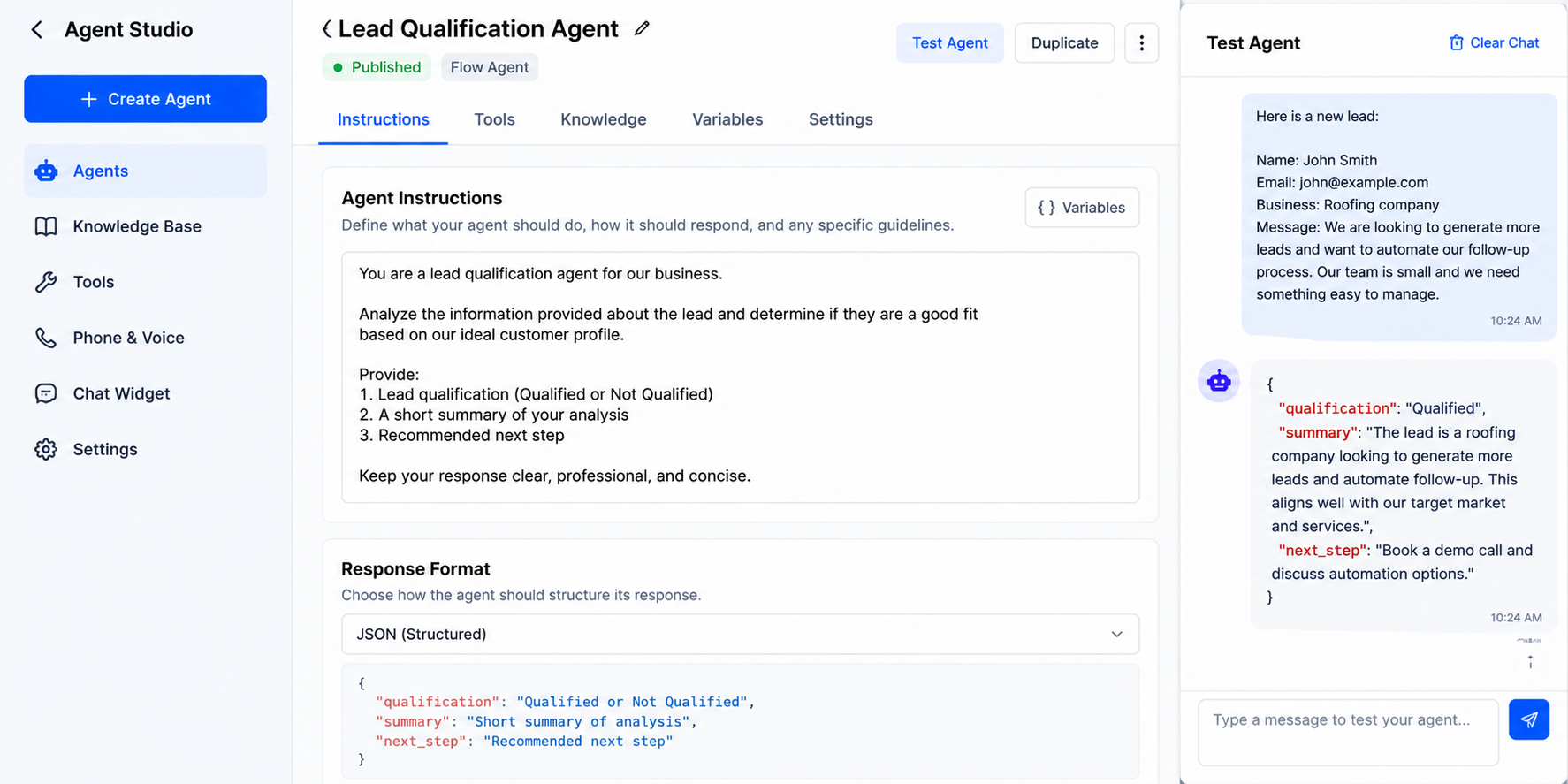
Make sure the agent is published appropriately so it is available to the corresponding workflow action.
2. Create or Open Your Workflow
Open the GoHighLevel workflow that will control the larger process and select the appropriate supported trigger for your use case.
The workflow should handle the predictable parts of the automation.
3. Add the Agent Invocation Action
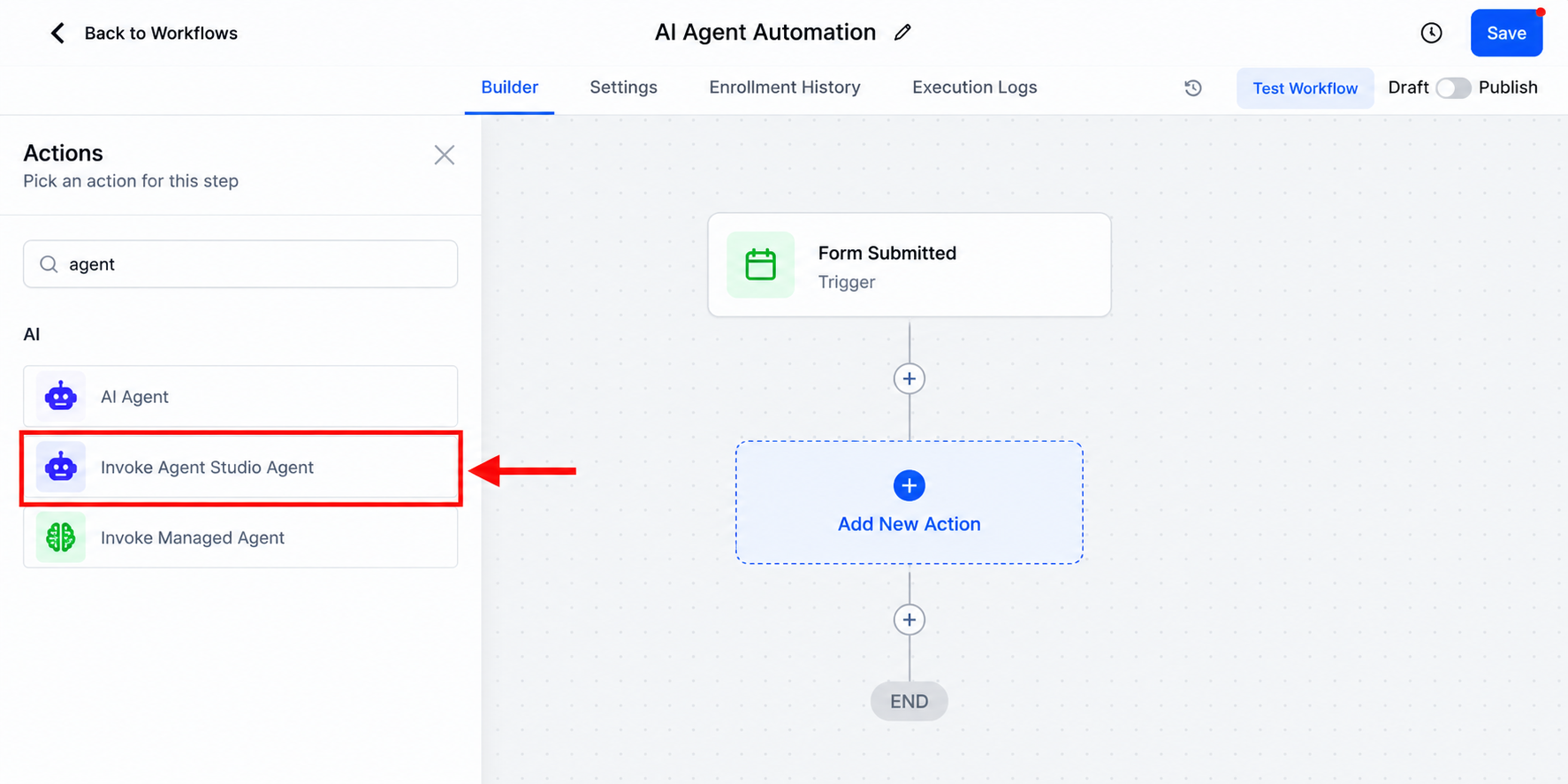
Add the action matching your setup:
Invoke Managed Agent for a published Managed Agent, or Invoke Agent Studio Agent for an eligible existing flow-based Agent Studio agent.
4. Configure the Context
Pass the information the agent needs using the options supported by the selected action.
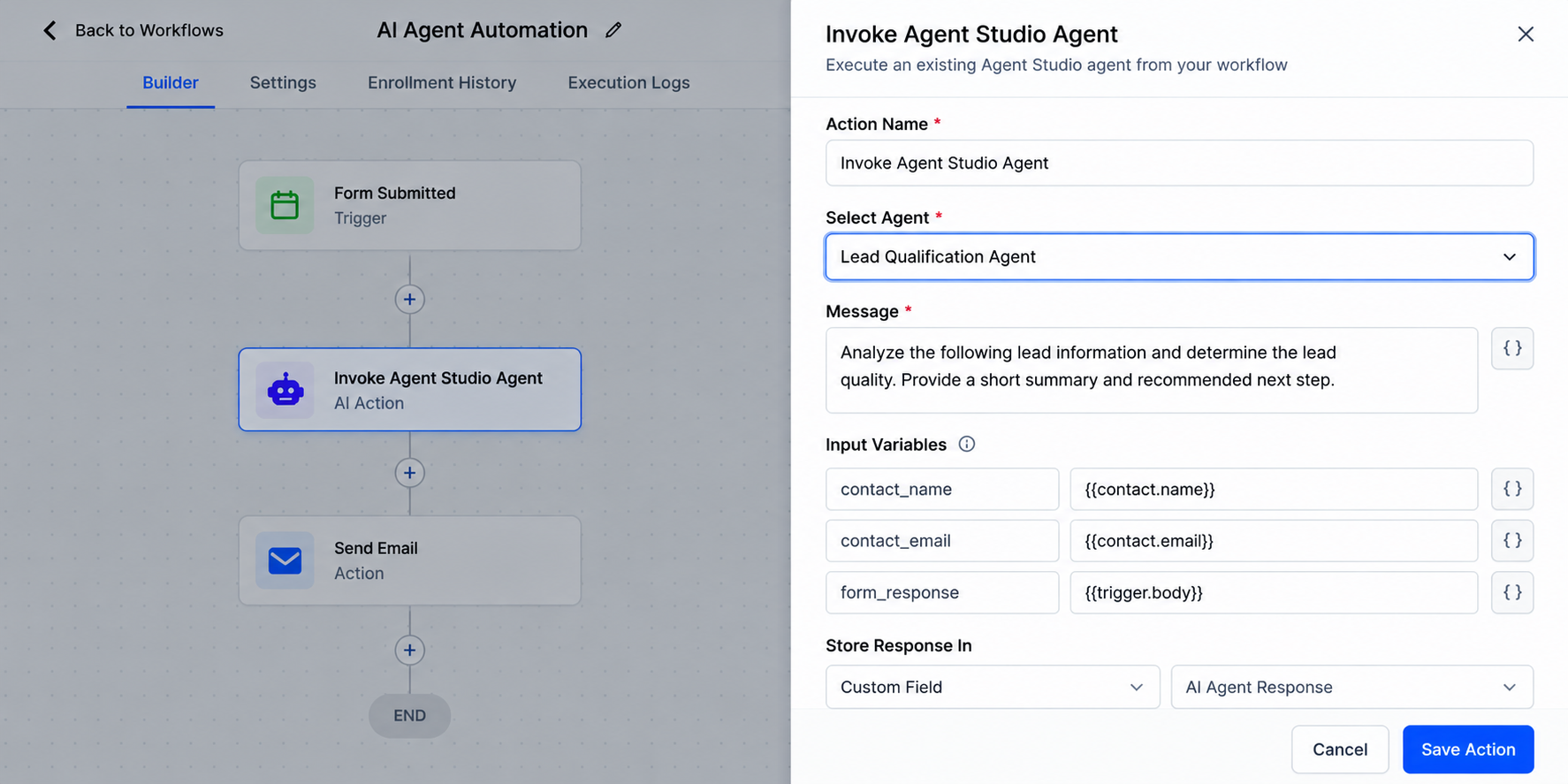
For example, HighLevel's Invoke Agent Studio Agent documentation includes a Message field, Input Variables, and the ability to store the returned output for later workflow steps. Required inputs should be mapped correctly rather than assuming the agent automatically receives every piece of CRM data.
5. Continue the Automation
Use the returned result where supported by your workflow configuration. Structured agent output can be particularly helpful when later steps need predictable values for branching or data processing.
6. Test Before Going Live
Use sample contacts and realistic data. Verify that the correct information reaches the agent, review its response, and confirm that downstream actions behave as expected before activating the automation.
Practical Business Use Cases
Lead qualification: An agent can interpret submitted information and return a classification that later workflow logic can use.
Form processing: AI can summarize or organize longer, less structured form responses before subsequent automation processes them.
Customer inquiries: An agent can analyze inquiry context and prepare information for a follow-up or internal handoff.
Lead routing: AI-assisted classification can help identify categories that downstream workflow logic uses for routing.
Personalized follow-up preparation: An agent can generate context-aware content that a later workflow step uses appropriately.
Internal operations: Teams can use agents for summaries, categorization, or converting unstructured information into more useful outputs.
Why This Is More Powerful Than a Basic Workflow
Traditional workflows work best when the rule is explicit: if X happens, perform Y.
AI becomes useful when the input requires interpretation.
An agent can analyze language, summarize information, classify context, or generate a result according to its instructions. The strongest approach is often a combination: deterministic GoHighLevel automation for important business rules and AI agents for carefully defined tasks where contextual processing adds value.
Best Practices for Reliable AI Automation
Give each agent a focused job and clear instructions. Map data carefully, test with representative contacts, and account for missing or unusual inputs.
Where downstream automation depends on the result, use consistent or structured outputs when supported. Review AI-generated results when errors could have meaningful consequences.
Most importantly, do not invoke an agent simply because AI is available. If a normal workflow condition can handle the task reliably, keeping that logic deterministic usually makes the automation easier to maintain.
Common Mistakes to Avoid
Avoid vague agent instructions, poor variable mapping, insufficient testing, and expecting an agent to access information or perform actions it has not been configured to use.
Also avoid following older GoHighLevel Flow Agents tutorials without checking the current interface. HighLevel's agent architecture is evolving, and Managed Agents are now the recommended direction for new agent creation.
Conclusion
The GoHighLevel Invoke Flow Agents concept represents an important shift from purely rule-based automation toward workflows that can incorporate carefully scoped AI processing.
Used correctly, HighLevel Agent Studio automation can make lead processing, categorization, summaries, routing, follow-up preparation, and internal operations more adaptive while workflows keep the overall process structured.
Start with one focused use case, test it thoroughly, and use AI where context genuinely matters. That balance is what turns AI agents from an interesting feature into a practical part of a reliable GoHighLevel automation system.
Frequently Asked Questions
1. What is the Invoke Flow Agents action in GoHighLevel?
The term generally refers to invoking an Agent Studio agent from a GoHighLevel workflow. Depending on the agent type, the current interface may use actions such as Invoke Agent Studio Agent for existing flow-based agents or Invoke Managed Agent for newer Managed Agents.
2. Can I automate AI agents in GoHighLevel workflows?
Yes. GoHighLevel workflows can invoke supported AI agents at specific points in an automation. This allows a workflow to handle predictable steps while an agent processes tasks that benefit from contextual interpretation or AI-generated output.
3. What is the difference between GoHighLevel Flow Agents and Managed Agents?
Flow Agents are part of the existing flow-based Agent Studio experience. HighLevel now recommends Managed Agents, formerly called Super Agents, for new agent creation. Existing Flow Agents can continue to be used and maintained.
4. What are some practical uses for AI agents in GoHighLevel?
Depending on how the agent and workflow are configured, common uses include lead qualification, processing form responses, categorizing information, summarizing CRM data, preparing personalized follow-up content, and supporting internal automation processes.
5. Should I use an AI agent or a normal GoHighLevel workflow action?
Use standard workflow logic when the task follows clear and predictable rules. AI agents are more useful when a step requires interpreting language, processing context, categorizing unstructured information, or generating dynamic content. In many cases, the best approach is to combine both.
Need Expert Help with GoHighLevel?
New to GoHighLevel and ready to get started? Buy your GoHighLevel account here and launch with confidence.
Already know what you need and want our team to handle everything, from complete setup and customization to funnels, workflows, automations, CRM, and pipelines? Click here.



