

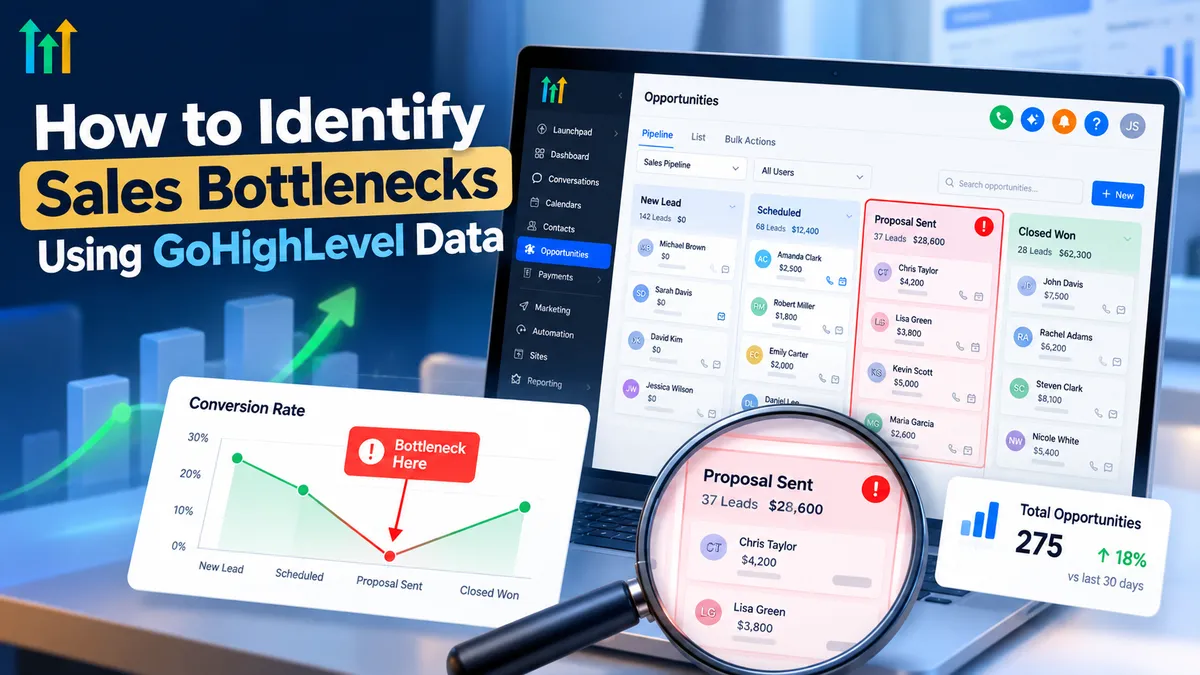
Identify Sales Bottlenecks Using GoHighLevel Data
How to Identify Sales Bottlenecks Using GoHighLevel Data
Generating more leads sounds like the obvious solution when sales slow down. But what if your business already has enough leads and the real problem is what happens after they arrive?
Prospects may wait too long for responses, opportunities may sit untouched, and appointments may never turn into meaningful conversations. Without visibility into these gaps, businesses risk spending more on marketing while overlooking existing revenue opportunities.
Understanding how to identify sales bottlenecks using GoHighLevel data helps you uncover these problems before investing in additional lead generation. By examining pipeline activity, communication history, appointment outcomes, and opportunity records, you can make informed decisions that improve sales efficiency.
What Are Sales Bottlenecks, and Why Do They Matter?
A sales bottleneck is any point in your sales process where leads experience unnecessary delays, inconsistent communication, or difficulty progressing toward a purchase.
For example, a company might generate qualified inquiries but struggle to schedule consultations. Another might book appointments successfully yet fail to follow up with prospects afterward.
These problems affect more than conversion rates. They can increase acquisition costs, reduce team productivity, create frustrating customer experiences, and limit revenue potential.
Effective sales pipeline optimization begins by identifying where prospects stop progressing—and investigating why.
How GoHighLevel Helps You Understand Sales Performance
GoHighLevel brings several important sales activities into one CRM environment, making it easier to examine relationships between lead engagement and opportunity outcomes.
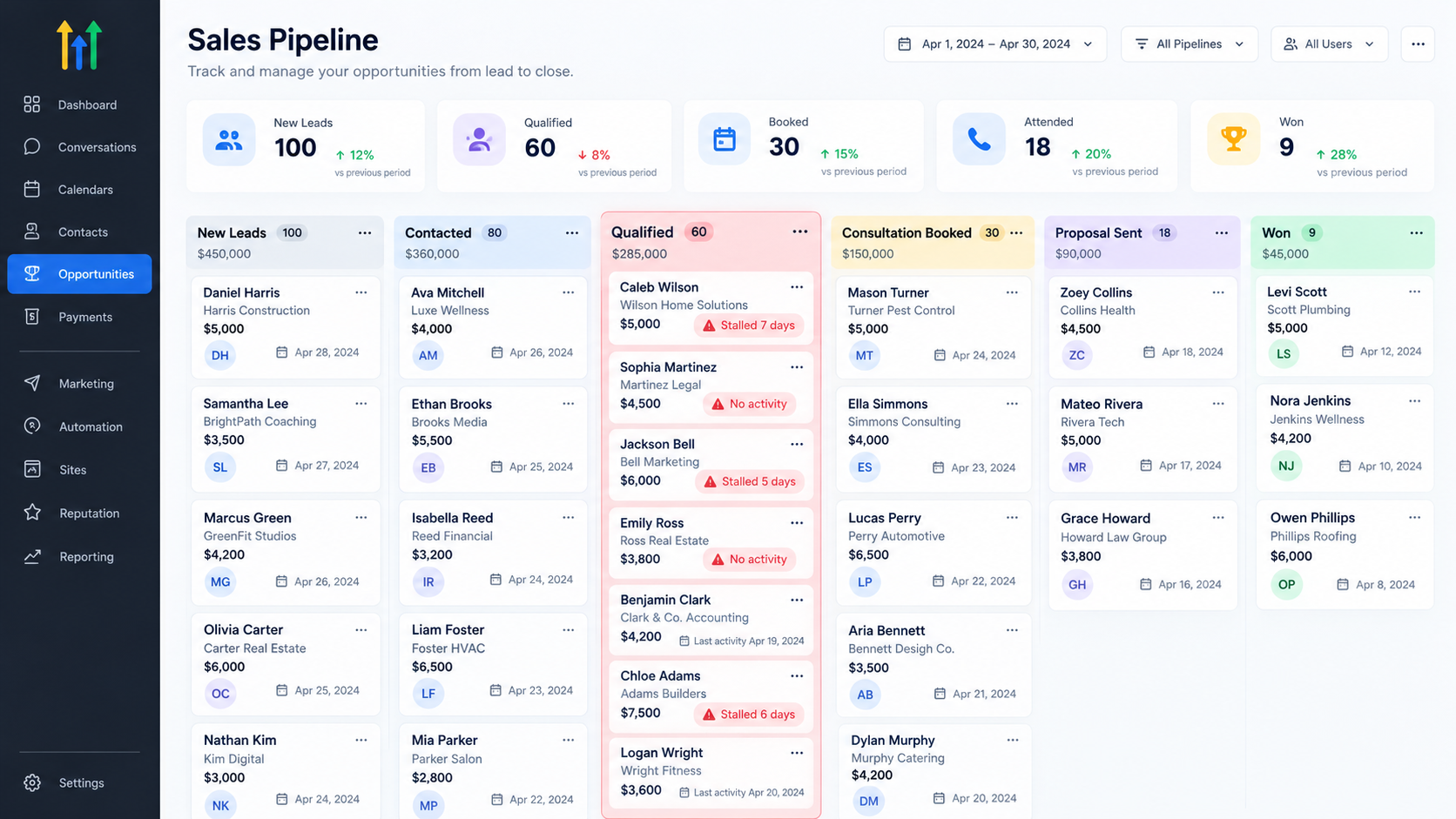
Its relevant capabilities include:
Contacts: Review customer information, tags, and available activity history.
Opportunities and Pipelines: Organize deals by stage, status, and assigned users.
Conversations: Examine communication activity across connected channels.
Calendars: Manage bookings and review appointment information.
Workflows: Automate follow-ups, notifications, and opportunity-related processes.
Reporting: Review available performance information, depending on configuration and subscription.
These capabilities support GoHighLevel sales analytics, but they do not automatically explain every conversion problem. Certain measurements, including historical stage duration or detailed response-time comparisons, may require additional tracking, exports, or integrations.
Six Warning Signs Hidden in Your Sales Data
1. Opportunities Accumulate in One Stage
A crowded pipeline stage can indicate friction.
For instance, if opportunities consistently enter the proposal stage but rarely progress, investigate whether pricing objections, delayed follow-ups, or unclear next steps are responsible.
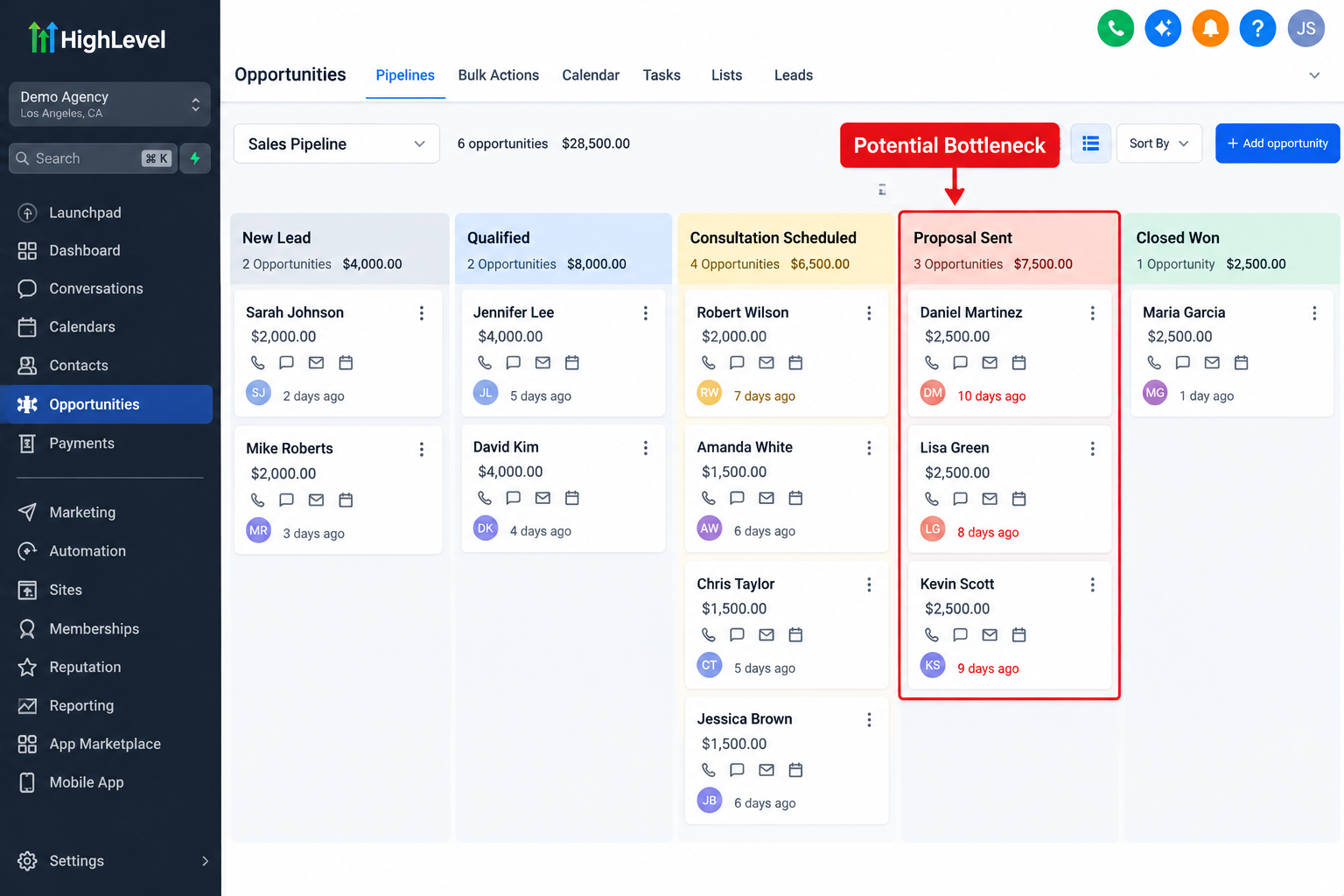
Use GoHighLevel opportunity tracking to review affected records and identify recurring patterns.
2. Leads Receive Inconsistent Follow-Ups
Examine conversation histories to determine whether prospects receive timely responses.
Look for unanswered inquiries, long communication gaps, and opportunities without recent activity.
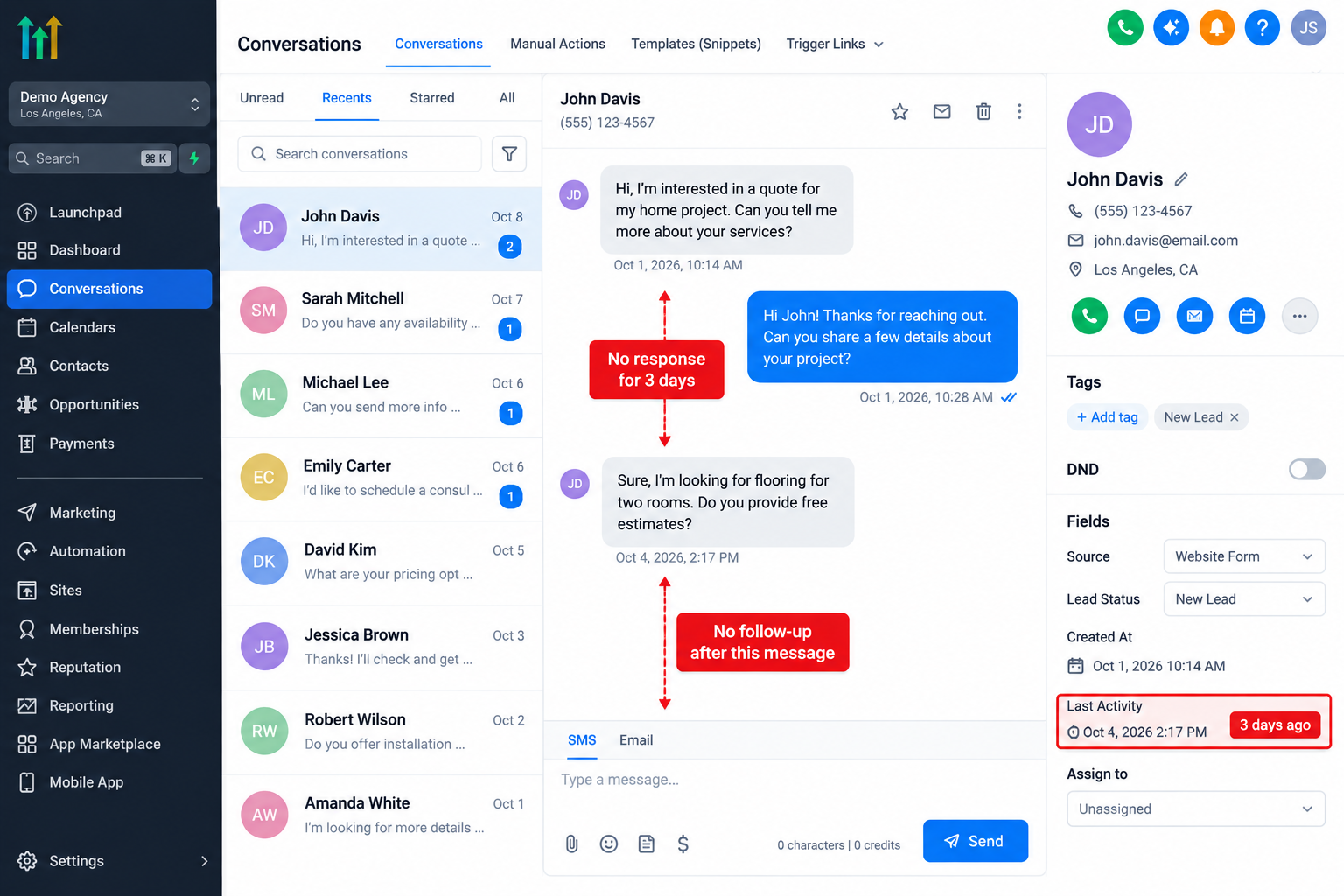
For lead follow-up optimization, compare communication patterns between opportunities that progressed and those that stalled.
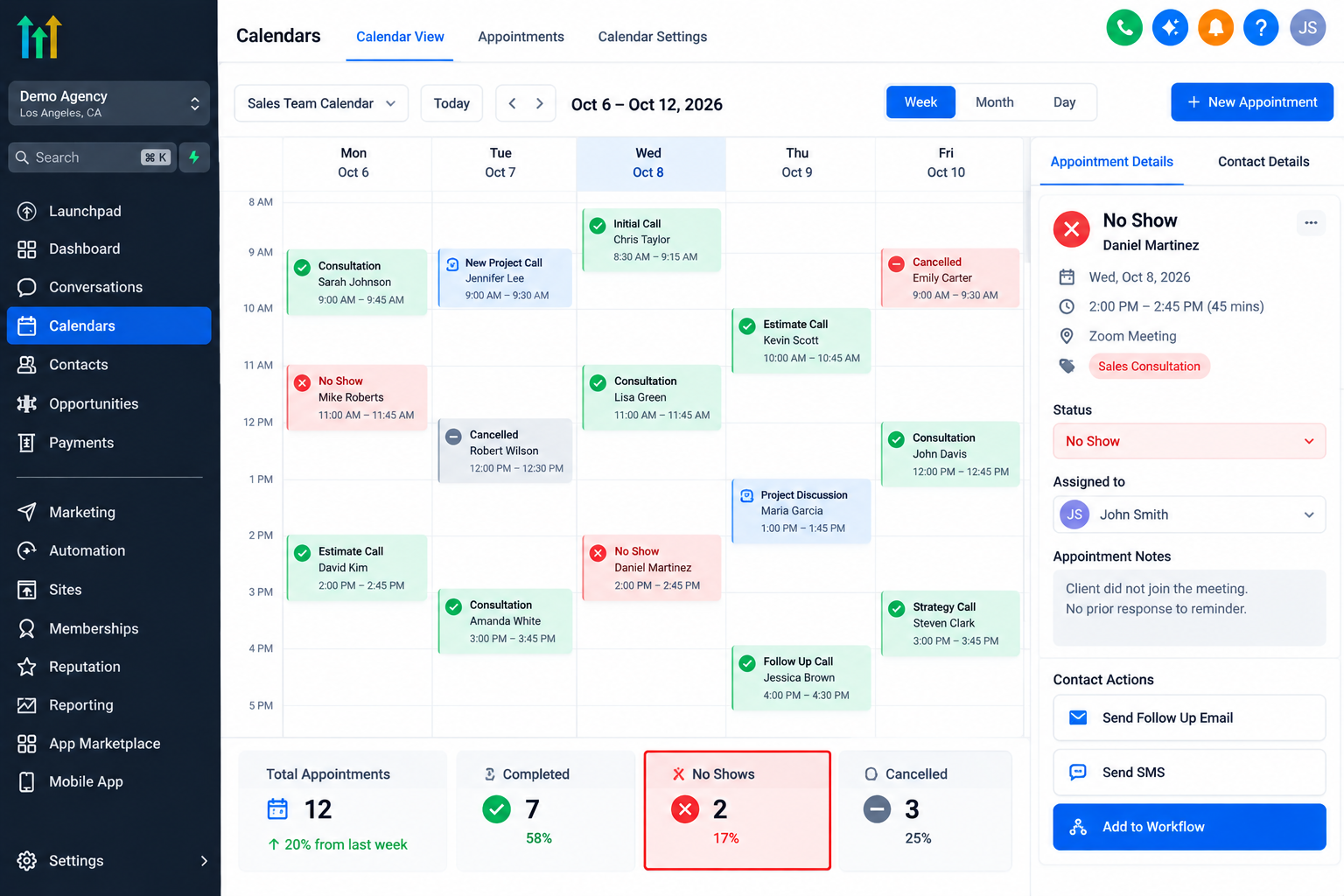
3. Appointments Fail to Produce Sales Conversations
Bookings alone do not guarantee meaningful engagement.
Review appointment outcomes, cancellations, and no-shows where recorded. Investigate whether reminders, scheduling expectations, or confirmation processes need improvement.
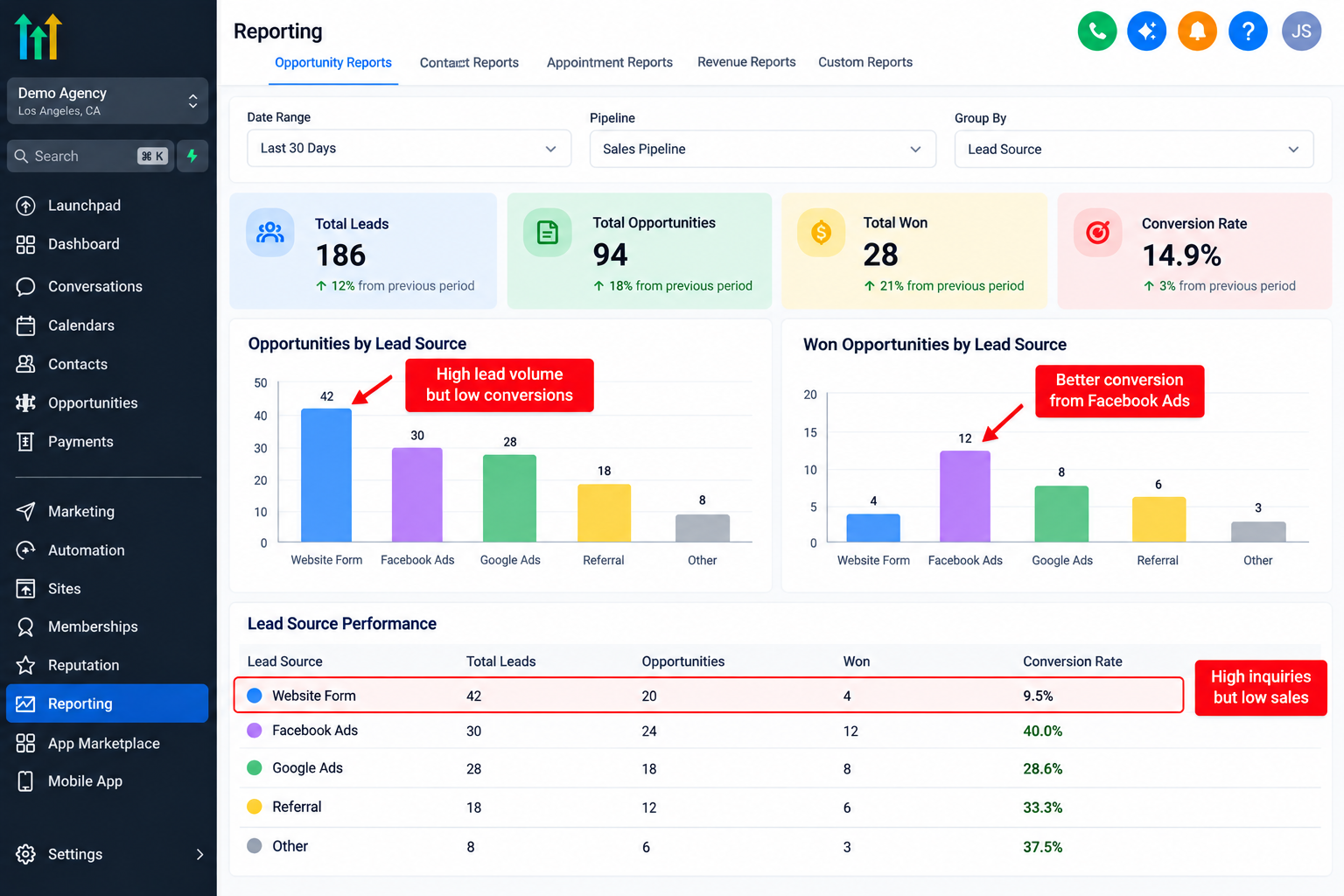
4. Lead Sources Produce Uneven Results
A campaign generating numerous inquiries may still deliver poor-quality opportunities.
Compare available source information with qualification and sales outcomes. Reliable comparisons require consistent source attribution and accurate opportunity records.
5. Conversion Weakens Between Pipeline Stages
Sales conversion tracking reveals where prospects struggle to advance.
Calculate stage conversion by dividing the number of opportunities advancing by the number entering that stage, then multiplying by 100.
Use consistent reporting periods and clearly defined opportunity cohorts to avoid misleading comparisons.
6. Opportunity Records Become Outdated
Missing ownership, incorrect stages, and neglected opportunity updates can distort GoHighLevel CRM reporting.
Before drawing conclusions, confirm that sales representatives consistently maintain accurate records.
A Five-Step GoHighLevel Sales Pipeline Audit
A useful sales pipeline analysis connects observations with corrective actions.
Step 1: Define your pipeline stages.
Establish clear definitions for new leads, qualified opportunities, appointments, proposals, and closed deals. Align stages with your actual sales process.
Step 2: Review opportunity distribution.
Examine how opportunities are distributed across stages. Identify unusual concentrations and investigate whether they reflect delays or normal sales cycles.
Step 3: Inspect communication activity.
Review conversations for stalled opportunities. Determine whether slow responses, unanswered questions, or inconsistent outreach contribute to inactivity.
Step 4: Evaluate appointments and outcomes.
Compare bookings with recorded attendance and subsequent opportunity movement. Investigate repeated cancellations or missed consultations.
Step 5: Prioritize one measurable improvement.
Choose the strongest evidence-backed bottleneck, implement a targeted change, and establish a baseline for comparison.
This approach makes CRM sales performance reviews actionable rather than purely descriptive.
Hypothetical Example: Finding a Follow-Up Bottleneck
Consider a hypothetical home services company receiving 100 leads during one month.
Its records show:
100 leads received
60 leads qualified
30 consultations booked
18 consultations attended
9 customers acquired
The booking rate among qualified leads is 50% (30 ÷ 60). However, consultation attendance is only 60% (18 ÷ 30).
That means 12 booked consultations did not result in attended meetings.
Further investigation might reveal inconsistent reminders or scheduling communication. The business could test automated appointment reminders, internal notifications, and follow-up workflows in GoHighLevel.
If attendance improves, the team can assess whether additional consultations eventually produce more customers. Improvement is possible, not guaranteed.
Improve Sales Performance Through Targeted Automation
Once you identify the bottleneck, use GoHighLevel workflow automation strategically.
Organize pipeline stages, assign opportunity ownership, configure appropriate workflow triggers, send internal notifications, and establish consistent follow-up sequences.
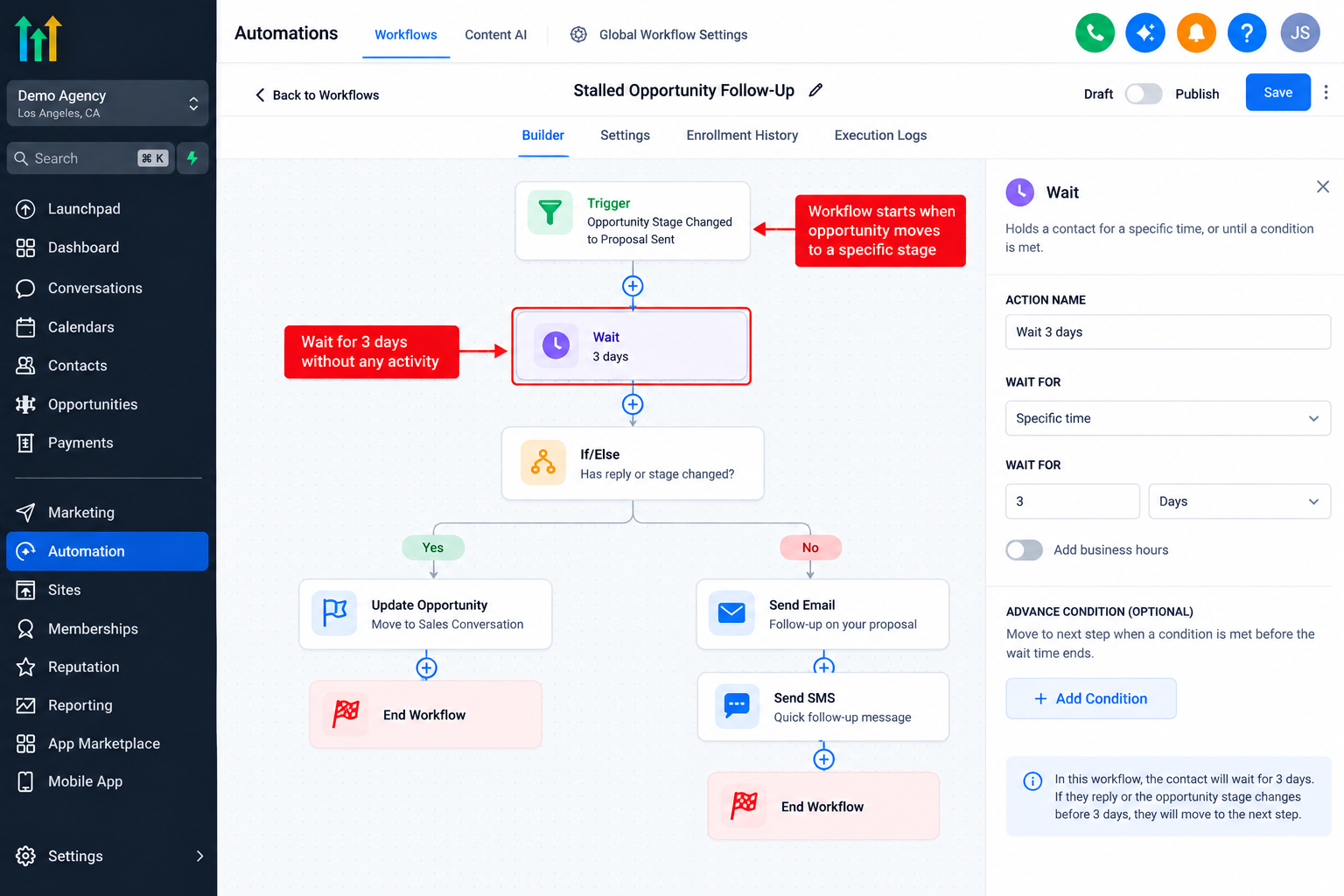
Contact tags and relevant fields can support segmentation, while appointment reminders can help reduce avoidable scheduling confusion.
Review workflow execution and customer responses regularly. Automation should support a defined process, not replace thoughtful sales management.
Monitor Progress and Avoid Common Mistakes
Review pipeline movement, communication activity, appointment outcomes, and closed opportunities consistently.
Compare equivalent periods and account for changes in lead quality or sales volume. Advanced historical comparisons may require exported data or custom tracking.
Avoid confusing lead quantity with quality, assuming correlation proves causation, neglecting data hygiene, or automating processes before understanding their weaknesses.
Conclusion
Better sales performance does not always require more leads. Sometimes it requires understanding why existing opportunities disappear.
GoHighLevel provides practical tools for improving sales visibility, strengthening follow-up, and organizing pipeline activity.
Start by auditing your current sales process, identifying one measurable bottleneck, and testing a focused improvement. Small operational changes, supported by reliable data, can create a stronger foundation for sustainable growth.
Frequently Asked Questions
1. How can GoHighLevel help identify sales bottlenecks?
GoHighLevel helps businesses examine opportunity stages, contact records, conversation activity, appointment information, and available reporting data. By comparing these records, businesses can identify where leads become inactive, follow-ups are delayed, or opportunities stop progressing. Some advanced measurements require manual analysis or additional tracking.
2. Can GoHighLevel track sales pipeline conversion rates?
GoHighLevel supports opportunity management and provides reporting capabilities that can help evaluate sales performance. However, specific conversion measurements depend on the available reports, configuration, and subscription. Businesses can also calculate stage conversion rates manually using consistent opportunity data.
3. How can I identify leads that are not receiving follow-ups?
Review conversations and opportunity records for unanswered messages, inactive opportunities, and missing communication activity. You can also configure suitable workflows and internal notifications to support timely follow-ups. Accurate identification depends on properly recorded interactions and consistent CRM usage.
4. Can GoHighLevel automation reduce sales bottlenecks?
Yes. GoHighLevel workflows can help standardize follow-up communication, notify team members, manage certain opportunity processes, and support appointment reminders. However, automation works best after identifying the underlying problem. Poorly configured workflows may introduce additional friction.
5. How often should businesses review their GoHighLevel sales pipeline?
A weekly review is a practical starting point for many businesses. Teams with high lead volumes may benefit from more frequent checks, while monthly reviews can reveal broader performance patterns. Consistency matters more than frequency because meaningful comparisons require reliable, regularly maintained data.
Need Expert Help with GoHighLevel?
New to GoHighLevel and ready to get started? Buy your GoHighLevel account here and launch with confidence.
Already know what you need and want our team to handle everything, from complete setup and customization to funnels, workflows, automations, CRM, and pipelines? Click here.



