

Train Your AI with a Business Knowledge Base in GoHighLevel
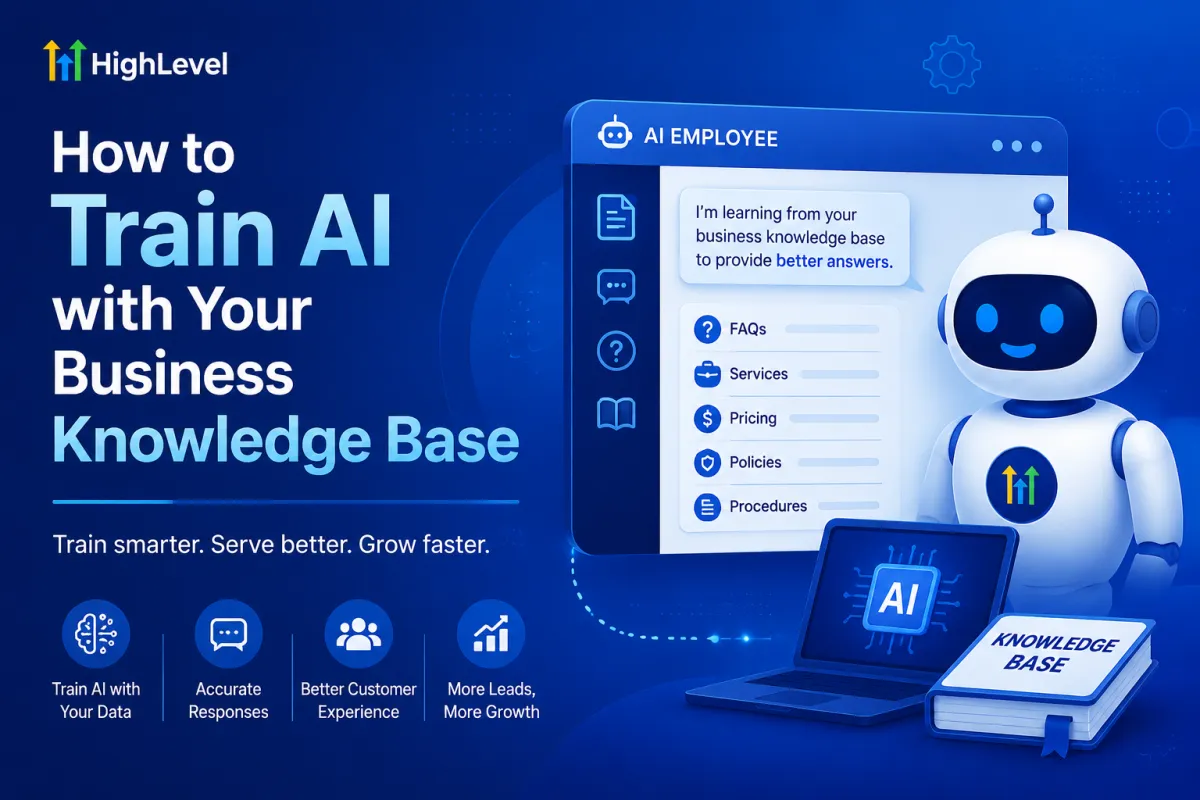
How to Train AI with Your Business Knowledge Base
Artificial intelligence has become one of the most valuable tools for businesses looking to improve customer service, save time, and streamline daily operations. However, even the most advanced AI performs best when it understands your specific business. That's why learning How to Train AI with Your Business Knowledge Base is essential for companies that want accurate, reliable, and personalized customer interactions.
GoHighLevel's AI Employee is designed to do much more than answer generic questions. When connected to your business knowledge base, it can respond with information that reflects your services, pricing, policies, appointment availability, and company procedures. The result is faster customer support, better lead qualification, and a smoother experience for both your team and your customers.
In this guide, you'll learn how a business knowledge base works, how GoHighLevel trains its AI Employee, and the best practices for creating a knowledge base that delivers accurate, consistent results.
What Is a Business Knowledge Base?
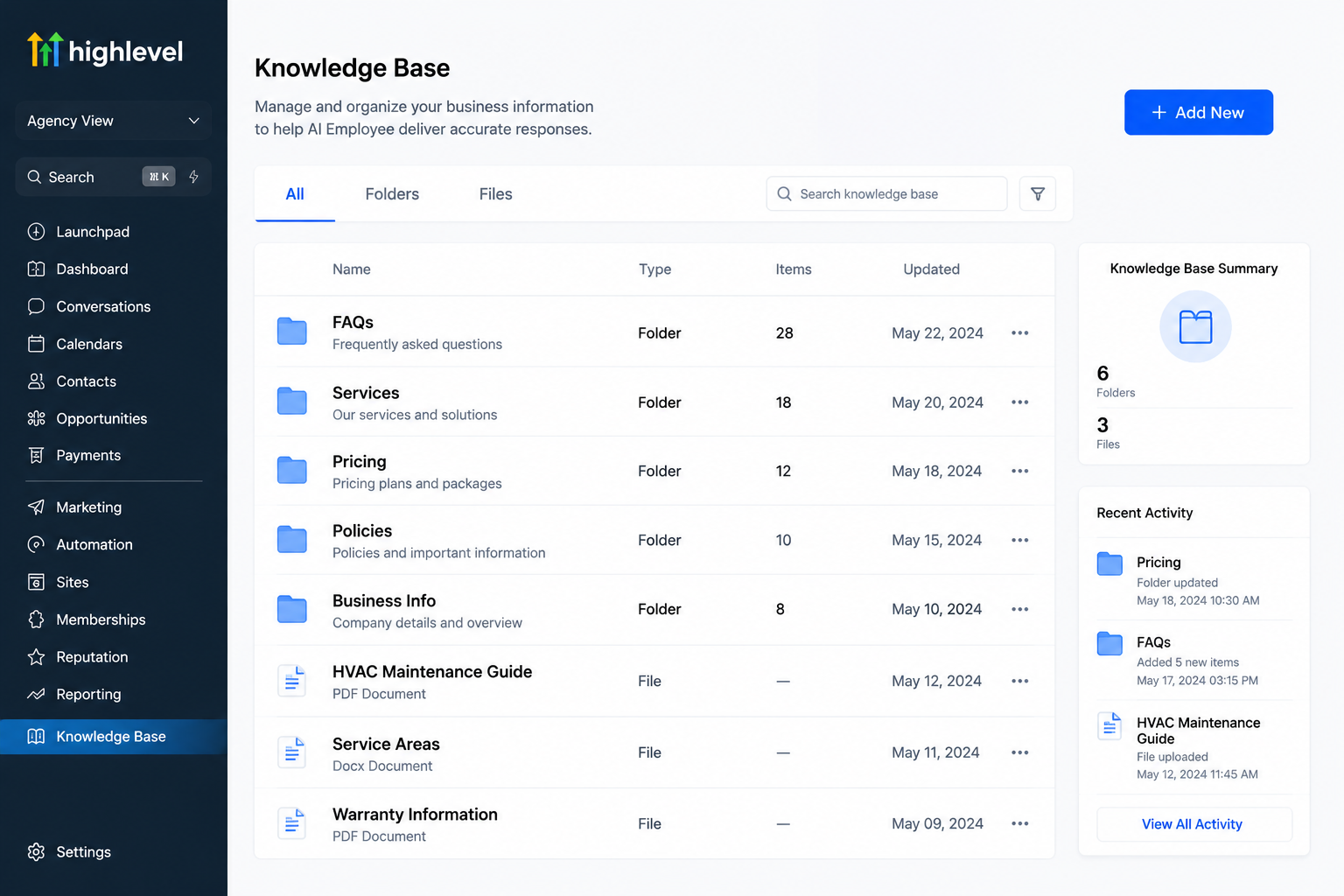
A Business Knowledge Base is a centralized collection of information about your company. Think of it as a digital library where your business stores important details that employees and AI can easily access.
A well-organized knowledge base typically includes:
Company services
Frequently asked questions
Pricing information
Business hours
Appointment policies
Products and packages
Service areas
Refund or cancellation policies
Contact information
Standard operating procedures
Instead of relying on general internet knowledge, the AI uses this information to provide answers that are relevant to your business.
Why AI Needs Business-Specific Knowledge
General AI models are trained on broad public information, but they don't automatically know your company's unique processes or policies.
For example, if a customer asks:
"Do you offer same-day HVAC repairs?"
Only your business knowledge base can provide the correct answer based on your actual services.
Similarly, a dental clinic may have different insurance policies, a real estate agency may serve specific locations, and a law firm may specialize in particular practice areas. Training AI with your own knowledge ensures responses remain accurate and consistent.
This is why How to Train AI with Your Business Knowledge Base is such an important step when implementing AI automation.
How GoHighLevel Trains AI Using Your Knowledge Base
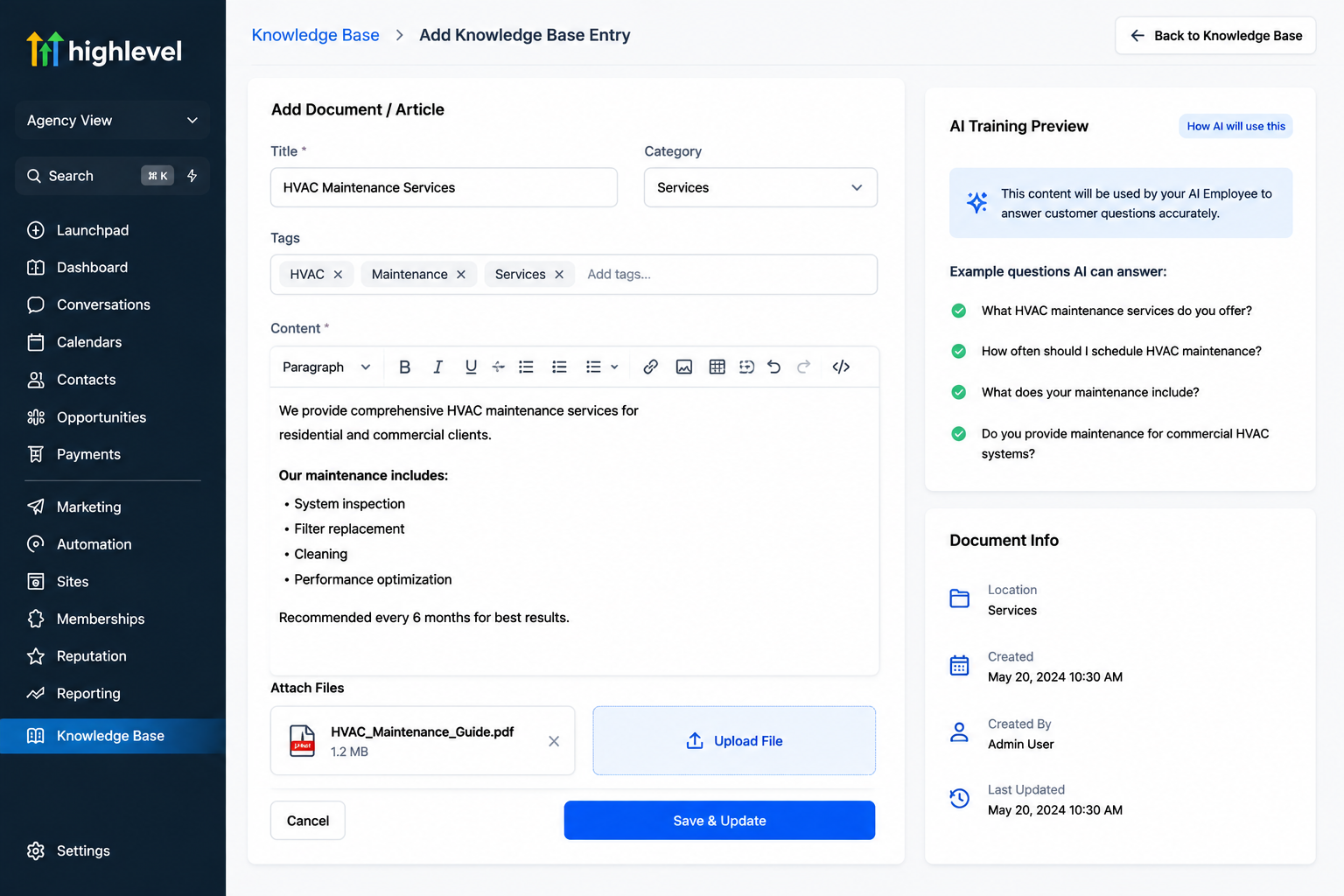
GoHighLevel makes the training process simple by allowing businesses to create and maintain a centralized knowledge base that the GoHighLevel AI Employee can reference during conversations.
The process generally includes these steps:
1. Gather Your Business Information
Start by collecting the information customers ask about most often, including:
Services
Pricing
Office hours
Locations
Booking procedures
Frequently asked questions
Contact information
The more organized your information is, the better the AI can respond.
2. Build Your Knowledge Base
Inside GoHighLevel, add your business information in a structured format.
Organize topics into logical sections so the AI can easily retrieve the correct information during conversations.
3. Connect AI Employee
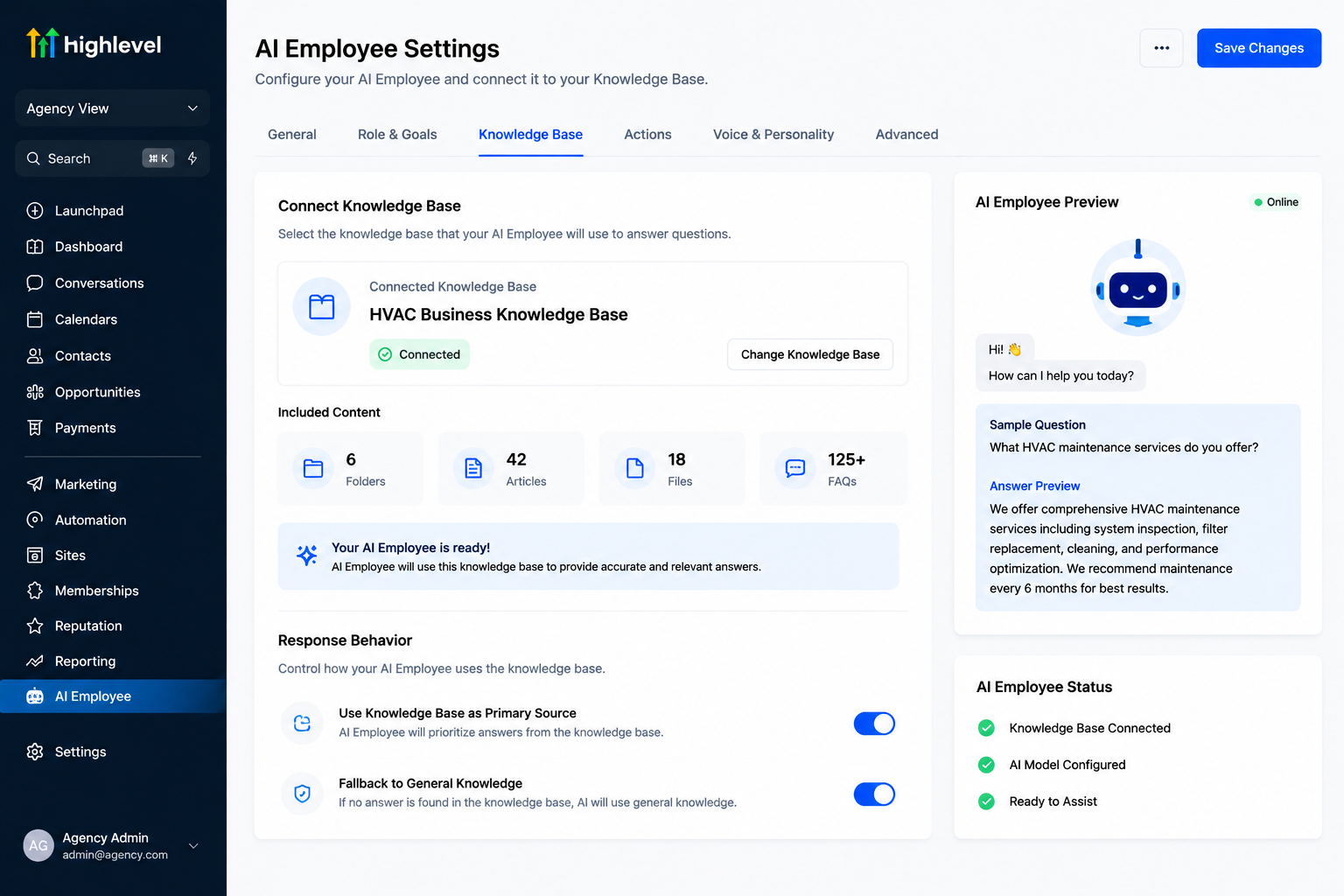
Once your knowledge base is ready, the GoHighLevel AI Employee uses it while interacting with customers through conversations, chat widgets, SMS, or other supported communication channels.
Instead of generating generic replies, it references your business content to provide relevant responses.
4. Keep Information Updated
Businesses change over time.
Whenever pricing, services, schedules, or policies change, update the knowledge base so your AI continues providing accurate information.
A regularly maintained knowledge base leads to better customer experiences and more reliable automation.
Benefits of a Well-Trained AI Employee
Training your AI with company-specific information unlocks significant advantages.
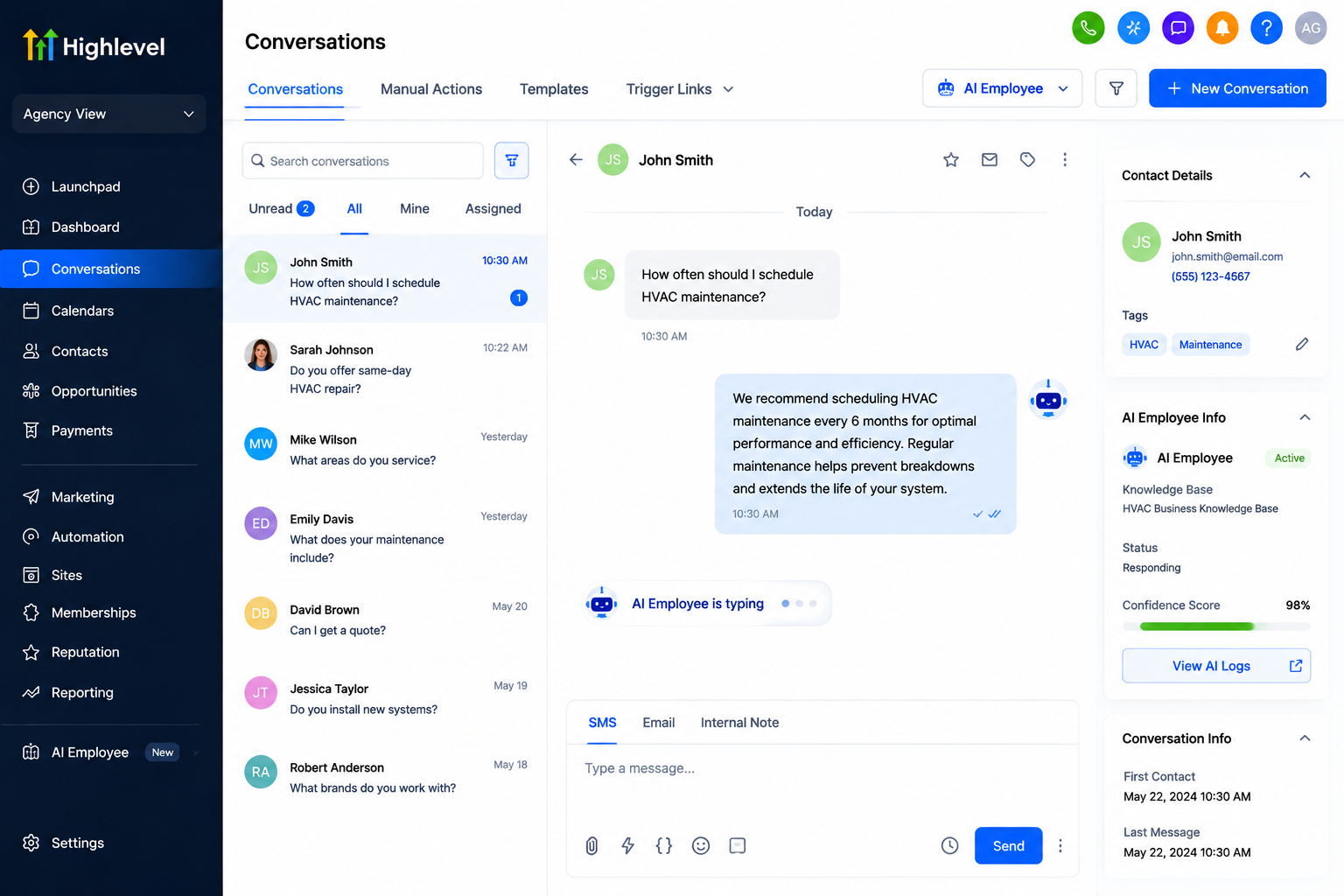
Instant Customer Support
Customers receive immediate answers to common questions without waiting for business hours.
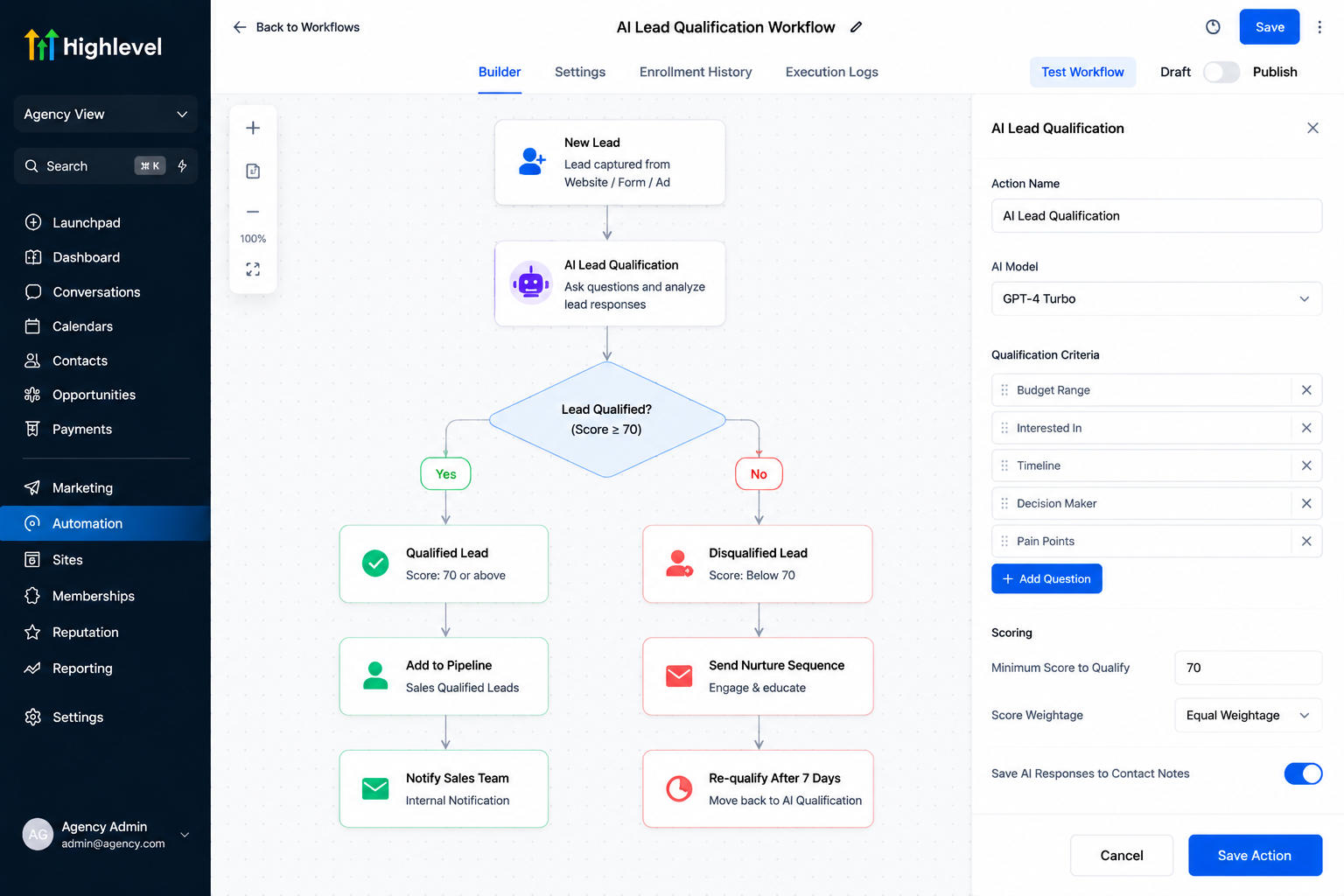
Smarter AI Lead Qualification
The AI can ask qualifying questions, collect customer information, and determine whether a lead matches your ideal client before assigning them to your sales team.
Appointment Booking Automation
Integrated calendars allow the AI to help customers schedule appointments based on available time slots, reducing manual scheduling.
Consistent Responses
Every customer receives consistent information, reducing confusion caused by different staff members providing different answers.
Reduced Staff Workload
Employees spend less time answering repetitive questions and more time handling complex customer needs that require human expertise.
Better Customer Experience
Fast responses, accurate information, and simplified booking processes create a smoother customer journey that improves satisfaction.
Real-World Business Examples
One of the biggest advantages of the GoHighLevel AI Employee is its flexibility across industries.
For example:
HVAC companies can answer questions about emergency repairs, maintenance plans, and service availability.
Dental clinics can explain procedures, office hours, accepted insurance, and appointment availability.
Real estate agencies can answer property inquiries, schedule consultations, and collect buyer preferences.
Law firms can provide basic information about legal services while directing complex legal questions to attorneys.
Cleaning businesses can explain pricing packages, service areas, and booking availability.
Home service companies can answer installation questions and schedule technician visits.
Marketing agencies can qualify leads and book discovery calls.
Coaching businesses can explain coaching programs, pricing, and available consultation sessions.
Each business benefits because the AI uses company-specific information rather than generic internet knowledge.
Best Practices for Building a Knowledge Base
A high-quality GoHighLevel Knowledge Base produces better AI responses.
Follow these best practices:
Write clear and simple explanations.
Organize information into categories.
Keep FAQs updated.
Remove outdated information.
Include common customer questions.
Add business policies and procedures.
Update pricing whenever changes occur.
Test AI responses regularly.
Review customer conversations to identify missing information.
Remember that AI performs best when its knowledge base stays accurate and current.
Common Mistakes to Avoid
Many businesses expect AI to perform perfectly without proper training.
Avoid these common mistakes:
Uploading incomplete information.
Leaving outdated pricing or policies.
Using vague or confusing language.
Forgetting to update business changes.
Assuming AI can replace every employee.
While the GoHighLevel AI Employee is excellent for customer support, lead qualification, and appointment booking automation, human oversight remains valuable for complex questions, sensitive situations, and important business decisions.
The best results come from combining AI automation with knowledgeable team members.
Conclusion
Understanding How to Train AI with Your Business Knowledge Base is one of the smartest investments businesses can make when adopting AI automation.
By giving the GoHighLevel AI Employee access to accurate company information, businesses can improve customer support, automate repetitive tasks, qualify leads, schedule appointments, and provide consistent responses across every conversation.
Even better, GoHighLevel brings everything together in one platform—including CRM, AI Employee, workflows, calendars, conversations, automation, and knowledge base management—making it easier to manage customer interactions without juggling multiple tools.
Keep your knowledge base organized, review it regularly, and continue improving it as your business grows. While AI is a powerful assistant, combining it with human expertise creates the best possible customer experience and helps your business scale with confidence.
Frequently Asked Questions
1. What is a business knowledge base in GoHighLevel?
A GoHighLevel Knowledge Base is a centralized library of your business information, including services, pricing, FAQs, policies, and procedures. The GoHighLevel AI Employee uses this information to provide accurate, business-specific responses instead of relying only on general AI knowledge.
2. How do I train the GoHighLevel AI Employee with my business knowledge?
To train the GoHighLevel AI Employee, create and organize a knowledge base containing your business information, such as services, FAQs, pricing, and policies. Once connected, the AI references this knowledge base to answer customer questions, qualify leads, and support appointment booking more accurately.
3. What are the benefits of training AI with a business knowledge base?
Training AI with your Business Knowledge Base helps it:
Provide faster and more accurate customer support
Qualify leads automatically
Answer frequently asked questions
Book appointments
Reduce repetitive work for your team
Deliver consistent responses across all customer conversations
4. Can GoHighLevel AI Employee replace human customer support?
No. While the GoHighLevel AI Employee can automate many routine tasks such as answering FAQs, qualifying leads, and scheduling appointments, human team members are still important for handling complex inquiries, sensitive situations, and personalized customer interactions.
5. How often should I update my GoHighLevel Knowledge Base?
You should update your GoHighLevel Knowledge Base whenever your business information changes, such as pricing, services, business hours, or policies. Keeping the knowledge base current ensures your AI Employee provides accurate responses and delivers the best possible customer experience.
Need Expert Help with GoHighLevel?
New to GoHighLevel and ready to get started? Buy your GoHighLevel account here and launch with confidence.
Already know what you need and want our team to handle everything, from complete setup and customization to funnels, workflows, automations, CRM, and pipelines? Click here.



