

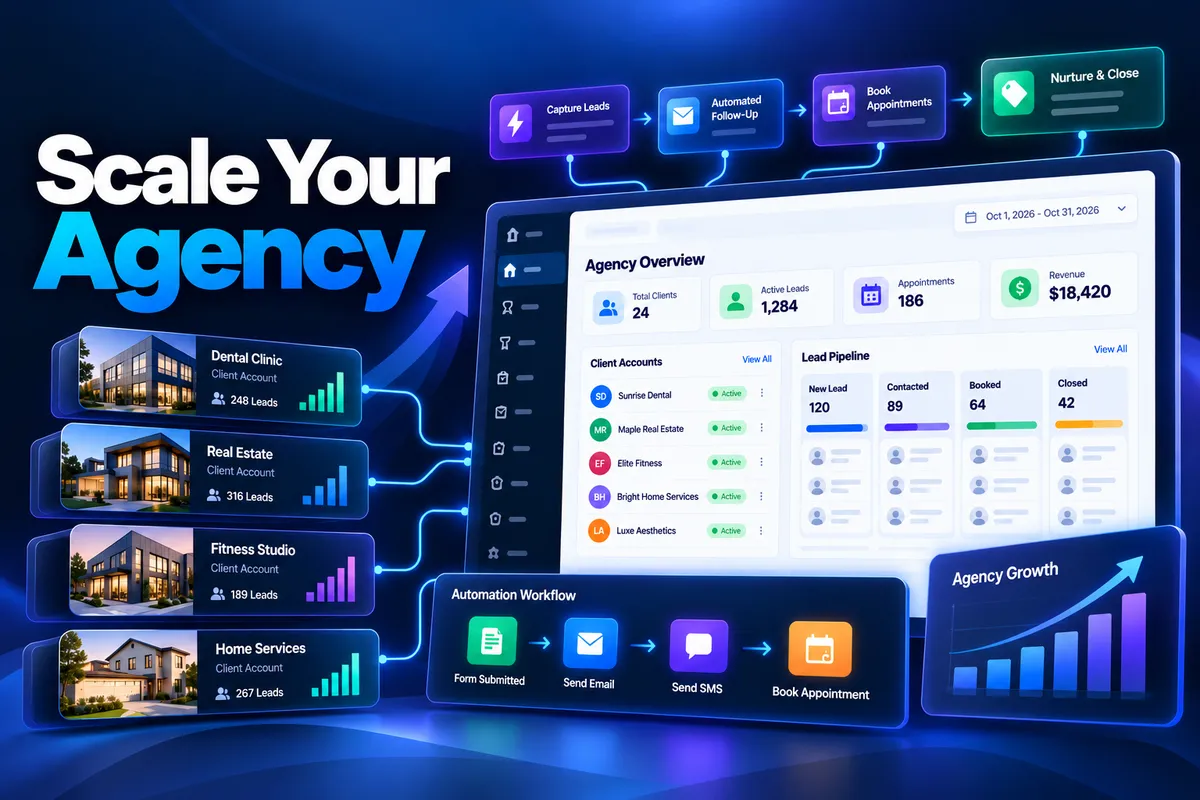
Scale a Marketing Agency With GoHighLevel: Step-by-step Guide
How to Scale a Marketing Agency With GoHighLevel
Introduction
Scaling a marketing agency is not simply about signing more clients. The real challenge is delivering consistent results while managing more accounts, campaigns, conversations, appointments, and client requests without allowing operational work to consume your team.
This is where "GoHighLevel" can become more than just a CRM. With tools for CRM management, workflows, funnels, calendars, conversations, reputation management, and agency-level account management, it can help agencies build repeatable systems instead of rebuilding the same processes for every client.
The key is using the platform strategically. Rather than adding more people every time your client list grows, you can standardize common processes, automate repetitive tasks, and create reusable account configurations.
In this guide, you'll learn practical ways to "scale a marketing agency with GoHighLevel" while keeping your operations organized and manageable.
Why Scaling a Marketing Agency Gets Difficult
Early-stage agencies can often manage clients with a collection of manual processes. A team member might personally follow up with every lead, create campaigns for each client, check appointment calendars, send review requests, and update CRM records.
That approach becomes difficult as the agency grows.
More clients usually mean:
More leads to manage
More follow-ups to send
More workflows to maintain
More appointments to coordinate
More client accounts to configure
More repetitive onboarding work
More opportunities for human error
Hiring additional staff can help, but it does not automatically solve inefficient processes.
A scalable agency needs "repeatable systems". GoHighLevel can help create those systems by combining automation with standardized account configurations.
1. Standardize Your Client Accounts
One of the first steps toward agency scalability is making your client setups more consistent.
If every client account is built differently, your team has to remember different workflows, naming conventions, pipelines, forms, calendars, and processes. That makes onboarding slower and ongoing management harder.
Instead, create a standard structure for the services you commonly deliver.
For example, a lead-generation client might receive:
A standardized pipeline
Lead capture forms
Appointment calendars
Follow-up workflows
Opportunity management
Review request workflows
Internal notifications
Reporting dashboards
The exact configuration should depend on the client's business, but the underlying framework can remain consistent.
This creates a "repeatable delivery system" that your team can learn once and use across multiple accounts.
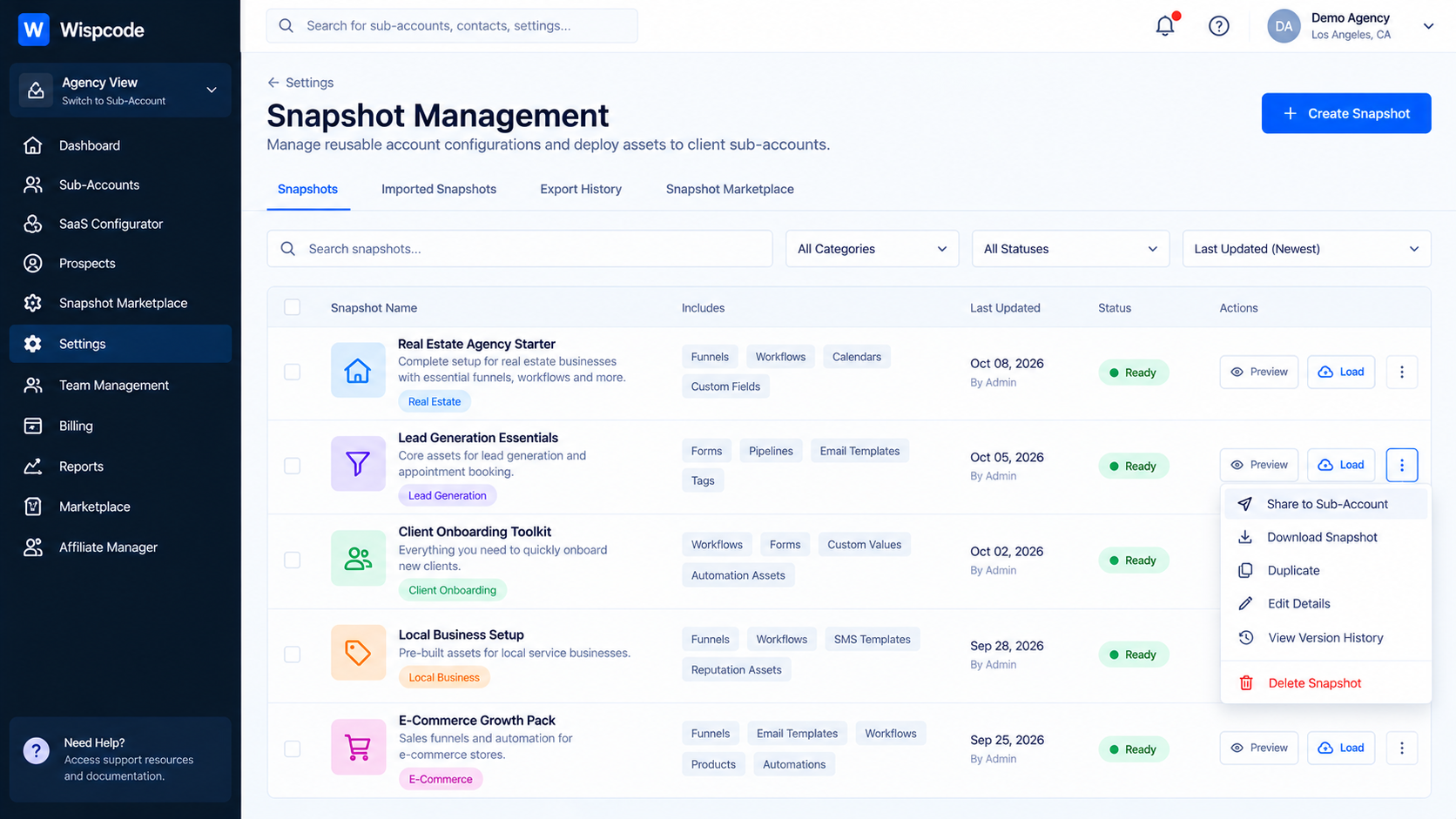
2. Use Snapshots to Speed Up Onboarding
GoHighLevel's "Snapshots" feature is particularly useful when an agency repeatedly builds similar client systems.
A Snapshot can capture reusable account configurations, including supported assets such as workflows, funnels, calendars, forms, campaigns, custom fields, and more. These configurations can then be reused across sub-accounts instead of being rebuilt manually.
For example, suppose your agency specializes in home-service businesses.
You could build a proven account structure containing:
Lead capture forms
Appointment calendars
Sales pipeline stages
Follow-up workflows
Review request automation
Internal notification workflows
Relevant templates
Once the setup has been tested, you can create a Snapshot and use it as the foundation for future accounts.
This does not mean every client should receive an identical setup. Instead, use the Snapshot as a starting framework, then customize it for the client's business.
That distinction is important because scalability should not come at the expense of personalization.
3. Automate Repetitive Lead Follow-Up
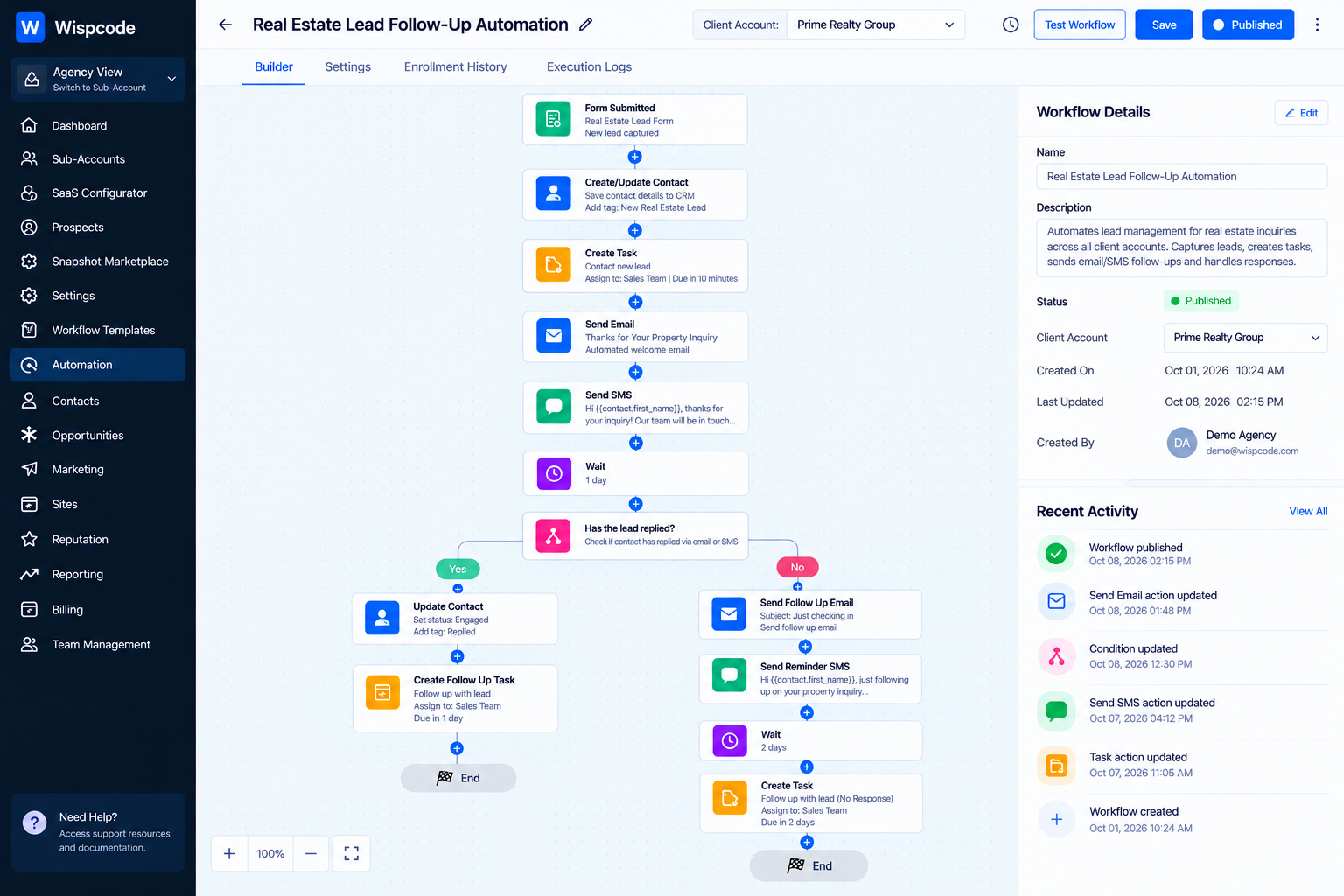
Lead follow-up is one of the easiest areas for an agency to automate.
Without automation, someone may need to monitor new leads, send messages, follow up with prospects, update opportunities, and notify sales staff manually.
With workflows, many of these repetitive processes can happen automatically based on defined triggers and conditions.
For example:
New lead → Create/update CRM record → Create opportunity → Send initial message → Wait → Follow up → Notify team
The exact workflow depends on the campaign and client requirements, but the principle remains the same: automate predictable actions and reserve human attention for situations that actually require it.
This can help your agency support more lead volume without increasing manual workload at the same rate.
4. Build Reusable Workflow Templates
You don't need to reinvent every automation for every client.
Identify processes that appear repeatedly across your service delivery and turn them into reusable workflow templates.
Common examples include:
New lead follow-up
Appointment reminders
Missed appointment follow-up
Review requests
Lead reactivation
Internal notifications
Sales opportunity updates
Customer onboarding
Before reusing a workflow, make sure its triggers, conditions, custom fields, links, calendars, and messaging are appropriate for the destination account.
A reusable workflow should reduce setup time, not create troubleshooting work later.
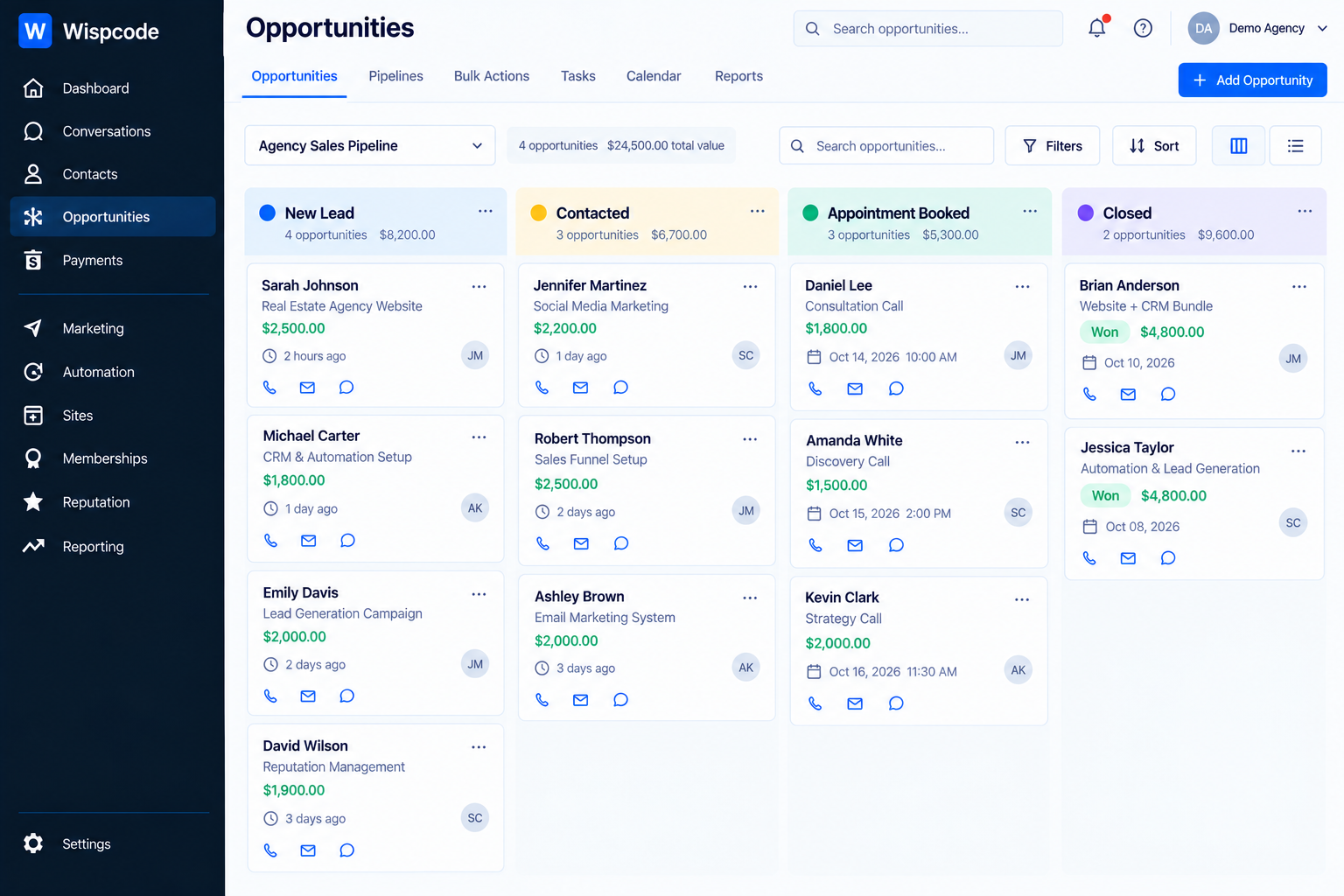
5. Create a Consistent Sales Pipeline
A standardized pipeline gives your team a common way to understand where leads and opportunities are in the sales process.
Instead of allowing every client account to use completely different terminology, establish a practical pipeline structure where appropriate.
For example:
New Lead → Contacted → Appointment Booked → Opportunity → Closed
The exact stages should reflect the client's sales process.
The important point is consistency. When your team understands the pipeline structure, it becomes easier to build workflows, train staff, review performance, and troubleshoot client accounts.
It also makes onboarding new team members easier because they don't have to learn an entirely different CRM structure for every client.
6. Automate Appointment Management
Appointments can create significant administrative work for an agency, particularly when managing multiple clients.
GoHighLevel provides calendar functionality that can be incorporated into broader marketing and automation systems.
For example, an agency can build processes around:
Appointment booking
Confirmation messages
Reminder messages
Rescheduling
Cancellation handling
Internal notifications
Post-appointment follow-up
The goal is not to remove humans from the process completely. Instead, automation should handle predictable communication while your client's team focuses on the actual appointment.
This creates a smoother experience for both the client and their customers.
7. Centralize Conversations and Customer Communication
As an agency grows, communication can become fragmented.
Different clients may receive leads through different channels, while team members have to switch between systems to determine what happened.
Centralizing customer conversations inside the CRM can make lead management easier to organize.
Your agency can establish consistent processes for:
Responding to new inquiries
Following up with leads
Tracking conversations
Managing appointment-related communication
Escalating conversations to team members
This also gives your team a clearer operational framework when managing multiple client accounts.
8. Use Automation for Reputation Management
Reviews can become another repetitive responsibility when managed manually.
For clients where review generation is part of the service, an agency can create standardized processes around requesting feedback from customers.
For example:
Completed service → Wait → Send review request → Follow up when appropriate
The timing and conditions should be based on the client's actual customer journey.
This is another example of a process that can be standardized across an agency while still allowing individual clients to customize their messaging and timing.
9. Make Client Onboarding Repeatable
Client onboarding is often overlooked when agencies think about scaling.
If onboarding requires your team to manually create every account, workflow, form, calendar, and campaign from scratch, your capacity becomes limited by implementation time.
Create an onboarding checklist that defines exactly what needs to happen when a new client signs up.
A scalable onboarding process might include:
Before the Build
Collect business information
Identify services and offers
Gather branding assets
Define lead sources
Confirm appointment requirements
Identify the client's sales process
During the Build
Create or configure the sub-account
Load the appropriate Snapshot
Customize forms and funnels
Configure calendars
Adjust workflows
Configure pipelines
Test automation
Before Launch
Test forms
Test workflow triggers
Verify notifications
Test appointment booking
Review messaging
Confirm tracking
Obtain client approval
This turns onboarding into a "process instead of a project".
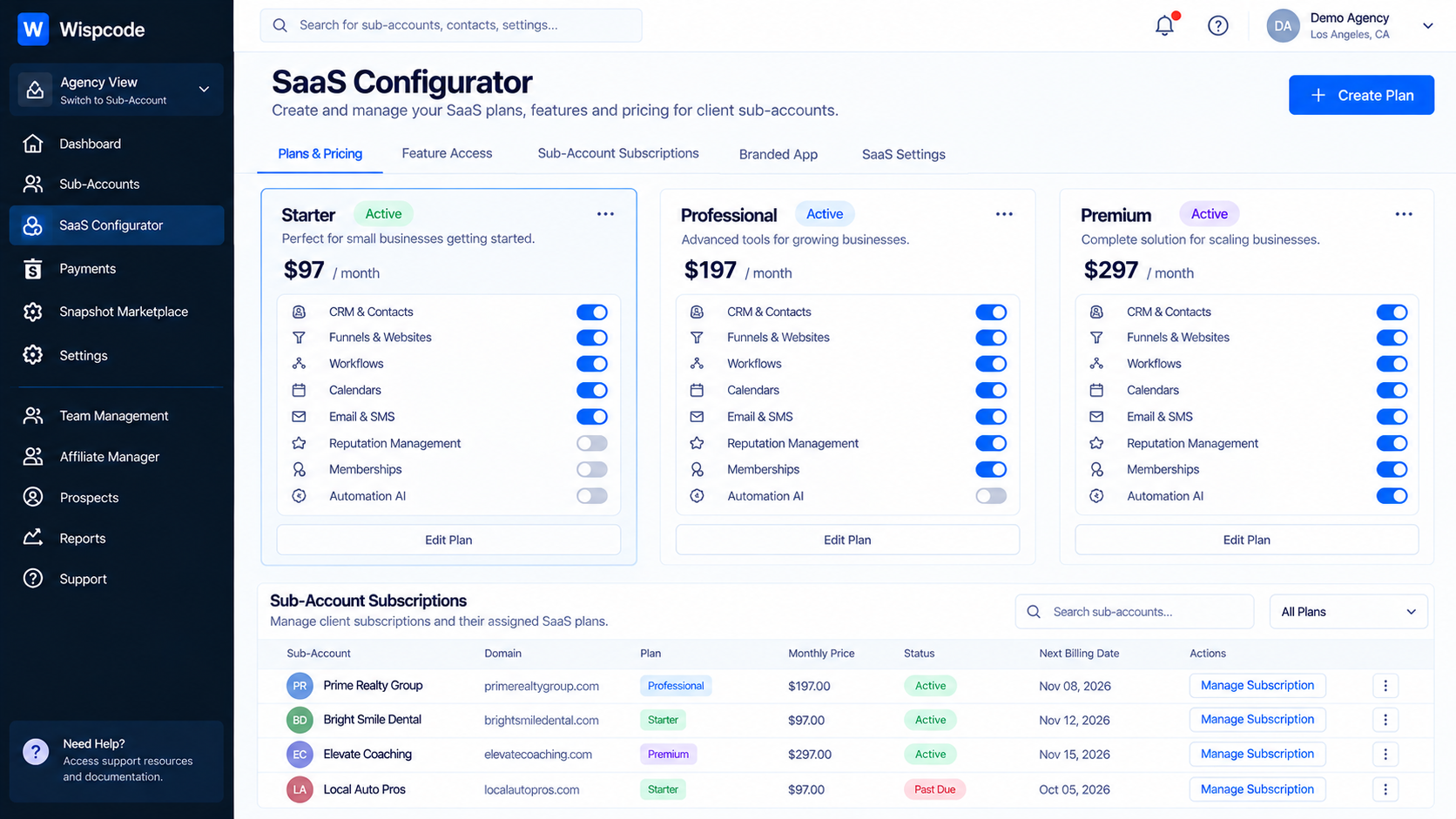
10. Consider SaaS Mode for Productized Services
Agencies that want to move toward a recurring software-based offer can use GoHighLevel's SaaS capabilities where supported.
GoHighLevel's SaaS Configurator is designed to help agencies package, price, sell, and manage recurring SaaS plans for client sub-accounts.
This can be useful when your agency has a clearly defined offer rather than selling completely custom services to every customer.
For example, instead of building an entirely different package for each client, you might create a standardized system for a particular niche and offer it as part of a recurring service.
GoHighLevel also supports agency-level management of sub-accounts, while SaaS-enabled setups can include subscription and billing configurations depending on the architecture and plan.
However, SaaS should be treated as a business-model decision, not simply a feature you turn on. Your pricing, support model, onboarding process, and product scope should be defined first.
11. Create Internal SOPs Around GoHighLevel
Automation alone won't scale an agency.
Your team also needs to know "how your agency uses the platform".
Create simple SOPs covering areas such as:
New client onboarding
Snapshot loading
Workflow testing
Campaign launches
Calendar setup
CRM pipeline configuration
Troubleshooting
Client handoff
Quality assurance
For every recurring task, document the expected process.
This reduces dependence on one person who knows how everything works.
It also makes delegation much easier.
12. Use Agency-Level Management Efficiently
As your agency grows, you may have many client sub-accounts to manage.
GoHighLevel provides agency-level functionality for managing sub-accounts, including newer bulk-management capabilities for supported tasks. For example, HighLevel's current bulk actions can help agencies manage multiple sub-accounts more efficiently for supported SaaS-related operations.
This becomes increasingly useful as the number of accounts grows.
Instead of treating every account as an isolated project, think of your agency as an operating system with standardized layers:
Agency standards → Reusable templates → Client customization → Automated delivery
That mindset is much more scalable.
Best Practices for Scaling With GoHighLevel
Don't Automate Everything
Not every task should be automated.
Strategic decisions, complex customer issues, and sensitive client communication may still require human involvement.
Automate repetitive work while keeping human oversight where it adds value.
Test Before You Reuse
A workflow that works perfectly for one client may behave differently when moved into another account because of differences in calendars, fields, triggers, or other configurations.
Always test reusable systems before launch.
Keep Naming Conventions Consistent
Use predictable names for workflows, pipelines, forms, calendars, tags, and other assets.
This makes troubleshooting much easier as the number of client accounts increases.
Review Your Systems Regularly
A scalable system should evolve.
Remove outdated workflows, review automation logic, update templates, and improve your SOPs as your agency learns what works.
Standardize the Foundation, Customize the Experience
This is perhaps the most important principle.
Your internal systems should be standardized, but the client's customer-facing experience should still feel relevant to their brand and audience.
Common Mistakes Agencies Make When Scaling
Building Every Client From Scratch
This wastes time and creates unnecessary variation.
Use reusable frameworks where appropriate.
Adding Automation Without Testing
More automation does not automatically mean better automation.
A poorly configured workflow can create duplicate messages, incorrect notifications, or unwanted actions.
Scaling Client Count Before Delivery Is Ready
If your fulfillment process is already overloaded, adding more sales can create operational problems.
Build the delivery system first.
Relying on One Team Member
If only one person understands your workflows and account structure, the agency has created a bottleneck.
Document processes and train the team.
Treating Every Client as Completely Unique
Customization is important, but rebuilding your entire technology stack for every client makes scaling difficult.
Find the common patterns and standardize them.
Frequently Asked Questions(FAQ's)
1. Can GoHighLevel help a marketing agency scale?
Yes. Agencies can use GoHighLevel's CRM, workflows, funnels, calendars, conversations, sub-accounts, Snapshots, and other supported features to create more repeatable delivery systems.
2. What is the best GoHighLevel feature for scaling client onboarding?
Snapshots are particularly useful when you repeatedly deploy similar account configurations. They allow supported assets to be reused across sub-accounts.
3. Should every client receive the same GoHighLevel setup?
No. A standardized foundation can speed up delivery, but workflows, messaging, funnels, calendars, and other components should be customized when the client's business requires it.
4. Can GoHighLevel automate lead follow-up?
Yes. GoHighLevel workflows can be configured to automate actions based on defined triggers, conditions, and workflow logic. The exact automation should depend on the client's sales and communication process.
5. Is GoHighLevel suitable for a SaaS agency model?
GoHighLevel provides SaaS capabilities for agencies that want to package and sell recurring SaaS plans, subject to the applicable plan, configuration, and SaaS architecture.
Conclusion
Scaling a marketing agency with GoHighLevel is less about adding more automation and more about building a repeatable operating system.
Standardize your client accounts. Turn proven configurations into reusable Snapshots. Automate repetitive lead and appointment processes. Document your SOPs. Create consistent pipelines. And most importantly, build a delivery model that can support additional clients without requiring the same amount of manual work for every new account.
GoHighLevel can provide the technology foundation, but the real advantage comes from how your agency structures and uses it.
Build the system once, improve it continuously, and make every new client easier to deliver.
Need Expert Help with GoHighLevel?
New to GoHighLevel and ready to get started? Buy your GoHighLevel account here and launch with confidence.
Already know what you need and want our team to handle everything, from complete setup and customization to funnels, workflows, automations, CRM, and pipelines? Click here.



