

How GoHighLevel Simplifies Appointment Scheduling
How Online Appointment Booking Works in GoHighLevel
If your business runs on appointments — consultations, demos, cleanings, calls every booking that depends on phone tag is a booking you might lose. People increasingly want to see your availability and grab a slot themselves, often outside business hours. GoHighLevel has a full booking system built in, so you don't need a separate scheduling tool. Here's how it actually works, from the calendar you set up to the reminder that lands the day before.
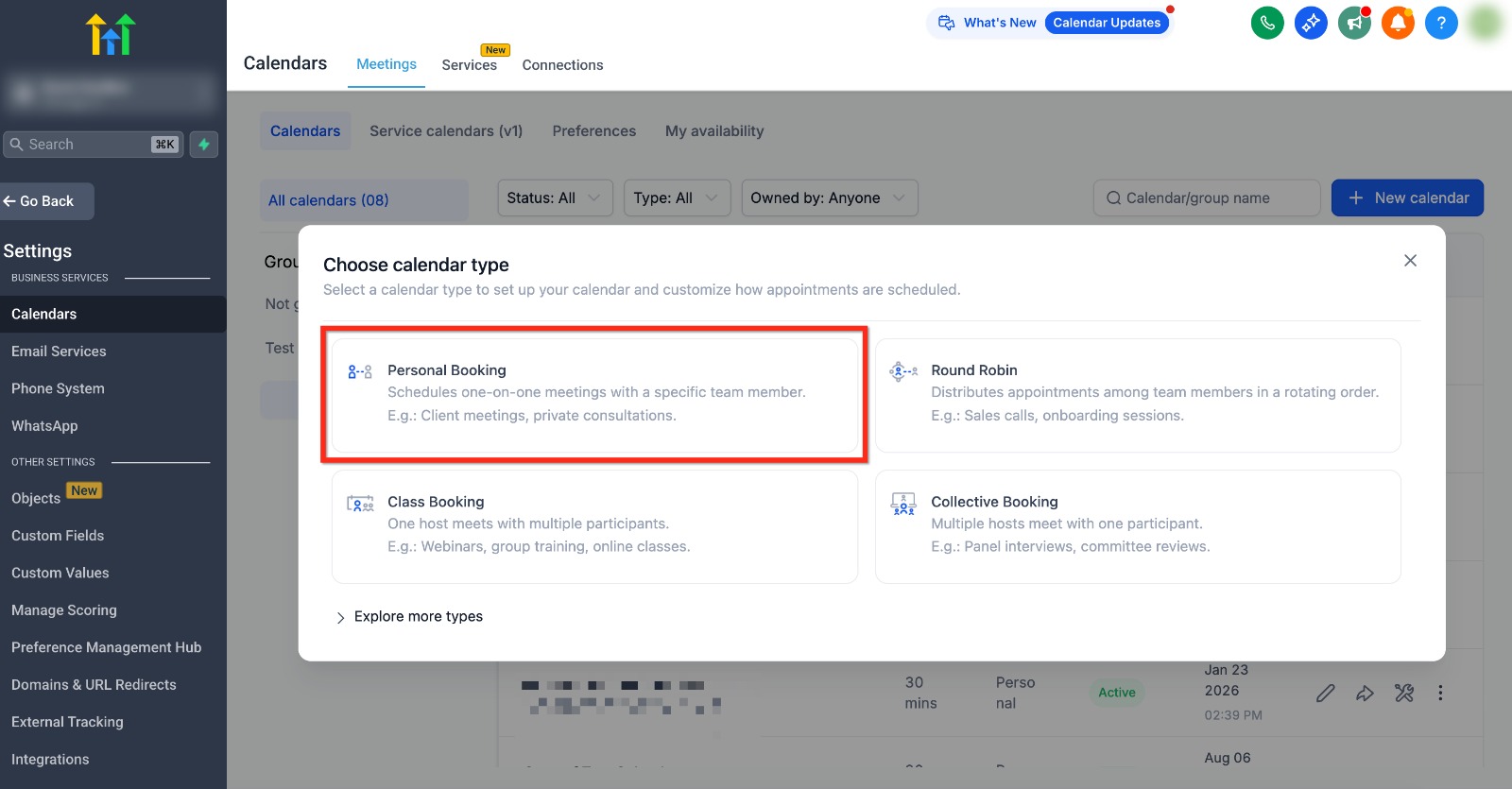
Start by choosing a calendar type
Booking begins under Calendars, and the first choice is the type of calendar. Personal Booking schedules one-on-one time with a specific person; Round Robin spreads appointments across a team in rotation; Class Booking lets one host meet many people at once (great for webinars or group sessions); Collective brings several hosts to one attendee. Picking the right type up front is what makes the rest behave correctly.
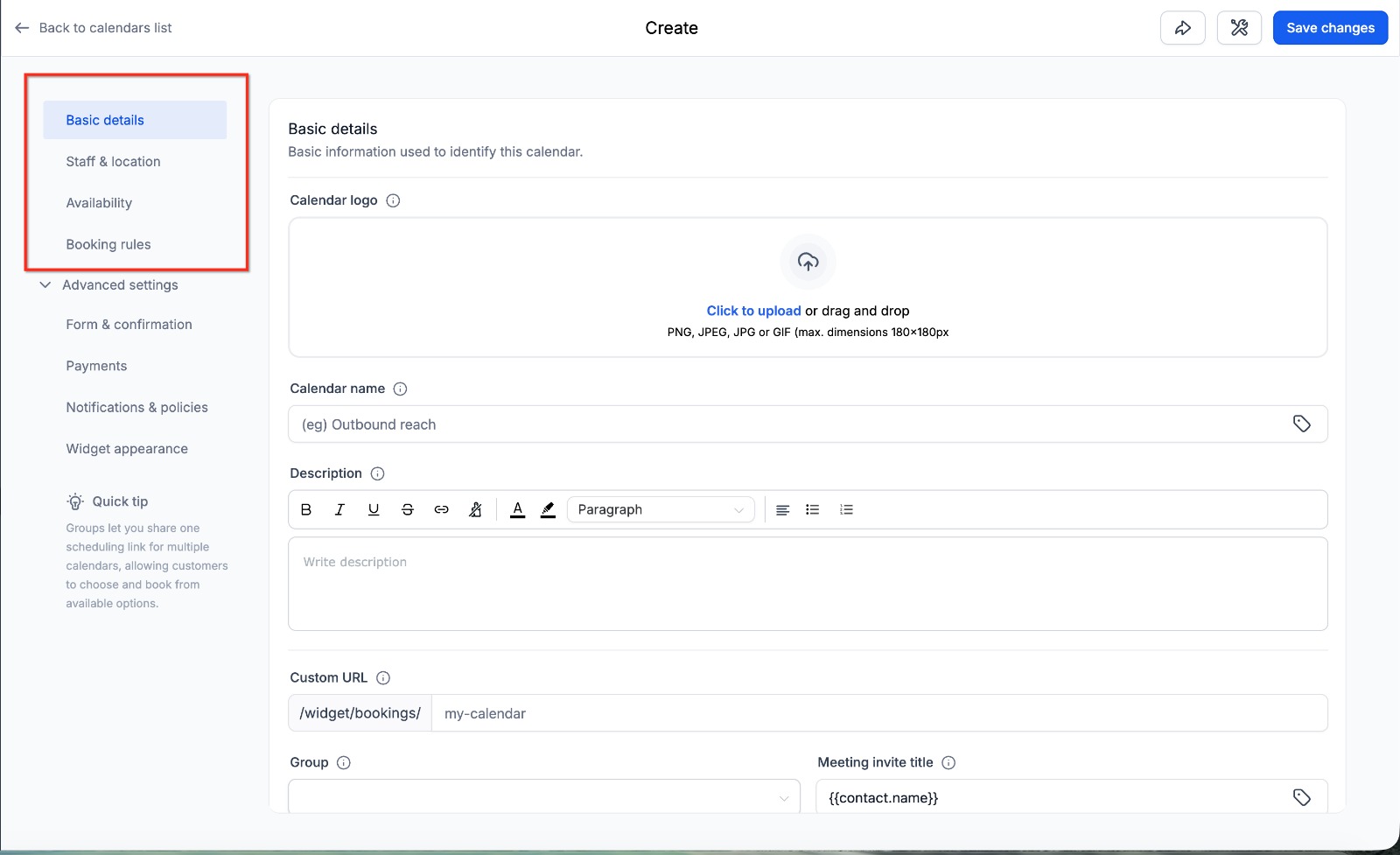
Set up the calendar's details
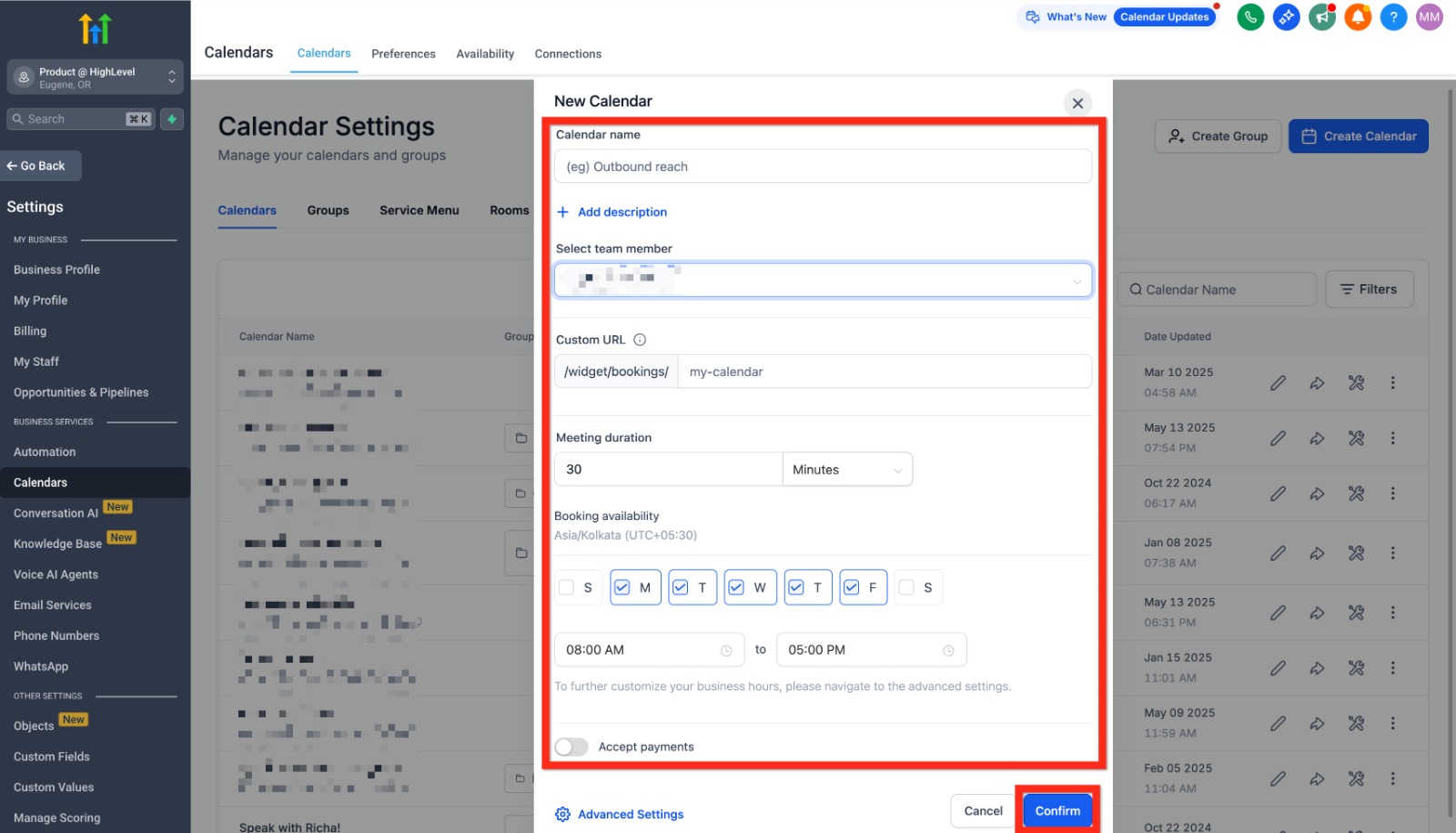
Next you configure the calendar itself. This is where you name it, attach the staff and location, set the meeting duration, add a description and logo, and give it a clean booking URL. The left-hand menu also holds the deeper settings — availability, booking rules, forms, payments, notifications, and widget appearance — so a single calendar can be as simple or as controlled as you need.
Control your availability
The availability settings decide which slots the world can actually see. You pick the days you work and the hours within them, and GoHighLevel only offers those times to bookers. You can also add buffers between appointments, a minimum notice period so nobody books you in five minutes, and daily limits so you're never overloaded. The result: customers self-serve, but only into slots you've genuinely approved.
Share the booking link
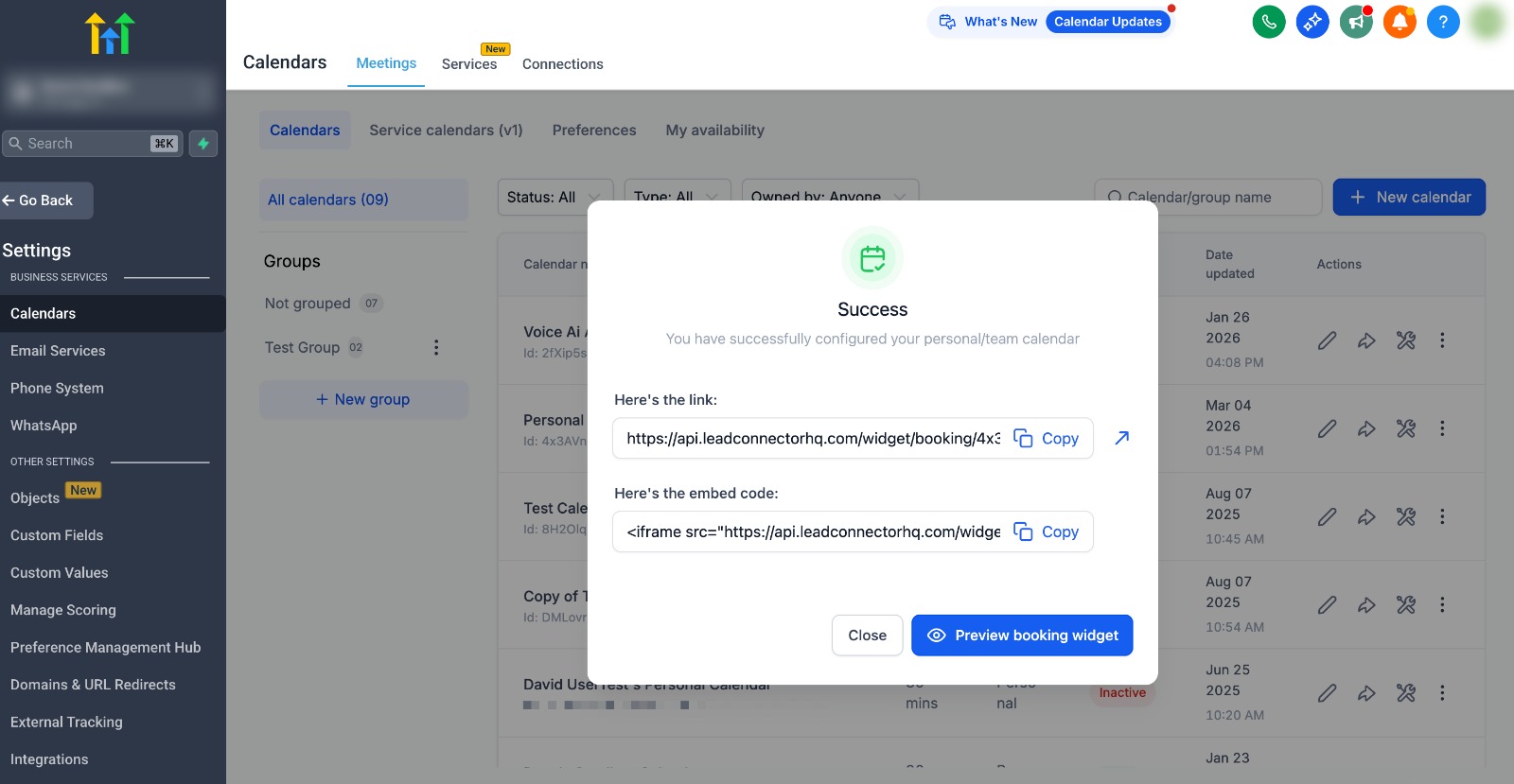
Once the calendar is live, GoHighLevel gives you a booking link and an embed code. Drop the link in your email signature, text messages, social bios, and Google Business Profile, or embed the widget directly on your website. When someone opens it they see your real availability and pick a time; the appointment lands on the calendar instantly, and the contact is created or updated in your CRM at the same moment.
Automatic confirmations and reminders
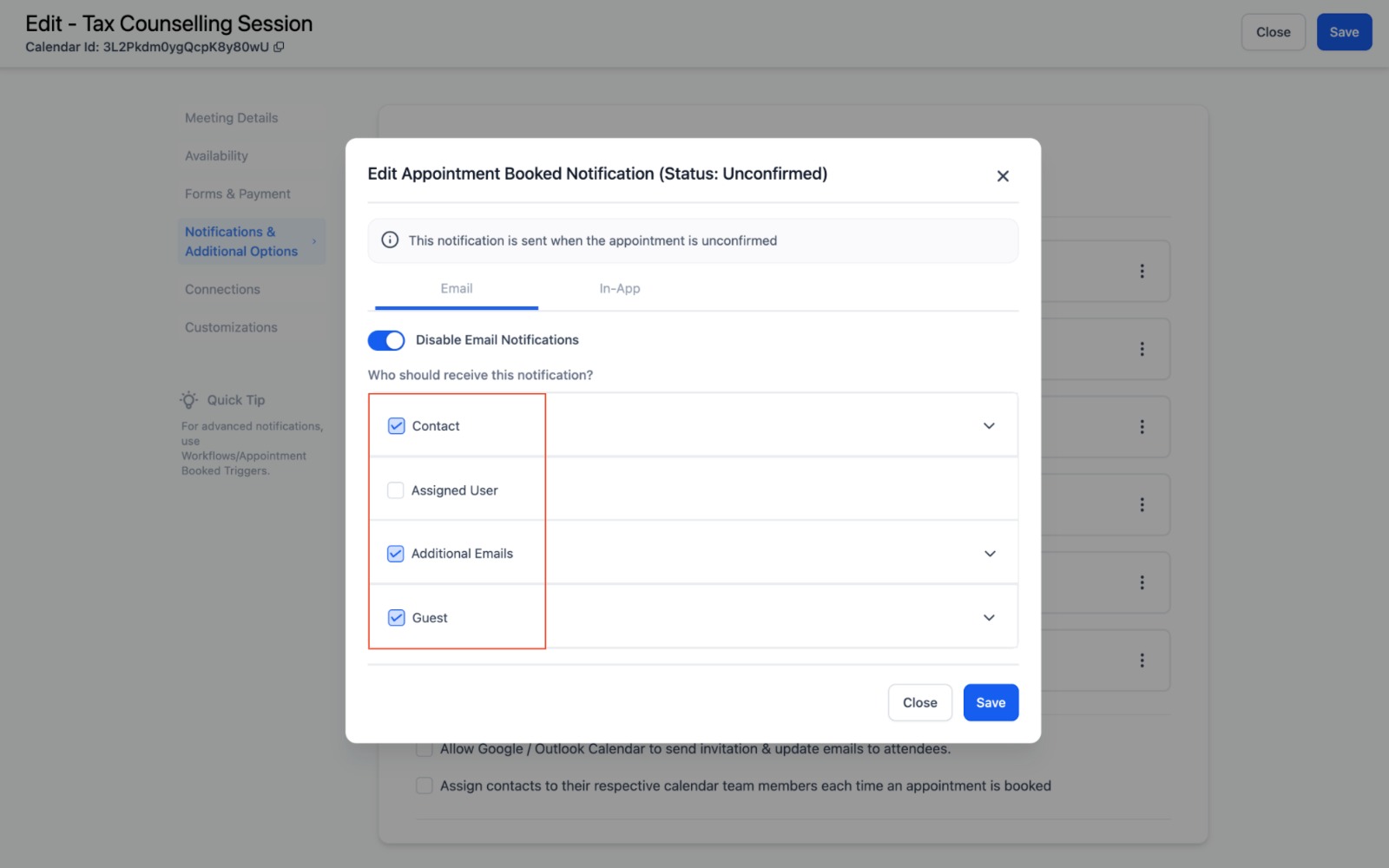
This is the part that quietly saves the most money. For each calendar you set notifications — confirmations when a slot is booked, reminders before it, and follow-ups after — delivered by email, SMS, in-app, or WhatsApp, and you choose who gets them (the contact, the assigned team member, guests, extra addresses). Automated reminders are the single most effective way to cut no-shows, and here they're built into the calendar rather than bolted on.
Managing what's booked
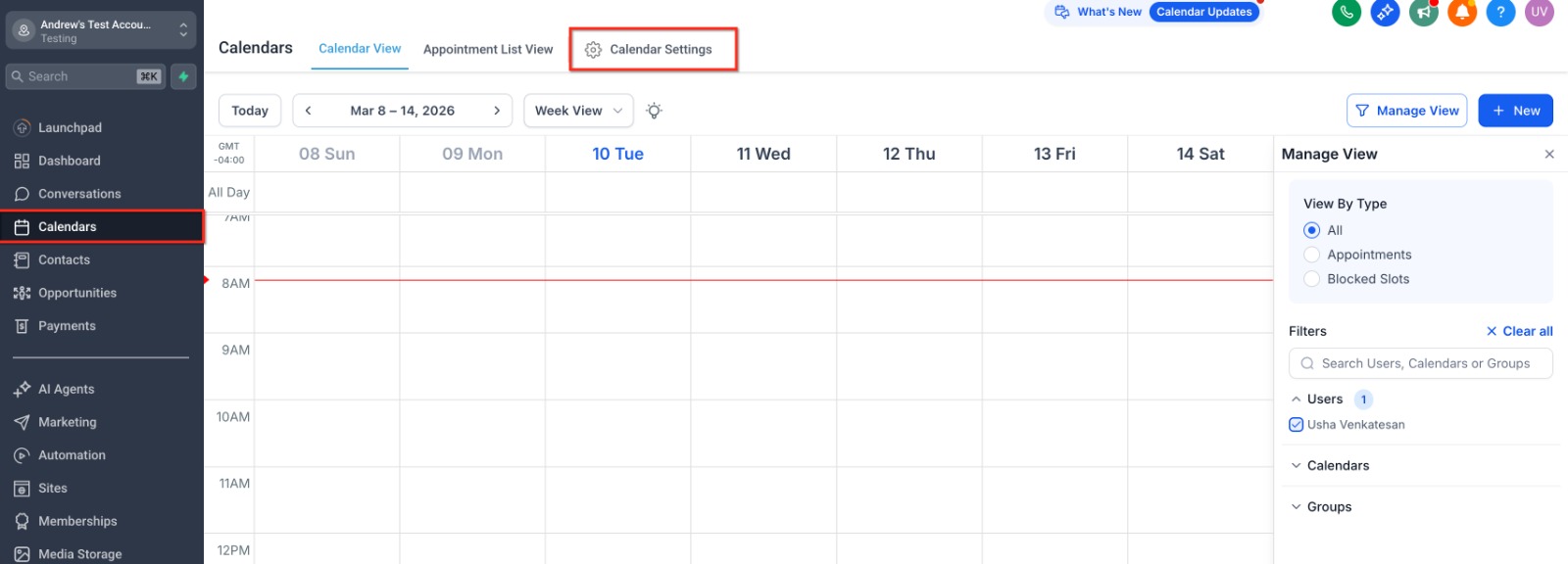
Everything that gets booked shows up in the calendar view, where you can switch between day, week, and month, filter by team member or calendar, and see appointments alongside blocked time. If you sync Google, Outlook, or iCloud, those events flow both ways, so a personal appointment on your Google Calendar automatically blocks that slot here — no double-bookings. It's one shared view of where everyone's time is going.
Why it's more than a scheduler
A standalone booking tool stops at the booking. Because GoHighLevel's calendar sits inside the CRM, a new appointment can trigger a whole sequence — confirmation, reminders, an intake form, a review request afterward — and update the contact's pipeline stage along the way. The booking isn't the finish line; it's the start of an automated flow that treats the customer well and frees you from the admin. Set it up once, and the calendar quietly fills itself while you get on with the work.
Frequently Asked Questions (FAQs)
1. What is GoHighLevel Online Appointment Booking?
GoHighLevel's appointment booking feature allows customers to schedule meetings or consultations online based on your real-time availability.
2. Which calendar type should I choose in GoHighLevel?
It depends on your business. You can choose Personal Booking for one-on-one meetings, Round Robin for teams, Class Booking for group sessions, or Collective for meetings with multiple hosts.
3. Can I add my GoHighLevel booking calendar to my website?
Yes. You can share your booking link directly or embed the calendar on your website, landing pages, emails, or social media profiles.
4. Does GoHighLevel send appointment reminders automatically?
Yes. GoHighLevel can automatically send confirmation messages and reminders through email, SMS, WhatsApp, or in-app notifications to reduce no-shows.
5. Can GoHighLevel sync with Google or Outlook Calendar?
Yes. GoHighLevel integrates with Google Calendar, Outlook Calendar, and iCloud, helping keep your schedule updated and preventing double bookings.
Need Expert Help with GoHighLevel?
New to GoHighLevel and ready to get started? Buy your GoHighLevel account here and launch with confidence.
Already know what you need and want our team to handle everything, from complete setup and customization to funnels, workflows, automations, CRM, and pipelines? Click here.



