

How GoHighLevel Helps Digital Marketing Agencies
How GoHighLevel Helps Digital Marketing Agencies
Most digital marketing agencies grow into a mess of tools. A CRM here, an email platform there, a scheduler, a landing-page builder, a review app, a reporting dashboard — each with its own login, its own bill, and its own way of not quite talking to the others. Every new client multiplies the problem. GoHighLevel was built to collapse that stack into a single platform an agency can run its entire book of business on, and it is one of the main reasons so many agencies have consolidated onto it.
This guide walks through the pieces that matter most for an agency: how sub-accounts keep clients cleanly separated, how snapshots let you build a system once and reuse it forever, and how SaaS mode turns the platform itself into a product you can resell under your own brand. Nothing here requires code, and most of it lives behind a few screens in the agency view.
A separate workspace for every client
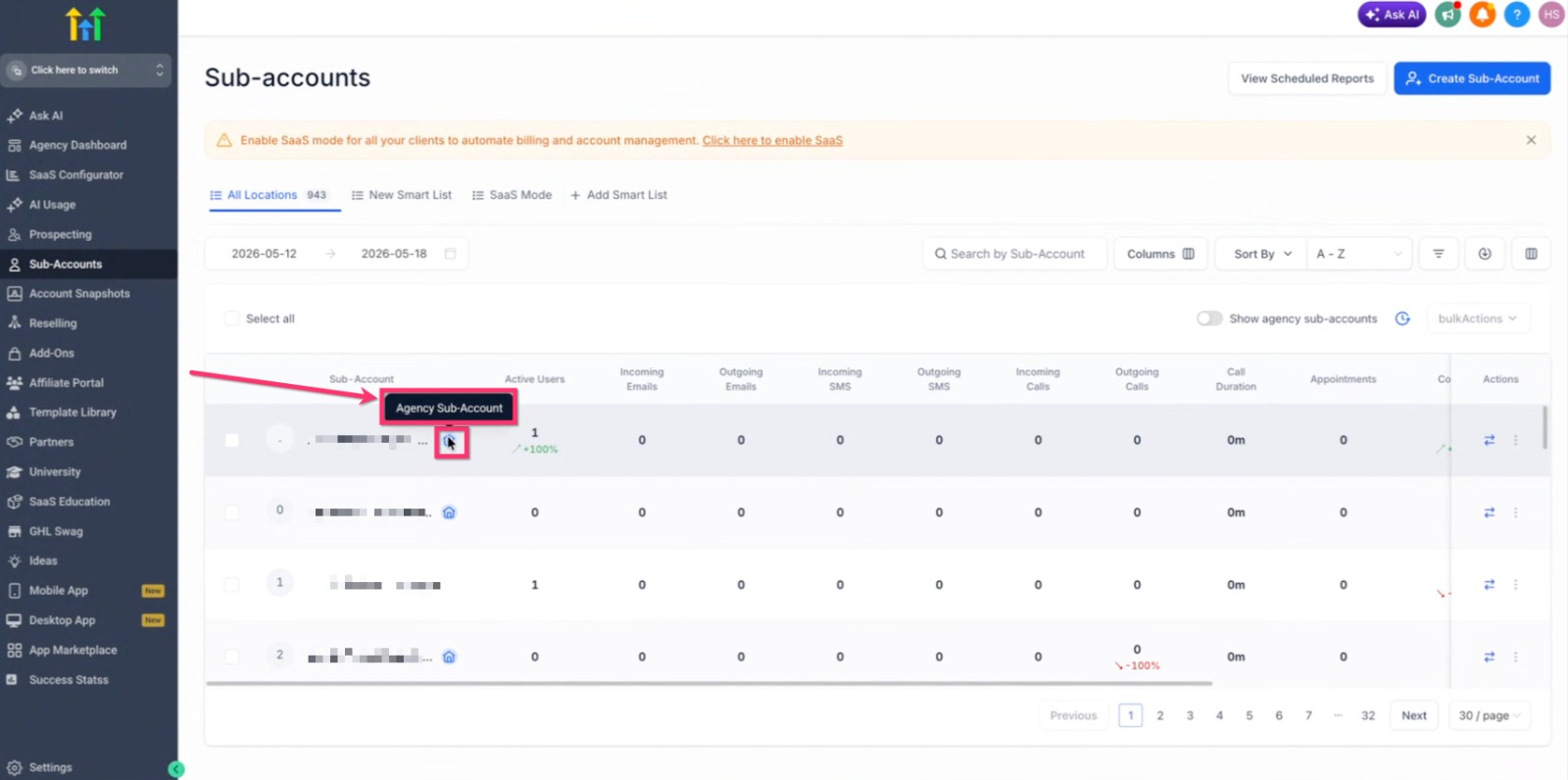
The foundation of an agency setup is the sub-account — sometimes called a location. Each client gets their own isolated workspace with its own contacts, calendars, pipelines, conversations, and automations. Nothing leaks between clients, which matters both for data hygiene and for the awkward conversations you never want to have about one client seeing another's leads.
From the agency dashboard you can see every sub-account in one list, jump into any of them, and manage billing and access centrally. For an agency, this is the difference between logging into a dozen disconnected accounts and running everything from one command center.
·Clean separation — each client's data, users, and automations stay in their own space.
·Central oversight — switch between accounts and monitor activity without new logins.
·Scalable structure — the same account model works for your third client and your three-hundredth.
Spin up a new client the right way
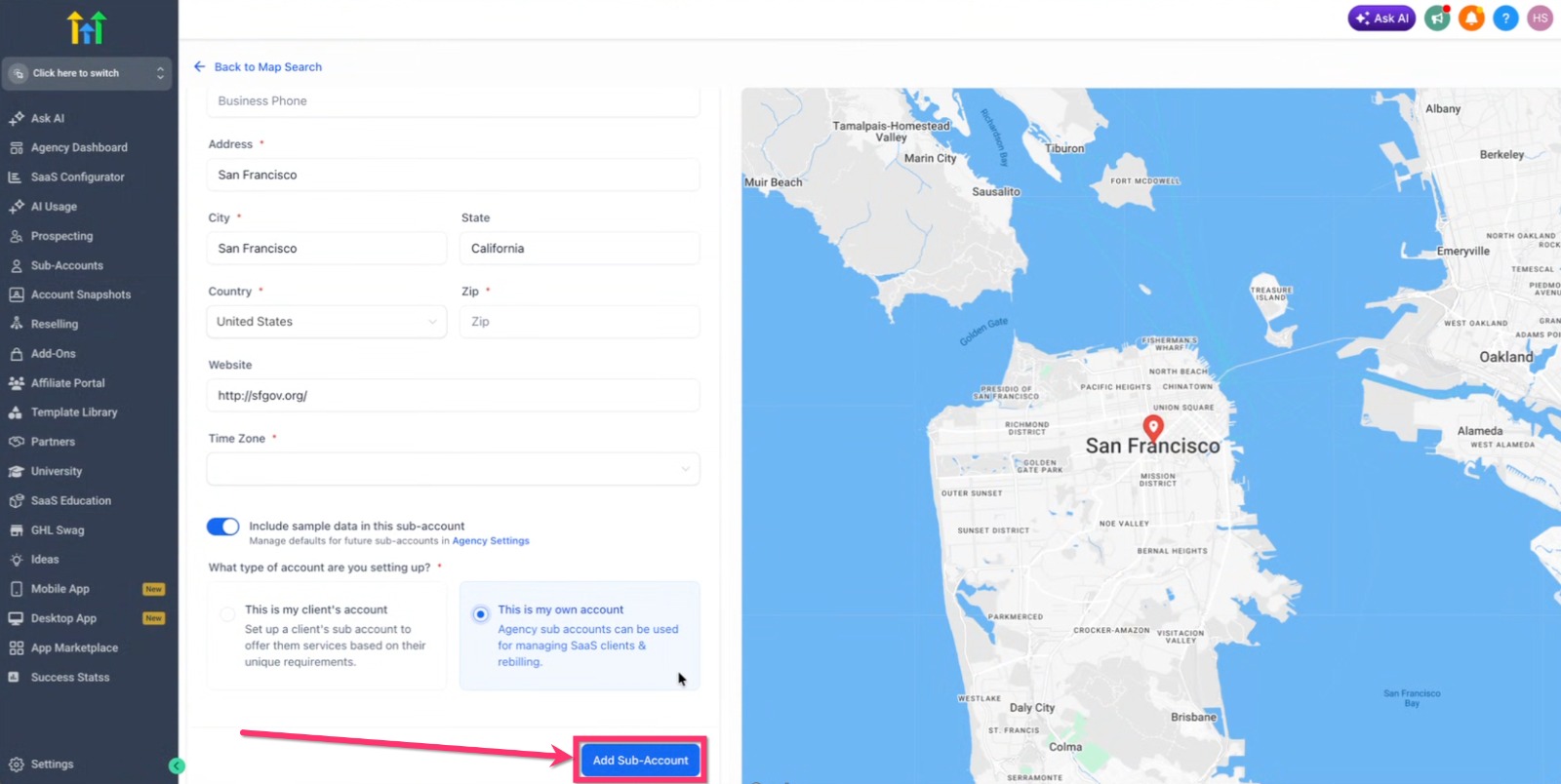
When you onboard a client, you create a new sub-account and choose how it should be set up. GoHighLevel lets you start from a blank account or drop in a ready-made configuration, and it captures the business details — address, website, industry — that populate templates and power features like local reviews and calendars later on.
Because the creation step is standardized, onboarding stops depending on whoever happens to be doing it that week. Every new client account starts from the same baseline, which keeps quality consistent as the team grows.
Snapshots: build your system once
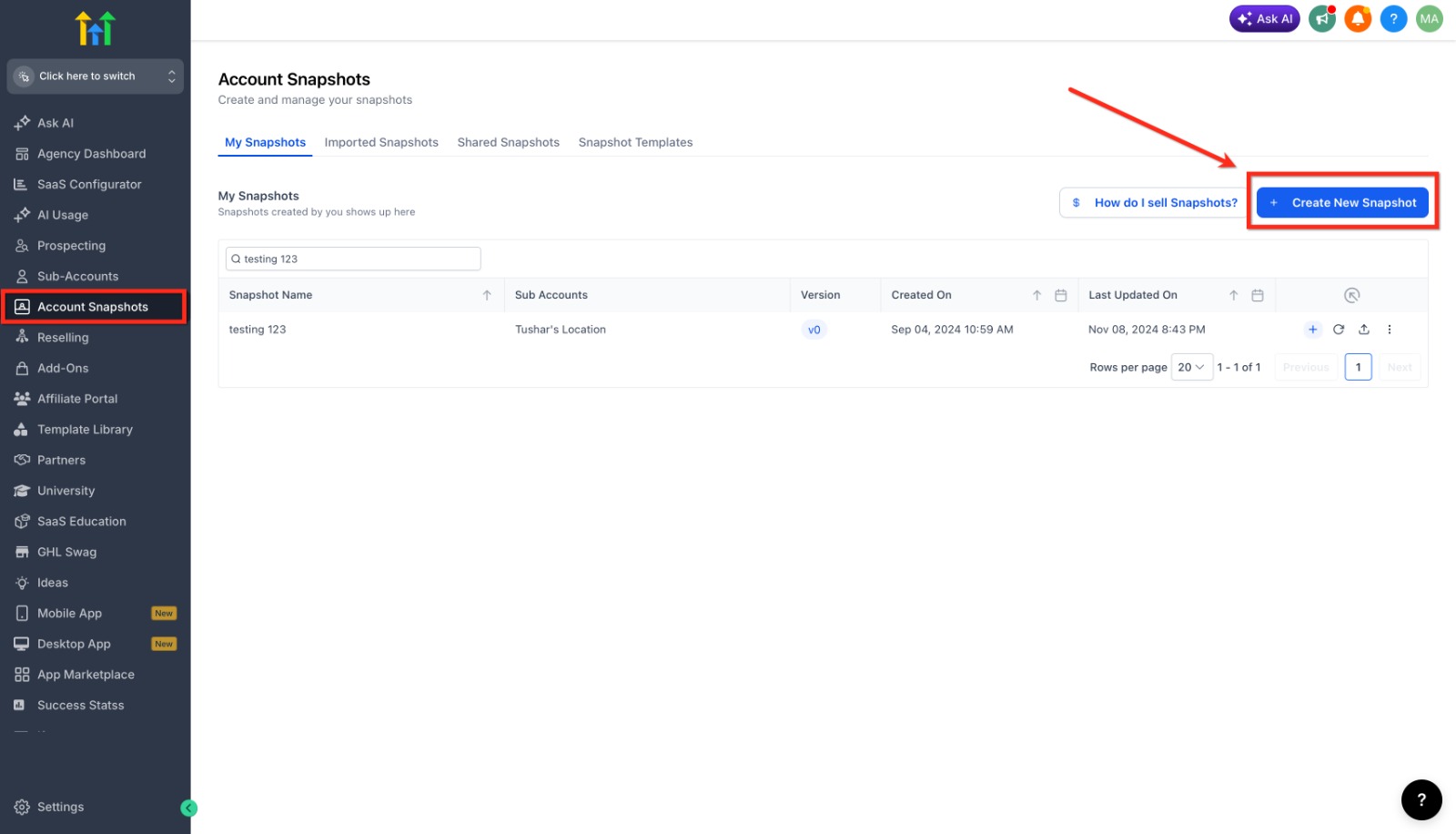
Here is where agencies save the most time. A snapshot is a reusable template that captures the assets from one sub-account — workflows, funnels, pipelines, calendars, email templates, custom fields, and more — so you can copy them into another account in a single move. Build your best onboarding sequence, your proven lead-nurture workflow, or a full niche setup once, and you never have to rebuild it by hand again.
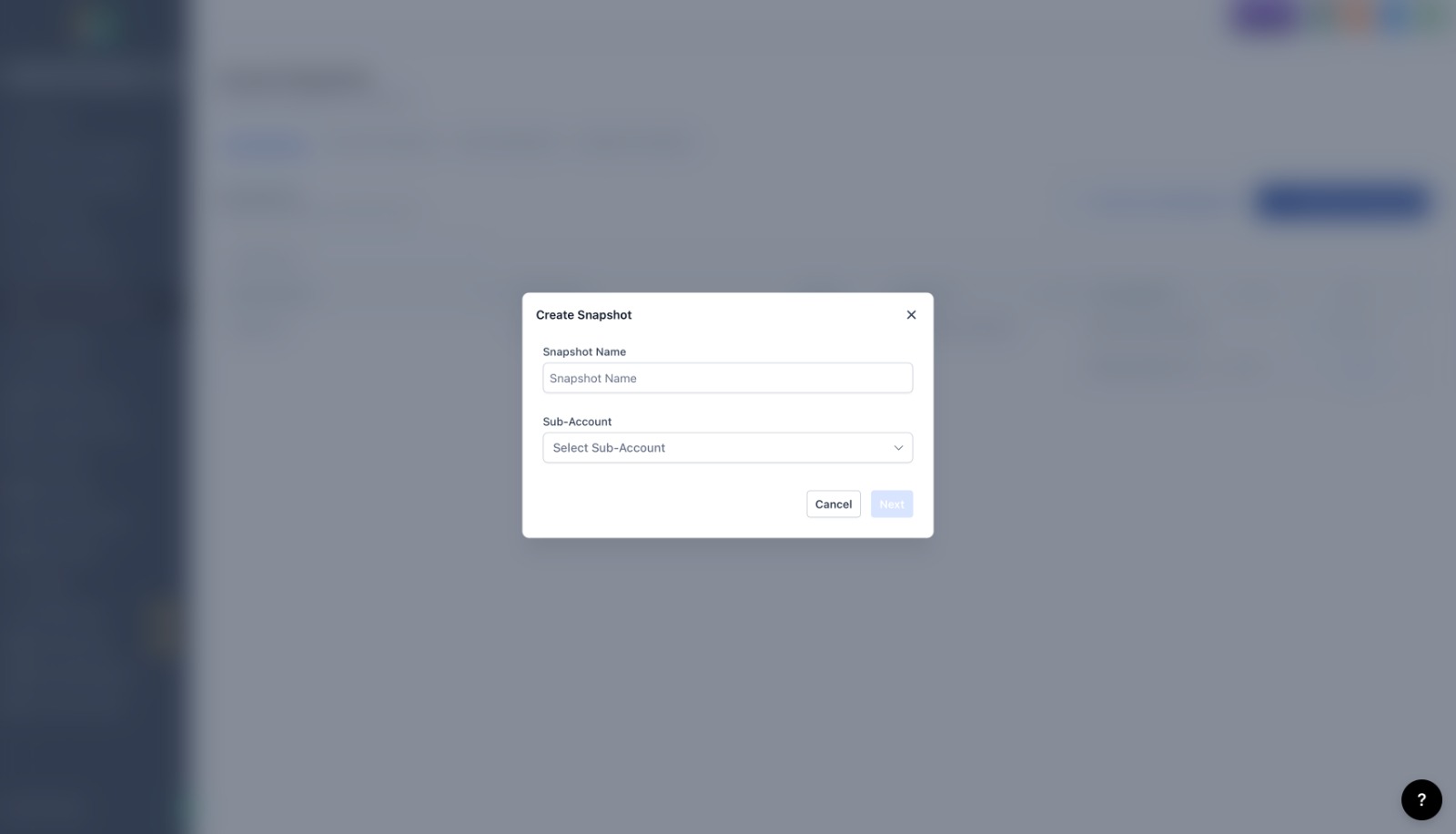
You create a snapshot from an existing account rather than from scratch, which is a subtle but important point: you build a great sub-account first, then freeze it into a template. From the agency view, the Create New Snapshot button starts the process.
Name it, pick the source, reuse forever
Creating the snapshot itself is quick: give it a clear name, choose the source sub-account it should copy from, and confirm. From that point the snapshot becomes something you can load into any new client account, share with other agencies, or attach to your onboarding so fresh accounts arrive pre-built.
The practical payoff is standardization at scale. If you run five plumbers or twenty dentists, you can maintain one polished niche snapshot and deploy it in minutes rather than reassembling the same automations client after client.
SaaS mode: sell the platform as your own
This is the feature that changes an agency's business model. SaaS mode lets you resell GoHighLevel to your clients as your own branded software, on a recurring subscription, without them ever seeing the GoHighLevel name. The platform handles account creation, billing through your connected payment provider, and the plumbing that used to require a developer.
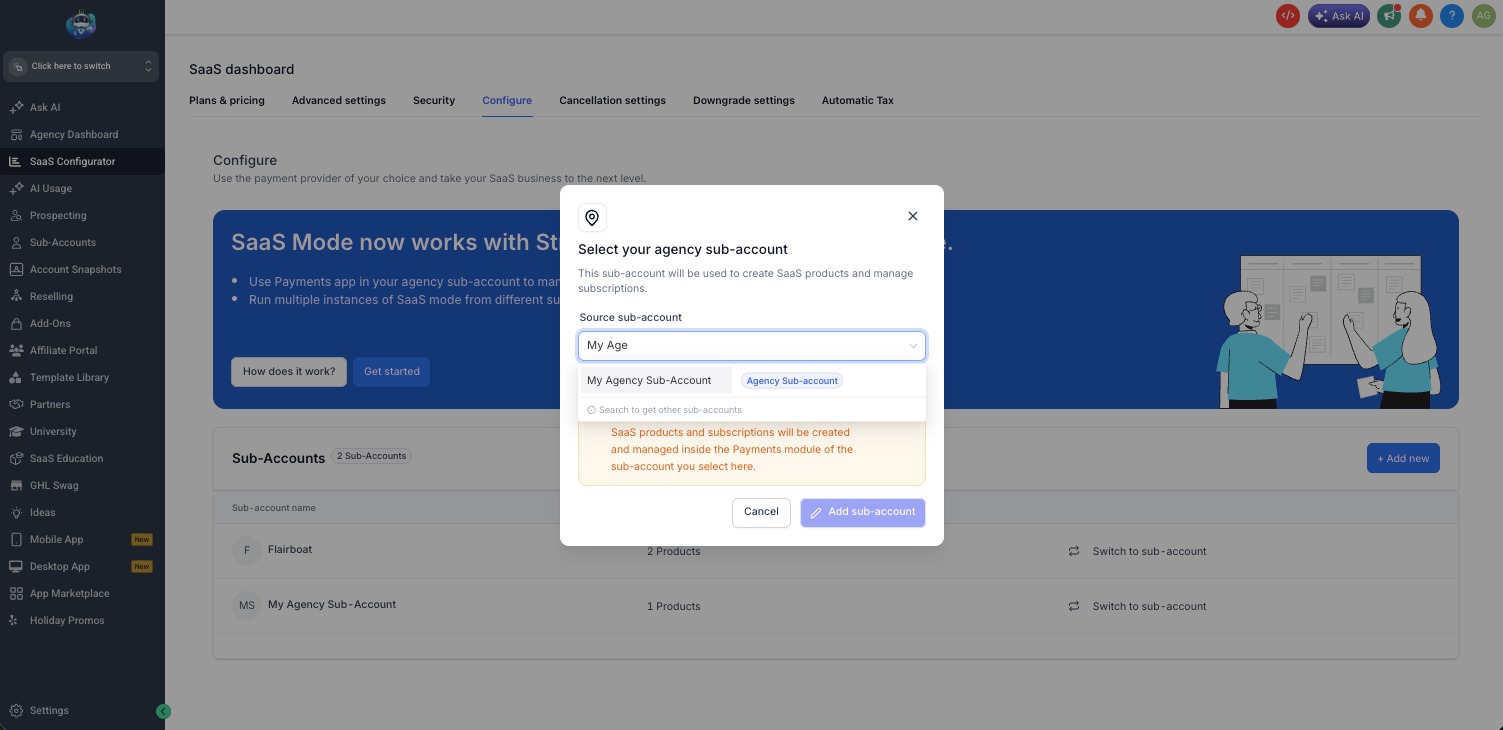
Instead of trading hours for retainers, an agency can package the tools into monthly plans and earn predictable, recurring revenue. The SaaS Configurator in the agency view is the control room for all of it — connecting billing, choosing which sub-accounts run in SaaS mode, and defining what each plan includes.
Package and price your plans
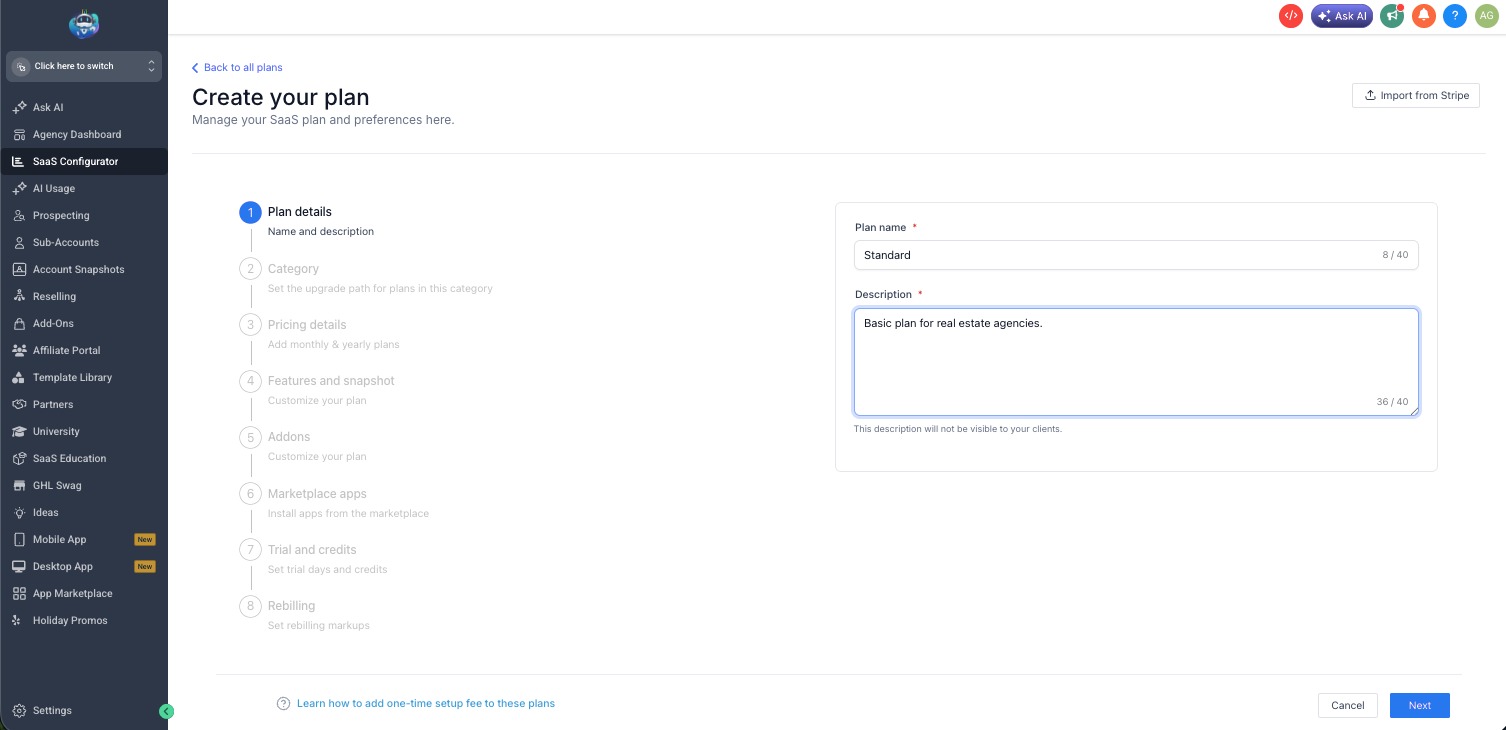
Inside the configurator you build the plans themselves. You create a plan, name it, describe it, decide which features and limits it includes, and set the price. Clients can then subscribe through a payment link, and GoHighLevel provisions their account automatically once they pay.
That automation is the quiet advantage: sign-up, billing, and account setup happen without you touching anything, so the model scales without adding operational drag. We generally steer agencies toward starting with one or two clear plans and expanding only once the offer is proven, rather than launching a complicated tier menu on day one.
Why agencies consolidate on one platform
Taken together, these pieces explain the appeal. An agency running GoHighLevel replaces a shelf of subscriptions with one platform, delivers a consistent system to every client through snapshots, and can turn that system into recurring product revenue through SaaS mode. Reporting, reputation management, calendars, funnels, and automations all live in the same place, which means less time spent gluing tools together and more time spent on the work clients actually pay for.
It is not a magic button — a good agency setup still takes thought, and the platform rewards teams that invest in building their snapshots and workflows well. But as a foundation for running and scaling a marketing agency, it is hard to beat the leverage of having everything under one roof.
Frequently Asked Questions
1.Do my clients know they are using GoHighLevel?
Not if you don't want them to. With white-label and SaaS mode, the platform can be rebranded with your agency's name, logo, and domain, so clients experience it as your software.
2.What exactly does a snapshot copy?
A snapshot captures selected assets from a source sub-account — things like workflows, funnels, pipelines, calendars, email and SMS templates, custom fields, and custom values. It does not copy a client's contacts or conversation history, so you are sharing the system, not the data.
3.Do I need SaaS mode to use GoHighLevel as an agency?
No. Many agencies use sub-accounts and snapshots to deliver services without ever turning on SaaS mode. SaaS mode is the optional layer for agencies that want to resell the platform as a recurring subscription product.
4.How many clients can one agency account handle?
The sub-account model is designed to scale, and agencies commonly run from a handful to hundreds of client accounts from a single agency login. Your plan level and how you package SaaS plans determine the practical limits.
5.Can Wispcode set this up for us?
Yes. We build agency snapshots, configure SaaS plans and billing, and set up the onboarding automations so new client accounts arrive ready to work. Book a free consultation and we'll map it to how your agency operates.
Need Expert Help with GoHighLevel?
New to GoHighLevel and ready to get started? Buy your GoHighLevel account here and launch with confidence.
Already know what you need and want our team to handle everything, from complete setup and customization to funnels, workflows, automations, CRM, and pipelines? Click here.



