

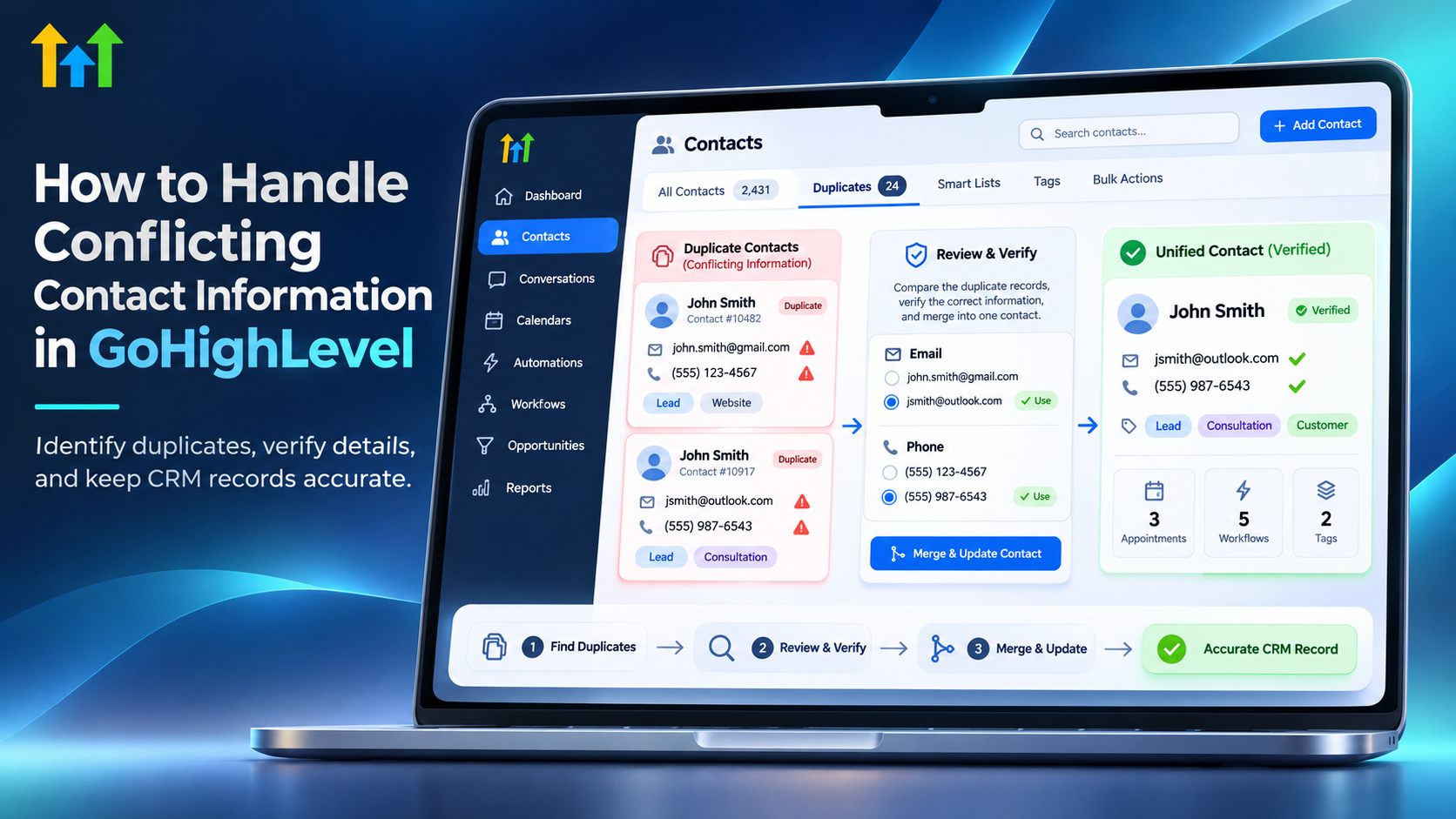
How to Resolve Contact Information Conflicts in GoHighLevel
How to Handle Conflicting Contact Information in GoHighLevel
Introduction
Imagine a customer submits an inquiry through your website using one email address but later books an appointment using a different phone number. Your sales team may struggle to determine which information is correct, potentially resulting in duplicate records, missed follow-ups, or unnecessary communication.
Managing conflicting contact information in GoHighLevel is essential for businesses that rely on CRM systems and automated customer journeys. Although GoHighLevel provides contact management and workflow automation capabilities, maintaining accurate customer information requires proper configuration, verification, and consistent data management practices.
What Is Conflicting Contact Information in GoHighLevel?
Conflicting contact information occurs when different sources provide inconsistent details about the same customer.
Common examples include:
Different email addresses belonging to the same customer.
Multiple or outdated phone numbers.
Inconsistent customer names.
Conflicting custom field values.
Duplicate records containing different information.
Unlike duplicate contacts, which involve multiple records, conflicting information can also exist within a single customer record. Additionally, some differences are legitimate, such as customers having separate personal and business email addresses.
Why Contact Information Conflicts Occur
Businesses collect customer information through websites, landing pages, Facebook lead forms, integrations, manual entries, and external databases.
When these sources provide inconsistent information, maintaining a reliable CRM database becomes challenging.
Common causes include repeated form submissions, manual data entry mistakes, outdated customer details, inaccurate contact imports, and improperly configured contact update processes.
Without proper management, these inconsistencies can affect customer communication, lead segmentation, appointment reminders, and workflow execution.
How to Handle Conflicting Contact Information in GoHighLevel
Step 1: Identify Inconsistent Contact Records
Navigate to Contacts → Smart Lists within your GoHighLevel sub-account. Search for customers using their names, email addresses, or phone numbers to identify potentially inconsistent records.
Review individual contact profiles and compare available information before making changes.
You can also create a dedicated contact review tag and use Smart Lists to organize records that require further investigation.
Step 2: Verify the Correct Contact Information
Before updating customer records, determine which information is reliable. Review available conversation history, form submissions, contact notes, and previous customer interactions.
If uncertainty remains, contact the customer directly to confirm their preferred details.
Remember that the most recently submitted information is not necessarily the most accurate. Customers may accidentally enter incorrect details or provide alternative contact information.
Step 3: Review Duplicate Contacts and Merge When Appropriate
GoHighLevel offers a native Manage Duplicates tool that allows administrators to identify potential matches using names, email addresses, or phone numbers.
To access this feature, open Contacts, click the three-dot menu, and select Manage Duplicates.
Review the matching records, select the appropriate master contact, and determine which supported field values should be retained.
Contact merges are permanent. Never merge records solely because customers share similar names or contact details. Review associated appointments, financial records, custom fields, and active workflows before proceeding, as not all information is combined in the same way.
Step 4: Update and Standardize Contact Information
Once the correct information has been verified, update the relevant contact record.
Establish consistent formatting standards for names, international phone numbers, email addresses, and custom fields.
Businesses can also create custom fields such as Contact Verification Status or Last Verified Date to support their internal data management processes.
Consistent formatting improves CRM data accuracy and helps teams maintain dependable customer records.
Step 5: Configure Workflows to Reduce Future Conflicts
GoHighLevel workflow automation can support structured contact verification processes.
For example, businesses can configure a workflow that responds when a designated verification-related custom field changes. The workflow can notify employees, initiate a review process, or update a verification status field.
The Contact Changed trigger and Update Contact Field action can support this configuration.
However, these features do not independently determine whether newly submitted customer information is correct. Businesses must define their own verification rules before allowing automated updates to important fields.
Best Practices for Preventing Contact Information Conflicts
A proactive customer data management strategy reduces the need for repeated corrections.
Businesses should implement the following practices:
Standardize information collection across forms and landing pages.
Configure contact deduplication preferences according to business requirements.
Establish rules for identifying trusted information sources.
Review external contact data before importing it.
Train employees on consistent CRM data entry.
Conduct regular contact database audits.
Respect customer communication preferences and consent records.
GoHighLevel allows businesses to configure duplicate contact preferences under Business Profile settings. These preferences influence contact matching for supported sources, while CSV imports follow separate matching behavior.
How Different Industries Benefit from Accurate Contact Information
Reliable contact management supports businesses across multiple industries.
Real Estate: Agents can maintain accurate buyer and seller profiles, improving property inquiries and appointment coordination.
Home Services: Contractors can reduce communication errors when arranging estimates, service appointments, and customer follow-ups.
Healthcare Administration: Administrative teams can maintain reliable contact details for appropriate appointment-related communication.
Marketing Agencies: Agencies can improve audience segmentation, organize client lead databases, and reduce unnecessary duplicate communications.
Across these industries, accurate information supports more consistent customer experiences and efficient daily operations.
Conclusion
Handling conflicting contact information in GoHighLevel requires a combination of CRM functionality, careful verification, and standardized data management practices.
By reviewing duplicate records, configuring contact preferences, and implementing controlled workflows, businesses can maintain more reliable customer information.
Before expanding your automation systems, establish a dependable contact management process. Even a well-designed workflow depends on the quality of the information it receives.
Frequently Asked Questions (FAQs)
1. Can GoHighLevel automatically detect duplicate contacts?
Yes. Supported contact matching settings and the Manage Duplicates tool help identify matching records. However, they cannot identify every possible information conflict.
2. How can I merge duplicate contacts in GoHighLevel?
Select the relevant records from Smart Lists, open More, and choose Merge. Review the master record and field values before confirming.
3. What happens when a customer submits different contact information?
The outcome depends on the submission source, matching identifiers, and configured deduplication preferences.
4. Can GoHighLevel workflows help prevent contact information conflicts?
Yes. Workflows can support internal reviews, verification notifications, and controlled field updates when appropriately configured.
5. How can businesses maintain accurate contact information in GoHighLevel?
Standardize data collection, verify customer details, review duplicate records, and perform regular CRM audits.
Need Expert Help with GoHighLevel?
New to GoHighLevel and ready to get started? Buy your GoHighLevel account here and launch with confidence.
Already know what you need and want our team to handle everything, from complete setup and customization to funnels, workflows, automations, CRM, and pipelines? Click here.