Google Ads Policy Exemptions in GoHighLevel Ad Manager
How to Request Google Ads Policy Exemptions in GoHighLevel Ad Manager
Introduction
Encountering a Google Ads policy violation during campaign publishing can interrupt the advertising process, particularly when a campaign cannot move forward because of a restriction that may qualify for an exemption. For advertisers and agencies managing campaigns through GoHighLevel, this previously created an additional publishing obstacle.
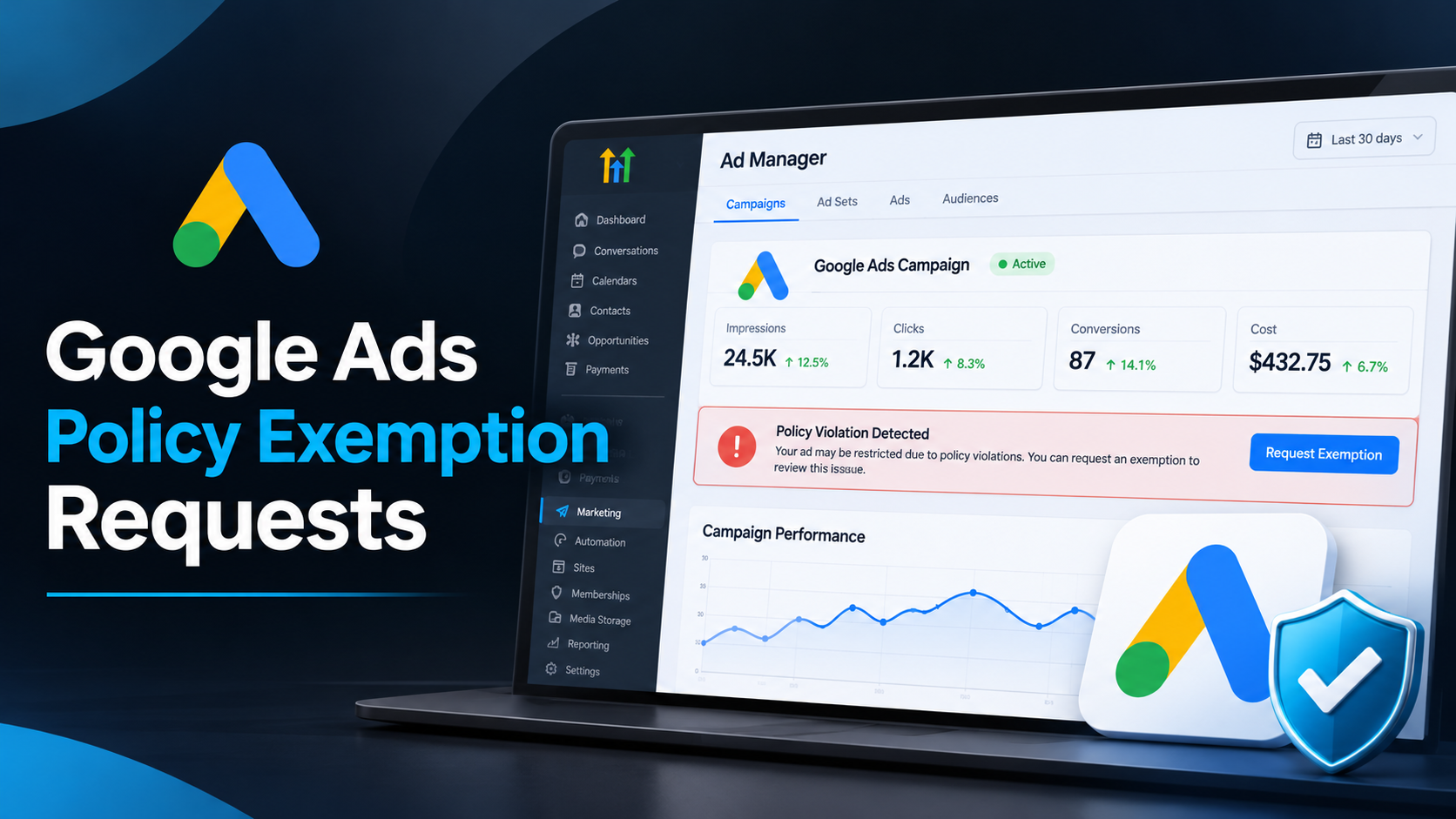
HighLevel has introduced an enhancement to its Ad Manager that allows users to request Google Ads policy exemptions directly from the campaign builder. Instead of being blocked without an integrated exemption request option, users can now acknowledge eligible policy violations and submit an exemption request as part of the publishing process.
This GoHighLevel Ad Manager update provides a more straightforward way to handle eligible policy restrictions while keeping the campaign publishing process connected within the platform.
Understanding the Google Ads Policy Exemption Enhancement
The new Google Ads Policy Exemption feature introduces an option for handling certain policy violations directly inside HighLevel Ad Manager.
Previously, when Google identified a policy violation that prevented a campaign from being published, users encountered a publishing blocker. There was no integrated option within the campaign builder to request an exemption for an eligible violation.
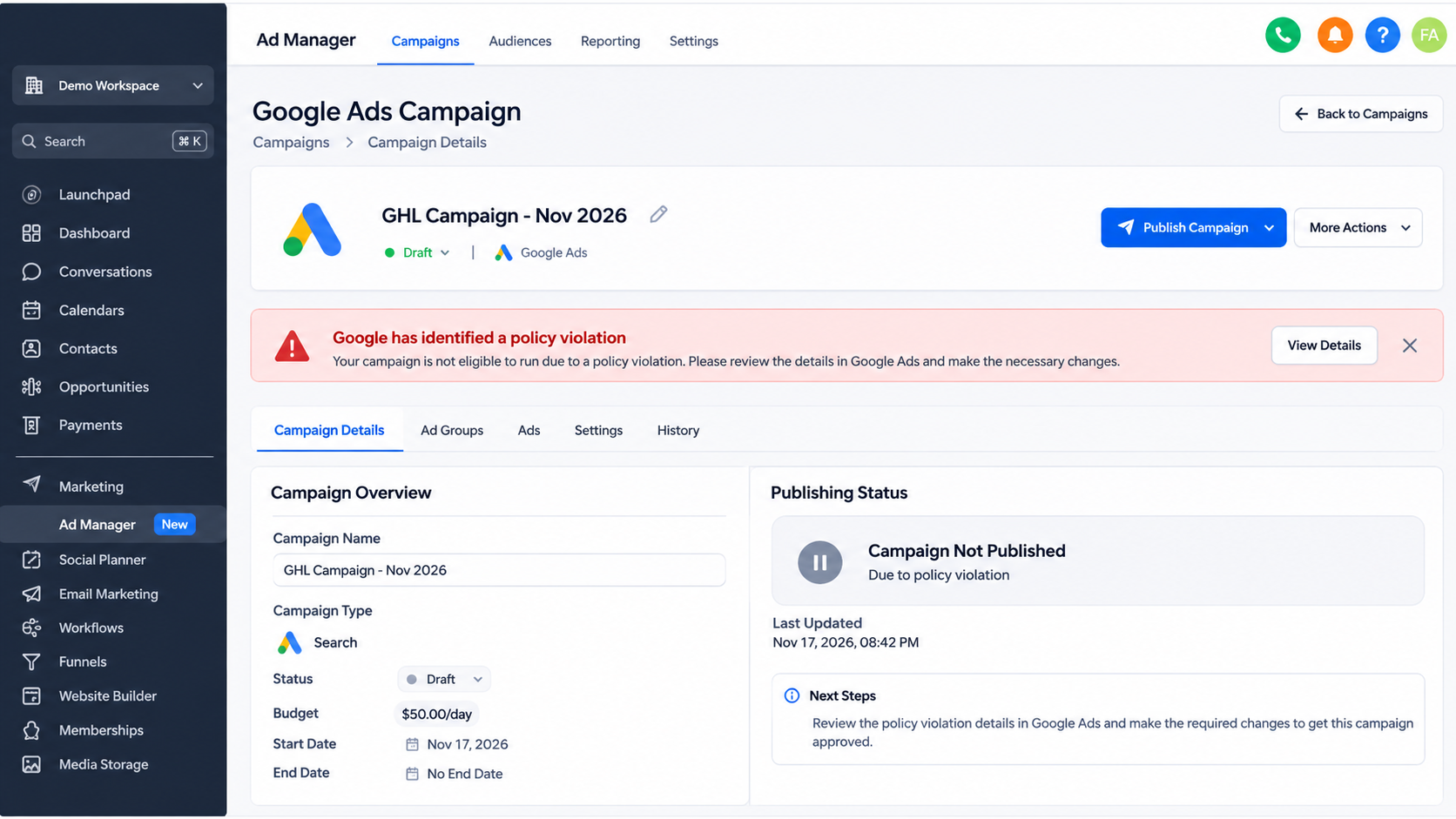
With this enhancement, HighLevel has improved that experience by introducing a Request Exemption option when Google identifies a policy violation as eligible for exemption.
Users can now initiate an exemption request without leaving the campaign builder. This connects the exemption request process with campaign publishing, reducing the need to treat eligible policy restrictions as an immediate dead end.
Importantly, this functionality applies only to violations that Google identifies as eligible. It does not remove Google's advertising policies or automatically approve restricted campaigns.
How the New Feature Works
The updated process allows users to identify eligible policy violations, acknowledge the relevant information, and submit an exemption request through the campaign builder.
1. Policy Violation Detection
The process begins when Google identifies a policy violation during the campaign publishing process.
If the identified violation is eligible for an exemption, HighLevel makes the Request Exemption option available. This is an important distinction because the option does not appear for every publishing issue or every policy violation.
2. Request Exemption
When an eligible policy violation is identified, users can select the Request Exemption option.
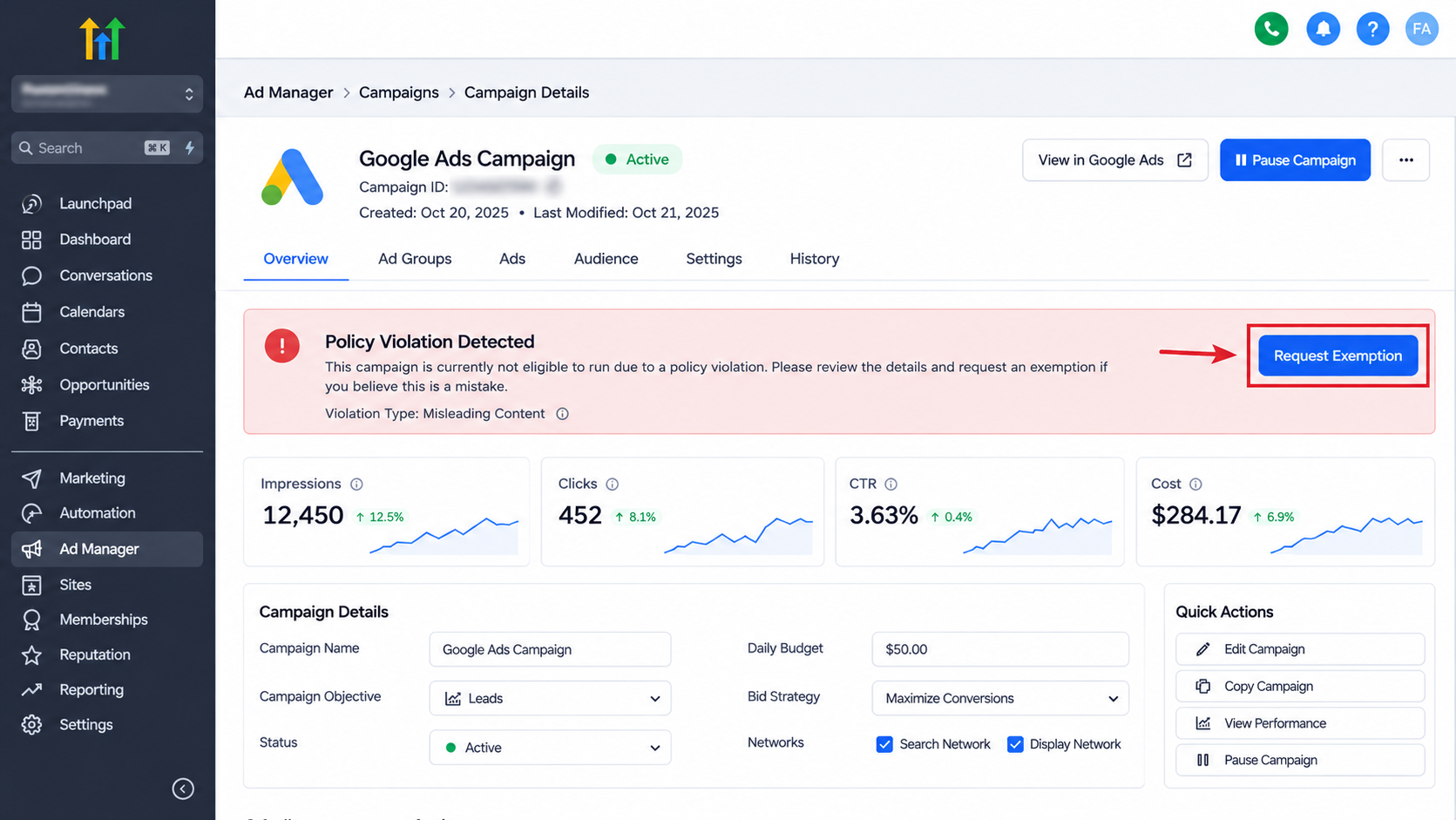
This allows them to initiate the exemption request directly within the campaign builder. The option provides a way to address eligible Google Ads policy restrictions without treating the publishing blocker as an issue that can only be handled outside the campaign creation experience.
3. Review and Confirm
After selecting Request Exemption, users are presented with a confirmation modal.
Before continuing, users must review the information provided in the modal and acknowledge the relevant conditions using the acknowledgment checkbox.
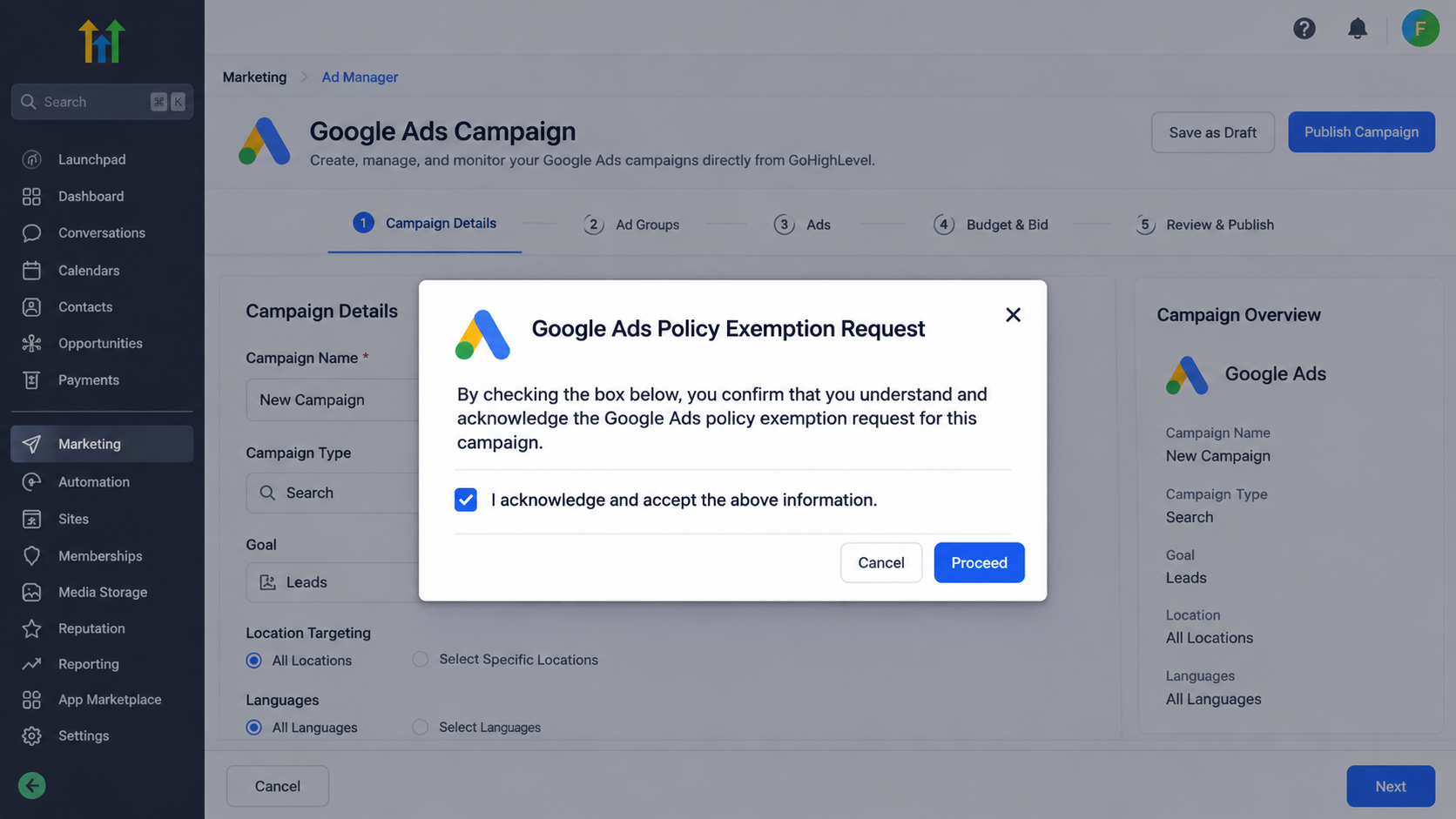
This confirmation step is important because users must explicitly acknowledge the information before proceeding with the exemption request.
4. Request and Publish
Once the required acknowledgment has been completed, users can proceed using the Request and Publish action.
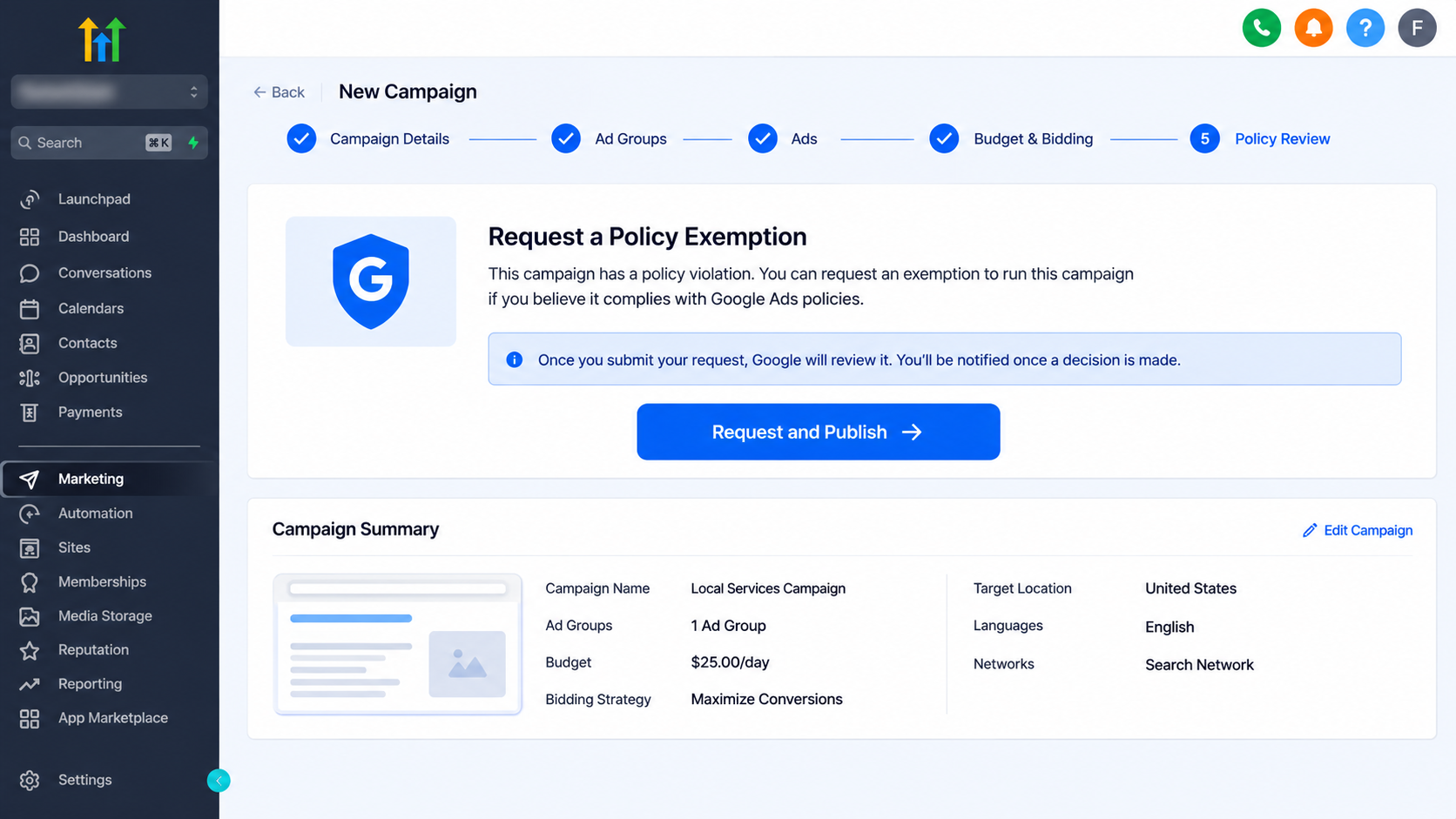
This action combines submitting the exemption request with the campaign publishing process. Rather than treating these as completely separate actions within the campaign builder, HighLevel provides a connected experience for eligible policy violations.
However, submitting the request does not mean the exemption has already been approved. Campaign publishing remains subject to Google's policies and review requirements.
5. Publishing Status
After users submit the request through Request and Publish, the campaign enters the publishing process.
The publishing status helps users understand where the campaign stands after submitting the request. It is important to distinguish between submitting an exemption request and receiving approval, as the two are not the same.
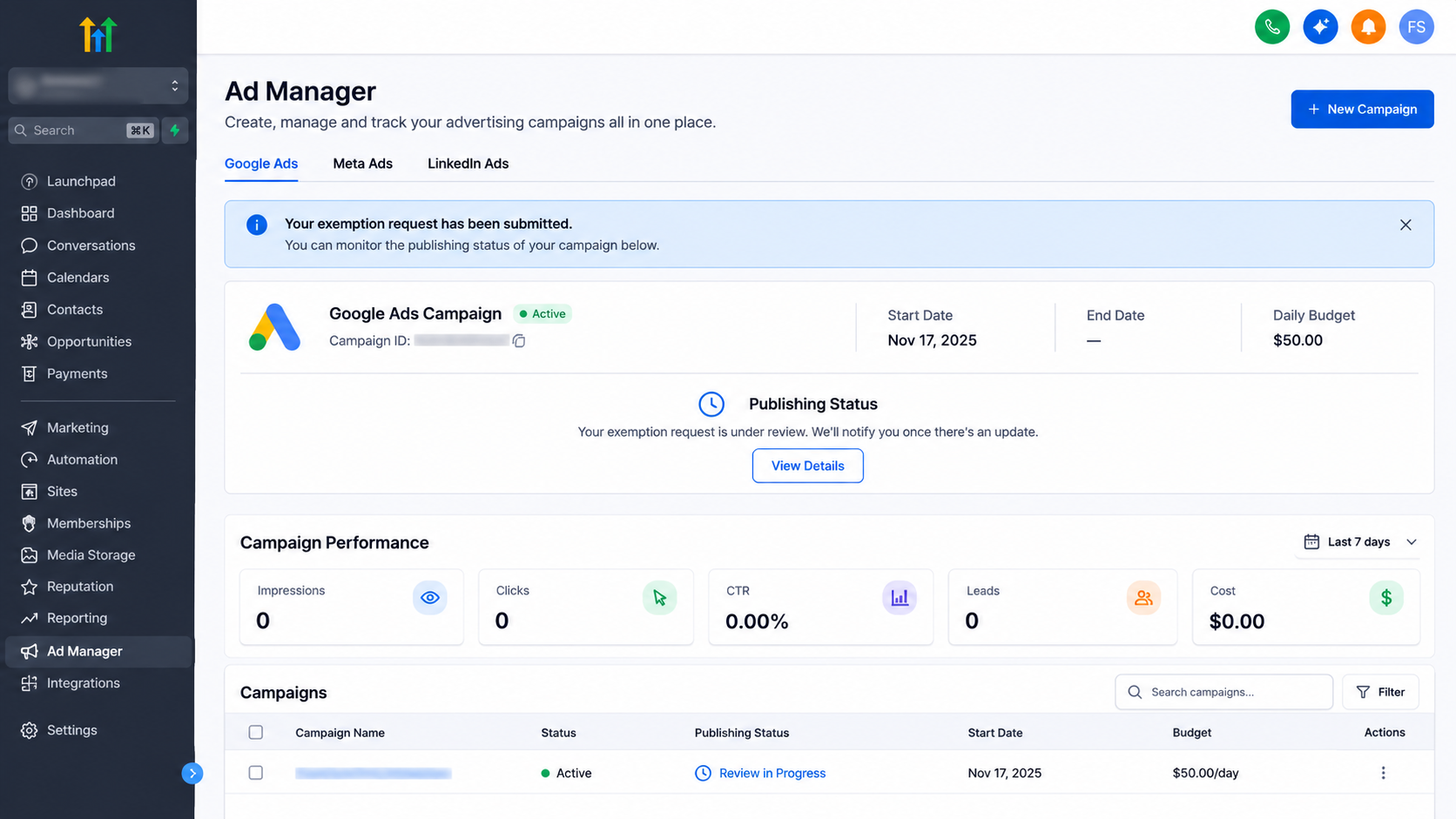
The enhancement makes the process more transparent by connecting the exemption request with the campaign publishing experience.
Why This Update Matters for GoHighLevel Users
This enhancement introduces several practical improvements for agencies, advertisers, and business owners using HighLevel Ad Manager.
Fewer Publishing Blockers
Previously, eligible policy violations could prevent users from publishing campaigns without an integrated exemption request option. The new functionality gives users another way to proceed when Google identifies a violation as eligible for exemption.
This reduces unnecessary interruptions in the campaign publishing experience.
Simplified Experience
Users can initiate an exemption request directly from the campaign builder. The Request Exemption option, confirmation modal, acknowledgment checkbox, and Request and Publish action connect the process within the existing advertising workflow.
This makes handling eligible policy restrictions more straightforward.
Greater Transparency
The updated process provides a clearer sequence for identifying an eligible violation, reviewing the confirmation information, submitting the request, and following the publishing status.
This helps users better understand the steps involved instead of treating every policy-related publishing restriction as the same type of problem.
Important Limitations and Availability
Although this enhancement improves Google Ads campaign publishing, it is important to understand its limitations.
First, the functionality is available for Google Ads campaigns managed through HighLevel Ad Manager. It should not be treated as a general exemption system for other advertising platforms.
Second, the Request Exemption option appears only when Google identifies a policy violation as eligible for exemption. Not every Google Ads policy violation qualifies.
Third, the feature does not resolve unrelated publishing errors. If a campaign has other validation issues or publishing problems, requesting a policy exemption will not automatically fix them. Those issues must still be addressed separately.
Finally, requesting an exemption does not guarantee approval or successful campaign publication. Google Ads policies and the standard review process continue to apply.
Users should therefore understand that the enhancement provides a way to submit eligible exemption requests, not a way to bypass Google's advertising requirements.
Conclusion
The Google Ads Policy Exemption enhancement is a practical improvement to HighLevel Ad Manager. By introducing the Request Exemption option directly into the campaign builder, GoHighLevel gives advertisers a more connected way to handle eligible policy violations during publishing.
The addition of a confirmation modal, acknowledgment checkbox, Request and Publish action, and publishing status creates a clearer process for managing these requests.
For agencies and businesses managing Google Ads through HighLevel, this update reduces certain publishing obstacles and simplifies the experience without changing Google's authority over advertising policy decisions.
Frequently Asked Questions
1. What is the Google Ads Policy Exemption feature in GoHighLevel?
It is an enhancement in HighLevel Ad Manager that allows users to request exemptions for Google Ads policy violations identified by Google as eligible.
2. Where can users request a Google Ads policy exemption?
Users can initiate the request directly from the campaign builder by selecting the Request Exemption option when an eligible violation is identified.
3. Are all Google Ads policy violations eligible for exemption?
No. The option appears only when Google identifies a policy violation as eligible for exemption. Other violations may not provide this option.
4. Does requesting an exemption guarantee campaign approval?
No. Submitting an exemption request does not guarantee approval. Campaign publishing remains subject to Google's advertising policies and standard review process.
5. Does this feature resolve other campaign publishing errors?
No. The enhancement specifically addresses eligible Google Ads policy violations. Unrelated campaign validation and publishing errors must still be resolved separately.
Need Expert Help with GoHighLevel?
New to GoHighLevel and ready to get started? Buy your GoHighLevel account here and launch with confidence.
Already know what you need and want our team to handle everything, from complete setup and customization to funnels, workflows, automations, CRM, and pipelines? Click here.