

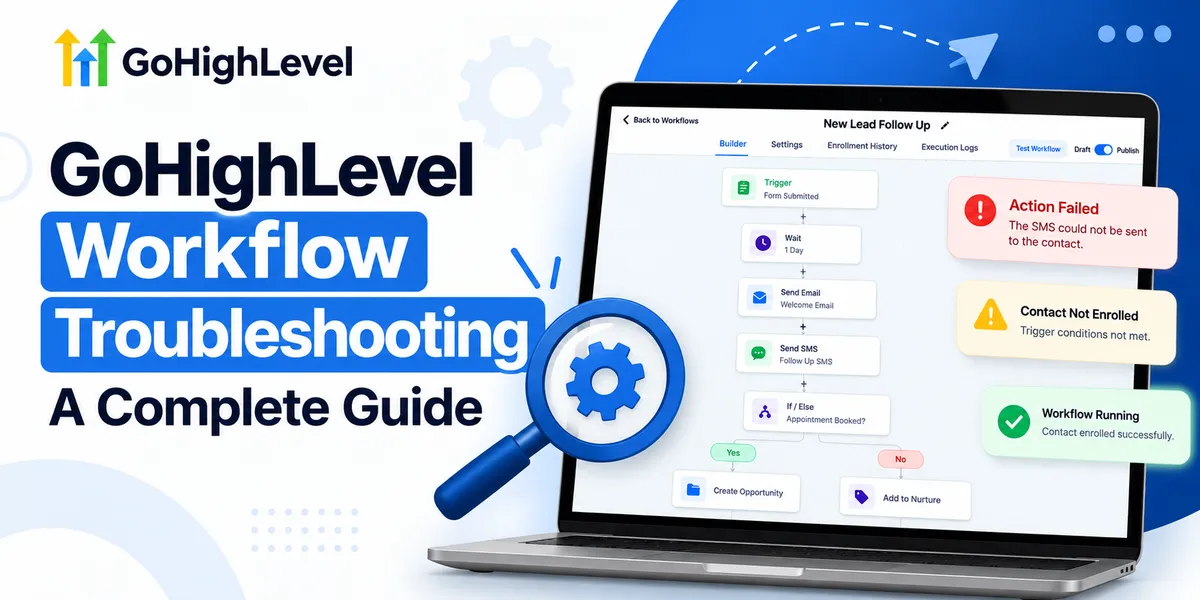
GoHighLevel Workflow Troubleshooting Guide
GoHighLevel Workflow Troubleshooting: A Complete Guide
A new lead submits a form on your website, but the expected follow-up never arrives. Your team assumes the automation is working, while a potential customer waits for a response.
These situations highlight why GoHighLevel Workflow Troubleshooting matters. Even a small configuration mistake can interrupt communication, delay appointments, and create missed sales opportunities.
Fortunately, most workflow problems become easier to resolve when you understand where to investigate and how to identify their root causes.
Understanding How GoHighLevel Workflows Operate
GoHighLevel workflows automate business processes through connected triggers, conditions, and actions.
Their essential components include:
Triggers: Events that initiate automation, such as form submissions or appointment bookings.
Trigger Filters: Requirements that determine whether an event qualifies.
Actions: Tasks such as sending messages, updating contacts, or creating opportunities.
If/Else Conditions: Decision points that direct contacts through different paths.
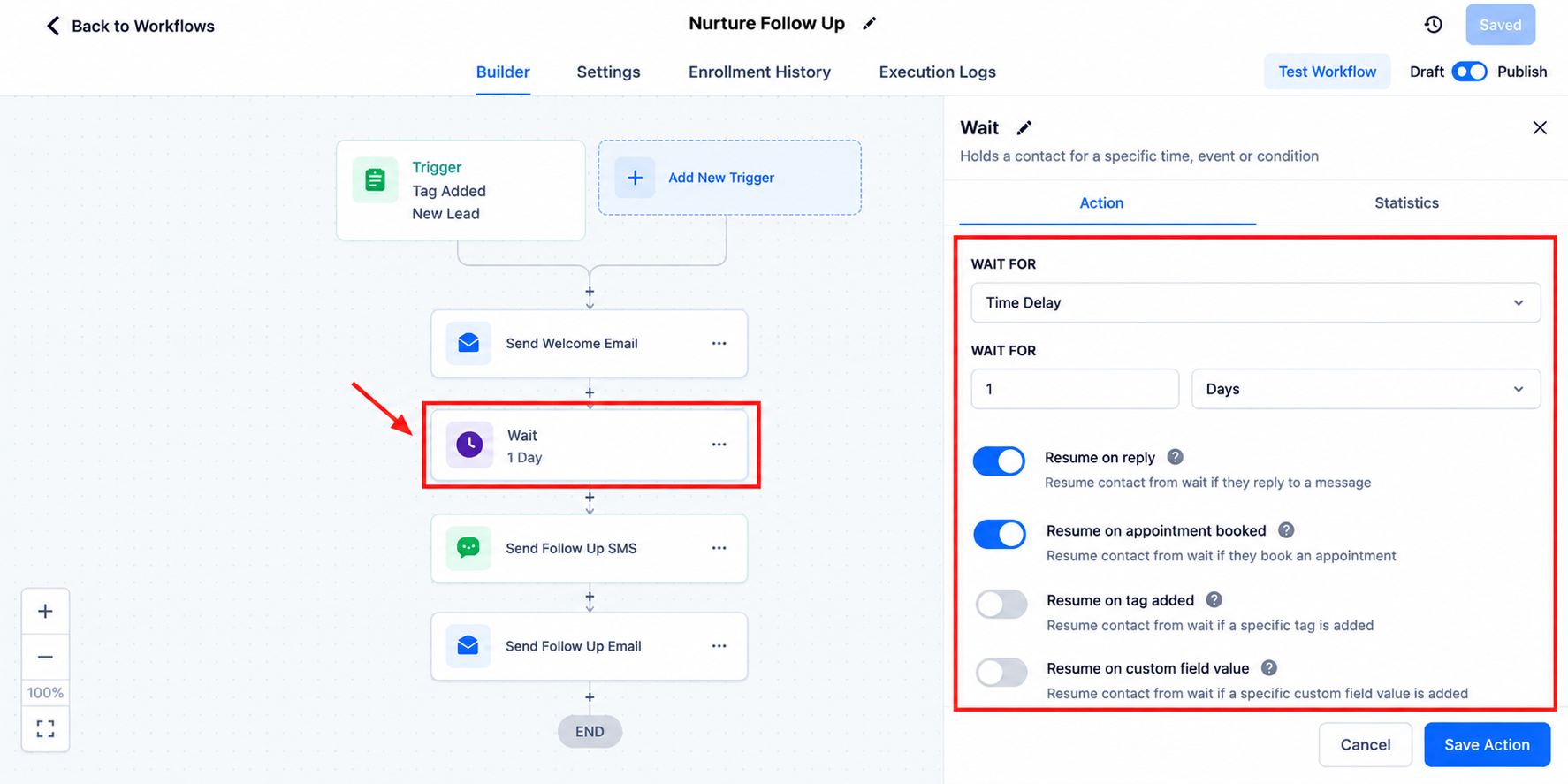
Wait Actions: Steps that delay execution until a specified time or condition.
Enrollment Settings: Controls affecting whether contacts can enter or re-enter workflows.
Understanding these components helps distinguish an enrollment problem from an execution failure.
Common GoHighLevel Workflow Problems and How to Fix Them
1. Workflow Not Triggering
When a workflow does not start, examine its trigger configuration first.
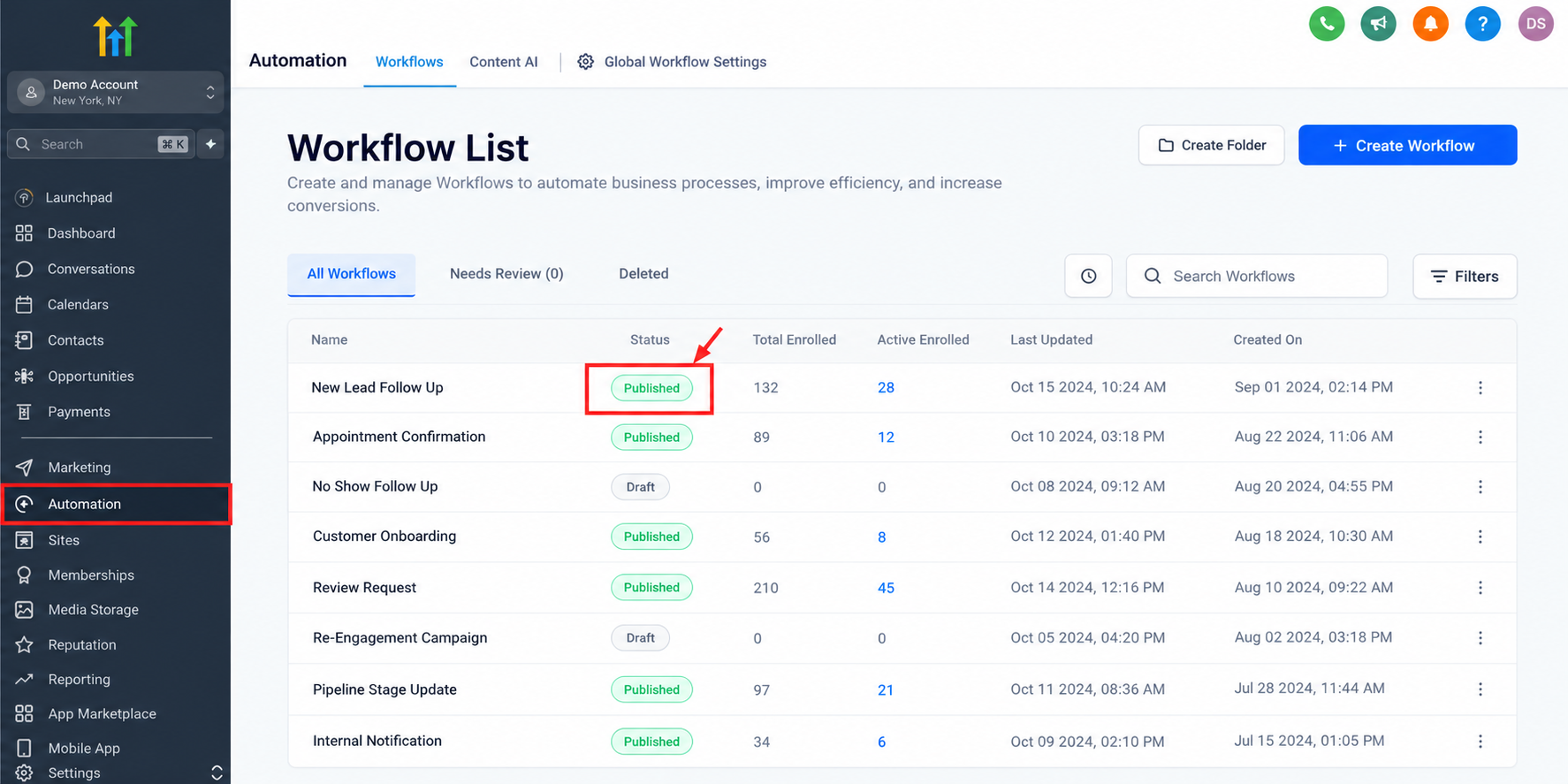
Common causes include incorrect trigger selection, restrictive filters, unpublished workflows, or events that do not satisfy enrollment requirements.
For example, a workflow configured for a specific form will not respond to submissions from another form unless its configuration permits them.
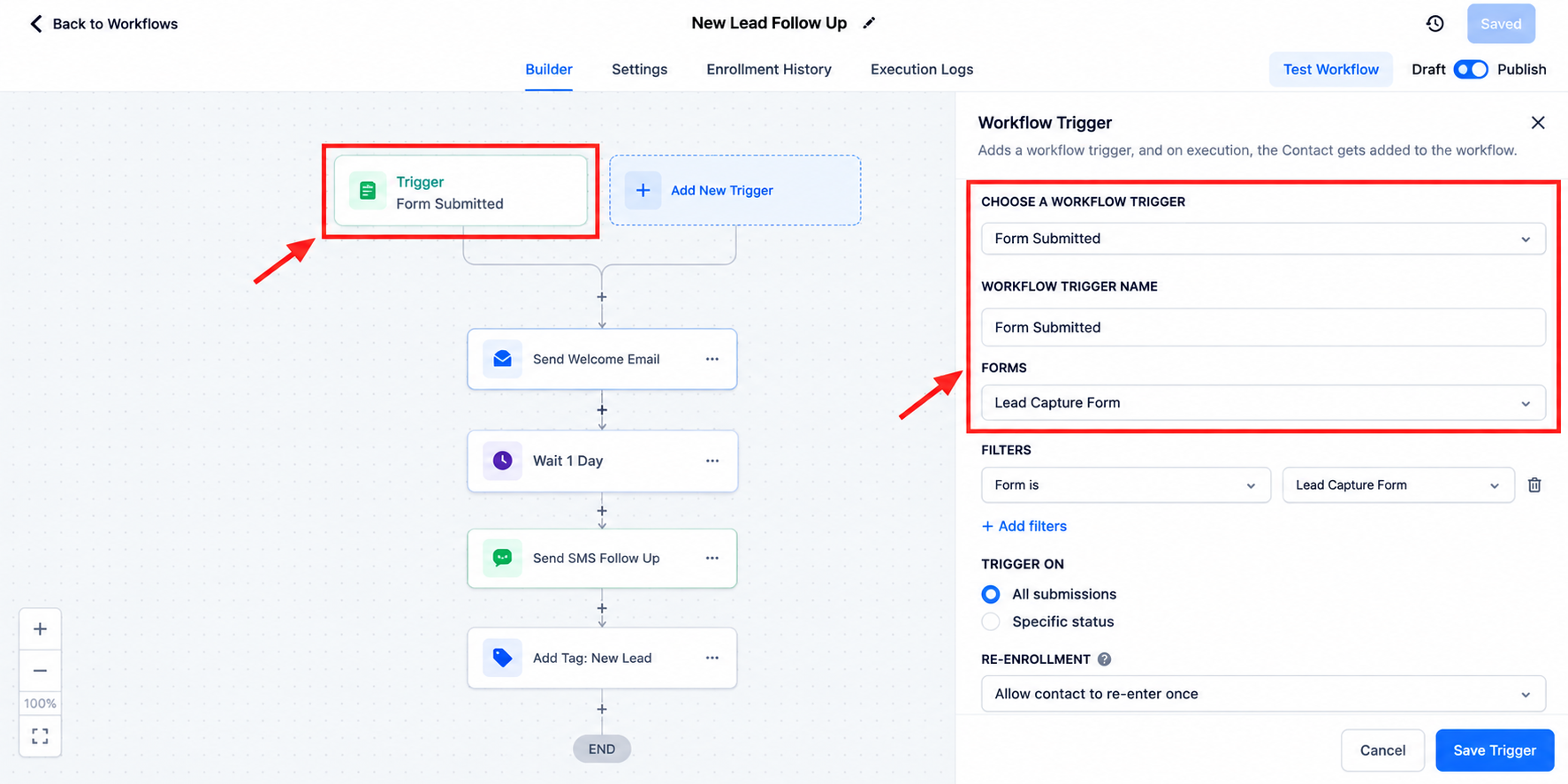
Solution: Confirm the workflow is published, verify the trigger, and compare its filters against the actual event.
2. Contacts Not Entering the Workflow
Sometimes the trigger appears correct, but the expected contact never enters.
Check the contact's eligibility, enrollment history, and applicable re-entry settings. A contact already enrolled in a workflow may behave differently from a new contact, depending on its configuration.
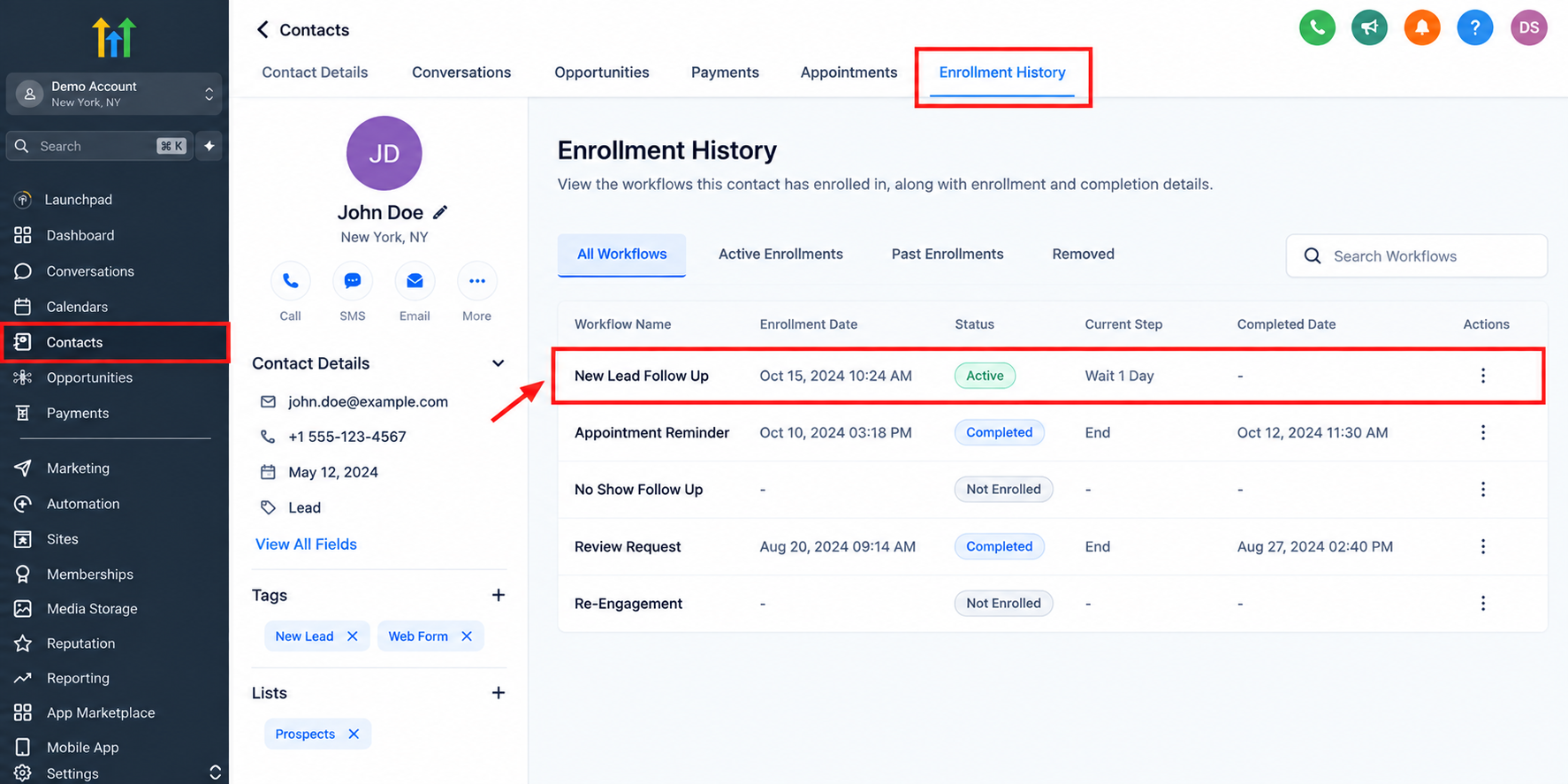
Solution: Review Enrollment History to determine whether enrollment occurred. If no enrollment appears, investigate trigger conditions before modifying downstream actions.
3. Workflow Actions Not Executing
A contact may enter successfully but fail to reach the expected action.
Possible explanations include an unexpected If/Else branch, an active Wait step, missing contact information, or an incorrectly configured action.
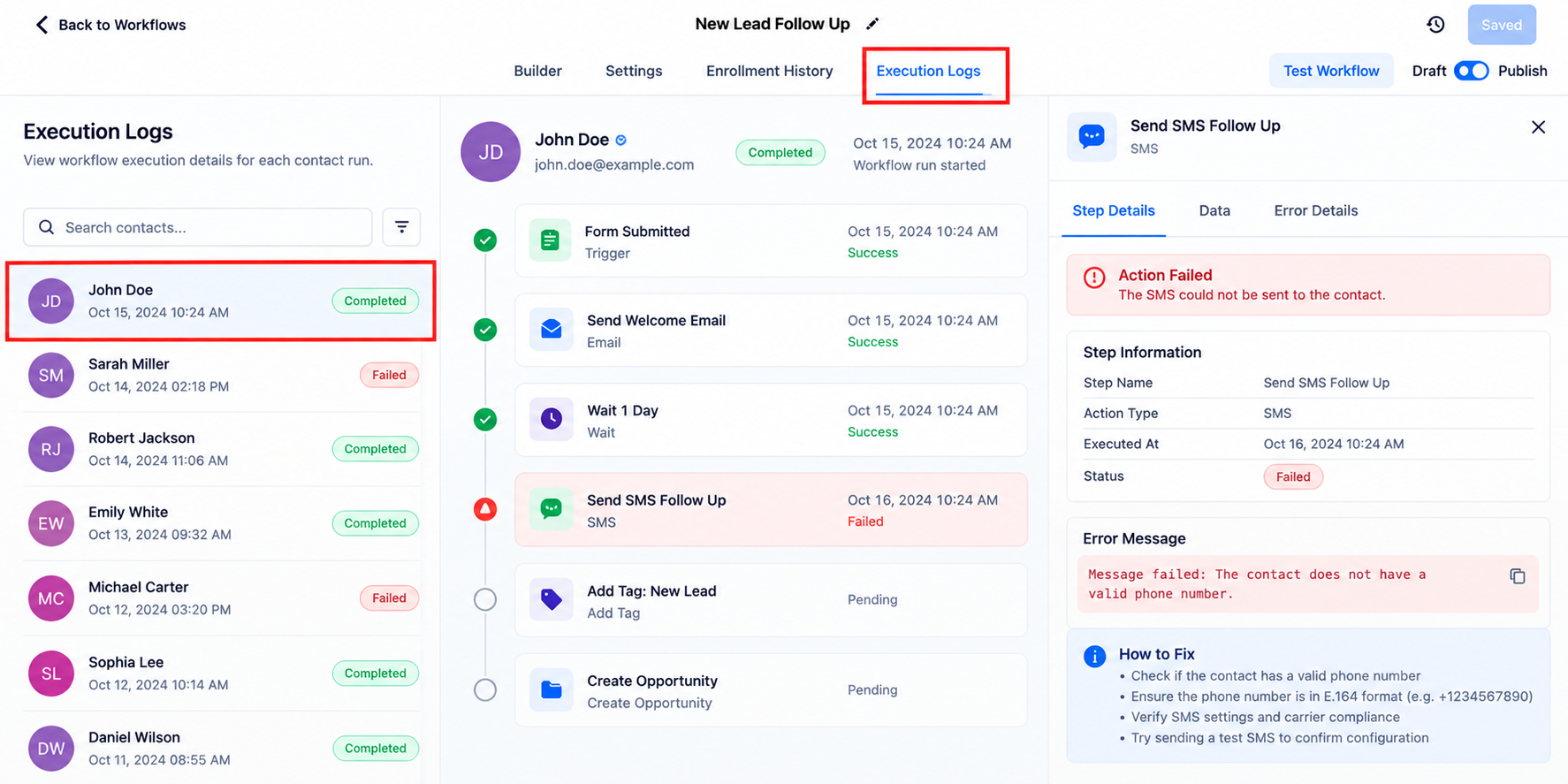
Solution: Inspect Execution Logs and trace the contact's actual path. Determine whether the action failed, was skipped, or has not been reached.
4. Emails or SMS Messages Not Sending
Communication failures can involve incomplete contact information, sender configuration, consent requirements, delivery restrictions, or messaging providers.
Importantly, successful execution of a message action does not guarantee successful delivery.
Solution: Review the action outcome, contact details, communication settings, and available message delivery information. Investigate provider errors separately from workflow logic.
5. Duplicate Messages or Unexpected Behavior
Duplicate follow-ups frequently result from overlapping automations, repeated enrollment, or conflicting workflow configurations.
For example, a lead might receive similar messages from both a form-submission workflow and a separate lead-nurturing workflow.
Solution: Identify every workflow affecting the contact. Review enrollment settings, triggers, and message sequences before changing anything.
GoHighLevel Workflow Troubleshooting: Step-by-Step Process
A structured investigation is more reliable than randomly adjusting automation settings.
Verify publication: Confirm the workflow is published and uses the intended trigger.
Check trigger filters: Ensure the event and test contact satisfy all applicable conditions.
Inspect Enrollment History: Determine whether the contact entered the workflow.
Review Execution Logs: Examine action outcomes and identify where execution changed or stopped.
Examine workflow logic: Review If/Else branches, Wait actions, and required contact fields.
Run controlled tests: Use a suitable test contact and reproduce the original event.
Correct and monitor: Fix the identified issue, repeat testing, and review subsequent executions.
Consider a website lead who submits a form without receiving an automated email.
If Enrollment History shows no entry, investigate the trigger and filters. If enrollment succeeded, examine the execution path and message configuration.
This approach isolates the problem without introducing unnecessary changes.
Advanced Troubleshooting Tips for Agencies
Agencies managing multiple client accounts need consistent troubleshooting practices.
Use descriptive workflow names, document important dependencies, and regularly check for overlapping automations.
Appointment workflows deserve particular attention.
Imagine a prospect submits an inquiry, books an appointment independently, and subsequently receives a message saying they never scheduled.
This can happen when an unfinished-booking follow-up continues without checking the contact's booking status.
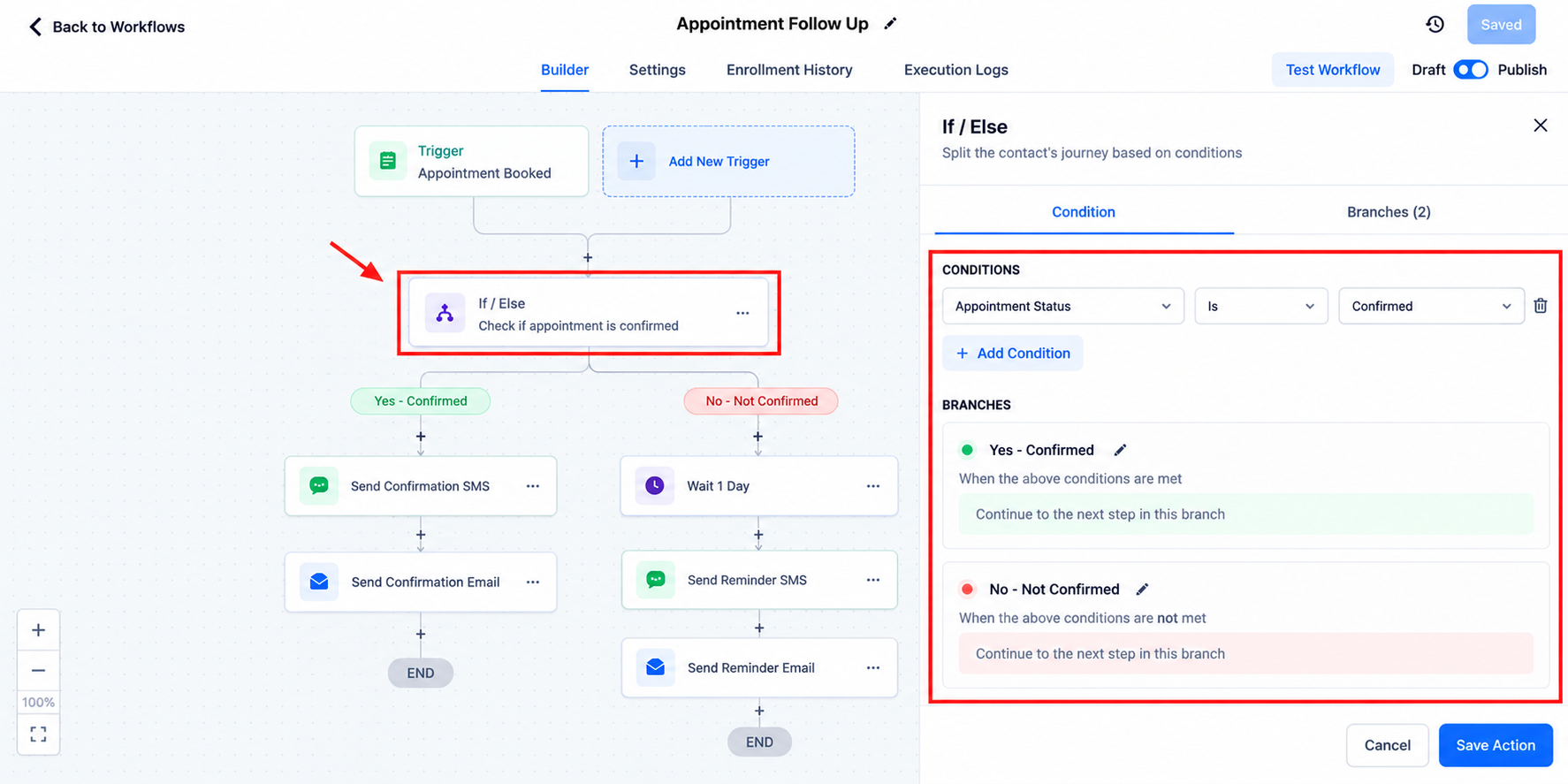
Review booking-related conditions and coordinate workflows so confirmed appointments are handled appropriately. Test booking, cancellation, and rescheduling scenarios individually.
For external integrations, distinguish successful workflow execution from successful processing by the receiving platform.
Best Practices to Prevent Future Workflow Issues
Reliable automation requires ongoing maintenance, not just successful initial testing.
Adopt these habits:
Test workflows before launching campaigns.
Use clear naming conventions and organized logic.
Review execution activity after significant changes.
Document recurring errors and their resolutions.
Audit overlapping workflows periodically.
Validate communication settings and integrations.
Preventive reviews help identify weaknesses before they affect customer communication.
Final Thoughts
Effective GoHighLevel troubleshooting begins with understanding what triggered an automation, whether the contact enrolled, and what happened during execution.
Instead of guessing, investigate systematically, correct the underlying issue, and verify the result.
Review your critical workflows regularly to maintain dependable automation and consistent customer experiences.
Frequently Asked Questions
1. Why is my GoHighLevel workflow not triggering?
Check whether the workflow is published, its trigger matches the intended event, and all filters and enrollment requirements are satisfied.
2. How do I check workflow execution history in GoHighLevel?
Open the relevant workflow and review its Execution Logs. Use Enrollment History to confirm whether the affected contact entered the automation.
3. Why are my GoHighLevel workflow emails or SMS messages not sending?
Possible causes include missing contact information, messaging restrictions, incorrect sender configuration, or provider errors. Check execution results and available delivery details.
4. How can I prevent duplicate workflow messages in GoHighLevel?
Review overlapping workflows, repeated triggers, contact re-entry settings, and communication sequences. Test common enrollment scenarios to identify conflicting automations.
5. What is the best way to test a GoHighLevel workflow?
Use a controlled test contact, reproduce the intended trigger event, inspect enrollment and execution records, and verify the expected outcome.
Need Expert Help with GoHighLevel?
New to GoHighLevel and ready to get started? Buy your GoHighLevel account here and launch with confidence.
Already know what you need and want our team to handle everything, from complete setup and customization to funnels, workflows, automations, CRM, and pipelines? Click here.



