

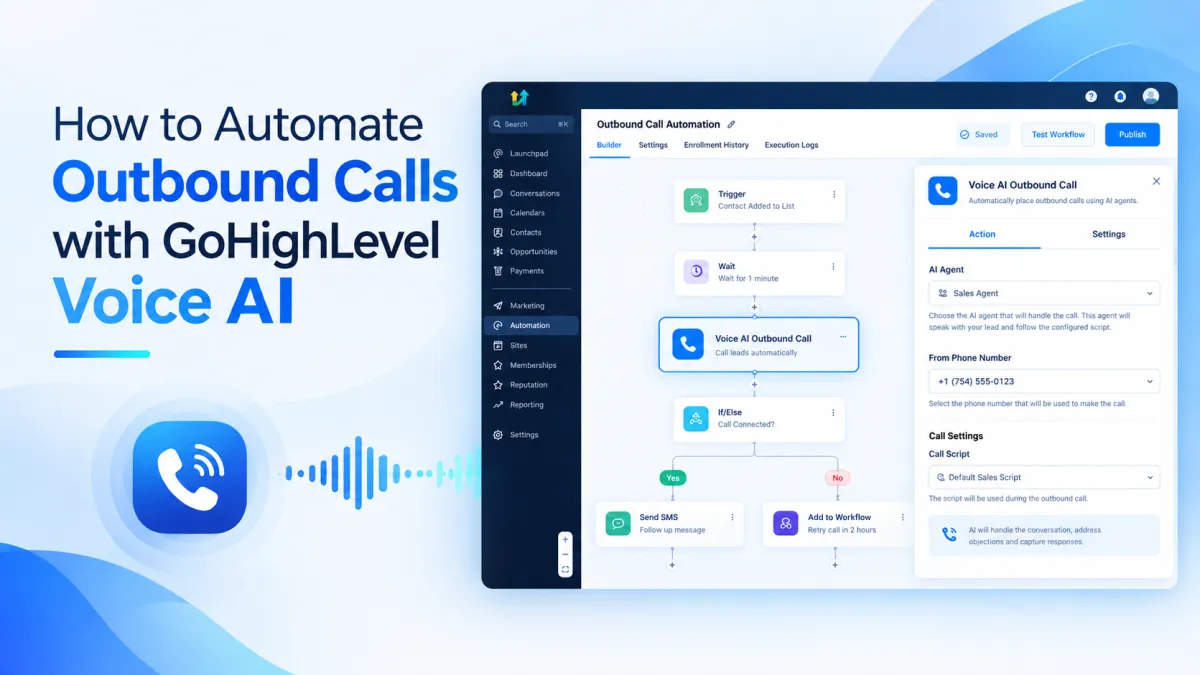
How to Automate Outbound Calls with GoHighLevel Voice AI Action
How to Automate Outbound Calls Using the Voice AI Outbound Call Action in GoHighLevel
A lead submits an inquiry, but the follow up call never happens because nobody gets to it quickly enough. Manual dialing can become the weak point in an otherwise organized workflow. The Voice AI Outbound Call Action in GoHighLevel gives you a way to place an AI powered call when a contact reaches a defined point in a workflow.
What Is the Voice AI Outbound Call Action?
The Voice AI Outbound Call Action is a workflow action that places an outbound call to a contact using a selected Voice AI agent. Instead of requiring someone to manually dial the contact, the workflow reaches the action and schedules the call.
The action connects the workflow to the Voice AI agent handling the conversation and lets you select the eligible phone number used for the call.
What Does the Action Do Inside a Workflow?
Think of this action as the point where a workflow moves into a phone conversation.
A workflow can start from a trigger and continue through conditions and other actions until the contact reaches Voice AI Outbound Call. At that point, the selected agent is used to place the call. The agent handles the conversation according to its configured prompt and instructions.
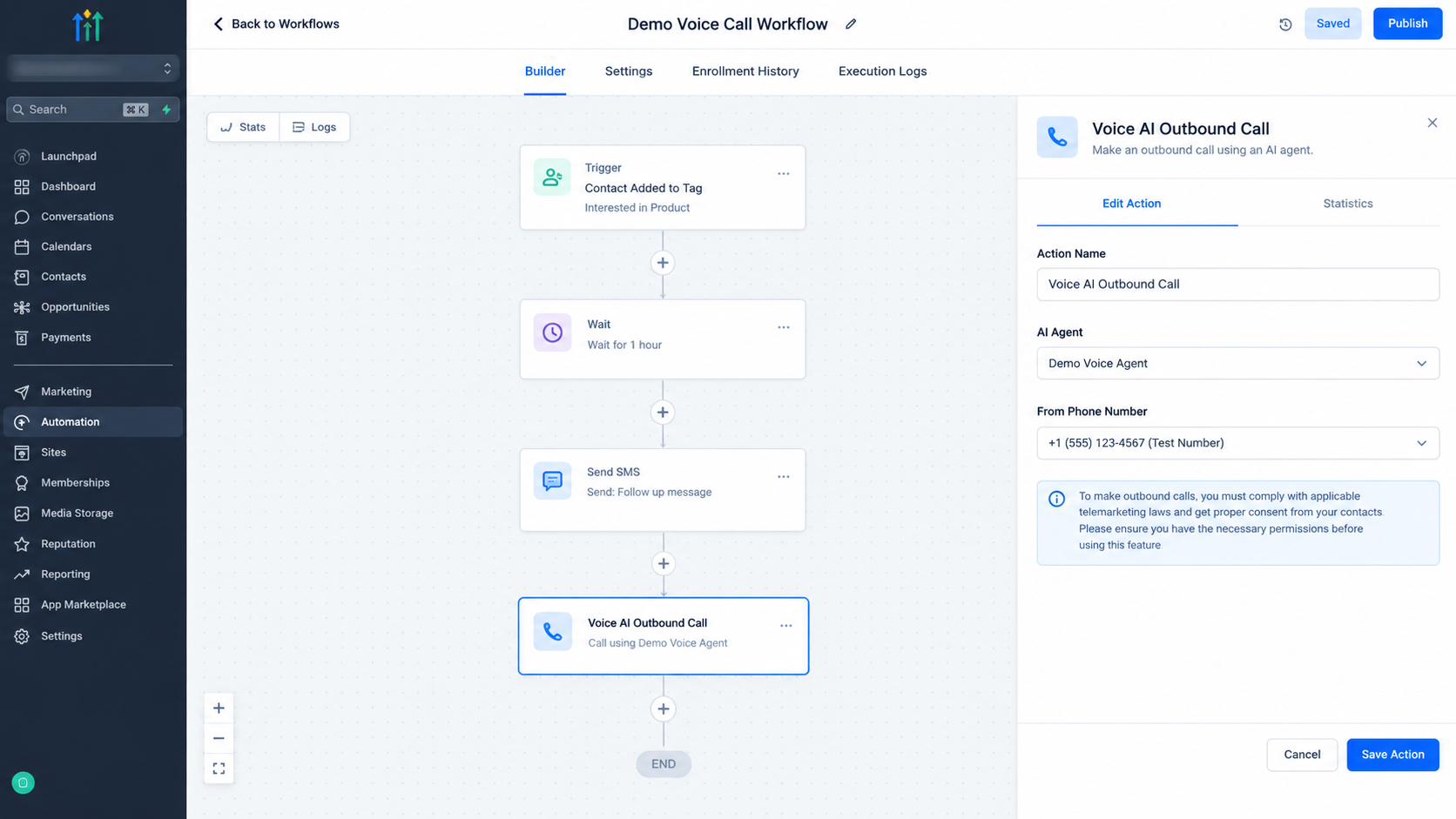
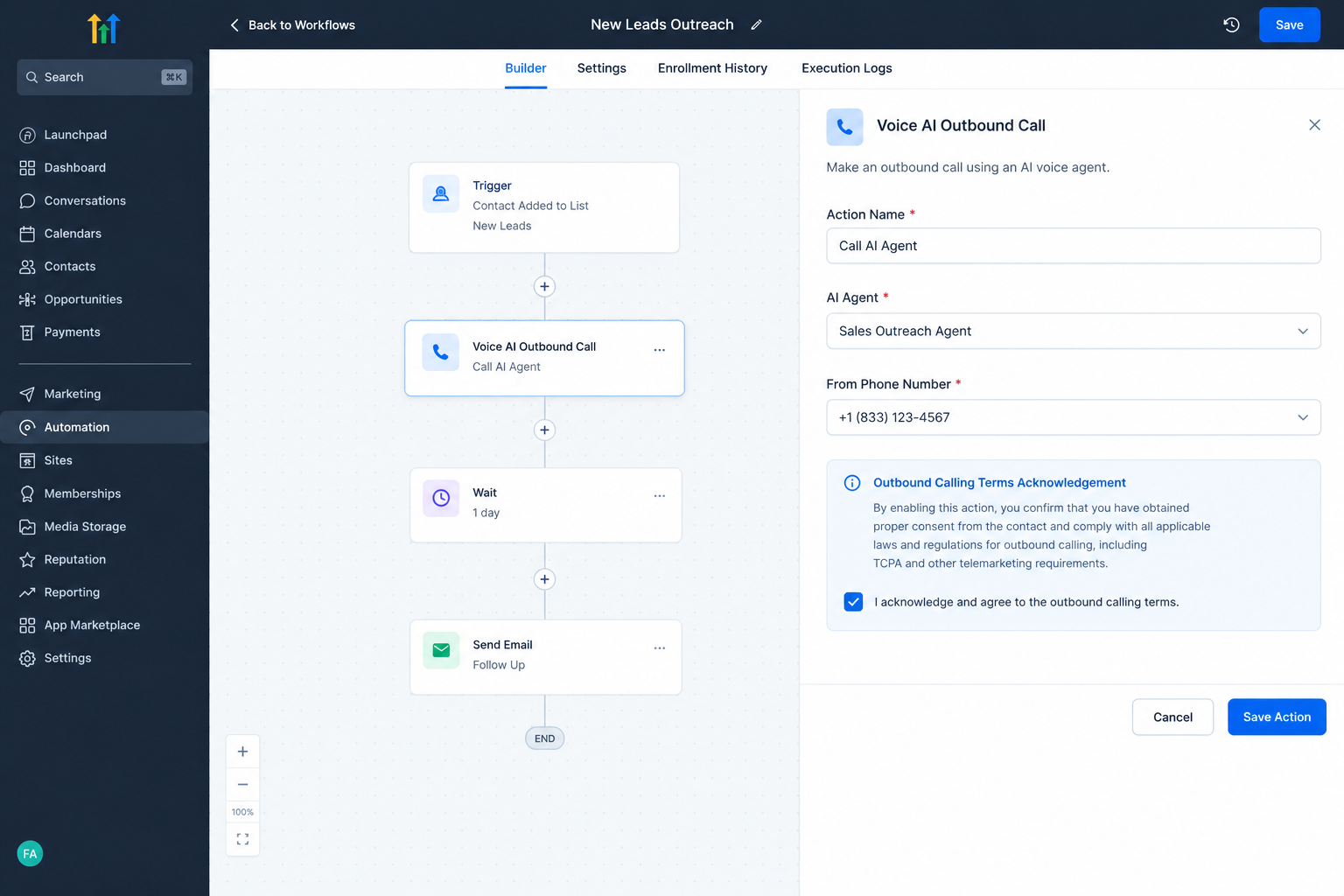
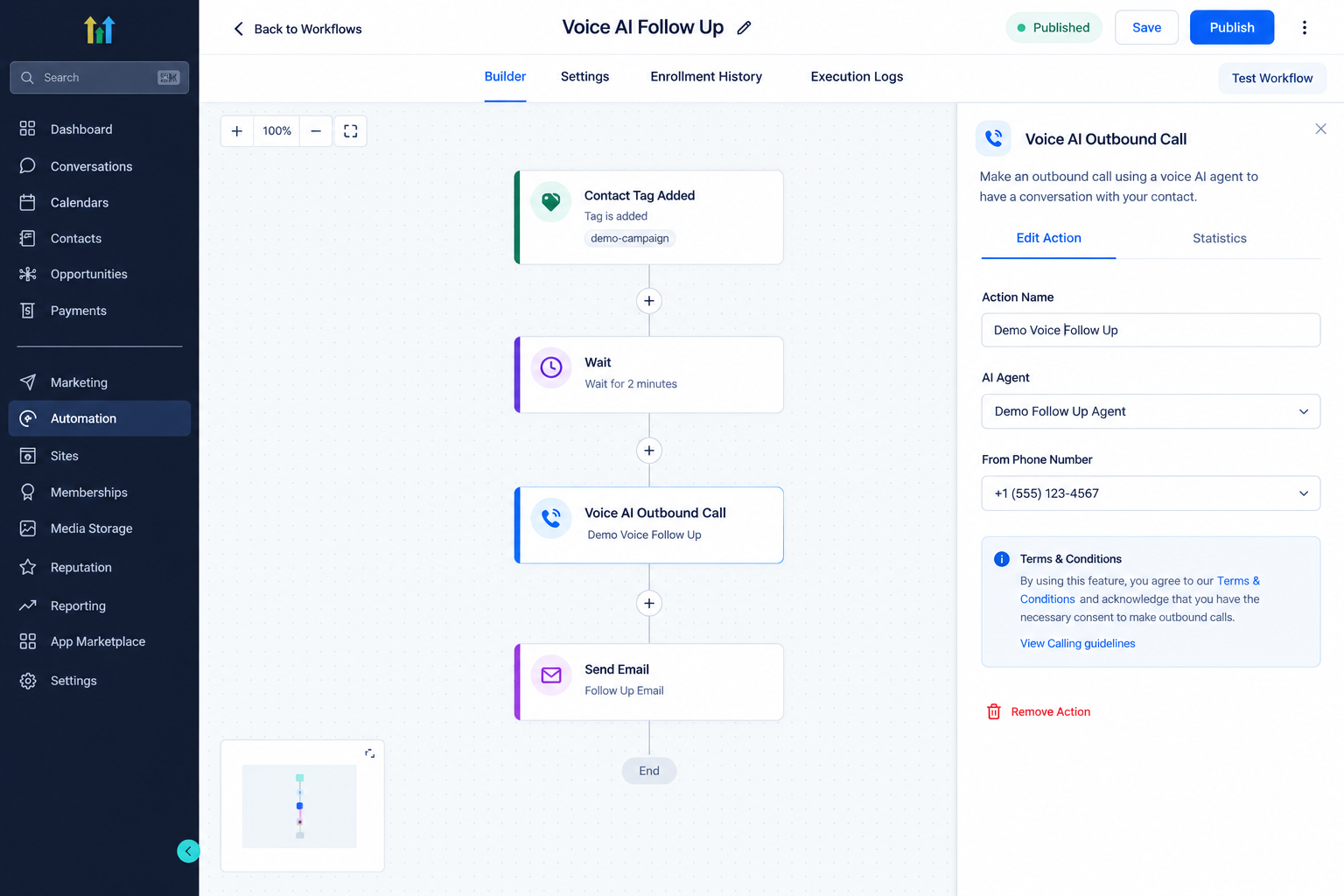
The action includes settings for the action name, AI Agent, and From Phone Number. If the location has not accepted the required outbound calling terms, GoHighLevel can present that acknowledgement inside the action.
When Should You Use It?
Use the action when a phone conversation is a useful next step after a specific workflow event.
Examples include lead follow up, appointment outreach, or reactivation of an appropriate contact. The key is having a clear reason for the call. The workflow determines when the contact reaches the call action, while the Voice AI agent handles the conversation.
This makes the action more useful when it is connected to clear workflow logic rather than simply used to call contacts without context.
How the Action Fits Into a Workflow
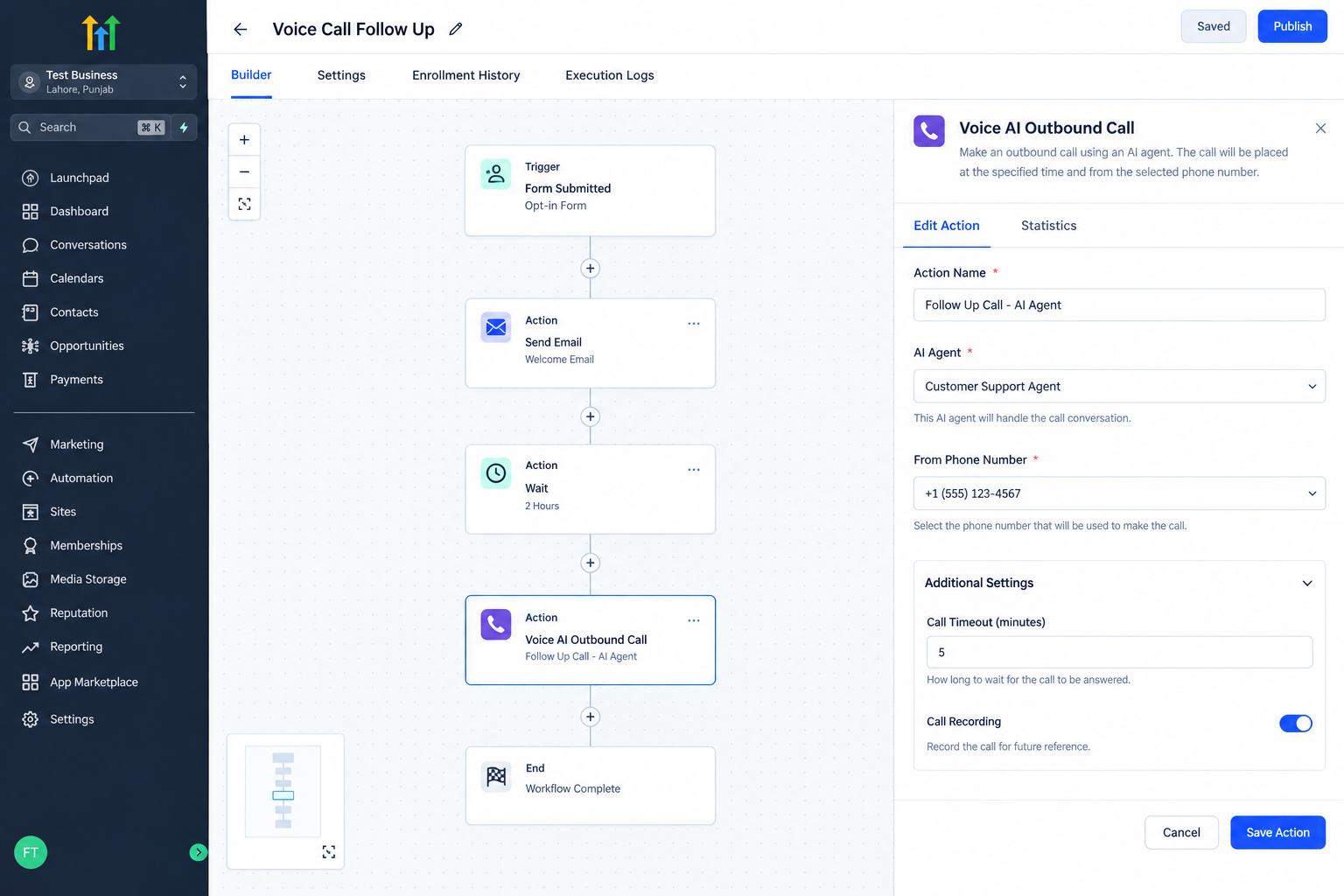
Start by creating or opening the workflow that should initiate the call. Choose a trigger that matches the intended use case, then add the Voice AI Outbound Call action where the call should occur.
Select the Voice AI agent that should handle the conversation and choose an eligible From Phone Number. If GoHighLevel asks for outbound calling terms, review the terms and calling guidelines and complete the required acknowledgement.
Save the action, publish the workflow, and test it with an appropriate contact before broader use.
A Practical Example
Imagine a cleaning company receives a new service inquiry. Its workflow starts when the inquiry enters the system and uses its existing logic to determine which contacts should receive a call.
When an eligible contact reaches the Voice AI Outbound Call action, GoHighLevel schedules the outbound call using the selected agent and phone number. The agent then handles the conversation according to its configuration.
The important point is that the workflow decides when the contact reaches the call step. The outbound call action does not independently decide which leads should be called.
Important Considerations Before Publishing
Outbound Voice AI calling has platform requirements and safeguards. The location must meet applicable eligibility and verification requirements, and the business is responsible for determining whether each contact can legally receive an outbound AI call. Accepting GoHighLevel’s outbound calling terms does not create consent for an individual contact.
Current HighLevel guidance states that eligible locations can place up to 5,000 outbound Voice AI calls per day. Calls are scheduled between 8:00 AM and 8:00 PM according to the contact’s phone number timezone. Each phone number can be called once per day and up to 14 times within a 14 day period. Calls are also limited to supported same country domestic numbers.
These safeguards matter when designing a workflow because a correctly configured action can still be delayed or restricted by calling rules.
Monitoring Outbound Calls
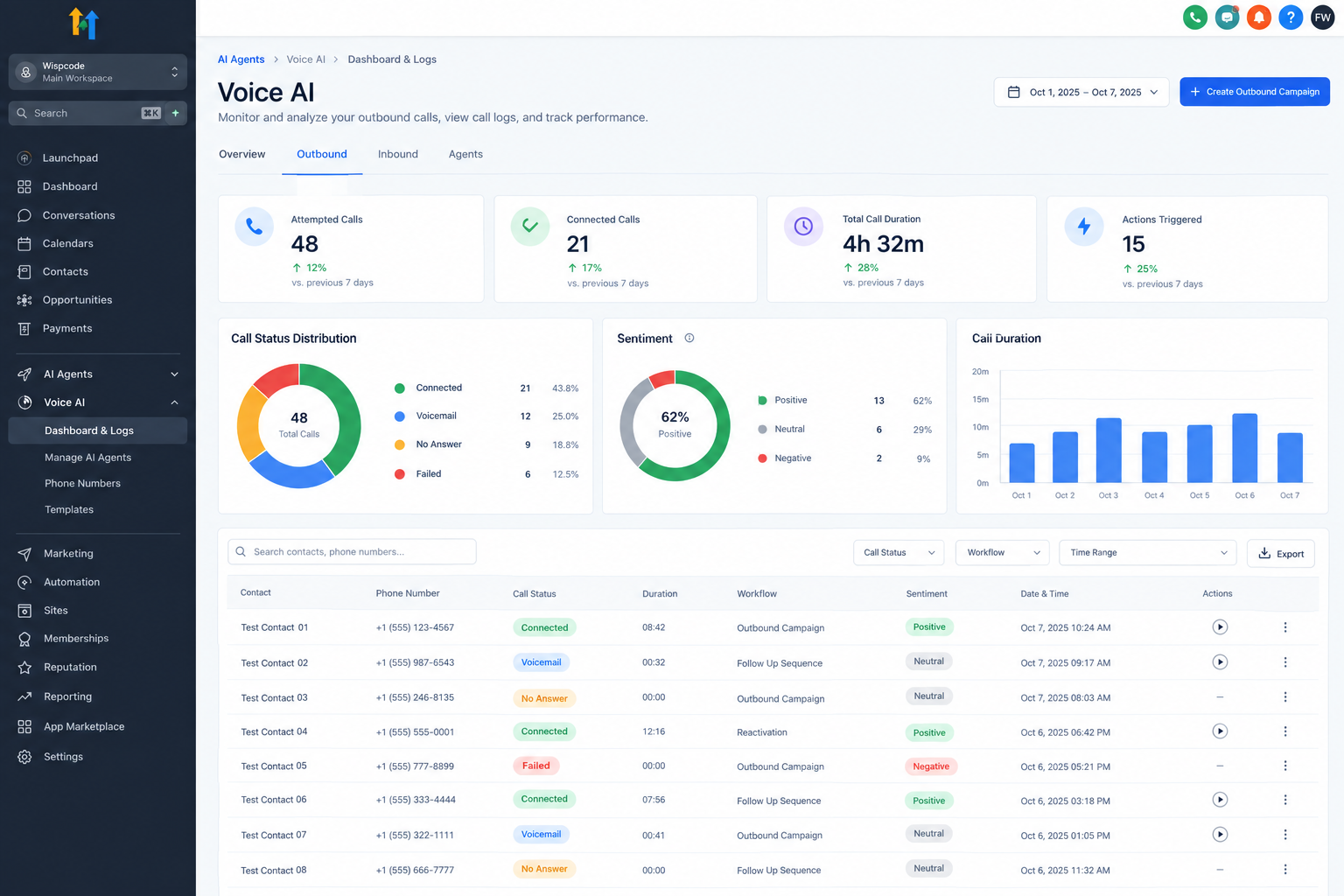
GoHighLevel provides outbound reporting for reviewing call activity. The dashboard can show attempted calls, connected calls, voicemail and no answer outcomes, failed calls, actions triggered, sentiment information, and call logs.
Reviewing this data helps confirm that the workflow is producing the expected call activity and can highlight areas where the workflow or agent configuration may need adjustment.
Conclusion
The Voice AI Outbound Call Action gives GoHighLevel workflows a direct way to initiate AI powered phone outreach when a contact reaches a defined step. Its main value is connecting workflow timing with a configured Voice AI agent.
Keep the workflow logic clear, select the appropriate agent and phone number, test the process, and review outbound calling requirements before publishing.
Frequently Asked Questions
1. What does the Voice AI Outbound Call Action do?
It places an outbound Voice AI call when a contact reaches that action in a workflow.
2. Can I choose the Voice AI agent?
Yes. The action lets you select the Voice AI agent that handles the outbound call.
3. Does accepting outbound terms mean I have contact consent?
No. Location terms and individual contact consent are separate responsibilities.
4. Are there limits on outbound calls?
Yes. Current safeguards cover call volume, timing, phone number frequency, and supported destinations.
5. Where can I review outbound call activity?
You can review outbound activity through the Voice AI outbound dashboard and call logs.
Need Expert Help with GoHighLevel?
New to GoHighLevel and ready to get started? Buy your GoHighLevel account here and launch with confidence.
Already know what you need and want our team to handle everything, from complete setup and customization to funnels, workflows, automations, CRM, and pipelines? Click here.



