

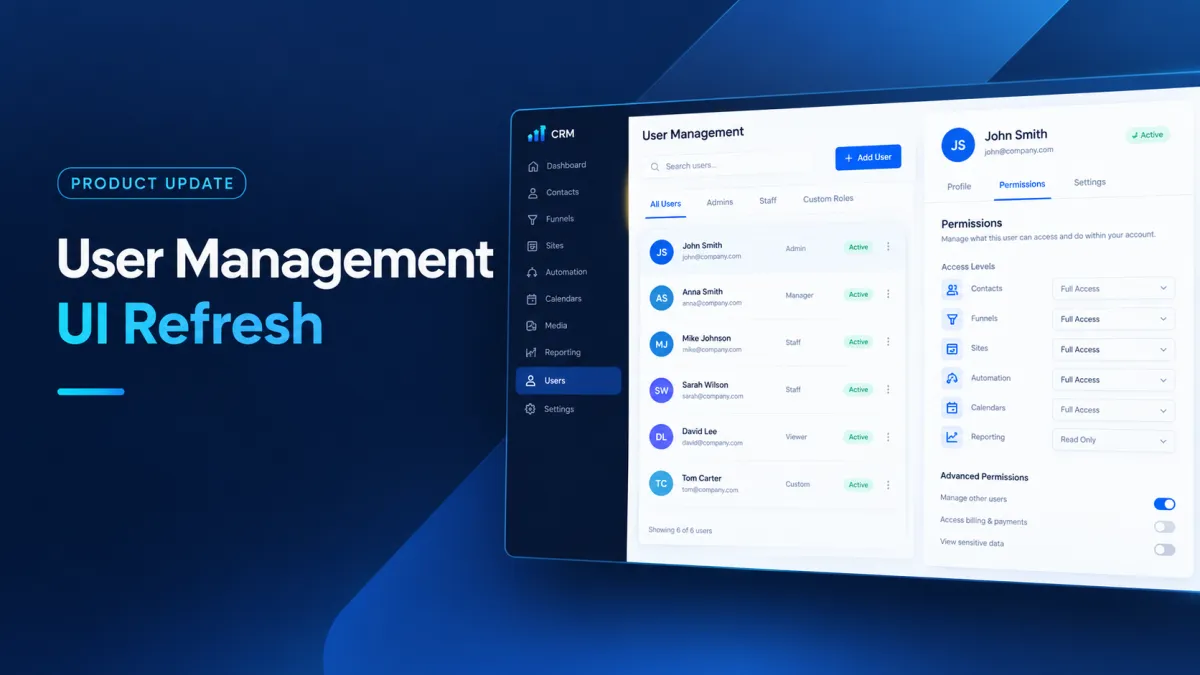
GoHighLevel User Refresh Update
A Refreshed User Management Experience in GoHighLevel
Managing profiles, users, permissions, and settings can become harder to navigate when everything is presented through one crowded interface. Even when the underlying functionality works as expected, finding the right section or setting can take more effort than necessary.
GoHighLevel is addressing this experience with a refreshed User Management UI across both Agency and Sub-account. The update introduces a cleaner interface and more organized navigation while keeping the existing capabilities, permissions, user data, profile settings, and permission configurations unchanged.
In other words, this is primarily a UI and navigation refresh, designed to make existing user management areas easier to work through.
What's New in GoHighLevel's User Management Experience
The refreshed experience reorganizes several areas of GoHighLevel user management, including My Profile, Users, user creation and editing, and Roles & Permissions.
The same actions and data users rely on today remain available, but the interface has been reorganized to provide a cleaner way to navigate these areas.
The changes apply across both GoHighLevel Agency and Sub-account experiences, with some differences in the tabs available within My Profile.
My Profile Gets a Tabbed Layout
One of the noticeable changes is the refreshed My Profile experience.
For an Agency, My Profile is organized into two tabs:
General
Security
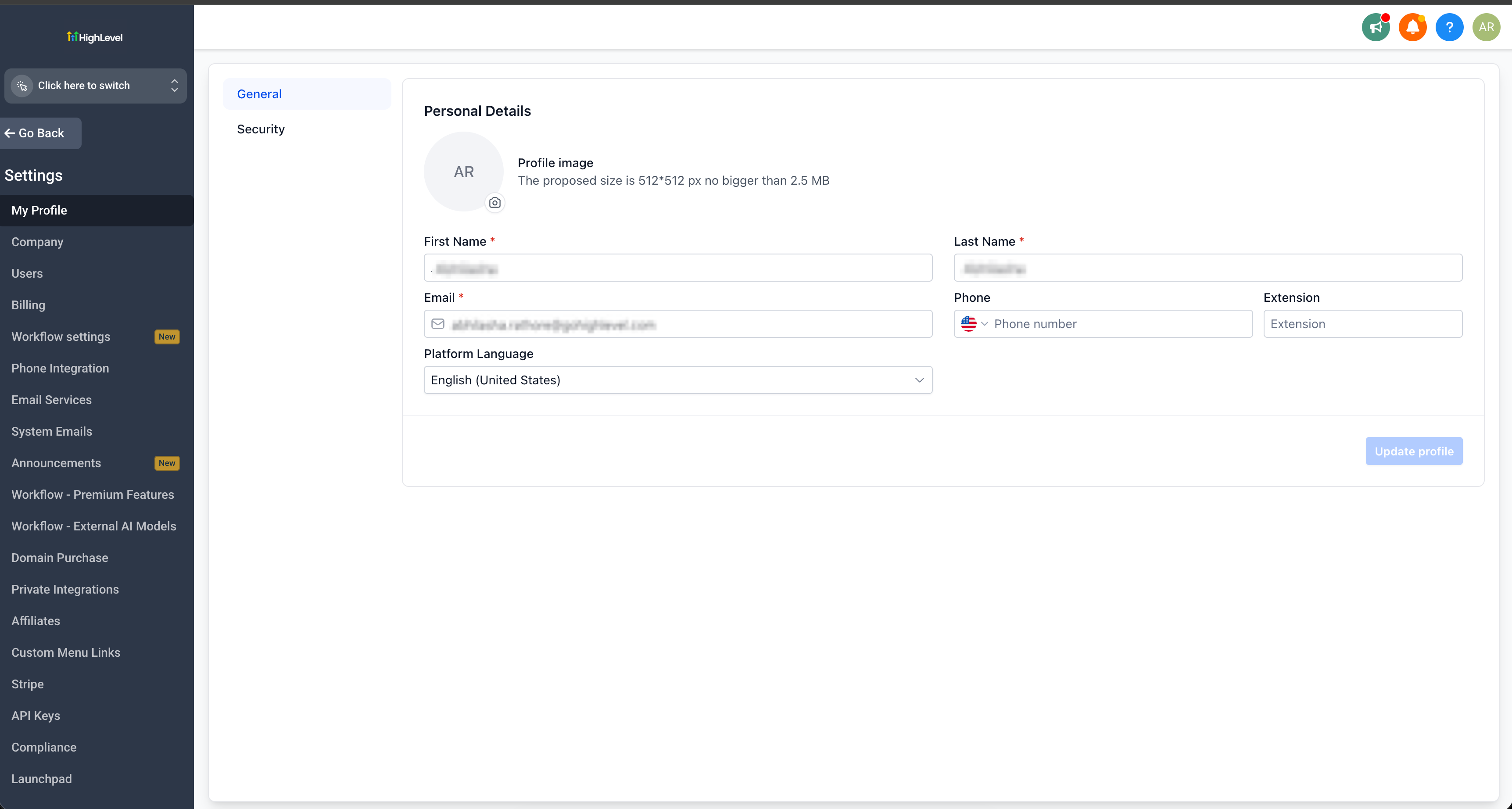
The refreshed GoHighLevel My Profile interface with the General tab selected.
For a Sub-account, the available tabs are:
General
Security
Calendars
Conversations
Notifications
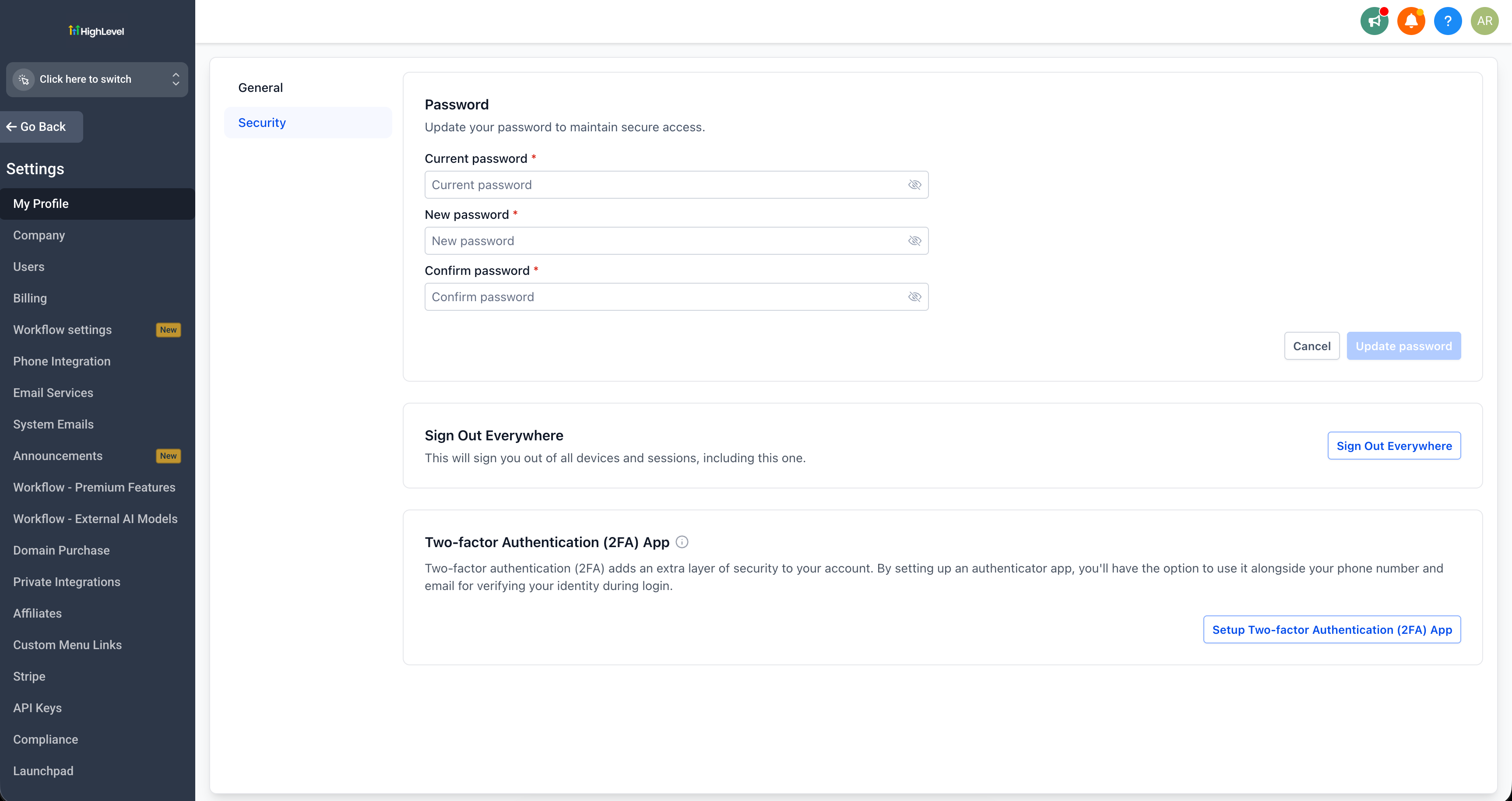
The refreshed GoHighLevel My Profile Security tab with password, sign-out, and two-factor authentication options.
This tabbed organization brings the relevant profile areas into a more structured layout instead of presenting everything together.
The refreshed interface can be seen in the screenshots provided with the update, showing how the profile experience has been reorganized.
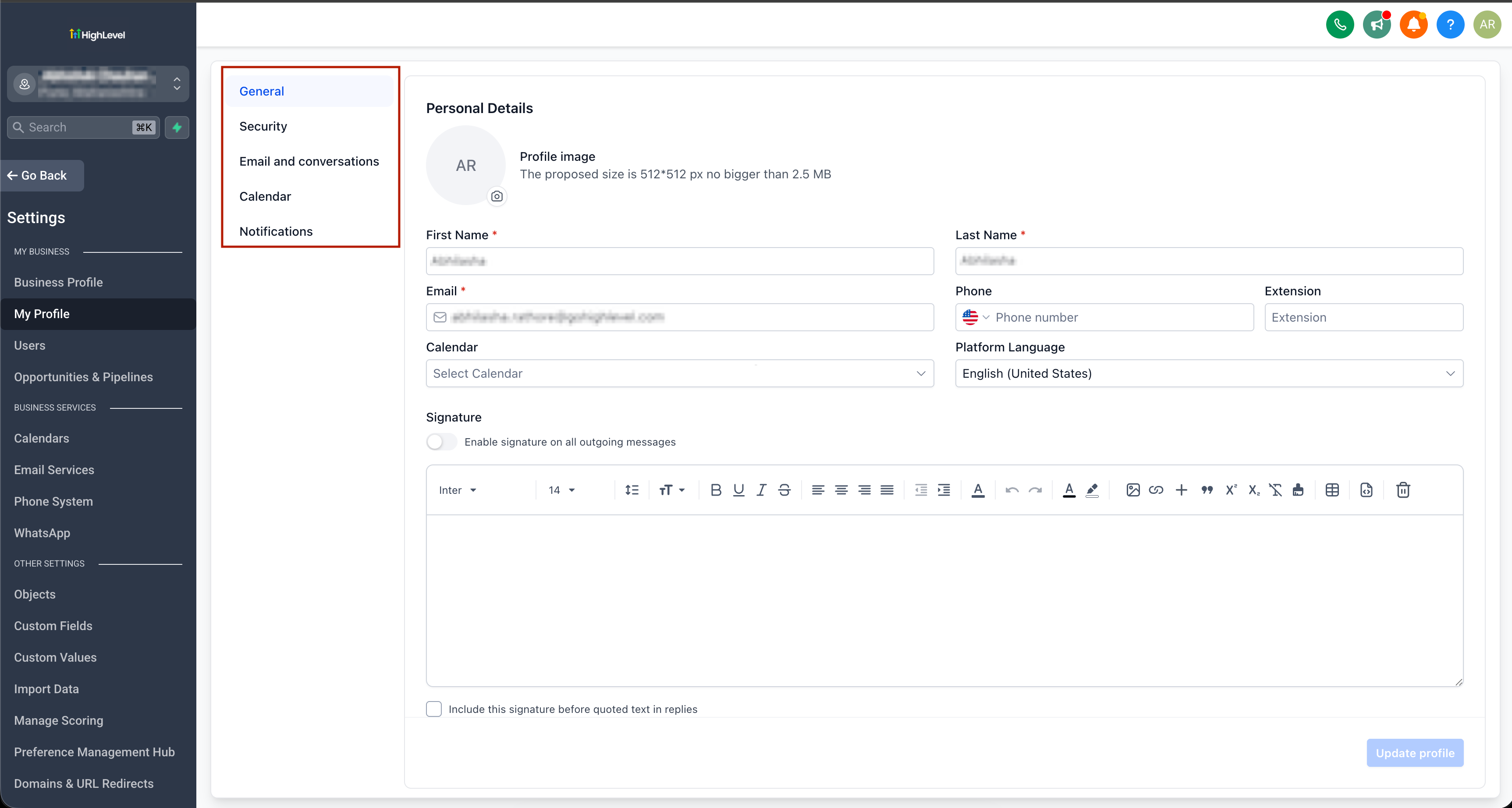
A Cleaner Notifications Experience for Sub-Accounts
Notifications are now part of the tabbed My Profile experience for Sub-accounts.
The Notifications tab sits alongside General, Security, Calendars, and Conversations, giving Sub-account users a dedicated place within My Profile for this area.
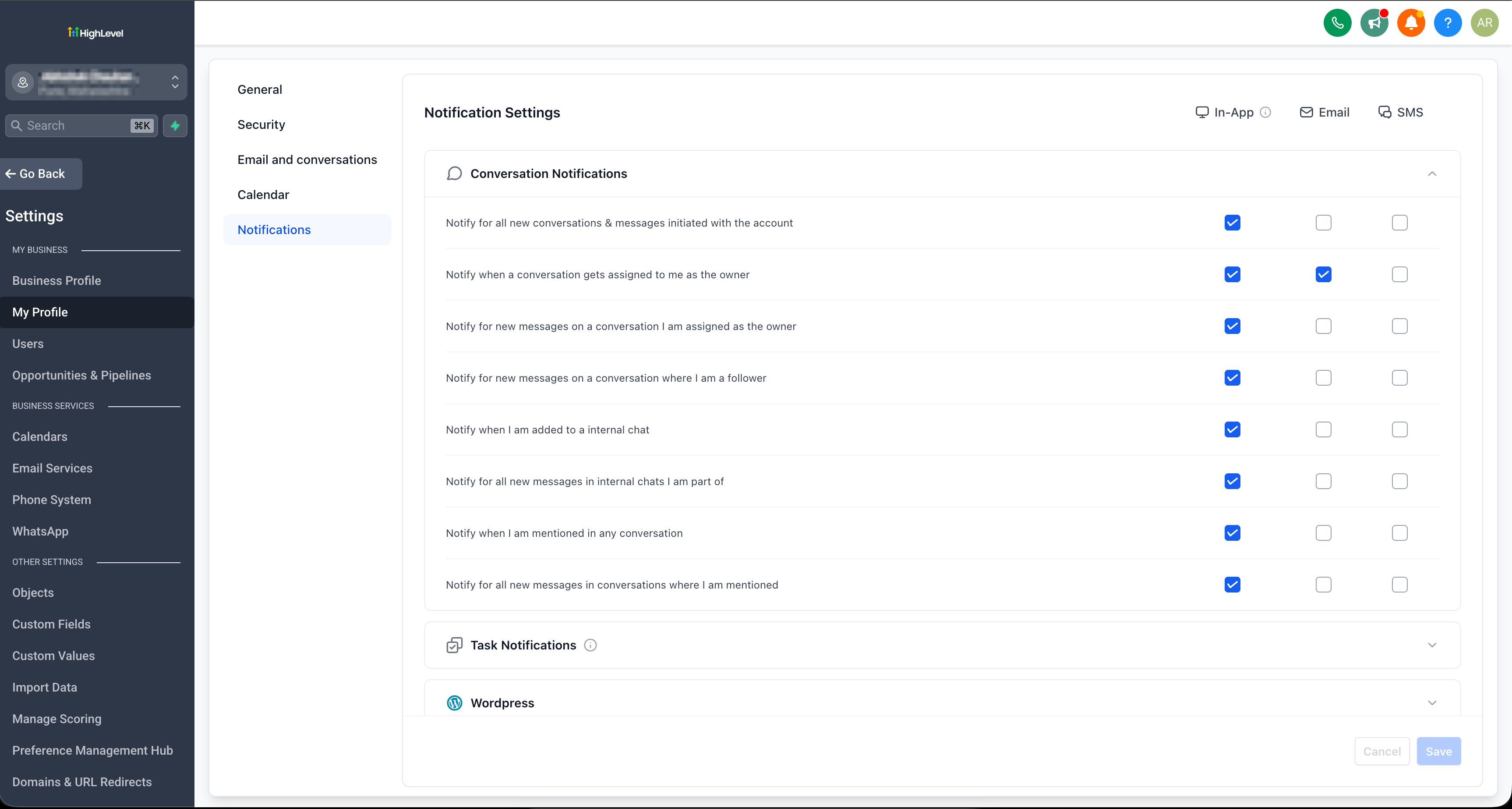
This change is part of the broader GoHighLevel UI refresh and focuses on organizing the existing user management experience more clearly.
"Team" and "My Staff" Are Now "Users"
GoHighLevel has also standardized the naming used for managing people.
In the Agency, the area previously called "Team" is now called "Users."
In the Sub-account, "My Staff" is now called "Users."
This is important to understand because the change is a label and naming update only. It does not change the functionality behind these areas.
The purpose is to provide a more consistent naming experience between Agency and Sub-account user management.
Refreshed Users Listing and Create/Edit User Flows
The Users area has also received a refreshed interface, including the users listing and the flows for creating and editing users.
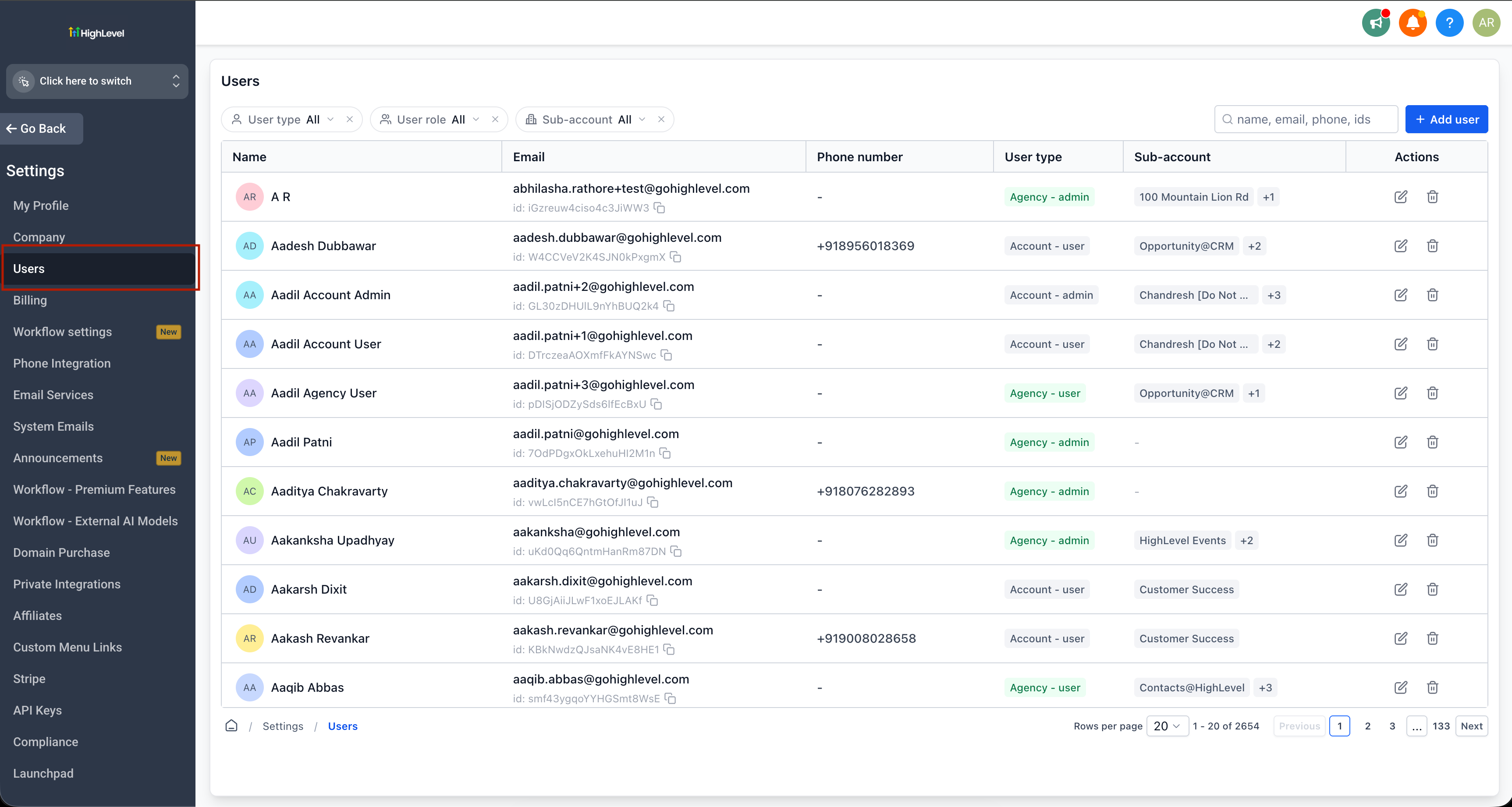
The update keeps the same underlying user management capabilities while presenting them through the refreshed interface.
This means the focus is not on introducing new user-management functionality. Instead, GoHighLevel has reorganized the existing experience so users can work with the same information and actions through a cleaner interface.
The updated screens included in the release announcement provide a visual look at these refreshed user management flows.
Clearer Roles & Permissions
The Roles & Permissions experience has received one of the more significant navigation changes in the UI refresh.
Permission modules can now be navigated from a left-hand panel, making it easier to move between different modules.
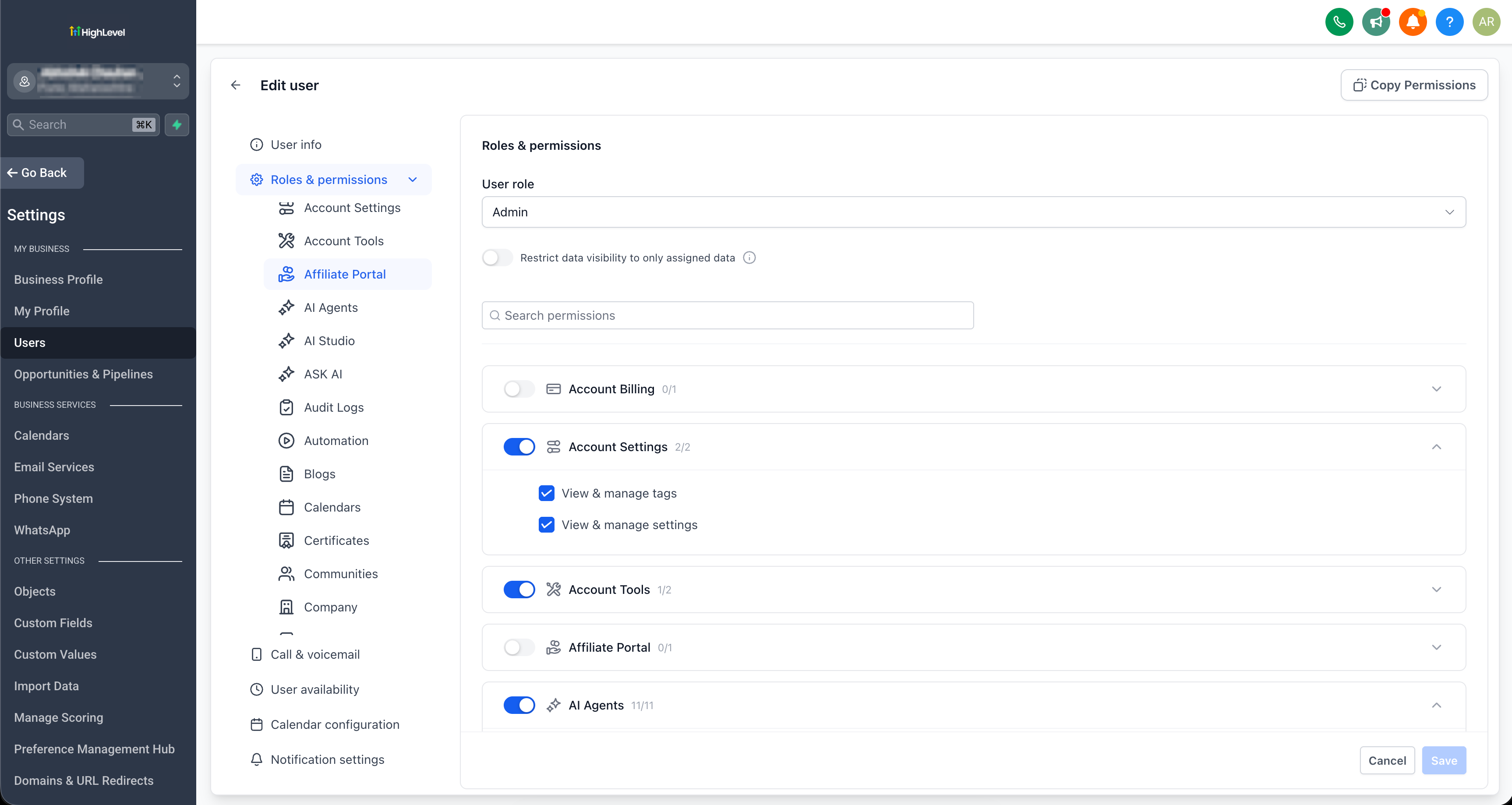
Within each module, the available scopes are displayed in accordions. These accordions are collapsed by default, keeping the interface more organized and allowing users to expand the areas they want to review.
There is also a search option for finding a specific module. Users can search for a module and jump directly to it. Search results open in an expandable format, providing a more focused way to navigate the permission interface.
Importantly, this does not mean the underlying permissions have changed. The update keeps the existing capabilities and permissions intact. The change is focused on how those permissions are presented and navigated.
Refreshed Sub-Account User Settings
Sub-account user settings are also included in the refreshed experience.
The updated interface brings the relevant user settings into the new design and navigation structure while keeping the existing functionality and configurations unchanged.
As with the other areas covered by this update, the goal is to provide a cleaner and more organized experience rather than introduce new user-management capabilities.
How to Enable the New User Management Experience
The GoHighLevel User Management UI Refresh is available through Labs.
To enable it:
Go to Labs in Agency Settings.
Enable "User Management - UI Refresh."
Go to My Profile and Users to explore the refreshed experience.
Once enabled, users can explore the updated interface across the relevant user management areas.
Rollout and Availability
The refreshed User Management experience was released on September 7, 2026.
Its current status is Live via Labs.
This means the updated experience can be enabled through the Labs area using the option provided by GoHighLevel.
Conclusion
The GoHighLevel User Management UI Refresh is focused on improving how users navigate and interact with existing user management areas.
From the new tabbed My Profile layout to the standardized Users naming, refreshed user listing and create/edit flows, and more organized Roles & Permissions navigation, the update brings several parts of the interface into a cleaner structure.
Most importantly, the underlying functionality remains unchanged. Existing capabilities, permissions, user data, profile settings, and permission configurations are not being replaced by new functionality. Instead, GoHighLevel has refreshed the interface and navigation around them.
For agencies and Sub-accounts using GoHighLevel user management, the update provides a more organized way to access the same core experience.
Frequently Asked Questions (FAQs)
1. What is the GoHighLevel User Management UI Refresh?
It is a refreshed interface and navigation experience for managing users, profiles, and permissions.
2. Did GoHighLevel change user permissions?
No. The underlying capabilities and permissions remain unchanged.
3. What is "Team" called now in Agency?
"Team" is now standardized as "Users."
4. What is "My Staff" called now in Sub-account?
"My Staff" is now called "Users."
5. How can I enable the new User Management experience?
Go to Agency Settings → Labs, enable "User Management - UI Refresh," then explore My Profile and Users.
Need Expert Help with GoHighLevel?
New to GoHighLevel and ready to get started? Buy your GoHighLevel account here and launch with confidence.
Already know what you need and want our team to handle everything, from complete setup and customization to funnels, workflows, automations, CRM, and pipelines? Click here.



