

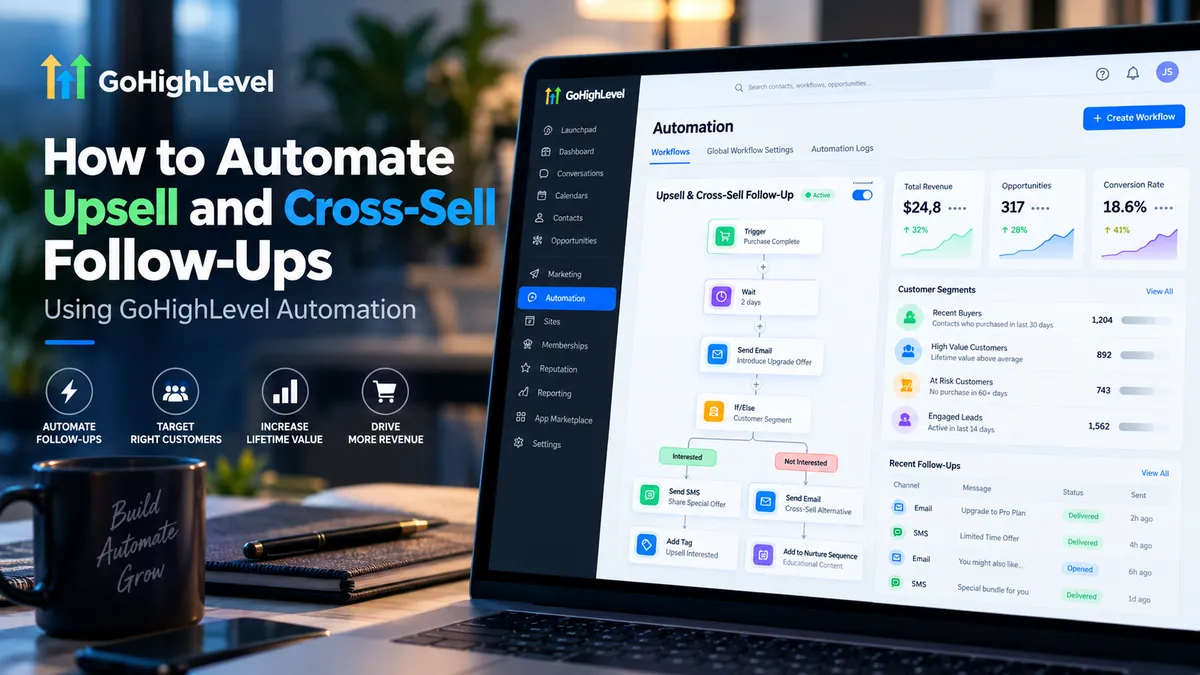
How to Automate Upsell & Cross-Sell in GoHighLevel
How to Automate Upsell and Cross-Sell Follow-Ups in GoHighLevel
Winning a new customer takes time, effort, and investment. Yet many businesses stop communicating once the initial purchase is complete, missing opportunities to offer services or products their customers might genuinely need.
GoHighLevel upsell and cross-sell automation helps businesses turn those missed opportunities into structured follow-up processes. By connecting purchase events with personalized messaging, businesses can introduce relevant offers without manually tracking every transaction.
The key is building workflows that recognize what customers purchased, recommend appropriate next steps, and stop promoting offers once they are no longer relevant.
Understanding Upsell and Cross-Sell Automation
Upselling encourages customers to purchase an upgraded version of something they already use. For example, a marketing agency might recommend moving from a basic website maintenance package to a premium plan.
Cross-selling introduces complementary products or services. That same agency might offer SEO services to a customer who recently purchased website development.
Both approaches work best when recommendations reflect the customer's needs rather than a generic sales schedule.
How to Automate Upsell and Cross-Sell Follow-Ups in GoHighLevel
Step 1: Identify Customers and Relevant Offers
Start by identifying products or services that naturally complement existing purchases.
For example, customers purchasing website development might benefit from ongoing maintenance, SEO, or conversion optimization.
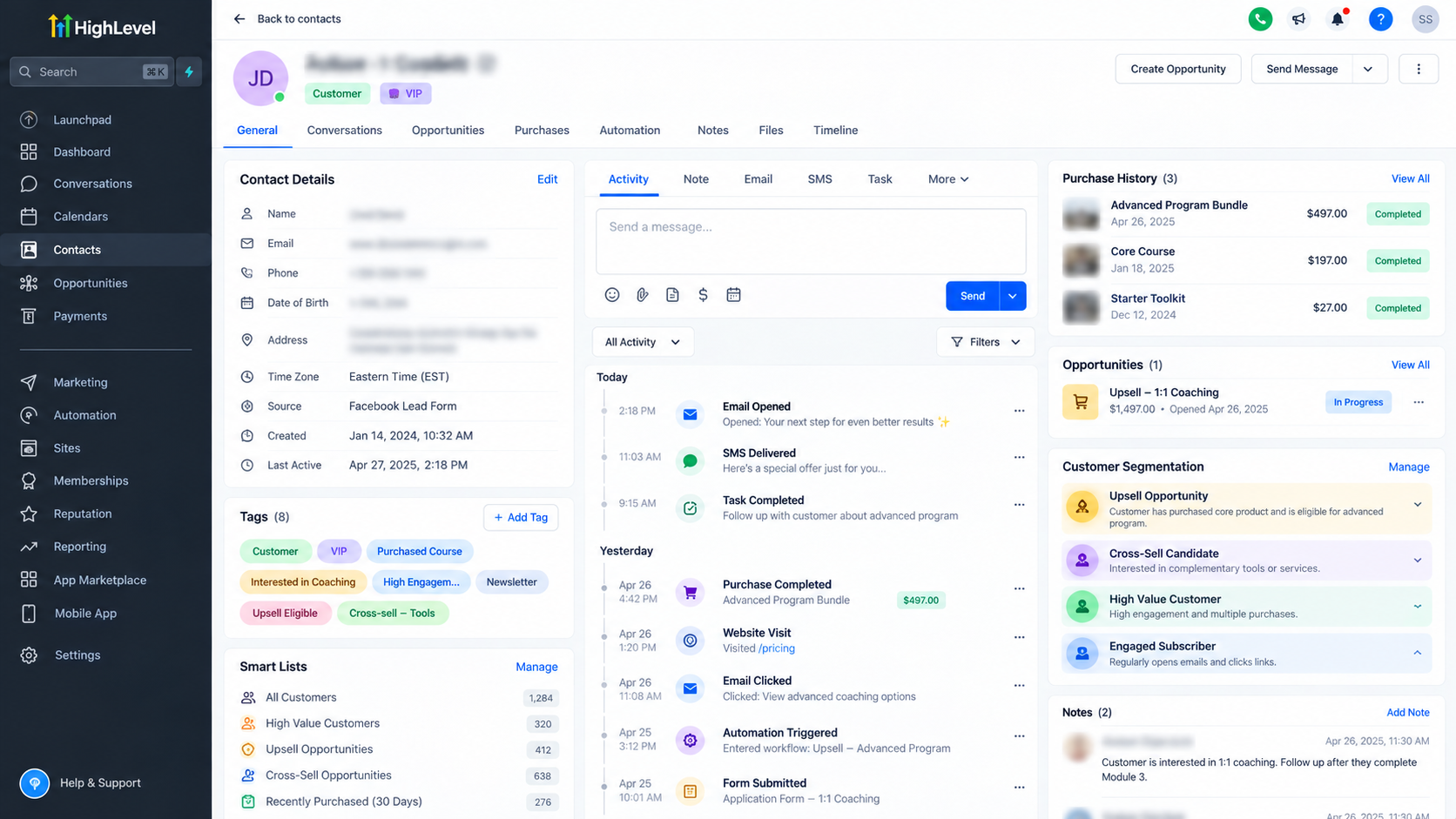
Review available customer records, purchase information, tags, and custom fields to establish meaningful segments.
If purchases originate from an external platform, ensure the required data reaches GoHighLevel through a supported integration before building automation around it.
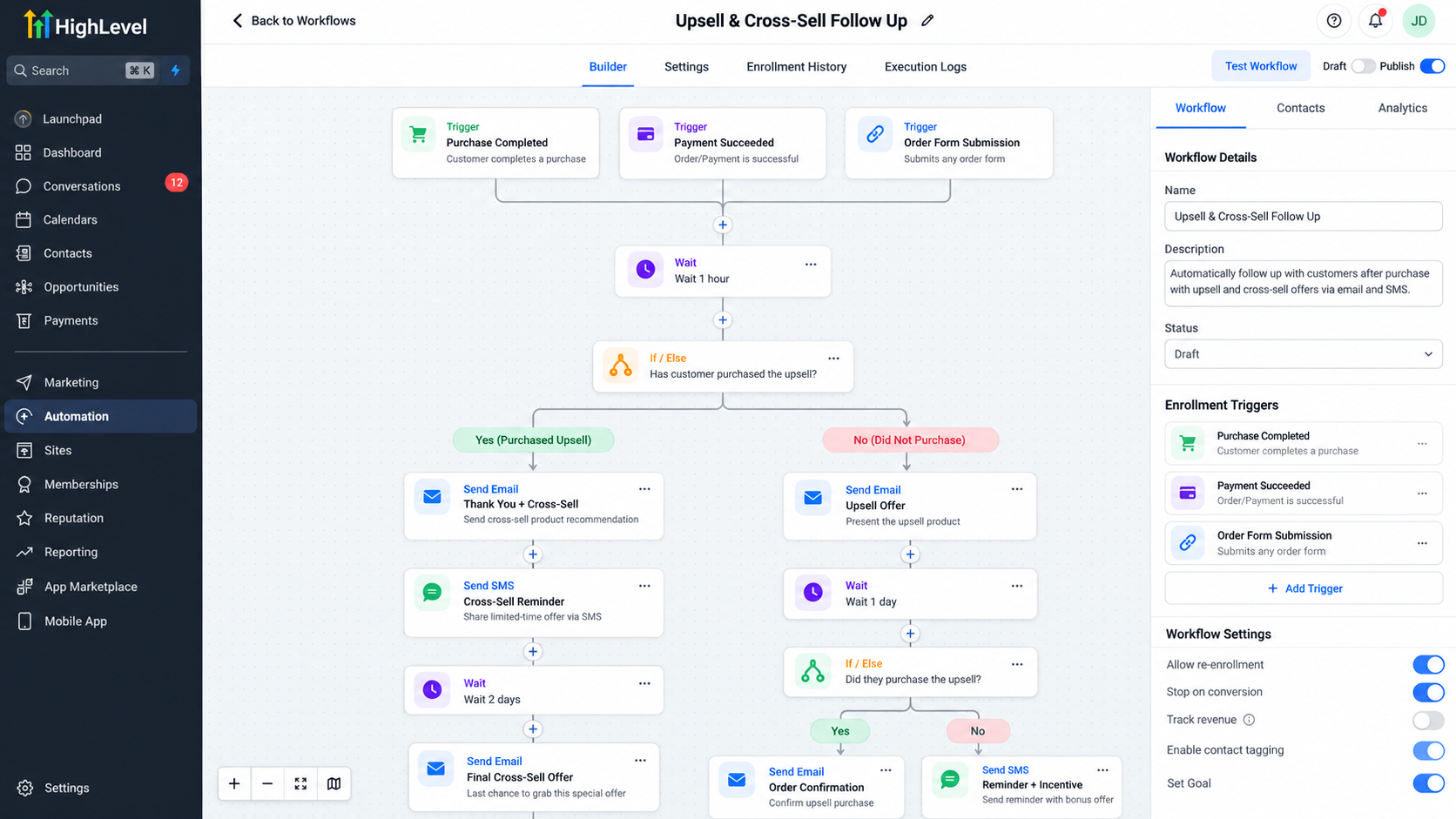
Step 2: Create a Workflow in GoHighLevel
Navigate to Automation → Workflows inside your GoHighLevel sub-account.
Select Create Workflow, choose to start from scratch, and name your workflow clearly.
For example:
Website Purchase – SEO Cross-Sell Follow-Up
A descriptive name helps distinguish this automation from other sales, onboarding, and retention workflows.
Step 3: Configure a Purchase-Based Trigger
Click Add New Trigger and select the purchase event that matches your sales process.
Two useful options include:
Order Submitted: Suitable for supported order forms and purchases where order-level information is available.
Payment Received: Useful for payment-based automation, with filters for payment source, transaction type, product, and payment status.
For a website purchase, configure the appropriate product and source filters.
When using Payment Received, select a successful payment status so failed transactions do not initiate promotional follow-ups.
Remember that Order Submitted has specific compatibility and enrollment requirements, particularly for funnel upsells.
Step 4: Segment Customers Using If/Else Conditions
Add an If/Else action to create separate paths based on available customer information.
For example:
Customers with a basic service package receive an upgrade recommendation.
Customers who purchased website development receive an SEO recommendation.
Customers already owning the recommended service are excluded.
Use relevant tags, purchase-related conditions, or maintained custom fields to determine eligibility.
This prevents unrelated offers from reaching every customer.
Step 5: Create Personalized Follow-Up Messages
Add a Send Email action to the appropriate workflow branch.
Your message should acknowledge the customer's purchase, introduce a relevant recommendation, explain its practical value, and provide a straightforward next step.
For example:
Subject: Getting More Value From Your New Website
Hi Sarah,
Now that your website is ready, the next opportunity is helping potential customers find it.
Our SEO service focuses on improving your website's search visibility and attracting relevant visitors.
Would you like to explore how this could support your business?
Best regards,
Your Team
Use supported contact custom values to personalize messages. SMS can supplement email when appropriate consent and messaging requirements are satisfied.
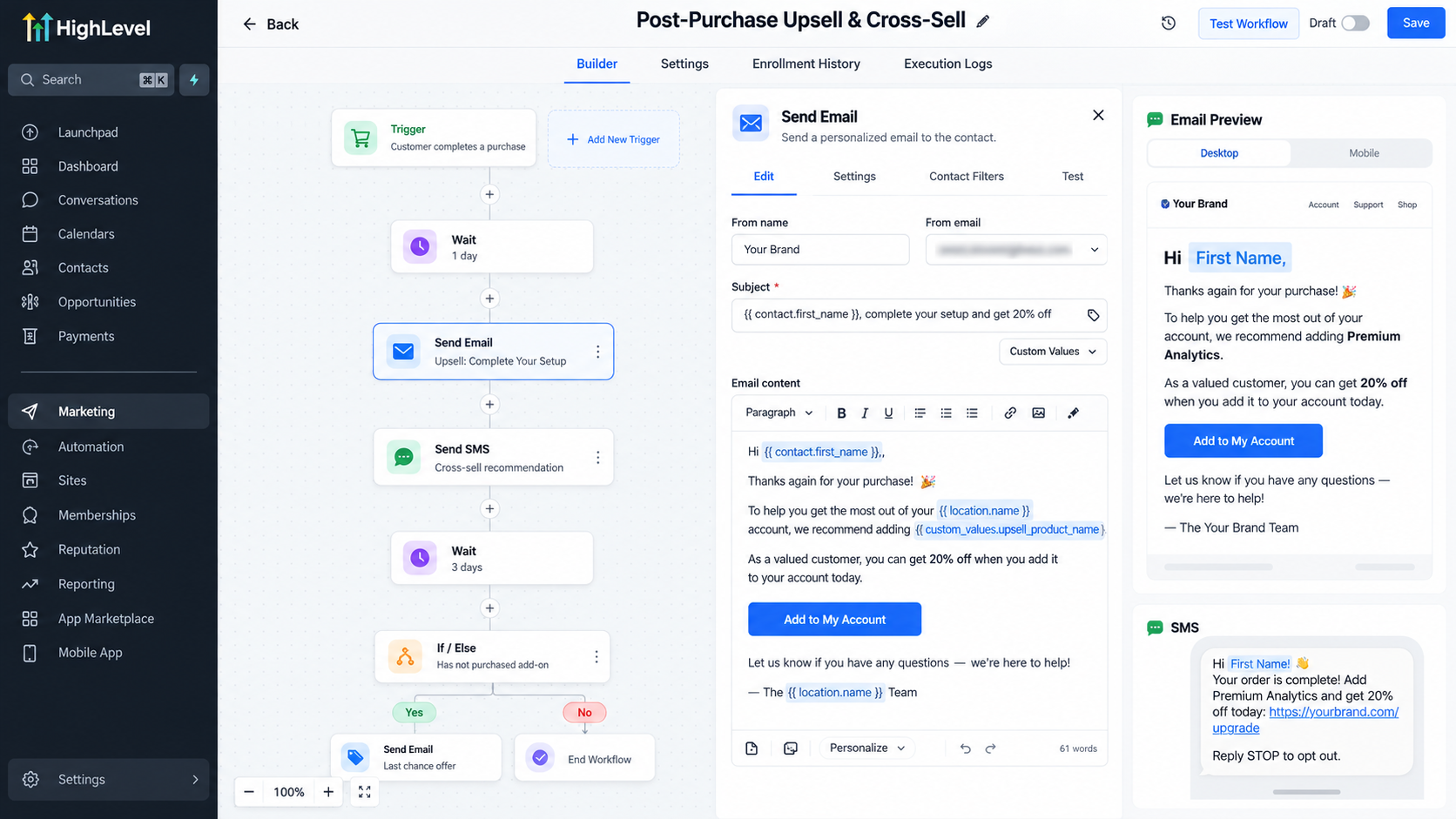
Step 6: Configure Follow-Up Timing and Exit Logic
Use Wait actions to introduce reasonable delays between promotional messages.
For example, send an initial recommendation several days after purchase, followed by a reminder if the customer has not converted.
Before each additional message, evaluate whether the customer purchased the promoted service.
A separate purchase-triggered workflow can update an ownership tag, allowing subsequent conditions to exclude converted customers.
For immediate checkout upsells, review the Allow Multiple workflow setting. GoHighLevel warns that prolonged Wait actions can prevent a second Order Submitted enrollment while the contact remains active in the workflow.
Consider separating immediate purchase processing from delayed promotional sequences.
Step 7: Test, Publish, and Monitor
Before publishing, test the complete workflow using representative customer purchases.
Verify that:
The correct purchase activates the workflow.
Customers enter the intended branches.
Messages contain accurate personalization.
Wait actions execute correctly.
Completed purchases prevent unnecessary promotions.
Test repeat transactions and workflow re-entry separately.
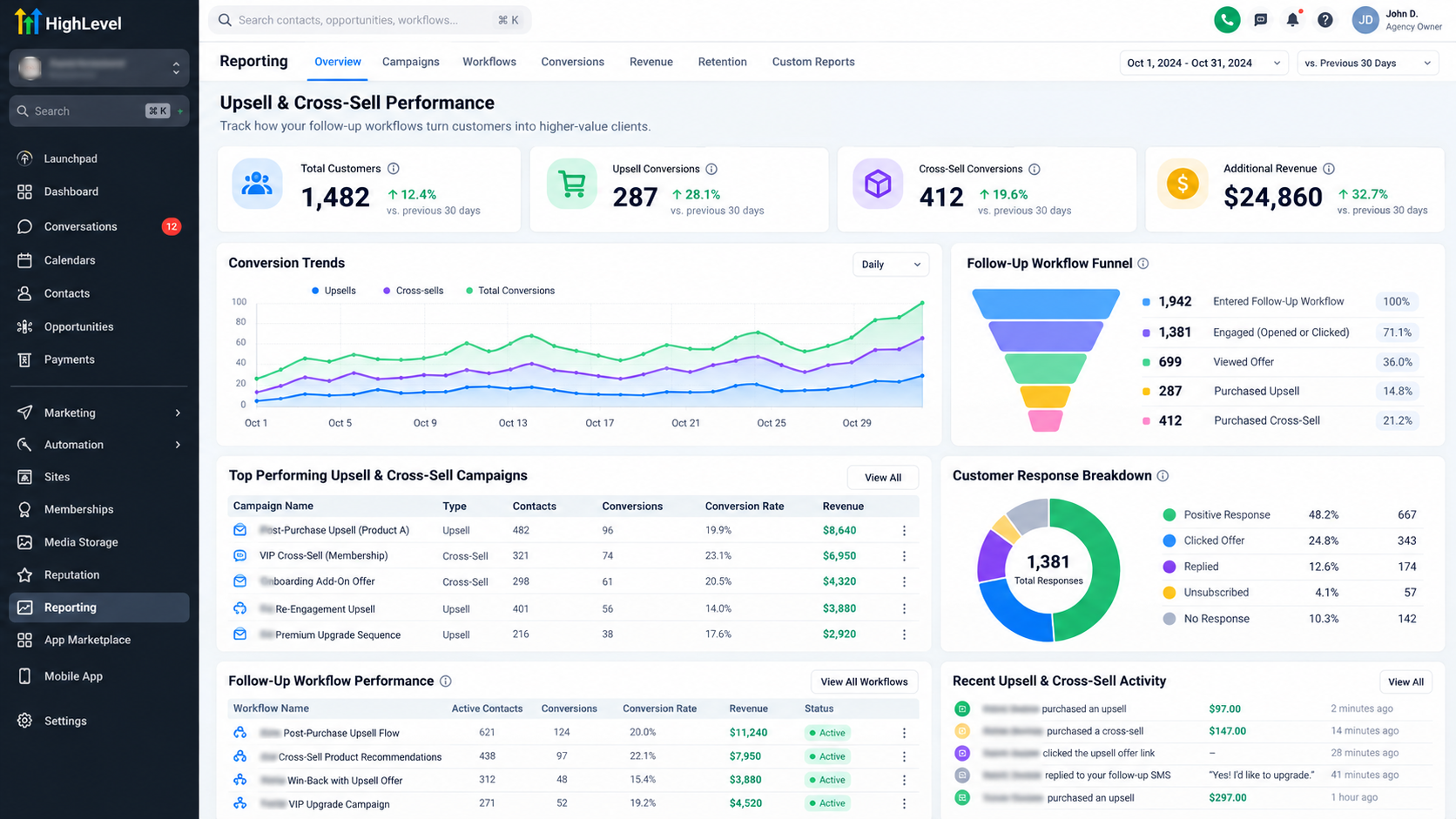
After publishing, review workflow execution history, customer responses, and available conversion data to identify improvements.
Best Practices for Higher-Converting Follow-Ups
Effective automation prioritizes relevance over message volume.
Recommend offers that solve a logical next problem, and adjust timing according to the customer's purchase and onboarding experience.
Keep messages concise, communicate specific benefits, and make responses easy.
Respect marketing consent and unsubscribe preferences. Regularly review engagement and conversion results rather than assuming more reminders create better outcomes.
Common Mistakes to Avoid
One common mistake is sending identical recommendations to customers with different purchase histories.
Another is using loosely configured triggers that activate after unsuccessful payments or unrelated transactions.
Businesses also overlook repeat enrollments, causing duplicated messages, or fail to check ownership before sending another promotion.
Prevent these problems through precise trigger filters, maintained customer data, conditional checks, and realistic testing.
Conclusion
Upsell and cross-sell automation works when each follow-up responds to a genuine customer opportunity.
GoHighLevel provides the workflow tools to connect qualifying purchases, customer segmentation, personalized communication, and conversion checks into a repeatable process.
Start with one relevant offer and a clearly defined customer journey. Test the workflow carefully, monitor customer responses, and refine the sequence as your understanding of customer needs improves.
Frequently Asked Questions (FAQs)
1. Can I automate upsell and cross-sell follow-ups in GoHighLevel?
Yes. GoHighLevel allows businesses to create automated workflows that send personalized email or SMS follow-ups based on supported purchase events, customer tags, and CRM conditions. These workflows help recommend relevant products or services after an initial purchase.
2. Which GoHighLevel triggers work best for upsell and cross-sell automation?
The Order Submitted and Payment Received triggers are useful options. Order Submitted can initiate workflows after supported order submissions, while Payment Received can trigger follow-ups based on payment events. The best choice depends on your checkout setup, payment source, and automation requirements.
3. How can I personalize upsell and cross-sell messages in GoHighLevel?
You can use customer tags, custom fields, available purchase information, and If/Else conditions to segment contacts. This allows you to send relevant recommendations based on customers' previous purchases, interests, or existing services.
4. How do I prevent customers from receiving upsell messages after purchasing the recommended product?
Use If/Else conditions, customer tags, and workflow exit logic to identify customers who have already purchased the recommended offer. Configure your workflows to update customer information after a qualifying purchase and prevent unnecessary promotional messages.
5. What is the best time to send automated upsell and cross-sell follow-ups?
The ideal timing depends on the product, customer needs, and buying journey. Some complementary offers may be relevant shortly after purchase, while upgrades may be more appropriate after customers experience the original service. Use GoHighLevel's Wait actions to schedule messages and refine timing based on customer engagement and conversion results.
Need Expert Help with GoHighLevel?
New to GoHighLevel and ready to get started? Buy your GoHighLevel account here and launch with confidence.
Already know what you need and want our team to handle everything, from complete setup and customization to funnels, workflows, automations, CRM, and pipelines? Click here.



