

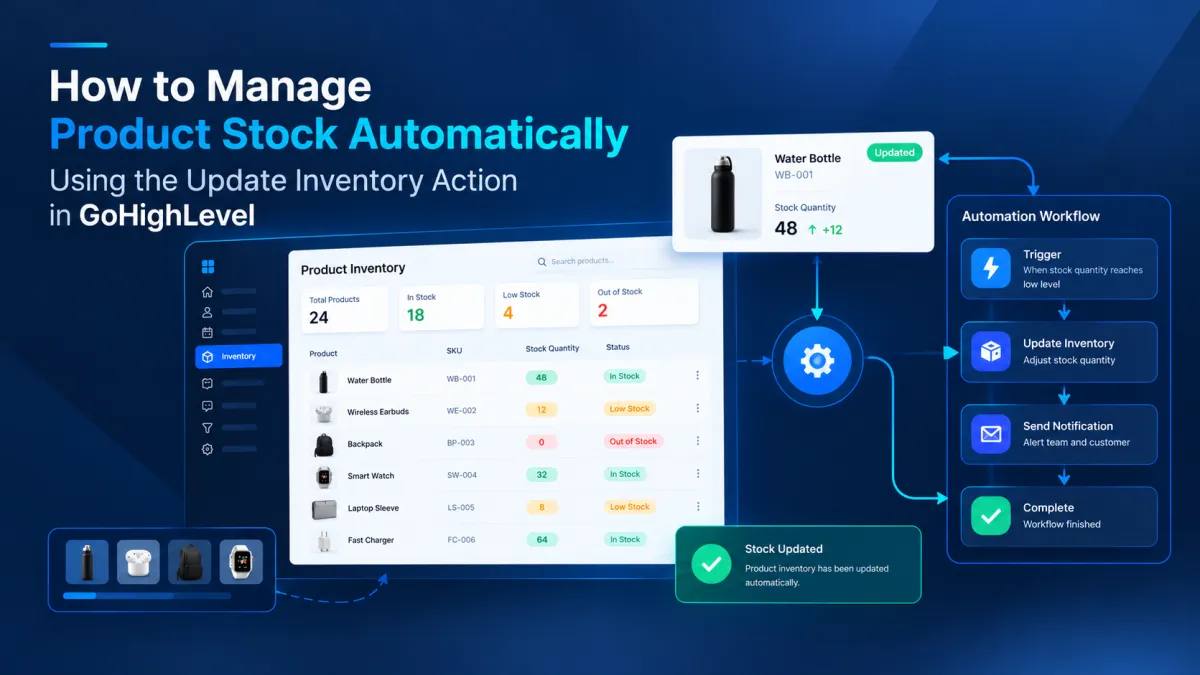
How to Manage Product Stock Automatically Using the Update Inventory Action in GoHighLevel
How to Manage Product Stock Automatically Using the Update Inventory Action in GoHighLevel
Running out of a popular product can create more than a stock problem. It can lead to manual updates, inaccurate availability, and extra work for the team responsible for keeping product information current. When product activity needs to be followed by an inventory change, manually opening the product settings every time can quickly become repetitive. The Update Inventory Action in GoHighLevel gives businesses a way to include inventory updates inside appropriate workflow automation, helping keep product stock information easier to manage.
What Is the Update Inventory Action in GoHighLevel?
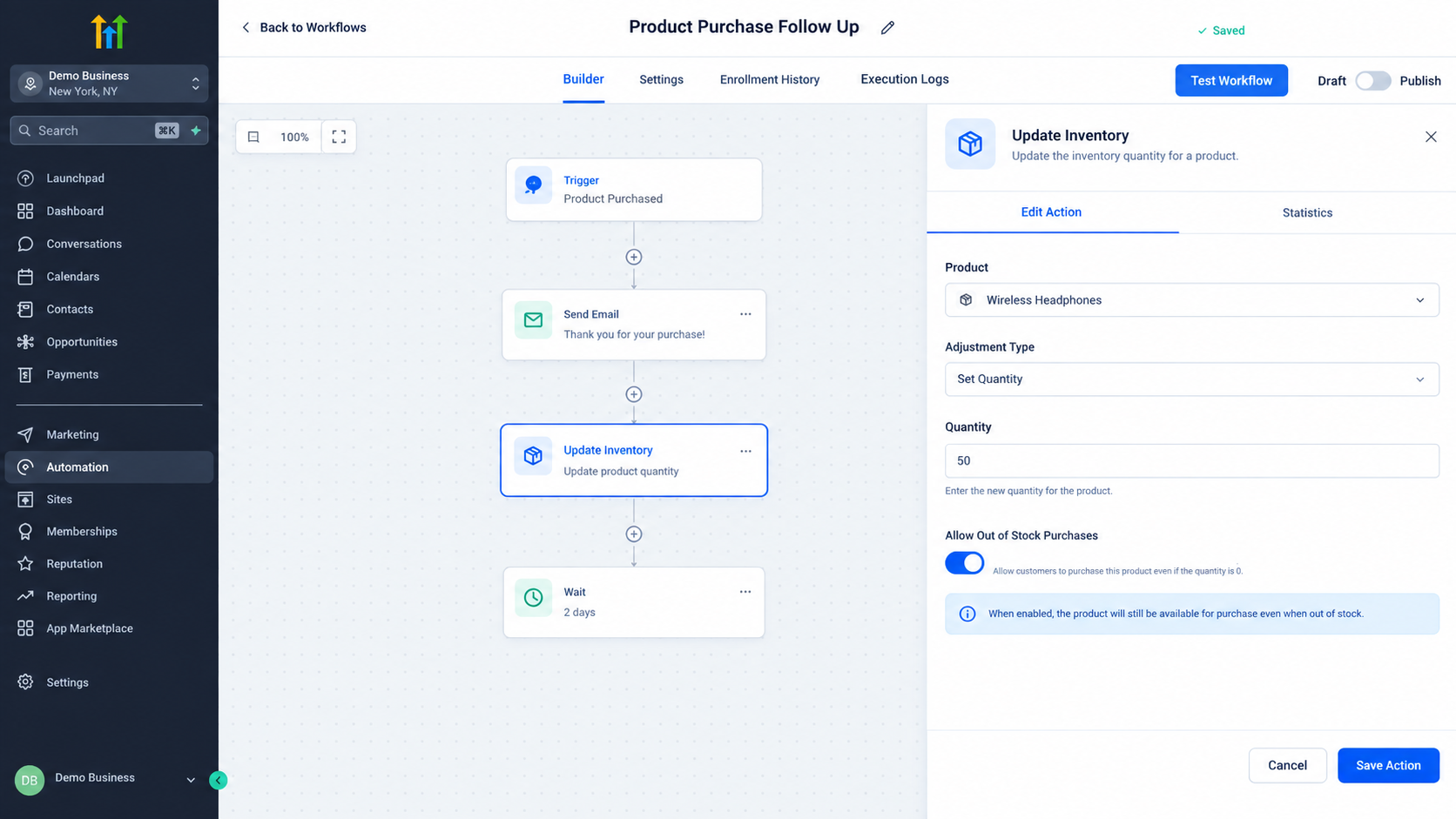
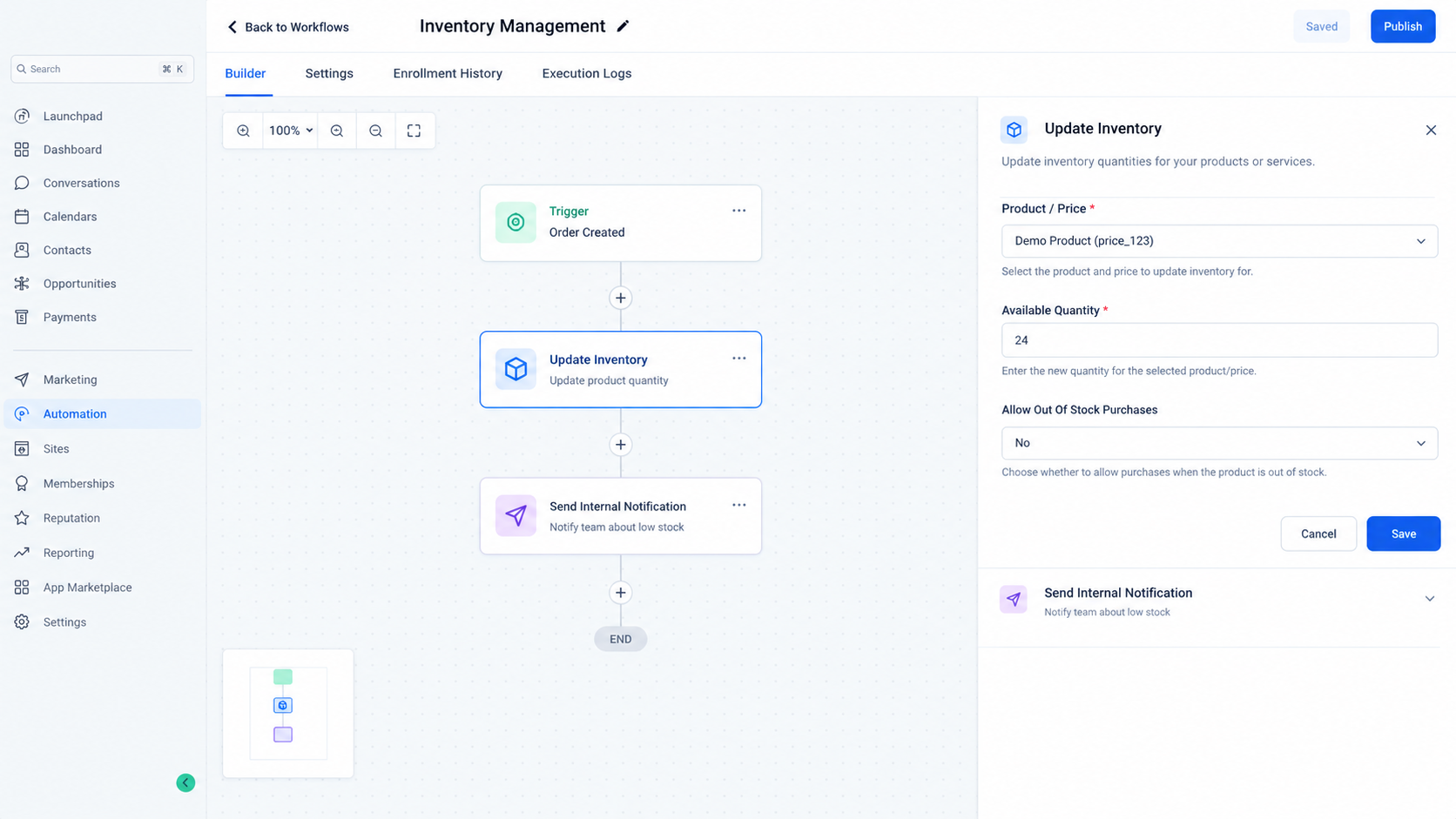
The Update Inventory Action is a GoHighLevel workflow action designed to update inventory information associated with products in a location. At its core, the action deals with the available quantity of inventory rather than performing general product management.
HighLevel's current API documentation describes the inventory update capability as a way to update the available quantity for inventory items. It also supports the setting that determines whether purchases are allowed when an item is out of stock. The API can update multiple inventory items in a single request, with each item identified through its price reference.
This distinction is important. The action should not be treated as a general product editing tool. Its purpose is specifically connected to inventory information.
Why Inventory Updates Matter in Workflow Automation
Inventory management becomes more useful when it is connected to the business event that requires an update.
For example, HighLevel provides an Order Fulfilled workflow trigger. This trigger starts a workflow when an order changes to a fulfilled status, and HighLevel specifically identifies inventory updates as one possible use of workflows built around this trigger.
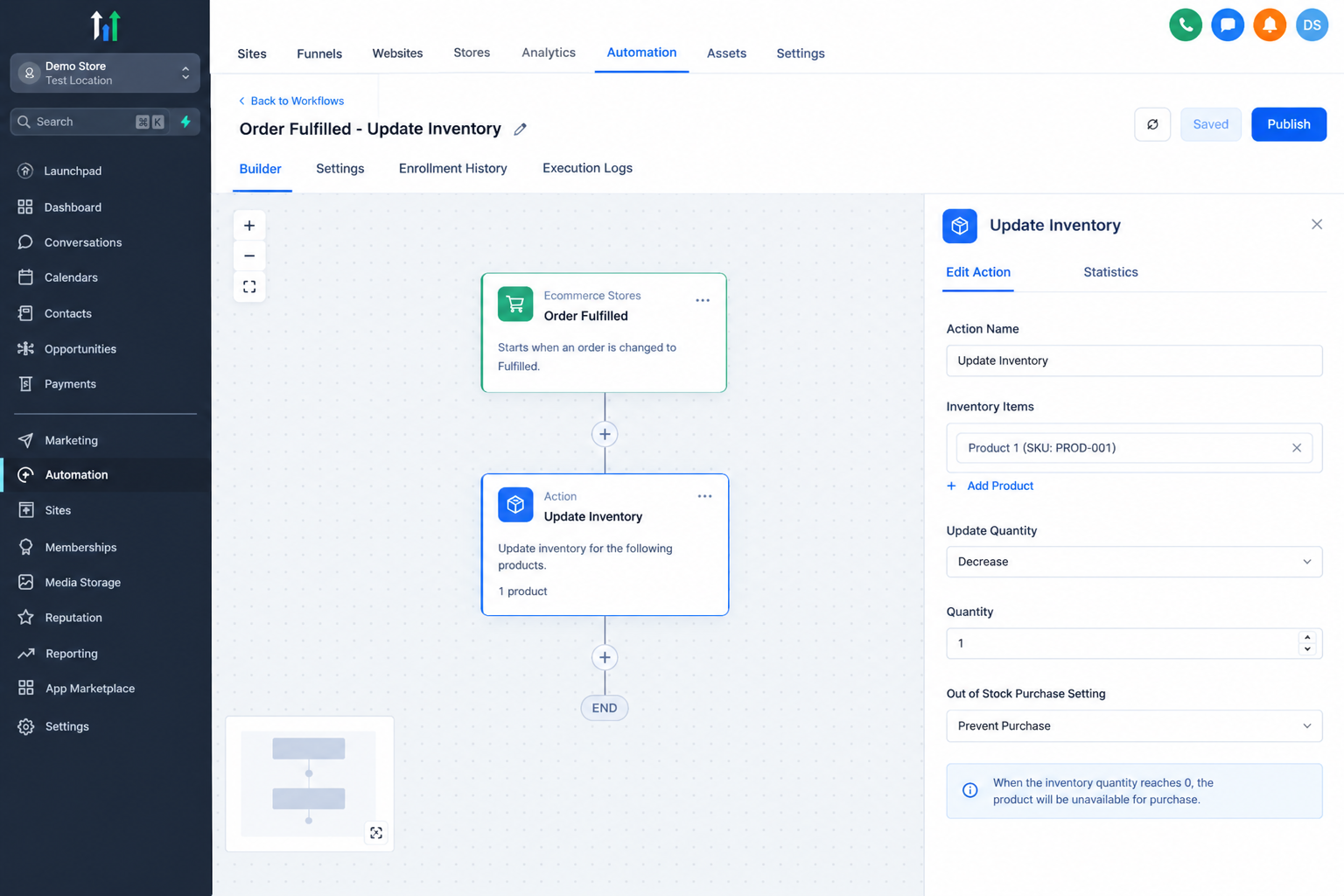
This creates an opportunity to place an inventory update directly into a workflow instead of treating stock management as a completely separate manual task.
The main benefit is consistency. When the correct workflow event occurs, the inventory related step can be included as part of the same automated process. This can reduce the number of routine updates a team needs to perform manually.
How the Update Inventory Action Works
The most important point to understand is that an inventory update changes the available quantity recorded for the relevant product price.
HighLevel's API documentation uses an available quantity value for each inventory item. It also identifies the item through a price ID and allows the out of stock purchase setting to be specified.
This means the action should not automatically be described as a stock deduction calculator. The documentation confirms that the inventory quantity is updated to the value supplied to the inventory update operation. Businesses should therefore make sure the quantity being provided represents the intended available inventory.
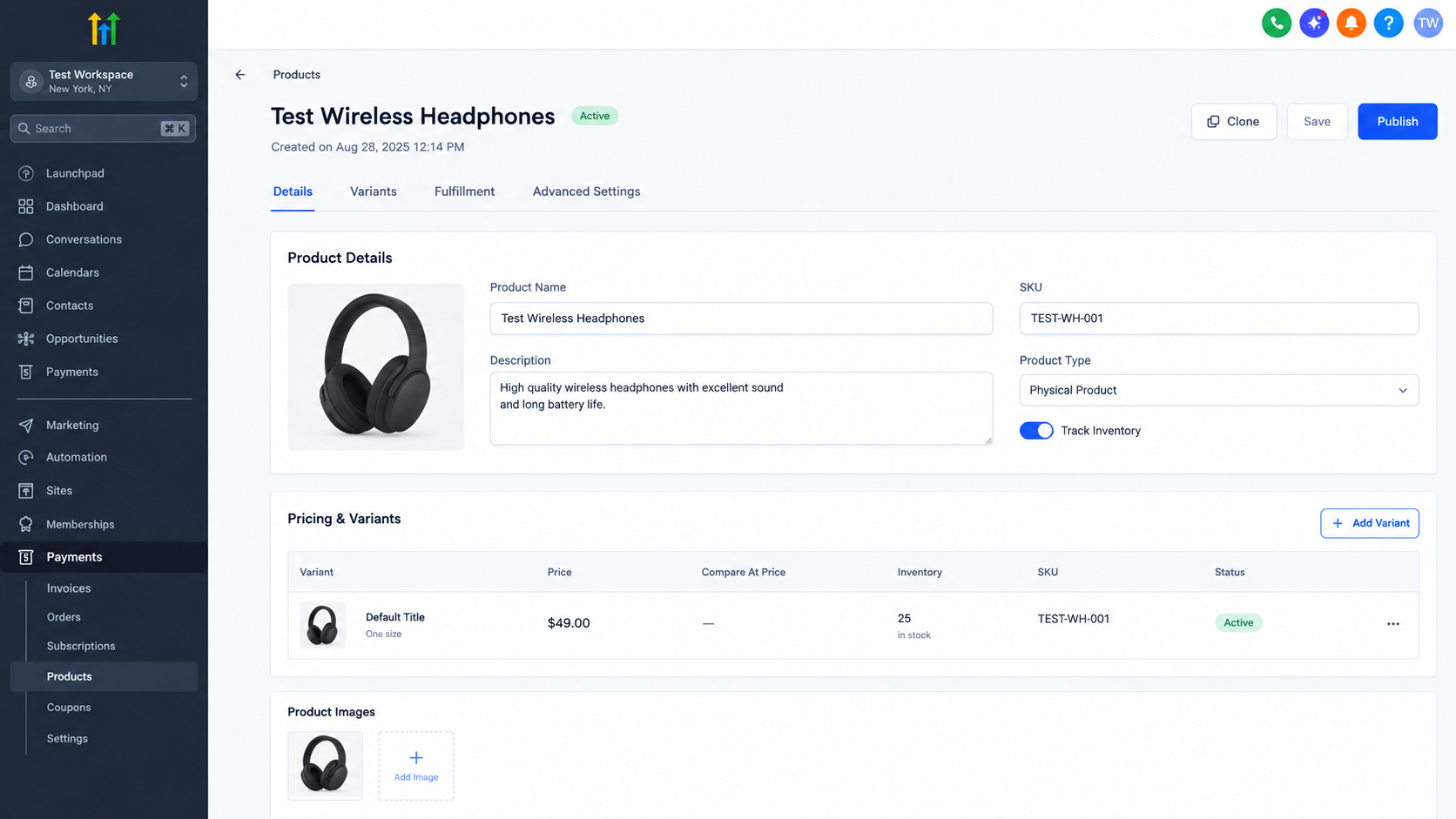
This is especially important when designing automation. An inventory update is only useful when the workflow is working with the correct product information and the correct quantity.
The action also fits inside a larger workflow rather than operating as an independent automation system. A workflow trigger starts the process, the Update Inventory Action performs the inventory update, and additional workflow steps can continue afterward when needed.
A Practical Example
Consider a business that sells a physical product through its GoHighLevel setup and has an inventory quantity that needs to be updated after an order is fulfilled.
The workflow could use the Order Fulfilled trigger. Once an order reaches the fulfilled status, the workflow can include the Update Inventory Action as part of the process. The action then updates the available inventory information for the relevant product price using the quantity configured for the update.
The important part is understanding what each component is responsible for.
The Order Fulfilled trigger identifies the business event that starts the workflow. The Update Inventory Action handles the inventory update. Any additional actions in the workflow handle separate tasks that the business wants to perform afterward.
This approach keeps the inventory step connected to the operational event that requires it instead of relying entirely on someone remembering to update stock manually.
Important Things to Keep in Mind
The Update Inventory Action should not be confused with automatic inventory synchronization across external ecommerce platforms, warehouses, marketplaces, or POS systems. HighLevel's inventory update capability updates inventory information within HighLevel. External inventory synchronization requires separate functionality or integration when supported.
It is also important not to assume that the action automatically calculates how much stock should remain after every transaction. The documented inventory capability updates the available quantity supplied to it.
Businesses should therefore design their workflows around clearly defined inventory information and verify the resulting quantity after testing.
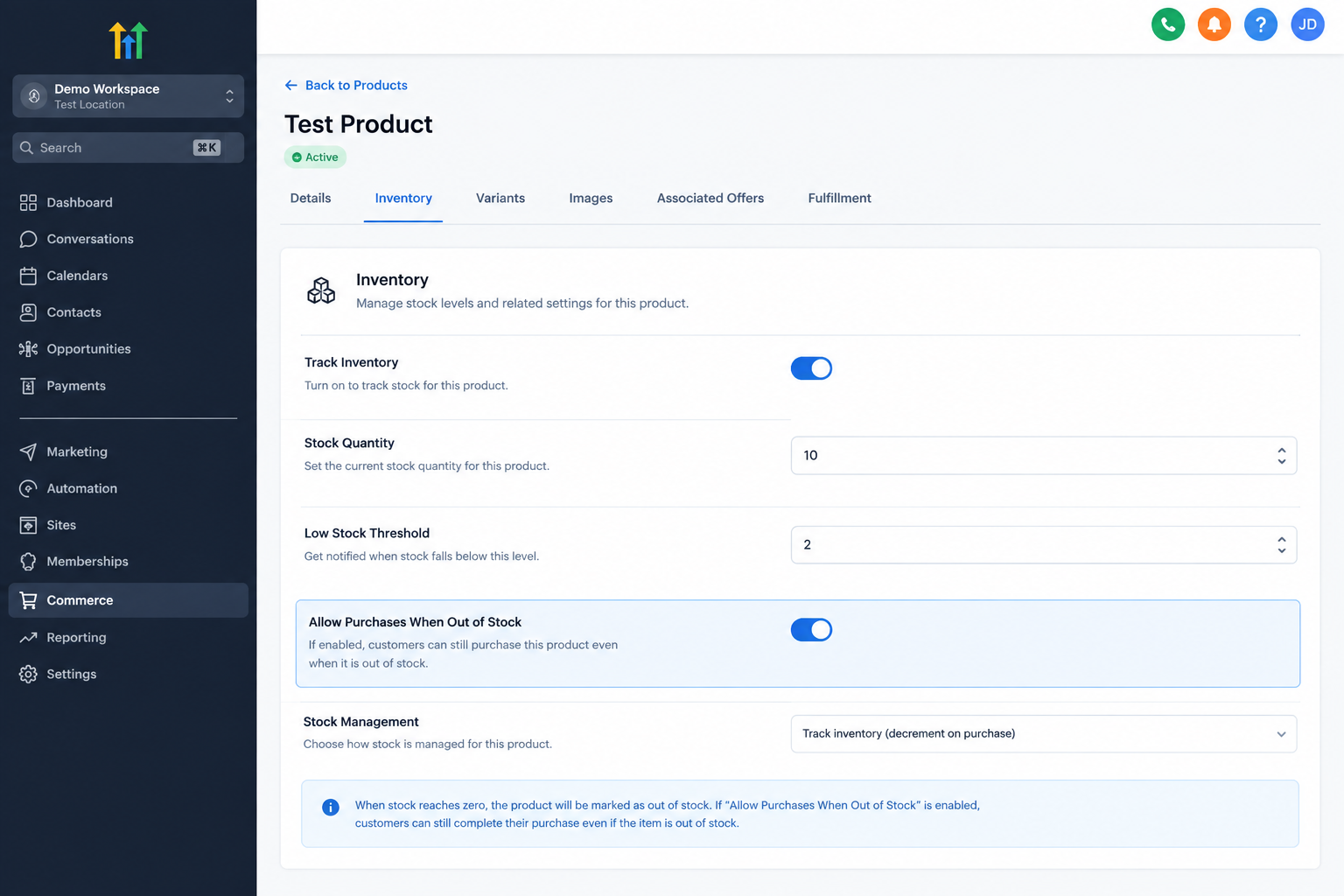
Another useful consideration is the out of stock purchase setting. HighLevel's inventory update API supports a setting called allowOutOfStockPurchases, which controls whether purchases can continue when inventory is out of stock.
Conclusion
The Update Inventory Action gives GoHighLevel users a practical way to include inventory changes within workflow automation. Its value comes from connecting an inventory update to an appropriate business event, such as an order becoming fulfilled.
Used carefully, it can reduce repetitive manual work and make inventory handling a more connected part of GoHighLevel workflow automation. The key is to understand that the action updates the available inventory quantity and related out of stock purchase setting rather than acting as a complete inventory management or external synchronization system.
Frequently Asked Questions (FAQs)
1. What does the Update Inventory Action do in GoHighLevel?
It updates the available inventory quantity for product inventory within GoHighLevel. It can also update the setting that controls purchases when an item is out of stock.
2. Can the Update Inventory Action be used in a workflow?
Yes. Inventory updates can be included as part of GoHighLevel workflow automation. HighLevel also documents Order Fulfilled as a workflow trigger that can be used with inventory related actions.
3. Does the action automatically subtract sold units?
The documented inventory update capability updates the available quantity supplied to it. It should not be described as an automatic stock deduction calculator without additional logic that determines the correct quantity.
4. Can it control out of stock purchases?
Yes. HighLevel's inventory update capability includes an option called allowOutOfStockPurchases, which controls whether purchases can be made when an item is out of stock.
5. Does it synchronize inventory with external platforms?
The Update Inventory capability updates inventory within HighLevel. It should not be treated as automatic synchronization with external inventory platforms unless a separate supported integration is being used.
Need Expert Help with GoHighLevel?
New to GoHighLevel and ready to get started? Buy your GoHighLevel account here and launch with confidence.
Already know what you need and want our team to handle everything, from complete setup and customization to funnels, workflows, automations, CRM, and pipelines? Click here.



