

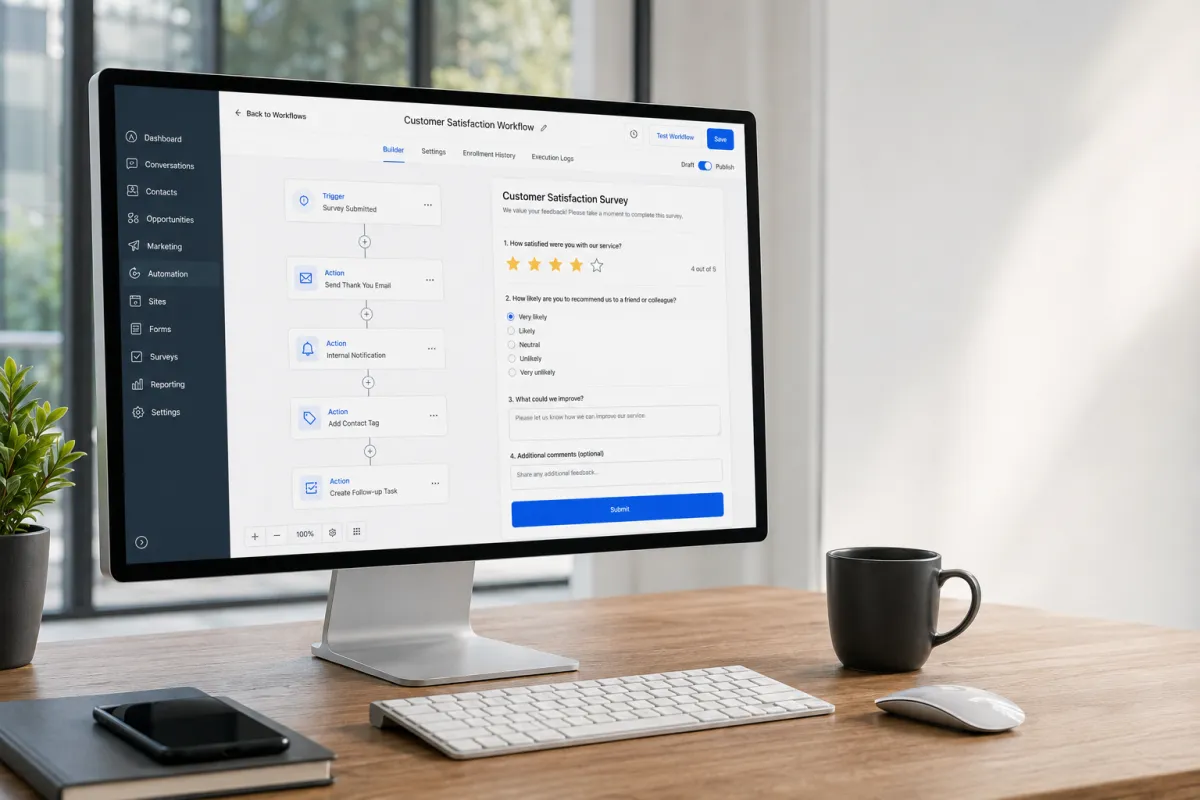
Survey Workflow Automation
How to Automate Customer Feedback Workflows Using the Survey Submitted Trigger in GoHighLevel
Customer feedback is one of the most valuable resources a business can collect. It helps you understand customer satisfaction, identify service gaps, and improve future experiences. However, manually reviewing every survey response, sending thank-you emails, updating customer records, and notifying team members quickly becomes time-consuming as your business grows.
This is where the Survey Submitted Trigger in GoHighLevel becomes a powerful automation tool. Instead of handling each response manually, you can automatically launch workflows the moment a customer submits a survey. Whether you want to send a follow-up email, notify your team, update contact information, or organize customers for future communication, the trigger helps ensure every response receives the right action without extra effort.
In this guide, you'll learn exactly how the GoHighLevel Survey Submitted Trigger works, when to use it, and how it can simplify your customer feedback process.
What Is the Survey Submitted Trigger in GoHighLevel?
The Survey Submitted Trigger is a GoHighLevel Workflow Trigger that starts a workflow whenever a contact successfully submits a survey.
Once the survey is completed, the workflow immediately detects the submission and executes any actions you've configured. Rather than checking survey responses manually, businesses can automate repetitive tasks and maintain a consistent customer experience.
This trigger is commonly used after collecting customer satisfaction surveys, onboarding questionnaires, service feedback forms, or post-purchase surveys. It serves as the starting point for automated customer feedback workflows inside GoHighLevel.

How the Survey Submitted Trigger Works
The automation process is simple and follows a clear sequence:
A customer receives and completes a survey.
The survey submission is recorded for that contact.
The Survey Submitted Trigger detects the submission automatically.
The connected workflow starts immediately.
The workflow performs the actions you've configured without manual intervention.
From there, the workflow can continue with multiple automation steps based on your business needs. Since everything happens automatically, your team spends less time on repetitive administrative work and more time responding to valuable customer insights.

Common Customer Feedback Workflows You Can Build
The GoHighLevel Survey Automation trigger works well with many workflow actions, allowing businesses to create efficient feedback processes.
Send a Thank-You Email
Automatically send a personalized thank-you email after someone completes a survey. This acknowledges the customer's time and encourages continued engagement.
Notify Your Team
Send an internal notification so your staff knows new feedback has been received. This helps teams review responses quickly, especially when immediate follow-up is needed.
Apply Contact Tags
Automatically tag contacts after survey completion. Tags can identify customers who completed a feedback survey, making future segmentation and reporting much easier.
Update Contact Records
Keep your CRM organized by updating contact information or recording workflow activity after a survey is submitted.
Move Contacts Through a Pipeline
If your customer feedback process is connected to a sales or service pipeline, the workflow can update the contact's pipeline stage using supported workflow actions where appropriate.
Send Follow-Up Messages
Depending on your workflow design, you can send follow-up emails or SMS messages after a survey submission. This can include additional resources, appointment reminders, or requests for further communication.
Create Internal Tasks
Generate internal tasks for team members when customer feedback requires personal follow-up or issue resolution.
Enroll Contacts in Additional Workflows
Survey completion can also serve as the starting point for other automation sequences, allowing contacts to continue through nurturing or customer engagement workflows.

Real Business Use Cases
The Survey Workflow trigger is flexible enough for many industries.
Marketing agencies can automatically collect client satisfaction surveys after completing campaigns and notify account managers when responses arrive.
Healthcare clinics can gather patient feedback after appointments and create follow-up tasks when additional attention is required.
Coaches and consultants can request feedback after coaching sessions and automatically send educational resources based on completed surveys.
Fitness businesses can ask members about their training experience and organize respondents for future wellness campaigns.
Home service companies can collect customer reviews after completed jobs while notifying staff of any negative experiences requiring immediate attention.
Educational businesses can request course feedback and organize students for future communications based on survey participation.
SaaS companies can automate onboarding feedback collection, helping customer success teams identify users who may need additional support.
Benefits of Using the Survey Submitted Trigger
Using the GoHighLevel Survey Submitted Trigger offers several practical advantages:
Saves time by eliminating manual follow-up tasks.
Creates consistent customer feedback processes.
Improves response times through instant automation.
Keeps CRM records organized and up to date.
Reduces repetitive administrative work.
Makes customer segmentation easier with consistent tagging.
Helps teams respond faster to important feedback.
Improves overall workflow efficiency.
Creates a more reliable customer experience across every survey submission.
These improvements allow businesses to focus more on acting on customer feedback rather than managing it manually.
Best Practices
To get the most from your GoHighLevel Automation, follow these recommendations:
Keep surveys short to encourage higher completion rates.
Respond quickly when customers leave negative feedback.
Use consistent tagging across all survey workflows.
Test every workflow before publishing it.
Avoid creating multiple workflows that perform the same actions.
Personalize follow-up emails and messages whenever possible.
Review workflow performance regularly to ensure automations continue working as expected.
Keep workflow names organized so they're easy to manage as your automation library grows.
Small improvements like these help maintain accurate CRM records and dependable automation over time.

Common Mistakes to Avoid
Even well-designed workflows can become ineffective if common mistakes are overlooked.
Avoid these issues:
Forgetting to publish the workflow after creating it.
Building duplicate workflows that trigger multiple follow-up messages.
Sending unnecessary communications after every survey submission.
Failing to test surveys before using them in production.
Using inconsistent naming and organization for workflows.
Ignoring customer responses instead of reviewing valuable feedback regularly.
Regular testing and workflow maintenance help prevent these problems while ensuring customers receive the intended experience.
Frequently Asked Questions (FAQs)
1. What is the Survey Submitted Trigger in GoHighLevel?
It automatically starts a workflow when a contact submits a GoHighLevel survey.
2. What actions can be automated after a survey submission?
You can send emails or SMS, apply tags, create tasks, notify your team, update contact records, and start additional workflows.
3. Can I use it for customer satisfaction surveys?
Yes. It's commonly used for customer satisfaction, feedback, onboarding, and post-service surveys.
4. Do I need coding skills to use it?
No. You can build Survey Submitted workflows using GoHighLevel's visual Workflow Builder without coding.
5. Why should I automate survey follow-ups?
Automation saves time, keeps your CRM organized, improves response times, and ensures every customer receives consistent follow-up.
Conclusion
The Survey Submitted Trigger is one of the most useful tools for automating customer feedback inside GoHighLevel. By launching workflows immediately after a survey is completed, businesses can automate acknowledgments, notify team members, organize CRM records, apply tags, create follow-up tasks, and continue customer journeys without manual effort.
Whether you're managing a marketing agency, healthcare practice, coaching business, fitness center, home service company, educational organization, or SaaS platform, this trigger helps create a faster, more consistent, and organized feedback process.
By combining thoughtful survey design with well-planned GoHighLevel Workflows, you can spend less time managing responses and more time improving the customer experience based on the feedback you receive.
Frequently Asked Questions (FAQs)
1. Can one survey trigger multiple workflow actions?
Yes. A single survey submission can trigger multiple automated actions within the same workflow.
2. Does the Survey Submitted Trigger work instantly?
Yes. The workflow starts immediately after a survey is submitted.
3. Can I send SMS after a survey submission?
Yes. You can automatically send SMS messages using workflow actions.
4. Can I tag contacts based on survey completion?
Yes. The workflow can automatically apply tags to survey respondents.
5. Can internal team members receive survey notifications?
Yes. You can notify your team as soon as a survey is submitted.
Need Expert Help with GoHighLevel?
New to GoHighLevel and ready to get started? Buy your GoHighLevel account here and launch with confidence.
Already know what you need and want our team to handle everything, from complete setup and customization to funnels, workflows, automations, CRM, and pipelines? Click here.



