

GoHighLevel Snapshots Now Support Opportunity Smart Lists and Smart Tags
GoHighLevel Snapshots Now Support Opportunity Smart Lists and Smart Tags
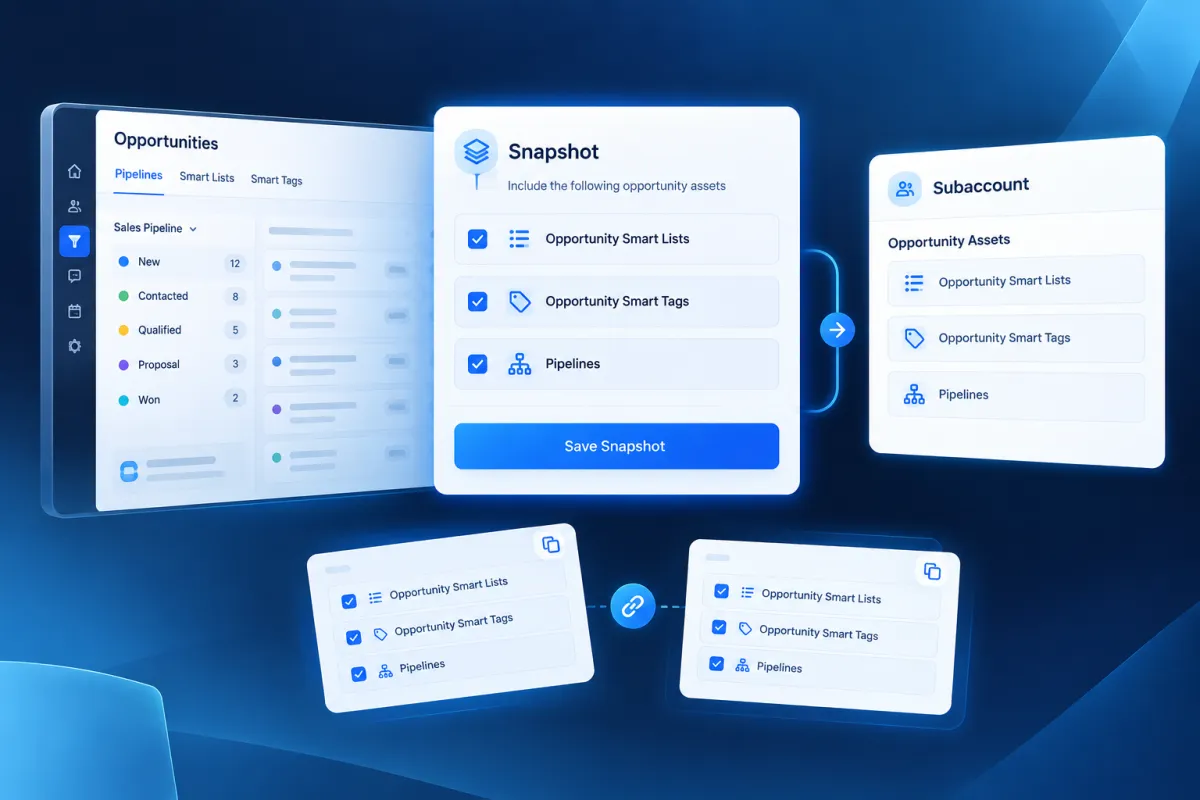
Managing the same CRM structure across multiple GoHighLevel subaccounts can involve more than simply setting up pipelines. The views used to organize opportunities and the tags connected to those opportunities can also be part of that setup. With the latest GoHighLevel update, Opportunity Smart Lists and Opportunity Smart Tags can now be included in Snapshots, making it possible to carry these assets from a template subaccount into other subaccounts.
This addition gives GoHighLevel users a way to set up their opportunity views and tags once and include them when creating or pushing a Snapshot. Instead of rebuilding the same Smart Lists and Smart Tags for each new subaccount, the relevant configuration can be carried over as part of the Snapshot.
What’s New with GoHighLevel Snapshots?
GoHighLevel Snapshots can now include Opportunity Smart Lists and Opportunity Smart Tags as selectable assets.
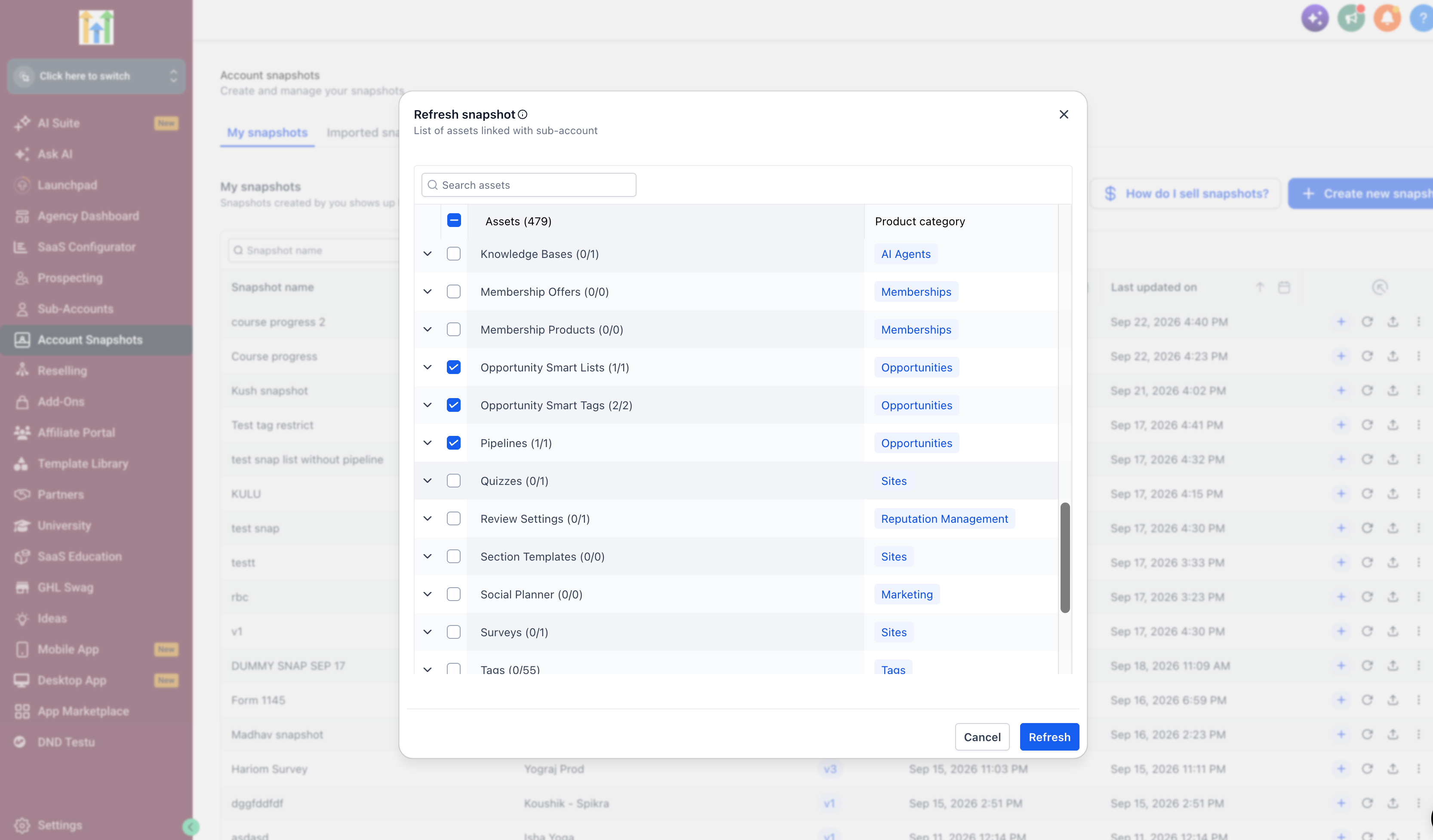
This means that when creating or pushing a Snapshot, users can include these opportunity-related assets alongside the other Snapshot content supported by the update. A template subaccount can therefore contain the Smart Lists and Smart Tags that should be carried into destination subaccounts.
The practical difference is straightforward: views and tags that have already been configured in a template do not have to be rebuilt each time they need to be included in a new subaccount.
For businesses and teams working with repeatable subaccount setups, this provides a more consistent way to carry over the opportunity organization created in a template.
Opportunity Smart Lists Carry Their Configuration
One of the important parts of this GoHighLevel update is that Smart Lists do not simply carry over as empty or basic lists. Their existing configuration is included.
The Snapshot carries over the filters, sorting configuration, manage-fields setup, list or board type, and pipeline visibility associated with the Smart List.
Filters and Sorting
The Smart List's filters and sort configuration are preserved when the asset is carried over. This means the configuration established in the template remains part of the Snapshot asset.
Manage Fields and List Type
The manage-fields setup is also included. In addition, the Smart List retains whether it is configured as a list or board type.
These details are important because they form part of how the Smart List is configured and presented within the opportunity view.
Pipeline Visibility
Pipeline visibility is another configuration that carries over with the Smart List. This keeps the relevant visibility setup associated with the Snapshot rather than requiring it to be configured again in the destination subaccount.
Together, these preserved settings make the Snapshot more than a simple transfer of the Smart List itself. The configured view comes with the settings defined in the template.
Opportunity Smart Tags Keep Their Key Settings
Opportunity Smart Tags are also now supported within GoHighLevel Snapshots.
When Smart Tags are included, they carry over their colour coding and linked pipeline. This means those two pieces of configuration remain associated with the Smart Tag when it is pushed through a Snapshot.
The linked pipeline is particularly important because Smart Tags depend on pipelines. That dependency is also relevant when preparing a Snapshot for use in another subaccount.
Conflict Handling Helps Avoid Duplicate Assets
Another part of the update is conflict handling when a Snapshot is loaded.
If the destination subaccount already has relevant assets, the Snapshot's conflict handling prevents those assets from simply being created as duplicates.
This matters when pushing a Snapshot into a subaccount that may already contain Opportunity Smart Lists or Smart Tags. The update specifically addresses this situation so that loading the Snapshot does not result in duplicate assets being created.
The Important Pipeline Dependency
There is one detail to keep in mind when using this new Snapshot capability: Opportunity Smart Lists and Opportunity Smart Tags depend on Pipelines.
Because of this dependency, the related pipelines must be included in the same Snapshot push. If the required pipelines are not included, the Smart Lists and Smart Tags will not be created in the destination subaccount.
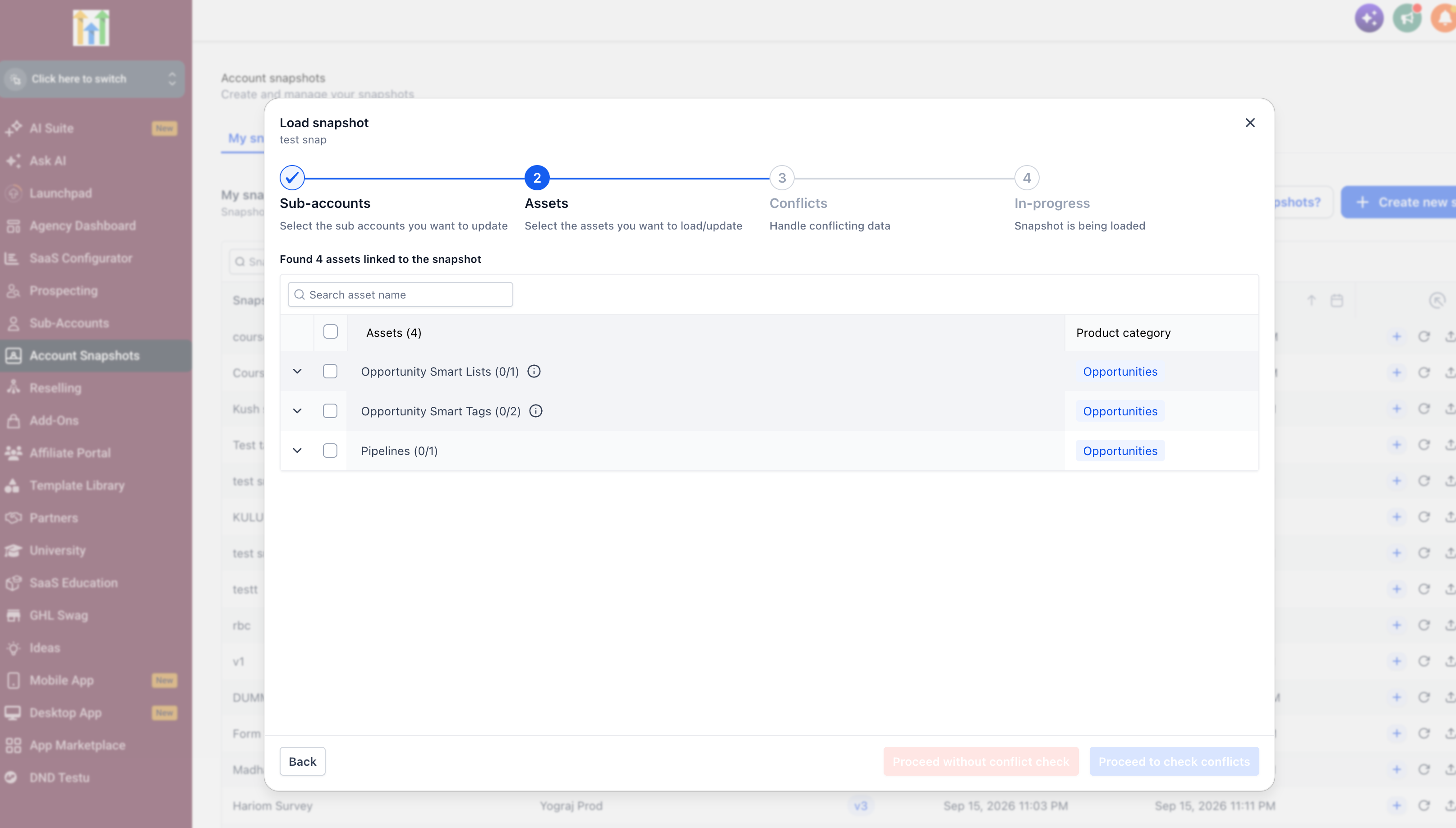
This makes pipeline selection an important part of preparing a Snapshot that contains these assets. Including the related pipelines ensures that the dependent Smart Lists and Smart Tags have the required pipeline relationship when the Snapshot is pushed.
Why This Update Matters for Reusable Subaccount Setups
The main value of this GoHighLevel update is repeatability.
Previously, a template could contain the structure needed for a subaccount, but Opportunity Smart Lists and Smart Tags now have a defined place within the Snapshot process. Users can configure these views and tags in a template subaccount and include them when pushing that Snapshot to new subaccounts.
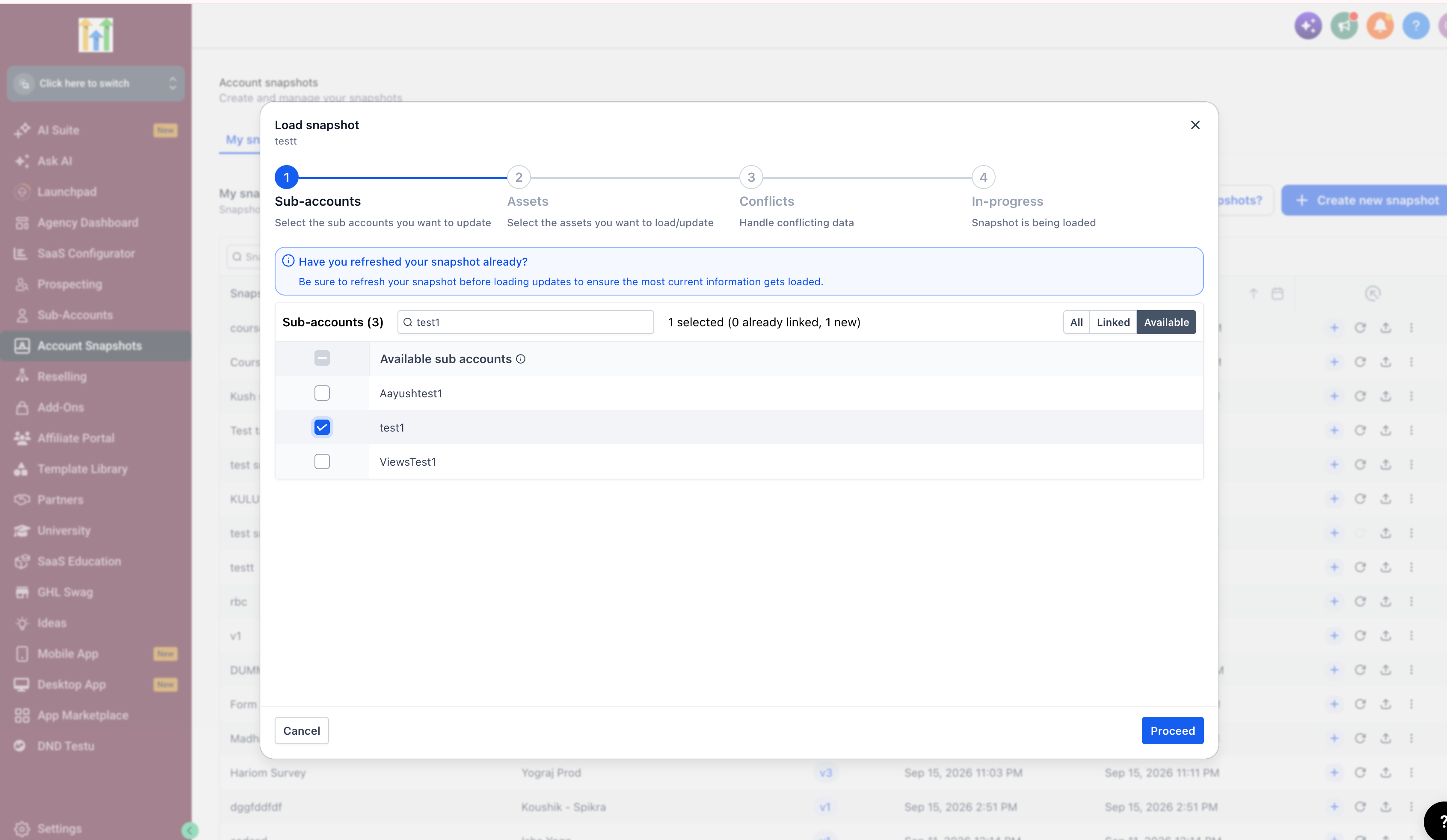
That reduces the need to repeatedly recreate the same opportunity views and tags whenever the same setup is needed again.
For teams using GoHighLevel Snapshots as templates, this creates a more complete way to carry opportunity organization from one configured environment into another. Smart List filters, sorting, manage-fields settings, list or board type, pipeline visibility, and Smart Tag colour coding and linked pipelines can all remain part of the Snapshot configuration.
A More Complete GoHighLevel Snapshot Workflow
The addition of Opportunity Smart Lists and Opportunity Smart Tags to Snapshots expands what can be carried through a reusable GoHighLevel Snapshot.
The update brings together three important pieces: configurable opportunity views, opportunity tags, and the pipelines those assets depend on. With conflict handling also included, existing assets in a destination subaccount do not simply result in duplicates when the Snapshot is loaded.
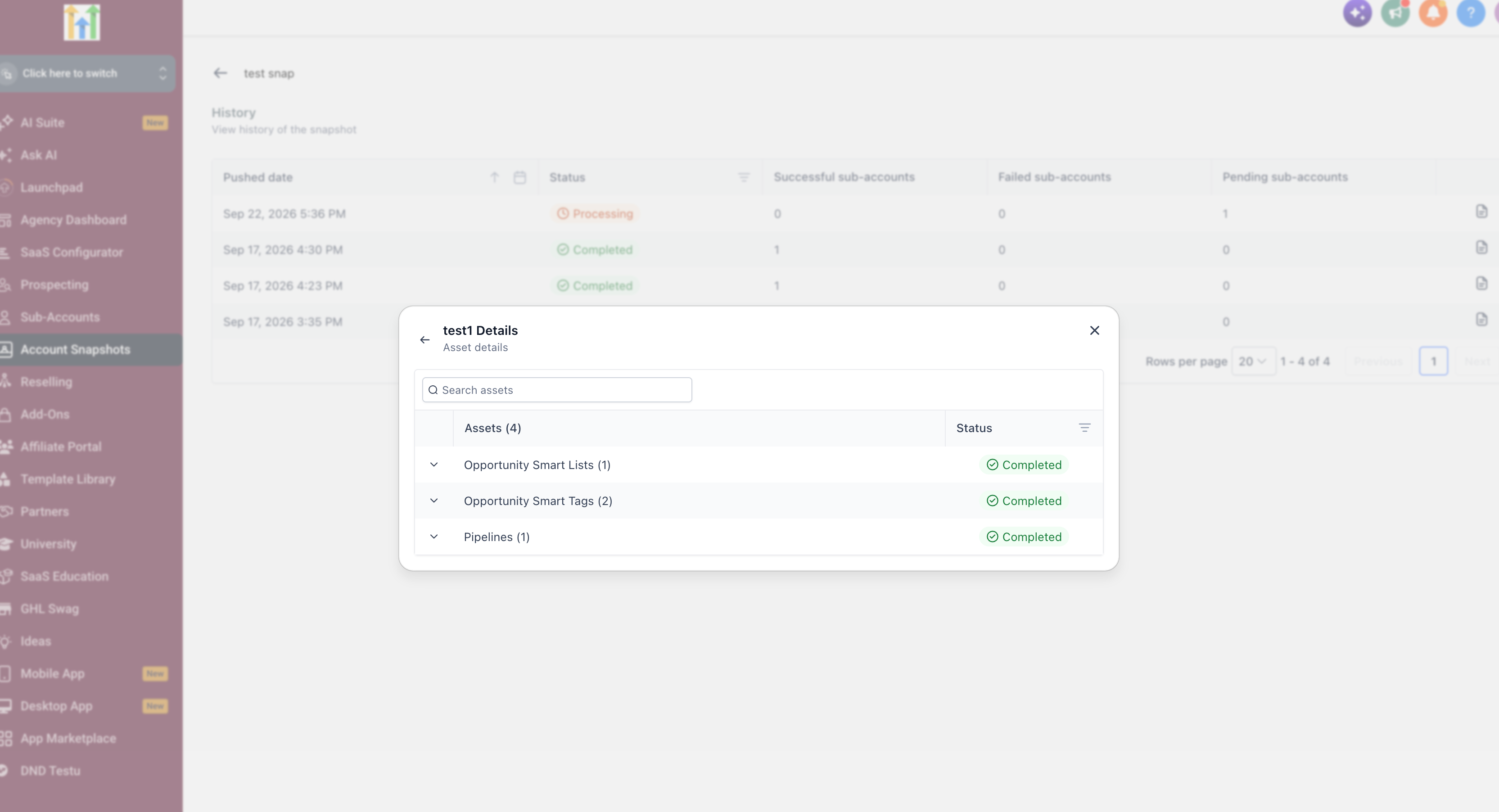
For GoHighLevel users building repeatable subaccount templates, the key takeaway is simple: configure the relevant Smart Lists and Smart Tags in the template, include the related pipelines in the same push, and those assets can be carried into the destination subaccount as part of the Snapshot.
This is a focused update, but an important one for anyone looking to make their GoHighLevel Snapshot templates more consistent and reduce repeated configuration work.
Frequently Asked Questions
1. Can Opportunity Smart Lists be included in GoHighLevel Snapshots?
Yes. Opportunity Smart Lists can now be selected as assets when creating or pushing a GoHighLevel Snapshot.
2. What Smart List settings are preserved?
Filters, sorting, manage-fields setup, list or board type, and pipeline visibility are carried over.
3. Can Opportunity Smart Tags be included in Snapshots?
Yes. Opportunity Smart Tags can now be included in GoHighLevel Snapshots along with their colour coding and linked pipeline.
4. Do Smart Lists and Smart Tags require pipelines?
Yes. Both depend on pipelines, so the related pipelines must be included in the same Snapshot push.
5. What happens if the destination already has these assets?
Snapshot conflict handling prevents existing Opportunity Smart Lists and Smart Tags from creating duplicates.
Need Expert Help with GoHighLevel?
New to GoHighLevel and ready to get started? Buy your GoHighLevel account here and launch with confidence.
Already know what you need and want our team to handle everything, from complete setup and customization to funnels, workflows, automations, CRM, and pipelines? Click here.



