

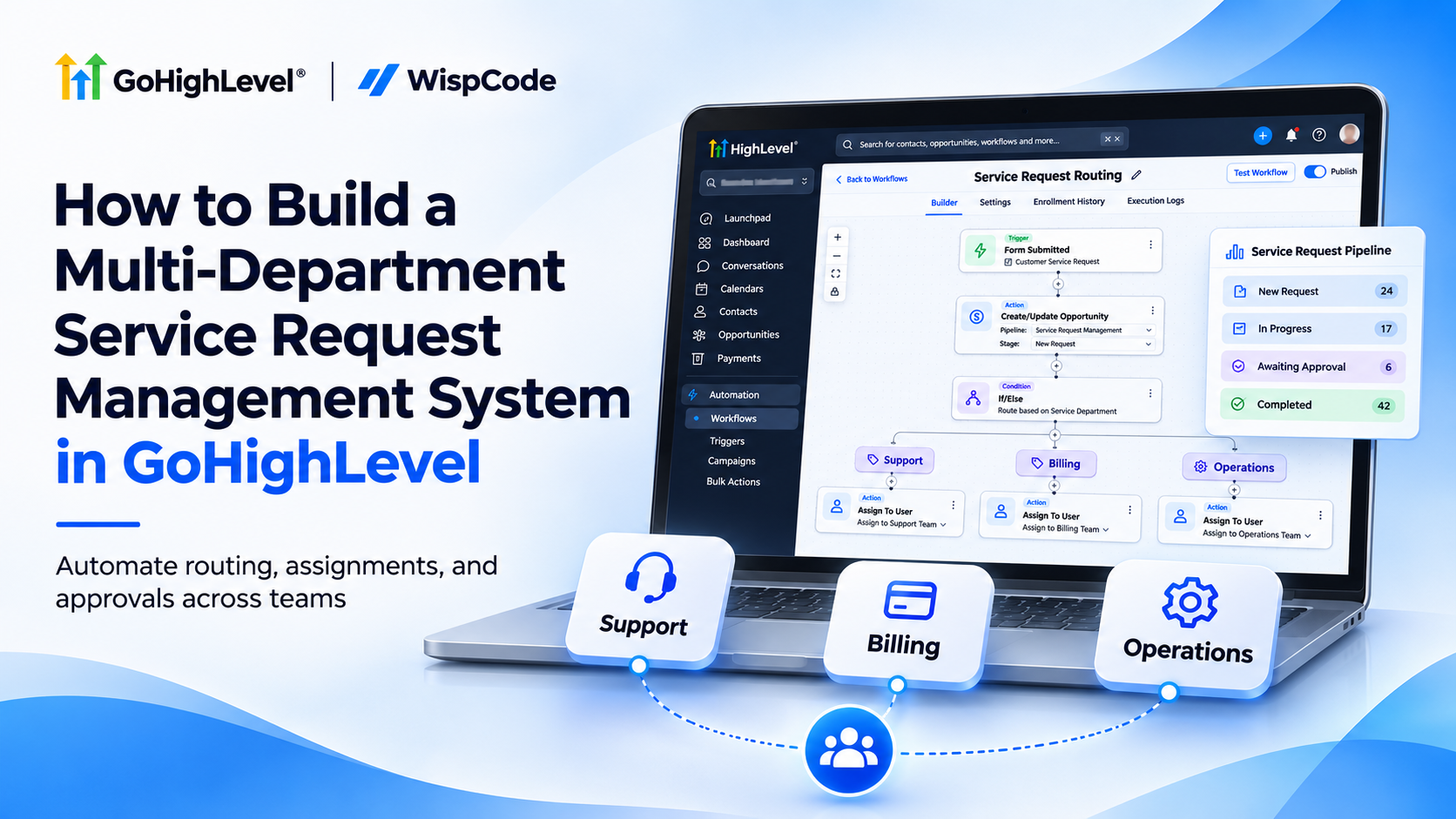
How to Manage Multi-Department Service Requests in GoHighLevel
How to Build a Multi-Department Service Request Management System in GoHighLevel
A customer submits a service request that requires assistance from the support, billing, and operations teams. Support receives the inquiry, but billing isn't notified, and operations doesn't know when to begin.
Days pass, and the customer is still waiting for an update.
The problem isn't necessarily poor service. It's a lack of coordination between departments.
GoHighLevel helps businesses organize service requests through CRM pipelines, automated workflows, task assignments, and internal notifications.
With the right system, businesses can route requests to the appropriate departments, track progress, and reduce communication gaps.
How Multi-Department Service Request Management Works in GoHighLevel
A multi-department service request system connects customer inquiries with the teams responsible for resolving them.
GoHighLevel supports this process through forms, opportunities, pipeline stages, and workflow automation.
For example, a maintenance company might receive requests involving equipment repairs, billing questions, or scheduling changes.
An automation can evaluate the request category and notify the appropriate department.
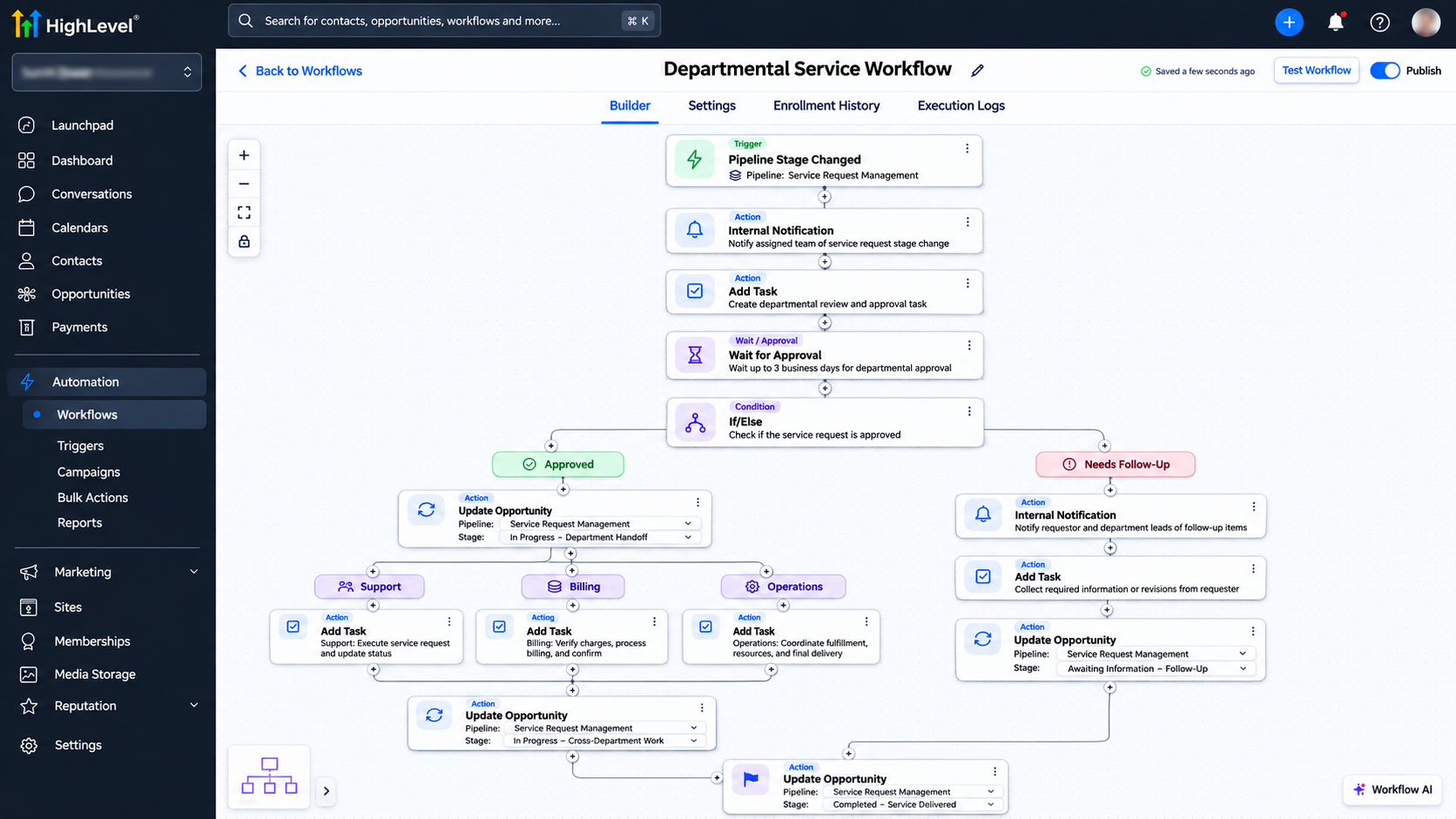
The If/Else action routes requests according to configured conditions, while Add Task and Internal Notification help coordinate responsibilities.
For more complex requests, separate workflows can manage departmental handoffs.
What You Need Before Creating the System
Before starting, ensure you have:
Access to the appropriate GoHighLevel sub-account.
Employees added with suitable permissions.
Clearly defined service request categories.
A CRM pipeline for tracking requests.
A form collecting customer and service information.
Assigned departmental responsibilities.
Agreed response deadlines and escalation procedures.
These requirements help ensure every request reaches the right team.
How to Build a Multi-Department Service Request Management System in GoHighLevel
Follow these six steps to establish an organized service request process.
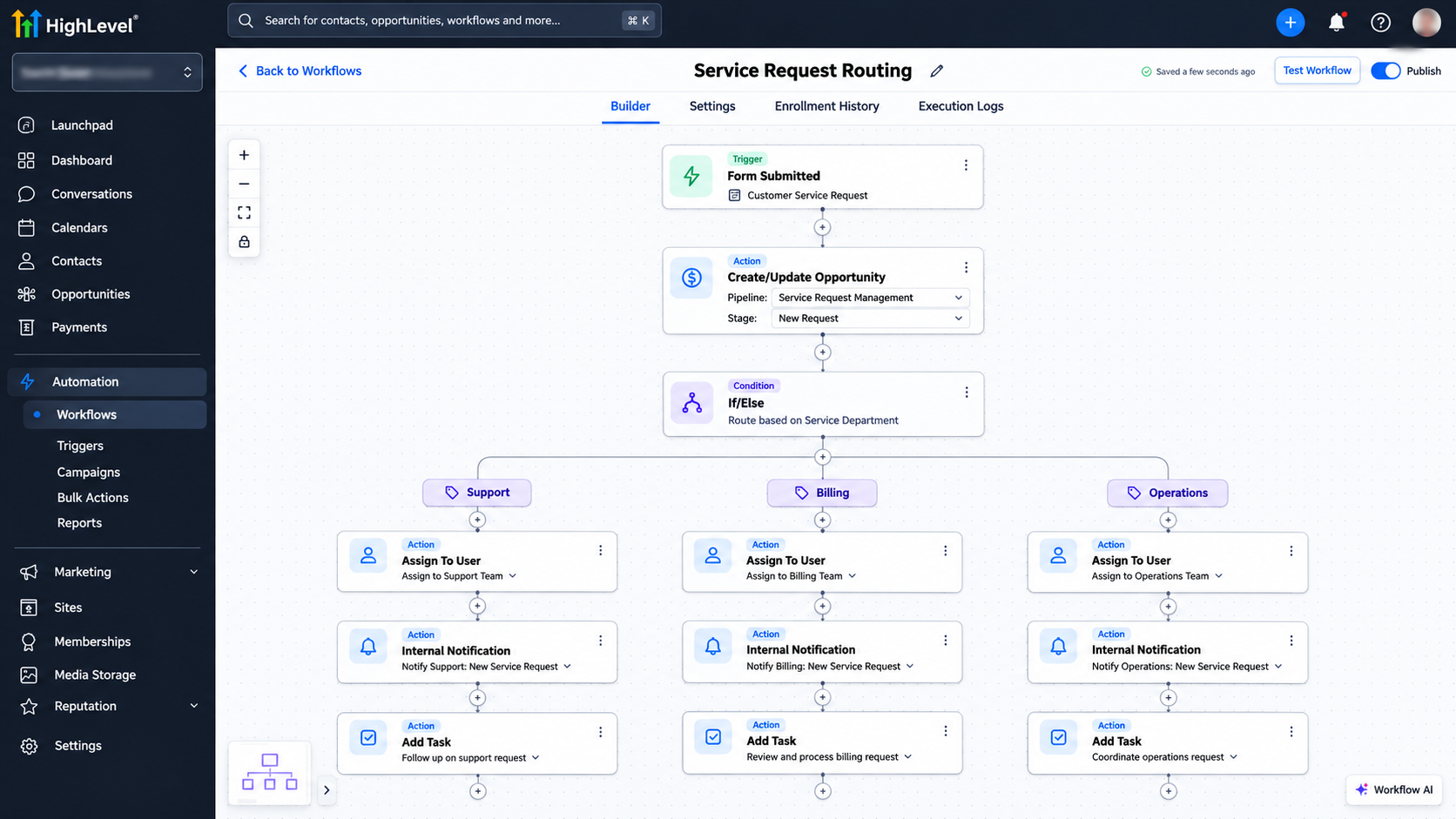
Step 1: Create a Service Request Pipeline
Navigate to Opportunities → Pipelines.
Create a pipeline called "Service Request Management."
Add stages such as:
New Request
Assigned
In Progress
Waiting for Approval
Resolved
Closed
Each stage should represent a clear point in the request lifecycle.
For example, a billing-related request might remain In Progress until the billing team completes its investigation.
Use opportunity fields or tags to identify the responsible department rather than creating a separate pipeline stage for every department.
Step 2: Create a Service Request Form
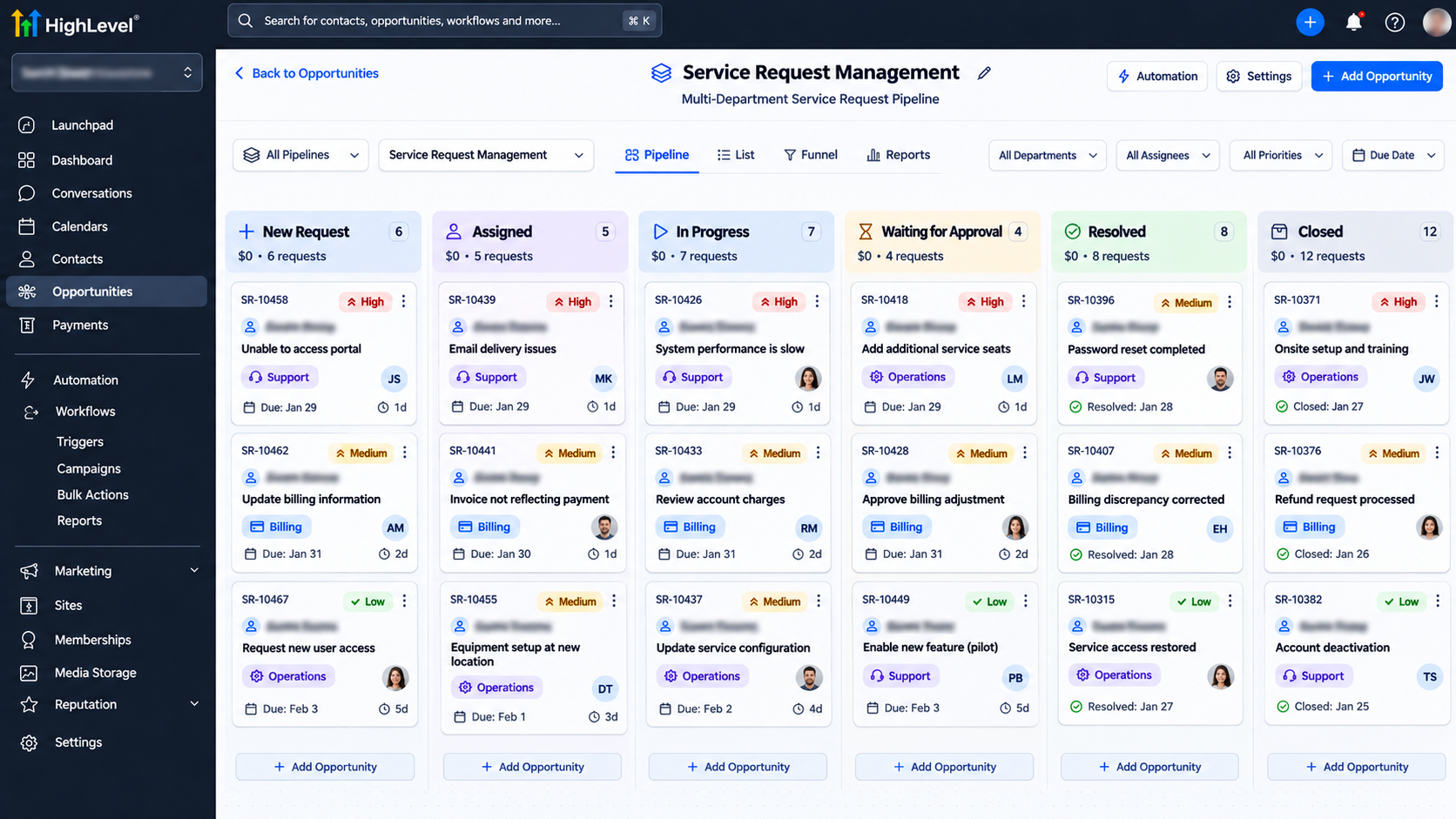
Navigate to Sites → Forms.
Create a form called "Customer Service Request."
Include fields such as customer name, email, phone number, service category, and issue description.
Under Settings → Custom Fields, create a contact-level field called "Service Department" if needed.
Configure dropdown options such as Support, Billing, and Operations.
Make sure the form captures enough information to route the request accurately.
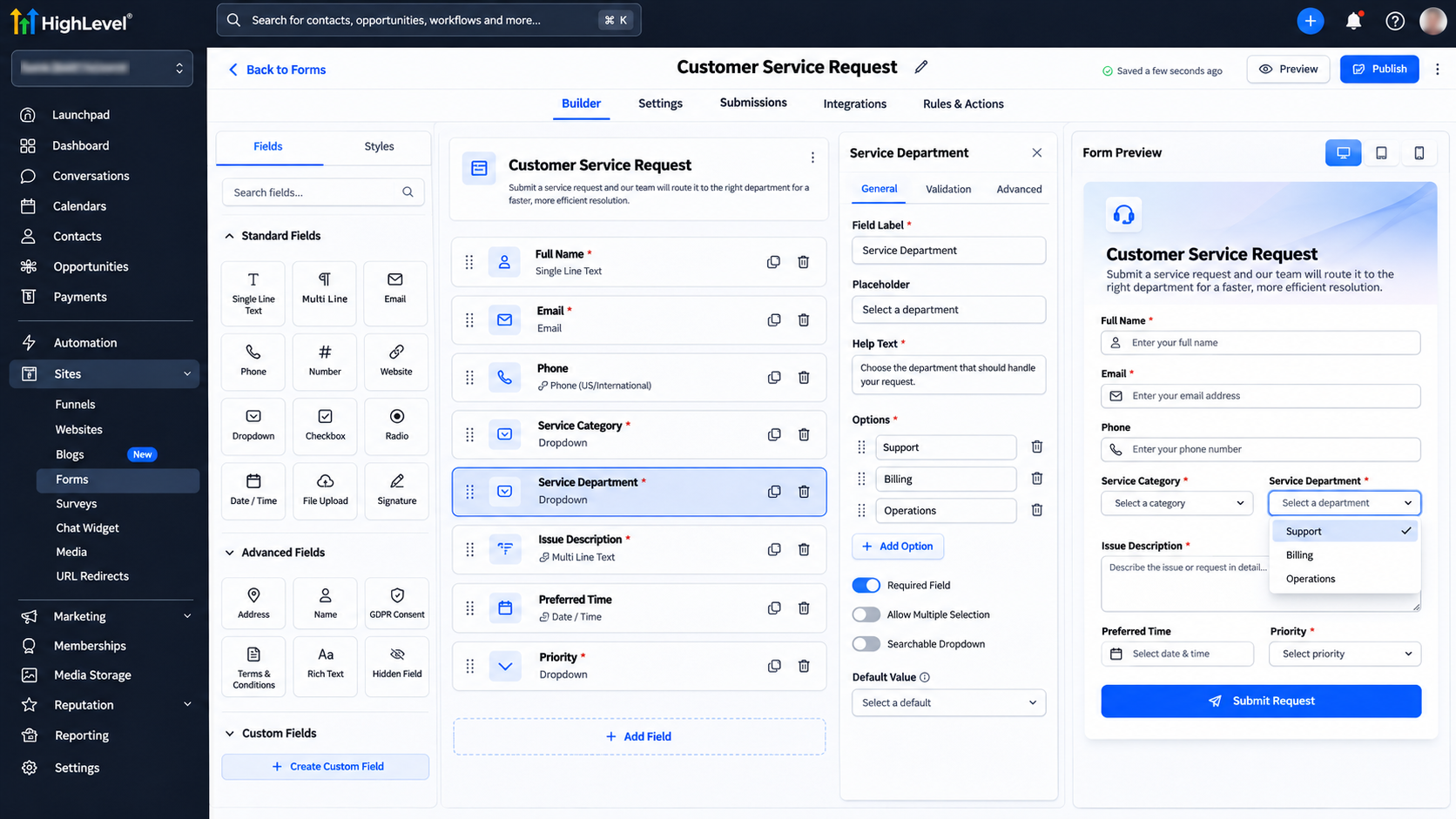
Step 3: Create a Service Request Workflow
Navigate to Automation → Workflows → Create Workflow.
Select Start from Scratch.
Name the workflow "Service Request Routing."
Click Add New Trigger and choose Form Submitted.
Select your service request form using the available filters.
Next, add Create/Update Opportunity to record the request in the Service Request Management pipeline.
Configure the starting stage as New Request.
Review duplicate-opportunity settings carefully. If customers may submit multiple independent requests, consider a request-specific ticketing approach so each issue remains separately identifiable.
Step 4: Configure Department-Based Routing
Add an If/Else action after the request has been recorded.
Configure branches using the Service Department field.
For example:
Support Branch: Route general customer service inquiries to the support team.
Billing Branch: Route payment and invoice questions to the billing team.
Operations Branch: Route service delivery and scheduling issues to operations.
Use the fallback branch for requests with missing or unrecognized categories.
If one request legitimately requires several departments to work simultaneously, consider separate departmental workflows or an appropriately configured Router action.
Step 5: Automate Department Notifications and Tasks
Within each department branch, add an Assign To User action.
Select the employee responsible for handling that request category.
Next, add an Internal Notification action to alert the assigned employee.
Include the request category, customer reference, issue description, and required response time.
Add an Add Task action with a clear task name and due date.
For example, a billing request might create a task called "Review Customer Invoice" with a deadline of one business day.
Remember that assigning a contact does not necessarily establish ownership of every related opportunity or ticket. Configure record ownership according to your process.
Step 6: Track Progress and Departmental Handoffs
Use Pipeline Stage Changed to trigger additional workflows when a service request progresses.
For example, moving a request to Waiting for Approval can notify the responsible manager.
Once approval is recorded, the request can continue toward resolution.
Use Update Opportunity where appropriate to change the relevant opportunity stage.
If multiple departments must complete separate tasks, track their completion explicitly before closing the request.
Test Your Service Request Management System
Create test requests for Support, Billing, and Operations.
Verify that each submission creates the intended record and follows the correct workflow branch.
Confirm employee assignments, notifications, and task creation.
Test missing department values, repeated submissions, approvals, and requests involving multiple departments.
Review workflow execution logs to identify unexpected actions.
Common Service Request Problems and Fixes
Incorrect department assignment: Review form values and If/Else conditions.
Missing notifications: Verify recipients and notification settings.
Duplicate records: Check opportunity creation rules and workflow re-entry.
Delayed resolutions: Review task deadlines, department ownership, and escalation procedures.
Incorrect stage updates: Verify pipeline filters and opportunity selection.
Best Practices for Multi-Department Service Management
Define departmental responsibilities clearly and maintain consistent request categories.
Set realistic response deadlines and create escalation procedures for unresolved issues.
Review outstanding requests regularly and document handoffs between departments.
Conclusion
A multi-department service request system helps businesses improve coordination, organize responsibilities, and deliver more consistent customer support.
GoHighLevel provides CRM pipelines, automated routing, task management, and internal notifications to support these processes.
Need help organizing your service operations? WispCode provides GoHighLevel CRM automation, workflow configuration, and business process optimization solutions tailored to your team's requirements.
Frequently Asked Questions (FAQs)
1. Can GoHighLevel automatically route service requests to different departments?
Yes. Workflows can evaluate request categories through If/Else conditions and perform department-specific actions.
2. Can GoHighLevel assign service tasks automatically?
Yes. The Add Task workflow action can create tasks with assigned users and due dates.
3. Can multiple departments work on one service request?
Yes. Businesses can coordinate departmental responsibilities using separate tasks, workflows, and shared CRM records.
4. Can managers receive notifications about unresolved requests?
Yes. Workflow conditions and time-based actions can initiate internal notifications when configured escalation criteria are met.
5. How can I monitor service request progress?
Use pipeline stages, opportunity records, task activity, and workflow execution logs to review request handling and progress.
Need Expert Help with GoHighLevel?
New to GoHighLevel and ready to get started? Buy your GoHighLevel account here and launch with confidence.
Already know what you need and want our team to handle everything, from complete setup and customization to funnels, workflows, automations, CRM, and pipelines? Click here.