

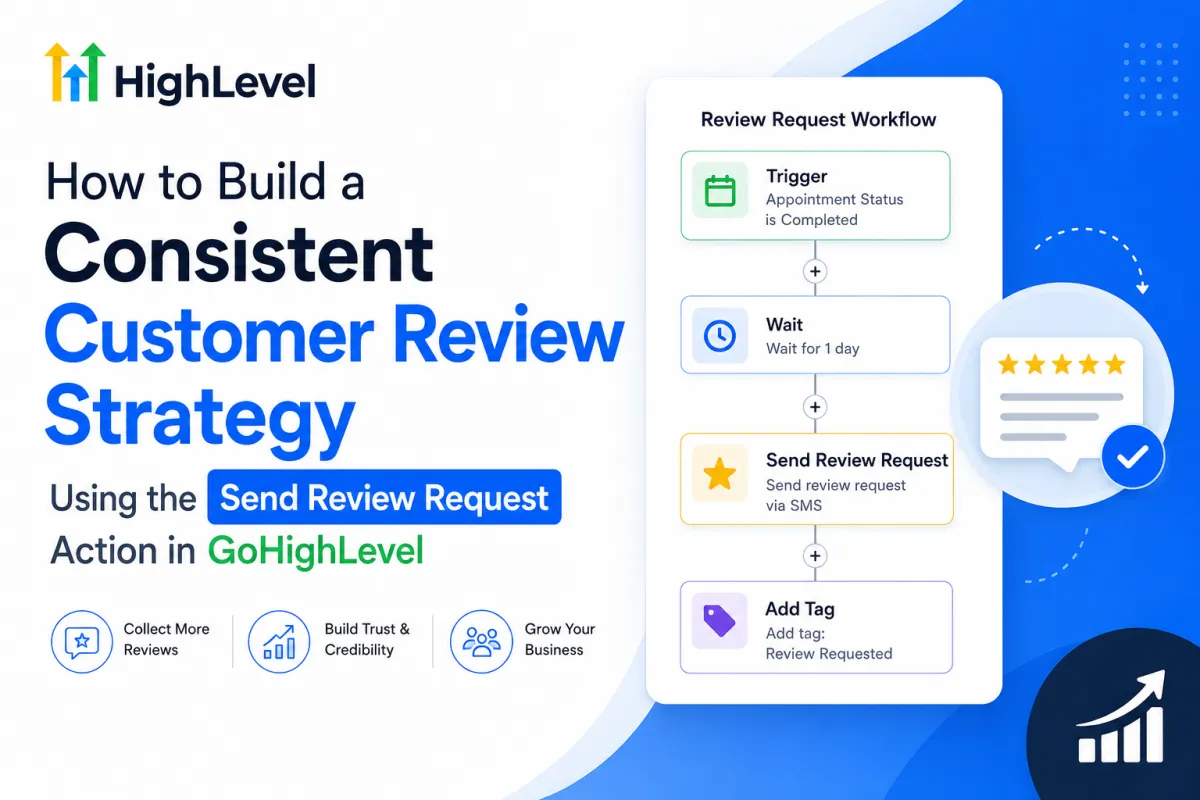
GoHighLevel Send Review Request Strategy
How to Build a Consistent Customer Review Strategy Using the Send Review Request Action in GoHighLevel
Customer reviews can influence trust long before a prospect speaks with your team. Yet for many businesses, generating reviews is still surprisingly manual. One employee remembers to ask after a great experience, another forgets, and sometimes the request arrives weeks after the customer has moved on.
The real problem is not understanding that reviews matter. It is creating a repeatable customer review strategy that asks at the right moment.
The GoHighLevel Send Review Request action helps solve that operational problem by incorporating review requests directly into automated workflows. Instead of relying on memory, businesses can connect review generation to meaningful customer milestones.
What Is the Send Review Request Action in GoHighLevel?
Send Review Request is a workflow action that allows a review request to be sent automatically when a contact reaches that step in a GoHighLevel workflow.
HighLevel currently supports automated review requests through workflows, with review messaging and destinations controlled through Reputation settings. Depending on configuration, businesses can use channels such as email or SMS.
Its real value comes from what happens before the action.
A request triggered after a completed appointment makes sense. The same request sent immediately after someone becomes a lead usually does not.
That distinction turns a simple automation action into a practical reputation-management system.
Why Manual Review Requests Become Inconsistent
Manual review generation tends to break down as a business becomes busy.
Common problems include:
Staff forgetting to ask customers
Requests being sent long after the experience
Different employees following different processes
Satisfied customers never receiving a request
Review activity happening in occasional bursts
Too much dependence on human memory
A strong customer review strategy should operate consistently in the background. Rather than asking dozens of customers once every few months, businesses can create an ongoing process tied to completed customer experiences.
How to Build a GoHighLevel Review Workflow
A simple workflow might look like this:
Service Completed → Wait Period → Send Review Request → Continue Customer Follow-Up
The general setup process is straightforward:
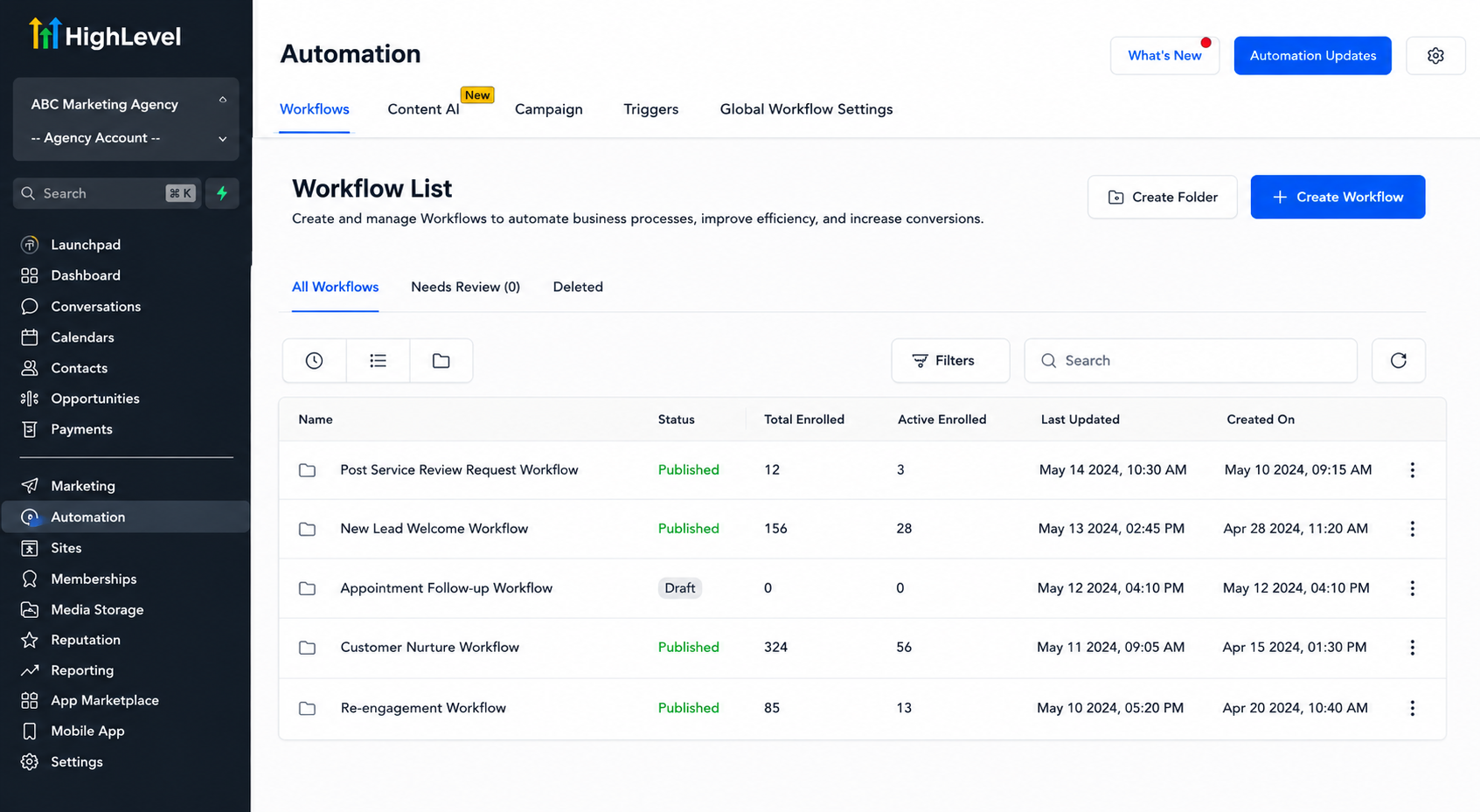
Open the Workflows area in GoHighLevel.
Create a workflow or add the process to an appropriate customer follow-up workflow.
Choose a trigger representing a genuine customer milestone.
Add a wait step when the request should not be immediate.
Add the Send Review Request action.
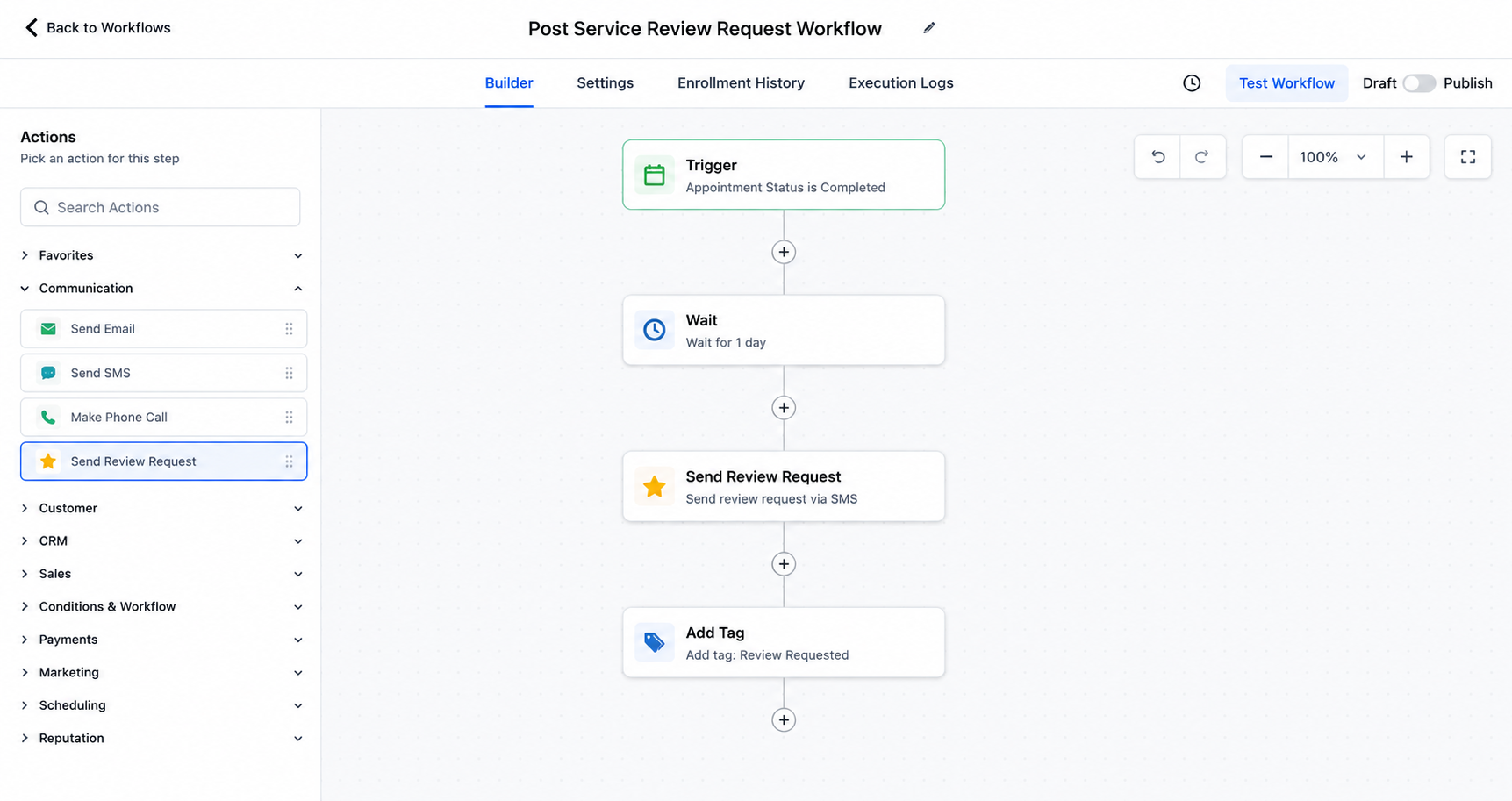
A GoHighLevel review workflow can automatically send a review request after a completed customer milestone and an optional wait period. Configure the request according to your Reputation settings and preferred available channel.
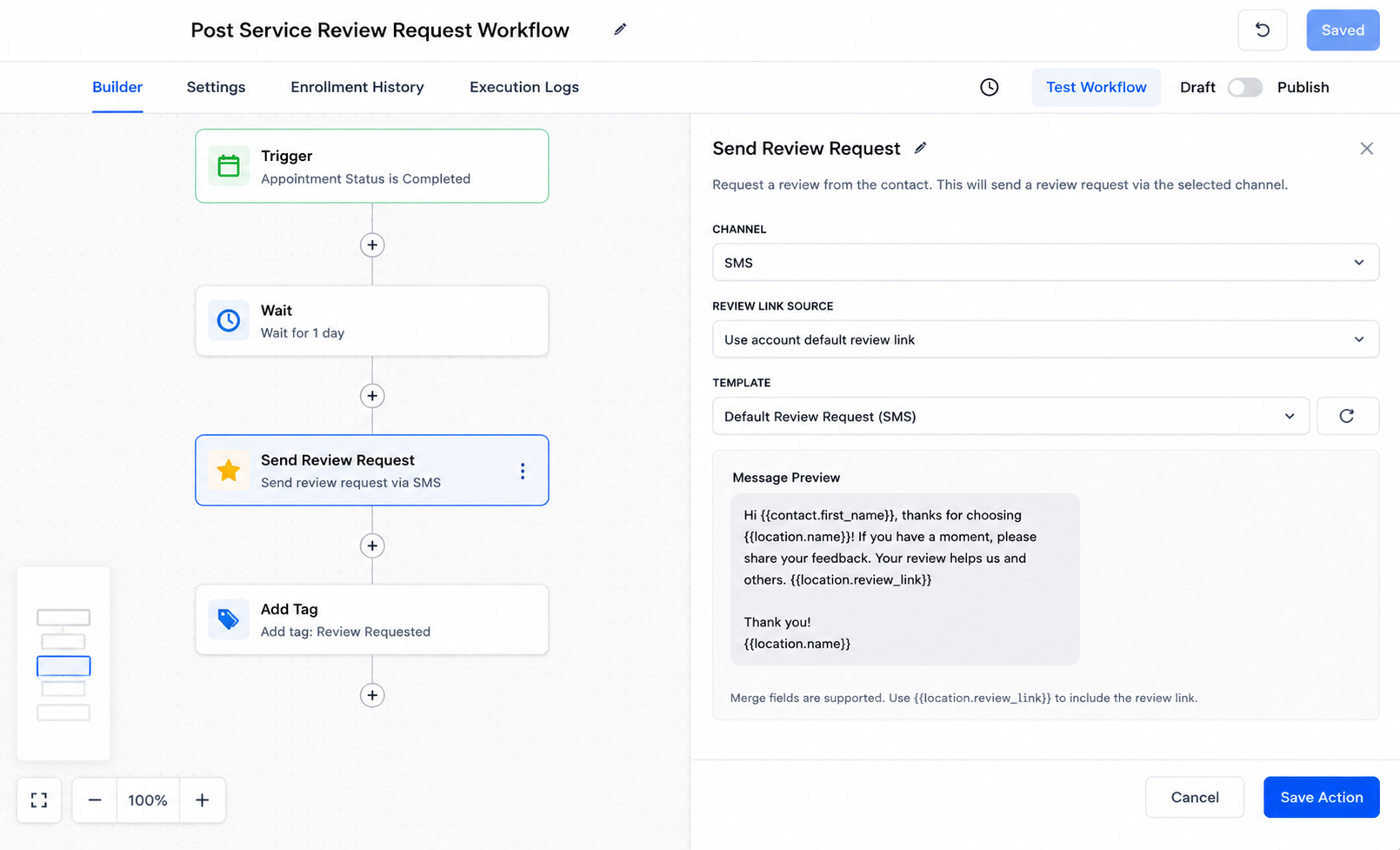
Configure the Send Review Request action in GoHighLevel by selecting the appropriate channel and review request settings before saving the workflow step. Test the workflow with internal or test contacts.
Publish it and periodically review its timing and behavior.
HighLevel’s Reputation settings can also control elements such as review request messaging and the review destination or link, so those settings should be reviewed before launching the automation.
Choosing the Right Trigger Is the Most Important Part
Good GoHighLevel review automation begins with the right lifecycle event.
Consider these examples:
Home services: after a job is completed
Dental practice: after a completed appointment
Med spa: after a completed treatment or visit
Marketing agency: after an important successful project milestone
Auto repair shop: after vehicle service is completed
Cleaning company: after the scheduled cleaning is finished
Consultant or coach: after a meaningful client milestone
The goal is not to send review requests to every contact in the CRM. It is to connect the request to a completed experience that the customer can genuinely evaluate.
This keeps reputation management automation aligned with the customer journey rather than simply increasing message volume.
Timing Matters More Than Most Businesses Realize
A review request sent too early may feel premature. A request sent several weeks later may arrive after the details of the experience have faded.
Workflow wait steps give businesses control over that timing.
For one company, requesting feedback shortly after service completion may work well. Another may need to wait until the customer has had time to use the product, experience the result, or complete another stage of service.
There is no universal perfect delay. The best timing depends on when the customer has received enough value to form an informed opinion while the experience is still fresh.
Build a Strategy, Not a One-Time Campaign
The strongest advantage of a GoHighLevel review workflow is consistency.
Customer Completes Service → Workflow Recognizes Milestone → Review Request Is Sent → Process Repeats
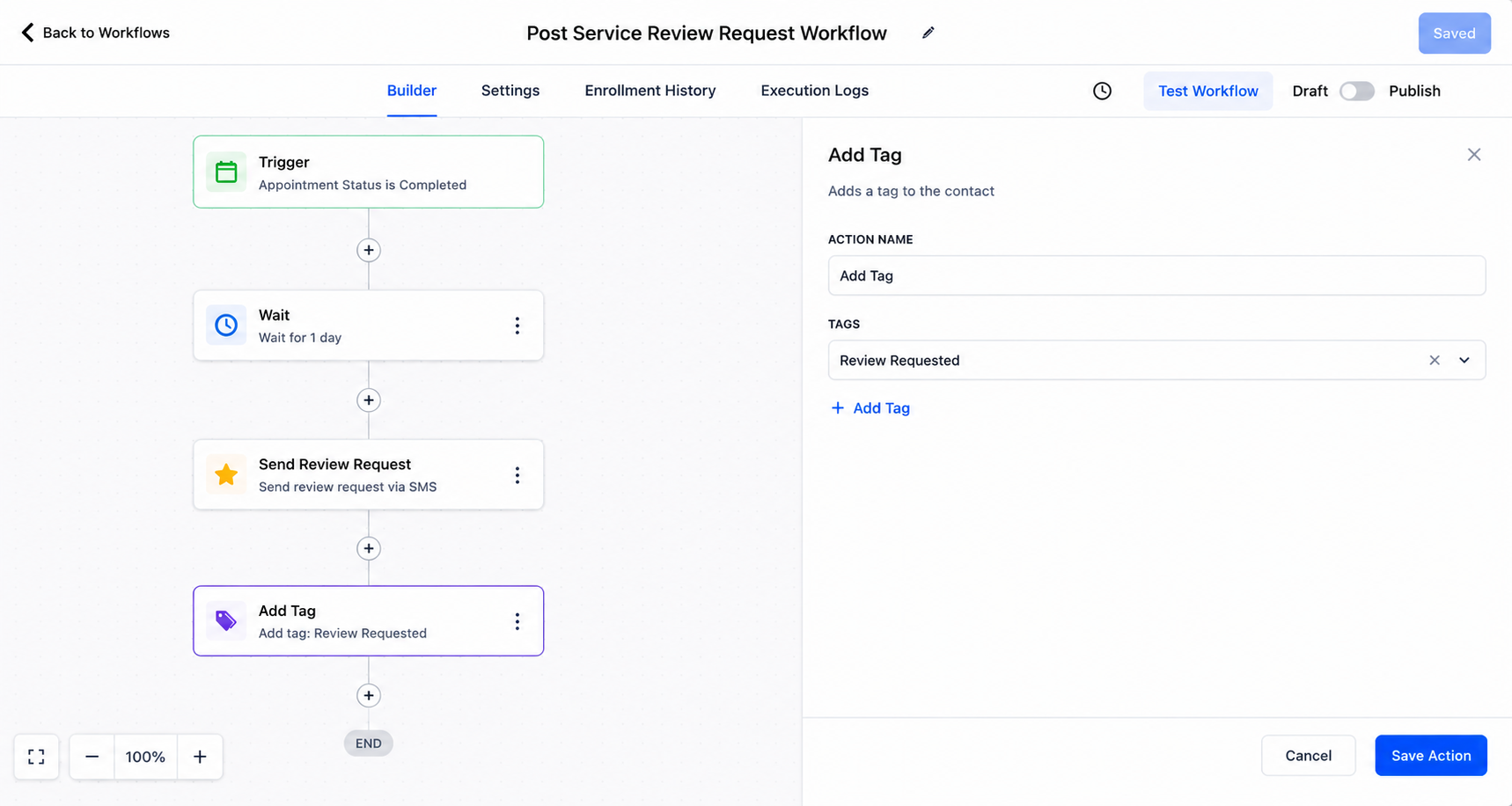
Once the workflow is designed correctly, review generation becomes part of normal operations instead of a task employees must continually remember.
That is the difference between sending review links and building an actual customer feedback automation system.
Best Practices for Send Review Request
For better results:
Trigger requests after genuine customer interactions.
Keep the customer journey simple.
Avoid sending unnecessary repeated requests.
Test every automation before publishing.
Review your Reputation settings and review link.
Coordinate requests with other follow-up messages.
Check workflows periodically for overlap.
Refine timing based on your customer journey.
Most importantly, remember that automation improves consistency; it does not manufacture customer satisfaction.
Common Mistakes to Avoid
Avoid sending a review request immediately after someone becomes a lead or before the promised service is complete.
Businesses should also watch for multiple workflows requesting reviews from the same customer, excessive follow-up communication, untested automation paths, and outdated workflow logic.
The GoHighLevel Send Review Request action should support a good customer experience, not attempt to replace one.
Real-World Example
Imagine a local HVAC company completing a new installation.
When the customer reaches the appropriate completed stage, they enter a post-service workflow. After a short delay, the workflow reaches Send Review Request. The customer receives the configured request without requiring the technician or office staff to remember another manual task.
Future completed customers follow the same process.
The result is not guaranteed positive reviews. It is something more operationally valuable: a consistent reputation-management process.
Conclusion
Successful review generation is rarely about asking customers more aggressively. It is about building a reliable process around moments when customers are actually ready to provide meaningful feedback.
Used strategically, the GoHighLevel Send Review Request action becomes one piece of a broader reputation-management system connecting customer experience, lifecycle timing, workflow design, and consistent follow-up.
The strongest review strategy is not the one that asks most often. It is the one that asks reliably, at the right stage, after an experience genuinely worth reviewing.
Frequent Asked Questions
1. What is the Send Review Request action in GoHighLevel?
The Send Review Request action is a workflow action that allows businesses to automatically send review requests to contacts when they reach a specific point in an automation.
2. Can GoHighLevel automatically send review requests after a service is completed?
Yes. You can build a workflow around an appropriate customer milestone, such as a completed appointment or service, and then use the Send Review Request action to send the request automatically.
3. When is the best time to send a review request?
The best time is usually shortly after the customer has completed a meaningful experience with your business. The exact timing depends on your industry, service, and customer journey.
4. Can I add a delay before sending a review request in GoHighLevel?
Yes. You can use a workflow wait step before the Send Review Request action so the request is delivered at a more appropriate time instead of immediately.
5. Does GoHighLevel guarantee positive reviews?
No. GoHighLevel can automate and organize the review-request process, but it cannot guarantee that a customer will leave a review or that the review will be positive. Customer satisfaction and service quality remain essential.
Need Expert Help with GoHighLevel?
New to GoHighLevel and ready to get started? Buy your GoHighLevel account here and launch with confidence.
Already know what you need and want our team to handle everything, from complete setup and customization to funnels, workflows, automations, CRM, and pipelines?Click here.



