

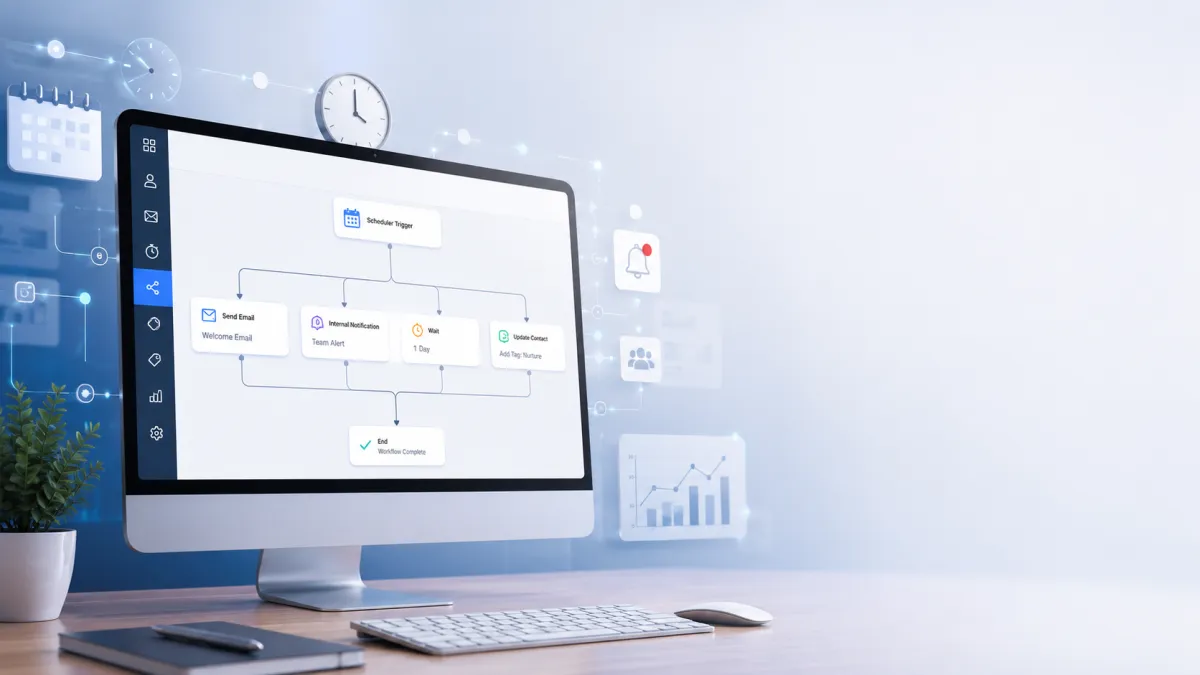
GoHighLevel Scheduler Trigger
How to Automate Recurring Business Tasks Using the Scheduler Trigger in GoHighLevel
Imagine if your business could complete important recurring tasks automatically, without anyone having to remember them. Weekly reminders, monthly follow ups, internal notifications, and routine operational processes could all run on schedule while your team focuses on work that actually drives growth.
That is exactly what automation makes possible. Instead of spending valuable time repeating the same tasks every day, businesses can rely on their CRM to handle them with consistency and accuracy. One of the simplest and most effective ways to achieve this in GoHighLevel is through the Scheduler Trigger, which starts workflows automatically based on a predefined schedule rather than waiting for a customer action.
Whether you're managing a marketing agency, a local business, or multiple client accounts, the GoHighLevel Scheduler Trigger helps automate recurring business processes, reduce manual work, and build reliable systems that keep your operations running efficiently.
What is the Scheduler Trigger in GoHighLevel?
The Scheduler Trigger in GoHighLevel is a workflow trigger designed to start an automation based on a scheduled date and time. Unlike event based triggers, which activate when a contact submits a form, books an appointment, or performs another action, the Scheduler Trigger runs according to a recurring schedule that you define.
Its primary purpose is to automate repetitive business tasks that occur regularly without requiring any customer interaction. This makes it ideal for routine internal processes, recurring customer communications, and scheduled operational workflows.
Businesses typically use the Scheduler Trigger when a workflow needs to execute every day, every week, every month, or on specific days at specific times. Instead of manually initiating these processes, GoHighLevel handles them automatically in the background.
This approach is especially valuable for businesses looking to standardize operations, reduce manual workload, and ensure recurring activities never get overlooked.

How the Scheduler Trigger Works
The GoHighLevel Scheduler Trigger works by launching a workflow based on a predefined schedule rather than waiting for a contact driven event.
When configuring the trigger, you specify exactly when the workflow should execute. Depending on your business needs, you can schedule automations to run daily, weekly, monthly, on selected days of the week, or at specific times of the day.
For example, you might schedule a workflow to run every Monday morning to notify your sales team about weekly priorities or execute a monthly workflow on the first day of each month to begin a customer follow up campaign.
Because the Scheduler Trigger is time based, it's ideal for recurring operational tasks that follow a predictable schedule.
Another important consideration is time zone configuration. Before activating any scheduled workflow, verify that the selected time aligns with your business or client's intended time zone. This helps ensure notifications, reminders, and recurring automations execute when expected.
Once activated, the workflow runs automatically according to its schedule, eliminating the need for manual intervention and improving consistency across business operations.

Real Business Use Cases
One of the biggest strengths of the Scheduler Trigger in GoHighLevel is its flexibility. It can support many recurring business processes across different industries.

Weekly Team Reminders
Many businesses hold recurring meetings or performance reviews. Instead of manually reminding employees each week, a scheduled workflow can automatically send internal notifications, helping everyone stay aligned and prepared.
Monthly Customer Follow Ups
Businesses often want to stay connected with existing customers. A monthly scheduled workflow can initiate follow up communications, encouraging continued engagement without relying on staff to remember each outreach.
Daily Internal Notifications
Operations teams frequently perform recurring daily tasks such as reviewing leads, checking support tickets, or monitoring pending activities. The Scheduler Trigger can automatically notify team members at the beginning of each workday.
Weekly Reporting Workflows
Managers often need recurring performance reports or operational updates. Scheduled workflows can automatically begin reporting processes on designated days, ensuring consistent business oversight.
Monthly Subscription Reminders
Businesses offering recurring services can schedule reminder workflows before monthly billing cycles. This helps improve communication and keeps customers informed about upcoming renewals.
CRM Cleanup Routines
Over time, CRM systems accumulate outdated or incomplete information. Scheduled workflows can initiate recurring CRM maintenance processes, helping teams regularly review and organize customer records.
Recurring Lead Nurturing Campaigns
Lead nurturing should not stop after the first interaction. Businesses can schedule recurring outreach campaigns to maintain engagement with prospects over time while ensuring communication remains consistent.
Internal Business Checklists
Many organizations rely on recurring operational checklists. Scheduled workflows can remind employees about recurring responsibilities, reducing missed tasks and improving accountability.
Appointment Reminder Sequences
Businesses with recurring appointment schedules can use the Scheduler Trigger to initiate reminder workflows at predefined intervals, helping reduce missed appointments and improve customer attendance.
Benefits of Using the Scheduler Trigger
The GoHighLevel Scheduler Trigger provides measurable operational advantages beyond simple automation.
It significantly reduces manual work by eliminating repetitive administrative tasks that employees would otherwise need to perform repeatedly.
Because workflows execute on schedule every time, businesses achieve greater consistency in customer communication and internal operations. This consistency improves both customer experience and team reliability.
Automation also reduces human error. Forgotten reminders, delayed follow ups, or inconsistent execution become far less common when workflows run automatically.
For growing businesses, scalability becomes much easier. As customer volume increases, recurring business processes continue operating without requiring additional manual effort.
Ultimately, the Scheduler Trigger helps businesses build reliable, repeatable systems that improve productivity while allowing teams to focus on higher value work.
Best Practices
To get the most from GoHighLevel Workflow Automation, follow these practical recommendations.
Avoid scheduling workflows more frequently than necessary to prevent unnecessary automation activity.
Double check time zone settings before publishing scheduled workflows.
Thoroughly test each workflow before enabling it for production use.
Use clear, descriptive naming conventions so recurring workflows are easy to identify and maintain.
Periodically review scheduled automations to ensure they still align with current business processes.
Monitor workflow logs and performance to verify recurring automations execute successfully and as intended.

Common Mistakes to Avoid
Several common mistakes can reduce the effectiveness of scheduled automations.
Scheduling workflows too frequently can create unnecessary workload, duplicate communications, or operational clutter.
Overlooking time zone settings may cause workflows to execute at unintended times, especially when managing multiple locations or client accounts.
Running duplicate scheduled workflows for the same purpose can result in repeated notifications or customer confusion.
Skipping workflow testing before activation increases the risk of logic errors that only become apparent after automation is live.
Finally, avoid creating recurring workflows simply because automation is available. Every scheduled automation should solve a genuine business need and provide measurable value.
Frequently Asked Questions (FAQs)
What is the Scheduler Trigger in GoHighLevel?
The Scheduler Trigger starts workflows automatically based on a recurring schedule instead of a customer action.
When should I use the Scheduler Trigger?
Use it for recurring tasks like reminders, follow ups, reports, and internal notifications.
Can I schedule workflows daily, weekly, or monthly?
Yes. The Scheduler Trigger supports daily, weekly, monthly, and custom scheduled executions.
How is the Scheduler Trigger different from event based triggers?
The Scheduler Trigger runs on a schedule, while event based triggers run after a specific customer action.
Should I check time zone settings?
Yes. Always verify the time zone to ensure workflows run at the correct time.
What are the main benefits of the Scheduler Trigger?
It saves time, reduces manual work, improves consistency, and automates recurring business processes.
Conclusion
Recurring business tasks are necessary, but manually managing them is rarely the best use of your team's time. By using the Scheduler Trigger in GoHighLevel, businesses can automate routine operations, improve consistency, reduce manual effort, and create dependable processes that run on schedule without constant oversight.
Whether you're sending weekly reminders, launching monthly follow ups, initiating recurring reports, or maintaining internal operations, the Scheduler Trigger provides a practical way to build reliable, time based GoHighLevel Workflows.
As you continue exploring GoHighLevel Automation, mastering scheduled workflows is an excellent step toward creating a more efficient, scalable, and organized business that spends less time on repetitive tasks and more time on meaningful growth.
Need Expert Help with GoHighLevel?
New to GoHighLevel and ready to get started? Buy your GoHighLevel account here and launch with confidence.
Already know what you need and want our team to handle everything, from complete setup and customization to funnels, workflows, automations, CRM, and pipelines? Click here.



