

GoHighLevel Modify Contact Engagement Score Action
How to Prioritize High-Value Leads Using the Modify Contact Engagement Score Action in GoHighLevel
Introduction
Not every lead shows the same level of interest. Some contacts may simply open an email, while others may click links, submit forms, reply to messages, book appointments, or take other actions that indicate stronger interest.
GoHighLevel's Modify Contact Engagement Score action allows businesses to automatically increase or decrease a contact's engagement score inside a workflow. This makes it possible to build a scoring system that reflects how actively a contact is interacting with your business.
Once contacts have meaningful engagement scores, businesses can use those scores to identify more engaged leads and create different follow-up paths. For example, a highly engaged contact could be prioritized for sales follow-up, while a lower-scoring contact could continue through a nurture process.
The important part is that the action itself modifies the existing engagement score. Your workflow determines when the action runs and whether points should be added or subtracted.
What Is the Modify Contact Engagement Score Action?
The Modify Contact Engagement Score is a GoHighLevel workflow action that lets you add or subtract points from a contact's current engagement score. HighLevel's official documentation describes the action as a way to adjust engagement scores according to contact interactions and behavior.
For example, a business may want to increase a contact's score after a meaningful interaction. Another workflow could subtract points when a particular event indicates lower engagement.
This makes the action useful for creating a scoring model that changes as the contact interacts with your business.
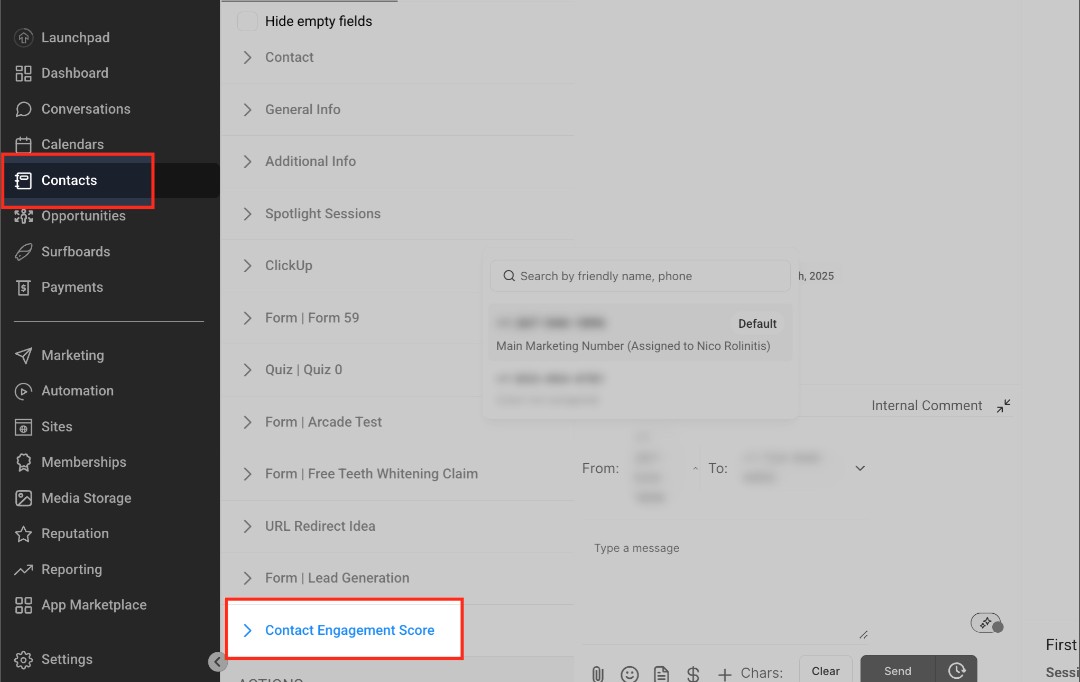
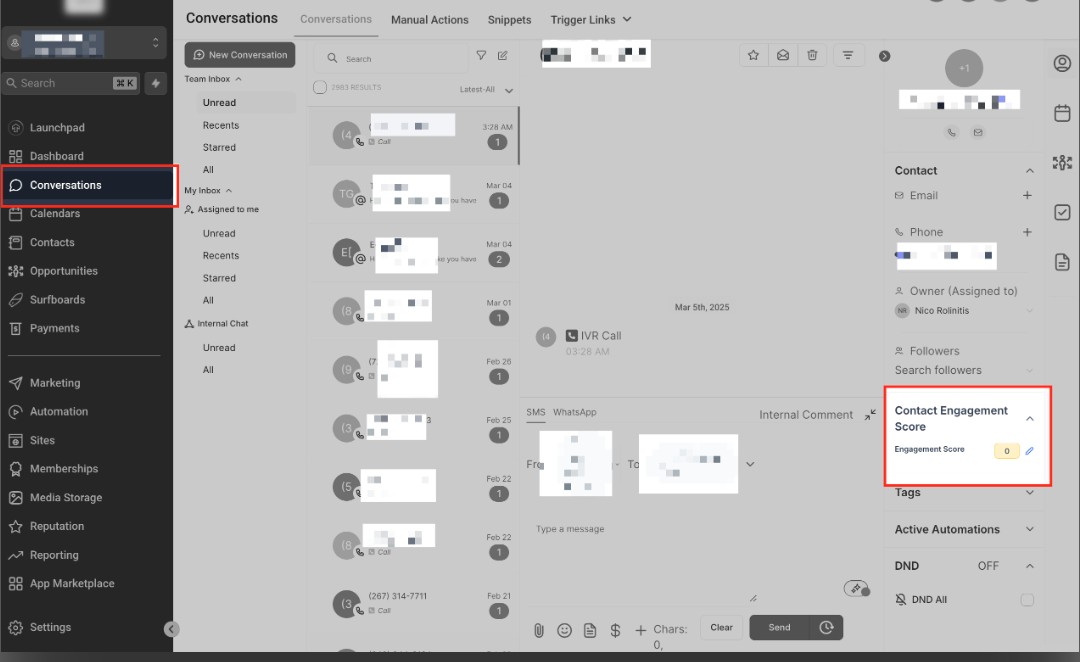
The engagement score itself is a numerical measure of contact activity. HighLevel explains that scoring can be based on actions such as email engagement, form submissions, purchases, replies, appointments, and other interactions.
How to Add the Action to a Workflow
To use the action, open Automation > Workflows in your GoHighLevel account.
Create a new workflow or open an existing workflow where you want to modify a contact's engagement score.
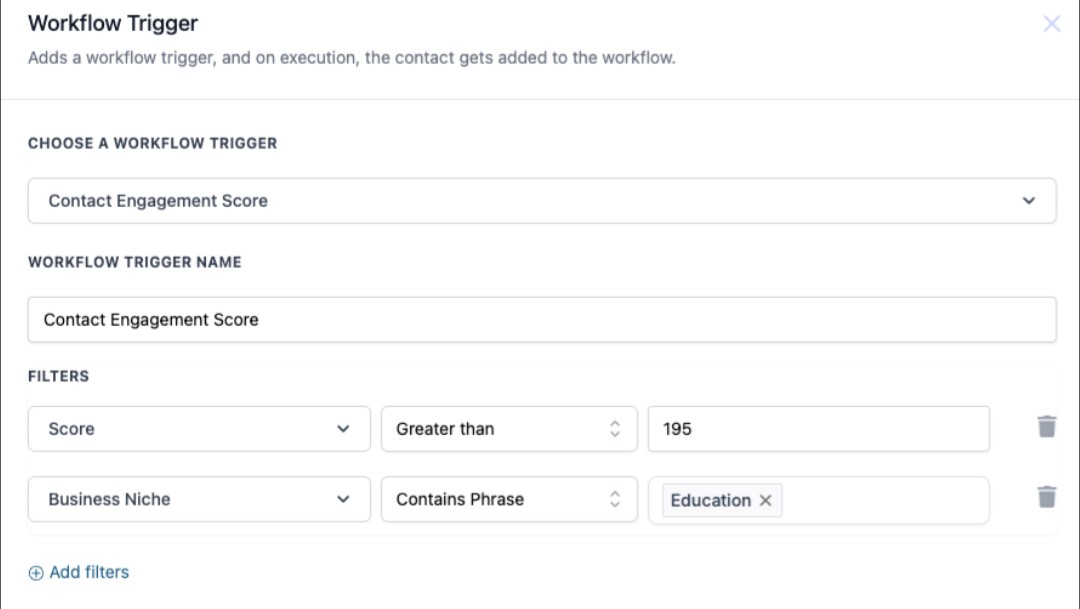
First, configure the trigger that should start the workflow. HighLevel's documentation gives examples such as Email Opened, Link Clicked, and Form Submission as events that can be used to start a workflow before modifying the engagement score.
After setting up the trigger, click the plus (+) icon in the Workflow Builder to add an action.
Search for Modify Contact Engagement Score and select it.
The action allows you to choose whether to add or subtract points and then enter the number of points you want to apply.
This means the scoring change can be connected directly to the behavior that caused it.
Choose How Many Points to Add or Subtract
After selecting the action, decide how the contact's engagement score should change.
HighLevel allows you to choose between adding points and subtracting points, then specify the number of points for that adjustment.
The number you choose should reflect how important the interaction is within your own scoring model.
For example, you may decide that a stronger interaction deserves more points than a simple interaction. The important thing is to create a consistent scoring strategy rather than assigning numbers randomly.
A well-designed scoring model makes the resulting engagement score more meaningful when your team uses it to prioritize leads.
Connect Engagement Scoring With Lead Prioritization
Once your contacts have engagement scores, those scores can become useful for lead prioritization.
For example, you could use a workflow condition to evaluate the Contact Engagement Score and send contacts through different paths. HighLevel currently supports Contact Engagement Score as a field in If/Else conditions when engagement scoring is set up in the sub-account.
A simple structure could be:
Customer Interaction → Modify Engagement Score → Check Score → High-Priority Follow-Up or Nurture
This allows the score to act as a signal that helps determine what should happen next.
Turn Engagement Scores Into Lead Priorities
Once the engagement score is being updated, you can use it as a signal for deciding which contacts need more attention.
For example, a workflow can increase a contact's score after a meaningful interaction. As the score grows, the contact can become eligible for a different follow-up path.
HighLevel specifically explains that adjusting engagement scores can help businesses identify leads that are more likely to convert and prioritize follow-ups.
A simple structure can look like this:
Lead Interaction → Modify Engagement Score → Check Engagement Score → Follow-Up Path
This keeps the scoring action connected to the behavior that caused the score to change.
Use Engagement Scores for Segmentation
Engagement scores can also help you separate contacts into different follow-up groups.
For example, highly engaged contacts can be directed toward a more immediate sales follow-up, while contacts with lower engagement can remain in a nurturing sequence.
HighLevel documents that engagement-score adjustments can help businesses segment contacts more effectively and prioritize higher-scoring contacts for future campaigns.
This allows the score to become more than just a number. It can become part of the logic your workflows use to determine what happens next.
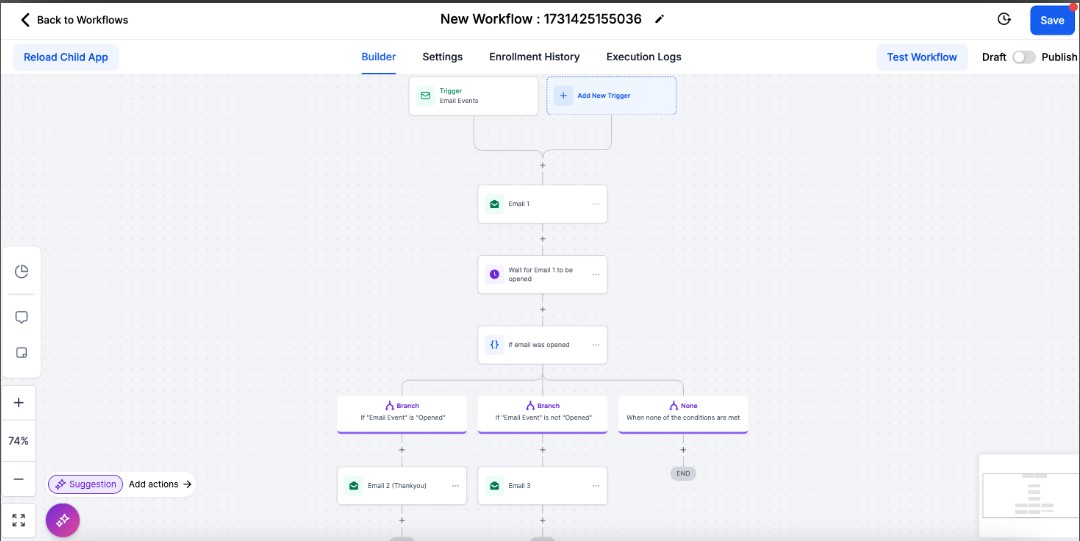
Test Your Engagement Scoring Workflow
Before publishing the workflow, test how the score changes when the trigger occurs.
Check that the correct number of points is being added or subtracted and verify that the contact's engagement score reflects the change.
If the score is being used later in an If/Else condition or another workflow, test that part as well. This ensures contacts are being routed according to the scoring rules you intended.
It is also worth reviewing other workflows that modify engagement scores. Multiple automations affecting the same score can make the final number difficult to understand if the scoring strategy is not documented.
Conclusion
The Modify Contact Engagement Score action gives GoHighLevel users a practical way to adjust contact engagement scores automatically based on workflow events.
By adding or subtracting points at appropriate moments, businesses can create a scoring system that changes as contacts interact with their marketing and sales processes.
Those scores can then help businesses identify more engaged contacts, segment their audience, and prioritize follow-up activities.
The most important part is creating a consistent scoring strategy. When every point has a clear purpose, the engagement score becomes much more useful for organizing leads and deciding where your team should focus its attention.
Frequently Asked Questions
1. What does the Modify Contact Engagement Score action do?
It allows a workflow to increase or decrease a contact's current engagement score.
2. Can I add points to a contact's score?
Yes. The action lets you select Add and specify the number of points to apply.
3. Can I subtract points?
Yes. You can select Subtract and enter the number of points to remove from the current engagement score.
4. What can trigger an engagement score update?
HighLevel's documentation gives examples including email opens, link clicks, and form submissions.
5. Why use engagement scores for lead prioritization?
A scoring system can help your team identify more engaged contacts and prioritize follow-up based on their level of interaction.
Need Expert Help with GoHighLevel?
New to GoHighLevel and ready to get started? Buy your GoHighLevel account here and launch with confidence.
Already know what you need and want our team to handle everything, from complete setup and customization to funnels, workflows, automations, CRM, and pipelines? Click here.



