

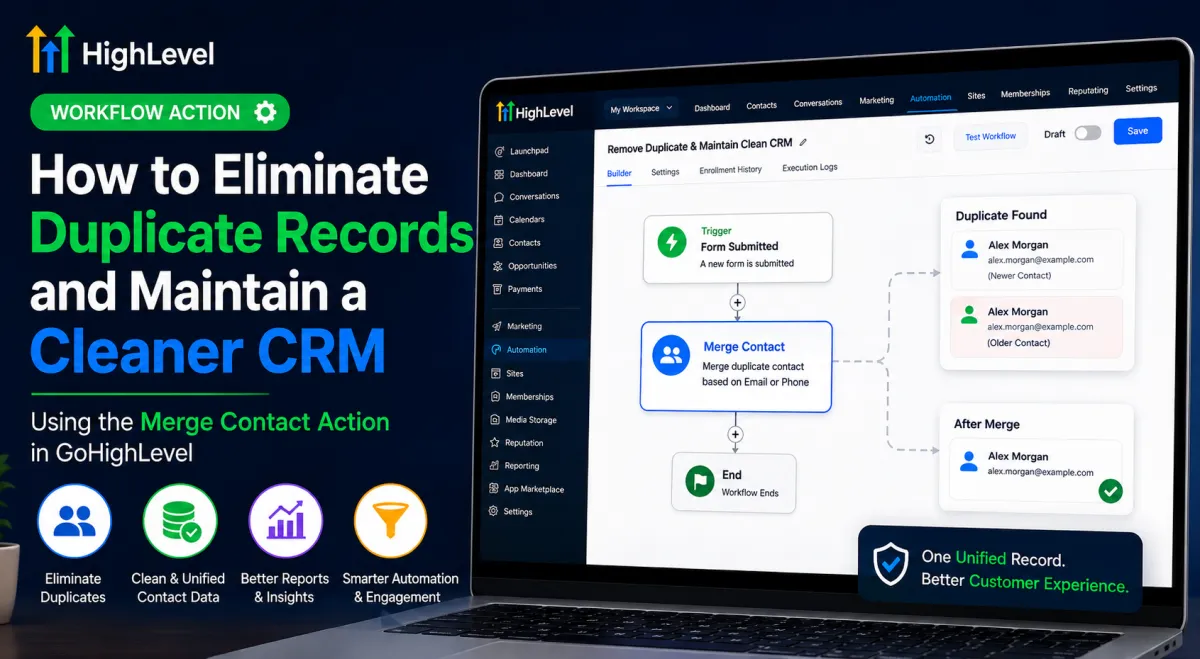
How to Eliminate Duplicate Records Using Merge Contact in GoHighLevel
How to Eliminate Duplicate Records and Maintain a Cleaner CRM Using the Merge Contact Action in GoHighLevel
A duplicate contact might look harmless at first. But when the same customer exists in your GoHighLevel CRM more than once, their conversations, activity, and automation history can become scattered across separate records. Your team may contact the same person twice, reporting can become less reliable, and it becomes harder to understand the customer's complete journey.
This is where the GoHighLevel Merge Contact Action can become a valuable part of your CRM cleanup strategy. Instead of treating duplicate records as something that must always be cleaned up manually, you can use workflow automation to identify matching contacts and merge them during workflow execution.
Why Duplicate Contacts Become a CRM Problem
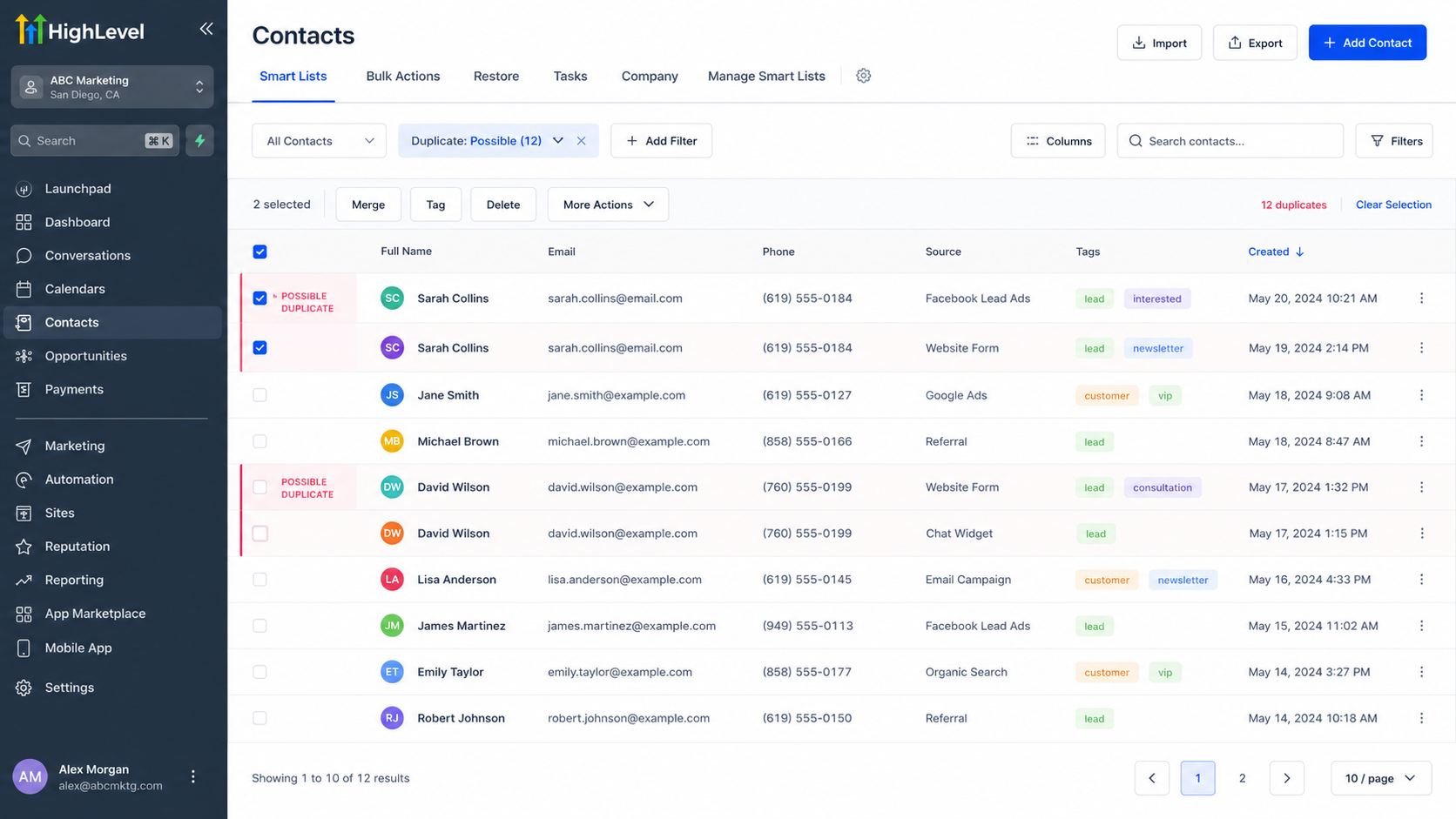
Duplicate contact records can be created for many practical reasons. A customer might submit a form using the same email address more than once, enter a different phone number during another interaction, or already exist in the CRM when another process creates a contact record.
Over time, these duplicates can create fragmented customer histories and unnecessary workflow activity. Your team may also have difficulty determining which record represents the customer's current information.
Duplicate records are therefore more than a cosmetic CRM issue. They can affect communication, reporting, automation management, and the overall reliability of your customer data.
What Is the Merge Contact Action in GoHighLevel?
The Merge Contact workflow action is designed to automatically merge duplicate contacts while a workflow is running.
The important distinction is that Merge Contact is not simply an update action and it is not a duplicate-record scanner that independently cleans your entire CRM. The action runs against the contact currently enrolled in the workflow and checks for an existing contact according to the matching method you configure.
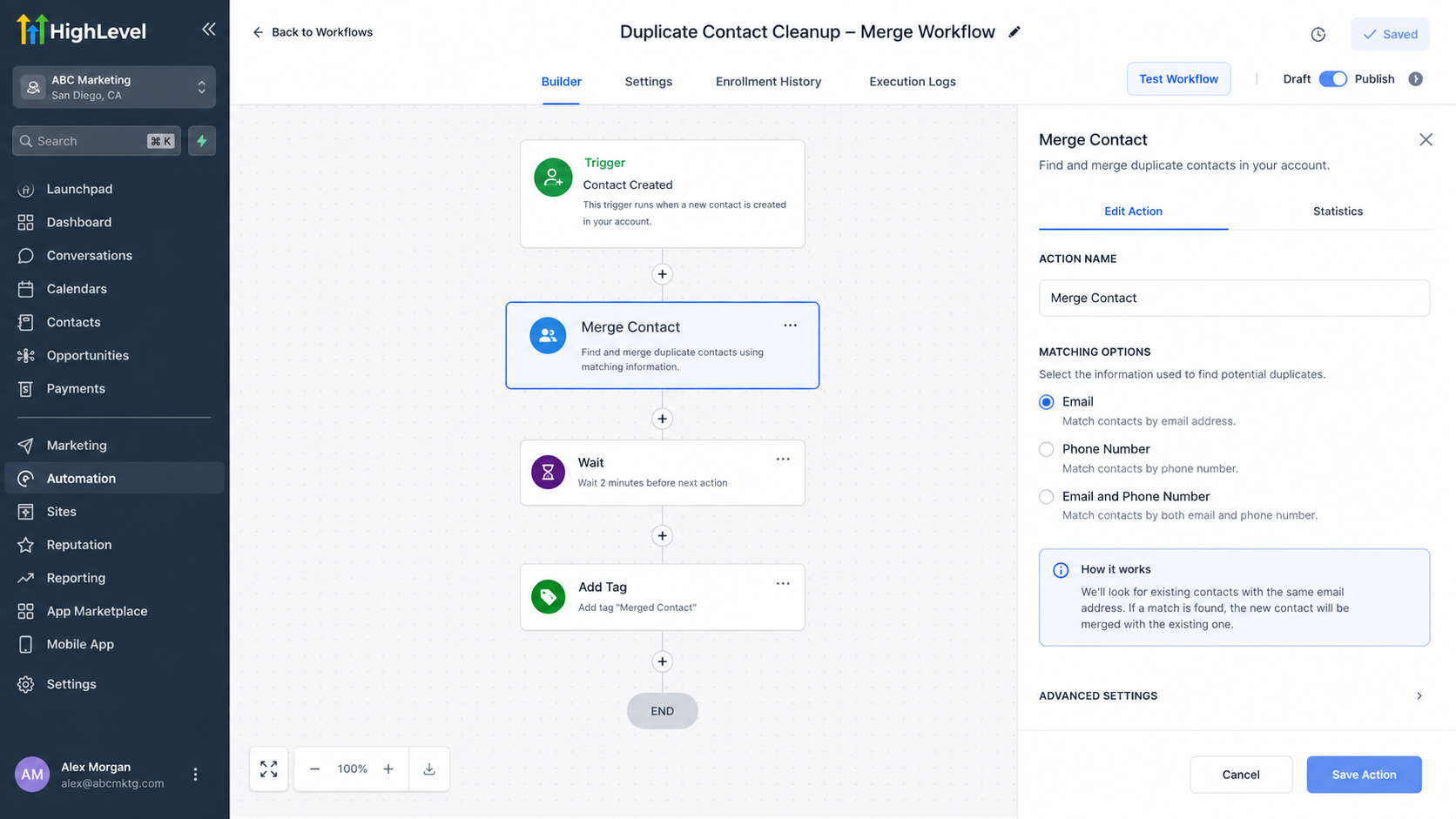
HighLevel currently provides three matching options:
Email
Phone Number
Email and Phone Number
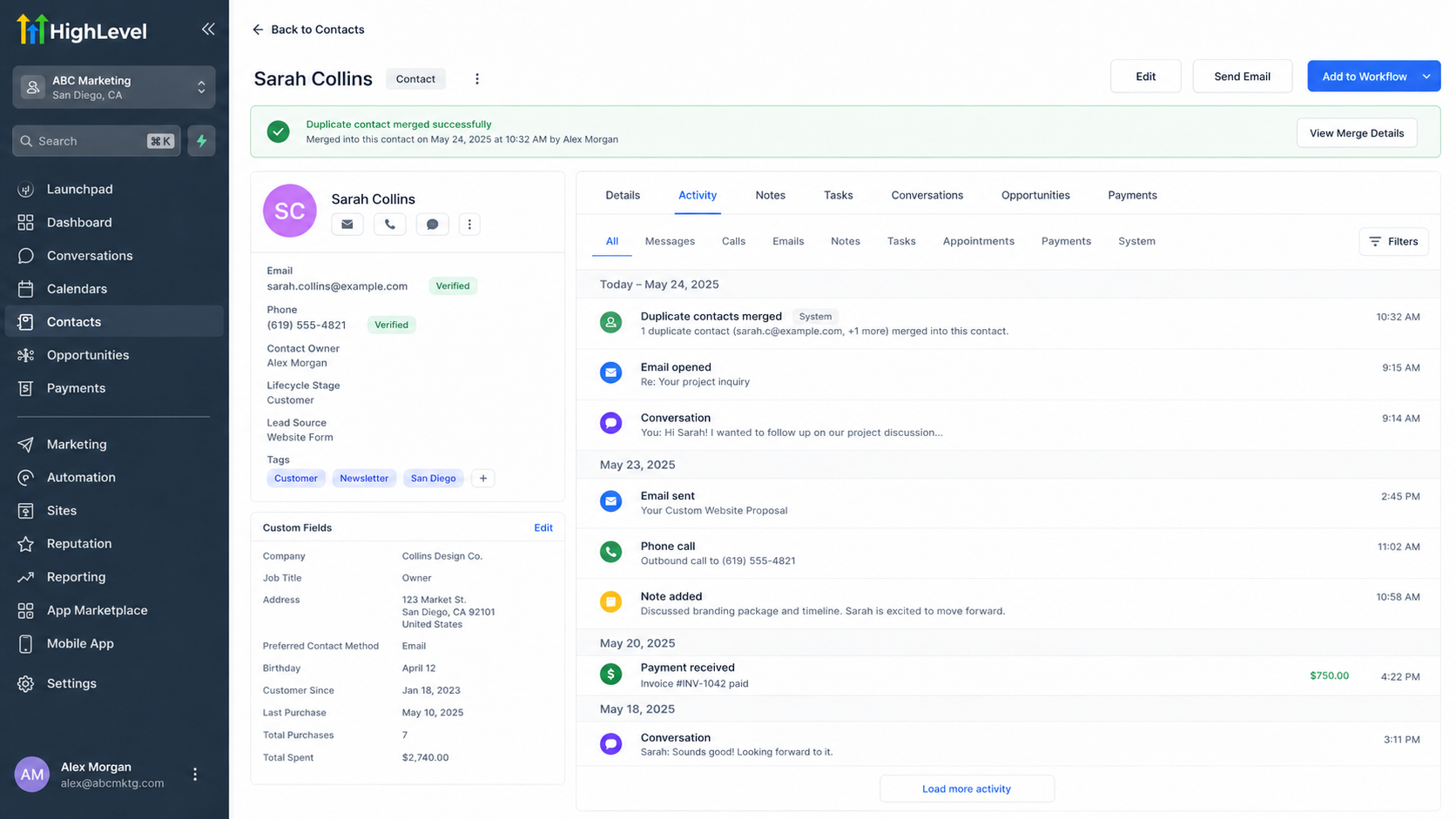
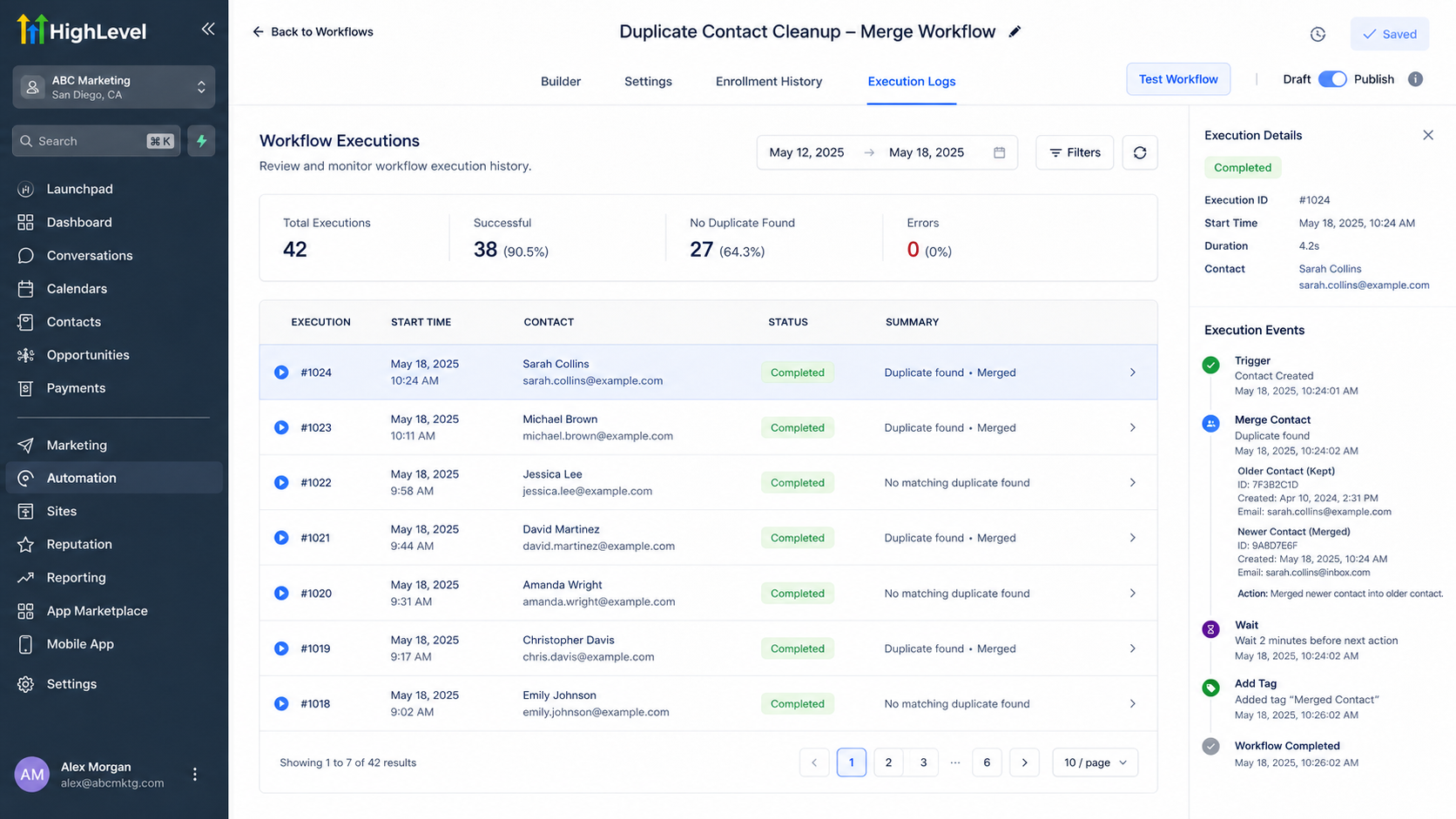
When a matching duplicate is found, HighLevel merges the newer contact into the older contact. The older record remains the surviving contact. If no matching duplicate is found, the action makes no changes and the workflow continues normally.
This makes the action particularly useful when your workflow already has a clear reason to process a contact and you want duplicate handling to happen as part of that process.
How Merge Contact Fits Into a Workflow
The most important concept is to separate duplicate identification from duplicate merging.
Your workflow needs an appropriate trigger or process that brings the relevant contact into the workflow. The Merge Contact action then checks that enrolled contact against existing records using the selected matching criteria.
For example, suppose a workflow is triggered when a new contact is created or when a form is submitted. You can place the Merge Contact action within that workflow and configure the appropriate match method.
This does not mean the action is making an intelligent judgment about whether two people are "probably" the same person. It is using the specific matching criteria you selected. That distinction is critical when designing safe CRM automation.
A Practical Duplicate-Contact Scenario
Imagine that Sarah already has a contact record in your GoHighLevel account with her email address.
Later, another process creates a newer contact record for Sarah using the same email address. Both records now represent the same person.
If the newer contact enters a workflow containing the Merge Contact action configured to match by email, HighLevel checks for an existing contact with the same email. When the duplicate is found, the newer record is merged into the older record, leaving the older contact as the surviving record.
If no matching record exists, nothing is merged and the workflow continues normally.
This approach can turn duplicate cleanup into part of an ongoing automation process rather than relying exclusively on periodic manual cleanup.
Best Practices Before Merging Contacts
Because merging changes contact records, automation should be designed carefully.
First, confirm that your matching criteria are appropriate for your data. Matching by email, phone, or both can produce different results depending on how consistently your database stores contact information.
Second, avoid assuming that two similar-looking records automatically belong to the same person. Your workflow should use reliable criteria appropriate to your business process.
Third, test the workflow before activating it broadly. Use controlled test contacts to verify that your chosen matching method behaves as expected.
It is also important to understand that merging can affect workflow execution in certain situations. HighLevel documents limitations involving goals, reply waits, email-event waits, trigger-link waits, and workflow executions when contacts are merged. For example, an execution can end when the surviving contact is already in the same workflow or when re-entry restrictions apply.
Maintaining a Cleaner GoHighLevel CRM
The Merge Contact action works best as one component of a broader CRM data-management strategy.
Use sensible processes for collecting and validating contact information, design workflows with clear conditions, and regularly review how contacts enter your automations. Duplicate prevention and duplicate cleanup are complementary: preventing unnecessary duplicate creation reduces the problem at its source, while Merge Contact can handle matching records during workflow execution.
Most importantly, treat automated merging as a data-quality process—not simply another workflow action to add without testing. A carefully designed workflow can reduce CRM clutter while keeping your automation more predictable and your contact database easier to manage.
Conclusion
Duplicate contacts can quietly undermine an otherwise well-organized GoHighLevel CRM. The GoHighLevel Merge Contact Action provides a practical way to automate duplicate handling inside workflows by matching contacts according to email, phone number, or both.
The key is understanding what the action actually does: it does not replace thoughtful workflow logic or data-quality practices. Instead, it gives GHL administrators a way to incorporate contact merging into an automated process when reliable matching criteria are available.
Used carefully and tested properly, Merge Contact can become an important part of maintaining cleaner CRM records and more dependable automation.
FAQs
1. Does the GoHighLevel Merge Contact action automatically find every duplicate in my CRM?
No. The action operates when a contact reaches it in a workflow and checks for an existing matching contact using the selected criteria. It is not a general-purpose scan of the entire CRM.
2. What matching options are available in Merge Contact?
HighLevel currently provides Email, Phone Number, and Email and Phone Number as the available matching methods.
3. Which contact survives after a duplicate is merged?
According to HighLevel's current documentation, the older contact record remains as the surviving record, while the newer duplicate is merged into it.
4. What happens if no duplicate is found?
The Merge Contact action makes no changes, and the workflow continues normally.
5. Should I test Merge Contact before using it in a live workflow?
Yes. Testing with controlled sample contacts is a good practice for confirming that your selected matching criteria produce the expected behavior before applying the automation at scale.
Need Expert Help with GoHighLevel?
New to GoHighLevel and ready to get started? Buy your GoHighLevel account here and launch with confidence.
Already know what you need and want our team to handle everything, from complete setup and customization to funnels, workflows, automations, CRM, and pipelines? Click here.



