

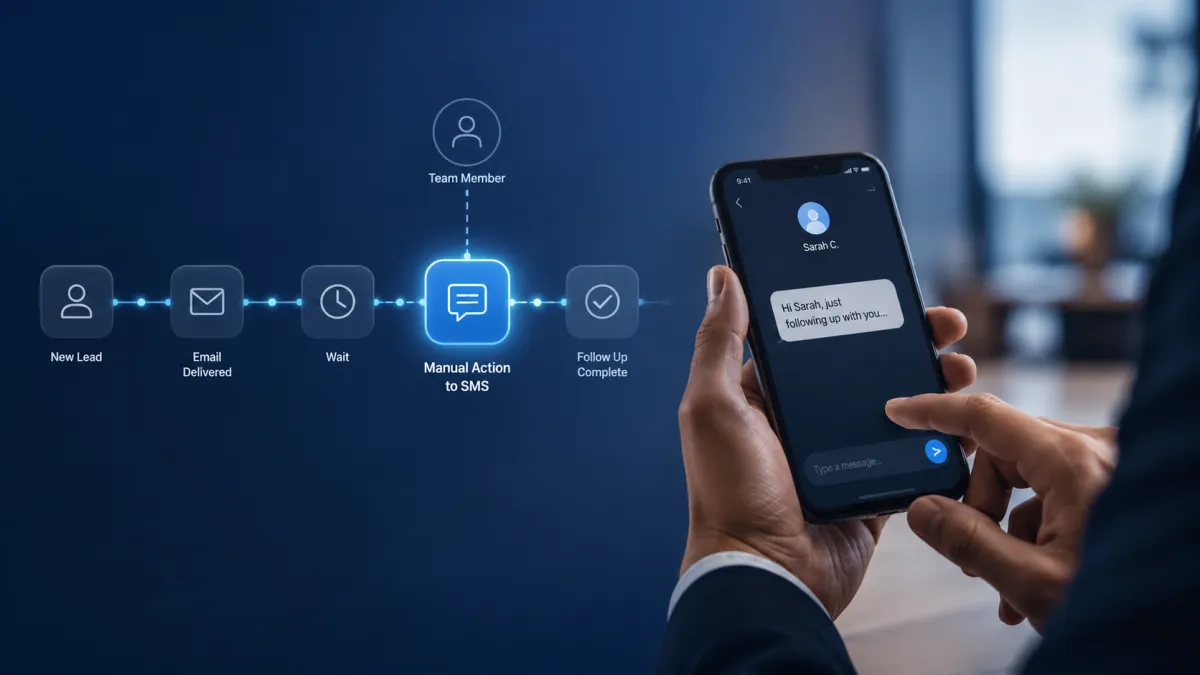
GoHighLevel Manual SMS Action
How to Let Teams Send Personalized Texts at the Right Moment Using Manual Action to SMS in GoHighLevel
Sometimes the best time to send an SMS cannot be decided by automation alone. A prospect may need a message after a team member reviews their situation, a customer may require a context specific update, or a conversation may call for a more personal response than a predefined message can provide. In these situations, forcing the message to send automatically can make communication feel poorly timed or impersonal. Manual Action to SMS in GoHighLevel gives teams a way to bring human judgment into the workflow while keeping the process organized.
What Is Manual Action to SMS in GoHighLevel?
Manual Action to SMS is a workflow action designed for situations where a team member needs to manually send an SMS to a contact.
Instead of having the workflow automatically deliver a predefined message, the workflow can include a manual SMS step that requires human involvement. This creates an opportunity for the team member to consider the contact's situation and send a message that is appropriate for that specific moment.
The key idea is simple: the workflow organizes when human action is needed, while the team member controls the actual communication.
This makes the feature particularly useful when personalization and timing are more important than simply sending a message automatically.
Manual Action to SMS vs Send SMS
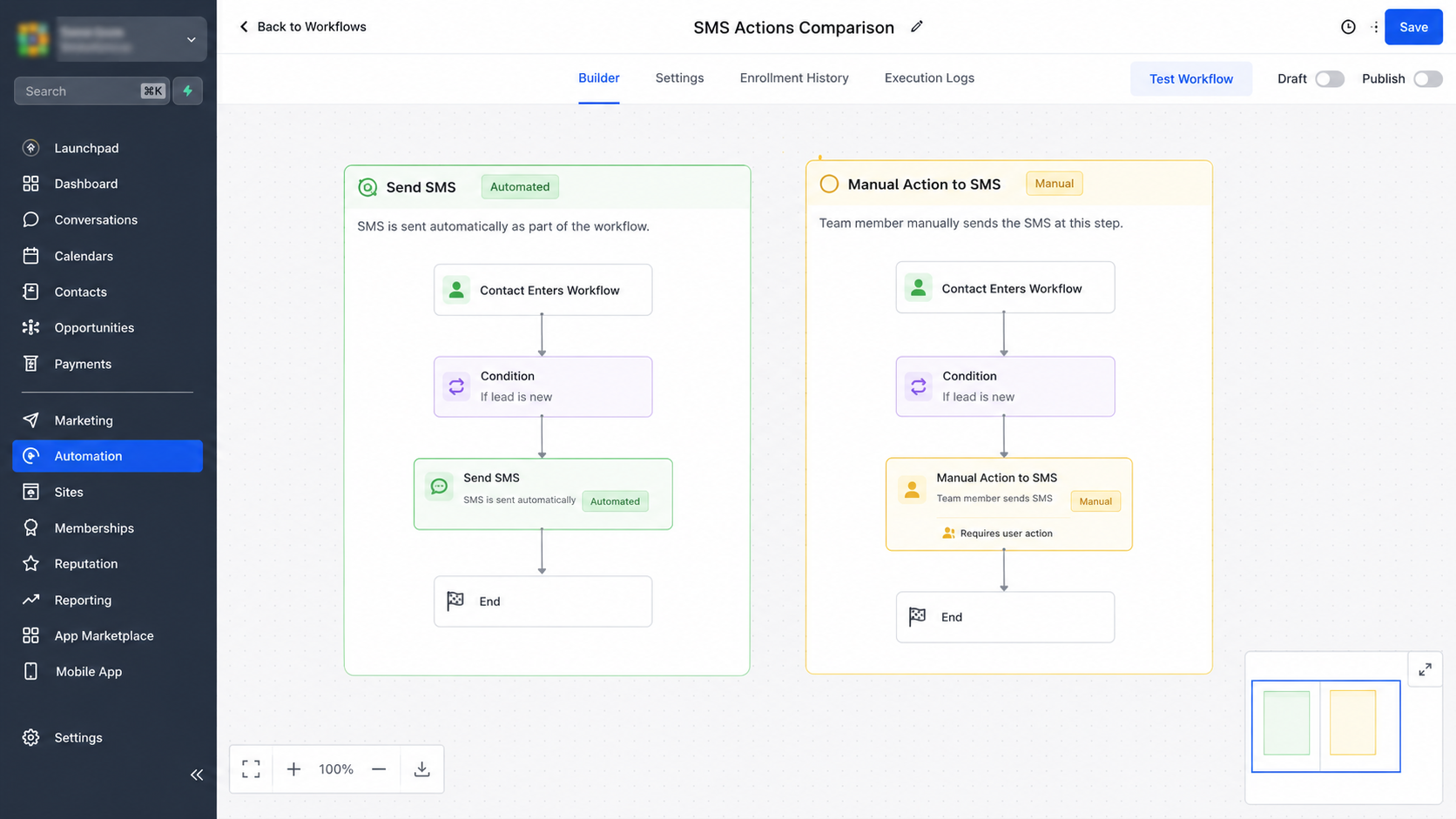
Understanding the difference between these two GoHighLevel workflow actions is important.
The Send SMS action is intended for automated communication. When the workflow reaches that action, the system sends the configured SMS as part of the workflow process.
Manual Action to SMS serves a different purpose. It is used when the workflow reaches a point where a team member should manually send an SMS rather than relying on an automatically delivered message.
Consider a sales follow up. If every prospect receives the same predefined message, automation can handle the communication efficiently. However, if a salesperson needs to review the prospect's circumstances first and decide what to say, an automated SMS may not be appropriate.
Manual Action to SMS allows the workflow to involve the team member at that point instead of treating every situation identically.
Why Use a Manual SMS Step?
Automation works extremely well when the right action is predictable. Human involvement becomes more valuable when context changes the appropriate response.
A manual SMS step can be useful when:
The message requires personalization
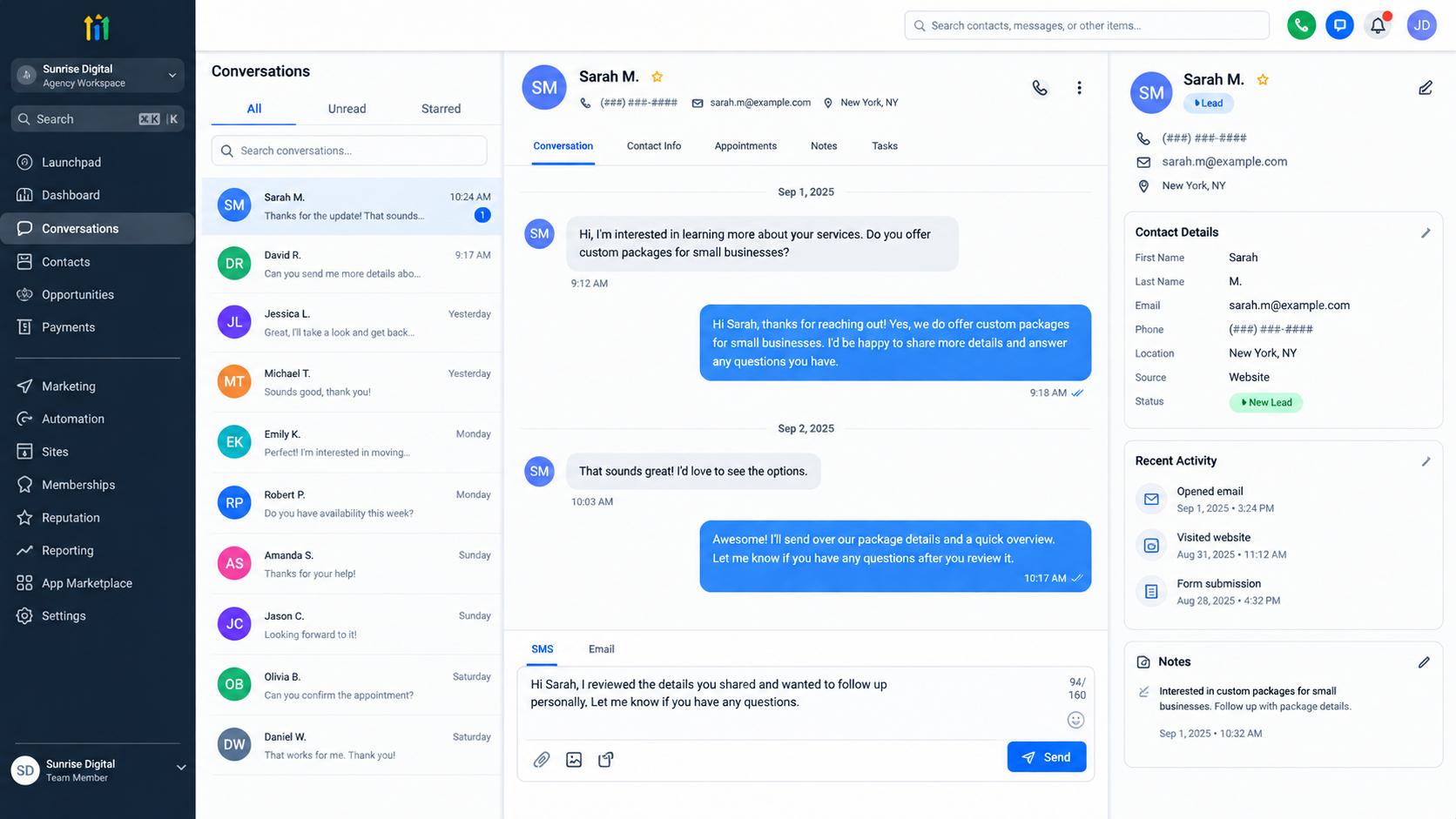
A team member may know information that should influence the wording of the message. Rather than sending a generic template, they can consider the contact's situation before communicating.
Timing depends on human judgment
Some messages should not be sent immediately just because a workflow has reached a particular stage. A team member may need to decide when the conversation is ready for the next SMS.
The situation is different for every contact
A workflow can organize the process consistently while still allowing the actual message to reflect the individual conversation.
This is especially valuable for businesses where customer relationships depend on thoughtful communication rather than repetitive messaging.
How Manual Action to SMS Fits Into a Workflow
The real value of the feature comes from combining structured automation with human decision making.
A workflow can move a contact through predefined stages until it reaches a point where a personal SMS is appropriate. At that stage, the manual SMS action provides a clear point for team involvement.
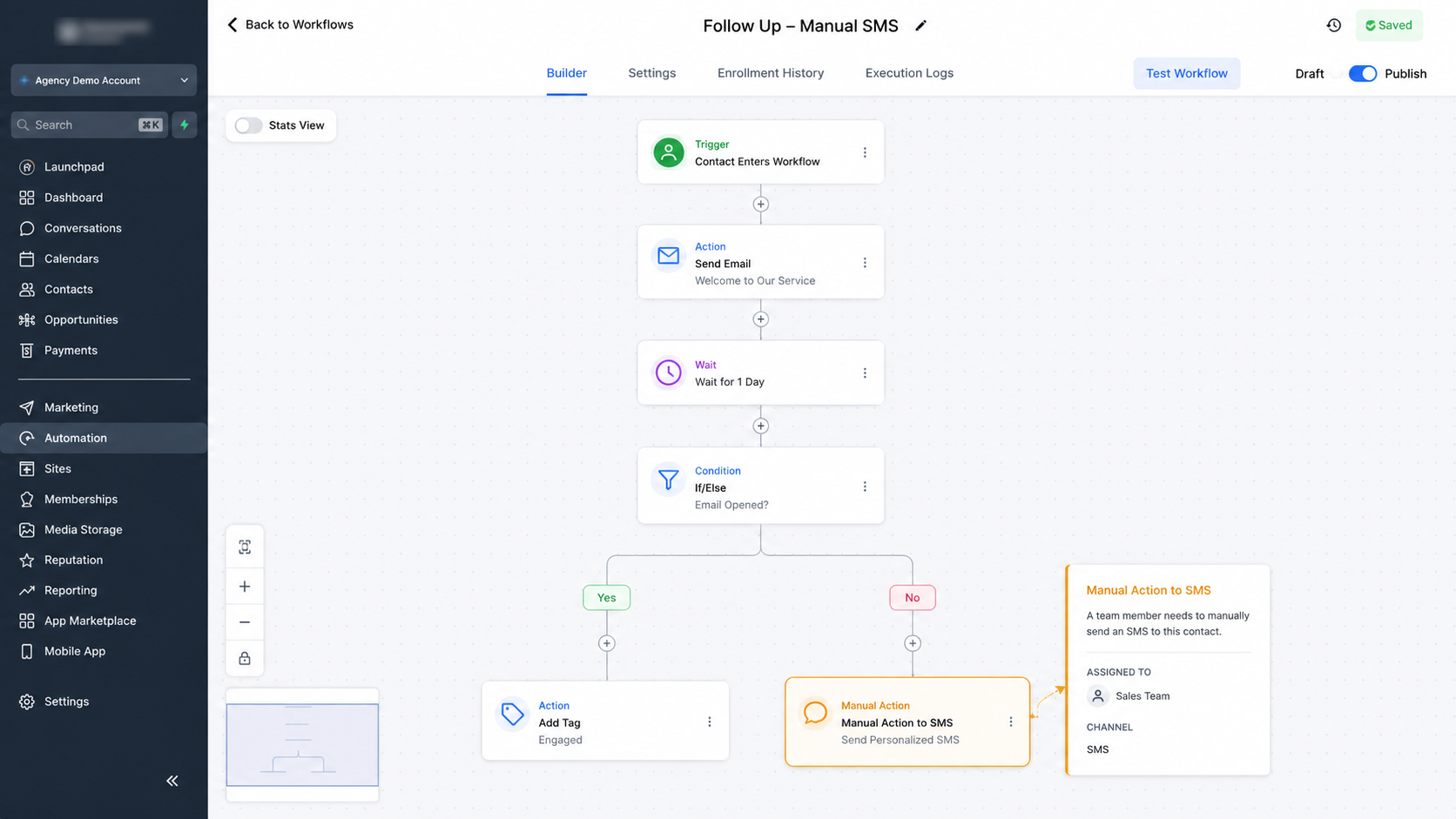
For example, imagine a sales process where a prospect has reached a stage that requires personal follow up. Instead of automatically sending the same SMS to every prospect, the workflow can incorporate a manual SMS step. The salesperson can then review the situation and communicate with the prospect based on what they know.
The workflow still provides structure, but the conversation is not forced into a predetermined message.
Practical Situations for Manual Action to SMS
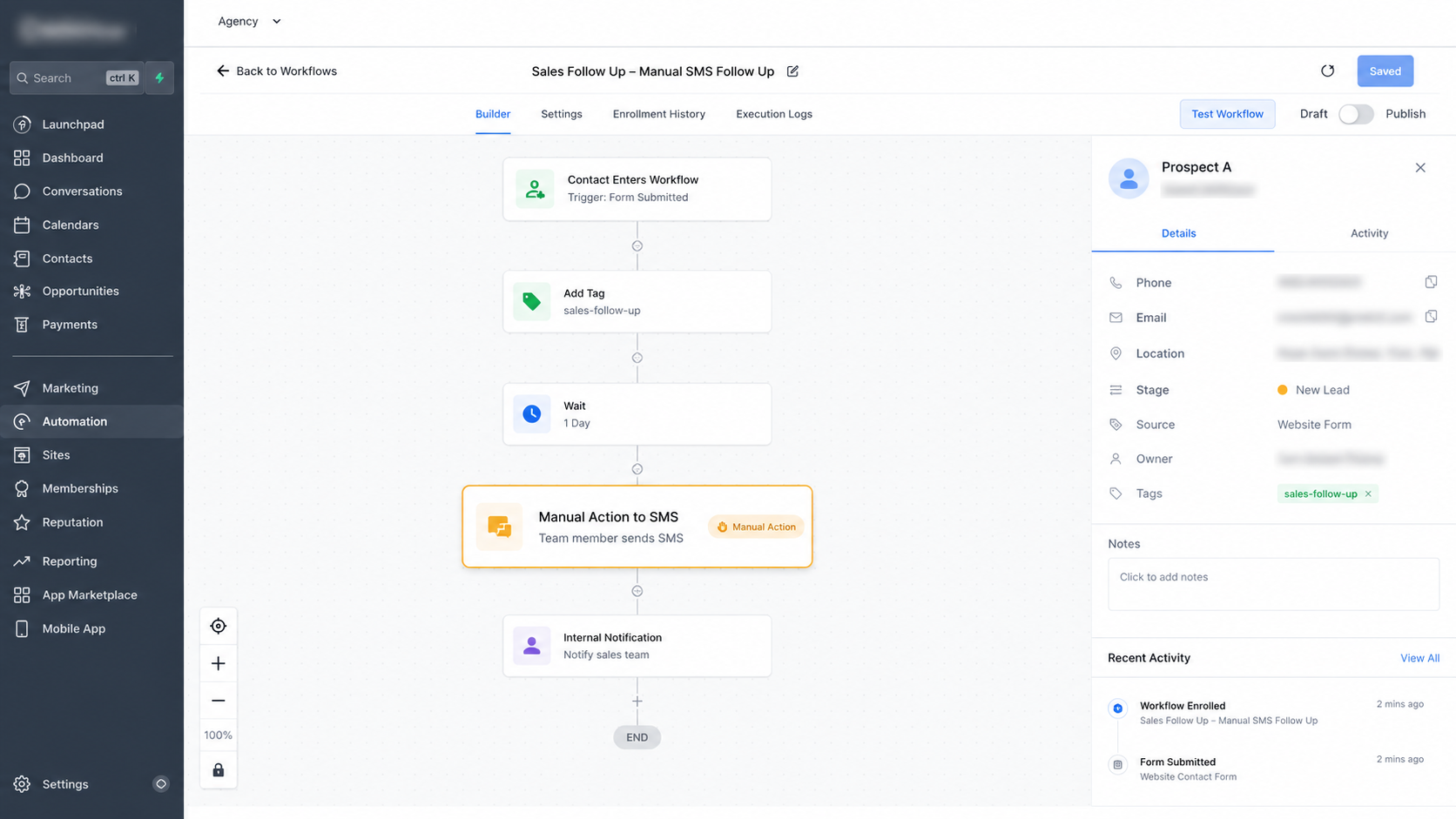
Several situations can benefit from this approach.
Sales follow up: A salesperson may want to review a prospect's previous interaction before sending a personal message.
Service communication: A service business may need to contact a customer at an important stage where the exact wording depends on what has happened so far.
Context specific updates: A team member may need to explain an update that varies from one customer to another.
Important relationship moments: When communication has a direct impact on trust or customer experience, a human controlled SMS can be more appropriate than an automatic message.
The common factor is that the team needs the workflow's structure without giving up control over the message itself.
Best Practices for Using Manual Action to SMS
Start with context. Before sending the SMS, the team member should understand why the contact has reached the manual step and what communication is expected.
Focus on personalization. The goal is not simply to replace an automated message with a manually sent generic message. The team member should use the available context to make the communication relevant.
Maintain consistency. Personalization does not mean every team member should approach the process completely differently. Establish clear expectations for tone, purpose, and the type of information the message should communicate.
Pay attention to timing. A manual action is valuable because the team member can consider whether the moment is appropriate instead of blindly sending a message because automation reached a particular point.
Finally, emphasize follow through. A manual step only works when the responsible team member actually takes the required action. Teams should make sure manual workflow tasks are monitored and handled consistently.
Common Mistakes to Avoid
One common mistake is treating Manual Action to SMS as another version of automated Send SMS. They serve different purposes. One prioritizes automatic delivery, while the other introduces a human controlled communication step.
Another mistake is using the manual action when the message is completely predictable. If the same message should always be sent automatically at the same point, an automated SMS action may be more suitable.
Teams should also avoid adding a manual step without considering whether someone will actually act on it. The value of human involvement depends on reliable team follow through.
Combining Automation With Human Communication
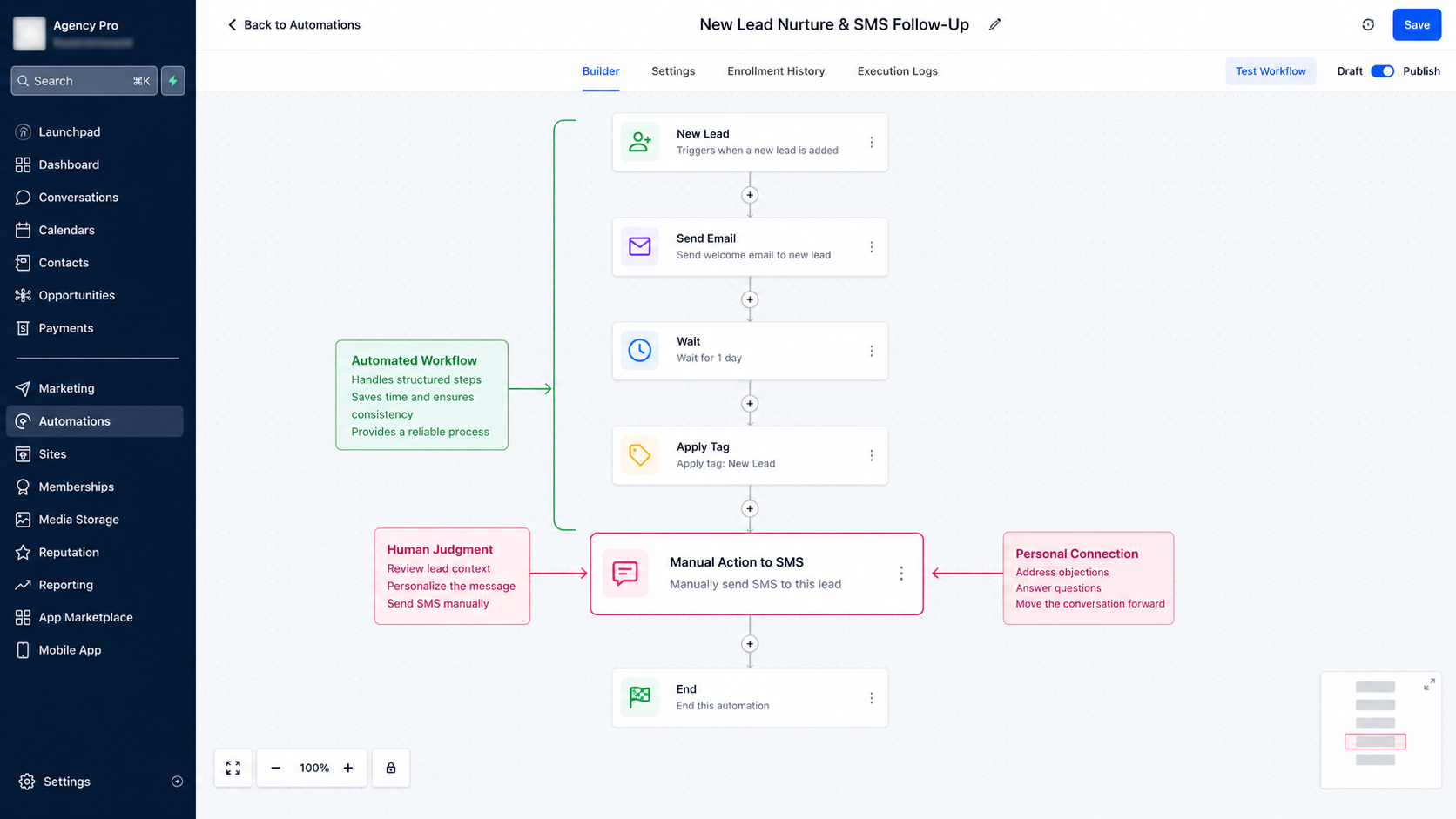
The strongest use of a GoHighLevel SMS workflow is not always about removing people from the process. Sometimes automation is most useful when it tells people where human involvement matters.
Manual Action to SMS creates that balance. The workflow provides structure and helps organize the customer journey, while the team member retains control over a message that requires judgment, timing, or personalization.
For businesses that want efficient processes without making customer communication feel robotic, this distinction can be extremely valuable.
Conclusion
Manual Action to SMS in GoHighLevel is useful when a workflow needs to involve a person rather than automatically sending a predefined message. It gives teams a structured point for manual communication while allowing the message to reflect the contact's specific situation.
When used appropriately, it creates a practical balance between automation and human interaction. The workflow handles the structure, while the team member brings the context and judgment needed to make the SMS more relevant.
Frequently Asked Questions
1. What is Manual Action to SMS in GoHighLevel?
Manual Action to SMS is a workflow action that involves a team member in sending an SMS manually. It is useful when the message requires human judgment or personalization.
2. How is Manual Action to SMS different from Send SMS?
Send SMS is designed to send a message automatically through the workflow. Manual Action to SMS is intended for situations where a team member needs to manually handle the SMS communication.
3. Can Manual Action to SMS help personalize messages?
Yes. Because the communication is handled manually, the team member can consider the contact's context and personalize the message instead of relying entirely on a predefined automated message.
4. When should a business use Manual Action to SMS?
It is most useful when timing, context, or human judgment matters. Sales follow ups, customer updates, and other context specific communications can be suitable situations.
5. Is Manual Action to SMS a replacement for automated SMS?
No. The two actions serve different purposes. Automated SMS is appropriate for predictable messages, while Manual Action to SMS is better when a team member needs to control the communication.
Need Expert Help with GoHighLevel?
New to GoHighLevel and ready to get started? Buy your GoHighLevel account here and launch with confidence.
Already know what you need and want our team to handle everything, from complete setup and customization to funnels, workflows, automations, CRM, and pipelines? Click here.



