

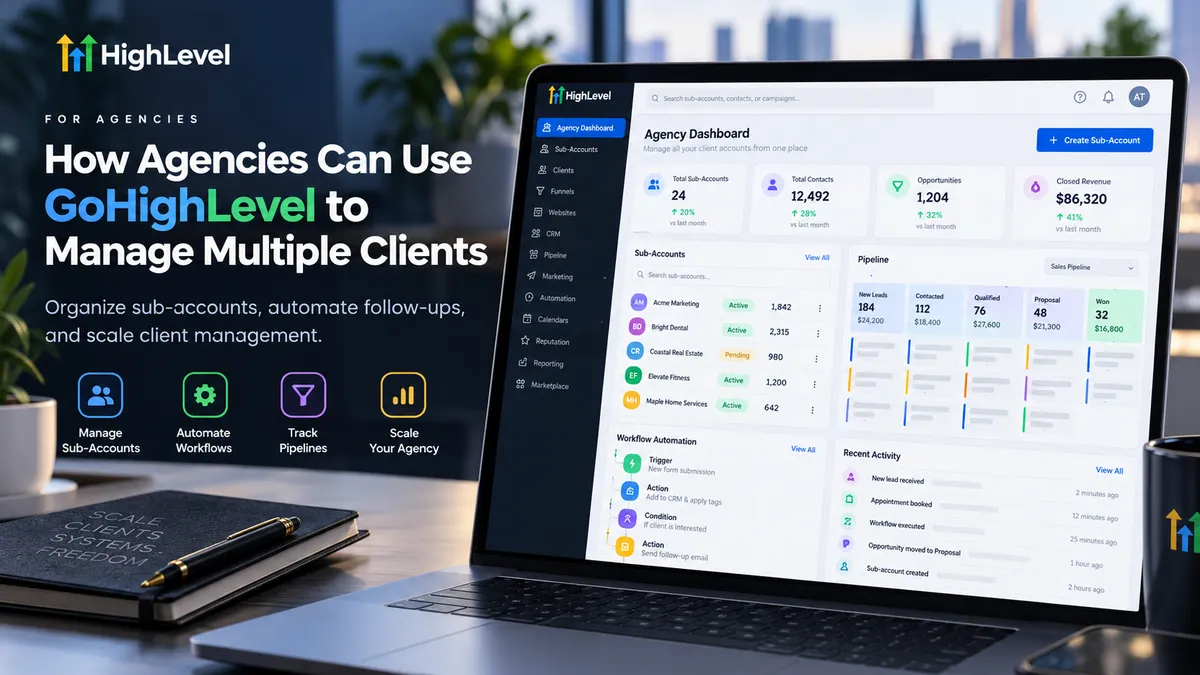
How Agencies Can Manage Multiple Clients With GoHighLevel
How Agencies Can Use GoHighLevel to Manage Multiple Clients
Managing one client is relatively straightforward. Managing ten, twenty, or more is where things become complicated. Each business has different leads, sales pipelines, appointment schedules, and expectations. Without an organized system, agencies can spend more time switching between tools than actually serving clients.
Understanding how agencies can use GoHighLevel to manage multiple clients can make these responsibilities easier to handle. GoHighLevel brings client management, CRM functionality, marketing automation, and reporting into one platform while allowing agencies to maintain separate workspaces for individual businesses.
Understanding GoHighLevel Agency View and Sub-Accounts
One of the most useful aspects of GoHighLevel for agencies is its account structure.
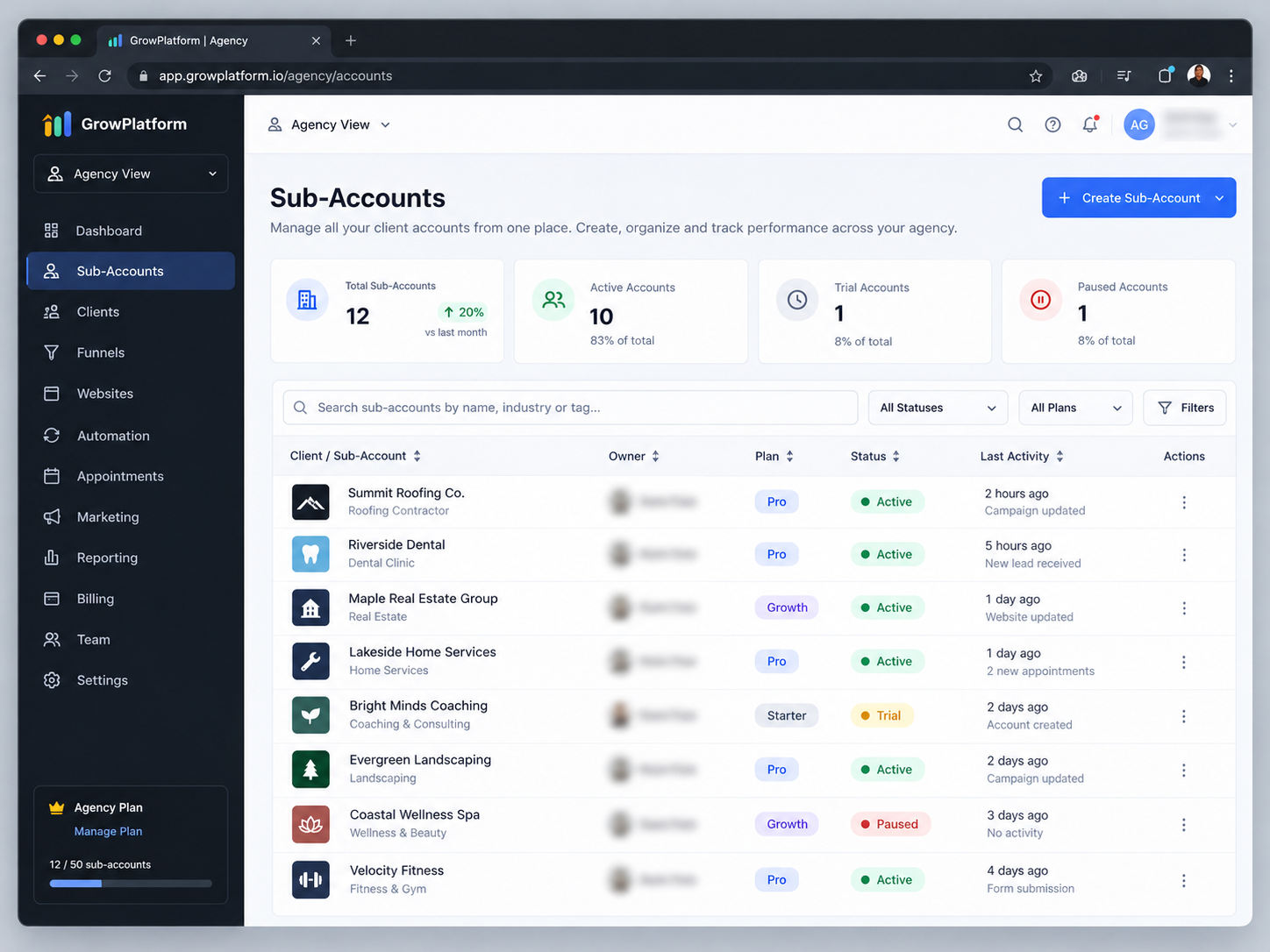
The Agency View provides an administrative environment where agencies manage client sub-accounts, user access, and other agency-level settings. Each client can have a dedicated Sub-Account containing its own contacts, conversations, opportunities, workflows, and business configurations.
For example, an agency working with a roofing company and a dental clinic can manage both through the same agency environment without mixing their customer information.
Agency administrators can switch between authorized client accounts to review activities or make adjustments. Client information remains organized within its respective sub-account rather than automatically being shared with other businesses.
This structure provides a practical foundation for growing agencies.
How to Set Up and Organize Multiple Client Accounts
Effective GoHighLevel client management starts with consistent onboarding.
When bringing on a new client, agencies can create a dedicated sub-account and configure essential business information, including contact details, time zone, and relevant account settings.
Next, the agency can prepare the client's CRM, appointment calendars, pipelines, and communication tools according to their requirements.
Team access deserves particular attention. GoHighLevel supports agency-level and account-level users, allowing agencies to assign appropriate access based on responsibilities. An account manager, for instance, can receive access to selected client sub-accounts without requiring full agency administration privileges.
Before launching, agencies should verify user permissions, communication settings, and any required integrations.
Following the same onboarding checklist for every client reduces avoidable mistakes while keeping individual configurations flexible.
Using GoHighLevel Snapshots to Simplify Client Onboarding
Rebuilding similar CRM configurations for every new client can consume valuable time. This is where GoHighLevel Snapshots become particularly useful.
Snapshots allow agencies to capture supported assets from an existing sub-account and reuse those configurations in other accounts. Depending on what is selected, these assets can include workflows, funnels, forms, calendars, and other supported components.
Consider an agency specializing in roofing contractors. Instead of rebuilding its lead intake funnel, opportunity pipeline, and follow-up workflow for each contractor, the agency can prepare a reusable configuration.
After applying the Snapshot, the agency still needs to customize relevant information, test automations, and connect necessary services.
Importantly, Snapshots do not automatically transfer contacts, conversations, appointments, or third-party integrations.
Used correctly, they help agencies standardize onboarding without sacrificing client-specific customization.
Managing Client Leads, Pipelines, and Communications
Lead management becomes harder when agencies handle inquiries from several businesses simultaneously.
Within each client sub-account, GoHighLevel provides CRM tools for maintaining contact records, organizing opportunities, reviewing conversations, and managing appointments.
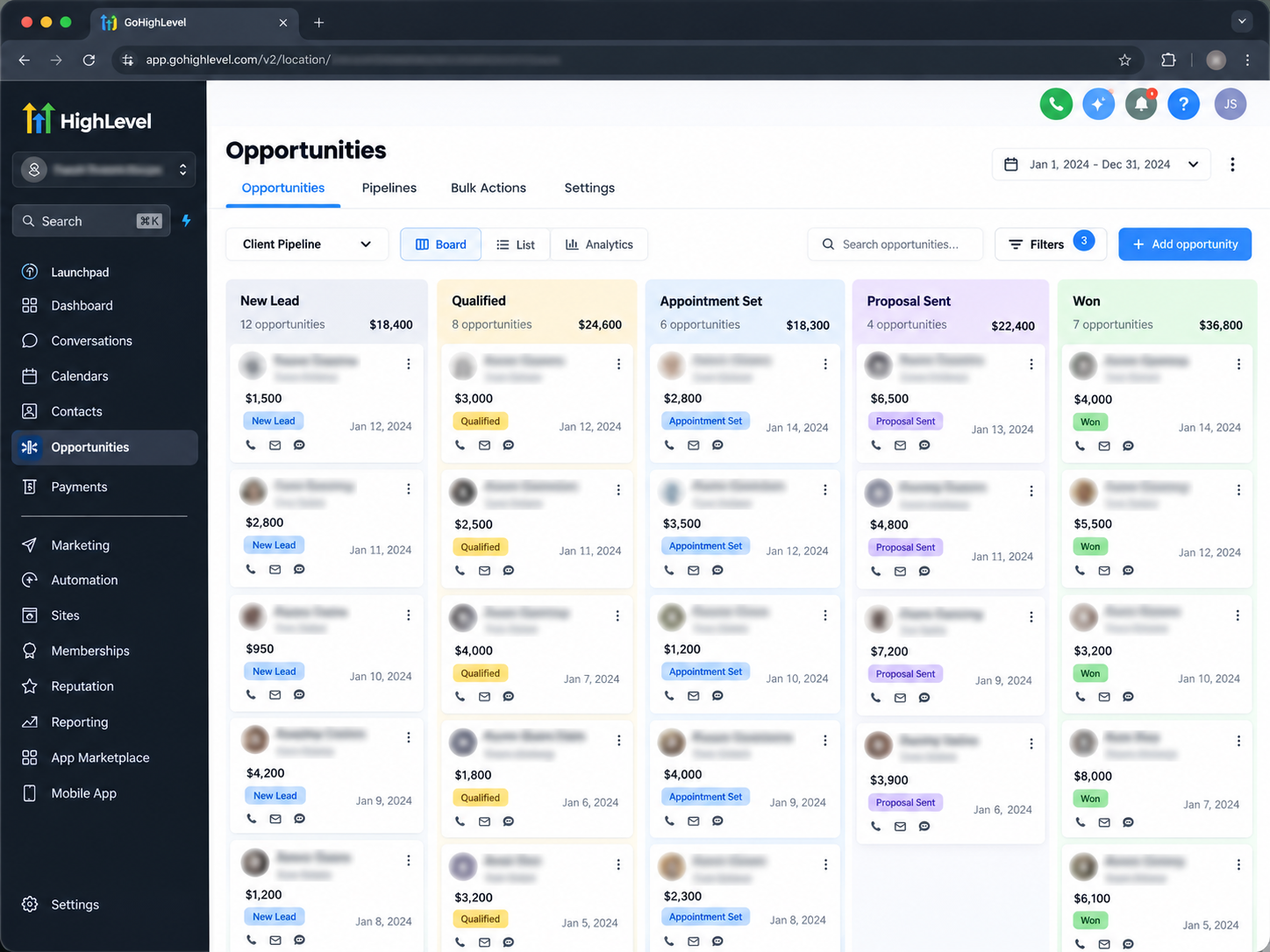
Agencies can create pipelines that reflect how an individual client's sales process works.
For example, a roofing contractor might use stages such as New Inquiry, Inspection Scheduled, Estimate Sent, and Job Won. A dental clinic might track New Patient Inquiry, Consultation Booked, and Appointment Completed.
These pipelines help teams understand where prospects stand and identify opportunities that need attention.
The Conversations area also helps authorized users review supported customer communications within the relevant client account.
Instead of relying on scattered spreadsheets and disconnected messaging systems, agencies can establish a more consistent approach to tracking leads and coordinating follow-ups.
Automating Client Follow-Ups With GoHighLevel Workflows
As an agency grows, manually handling every inquiry, reminder, and internal notification becomes increasingly difficult.
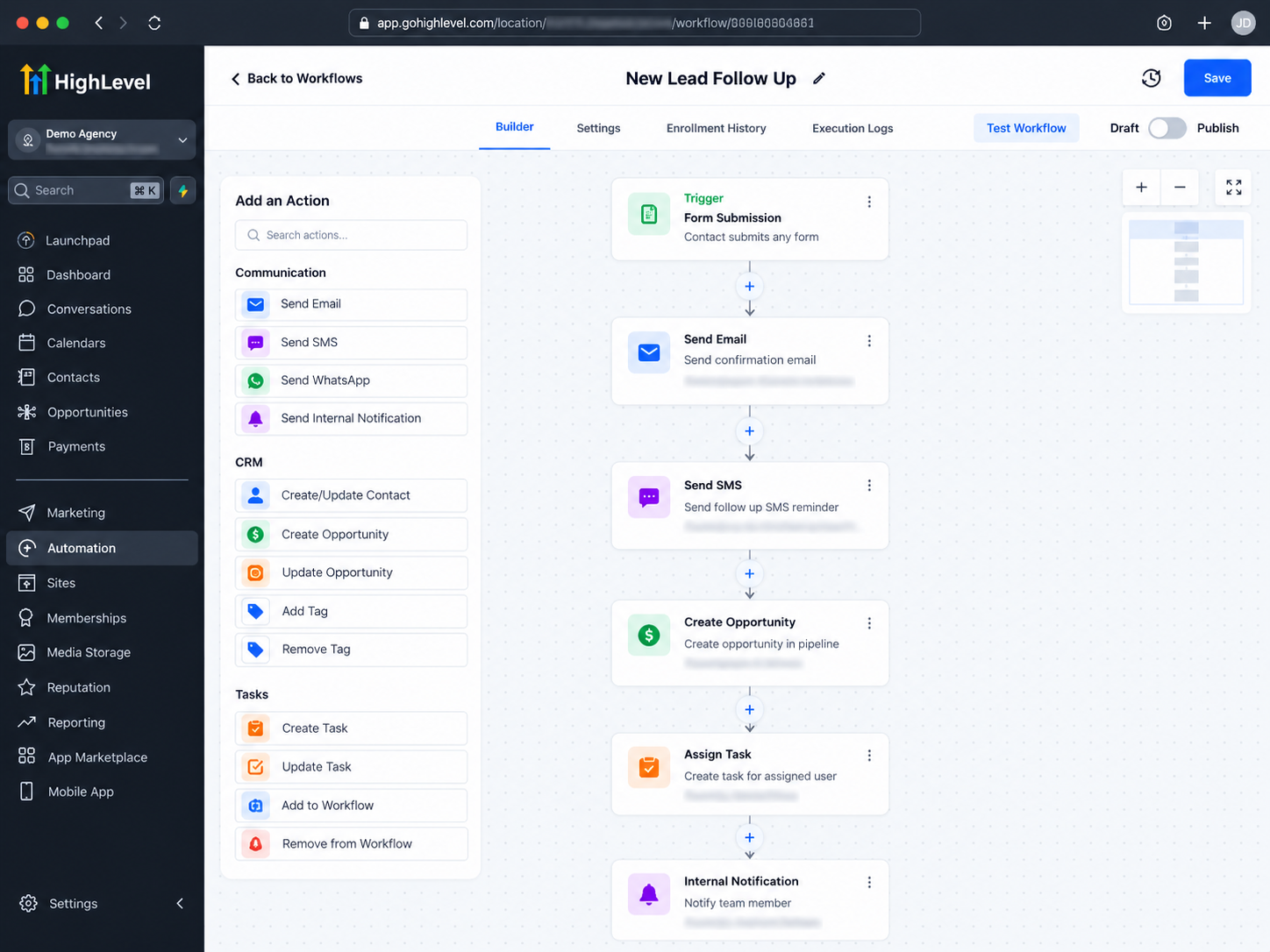
GoHighLevel workflow automation helps agencies configure repeatable processes within individual client accounts.
For example, when someone submits a website form, a workflow can create follow-up actions, send an appropriate confirmation message, and notify the responsible team member.
Appointment reminders can also be configured to help businesses maintain communication with scheduled customers.
However, automation requires proper configuration. Email and SMS delivery depend on suitable services, account settings, and applicable messaging requirements.
Agencies should test each workflow before publishing it and periodically review its performance.
The objective is not to replace personal communication entirely, but to ensure routine tasks are handled consistently.
Tracking Client Performance and Reporting
Managing multiple clients also means demonstrating what happens after leads enter their systems.
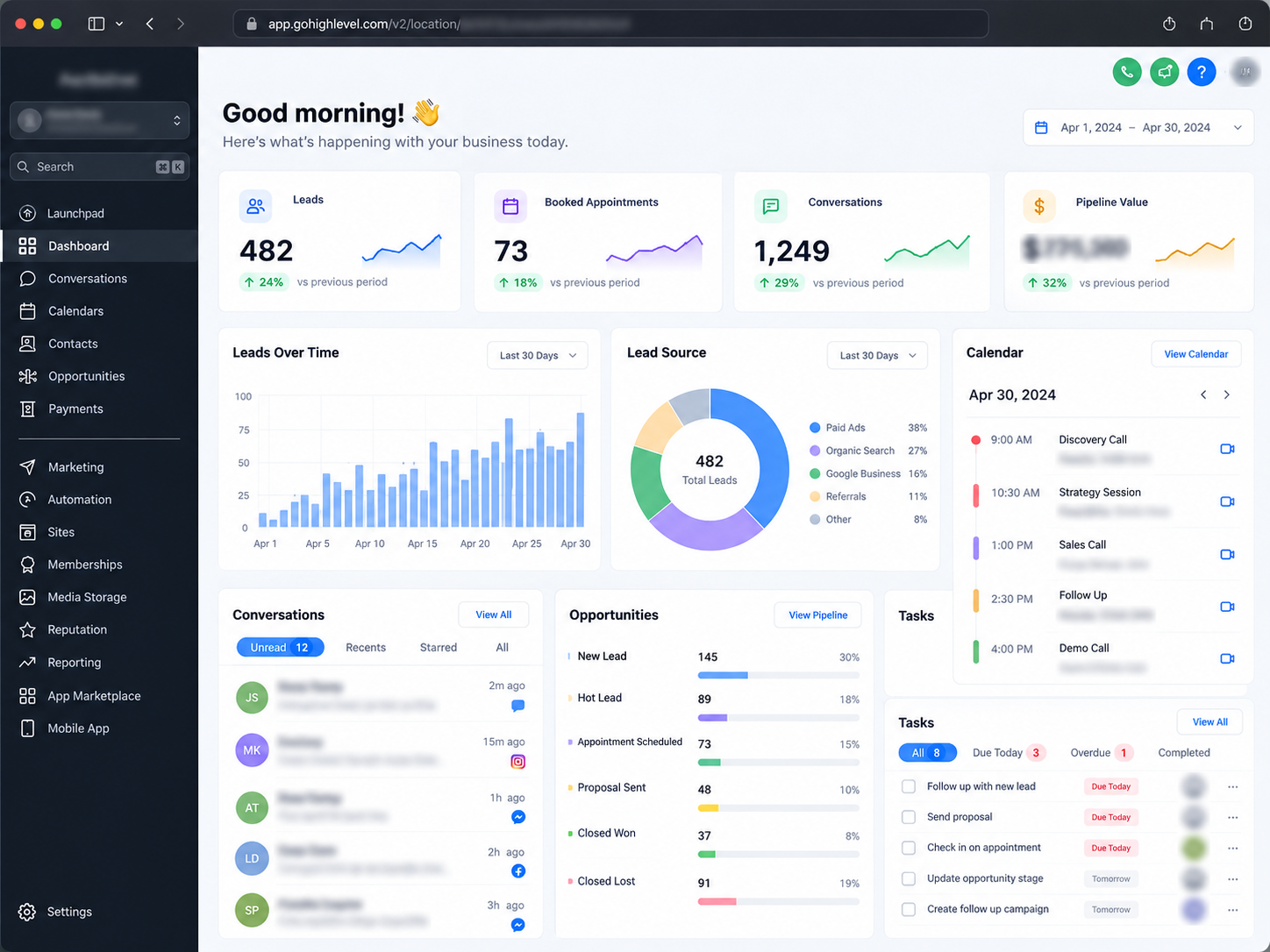
GoHighLevel offers dashboards and reporting capabilities that agencies can use to review relevant activities within client accounts.
Depending on the available configurations, agencies can examine opportunity progress, appointment activity, lead information, and supported marketing performance metrics.
For example, an account manager might review whether new inquiries are receiving timely attention or whether opportunities are accumulating in a particular pipeline stage.
Not every metric appears automatically. Accurate reporting depends on proper tracking, integrations, and account configuration.
Regular performance reviews help agencies identify operational gaps and communicate meaningful updates to clients.
Best Practices for Managing Multiple Clients Efficiently
The strongest agency operations combine reusable systems with careful oversight.
Standardize onboarding procedures, maintain separate client records, review user permissions regularly, and document important configurations. Use Snapshots where appropriate, but always adjust workflows and pipelines to match each client's actual business process.
As more clients join, establish a routine for testing automations, reviewing pipeline activity, and checking reporting accuracy.
These habits help prevent small configuration issues from becoming larger operational problems.
Final Thoughts
GoHighLevel gives agencies a structured way to manage multiple clients through dedicated sub-accounts, reusable configurations, CRM tools, automation, and reporting.
The real value comes from how thoughtfully these capabilities are implemented.
For agencies looking to improve organization while supporting additional clients, building a consistent GoHighLevel management process is a practical place to start.
Frequently Asked Questions (FAQs)
1. Can an agency manage multiple clients from one GoHighLevel account?
Yes. GoHighLevel allows agencies to manage multiple client sub-accounts through a central Agency View. Each sub-account maintains its own contacts, pipelines, conversations, workflows, and settings, helping agencies keep client operations organized and separate.
2. What is the difference between Agency View and Sub-Accounts in GoHighLevel?
Agency View is the administrative environment used to manage client accounts, users, and agency-level settings. A Sub-Account is an individual workspace where a client's CRM, marketing activities, automations, and customer communications are managed.
3. How do GoHighLevel Snapshots help agencies manage multiple clients?
GoHighLevel Snapshots allow agencies to reuse supported configurations, such as workflows, funnels, forms, and pipelines, across client sub-accounts. This reduces repetitive setup work and makes onboarding more consistent. However, client-specific settings, integrations, and other configurations may still require manual setup.
4. Can agencies automate lead follow-ups for different clients in GoHighLevel?
Yes. Agencies can create separate workflows within each client's sub-account to automate tasks such as responding to form submissions, sending appointment reminders, updating opportunities, and notifying team members. Each workflow can be customized according to the client's business requirements.
5. Can clients access their own GoHighLevel accounts without seeing other clients' information?
Yes. Agencies can assign users access to specific sub-accounts and configure appropriate permissions. This allows clients to work within their authorized accounts without automatically gaining access to other clients' contacts, conversations, or business information.
6. How can agencies track the performance of multiple clients in GoHighLevel?
Agencies can review relevant dashboards, pipelines, appointments, and reporting tools within individual client sub-accounts. Available performance metrics depend on the account's configuration, connected integrations, and tracking setup. Regular reviews help agencies monitor lead activity and identify opportunities for improvement.
Need Expert Help with GoHighLevel?
New to GoHighLevel and ready to get started? Buy your GoHighLevel account here and launch with confidence.
Already know what you need and want our team to handle everything, from complete setup and customization to funnels, workflows, automations, CRM, and pipelines? Click here.



