

How to Reactivate Old Leads in GoHighLevel
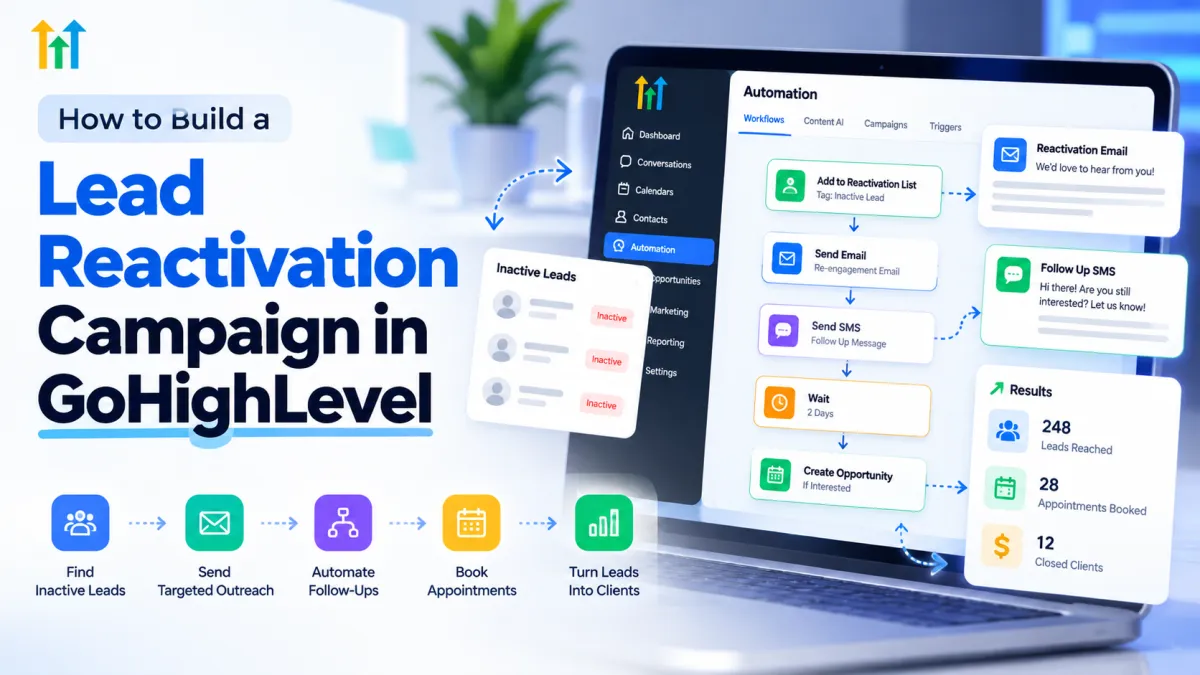
How to Build a Lead Reactivation Campaign in GoHighLevel
Your CRM may contain valuable sales opportunities that never received the right follow-up. Perhaps someone requested a quote, asked about your services, or expressed interest but wasn't ready to purchase. Over time, those conversations went quiet.
Instead of focusing exclusively on attracting new prospects, businesses can reconnect with previously interested contacts through a targeted lead reactivation campaign.
GoHighLevel makes this process easier by combining contact management, personalized messaging, workflow automation, appointment scheduling, and opportunity tracking in one platform. Here's how to build a practical reactivation campaign that turns overlooked contacts into renewed conversations.
What Is a Lead Reactivation Campaign?
A lead reactivation campaign is a structured outreach strategy designed to reconnect with prospects who previously showed interest but stopped engaging.
Unlike traditional lead generation, which focuses on attracting new prospects, reactivation works with contacts already stored in your CRM.
Leads become inactive for several reasons, including changing priorities, budget limitations, missed follow-ups, or poor timing.
A thoughtful reactivation strategy gives eligible contacts another opportunity to engage without requiring businesses to restart every conversation from scratch.
How to Build a Lead Reactivation Campaign in GoHighLevel
Step 1: Identify and Organize Inactive Leads
Start by opening Contacts in your GoHighLevel sub-account.
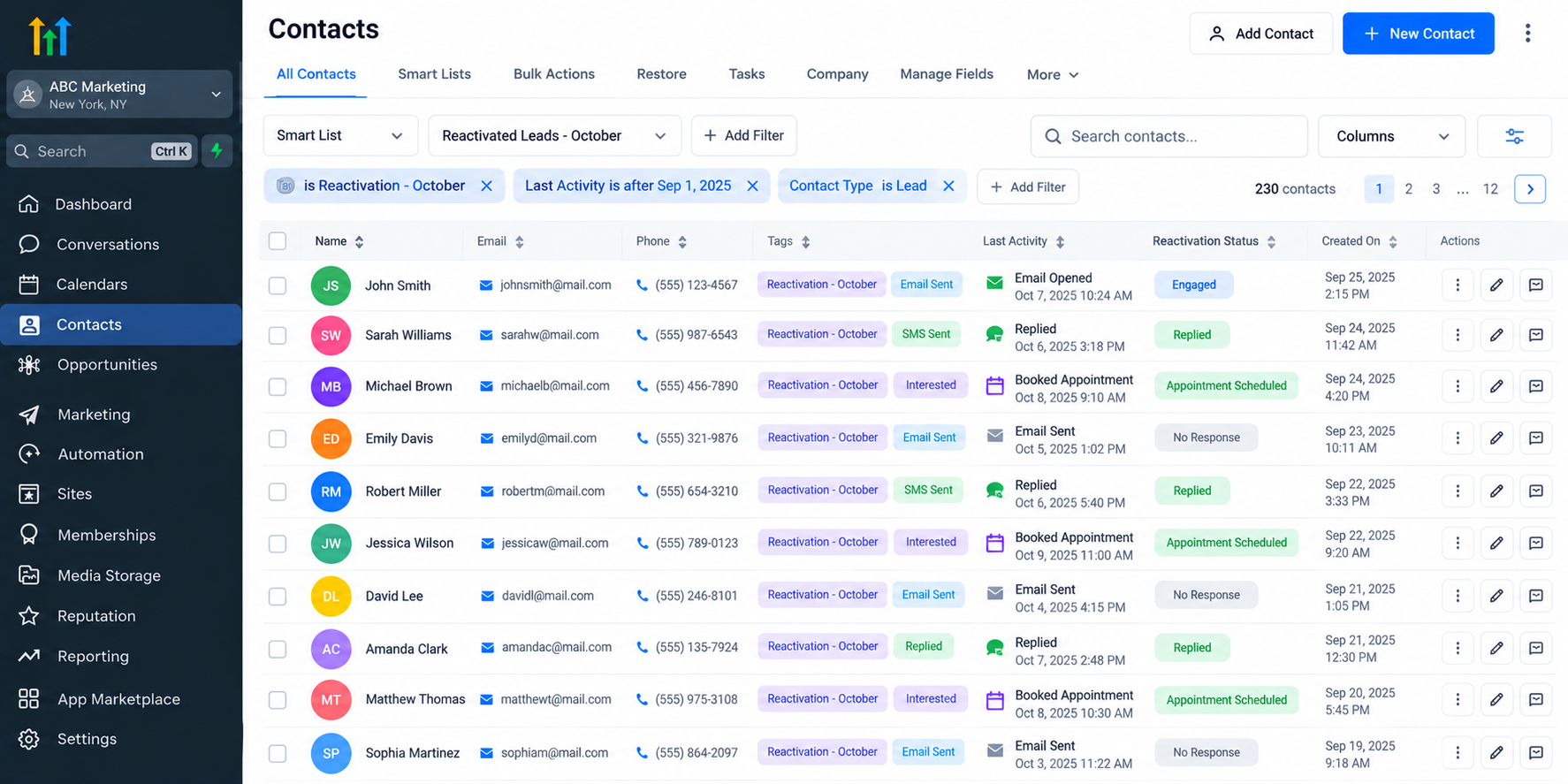
Use contact filters and Smart Lists to organize prospects based on available information, such as tags, lead sources, previous activity, or relevant custom fields.
For example, you might identify contacts who requested consultations but never booked appointments.
Create descriptive tags such as Reactivation - October to organize your campaign audience.
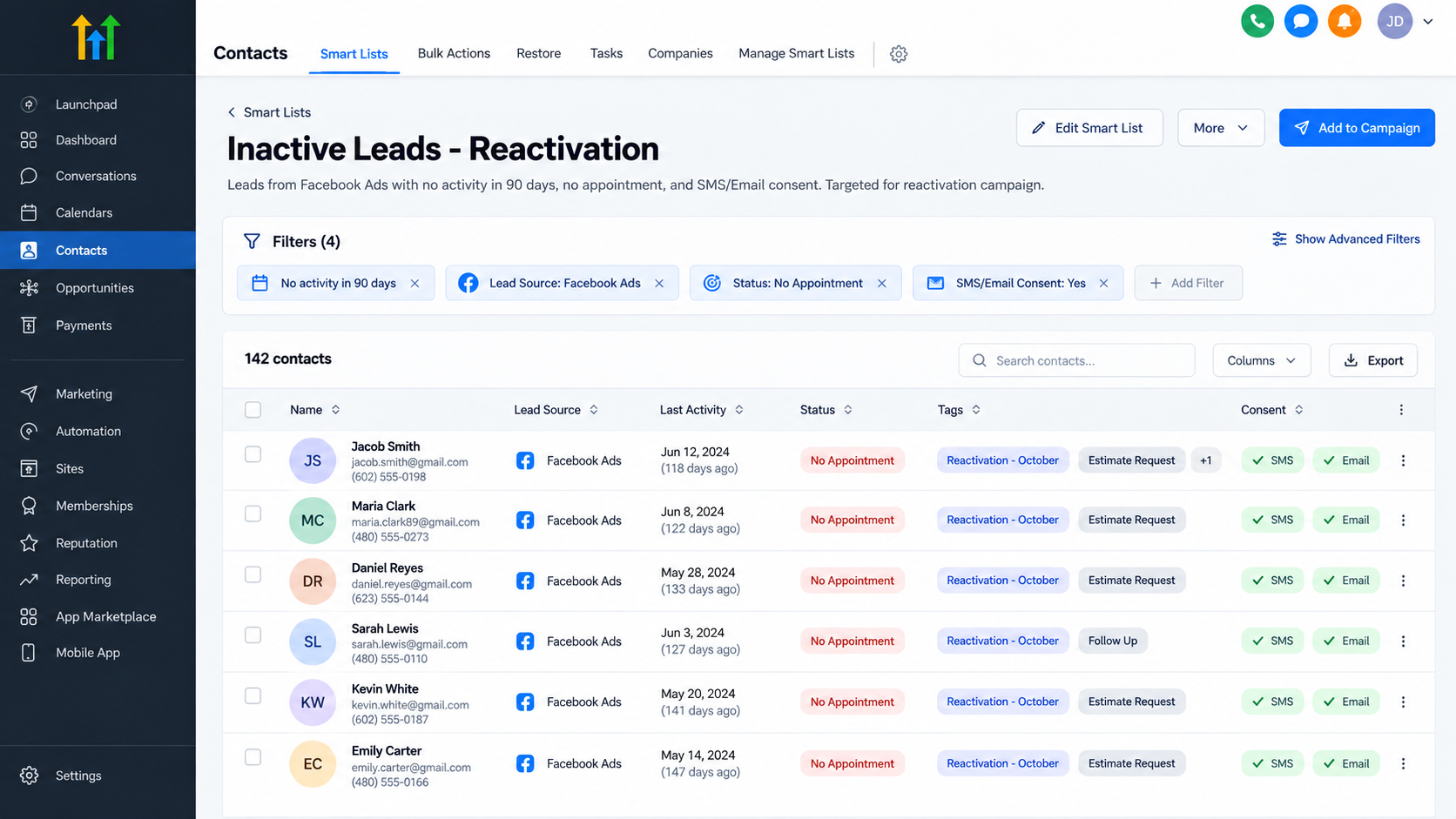
Define inactivity according to your sales cycle. A prospect inactive for 30 days might be relevant to one business, while another may focus on contacts inactive for 90 days.
Before proceeding, exclude unsubscribed contacts and anyone without appropriate messaging consent.
Step 2: Create a Personalized Reactivation Message
Effective reactivation messages should feel like natural follow-ups rather than generic advertisements.
Reference the contact's previous interest when that information is available.
For example:
Hi Sarah, this is Mike from ABC Roofing. You contacted us previously about a roof estimate. Are you still considering the project? We'd be happy to help if you're interested.
Keep messages brief, conversational, and focused on one clear action.
GoHighLevel supports personalization using contact fields and merge values, allowing businesses to tailor messages using stored information.
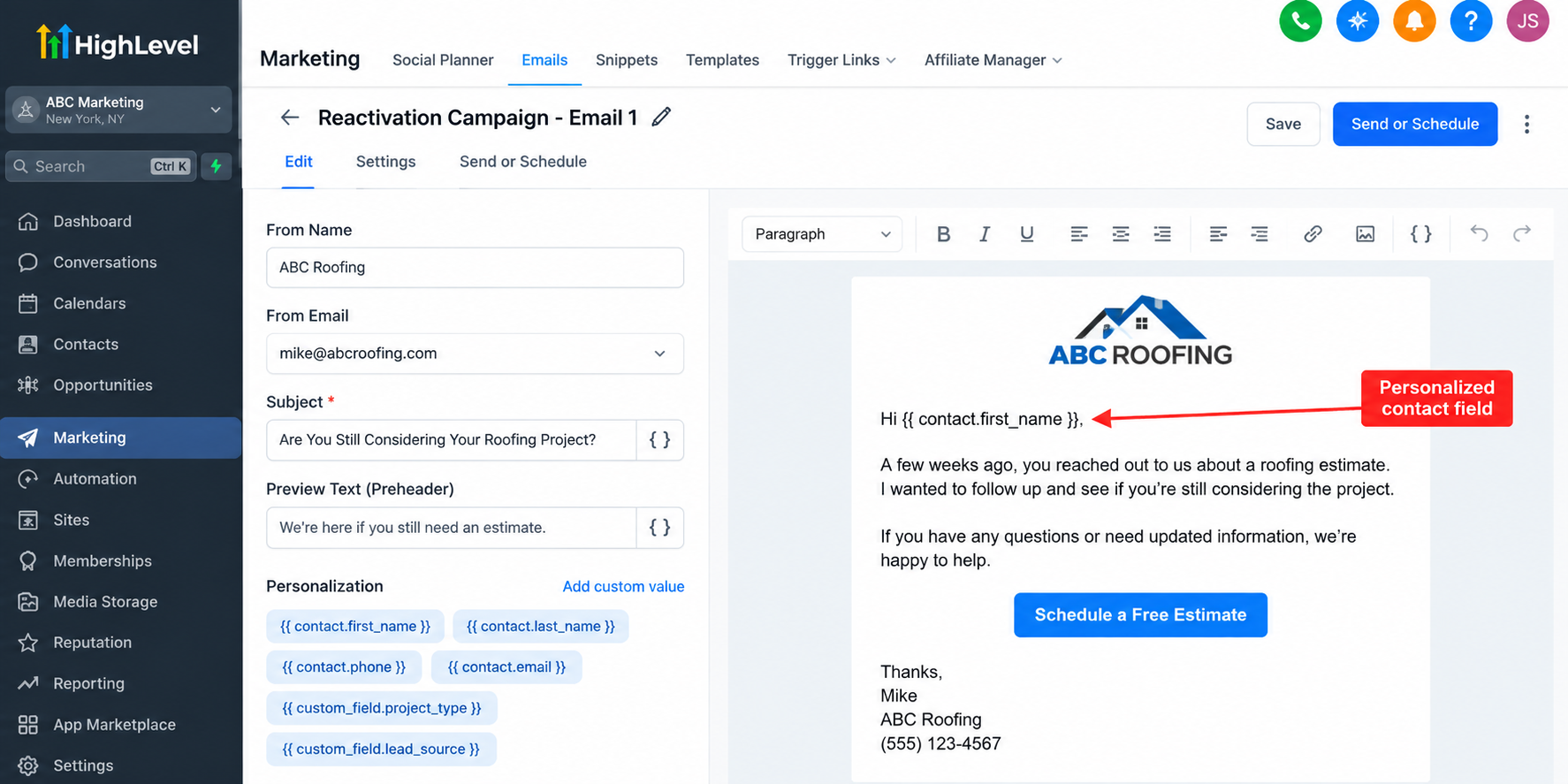
Choose email, SMS, or both according to each contact's permissions and applicable communication requirements.
Step 3: Build Your Reactivation Workflow
Navigate to Automation > Workflows in GoHighLevel.
Create a new workflow and configure how eligible contacts will enter it.
Depending on your campaign, you can enroll selected contacts through supported enrollment methods or configure a trigger associated with a specific tag.
Next, add relevant workflow actions:
Send Email: Deliver the initial reactivation message.
Wait: Allow contacts time to respond.
Send SMS: Follow up through an appropriately consented channel.
If/Else: Direct contacts through different paths based on configured conditions.
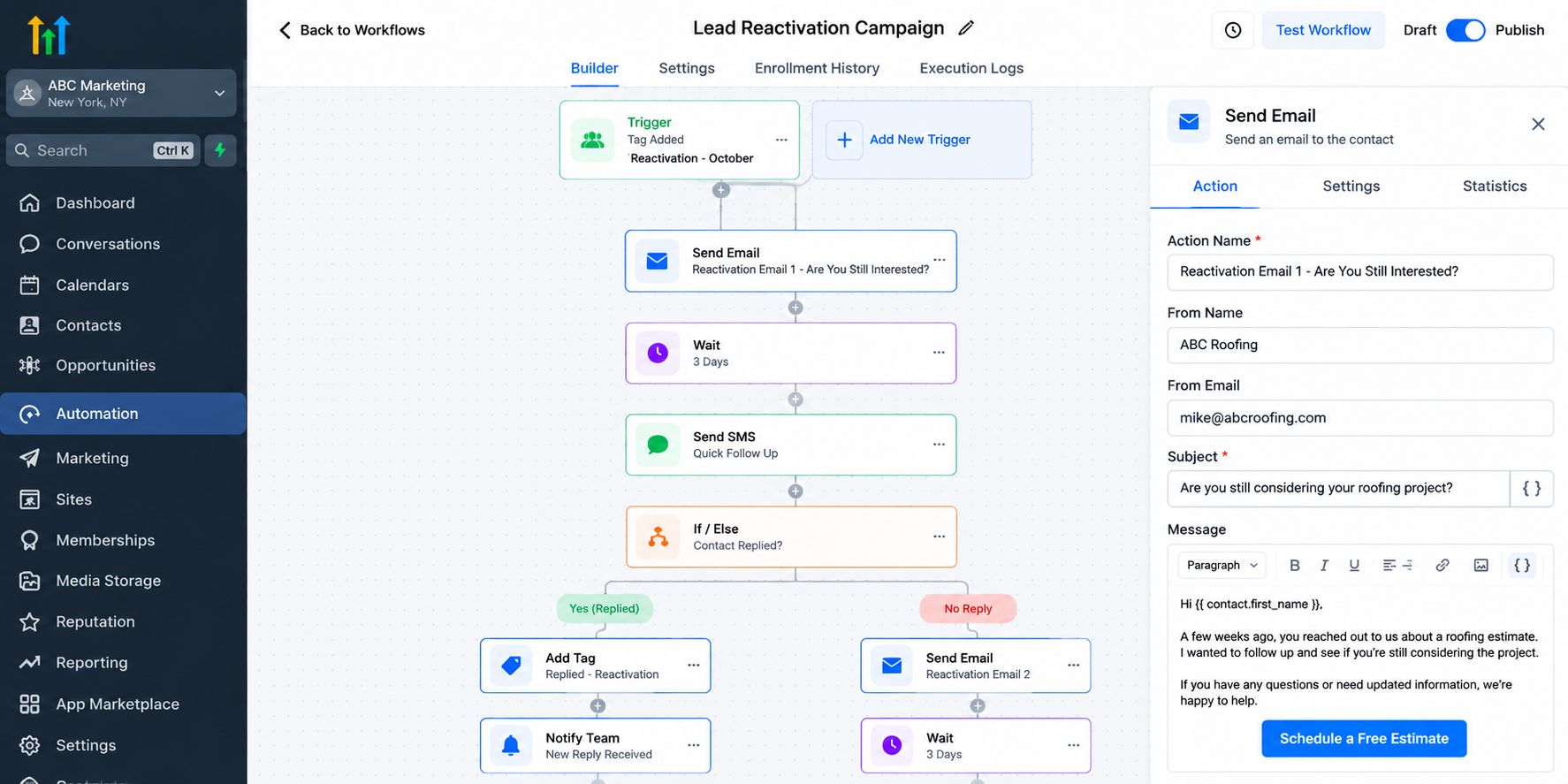
Review your workflow settings carefully before activating the campaign.
Step 4: Configure Follow-Ups and Response Handling
A successful GoHighLevel reactivation campaign needs more than scheduled messages.
Configure appropriate follow-up intervals, such as waiting several days between communications.
Use reply-related triggers, workflow conditions, or separate automations to identify contacts who respond.
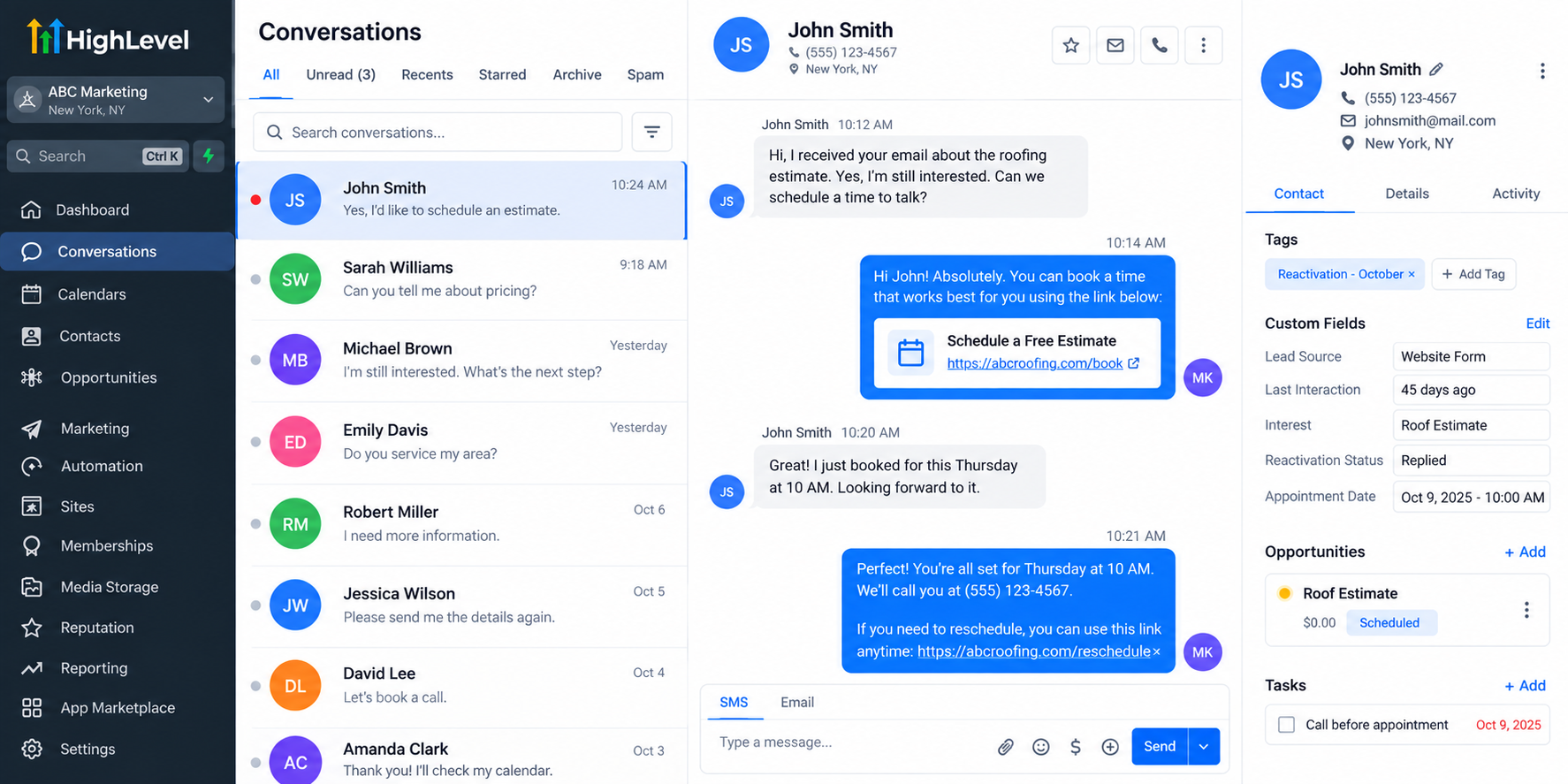
Ensure your setup prevents unnecessary follow-ups when someone replies, books an appointment, or opts out.
These behaviors require deliberate configuration; they should not be assumed to happen automatically.
Step 5: Track Engagement and Sales Opportunities
Once your campaign starts, monitor incoming conversations through GoHighLevel's Conversations section.
Interested prospects can be managed through Opportunities and sales pipelines, helping your team organize renewed sales activity.
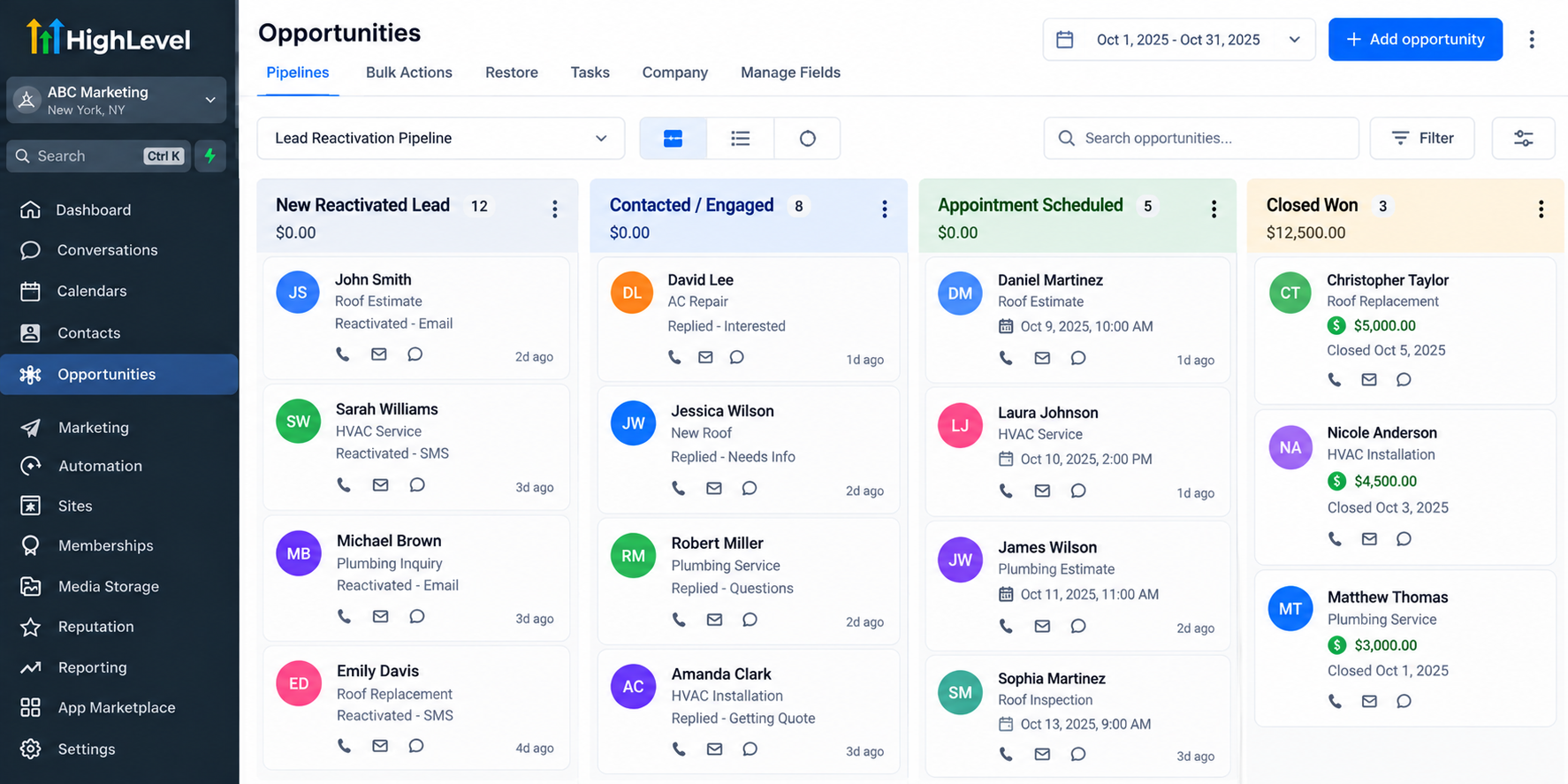
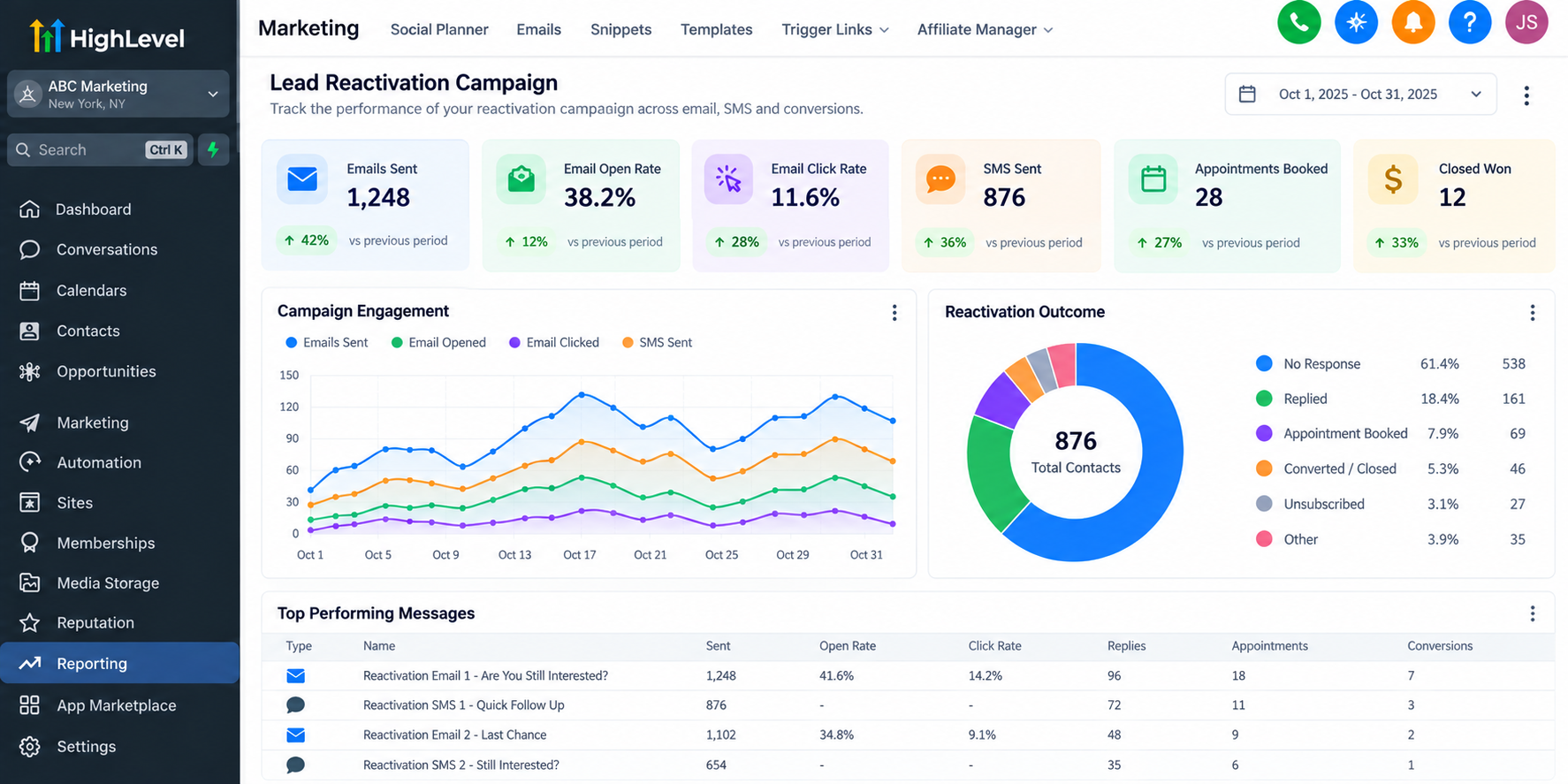
Track meaningful indicators, including replies, booked appointments, qualified opportunities, and completed sales.
Remember that receiving a reply doesn't necessarily mean someone is ready to purchase.
Evaluate actual sales progress alongside campaign engagement.
Practical Example: Reactivating Roofing Leads
Imagine a roofing company with previous estimate inquiries that never resulted in appointments.
The company identifies eligible contacts, segments them based on their original inquiries, and launches a personalized follow-up workflow.
Interested homeowners receive a link to schedule an estimate through a GoHighLevel calendar.
When appointments are booked, the sales team can manage those opportunities through its pipeline.
This approach creates an organized process for reconnecting with prospects instead of allowing previous inquiries to remain untouched.
Best Practices for Lead Reactivation
Successful CRM lead reactivation depends on relevance and responsible communication.
Segment prospects according to previous interests.
Personalize messages whenever reliable information is available.
Avoid excessive or repetitive follow-ups.
Honor unsubscribe requests and messaging preferences.
Review campaign responses and improve underperforming messages.
Avoid outdated lists or contacts without appropriate consent.
Small, targeted campaigns also make it easier to evaluate messaging before expanding outreach.
Why Use GoHighLevel for Lead Reactivation?
GoHighLevel brings several essential campaign tools into one connected environment.
Businesses can organize contacts, build automated follow-ups, manage conversations, schedule appointments, and track opportunities without coordinating multiple disconnected systems.
This centralized approach reduces manual administrative work and helps sales teams maintain visibility into reactivated prospects.
Although results depend on audience quality, messaging, and execution, GoHighLevel provides practical tools for managing the process efficiently.
Conclusion
Inactive leads aren't necessarily lost opportunities. Some prospects simply need better timing, relevant communication, or an easier way to reconnect.
By combining thoughtful segmentation, personalized outreach, and properly configured GoHighLevel workflows, businesses can create a manageable lead reactivation strategy.
Start by reviewing your existing contact database, identifying a small group of eligible prospects, and testing a focused campaign. Consistent follow-up and meaningful performance tracking can help turn forgotten conversations into new business opportunities.
Frequently Asked Questions
1. What is a lead reactivation campaign in GoHighLevel?
It's a targeted outreach campaign that uses GoHighLevel's CRM and automation tools to reconnect with previously interested contacts.
2. Can GoHighLevel automatically follow up with inactive leads?
Yes. Businesses can configure workflows to send scheduled follow-ups and manage responses using appropriate triggers and conditions.
3. How do I identify old leads in GoHighLevel?
Use Contacts, filters, Smart Lists, and available CRM data to identify prospects matching your inactivity criteria.
4. Can I use both email and SMS for lead reactivation?
Yes. GoHighLevel supports both channels, provided contacts have the necessary permissions and applicable messaging requirements are followed.
5. How do I measure reactivation campaign success?
Monitor replies, appointments, qualified opportunities, and completed sales using relevant GoHighLevel conversation, pipeline, and reporting tools.
Need Expert Help with GoHighLevel?
New to GoHighLevel and ready to get started? Buy your GoHighLevel account here and launch with confidence.
Already know what you need and want our team to handle everything, from complete setup and customization to funnels, workflows, automations, CRM, and pipelines? Click here.



