

GoHighLevel Lead Nurturing System and Workflow Automation
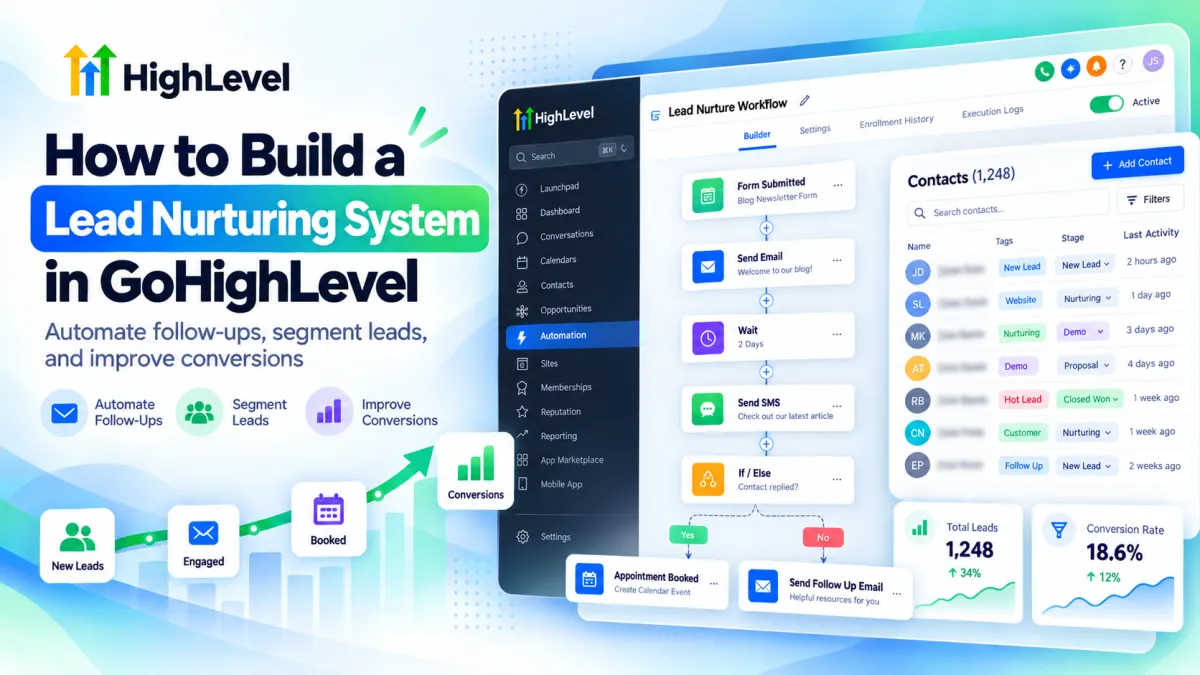
How to Build a Lead Nurturing System in GoHighLevel
Imagine someone visits your website, fills out your contact form, and waits for a response. A day passes, then another. By the time you reach out, they may have already contacted your competitor.
This is exactly why lead nurturing matters.
With GoHighLevel, you can automatically follow up with prospects, answer common questions, and guide them toward booking an appointment. Instead of remembering who needs a message, you create a system that handles the process for you.
Here is how to build one from scratch.
What Is a Lead Nurturing System in GoHighLevel?
A lead nurturing system helps you stay connected with potential customers after they show interest in your business.
GoHighLevel makes this possible by connecting your CRM with automated workflows, emails, SMS messages, and sales pipelines.
For example, when someone requests a consultation, they can receive an immediate confirmation followed by helpful information about your services.
The purpose is simple: build trust, maintain interest, and make it easier for qualified prospects to take the next step.
How to Build a Lead Nurturing System in GoHighLevel
Step 1: Organize Your Leads Before Automating
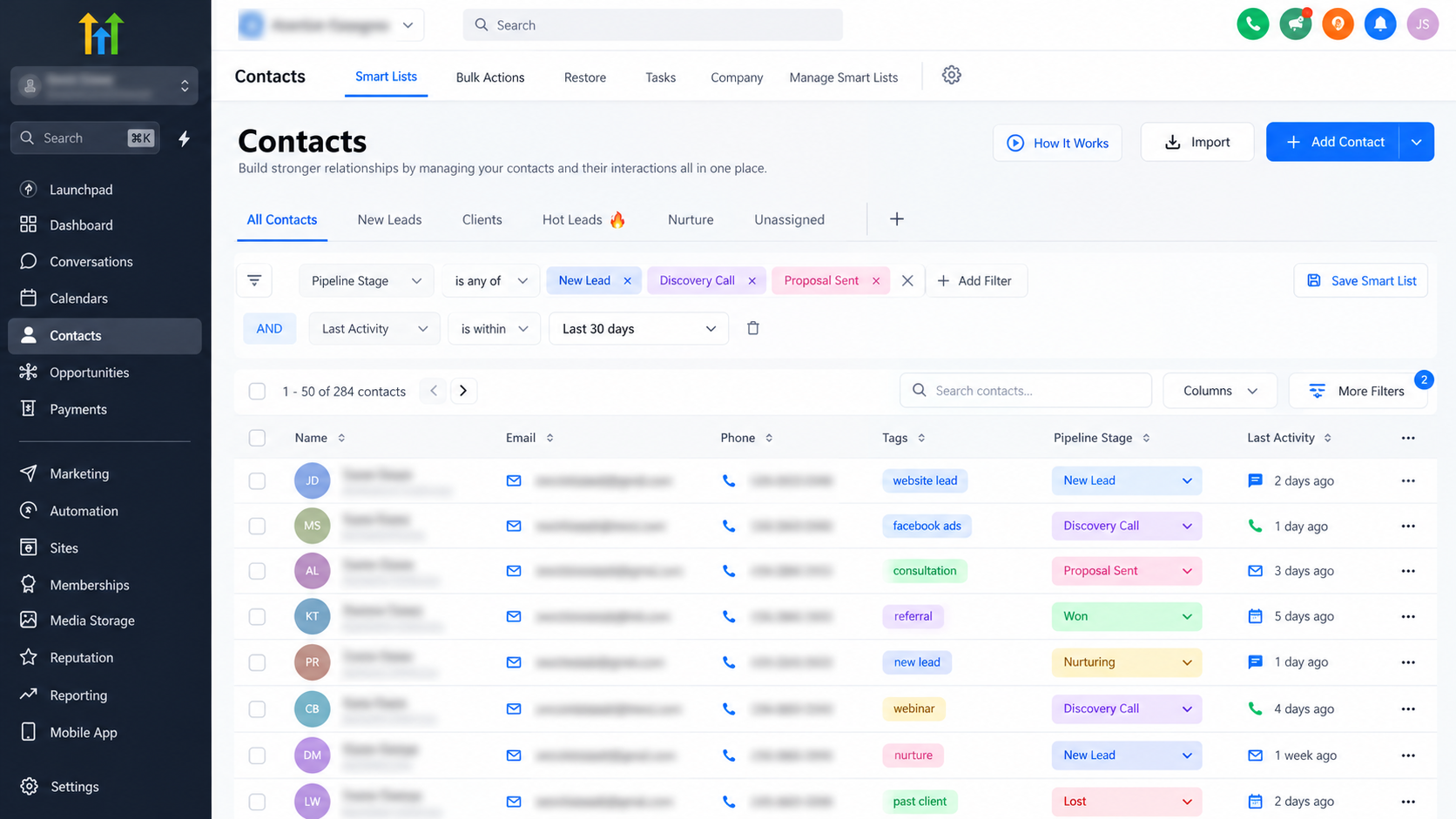
Start by opening the Contacts section in your GoHighLevel account.
Your CRM should contain the information you need to understand where each lead came from and what they are interested in.
Use tags such as Website Lead, SEO Interest, or Consultation Requested to organize contacts.
You can also create custom fields to record service preferences or other useful details.
If you manage sales opportunities, set up pipeline stages such as New Lead, Contacted, Qualified, and Appointment Booked.
This gives your automation a clearer starting point and helps your team understand each prospect's progress.
Step 2: Create Your First Nurturing Workflow
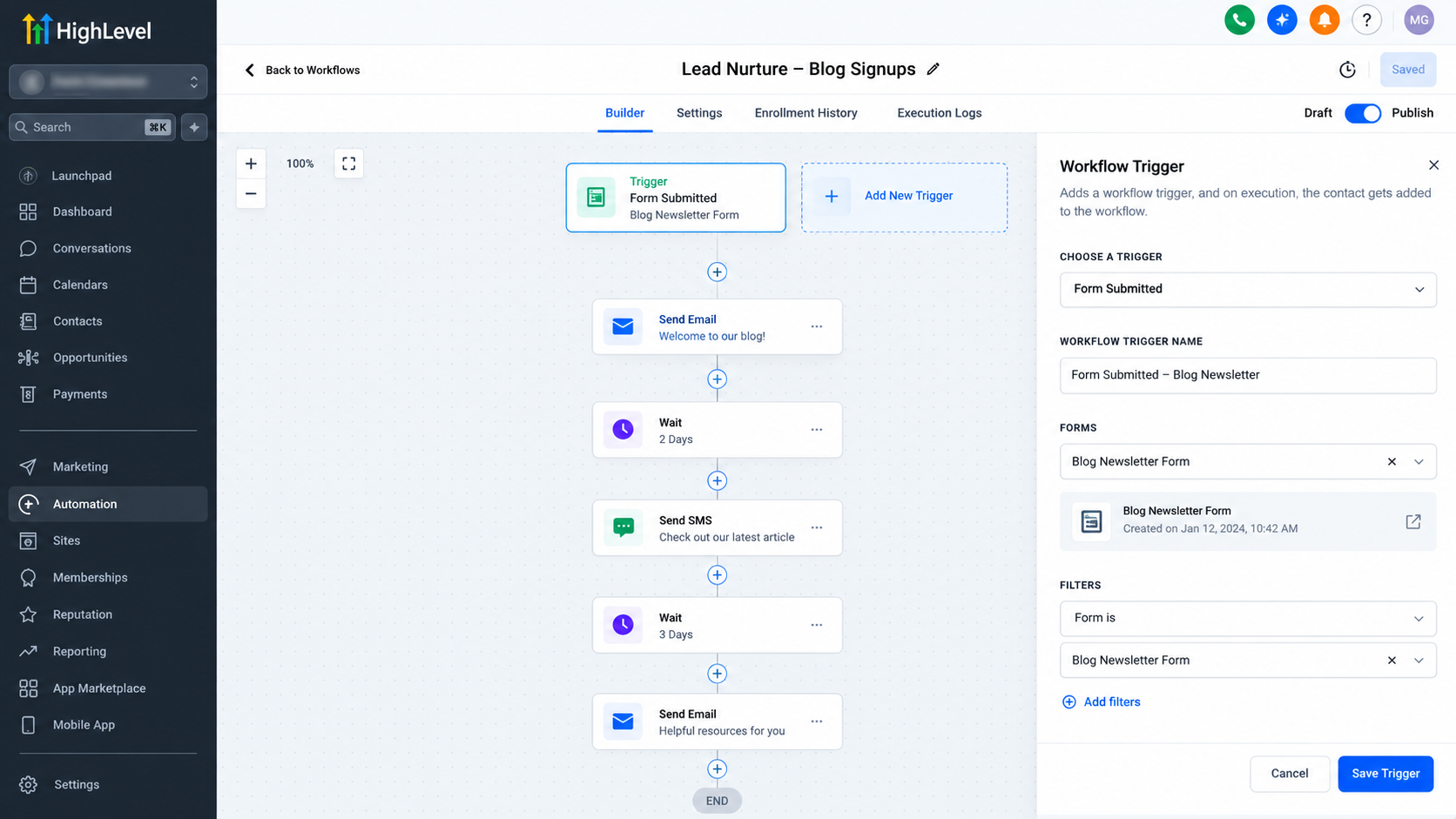
Navigate to Automation > Workflows and select Create Workflow, followed by Start from Scratch.
Name your workflow something recognizable, such as "Website Lead Nurturing."
Next, click Add New Trigger and choose Form Submitted.
Under the Form Is filter, select the specific website form you want to monitor. Save your trigger.
Now, whenever someone submits that form, they can enter your nurturing workflow.
Using a specific form filter is important because you probably do not want every form submission on your website to receive the same messages.
Step 3: Set Up Your Automated Follow Up Messages
Now comes the most important part: deciding what your leads will receive and when.
Inside the workflow builder, click the + icon to add actions.
A simple nurturing sequence could look like this:
Immediately after submission: Use the Send Email action to thank the prospect, confirm their inquiry, and explain what happens next.
After one day: Add a Wait action, followed by Send SMS. Ask whether they have questions or need assistance.
After another two days: Send a helpful email explaining your service and inviting them to book a consultation.
You can adjust these intervals depending on your audience.
Remember to configure your email and SMS sending services correctly and obtain appropriate consent before sending marketing messages.
Step 4: Make Your Messages More Personal
Nobody enjoys receiving messages that feel like they were sent to hundreds of strangers.
GoHighLevel allows you to personalize communication using contact information.
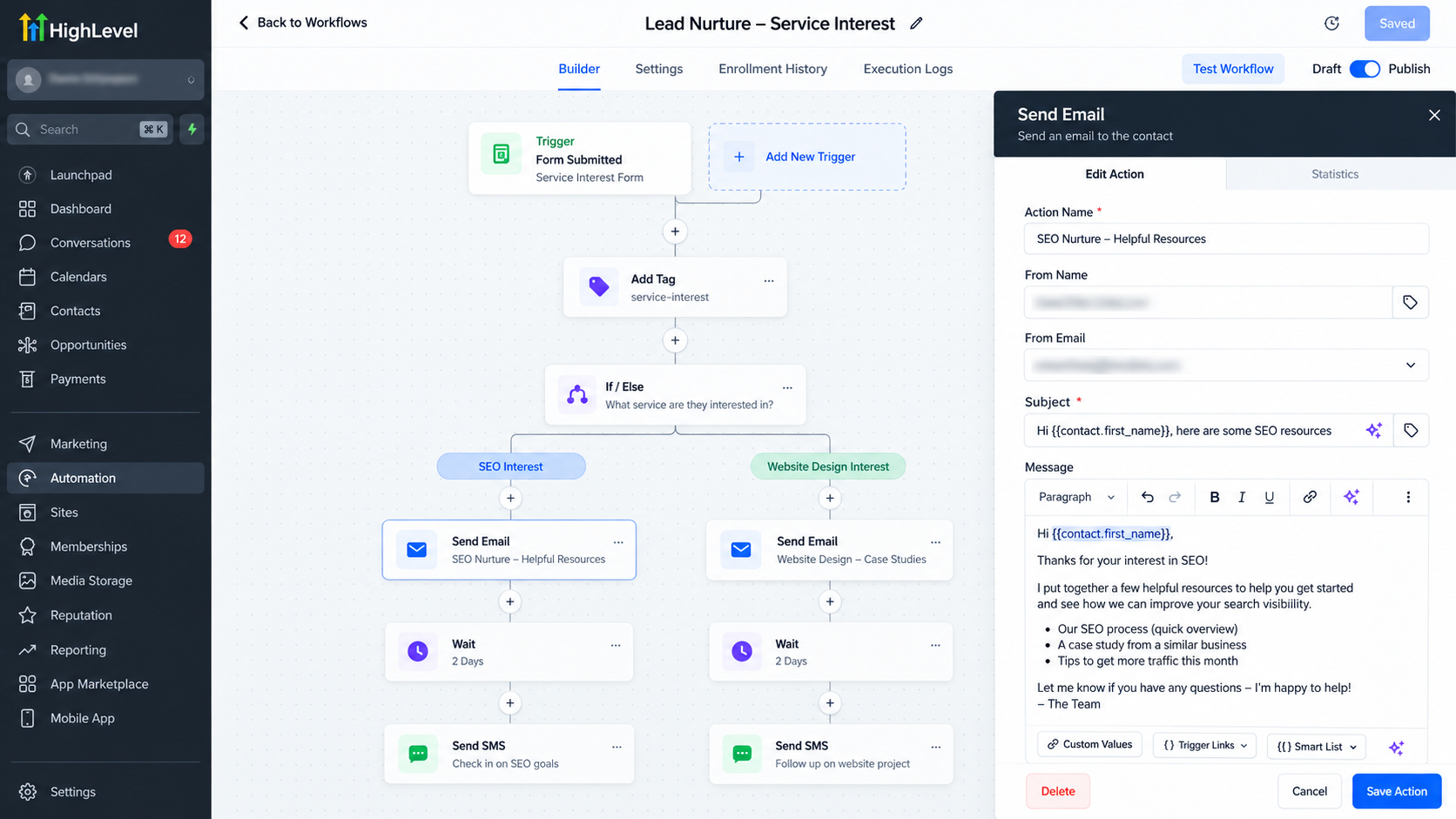
For instance, the merge field {{contact.first_name}} can insert a prospect's first name into a message.
You can take personalization further using the If/Else action.
Suppose your agency offers SEO and website design services. You could use a custom Service Interest field to determine which type of information each lead receives.
Someone interested in SEO gets relevant SEO content, while a website design prospect receives information about your design process.
Small details like these make automated communication feel more relevant.
Step 5: Stop Follow Ups When Leads Respond or Book
Imagine booking a consultation and continuing to receive messages asking you to schedule one. It feels careless.
To avoid this, open your workflow settings and review Stop on Response.
When enabled, this option removes a contact from that specific workflow after they respond to communication sent through it.
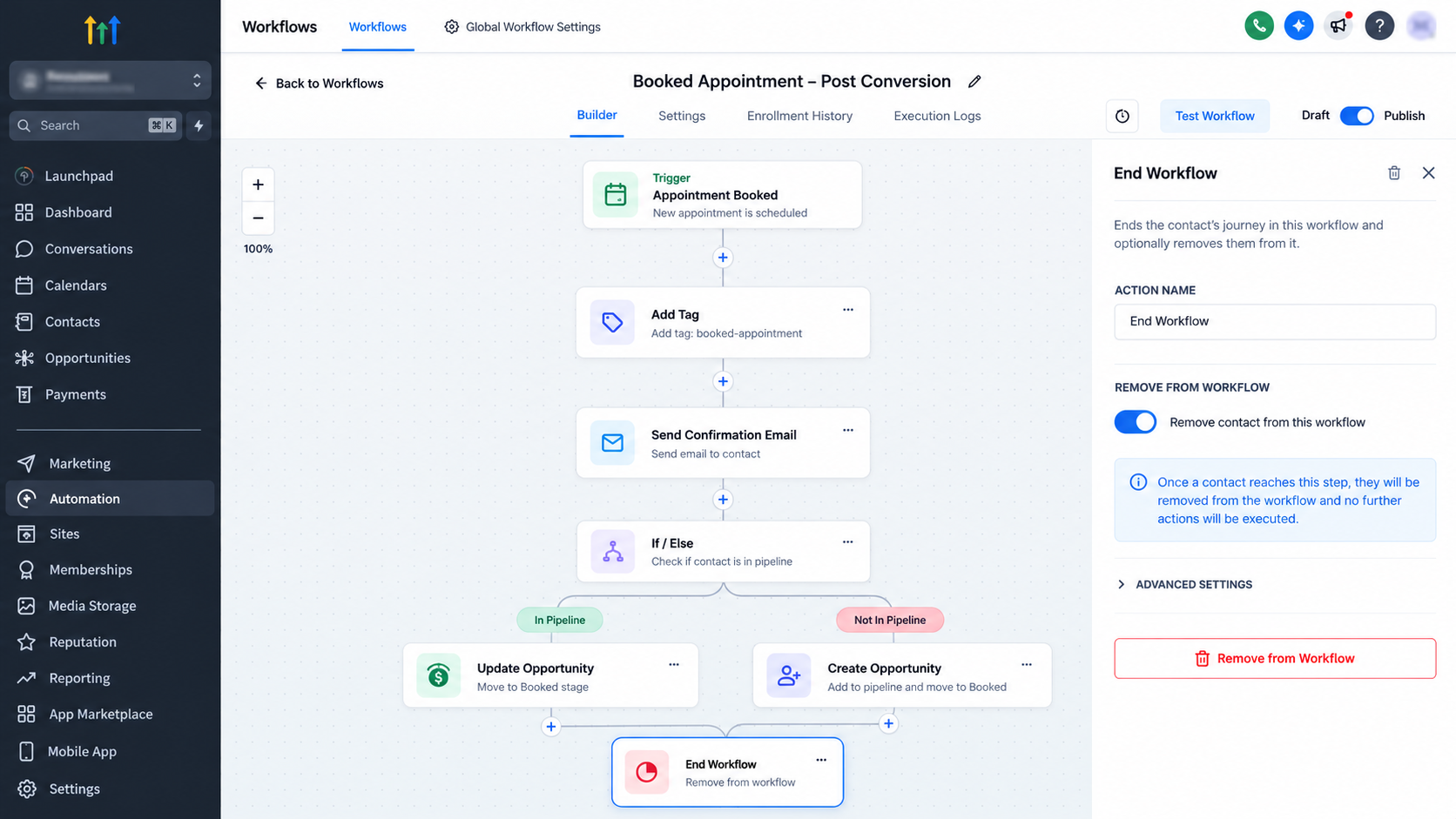
Appointment bookings require separate handling.
You can create another workflow using the Customer Booked Appointment trigger and add a Remove from Workflow action that removes the contact from your original nurturing sequence.
This prevents unnecessary messages and keeps communication aligned with the prospect's actual status.
Step 6: Test Everything Before Publishing
Never activate a workflow without testing it.
Create a test contact and submit your website form as a visitor would.
Check whether the contact enters the correct workflow, receives the expected messages, and follows the appropriate conditional path.
Also test what happens when someone replies or schedules an appointment.
Once everything works as intended, publish your workflow.
Review message delivery, responses, appointment bookings, and eventual conversions regularly. These results will help you decide what needs improving.
A Realistic Lead Nurturing Example
Suppose someone visits your marketing agency's website and requests information about SEO services.
They immediately receive a confirmation email. The following day, a friendly SMS offers assistance. Two days later, another email shares useful information and a consultation link.
The prospect books an appointment.
Your separate booking workflow then removes them from the original nurturing sequence.
Instead of repeatedly chasing the lead, your business provides useful communication at appropriate moments.
Best Practices for Better Results
A successful nurturing system should feel helpful, not overwhelming.
Keep your messages relevant to each prospect's interests. Avoid sending too many reminders, and always respect communication preferences and unsubscribe requests.
Make sure your workflows stop or change direction when prospects respond or book appointments.
Most importantly, measure actual appointments and customers rather than focusing only on how many messages were delivered.
Conclusion
Building a lead nurturing system in GoHighLevel does not require complicated automation.
Start with organized contacts, one clear workflow, and a few thoughtfully written messages. Add personalization, configure proper exit conditions, and test the complete experience.
Once your system is running, keep improving it based on how real prospects respond.
The goal is not simply to automate follow ups. It is to create better conversations that lead to meaningful business relationships.
Frequently Asked Questions (FAQs)
1. Can GoHighLevel automatically nurture leads?
Yes. GoHighLevel allows you to create automated workflows that send emails, SMS messages, and follow ups based on specific triggers. This helps you stay connected with potential customers without manually contacting every lead.
2. How do I start a lead nurturing workflow in GoHighLevel?
Go to Automation > Workflows and create a new workflow. Choose a trigger such as Form Submitted, select the relevant form, and add follow up actions to build your nurturing sequence.
3. Can I use both email and SMS for lead nurturing?
Yes. You can combine email and SMS actions within the same GoHighLevel workflow. Just make sure your sending services are configured properly and your contacts have provided the necessary consent.
4. How do I stop automated messages when a lead books an appointment?
You can create a separate workflow triggered by an appointment booking and use the Remove from Workflow action to remove the contact from your nurturing sequence.
5. How can I measure the success of my lead nurturing system?
Track important results such as lead responses, appointment bookings, and customer conversions. Reviewing these metrics helps you identify which messages are working and where your workflow needs improvement.
Need Expert Help with GoHighLevel?
New to GoHighLevel and ready to get started? Buy your GoHighLevel account here and launch with confidence.
Already know what you need and want our team to handle everything, from complete setup and customization to funnels, workflows, automations, CRM, and pipelines? Click here.



