

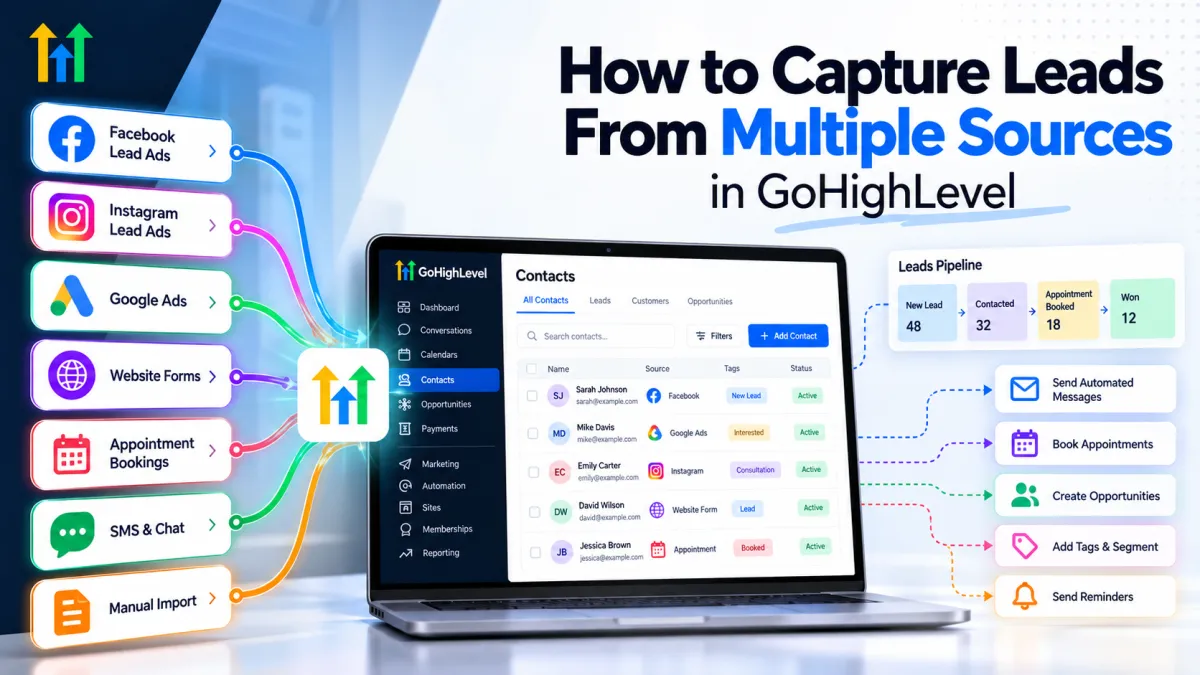
How to Capture Leads From Multiple Sources in GoHighLevel
How to Capture Leads From Multiple Sources in GoHighLevel
Generating leads is rarely the biggest problem for a growing business. Managing those leads properly is where things often become complicated.
A prospect might submit a website form while another comes through Facebook Lead Ads. Someone else may book an appointment, call the business, start a website chat, or respond to an email campaign. Add Google Ads, SMS, referrals, and external marketing tools, and suddenly lead information is scattered across several systems.
Without a structured process, employees end up checking multiple platforms, manually copying contact information, and trying to remember who needs a follow-up.
This is where GoHighLevel lead capture can help. By connecting supported lead sources with the GoHighLevel CRM, businesses can create a more centralized system for capturing, organizing, and following up with prospects.
Why Multiple Lead Sources Become Difficult to Manage
Having multiple lead sources is valuable, but each additional channel creates another place that needs attention.
A Facebook lead might sit unnoticed while the sales team focuses on website inquiries. A phone inquiry may never make it into the CRM. Contact details might be entered twice, or a prospect may receive inconsistent follow-up because nobody knows who is responsible.
These problems can lead to slower response times, missed opportunities, unnecessary manual work, and poor visibility into which marketing channels are actually generating leads.
Effective CRM lead management requires more than collecting names and email addresses. Every lead needs an organized path from initial inquiry to the appropriate next step.
How to Capture Leads in GoHighLevel
GoHighLevel supports several methods for bringing prospects into its CRM. The exact method depends on where the lead originates and how that source connects with the platform.
GoHighLevel Forms and Surveys
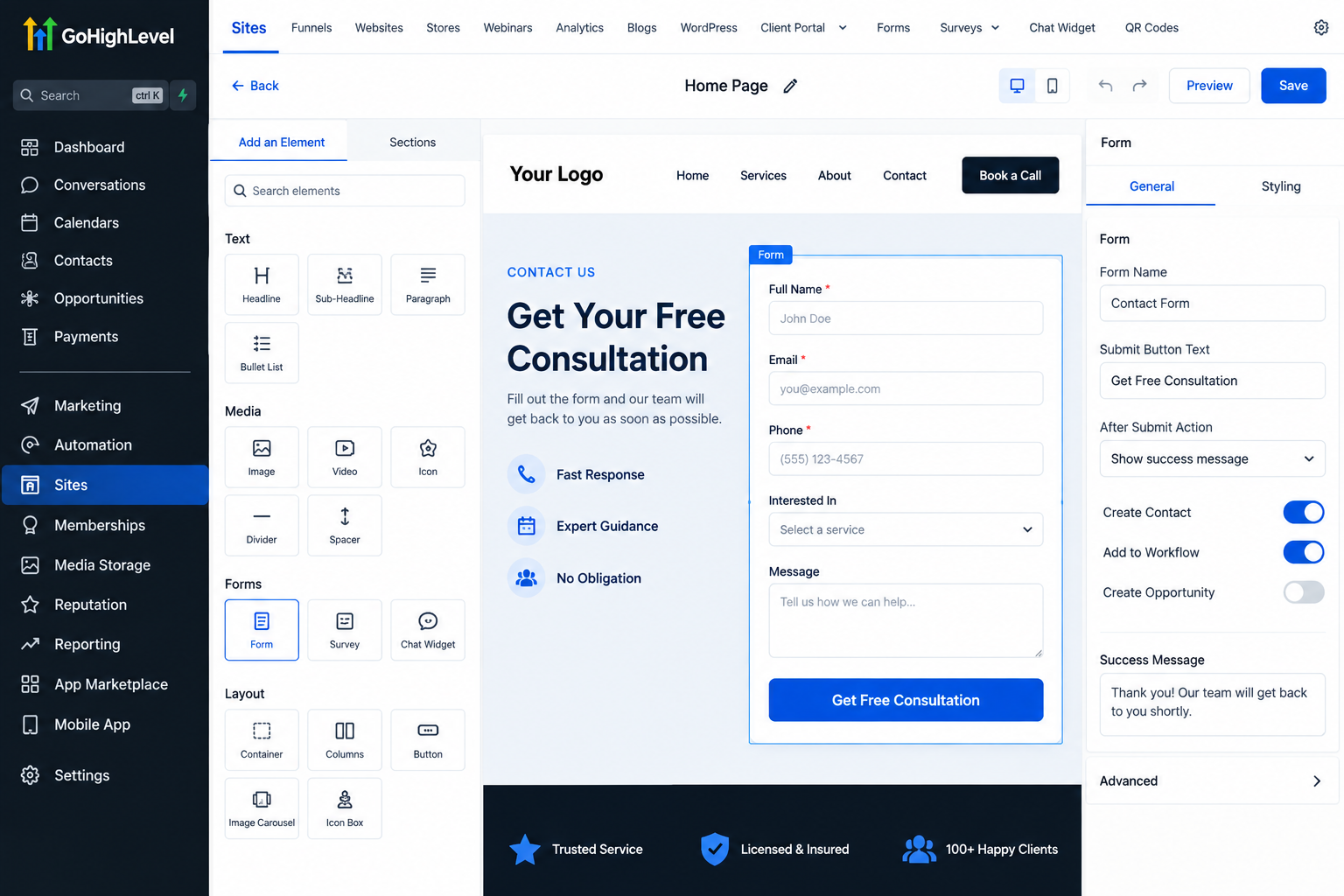
GoHighLevel forms and surveys can collect information such as names, email addresses, phone numbers, service interests, and other custom details.
When someone submits a properly configured form or survey, their information can be stored in the CRM and used to trigger workflows or other follow-up processes.
Landing Pages and Funnels
Businesses can create GoHighLevel funnels and landing pages for specific campaigns. Instead of collecting campaign leads in a disconnected system, forms on these pages can feed prospect information into GoHighLevel.
This makes it easier to connect the initial conversion with the next stages of the sales process.
Facebook and Instagram Lead Ads
With supported Meta connections and proper setup, businesses can bring submissions from Facebook and Instagram lead forms into GoHighLevel.
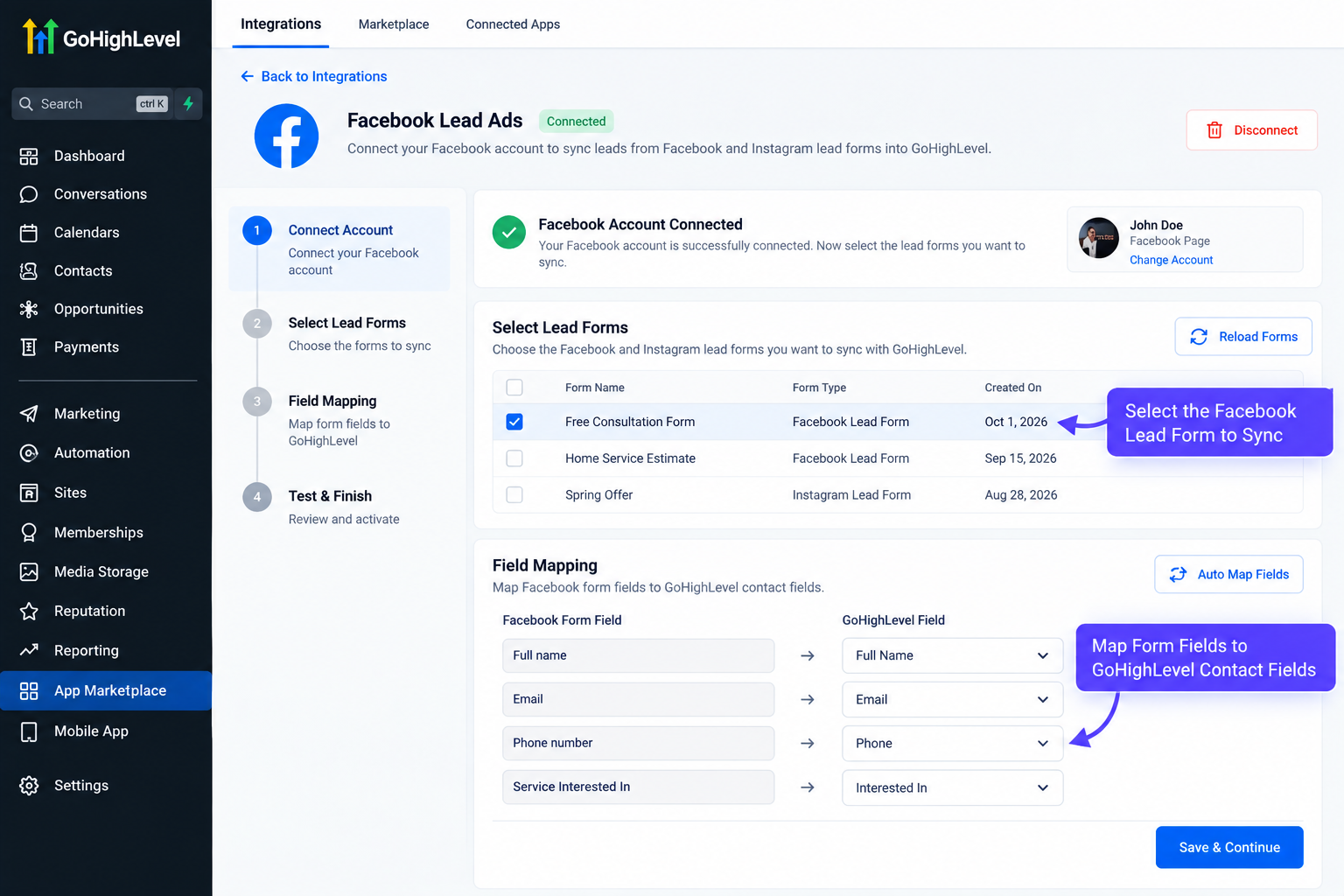
For example, GoHighLevel Facebook leads can enter the CRM and trigger follow-up processes rather than requiring someone to repeatedly check Meta for new submissions.
Website Chat and Conversation Tools
GoHighLevel also provides conversation and website communication tools that can help businesses manage interactions with prospects.
When properly configured, website conversations can become part of a centralized communication process, giving teams better visibility into prospect interactions.
Appointment Calendars
Calendars are another useful form of GoHighLevel lead capture. A prospect can provide contact information while scheduling an available appointment.
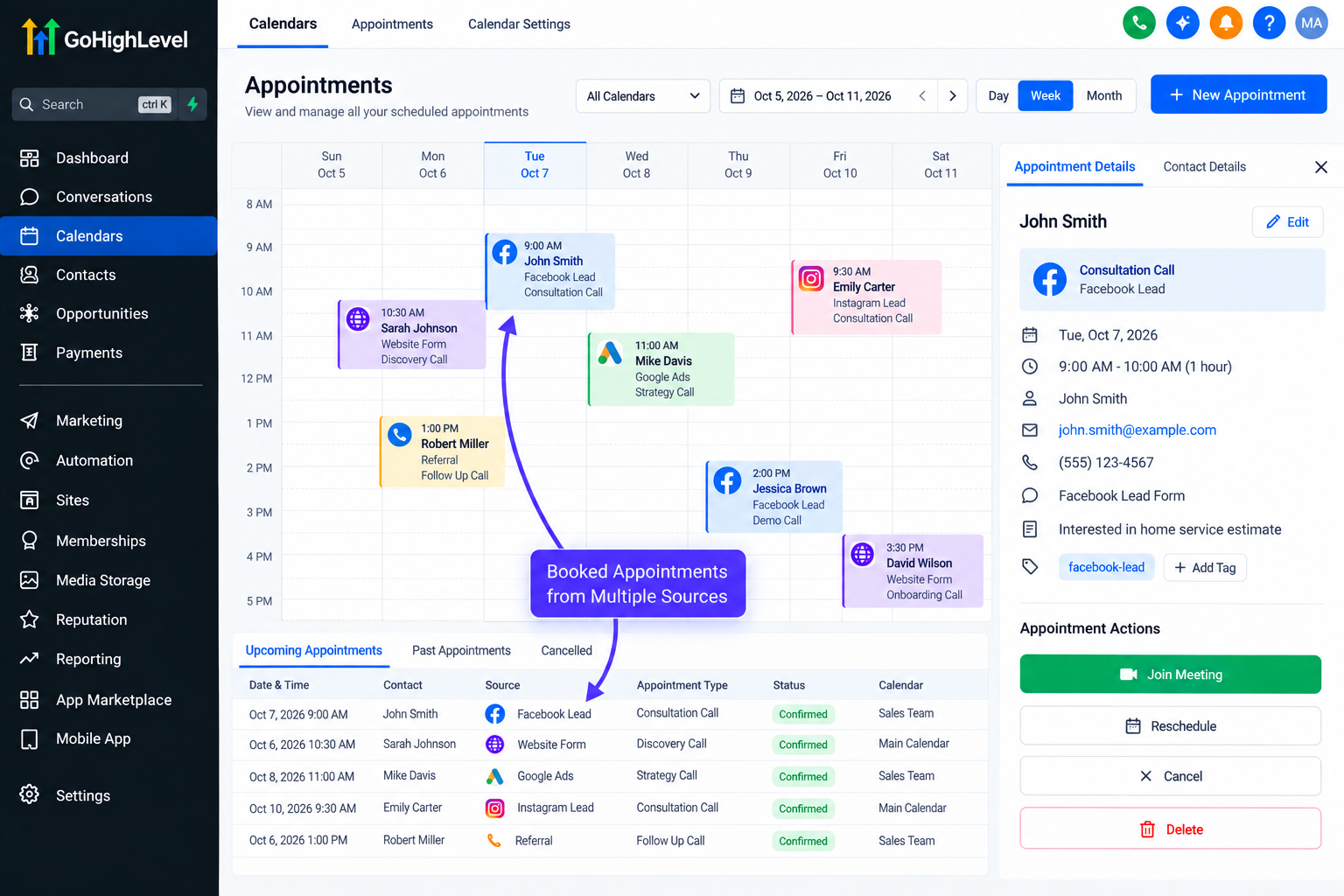
The booking can then become a trigger for confirmation messages, internal notifications, reminders, or other relevant automation.
Phone, SMS, and Email
Supported phone, SMS, and email services can also help teams manage communications from a more centralized environment. The available functionality depends on the account configuration, connected services, and communication setup.
External Lead Sources
Not every marketing platform connects directly to GoHighLevel.
Depending on the application, external leads may be transferred through a supported native integration, webhook, API, or third-party integration service. The correct approach should always be determined by the specific lead source rather than assuming every platform connects automatically.
Organizing Leads After They Enter GoHighLevel
Capturing the contact is only the first step.
Businesses can use contact records, tags, custom fields, opportunities, and the GoHighLevel pipeline to organize prospects based on their status and requirements.
For example, a business might use tags or appropriate source information to distinguish Facebook leads from website inquiries. Custom fields can store campaign-specific information, while opportunities can help sales teams see where prospects currently sit in the sales process.
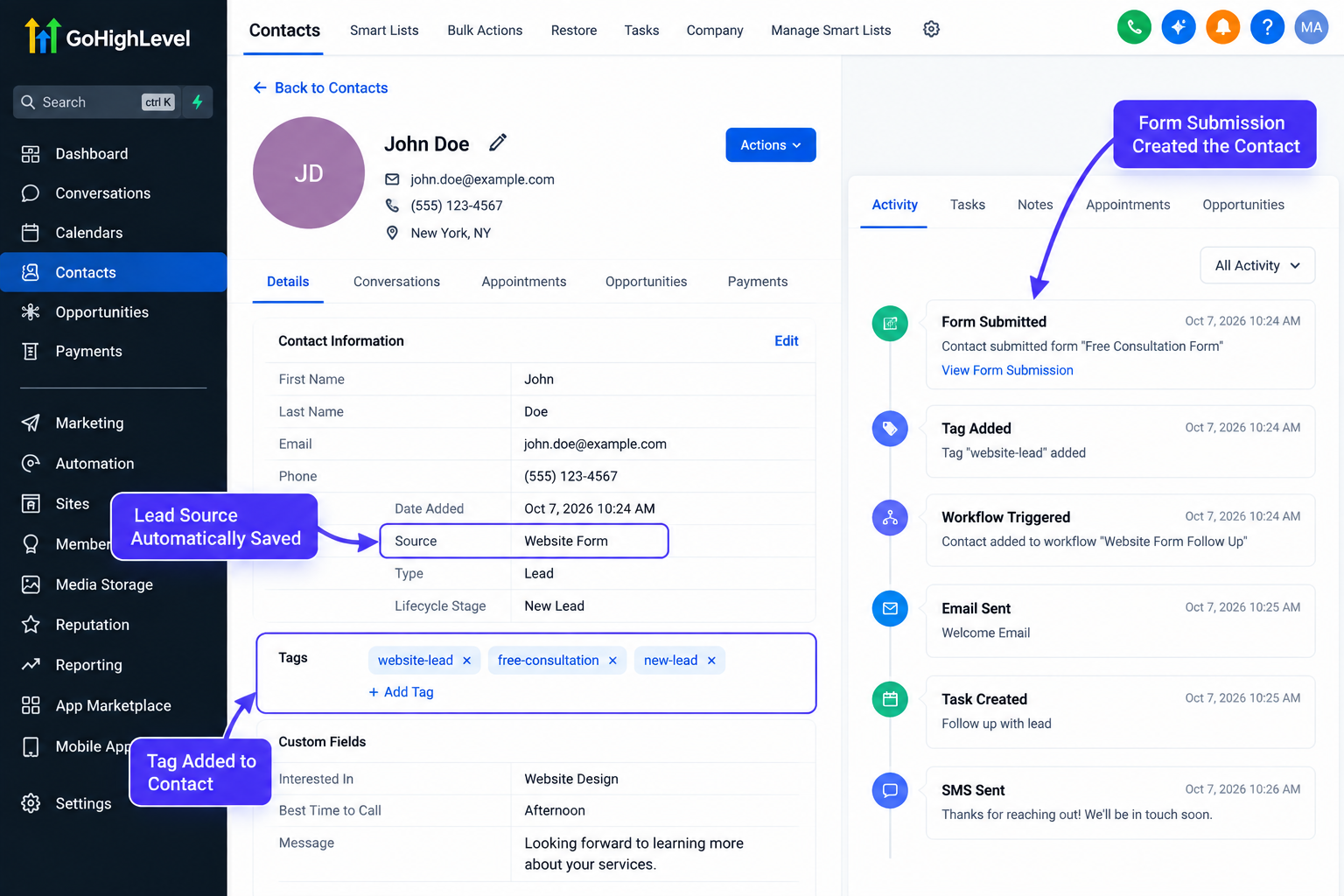
This structure makes GoHighLevel lead management much easier than working from disconnected spreadsheets and inboxes.
Automating Follow-Up Based on Lead Source
The real value of lead capture automation becomes clear after the prospect enters the system.
GoHighLevel workflows can be configured around specific triggers and contact information to determine what should happen next.
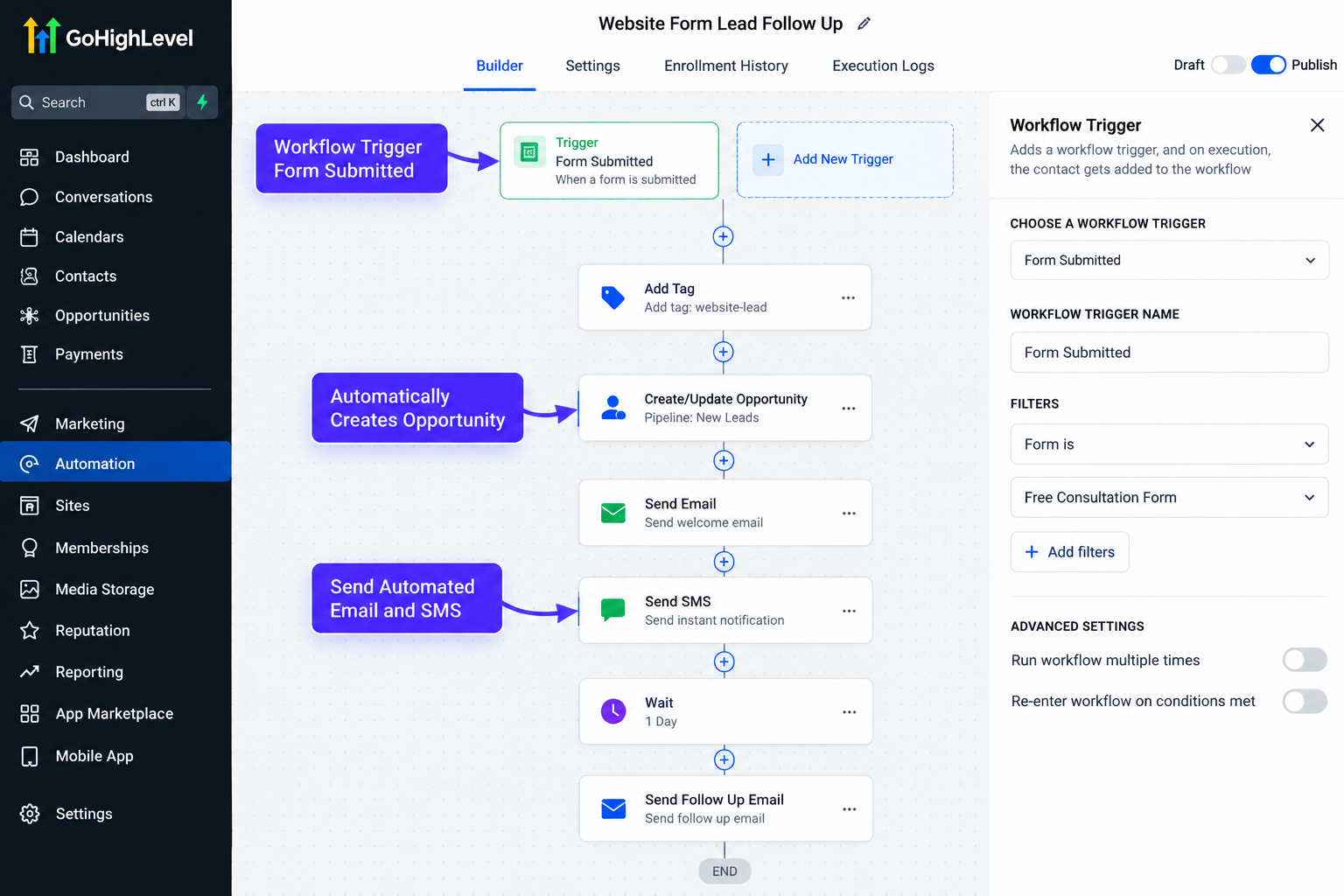
A Facebook lead, for example, could trigger an immediate confirmation and an internal notification for a sales representative. A consultation form submission could create or update an opportunity and begin an appropriate follow-up sequence. Someone who books an appointment could receive confirmation and reminder messages.
The exact automated lead follow-up should depend on the lead source, business process, available integrations, and the prospect's communication permissions.
The goal is not to automate everything. It is to automate predictable steps so the team can focus on conversations that actually require human attention.
Example: A Home Service Company With Multiple Lead Sources
Imagine a home service company generating inquiries through Facebook Lead Ads, Google Ads landing pages, website forms, phone calls, and online appointment bookings.
Without a centralized process, employees may need to check Meta, website notifications, call records, and calendars separately.
With GoHighLevel, supported sources can feed contacts into a more organized CRM process. Leads can be categorized, placed into appropriate pipeline stages, assigned follow-up actions, and connected with relevant workflows.
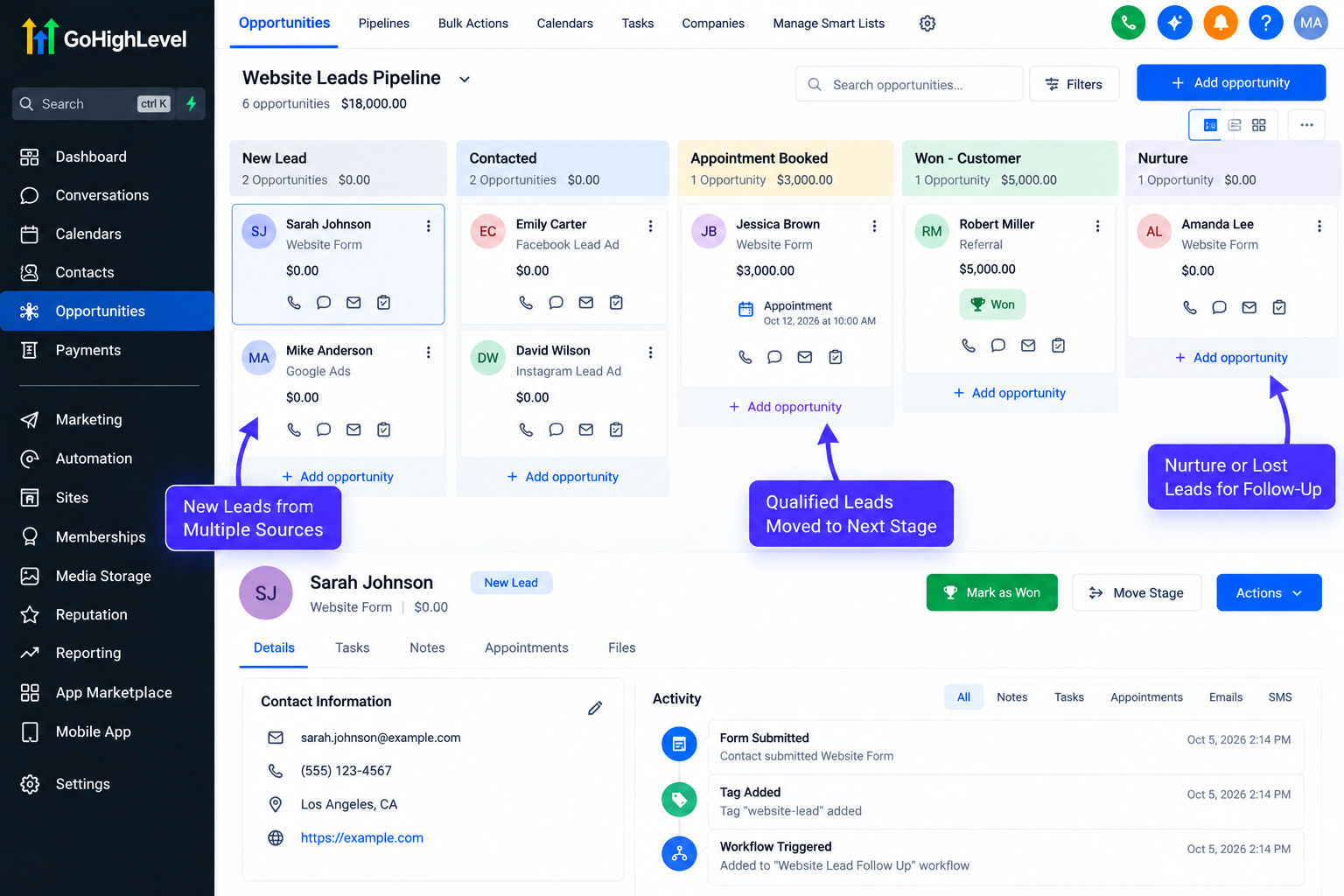
Notifications can alert team members when action is needed, while automation can handle appropriate confirmations and reminders.
Instead of replacing the marketing channels, GoHighLevel becomes the system that helps organize what happens after those channels generate interest.
Benefits of Centralizing Lead Capture
A centralized system can help businesses achieve faster response times, more consistent follow-up, better sales visibility, and less manual data entry.
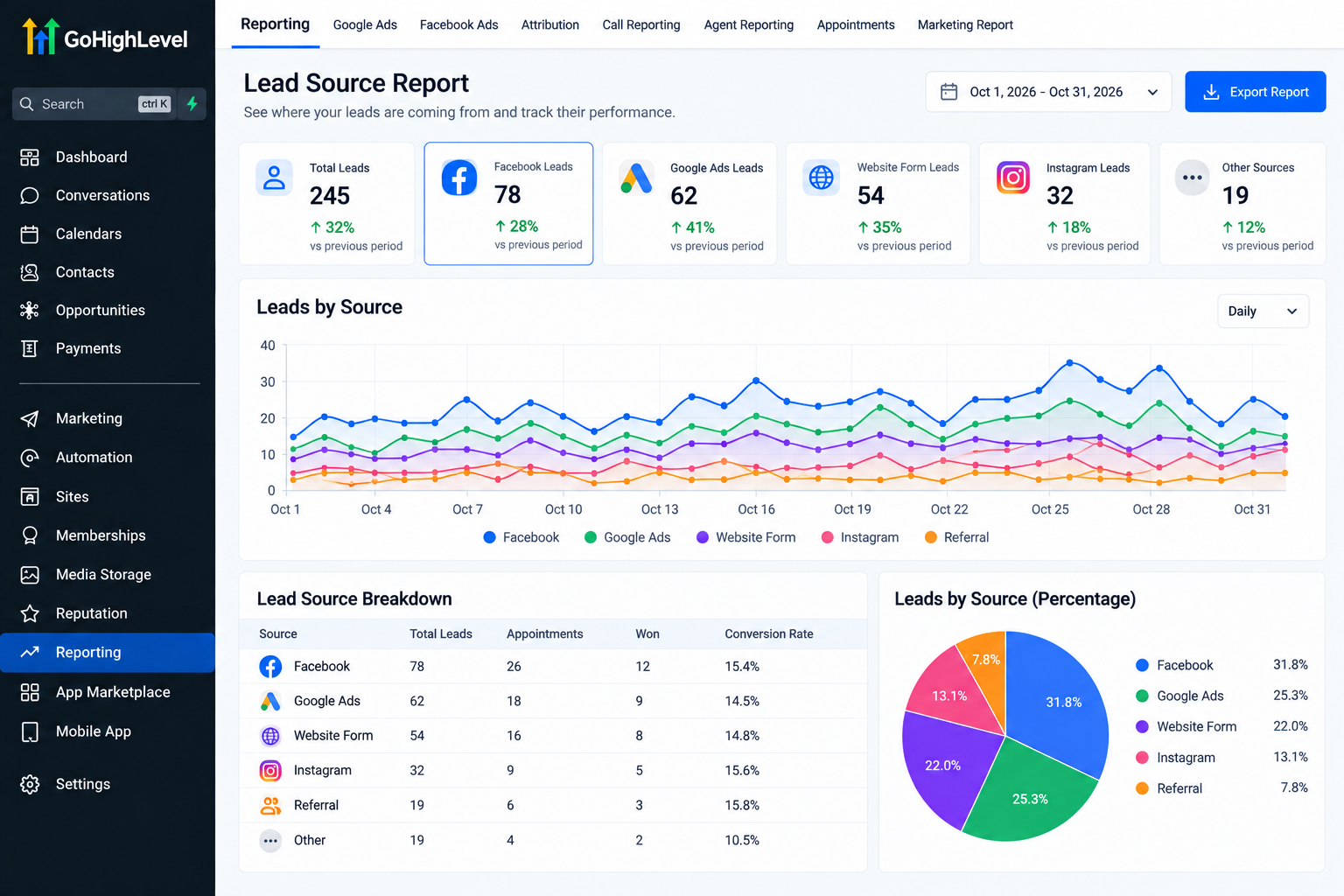
It also becomes easier to understand where prospects originated, reduce the risk of forgotten inquiries, and build processes that can handle increasing lead volume without relying entirely on manual tracking.
Best Practices for GoHighLevel Lead Capture
When building your system:
Clearly identify and record lead sources where possible.
Use consistent tags, custom fields, and pipeline stages.
Avoid creating unnecessary duplicate workflows.
Test every lead source before launching a campaign.
Confirm that internal notifications reach the correct people.
Verify contact and opportunity creation.
Test automated email and SMS actions before going live.
Review workflows regularly as marketing channels and processes change.
Build a Better Lead Management System
Generating more leads means little if those prospects are missed, poorly organized, or never followed up with.
GoHighLevel can help businesses and agencies connect multiple lead sources with CRM organization and automation, creating a clearer path from initial inquiry to the next sales action.
Review where your leads currently come from and what happens after each inquiry. If your team is constantly switching between platforms or manually tracking prospects, it may be time to use GoHighLevel automation to build a more centralized and reliable lead-management process.
Conclusion
Generating leads from multiple channels is a good sign that your marketing is working, but those leads only become valuable when they are captured, organized, and followed up with consistently.
GoHighLevel can help businesses bring supported lead sources into a more structured CRM environment, making it easier to manage contacts, track opportunities, trigger workflows, and keep sales teams informed. Whether leads are coming from forms, funnels, Facebook Lead Ads, appointment calendars, website conversations, phone calls, or external platforms, the goal is to create a clear process for what happens next.
The exact setup will depend on the lead source, available integrations, communication permissions, and your sales process. However, once those connections are configured correctly, GoHighLevel can reduce manual work and create a more reliable lead-management system.
If your team is constantly checking different platforms for new inquiries, review your current lead-capture process and identify which sources can be connected to GoHighLevel. A well-organized system can make it much easier to respond quickly, stay consistent, and prevent valuable prospects from being overlooked.
Frequently Asked Questions
1. Can GoHighLevel capture leads from multiple sources?
Yes. GoHighLevel can receive leads from several supported sources, including forms, surveys, funnels, calendars, Meta lead forms, website conversations, and connected external platforms. The exact setup depends on the source and available integration method.
2. Can Facebook Lead Ads send leads directly to GoHighLevel?
Yes, supported Facebook and Instagram lead forms can be connected to GoHighLevel through the appropriate Meta integration. Once configured correctly, new lead submissions can be added to the CRM and used to trigger workflows.
3. Can GoHighLevel capture leads from Google Ads?
GoHighLevel can capture leads generated from Google Ads when the ads send visitors to connected forms, funnels, landing pages, calendars, or other properly integrated lead-capture experiences. The ad click itself does not automatically create a contact.
4. What happens after a lead enters GoHighLevel?
The contact can be stored in the CRM and organized using tags, custom fields, opportunities, pipelines, and other relevant information. Workflows can then trigger follow-up actions based on how the system is configured.
5. Can GoHighLevel automatically follow up with new leads?
Yes. GoHighLevel workflows can automate actions such as emails, SMS messages, internal notifications, opportunity updates, and appointment reminders. Automation should always be configured according to communication permissions and the business process.
6. Can external applications send leads into GoHighLevel?
Yes, depending on the application. External platforms may connect through native integrations, APIs, webhooks, or third-party integration tools. Not every platform connects directly, so the correct method depends on the software being used.
Need Expert Help with GoHighLevel?
New to GoHighLevel and ready to get started? Buy your GoHighLevel account here and launch with confidence.
Already know what you need and want our team to handle everything, from complete setup and customization to funnels, workflows, automations, CRM, and pipelines? Click here.



