

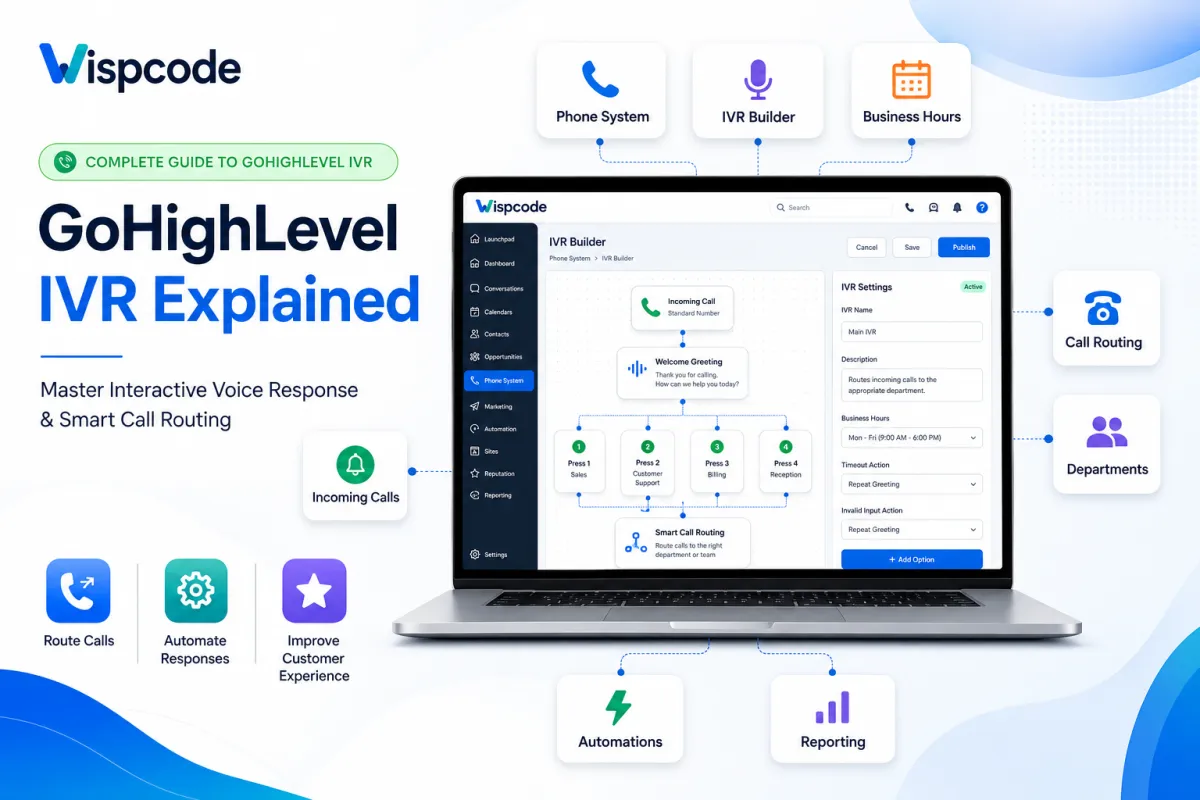
GoHighLevel IVR Explained: Complete Guide to Interactive Voice Response
How to Use GoHighLevel IVR to Improve Call Routing and Customer Experience
Introduction
Every missed phone call represents a missed opportunity. Whether you're running a marketing agency, a local business, a healthcare practice, or a sales team, customers expect their calls to be answered quickly and directed to the right person. When callers are transferred multiple times or worse, sent to voicemail without guidance, it creates frustration and can result in lost business.
That's where GoHighLevel IVR (Interactive Voice Response) becomes valuable.
GoHighLevel's IVR system helps businesses manage incoming calls more efficiently by allowing callers to interact with an automated phone menu. Instead of relying on a receptionist to route every call manually, IVR directs callers to the appropriate department, team member, or workflow based on the options they select.
Beyond improving call routing, IVR helps businesses deliver a more professional customer experience, reduce response times, and ensure that important calls reach the right destination. When combined with GoHighLevel's communication tools and automation capabilities, it becomes an essential part of building a scalable business phone system.
In this guide, you'll learn what GoHighLevel IVR is, how it works, its key features, business benefits, and how to use it effectively to improve customer communication.
What Is GoHighLevel IVR?
Interactive Voice Response (IVR) is an automated phone system that interacts with callers through pre-recorded voice prompts and keypad selections. Instead of immediately connecting every caller to a live agent, IVR presents a menu of options that helps direct calls to the correct destination.
For example, a caller may hear:
"Press 1 for Sales, Press 2 for Support, Press 3 for Billing."
Based on the caller's selection, GoHighLevel routes the call according to the IVR configuration you've created.
Within GoHighLevel, IVR is part of the platform's phone system and allows businesses to automate call handling without requiring manual intervention for every incoming call.
Rather than answering every call individually, businesses can guide customers through a structured call flow, ensuring they reach the appropriate department or team member more efficiently.
How GoHighLevel IVR Works
GoHighLevel IVR follows a straightforward process that helps organize incoming calls from the moment a customer dials your business number.
Step 1: Customer Calls Your Business
A customer calls your GoHighLevel phone number.
Step 2: IVR Greeting Plays
The caller hears a recorded welcome message that introduces your business and provides menu options.
Example:
"Welcome to Wispcode. Press 1 for Sales, Press 2 for Customer Support, Press 3 for Billing."
Step 3: Caller Selects an Option
The customer chooses the appropriate department by pressing a number on their phone keypad.
Each option can be configured to perform a different action depending on your business requirements.
Step 4: GoHighLevel Routes the Call
After receiving the caller's selection, GoHighLevel routes the call according to the IVR settings you've configured.
Depending on your setup, calls can be directed to:
Sales representatives
Customer support
Billing department
Individual team members
Shared phone numbers
Other configured call destinations within your phone system
This structured routing helps reduce unnecessary call transfers and improves the overall customer experience.
Why Businesses Use GoHighLevel IVR
As businesses grow, managing incoming calls manually becomes increasingly difficult. IVR helps organize customer communication while ensuring callers reach the right person faster.
Some of the biggest advantages include:
Improved Call Routing
Customers are automatically directed to the appropriate department, reducing unnecessary transfers and improving response times.
Better Customer Experience
Clear menu options help callers quickly reach the assistance they need, creating a smoother and more professional experience.
Reduced Workload
Instead of manually answering and transferring every incoming call, your team can focus on conversations that require direct assistance.
Consistent Business Communication
Every caller receives the same professional greeting and call routing experience, helping maintain consistency across your business.
Scalable Call Management
As your business grows, IVR allows you to organize larger call volumes without significantly increasing administrative work.
Key Features of GoHighLevel IVR
GoHighLevel provides several features that make IVR a valuable communication tool for businesses managing customer calls.
Automated Voice Menu
Create custom greetings that welcome callers and provide clear menu options.
Example:
"Thank you for calling Wispcode. Please choose one of the following options."
Professional greetings create a strong first impression while helping callers navigate your phone system efficiently.

Call Routing
Configure menu selections to direct callers to the appropriate destination based on their needs.
Examples include routing calls to:
Sales
Customer Support
Billing
Reception
Individual team members
Effective call routing minimizes delays and ensures customers connect with the right person.

Custom Greetings
Businesses can personalize IVR greetings to reflect their brand voice and communication style.
For example, you can:
Welcome customers by business name.
Share office hours.
Provide holiday announcements.
Inform callers about estimated wait times.
Offer instructions before routing begins.
Keeping greetings concise and informative improves the caller experience.

Department-Based Call Distribution
If your business has multiple departments, IVR allows callers to choose where they want to be directed.
This helps organize communication and reduce the number of calls transferred manually, particularly for growing teams handling different types of customer inquiries.

Professional Business Image
Even small businesses can provide callers with a structured and organized phone experience.
A well-designed IVR system demonstrates professionalism, improves customer confidence, and ensures every caller receives consistent service regardless of who answers the phone.
How to Set Up GoHighLevel IVR (Step-by-Step)
Setting up an Interactive Voice Response (IVR) system in GoHighLevel allows you to organize incoming calls and direct customers to the right destination without manual intervention. Before creating your IVR menu, plan your call flow based on your business structure. This ensures callers can quickly reach the appropriate department while keeping the experience simple and intuitive.
Follow these general steps to configure your IVR in GoHighLevel.
Step 1: Access Your Phone System
Log in to your GoHighLevel account and navigate to the phone settings associated with your business number. This is where you can configure call handling and related phone features.

Step 2: Create Your IVR Menu
Create a new IVR menu and record or upload a professional greeting.
Your greeting should clearly welcome callers and explain the available options.
For example:
"Thank you for calling Wispcode. Press 1 for Sales, Press 2 for Customer Support, Press 3 for Billing."
Keep your greeting short, professional, and easy to understand.

Step 3: Configure Menu Options
Assign each keypad option to the appropriate destination based on your business requirements.
For example:
Press 1 → Sales Team
Press 2 → Customer Support
Press 3 → Billing Department
Press 4 → Reception
Organizing your menu logically helps callers reach the correct team without unnecessary transfers.

Step 4: Save and Test Your IVR
Before making your IVR live, place several test calls to verify that:
Every menu option works correctly.
Calls route to the intended destination.
Voice prompts are clear and easy to understand.
There are no dead ends or incorrect routing paths.
Testing ensures a smooth customer experience and helps identify issues before customers encounter them.

Where Can Businesses Use GoHighLevel IVR?
GoHighLevel IVR can support businesses across many industries by simplifying call management and improving customer communication.
Marketing Agencies
Marketing agencies often receive inquiries related to sales, onboarding, support, and existing client services.
An IVR system can direct callers to the correct department immediately, helping account managers focus on client work while reducing unnecessary call transfers.
Healthcare Clinics
Medical practices frequently manage appointment scheduling, billing questions, and patient support.
An organized IVR menu allows patients to reach the appropriate department more quickly, improving both operational efficiency and the patient experience.
Real Estate Agencies
Real estate professionals handle buyer inquiries, seller consultations, rental questions, and property management requests.
IVR helps route each caller to the right agent or department, reducing response times and ensuring inquiries are handled efficiently.
Home Service Businesses
Businesses such as HVAC, plumbing, electrical, or cleaning services often receive calls for new bookings, emergency requests, and customer support.
A well-designed IVR system directs callers based on their needs, making it easier to prioritize urgent requests and manage appointments.
Professional Service Firms
Law firms, accounting firms, and consulting businesses can use IVR to separate calls related to consultations, client support, billing, or administrative inquiries.
This structured approach creates a more professional communication process while improving internal efficiency.
Benefits of Using GoHighLevel IVR
Implementing IVR provides more than just automated call routing. It helps businesses improve communication, streamline operations, and deliver a better customer experience.
Faster Response Times
Callers reach the correct department more quickly, reducing unnecessary transfers and wait times.
Better Lead Handling
Potential customers can be directed to the appropriate sales representative, helping businesses respond to new inquiries more efficiently.
Improved Customer Satisfaction
Clear call menus and structured routing reduce frustration by making it easier for customers to find the assistance they need.
More Efficient Teams
Sales, support, and administrative staff spend less time manually transferring calls and more time helping customers.
Professional Brand Experience
A well-organized IVR system gives businesses a polished and professional image from the very first interaction.
Best Practices for Creating an Effective IVR
A successful IVR system should make it easier, not harder, for customers to reach the right person.
Follow these best practices to create a better caller experience.
Keep the Menu Simple
Avoid offering too many options in a single menu.
Most businesses can serve customers effectively with three to five clear choices, making navigation faster and less confusing.
Use Clear Voice Prompts
Record greetings using a clear, friendly, and professional tone.
Avoid speaking too quickly, and make sure callers understand each option before moving to the next.
Organize Options Logically
Place the most frequently selected options first.
For example:
Sales
Customer Support
Billing
General Inquiries
This structure helps callers reach their destination more efficiently.
Test Before Making Changes Live
Whenever you update your IVR, complete several test calls before publishing the changes.
Testing helps identify routing errors, incorrect greetings, or menu issues before they affect customers.
Common Mistakes to Avoid When Using GoHighLevel IVR
A well-designed IVR system improves customer communication, but poor planning can create frustration and lead to missed opportunities. Avoid these common mistakes to ensure your IVR provides a smooth and professional caller experience.
1. Creating Too Many Menu Options
One of the most common IVR mistakes is overwhelming callers with long menus.
If customers have to listen to numerous options before reaching the correct department, they may become frustrated and hang up.
Best Practice:
Limit your primary menu to three to five options whenever possible.
Keep menu navigation simple and intuitive.
Place the most frequently selected options first.
A shorter menu helps callers reach the right destination more quickly.
2. Using Unclear or Lengthy Greetings
Your welcome message creates the first impression of your business. Long or confusing greetings can make callers lose interest before they even reach the menu.
Best Practice:
Record greetings that are:
Friendly
Professional
Clear
Easy to understand
Under 30 seconds whenever practical
Provide only the information callers need before presenting the menu options.
3. Poor Call Routing
Incorrect call routing defeats the purpose of using IVR.
If callers repeatedly reach the wrong department, they may need to explain their issue multiple times, resulting in a poor customer experience.
Best Practice:
Review every routing path carefully and verify that each menu option directs callers to the correct team or destination.
4. Forgetting to Test Your IVR
Even a small configuration error can prevent callers from reaching the appropriate department.
Best Practice:
After making changes:
Place test calls.
Verify every keypad option.
Confirm greetings play correctly.
Ensure calls connect successfully.
Testing should become part of your regular IVR maintenance process.
5. Ignoring Business Updates
Businesses evolve. Departments change, phone numbers are updated, and new services are introduced.
If your IVR is not updated accordingly, callers may receive outdated information or be routed incorrectly.
Best Practice:
Review your IVR regularly and update:
Business hours
Department names
Greeting messages
Call routing rules
Contact numbers
Keeping your IVR current ensures customers always receive accurate information.
Frequently Asked Questions (FAQs)
What does IVR stand for?
IVR (Interactive Voice Response) is an automated phone system that allows callers to interact with a menu using their phone keypad, helping route calls to the appropriate destination.
What is GoHighLevel IVR used for?
GoHighLevel IVR helps businesses manage incoming calls by presenting callers with menu options and directing them to the appropriate department or team member based on their selection.
Can small businesses benefit from GoHighLevel IVR?
Yes. Even businesses with small teams can use IVR to create a more professional phone experience, reduce manual call transfers, and improve customer communication.
How often should I update my IVR?
Review your IVR whenever your business information changes, such as office hours, departments, phone numbers, or available services. Regular testing also helps ensure everything functions correctly.
What makes an effective IVR menu?
An effective IVR menu is:
Simple
Easy to understand
Logically organized
Professionally recorded
Regularly maintained
The goal is to help callers reach the right destination as quickly as possible.
Conclusion
GoHighLevel IVR is a practical solution for businesses that want to manage incoming calls more efficiently while delivering a professional customer experience. By automating call routing through clear menu options, IVR helps connect callers with the right department or team member without unnecessary delays.
Whether you're running a marketing agency, healthcare practice, real estate business, or local service company, a well-planned IVR system can improve communication, reduce manual call handling, and create a more organized phone experience. The key is to keep your menus simple, maintain accurate routing, and review your setup regularly as your business evolves.
When implemented thoughtfully, GoHighLevel IVR becomes more than just an automated phone menu. It becomes an important part of your customer communication strategy. By following the best practices in this guide, you can build a scalable phone system that enhances customer satisfaction, supports your team, and helps your business handle every call more effectively.
Need Expert Help with GoHighLevel?
New to GoHighLevel and ready to get started? Buy your GoHighLevel account here and launch with confidence.
Already know what you need and want our team to handle everything, from complete setup and customization to funnels, workflows, automations, CRM, and pipelines? Click here.



