

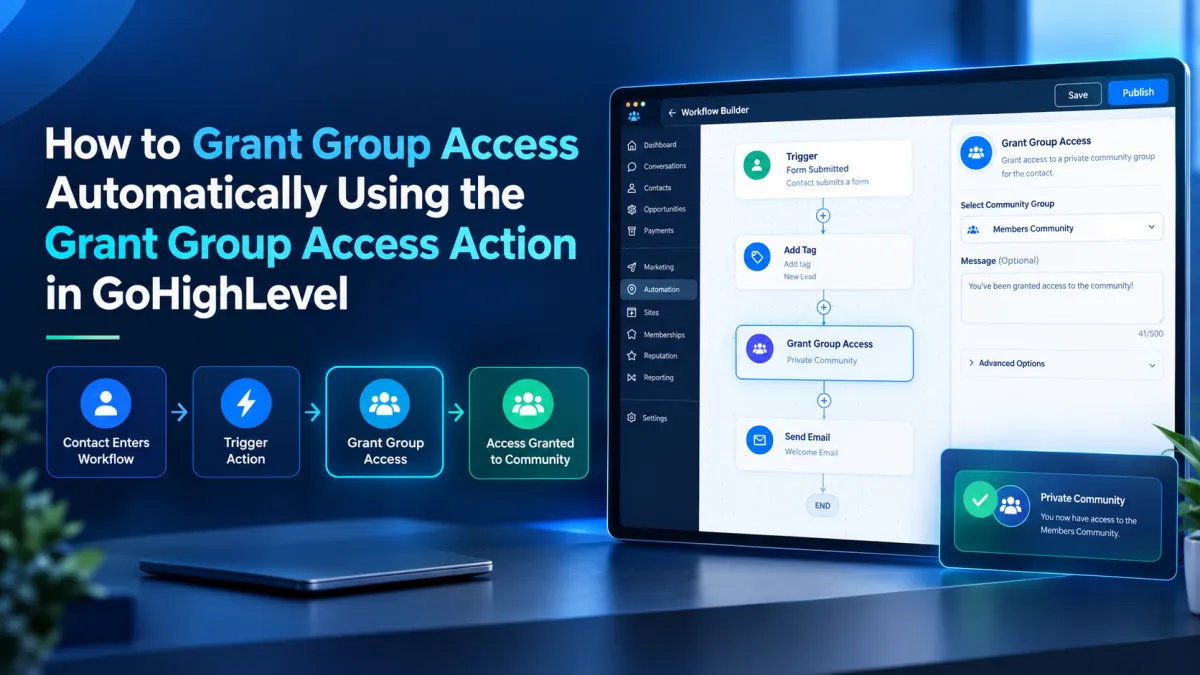
How to Grant Group Access Automatically Using the Grant Group Access Action in GoHighLevel
How to Grant Group Access Automatically Using the Grant Group Access Action in GoHighLevel
Imagine a customer completes the step that qualifies them for a private Community group. Instead of manually finding that contact and changing their access, you can let a workflow handle it at the right point in the customer journey. GoHighLevel provides the Grant Group Access Action specifically for this purpose. It grants a contact access to a selected Community group when the workflow reaches that action.
What Is the Grant Group Access Action?
Grant Group Access is a Community workflow action in GoHighLevel. Its purpose is simple: it grants the contact moving through the workflow access to a specific Community group. The action runs when the contact reaches that step in the workflow sequence.
This is different from the Group Access Granted trigger. That trigger starts a workflow after group access has already been granted. Grant Group Access is the action that makes the access change during workflow execution.
What Is It Used For?
The action is useful when access to a Community group should happen automatically after another relevant event. For example, a business can grant customer Community access after a qualifying onboarding step. The workflow determines when access should be granted, while the action performs the access change.
When Should You Use It?
Use this action when the desired result is access to a specific Community group and that access should be granted as part of a workflow.
Keep it separate from other GoHighLevel features. Grant Group Access is not the same as granting a course offer, adding a contact tag, assigning a user, or adding a contact to a workflow. GoHighLevel lists it under Community actions and defines it as granting access to a specific community group.
If access needs to be removed, use the separate Revoke Group Access action. If automation should begin after access has already been granted, use Group Access Granted instead.
How It Works in a Workflow
A GoHighLevel workflow begins with a trigger. Once the contact enters the workflow, the workflow follows its configured sequence. When the contact reaches Grant Group Access, the action grants that contact access to the selected Community group.
How to Configure Grant Group Access
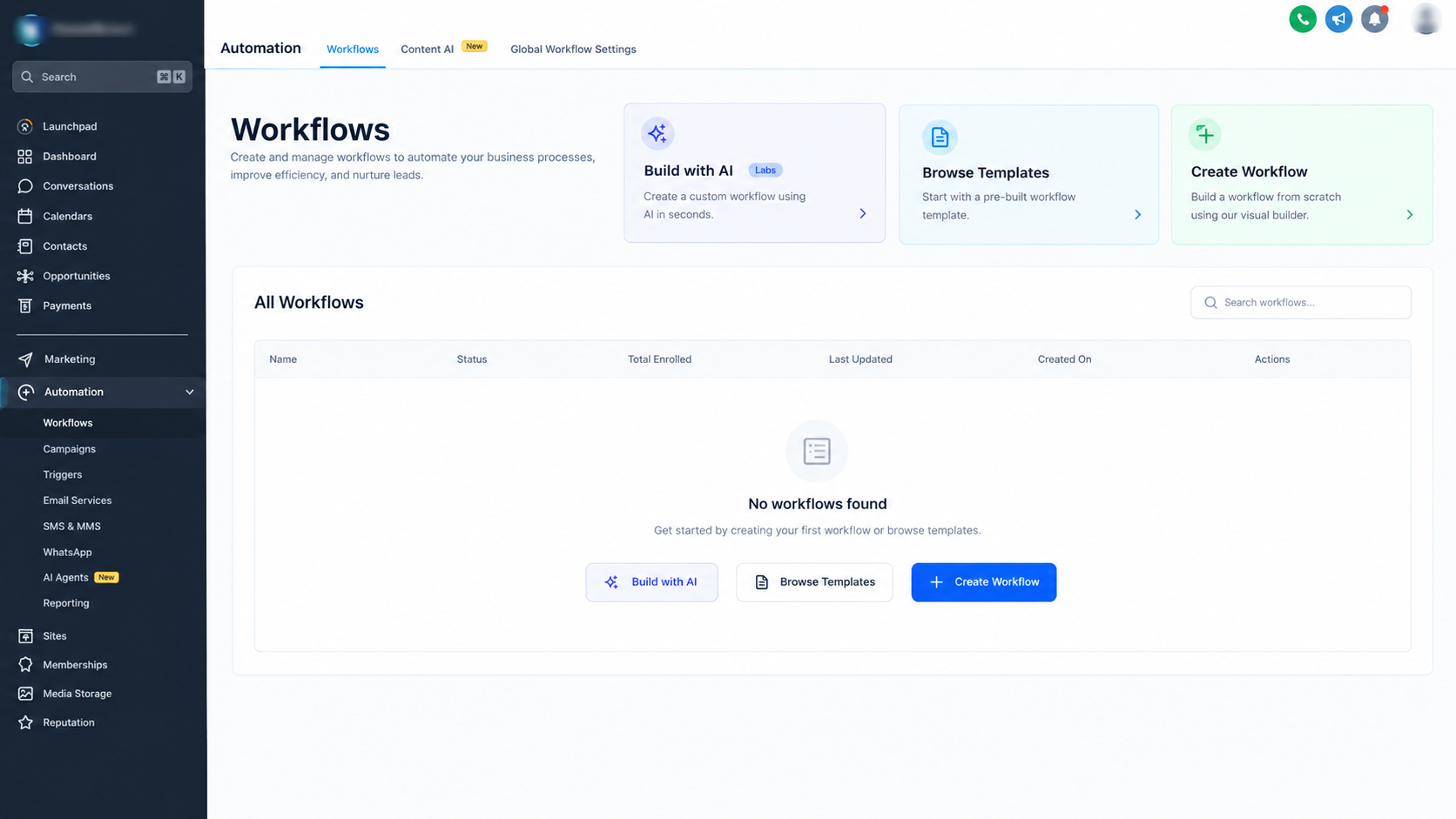
Step 1: Open Workflows
From your GoHighLevel sub account, open Automation and go to Workflows. Create a new workflow or open an existing one where Community group access should be granted. Workflow actions are added from the workflow builder using Add Action.
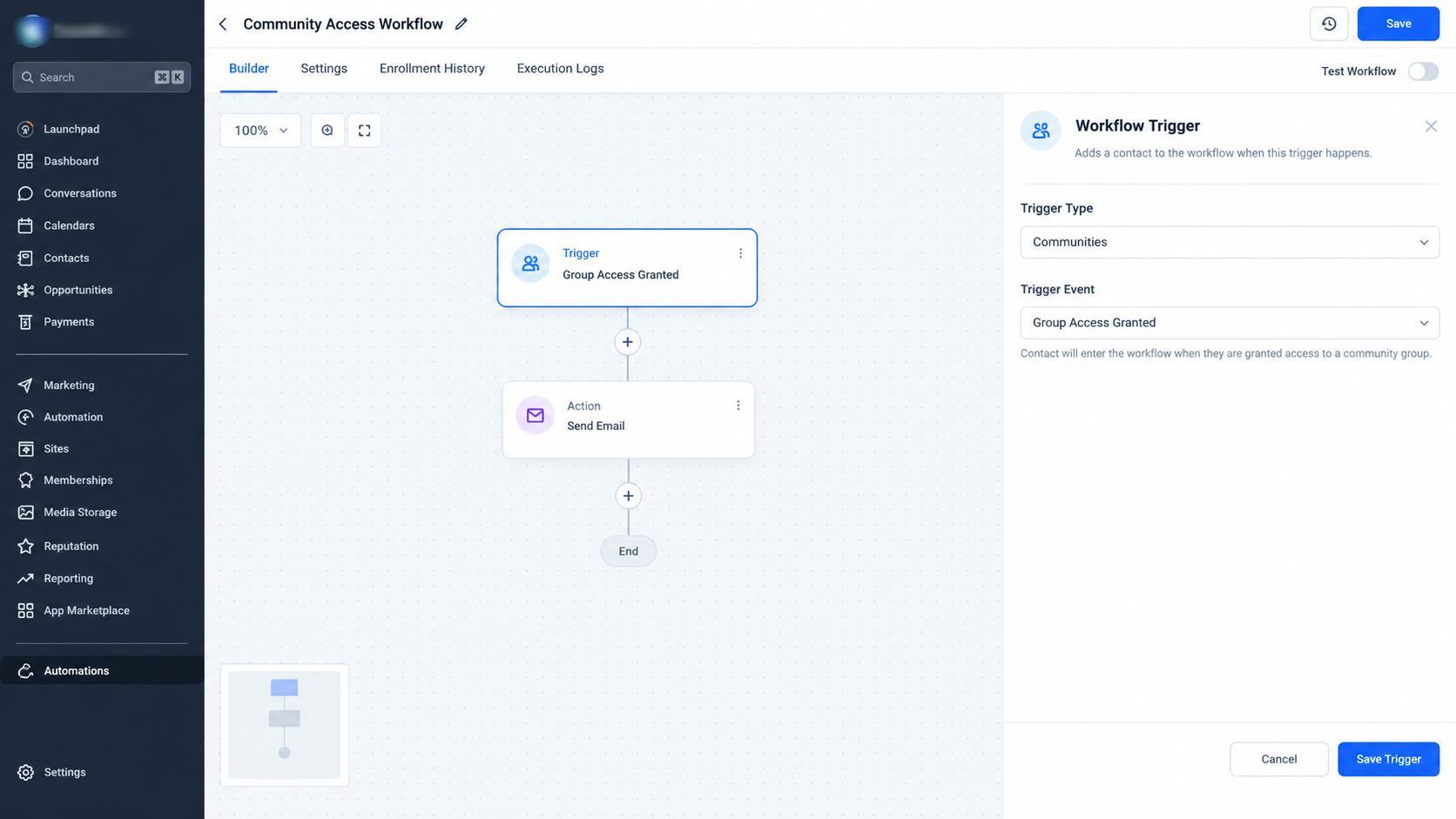
Step 2: Configure the Trigger
Choose the trigger that should cause the contact to enter the workflow. It should represent the event that makes the contact eligible for the Community group access.
Step 3: Add the Action
Click Add Action at the point where access should be granted. Search for Grant Group Access and select the Community action.
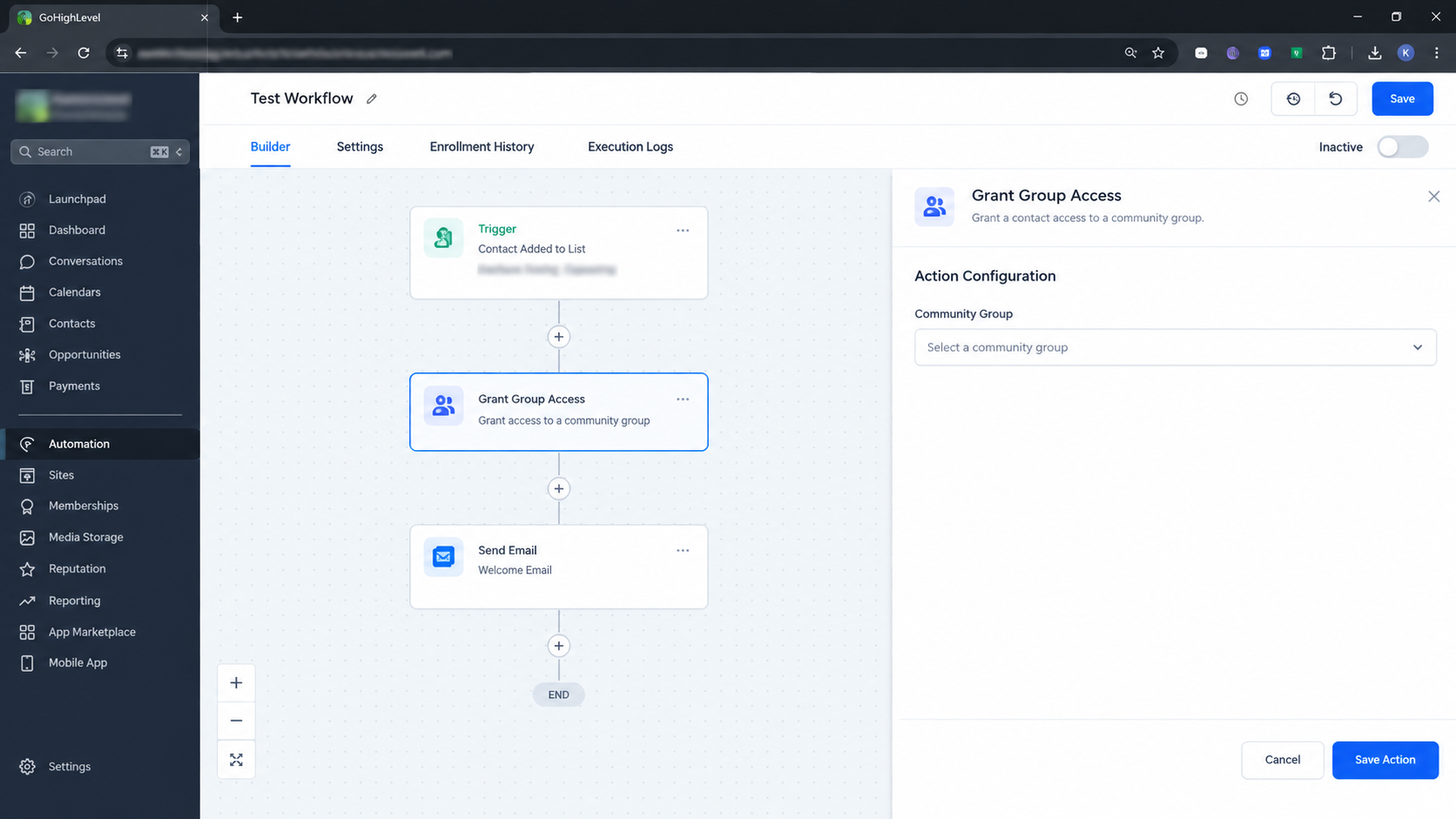
Step 4: Select the Group
Configure the action by selecting the Community group whose access should be granted. Review the selected group carefully before saving.
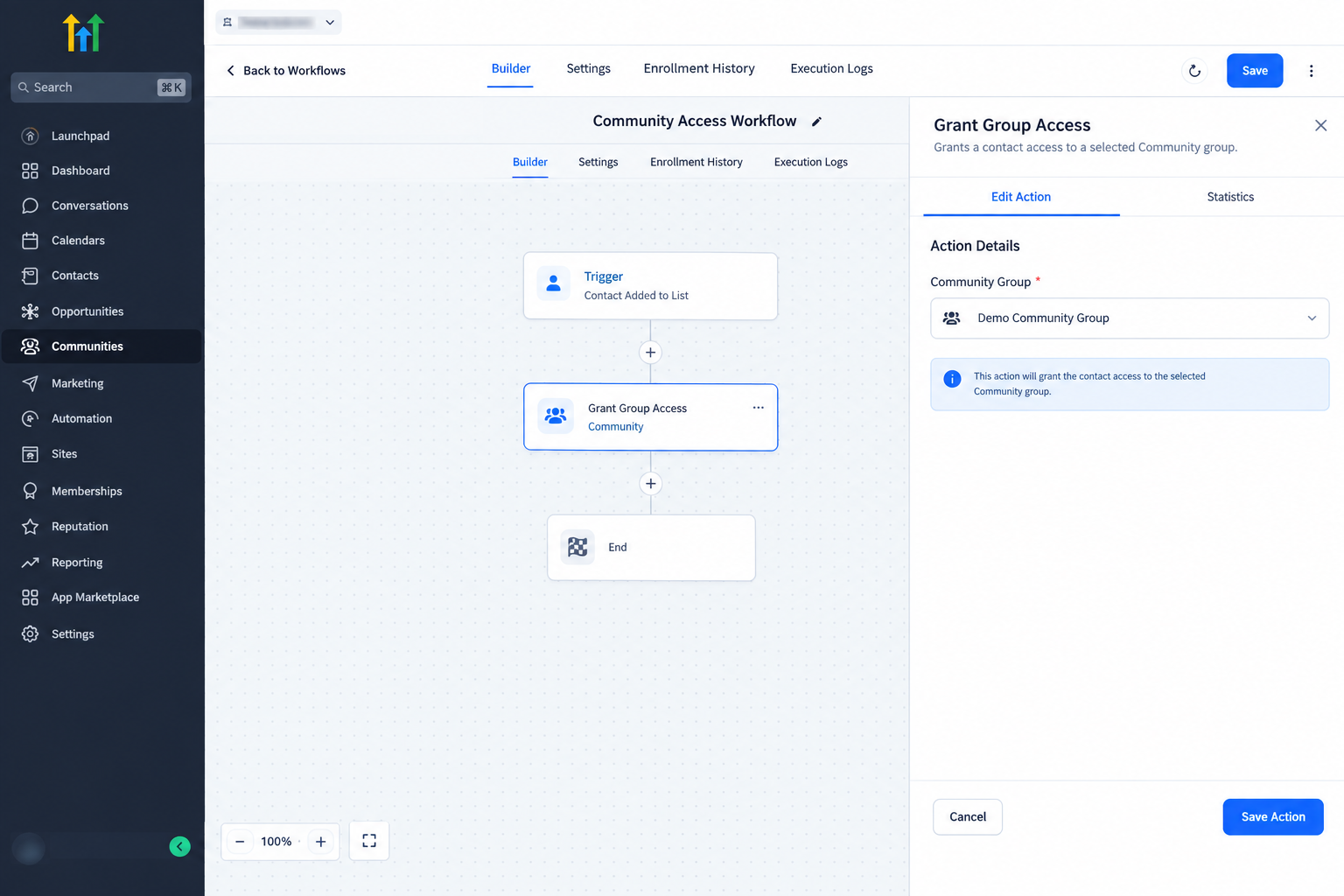
Step 5: Test and Publish
Save the action and review the workflow path. Use a representative test contact where appropriate to confirm that the workflow reaches the action and produces the expected access result. When everything is ready, publish the workflow.
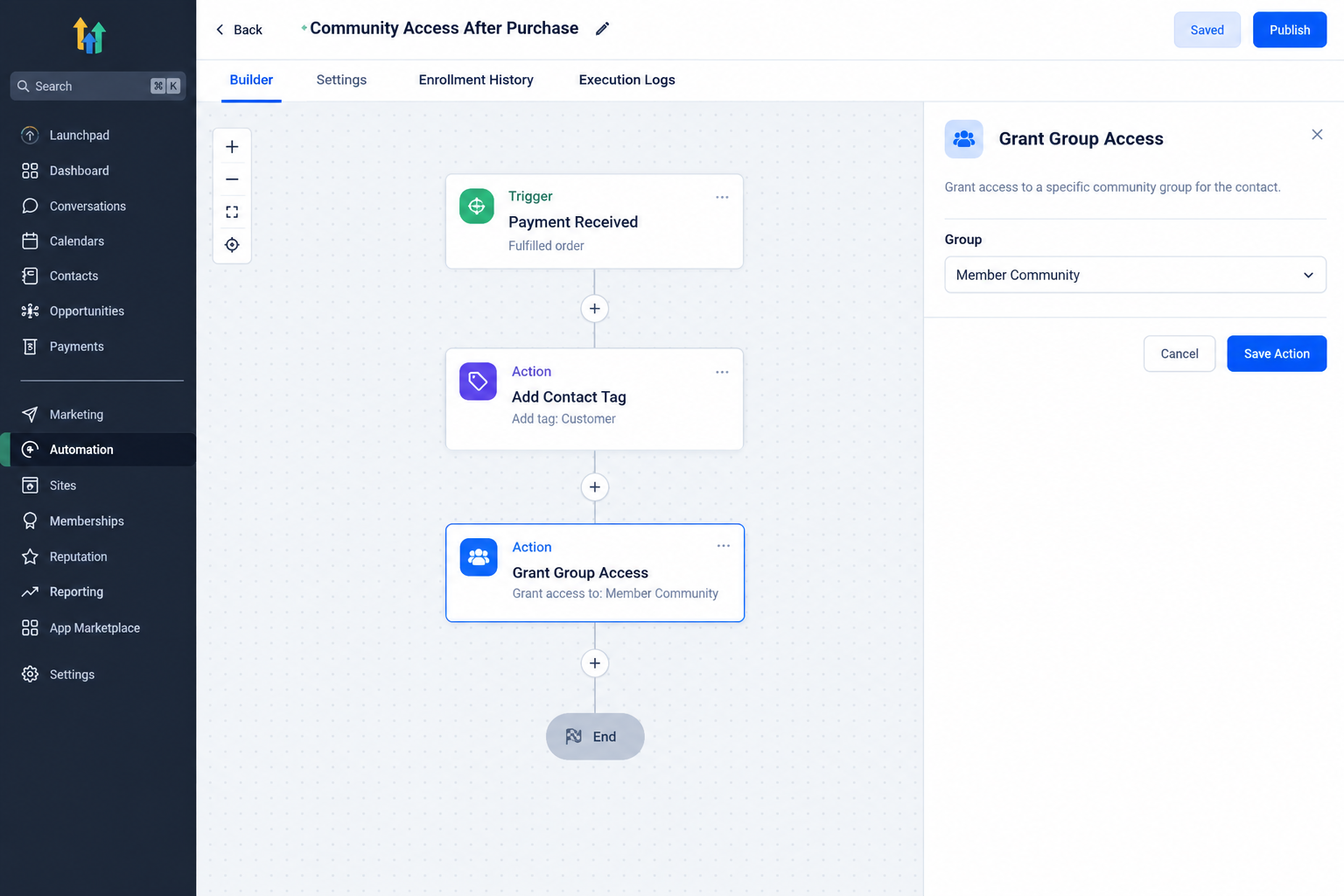
Practical Example
Consider a business with a private Community group for customers who complete onboarding.
The workflow can start when the relevant onboarding event occurs. After the required steps, the workflow reaches Grant Group Access. The action is configured for the customer Community group.
When the contact reaches that step, GoHighLevel grants access to the selected group. The business does not need to manually find the contact and manage the access separately.
Important Points to Understand
Always check the selected Community group before publishing. This helps prevent unintended access changes.
Remember the difference between triggers and actions. Group Access Granted starts automation after access is granted. Grant Group Access grants access during automation.
Do not use this action for course access or another access type. GoHighLevel provides separate actions for those functions.
Test with a representative contact before broader use and confirm the selected group and expected access result.
Conclusion
The Grant Group Access Action gives GoHighLevel users a direct way to automate access to a Community group from within a workflow. When the workflow reaches the action, the selected contact receives access to the selected group. By placing the action at the correct point and checking the target group carefully, businesses can make Community access part of a consistent GoHighLevel automation process.
Frequently Asked Questions (FAQs)
1. What does Grant Group Access do in GoHighLevel?
It grants the workflow contact access to a selected Community group.
2. Is Grant Group Access a trigger?
No. It is a workflow action. Group Access Granted is the separate trigger that starts automation after access is granted.
3. Can I choose which Community group receives access?
Yes. The action is configured with the Community group whose access should be granted.
4. Is Grant Group Access the same as course access?
No. It manages Community group access. Course access uses separate course actions.
5. What action removes Community group access?
GoHighLevel provides Revoke Group Access for removing access from a Community group.
Need Expert Help with GoHighLevel?
New to GoHighLevel and ready to get started? Buy your GoHighLevel account here and launch with confidence.
Already know what you need and want our team to handle everything, from complete setup and customization to funnels, workflows, automations, CRM, and pipelines? Click here.



